wheel HYUNDAI IX35 2014 Owners Manual
[x] Cancel search | Manufacturer: HYUNDAI, Model Year: 2014, Model line: IX35, Model: HYUNDAI IX35 2014Pages: 1534, PDF Size: 39.76 MB
Page 581 of 1534
491
Features of your vehicle
Operation way
Before operating the smart parking assist
system, confirm the condition that is pos-
sible to use. For safety, always operate it
by applying the brake pedal under any
condition, for example before each step,
while pressing the ON/OFF button of this
system or shifting the lever, etc.
When vehicle is parked by using the
smart parking assist system, general
steps are followings
1. The smart parking assist system select
2. Parking mode select
3. Parking space search : Direct way driv-ing
4. Search complete : Automatic search by sensor
However, before parking, real parking
environment confirmations are needed
for driver. 5. Steering wheel support (Rear Parking
type)
(1) Operate shift lever by display in cluster
(2) Always drive slowly with applying to brake
6. Smart parking assist system complete
7. If required, move vehicle to manual operation
According to parking space, select
mode, and surrounding environment, the
sequence of display or situation could be
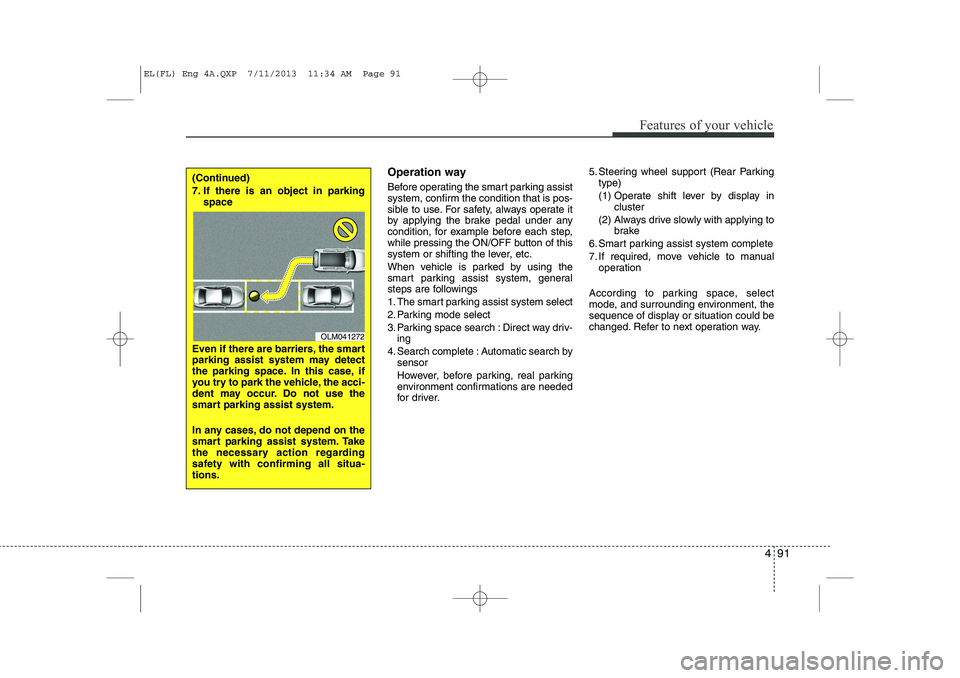
changed. Refer to next operation way.(Continued)
7. If there is an object in parking space
Even if there are barriers, the smart
parking assist system may detect
the parking space. In this case, if
you try to park the vehicle, the acci-
dent may occur. Do not use the
smart parking assist system.
In any cases, do not depend on the
smart parking assist system. Take
the necessary action regarding
safety with confirming all situa-tions.
OLM041272
EL(FL) Eng 4A.QXP 7/11/2013 11:34 AM Page 91
Page 584 of 1534
Features of your vehicle
94
4
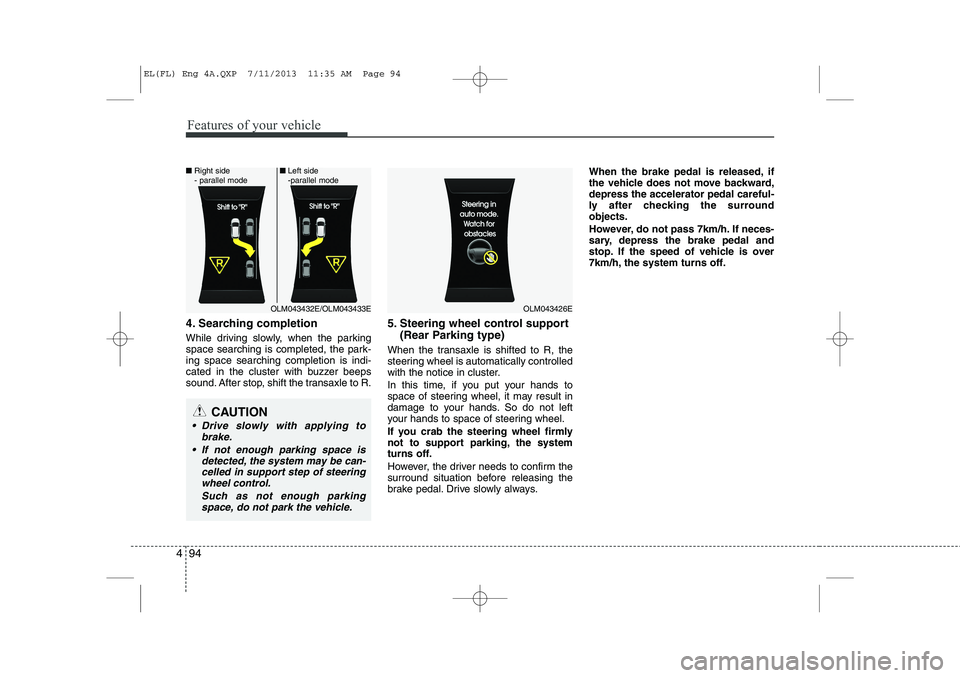
4. Searching completion
While driving slowly, when the parking
space searching is completed, the park-ing space searching completion is indi-
cated in the cluster with buzzer beeps
sound. After stop, shift the transaxle to R. 5. Steering wheel control support
(Rear Parking type)
When the transaxle is shifted to R, the
steering wheel is automatically controlled
with the notice in cluster.
In this time, if you put your hands to
space of steering wheel, it may result in
damage to your hands. So do not left
your hands to space of steering wheel.
If you crab the steering wheel firmly
not to support parking, the system
turns off.
However, the driver needs to confirm the
surround situation before releasing the
brake pedal. Drive slowly always. When the brake pedal is released, if
the vehicle does not move backward,depress the accelerator pedal careful-
ly after checking the surroundobjects.
However, do not pass 7km/h. If neces-
sary, depress the brake pedal and
stop. If the speed of vehicle is over
7km/h, the system turns off.
CAUTION
Drive slowly with applying to
brake.
If not enough parking space is detected, the system may be can-celled in support step of steering wheel control.
Such as not enough parkingspace, do not park the vehicle.
OLM043426EOLM043432E/OLM043433E
■
Right side
- parallel mode ■
Left side
-parallel mode
EL(FL) Eng 4A.QXP 7/11/2013 11:35 AM Page 94
Page 585 of 1534
495
Features of your vehicle
System cancellation while park- ing
Push the smart parking assist system or
turn the steering wheel left side or right
side.5-1. Gear shifting while control-ling the steering wheel
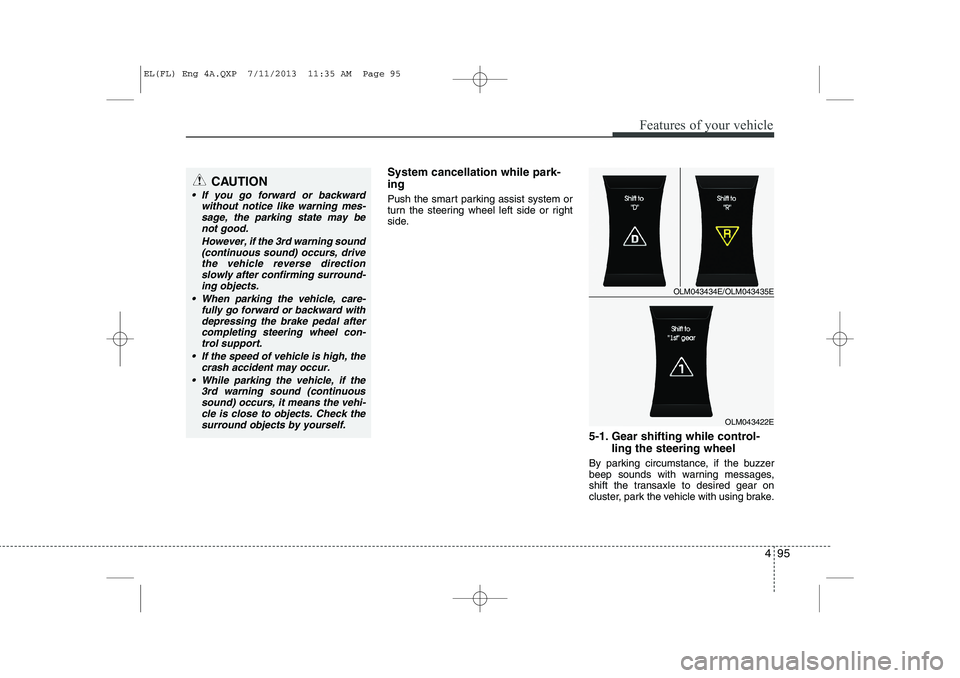
By parking circumstance, if the buzzer
beep sounds with warning messages,
shift the transaxle to desired gear on
cluster, park the vehicle with using brake.CAUTION
If you go forward or backward without notice like warning mes-
sage, the parking state may benot good.
However, if the 3rd warning sound(continuous sound) occurs, drive
the vehicle reverse direction slowly after confirming surround-ing objects.
When parking the vehicle, care- fully go forward or backward with
depressing the brake pedal after completing steering wheel con-trol support.
If the speed of vehicle is high, the crash accident may occur.
While parking the vehicle, if the 3rd warning sound (continuoussound) occurs, it means the vehi- cle is close to objects. Check the
surround objects by yourself.
OLM043434E/OLM043435E
OLM043422E
EL(FL) Eng 4A.QXP 7/11/2013 11:35 AM Page 95
Page 586 of 1534
Features of your vehicle
96
4
Be sure to check the front and rear view
before releasing the brake pedal. Stop
the vehicle when the speed of your vehi-
cle is high and stop immediately by
depressing the brake pedal if necessary.
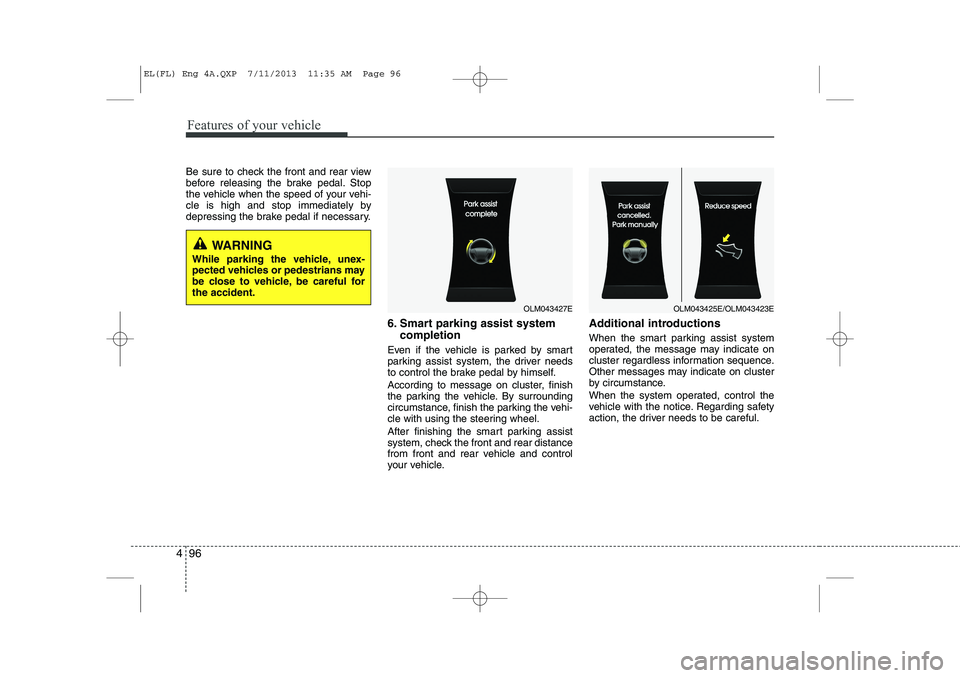
6. Smart parking assist systemcompletion
Even if the vehicle is parked by smart
parking assist system, the driver needs
to control the brake pedal by himself.
According to message on cluster, finish
the parking the vehicle. By surrounding
circumstance, finish the parking the vehi-
cle with using the steering wheel.
After finishing the smart parking assist
system, check the front and rear distance
from front and rear vehicle and control
your vehicle. Additional introductions
When the smart parking assist system
operated, the message may indicate on
cluster regardless information sequence.
Other messages may indicate on cluster
by circumstance.
When the system operated, control the
vehicle with the notice. Regarding safety
action, the driver needs to be careful.
OLM043427EOLM043425E/OLM043423E
WARNING
While parking the vehicle, unex-
pected vehicles or pedestrians may
be close to vehicle, be careful forthe accident.
EL(FL) Eng 4A.QXP 7/11/2013 11:35 AM Page 96
Page 587 of 1534
497
Features of your vehicle
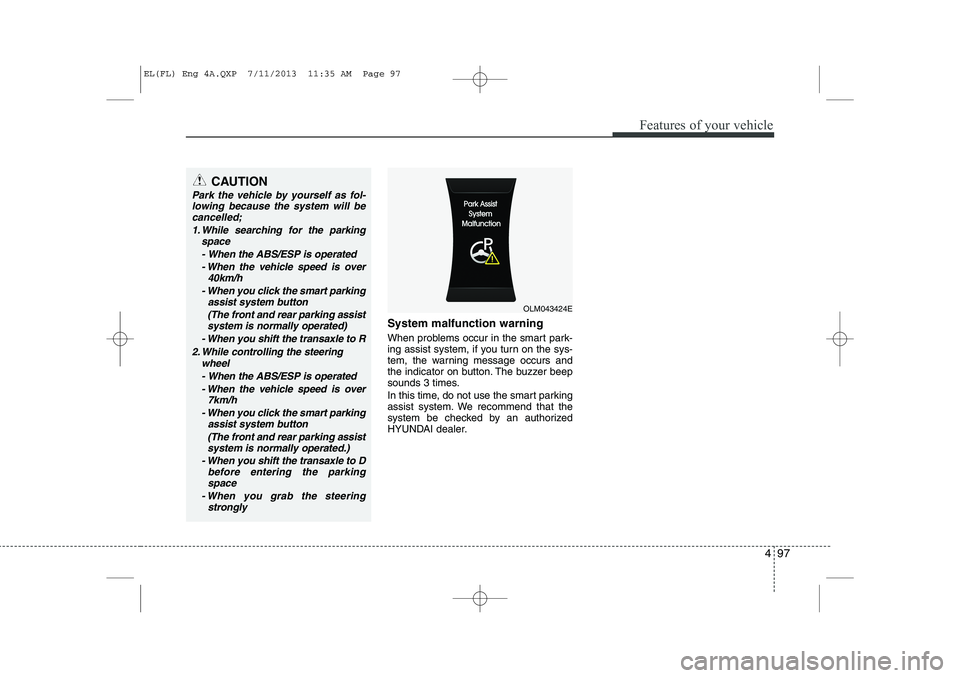
System malfunction warning
When problems occur in the smart park-
ing assist system, if you turn on the sys-
tem, the warning message occurs and
the indicator on button. The buzzer beep
sounds 3 times.
In this time, do not use the smart parking
assist system. We recommend that the
system be checked by an authorized
HYUNDAI dealer.
CAUTION
Park the vehicle by yourself as fol-lowing because the system will be
cancelled;
1. While searching for the parking space
- When the ABS/ESP is operated- When the vehicle speed is over 40km/h
- When you click the smart parking assist system button
(The front and rear parking assistsystem is normally operated)
- When you shift the transaxle to R
2. While controlling the steering wheel
- When the ABS/ESP is operated - When the vehicle speed is over 7km/h
- When you click the smart parking assist system button
(The front and rear parking assistsystem is normally operated.)
- When you shift the transaxle to D before entering the parkingspace
- When you grab the steering strongly
OLM043424E
EL(FL) Eng 4A.QXP 7/11/2013 11:35 AM Page 97
Page 608 of 1534
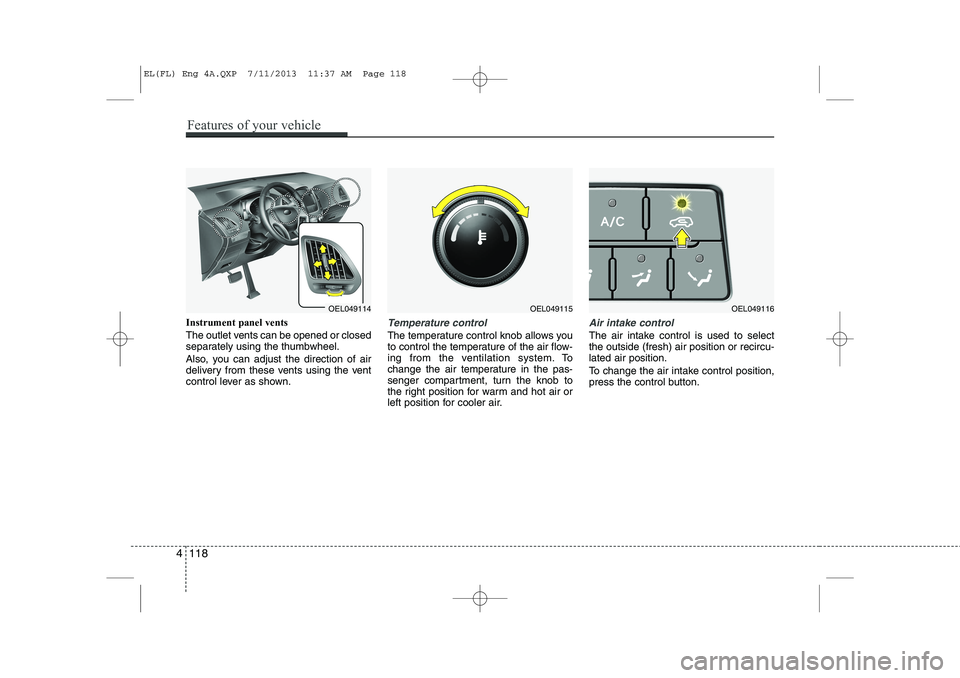
Instrument panel vents
The outlet vents can be opened or closed
separately using the thumbwheel.
Also, you can adjust the direction of air
delivery from these vents using the vent
control lever as shown.Temperature control
The temperature control knob allows you
to control the temperature of the air flow-
ing from the ventilation system. To
change the air temperature in the pas-
senger compartment, turn the knob to
the right position for warm and hot air or
left position for cooler air.
Air intake control
The air intake control is used to select the outside (fresh) air position or recircu-lated air position.
To change the air intake control position,
press the control button.
OEL049114OEL049115OEL049116
4 118
Features of your vehicle
EL(FL) Eng 4A.QXP 7/11/2013 11:37 AM Page 118
Page 617 of 1534
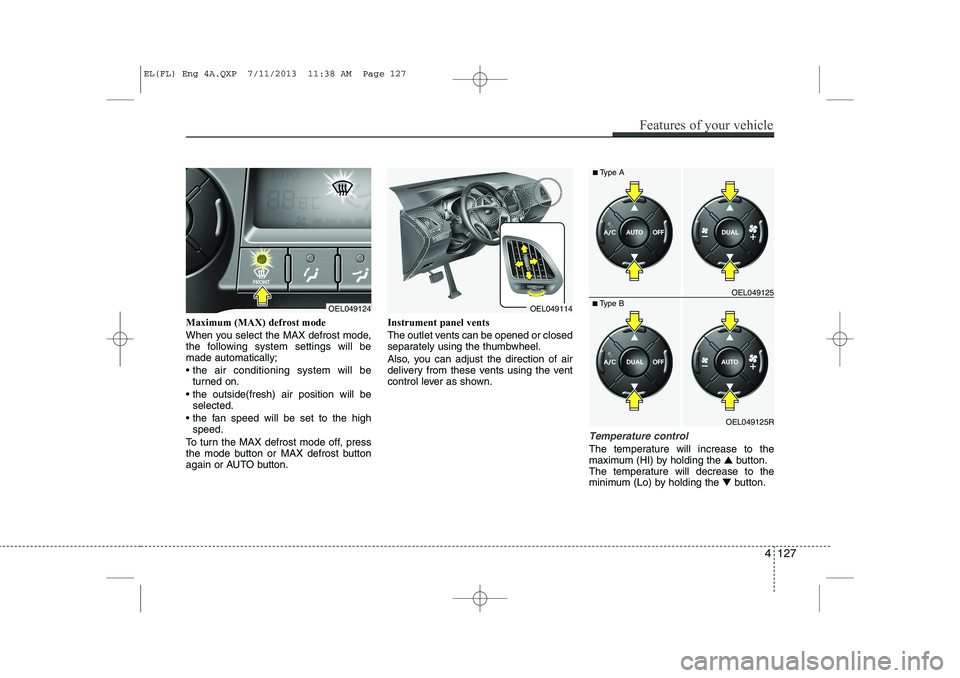
Maximum (MAX) defrost mode
When you select the MAX defrost mode,
the following system settings will bemade automatically;
the air conditioning system will beturned on.
the outside(fresh) air position will be selected.
the fan speed will be set to the high speed.
To turn the MAX defrost mode off, press
the mode button or MAX defrost button
again or AUTO button. Instrument panel vents
The outlet vents can be opened or closed
separately using the thumbwheel.
Also, you can adjust the direction of air
delivery from these vents using the vent
control lever as shown.
Temperature control
The temperature will increase to the
maximum (HI) by holding the
▲button.
The temperature will decrease to the
minimum (Lo) by holding the ▼button.
OEL049124OEL049114
OEL049125R
■
Type B OEL049125
■
Type A
Features of your vehicle
127
4
EL(FL) Eng 4A.QXP 7/11/2013 11:38 AM Page 127
Page 637 of 1534
4 147
Features of your vehicle
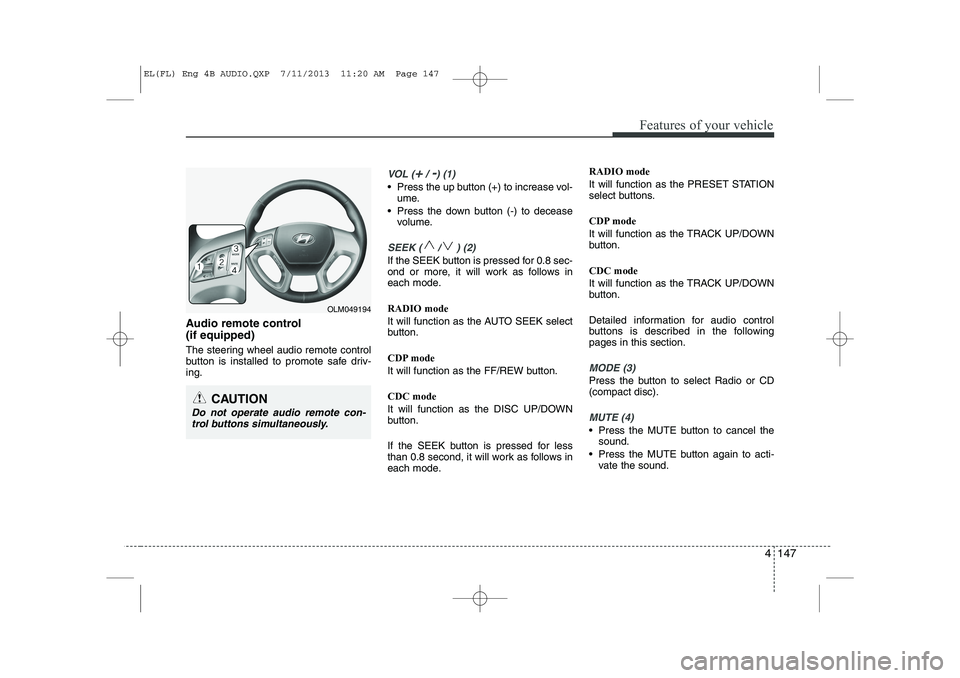
Audio remote control (if equipped)
The steering wheel audio remote control
button is installed to promote safe driv-ing.
VOL (+/ -) (1)
• Press the up button (+) to increase vol-ume.
Press the down button (-) to decease volume.
SEEK ( / ) (2)
If the SEEK button is pressed for 0.8 sec-
ond or more, it will work as follows in
each mode. RADIO mode
It will function as the AUTO SEEK select
button.
CDP mode
It will function as the FF/REW button. CDC mode
It will function as the DISC UP/DOWN
button.
If the SEEK button is pressed for less
than 0.8 second, it will work as follows in
each mode. RADIO mode
It will function as the PRESET STATION
select buttons.
CDP mode
It will function as the TRACK UP/DOWN
button. CDC mode
It will function as the TRACK UP/DOWN
button.
Detailed information for audio control
buttons is described in the followingpages in this section.
MODE (3)
Press the button to select Radio or CD (compact disc).
MUTE (4)
Press the MUTE button to cancel the
sound.
Press the MUTE button again to acti- vate the sound.
CAUTION
Do not operate audio remote con-
trol buttons simultaneously.
OLM049194
EL(FL) Eng 4B AUDIO.QXP 7/11/2013 11:20 AM Page 147
Page 670 of 1534
Features of your vehicle
180
4
PHONE (if equipped)
Before using the
Bluetooth®Wireless
Technologyphone features
In order to use
Bluetooth®Wireless
Technology
phone, you must first pair
and connect the
Bluetooth®Wireless
Technology
mobile phone.
If the mobile phone is not paired or con- nected, it is not possible to enter Phone
mode. Once a phone is paired or con-nected, the guidance screen will be dis-
played.
If Priority is set upon vehicle ignition (IGN/ACC ON), the
Bluetooth®Wireless
Technology
phone will be automatically
connected. Even if you are outside, the
Bluetooth®Wireless Technologyphone will
be automatically connected once you are
in the vicinity of the vehicle. If you do not
want automatic
Bluetooth®Wireless
Technology
phone connection, set the
Bluetooth®Wireless Technologypower to
OFF. Making a call using the Steering
wheel remote controller
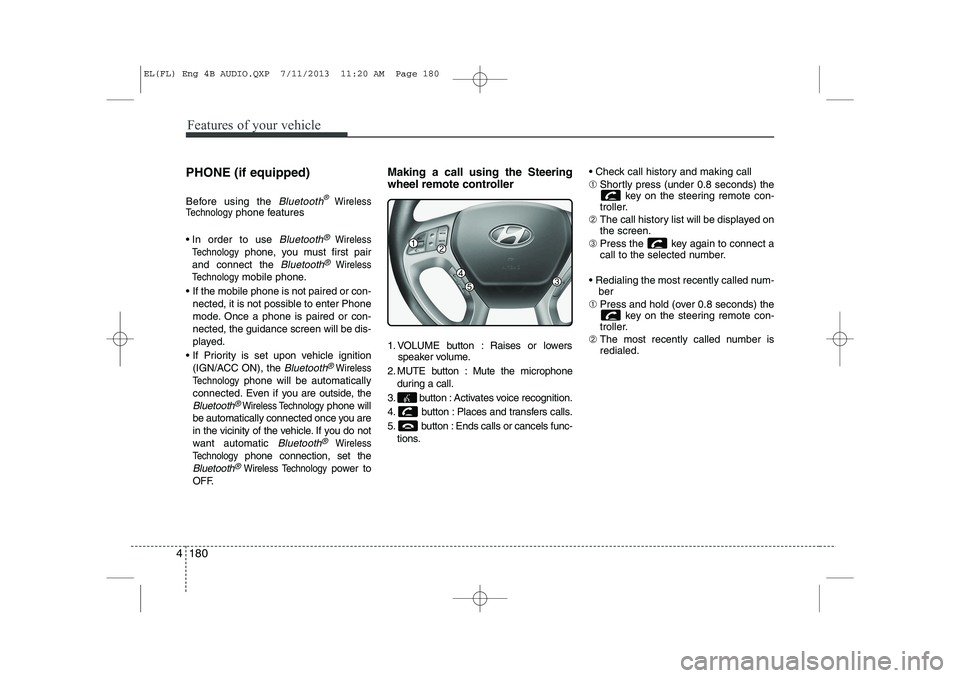
1. VOLUME button : Raises or lowers
speaker volume.
2. MUTE button : Mute the microphone during a call.
3. button : Activates voice recognition.
4. button : Places and transfers calls.
5. button : Ends calls or cancels func- tions. Check call history and making call ➀
Shortly press (under 0.8 seconds) the
key on the steering remote con-
troller.
➁ The call history list will be displayed on the screen.
➂ Press the key again to connect a
call to the selected number.
Redialing the most recently called num- ber
➀ Press and hold (over 0.8 seconds) the
key on the steering remote con-
troller.
➁ The most recently called number isredialed.
EL(FL) Eng 4B AUDIO.QXP 7/11/2013 11:20 AM Page 180
Page 675 of 1534
4 185
Features of your vehicle
VOICE COMMAND (if equipped)
Starting Voice Command
To start voice command, shortly pressthe key on the steering wheel
remote controller.
If voice command is in [Normal Mode], then the system will say “Please say a
command. Beep”
❈ If voice command is in [Expert Mode],
then the system will only say a “Beep-”
❈ Setting Voice command [Normal
Mode]/[Expert Mode]:
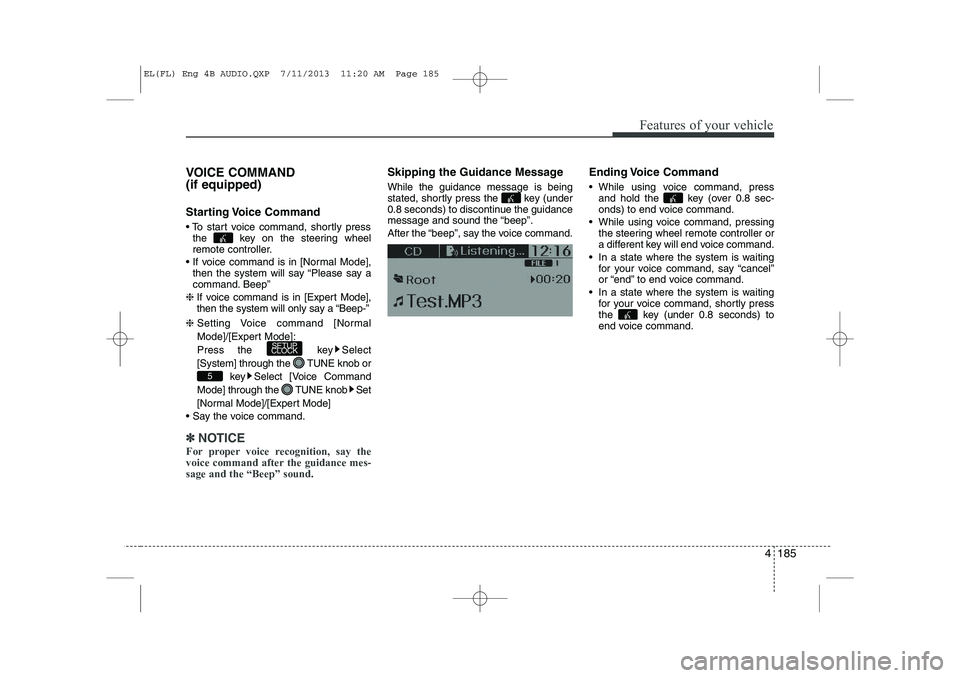
Press the key Select
[System] through the TUNE knob or
key Select [Voice Command
Mode] through the TUNE knob Set
[Normal Mode]/[Expert Mode]
Say the voice command.
✽✽ NOTICE
For proper voice recognition, say the
voice command after the guidance mes-sage and the “Beep” sound.
Skipping the Guidance Message While the guidance message is being
stated, shortly press the key (under
0.8 seconds) to discontinue the guidance
message and sound the “beep”.
After the “beep”, say the voice command. Ending Voice Command
While using voice command, press
and hold the key (over 0.8 sec-
onds) to end voice command.
While using voice command, pressing the steering wheel remote controller or
a different key will end voice command.
In a state where the system is waiting for your voice command, say “cancel”
or “end” to end voice command.
In a state where the system is waiting for your voice command, shortly press
the key (under 0.8 seconds) to
end voice command.
5
SETUP
CLOCK
EL(FL) Eng 4B AUDIO.QXP 7/11/2013 11:20 AM Page 185