air condition HYUNDAI IX35 2014 Owners Manual
[x] Cancel search | Manufacturer: HYUNDAI, Model Year: 2014, Model line: IX35, Model: HYUNDAI IX35 2014Pages: 1534, PDF Size: 39.76 MB
Page 1150 of 1534
479
Features of your vehicle
Glow indicator(Diesel engine)
The indicator light illuminates when the
ignition switch is placed at the ON posi-
tion. The engine can be started after the
preheat indicator light goes off. The illu-
minating time varies with the water tem-
perature, air temperature and batterycondition.
✽✽ NOTICE
If the engine was not started within 10
seconds after the preheating is complet-
ed, turn the ignition key once more tothe LOCK position during 10 seconds,
and then to the ON position, in order to
preheat again.
Fuel filter warning light (Diesel engine)
This warning light illuminates for 3 sec-
onds after the ignition switch is set to the
ON position and then it will go out. If it
lights up whilst the engine is running, it
indicates that water has accumulated
inside the fuel filter. If this happens,
remove the water from the fuel filter. For
more Information, refer to “Fuel filter” insection 7.
4WD system warning light
(if equipped)
When the ignition switch is turned to the ON position, the 4WD indicator will illumi-
nate and then go off in a few seconds.
If the 4WD system warning light
illuminates, this indicates that there is a
malfunction in the 4WD system. If this
occurs, we recommend that the system
be checked by a HYUNDAI authorised
repairer.
CAUTION
When the fuel filter warning light is
illuminated, engine power (vehicle speed & idle speed) may decrease.If you keep driving with the warning light on, you can damage your vehi-
cle's engine parts and injection sys- tem of the Common Rail. If thisoccurs, we recommend that the system be checked by a HYUNDAI
authorised repairer.
CAUTION
If the preheat indicator continues toilluminate or flash on and off after
the engine has warmed up or whilstdriving, we recommend that thesystem be checked by a HYUNDAI authorised repairer.
EL(FL) UK 4A.QXP 8/5/2013 6:42 PM Page 79
Page 1154 of 1534
483
Features of your vehicle
Non-operational conditions
The rear parking assist system may not
operate properly when:
1. Moisture is frozen to the sensor. (It willoperate normally when the moisture has been cleared.)
2. The sensor is covered with foreign matter, such as snow or water, or the
sensor cover is blocked. (It will operate
normally when the material is removed
or the sensor is no longer blocked.)
3. Driving on uneven road surfaces. (unpaved roads, gravel, bumps, gradi-ent)
4. Objects generating excessive noise (vehicle horns, loud motorcycle
engines, or truck air brakes) are within
range of the sensor.
5. Heavy rain or water spray exists.
6. Wireless transmitters or mobile phones are within range of the sensor.
7. The sensor is covered with snow.
8. Trailer towing.
9. The place light the fluorescent lamp. The detecting range may decrease when:
1. The sensor is stained with foreign mat-
ter such as snow or water. (The sens-
ing range will return to normal when
removed.)
2. Outside air temperature is extremely hot or cold.
The following objects may not be recog-
nized by the sensor:
1. Sharp or slim objects such as ropes, chains or small poles.
2. Objects which tend to absorb the sen- sor frequency such as clothes, spongy
material or snow.
3. Undetectable objects smaller than 1 m (40 in.) in height and narrower than 14
cm (6 in.) in diameter.
Rear parking assist system precau-
tions
The rear parking assist system may not sound sequentially depending on the speed and shapes of the objectsdetected.
The rear parking assist system may malfunction if the vehicle bumperheight or sensor installation has been
modified or damaged. Any non-factory
installed equipment or accessories
may also interfere with the sensor per-
formance.
The sensor may not recognize objects less than 30 cm (11.8 in.) from the sen-
sor, or it may sense an incorrect dis-
tance. Use caution.
When the sensor is frozen or stained with snow, dirt, or water, the sensor
may be inoperative until the stains are
removed using a soft cloth.
Do not push, scratch or strike the sen- sor. Sensor damage could occur.
3. Undetectable objects smaller than 40 in. (1 m) in height and narrower than 6 in.
(14 cm) in diameter.
EL(FL) UK 4A.QXP 8/5/2013 6:42 PM Page 83
Page 1158 of 1534
487
Features of your vehicle
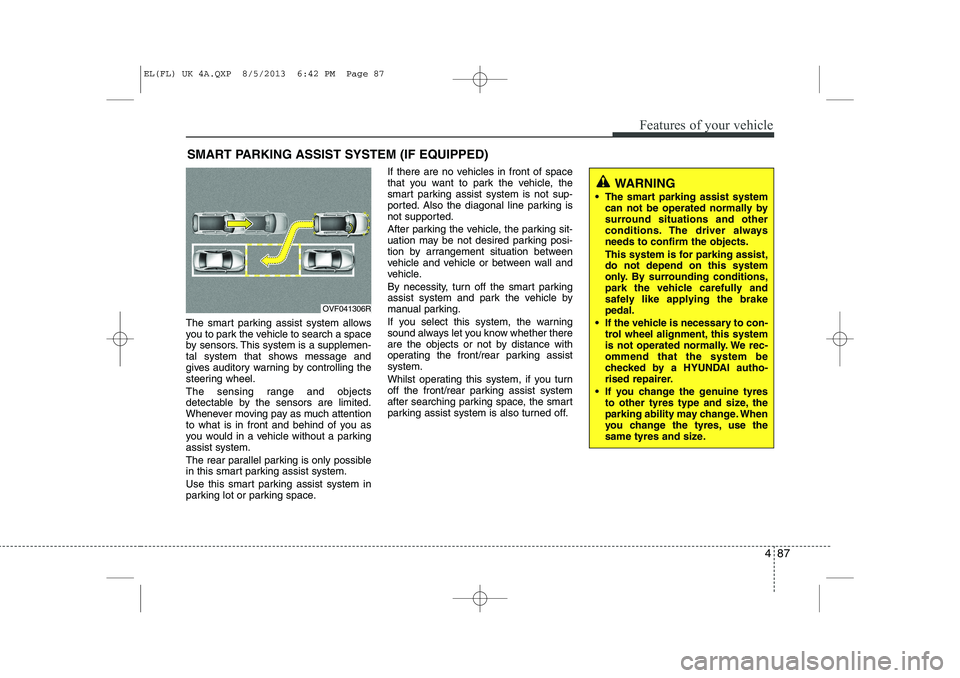
The smart parking assist system allows
you to park the vehicle to search a space
by sensors. This system is a supplemen-
tal system that shows message and
gives auditory warning by controlling the
steering wheel.
The sensing range and objects
detectable by the sensors are limited.
Whenever moving pay as much attention
to what is in front and behind of you as
you would in a vehicle without a parkingassist system.
The rear parallel parking is only possible
in this smart parking assist system.
Use this smart parking assist system in
parking lot or parking space.If there are no vehicles in front of space
that you want to park the vehicle, the
smart parking assist system is not sup-
ported. Also the diagonal line parking is
not supported.
After parking the vehicle, the parking sit-
uation may be not desired parking posi-
tion by arrangement situation between
vehicle and vehicle or between wall and
vehicle.
By necessity, turn off the smart parking
assist system and park the vehicle by
manual parking.
If you select this system, the warning
sound always let you know whether there
are the objects or not by distance with
operating the front/rear parking assistsystem.
Whilst operating this system, if you turn
off the front/rear parking assist system
after searching parking space, the smart
parking assist system is also turned off.
SMART PARKING ASSIST SYSTEM (IF EQUIPPED)
OVF041306R
WARNING
The smart parking assist system can not be operated normally by
surround situations and other
conditions. The driver alwaysneeds to confirm the objects.
This system is for parking assist, do not depend on this system
only. By surrounding conditions,
park the vehicle carefully and
safely like applying the brakepedal.
If the vehicle is necessary to con- trol wheel alignment, this system
is not operated normally. We rec-ommend that the system be
checked by a HYUNDAI autho-
rised repairer.
If you change the genuine tyres to other tyres type and size, the
parking ability may change. When
you change the tyres, use the
same tyres and size.
EL(FL) UK 4A.QXP 8/5/2013 6:42 PM Page 87
Page 1176 of 1534
4 105
Features of your vehicle
Automatic type
It automatically adjusts the headlight
beam level according to the number of
passengers and loading weight in theluggage area.
And it offers proper headlight beam
under various conditions.
WARNING
If it does not work properly even
though your car is inclined back-
ward according to passenger's
posture, or the headlight beam is
irradiated to the high or low posi-
tion, we recommend that you have
your vehicle inspected by a
HYUNDAI authorised repairer. Do not attempt to inspect or
replace the wiring yourself.
EL(FL) UK 4A.QXP 8/5/2013 6:44 PM Page 105
Page 1186 of 1534
4 115
Features of your vehicle
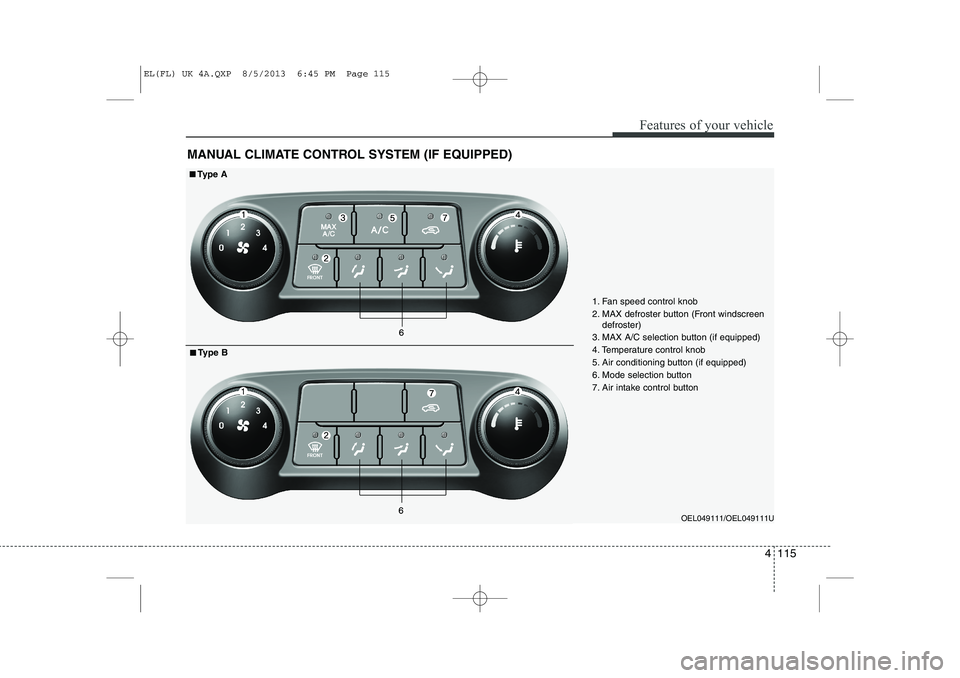
MANUAL CLIMATE CONTROL SYSTEM (IF EQUIPPED)
OEL049111/OEL049111U
1. Fan speed control knob
2. MAX defroster button (Front windscreen
defroster)
3. MAX A/C selection button (if equipped)
4. Temperature control knob
5. Air conditioning button (if equipped)
6. Mode selection button
7. Air intake control button
■■ Ty p e A
■
■ Type B
EL(FL) UK 4A.QXP 8/5/2013 6:45 PM Page 115
Page 1187 of 1534
Features of your vehicle
116
4
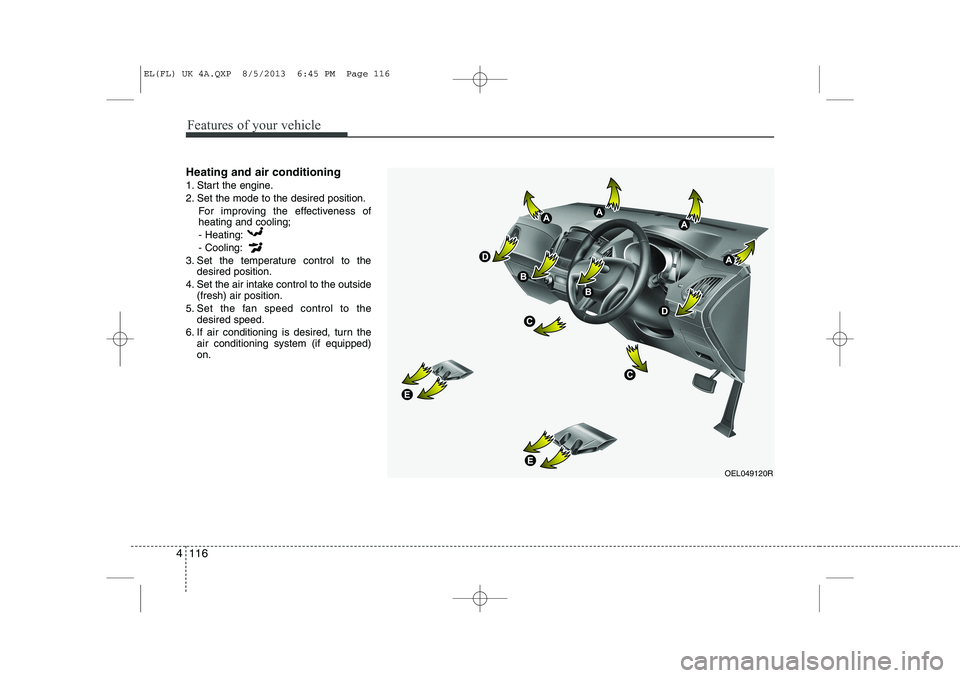
Heating and air conditioning
1. Start the engine.
2. Set the mode to the desired position.
For improving the effectiveness of heating and cooling;- Heating: - Cooling:
3. Set the temperature control to the desired position.
4. Set the air intake control to the outside (fresh) air position.
5. Set the fan speed control to the desired speed.
6. If air conditioning is desired, turn the air conditioning system (if equipped) on.
OEL049120R
EL(FL) UK 4A.QXP 8/5/2013 6:45 PM Page 116
Page 1188 of 1534
4 117
Features of your vehicle
Mode selection
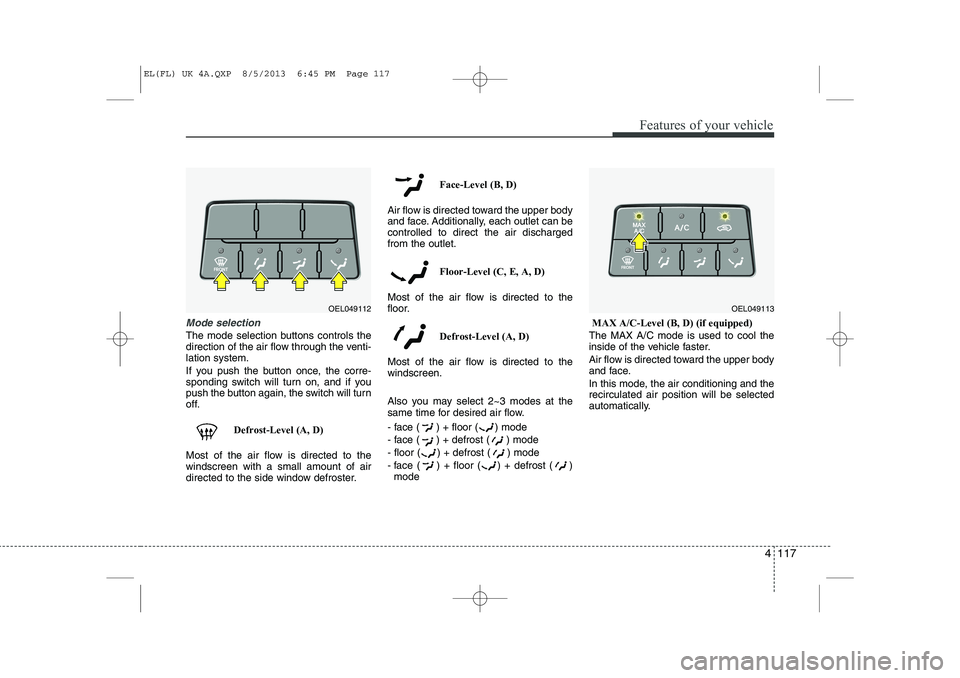
The mode selection buttons controls the
direction of the air flow through the venti-lation system.
If you push the button once, the corre-
sponding switch will turn on, and if you
push the button again, the switch will turn
off.Defrost-Level (A, D)
Most of the air flow is directed to thewindscreen with a small amount of air
directed to the side window defroster. Face-Level (B, D)
Air flow is directed toward the upper body
and face. Additionally, each outlet can becontrolled to direct the air dischargedfrom the outlet.
Floor-Level (C, E, A, D)
Most of the air flow is directed to the
floor.
Defrost-Level (A, D)
Most of the air flow is directed to thewindscreen.
Also you may select 2~3 modes at the
same time for desired air flow.
- face ( ) + floor ( ) mode
- face ( ) + defrost ( ) mode
- floor ( ) + defrost ( ) mode
- face ( ) + floor ( ) + defrost ( ) mode MAX A/C-Level (B, D) (if equipped)
The MAX A/C mode is used to cool the
inside of the vehicle faster.
Air flow is directed toward the upper body
and face.
In this mode, the air conditioning and the recirculated air position will be selected
automatically.
OEL049112OEL049113
EL(FL) UK 4A.QXP 8/5/2013 6:45 PM Page 117
Page 1190 of 1534
4 119
Features of your vehicle
Recirculated air position With the recirculatedair position selected, air from the passenger
compartment will be
drawn through theheating system andheated or cooled
according to the func-tion selected.
Outside (fresh) air position With the outside (fresh)air position selected,
air enters the vehiclefrom outside and isheated or cooledaccording to the func-tion selected.
✽✽ NOTICE
Prolonged operation of the heater in the
recirculated air position (without airconditioning selected) may cause fogging
of the windscreen and side windows and
the air within the passenger compart-ment may become stale.
In addition, prolonged use of the air con-
ditioning with the recirculated air posi-
tion selected will result in excessively dry
air in the passenger compartment.
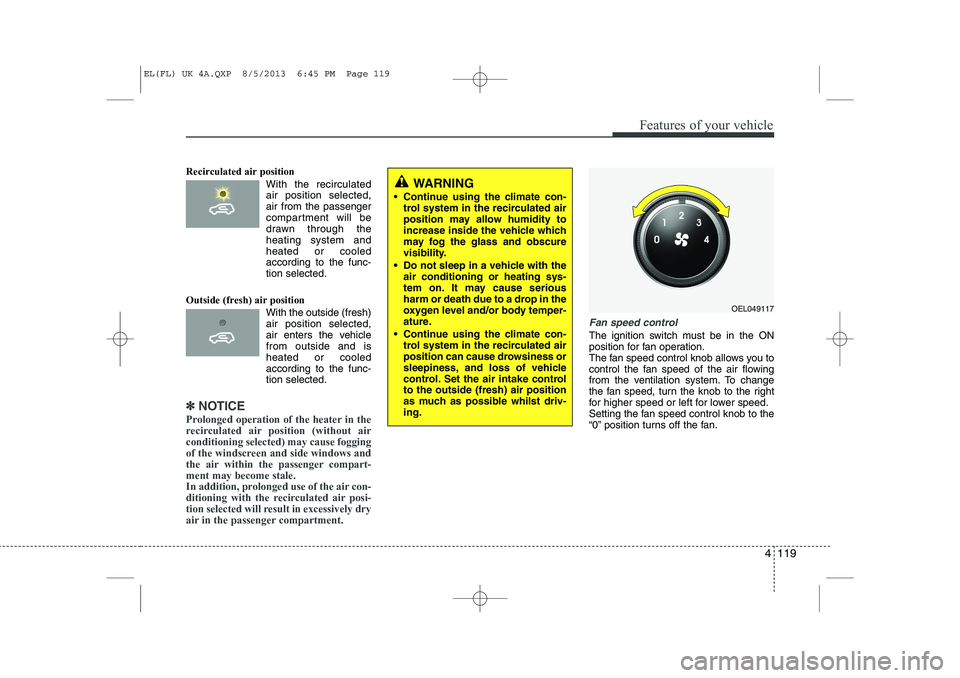
Fan speed control
The ignition switch must be in the ON
position for fan operation.
The fan speed control knob allows you to
control the fan speed of the air flowing
from the ventilation system. To change
the fan speed, turn the knob to the right
for higher speed or left for lower speed.
Setting the fan speed control knob to the
“0” position turns off the fan.
WARNING
Continue using the climate con- trol system in the recirculated air
position may allow humidity to
increase inside the vehicle which
may fog the glass and obscure
visibility.
Do not sleep in a vehicle with the air conditioning or heating sys-
tem on. It may cause serious
harm or death due to a drop in the
oxygen level and/or body temper-
ature.
Continue using the climate con- trol system in the recirculated air
position can cause drowsiness or
sleepiness, and loss of vehicle
control. Set the air intake controlto the outside (fresh) air position
as much as possible whilst driv-ing.
OEL049117
EL(FL) UK 4A.QXP 8/5/2013 6:45 PM Page 119
Page 1191 of 1534
Features of your vehicle
120
4
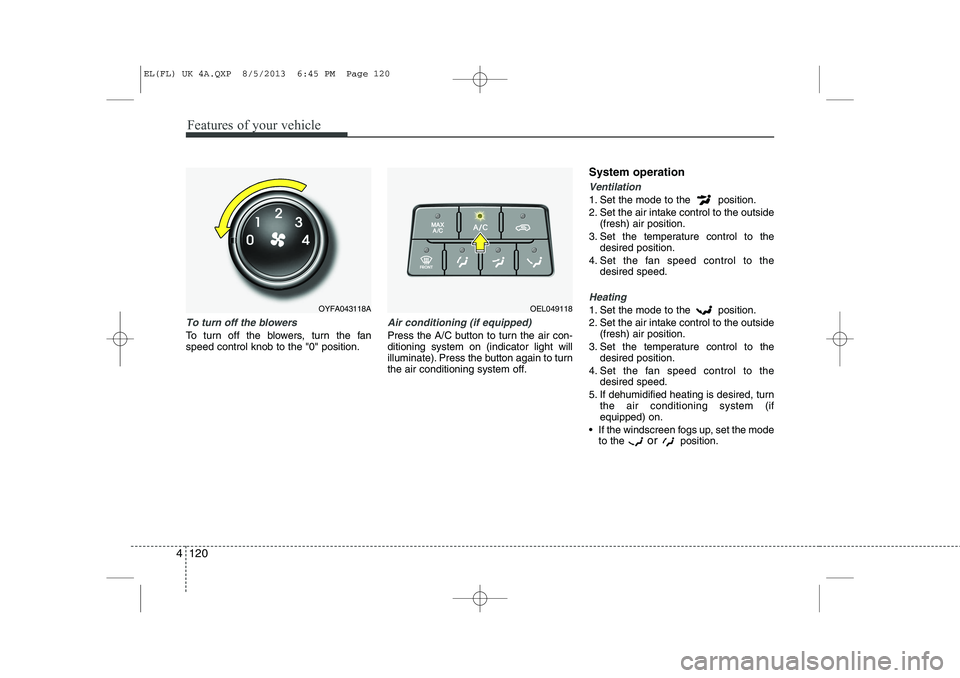
To turn off the blowers
To turn off the blowers, turn the fan speed control knob to the "0" position.
Air conditioning (if equipped)
Press the A/C button to turn the air con- ditioning system on (indicator light will
illuminate). Press the button again to turn
the air conditioning system off. System operation
Ventilation
1. Set the mode to the position.
2. Set the air intake control to the outside
(fresh) air position.
3. Set the temperature control to the desired position.
4. Set the fan speed control to the desired speed.
Heating
1. Set the mode to the position.
2. Set the air intake control to the outside(fresh) air position.
3. Set the temperature control to the desired position.
4. Set the fan speed control to the desired speed.
5. If dehumidified heating is desired, turn the air conditioning system (if equipped) on.
If the windscreen fogs up, set the mode to the or
position.OEL049118OYFA043118A
EL(FL) UK 4A.QXP 8/5/2013 6:45 PM Page 120
Page 1192 of 1534
4 121
Features of your vehicle
Operation Tips
To keep dust or unpleasant fumes fromentering the vehicle through the venti-
lation system, temporarily set the air
intake control to the recirculated air
position. Be sure to return the control
to the fresh air position when the irrita-
tion has passed to keep fresh air in the
vehicle. This will help keep the driver
alert and comfortable.
Air for the heating/cooling system is drawn in through the grilles just ahead
of the windscreen. Care should be
taken that these are not blocked by
leaves, snow, ice or other obstructions.
To prevent interior fog on the wind- screen, set the air intake control to the
fresh air position and fan speed to the
desired position, turn on the air condi-tioning system, and adjust the temper-
ature control to desired temperature.Air conditioning (if equipped)
HYUNDAI Air Conditioning Systems are
filled with environmentally friendly
R-134a refrigerant.
1. Start the engine. Push the air condi- tioning button.
2. Set the mode to the position.
3. Set the air intake control to the outside air or recirculated air position.
4. Adjust the fan speed control and tem- perature control to maintain maximum
comfort.
When maximum cooling is desired, set the temperature control to the extremeleft position (press the MAX A/C posi-
tion selection button (if equipped)) then
set the fan speed control to the highestspeed.✽✽ NOTICE