clock setting HYUNDAI IX35 2014 User Guide
[x] Cancel search | Manufacturer: HYUNDAI, Model Year: 2014, Model line: IX35, Model: HYUNDAI IX35 2014Pages: 1534, PDF Size: 39.76 MB
Page 1230 of 1534
![HYUNDAI IX35 2014 User Guide 4 159
Features of your vehicle
SETUP
- AC100ELEE, AC110ELEE
Display Settings
Press the key Select [Display]
through TUNE knob or key
Select menu through TUNE knobMode Pop up
[Mode Pop up] C](/img/35/56237/w960_56237-1229.png "HYUNDAI IX35 2014 User Guide 4 159
Features of your vehicle
SETUP
- AC100ELEE, AC110ELEE
Display Settings
Press the key Select [Display]
through TUNE knob or key
Select menu through TUNE knobMode Pop up
[Mode Pop up] C")
4 159
Features of your vehicle
SETUP
- AC100ELEE, AC110ELEE
Display Settings
Press the key Select [Display]
through TUNE knob or key
Select menu through TUNE knobMode Pop up
[Mode Pop up] Changes . selec- tion mode
During On state, press the or
key to display the mode
change pop up screen.
When the pop up screen is displayed, use the TUNE knob or keys
~ to select the desired mode.
Scroll text
[Scroll text] Set /
: Maintains scroll
: Scrolls only one (1) time.
Song Info
When playing an MP3 file, select the
desired display info from ‘Folder/File’ or
‘Album/Artist/Song’. Sound Settings
Press the key Select [Sound]
through TUNE knob or key
Select menu through TUNE knob
2
RDM
SETUP
CLOCK
Off
On
OffOn
6
1
MEDIA
RADIO
On
1
RPT
SETUP
CLOCK
EL(FL) UK 4B AUDIO.QXP 7/15/2013 10:20 AM Page 159
Page 1232 of 1534
![HYUNDAI IX35 2014 User Guide 4 161
Features of your vehicle
Clock Settings
Press the key Select [Clock]
through TUNE knob or key
Select menu through TUNE knobClock Settings
This menu is used to set the time.
Select [Clock](/img/35/56237/w960_56237-1231.png "HYUNDAI IX35 2014 User Guide 4 161
Features of your vehicle
Clock Settings
Press the key Select [Clock]
through TUNE knob or key
Select menu through TUNE knobClock Settings
This menu is used to set the time.
Select [Clock")
4 161
Features of your vehicle
Clock Settings
Press the key Select [Clock]
through TUNE knob or key
Select menu through TUNE knobClock Settings
This menu is used to set the time.
Select [Clock Settings] Set through
TUNE knob Press TUNE knob ❈
Adjust the number currently in focus to set the [hour] and press the tune knob
to set the [minute]. Day Settings
This menu is used to set the date.
Select [Day Settings] Set through
TUNE knob Press TUNE knob
❈ Adjust the number currently in focus to
make the settings and press the tune
knob to move to the next setting. (Set
in order of Year/Month/Day)
3
SETUP
CLOCK
EL(FL) UK 4B AUDIO.QXP 7/15/2013 10:20 AM Page 161
Page 1239 of 1534
![HYUNDAI IX35 2014 User Guide Features of your vehicle
168
4
System Settings
Press the key Select [System] Memory Information (if equipped)
Displays currently used memory and
total system memory.
Select [Memory Information]](/img/35/56237/w960_56237-1238.png "HYUNDAI IX35 2014 User Guide Features of your vehicle
168
4
System Settings
Press the key Select [System] Memory Information (if equipped)
Displays currently used memory and
total system memory.
Select [Memory Information]")
Features of your vehicle
168
4
System Settings
Press the key Select [System] Memory Information (if equipped)
Displays currently used memory and
total system memory.
Select [Memory Information] OK
The currently used memory is displayed on the left side while the total system
memory is displayed on the right side.Language
This menu is used to set the display
and voice recognition language.
Select [Language] Set through TUNE knob ❈
The system will reboot after the lan- guage is changed.
❈ Language support by region
-
SETUP
CLOCK
EL(FL) UK 4B AUDIO.QXP 7/15/2013 10:20 AM Page 168
Page 1249 of 1534
Features of your vehicle
178
4
Bluetooth®Wireless
Technology AUDIO (if equipped) What is
Bluetooth®Wireless
Technology?
Bluetooth®Wireless Technology allows
devices to be connected in a short dis-
tance, including hands-free devices,
stereo headsets, wireless remote con-
trollers, etc. For more information, visitthe
Bluetooth®Wireless Technology
website at
www.Bluetooth.com
Before using Bluetooth®Wireless
Technology audio features
Bluetooth®Wireless Technology audio
may not be supported depending on
the compatibility of your
Bluetooth®
Wireless Technology mobile phone.
In order to use
Bluetooth®Wireless
Technology audio, you must first pairand connect the
Bluetooth®Wireless
Technology mobile phone. The
Bluetooth®word mark and logos
are registered trademarks owned by
Bluetooth®SIG, Inc. and any use of
such marks is under license. Other
trademarks and trade names are those
of their respective owners. A
Bluetooth®
enabled cell phone is required to useBluetooth®Wireless Technology
Bluetooth®Wireless Technology audio
can be used only when the [Audio
Streaming] of Phone is turned On.
❈ Setting
Bluetooth®Wireless Technology
Audio Streaming : Press the
key Select [Phone] through the tuneknob Select [Audio Streaming] through
the TUNE knob Set / Starting
Bluetooth®Wireless
Technology Audio Press the key to change the mode in order of CD ➟ USB ➟ AUX ➟
My Music ➟ BT Audio.
If BT Audio is selected,
Bluetooth®
Wireless Technology audio will start
playing.
❈ Audio may not automatically start play-
ing in some mobile phones.
Using the
Bluetooth®Wireless
Technology audio features
Play / Pause
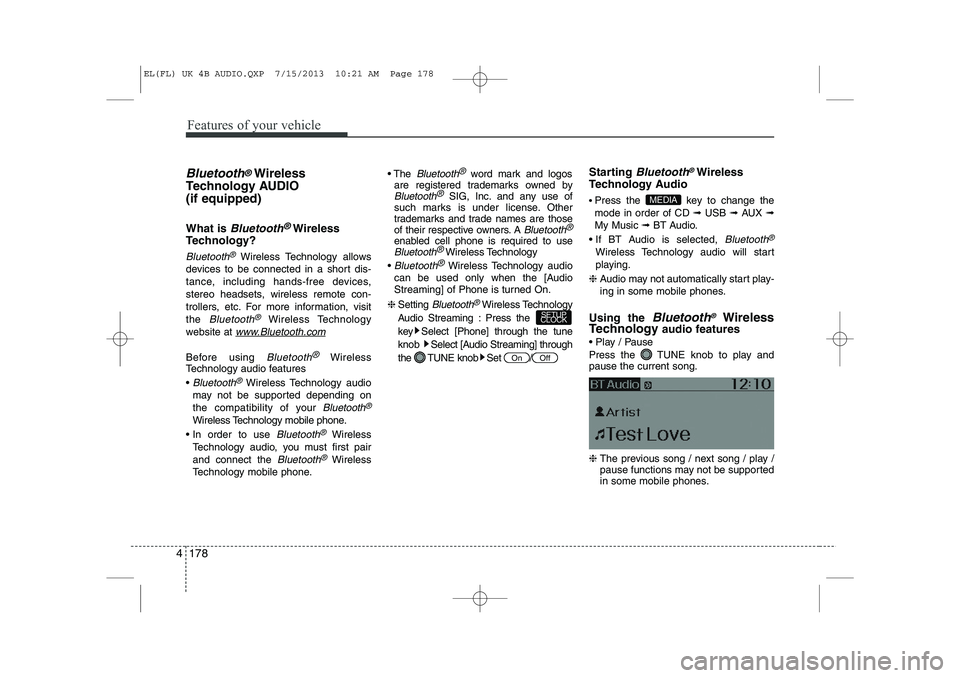
Press the TUNE knob to play and pause the current song. ❈ The previous song / next song / play /
pause functions may not be supported
in some mobile phones.
MEDIA
OffOn
SETUP
CLOCK
EL(FL) UK 4B AUDIO.QXP 7/15/2013 10:21 AM Page 178
Page 1255 of 1534
Features of your vehicle
184
4
VOICE COMMAND (if equipped)
Starting Voice Command
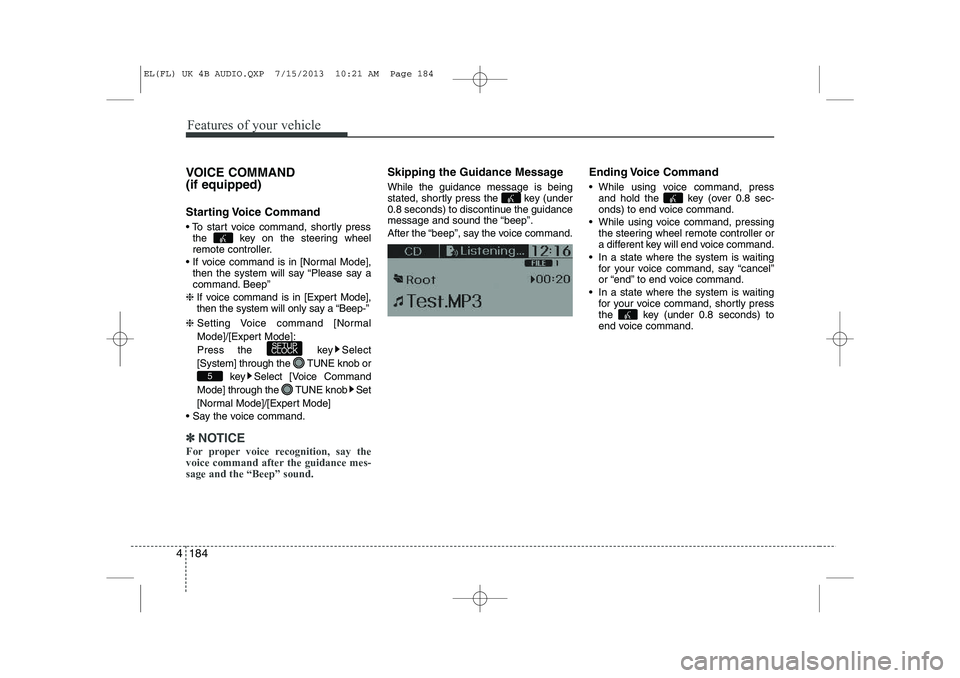
To start voice command, shortly press
the key on the steering wheel
remote controller.
If voice command is in [Normal Mode], then the system will say “Please say a
command. Beep”
❈ If voice command is in [Expert Mode],
then the system will only say a “Beep-”
❈ Setting Voice command [Normal
Mode]/[Expert Mode]:
Press the key Select
[System] through the TUNE knob or
key Select [Voice Command
Mode] through the TUNE knob Set
[Normal Mode]/[Expert Mode]
Say the voice command.
✽✽ NOTICE
For proper voice recognition, say the
voice command after the guidance mes-sage and the “Beep” sound.
Skipping the Guidance Message While the guidance message is being
stated, shortly press the key (under
0.8 seconds) to discontinue the guidance
message and sound the “beep”.
After the “beep”, say the voice command. Ending Voice Command
While using voice command, press
and hold the key (over 0.8 sec-
onds) to end voice command.
While using voice command, pressing the steering wheel remote controller or
a different key will end voice command.
In a state where the system is waiting for your voice command, say “cancel”
or “end” to end voice command.
In a state where the system is waiting for your voice command, shortly press
the key (under 0.8 seconds) to
end voice command.
5
SETUP
CLOCK
EL(FL) UK 4B AUDIO.QXP 7/15/2013 10:21 AM Page 184
Page 1323 of 1534
![HYUNDAI IX35 2014 User Guide Features of your vehicle
252
4
SETUP
Starting Mode
Press the key to display the Setup screen.
You can select and control options relat-
ed to [Display], [Sound], [Clock/Day],[Phone] and [System].](/img/35/56237/w960_56237-1322.png "HYUNDAI IX35 2014 User Guide Features of your vehicle
252
4
SETUP
Starting Mode
Press the key to display the Setup screen.
You can select and control options relat-
ed to [Display], [Sound], [Clock/Day],[Phone] and [System].")
Features of your vehicle
252
4
SETUP
Starting Mode
Press the key to display the Setup screen.
You can select and control options relat-
ed to [Display], [Sound], [Clock/Day],[Phone] and [System]. Display Settings
Adjusting the Brightness
Press the key Select
[Display] Select [Brightness]
Use the , buttons to adjust the
screen brightness or set the Brightness
on Automatic, Day, or Night mode.
Press the button to reset.
1) Automatic : Adjusts the brightness
automatically
2) Day : Always maintains the brightness on high
3) Night : Always maintains the bright- ness on low
Pop-up Mode
Press the key Select
[Display] Select [Pop-up Mode]
This feature is used to display the Pop-up
Mode screen when entering radio and
media modes.
When this feature is turned on, pressing
the or key will display
the Pop-up Mode screen.
✽✽ NOTICE
The media Pop-up Mode screen can be
displayed only when two or more mediamodes have been connected.
MEDIA RADIO
SETUP
Default
SETUP SETUP
EL(FL) UK 4B AUDIO.QXP 7/15/2013 10:21 AM Page 252
Page 1326 of 1534
![HYUNDAI IX35 2014 User Guide 4 255
Features of your vehicle
Voice Recognition Setting
Press the key Select
[Sound] Select [Volume Dialogue]
Use the , buttons to adjust the
Volume Dialog.
Touch Screen Beep
Press the key Sel](/img/35/56237/w960_56237-1325.png "HYUNDAI IX35 2014 User Guide 4 255
Features of your vehicle
Voice Recognition Setting
Press the key Select
[Sound] Select [Volume Dialogue]
Use the , buttons to adjust the
Volume Dialog.
Touch Screen Beep
Press the key Sel")
4 255
Features of your vehicle
Voice Recognition Setting
Press the key Select
[Sound] Select [Volume Dialogue]
Use the , buttons to adjust the
Volume Dialog.
Touch Screen Beep
Press the key Select
[Sound] Select [Touch Screen Beep]
This feature is used to turn the touch
screen beep on/off.Clock/Day Setting
Setting
Press the key Select
[Clock/Day] Select [Clock Settings]
Use the , buttons to set the Hour,
Minutes and AM/PM setting.
✽✽
NOTICE
Press and hold the key (over 0.8 seconds) to display the Clock/ Day
screen.
CLOCK
SETUP
SETUP SETUP
EL(FL) UK 4B AUDIO.QXP 7/15/2013 10:22 AM Page 255
Page 1327 of 1534
![HYUNDAI IX35 2014 User Guide Features of your vehicle
256
4
Day Setting
Press the key Select
[Clock/Day] Select [Day Settings]
Use the , buttons to set the Day,
Month and Year setting.
Time Format
Press the key Select
[Cl](/img/35/56237/w960_56237-1326.png "HYUNDAI IX35 2014 User Guide Features of your vehicle
256
4
Day Setting
Press the key Select
[Clock/Day] Select [Day Settings]
Use the , buttons to set the Day,
Month and Year setting.
Time Format
Press the key Select
[Cl")
Features of your vehicle
256
4
Day Setting
Press the key Select
[Clock/Day] Select [Day Settings]
Use the , buttons to set the Day,
Month and Year setting.
Time Format
Press the key Select
[Clock/Day] Select [Time Format]
This feature is used to change the clock
format between 12hr or 24hr.
Clock Display
Press the key Select
[Clock/Day] Select [Clock Display
(Power off)]
This feature is used to display a clock on the screen when the audio system is
turned off.SETUP SETUP SETUP
EL(FL) UK 4B AUDIO.QXP 7/15/2013 10:22 AM Page 256