lights HYUNDAI IX35 2014 User Guide
[x] Cancel search | Manufacturer: HYUNDAI, Model Year: 2014, Model line: IX35, Model: HYUNDAI IX35 2014Pages: 1534, PDF Size: 39.76 MB
Page 119 of 1534
447
Features of your vehicle
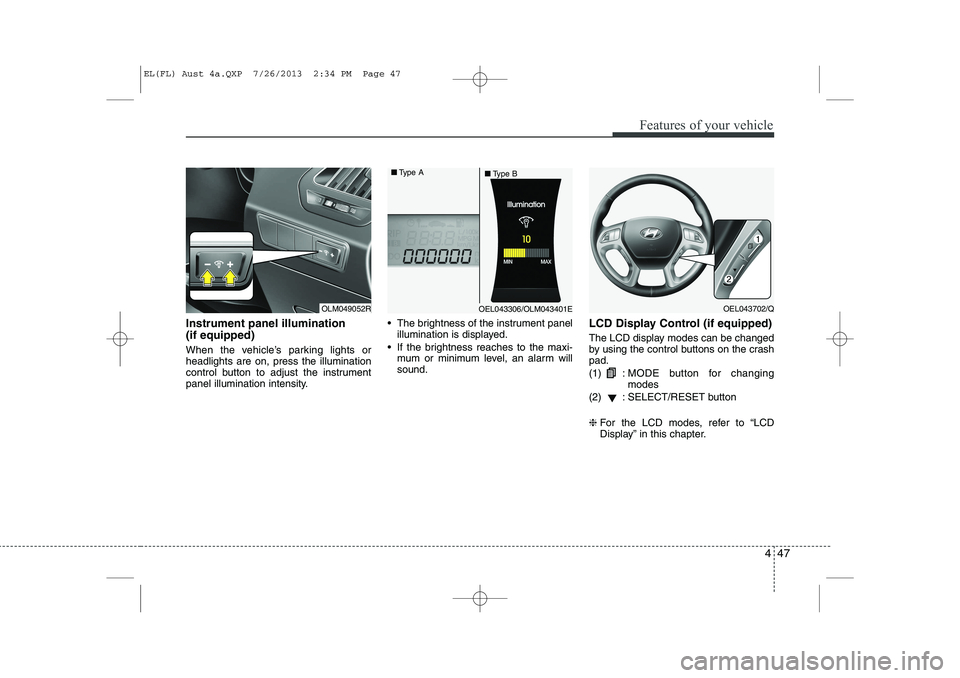
Instrument panel illumination (if equipped)
When the vehicle’s parking lights or headlights are on, press the illumination
control button to adjust the instrument
panel illumination intensity. The brightness of the instrument panel
illumination is displayed.
If the brightness reaches to the maxi- mum or minimum level, an alarm willsound. LCD Display Control (if equipped)
The LCD display modes can be changed
by using the control buttons on the crashpad. (1) :
MODE button for changing modes
(2) : SELECT/RESET button ❈ For the LCD modes, refer to “LCD
Display” in this chapter.
OEL043306/OLM043401E
■
Type A
■Type BOEL043702/QOLM049052R
EL(FL) Aust 4a.QXP 7/26/2013 2:34 PM Page 47
Page 139 of 1534
467
Features of your vehicle
Warnings and indicators
All warning lights are checked by turning
the ignition switch ON (do not start the
engine). If any light does not illuminate,
we recommend that the system be
checked by an authorised HYUNDAI
dealer.
After starting the engine, check to make
sure that all warning lights are off. If anyare still on, this indicates a situation that
needs attention. When releasing the
parking brake, the brake system warning
light should go off. The fuel warning light
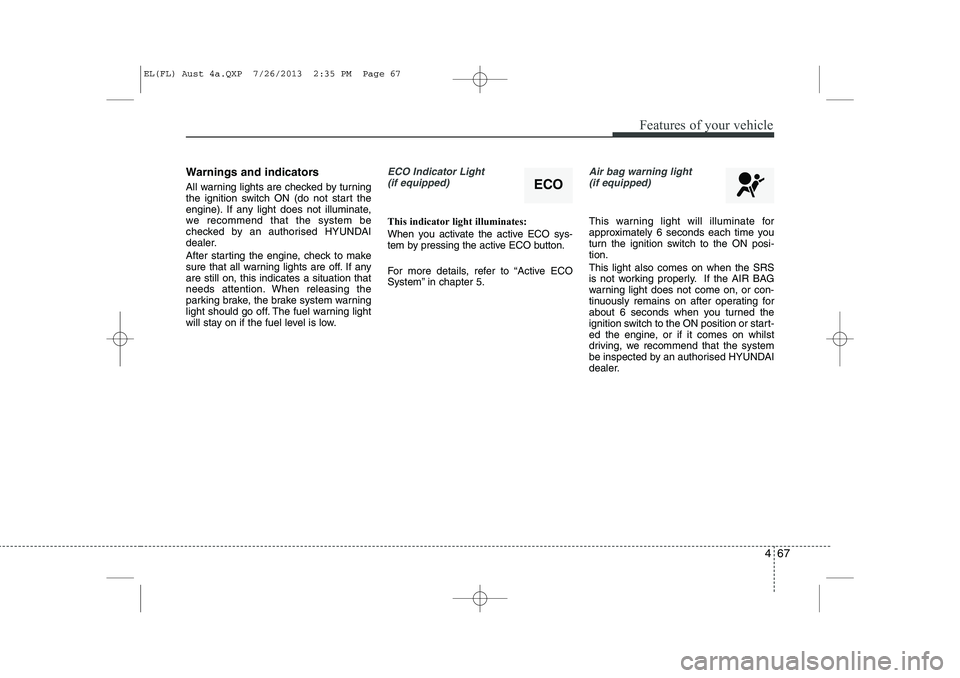
will stay on if the fuel level is low.ECO Indicator Light (if equipped)
This indicator light illuminates:
When you activate the active ECO sys-
tem by pressing the active ECO button.
For more details, refer to “Active ECO
System” in chapter 5.
Air bag warning light (if equipped)
This warning light will illuminate for
approximately 6 seconds each time you
turn the ignition switch to the ON posi-tion. This light also comes on when the SRS
is not working properly. If the AIR BAG
warning light does not come on, or con-
tinuously remains on after operating for
about 6 seconds when you turned the
ignition switch to the ON position or start-
ed the engine, or if it comes on whilst
driving, we recommend that the system
be inspected by an authorised HYUNDAI
dealer.
ECO
EL(FL) Aust 4a.QXP 7/26/2013 2:35 PM Page 67
Page 140 of 1534
Features of your vehicle
68
4
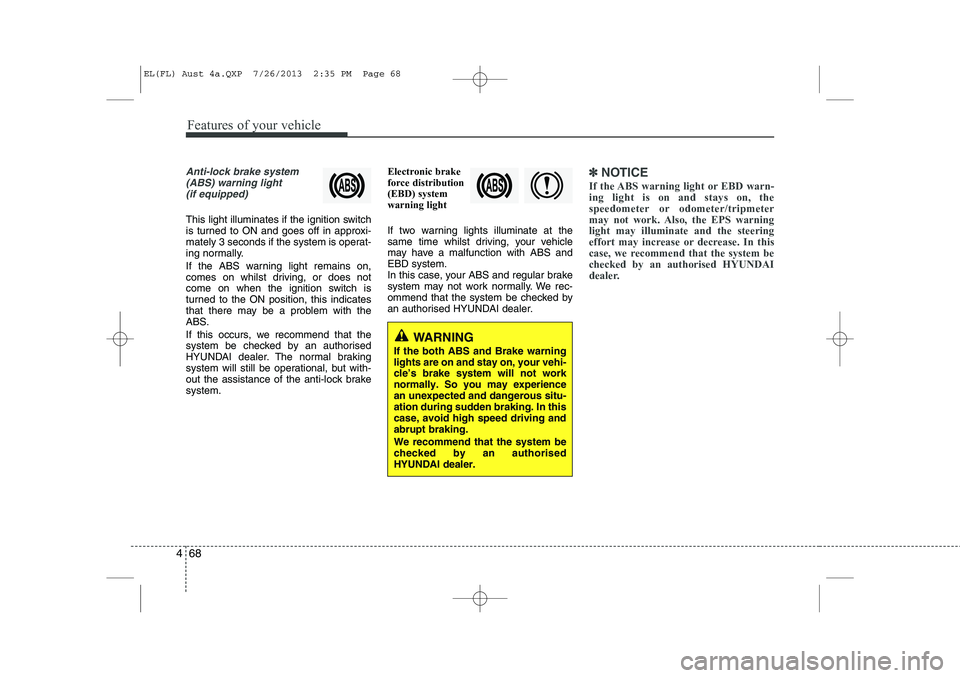
Anti-lock brake system
(ABS) warning light (if equipped)
This light illuminates if the ignition switch
is turned to ON and goes off in approxi-
mately 3 seconds if the system is operat-
ing normally.
If the ABS warning light remains on,
comes on whilst driving, or does not
come on when the ignition switch is
turned to the ON position, this indicates
that there may be a problem with the
ABS.
If this occurs, we recommend that the
system be checked by an authorised
HYUNDAI dealer. The normal braking
system will still be operational, but with-
out the assistance of the anti-lock brakesystem. Electronic brakeforce distribution(EBD) systemwarning light
If two warning lights illuminate at the
same time whilst driving, your vehicle
may have a malfunction with ABS andEBD system.
In this case, your ABS and regular brake
system may not work normally. We rec-
ommend that the system be checked by
an authorised HYUNDAI dealer.
✽✽
NOTICE
If the ABS warning light or EBD warn- ing light is on and stays on, the
speedometer or odometer/tripmeter
may not work. Also, the EPS warninglight may illuminate and the steering
effort may increase or decrease. In this
case, we recommend that the system bechecked by an authorised HYUNDAI
dealer.
WARNING
If the both ABS and Brake warning lights are on and stay on, your vehi-cle’s brake system will not worknormally. So you may experiencean unexpected and dangerous situ-ation during sudden braking. In thiscase, avoid high speed driving andabrupt braking. We recommend that the system be checked by an authorisedHYUNDAI dealer.
EL(FL) Aust 4a.QXP 7/26/2013 2:35 PM Page 68
Page 141 of 1534
469
Features of your vehicle
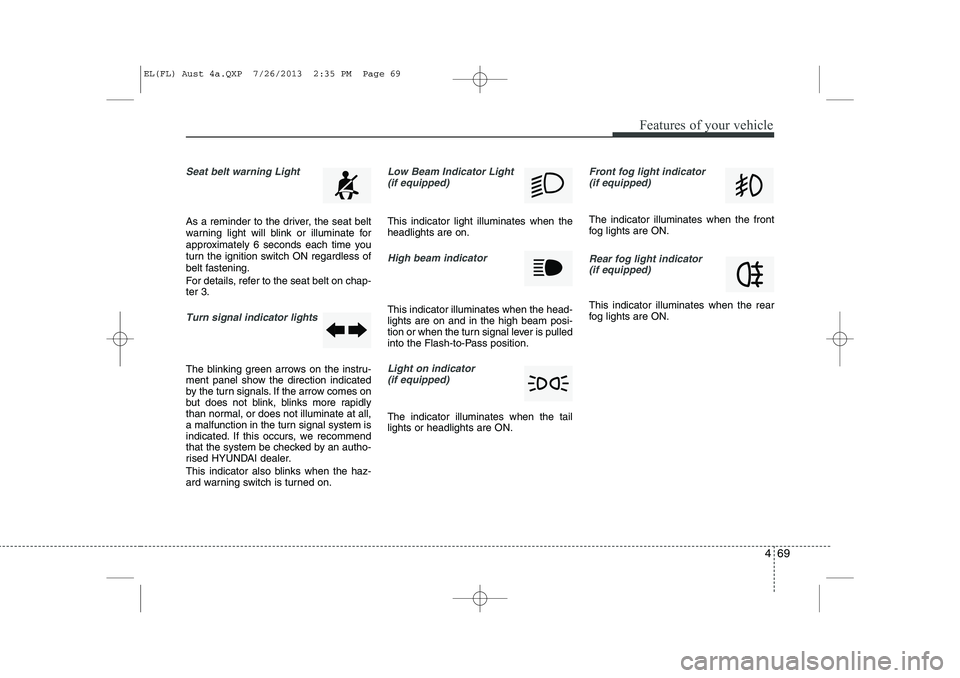
Seat belt warning Light
As a reminder to the driver, the seat belt
warning light will blink or illuminate for
approximately 6 seconds each time you
turn the ignition switch ON regardless of
belt fastening.
For details, refer to the seat belt on chap- ter 3.
Turn signal indicator lights
The blinking green arrows on the instru-
ment panel show the direction indicated
by the turn signals. If the arrow comes on
but does not blink, blinks more rapidly
than normal, or does not illuminate at all,
a malfunction in the turn signal system is
indicated. If this occurs, we recommend
that the system be checked by an autho-
rised HYUNDAI dealer.
This indicator also blinks when the haz-
ard warning switch is turned on.
Low Beam Indicator Light(if equipped)
This indicator light illuminates when the headlights are on.
High beam indicator
This indicator illuminates when the head- lights are on and in the high beam posi-
tion or when the turn signal lever is pulled
into the Flash-to-Pass position.
Light on indicator (if equipped)
The indicator illuminates when the tail lights or headlights are ON.
Front fog light indicator (if equipped)
The indicator illuminates when the front
fog lights are ON.
Rear fog light indicator
(if equipped)
This indicator illuminates when the rear
fog lights are ON.
EL(FL) Aust 4a.QXP 7/26/2013 2:35 PM Page 69
Page 147 of 1534
475
Features of your vehicle
Indicator Lights
Electronic Stability Control(ESC) Indicator Light (if equipped)
This indicator light illuminates:
Once you set the ignition switch or Engine Start/Stop Button to the ON position.
- It illuminates for approximately 3 sec-onds and then goes off.
When there is a malfunction with the ESC system.
In this case, we recommend that you
have the vehicle inspected by an
authorised HYUNDAI dealer.
This indicator light blinks:
Whilst the ESC is operating.
For more details, refer to “Electronic
Stability Control (ESC)” in chapter 5.
Electronic Stability Control (ESC) OFF Indicator Light (if equipped)
This indicator light illuminates:
Once you set the ignition switch or Engine Start/Stop Button to the ON position.
- It illuminates for approximately 3 sec-onds and then goes off.
When you deactivate the ESC system by pressing the ESC OFF button.
For more details, refer to “Electronic
Stability Control (ESC)” in chapter 5.
Cruise indicator (if equipped)
CRUISE indicator
The indicator illuminates when the cruise
control system is enabled.
The cruise indicator in the instrument
cluster is illuminated when the cruise
control ON-OFF button on the steeringwheel is pushed.
The indicator goes off when the cruise
control ON-OFF button is pushed again.
For more information about the use of
cruise control, refer to “Cruise control
system” in section 5. Cruise SET indicator
The indicator illuminates when the cruise
control switch (-SET or RES+) is ON.
The cruise SET indicator in the instru-ment cluster is illuminated when the
cruise control switch (-SET or RES+) ispushed.
The cruise SET indicator does not illumi-
nate when the cruise control switch(CANCEL) is pushed or the system isdisengaged.
SET
EL(FL) Aust 4a.QXP 7/26/2013 2:35 PM Page 75
Page 149 of 1534
477
Features of your vehicle
Glow indicator (Dieselengine)
The indicator light illuminates when the
ignition switch is placed at the ON posi-
tion. The engine can be started after the
preheat indicator light goes off. The illu-
minating time varies with the water tem-
perature, air temperature and batterycondition.
✽✽ NOTICE
If the engine was not started within 10
seconds after the preheating is complet-
ed, turn the ignition key once more tothe LOCK position during 10 seconds,
and then to the ON position, in order to
preheat again.
Fuel filter warning light (Diesel engine)
This warning light illuminates for 3 sec-
onds after the ignition switch is set to the
ON position and then it will go out. If it
lights up whilst the engine is running, it
indicates that water has accumulated
inside the fuel filter. If this happens,
remove the water from the fuel filter. For
more Information, refer to “Fuel filter” insection 7.
4WD system warning light (if equipped)
When the ignition switch is turned to the ON position, the 4WD indicator will illumi-
nate and then go off in a few seconds.
If the 4WD system warning light
illuminates, this indicates that there is a
malfunction in the 4WD system. If this
occurs, we recommend that the system
be checked by an authorised HYUNDAI
dealer.
CAUTION
When the fuel filter warning light is
illuminated, engine power (vehiclespeed & idle speed) may decrease. If you keep driving with the warning
light on, you can damage your vehi- cle's engine parts and injection sys-tem of the Common Rail. If this occurs, we recommend that thesystem be checked by an autho-
rised HYUNDAI dealer.
CAUTION
If the preheat indicator continues to illuminate or flash on and off after
the engine has warmed up or whilstdriving, we recommend that thesystem be checked by an autho- rised HYUNDAI dealer.
EL(FL) Aust 4a.QXP 7/26/2013 2:35 PM Page 77
Page 159 of 1534
487
Features of your vehicle
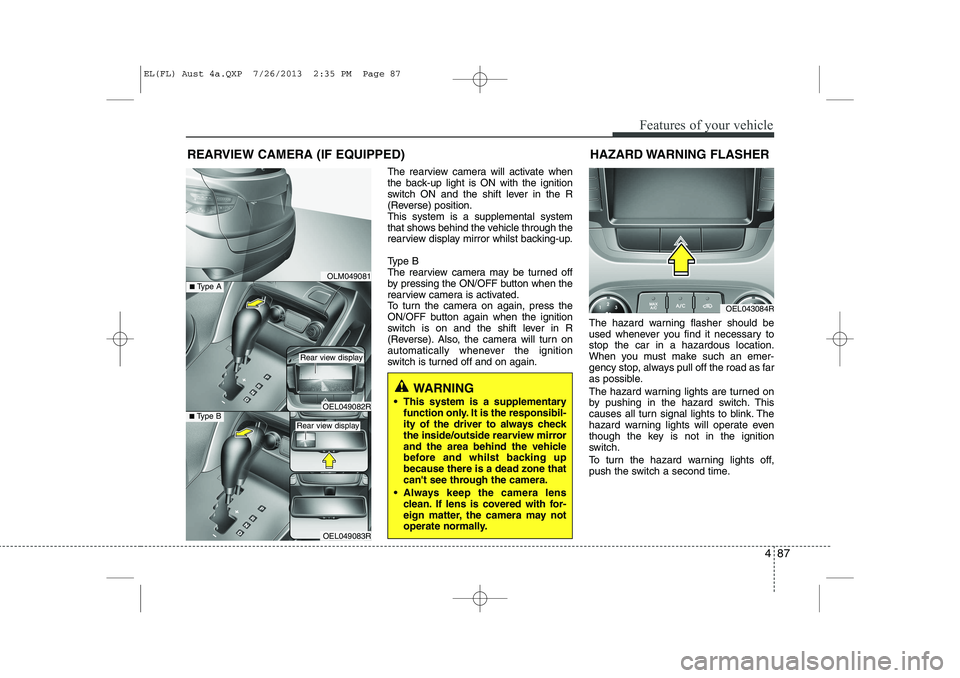
The rearview camera will activate when
the back-up light is ON with the ignition
switch ON and the shift lever in the R
(Reverse) position.This system is a supplemental system
that shows behind the vehicle through the
rearview display mirror whilst backing-up.
Type B
The rearview camera may be turned off
by pressing the ON/OFF button when the
rearview camera is activated.
To turn the camera on again, press the
ON/OFF button again when the ignition
switch is on and the shift lever in R
(Reverse). Also, the camera will turn on
automatically whenever the ignition
switch is turned off and on again.The hazard warning flasher should be
used whenever you find it necessary tostop the car in a hazardous location.
When you must make such an emer-
gency stop, always pull off the road as far
as possible.
The hazard warning lights are turned on
by pushing in the hazard switch. This
causes all turn signal lights to blink. The
hazard warning lights will operate even
though the key is not in the ignition
switch.
To turn the hazard warning lights off,
push the switch a second time.
REARVIEW CAMERA (IF EQUIPPED)
WARNING
This system is a supplementary function only. It is the responsibil-
ity of the driver to always check
the inside/outside rearview mirror
and the area behind the vehicle
before and whilst backing upbecause there is a dead zone that
can't see through the camera.
Always keep the camera lens clean. If lens is covered with for-
eign matter, the camera may not
operate normally.
HAZARD WARNING FLASHER
OLM049081
OEL043084R
OEL049083R
■Type BOEL049082R
■Type A
Rear view display
Rear view display
EL(FL) Aust 4a.QXP 7/26/2013 2:35 PM Page 87
Page 160 of 1534
Features of your vehicle
88
4
Battery saver function
The purpose of this feature is to pre-
vent the battery from being dis-
charged. The system automatically
turns off the parking lights when the
driver removes the ignition key and
opens the driver- side door.
With this feature, the parking lights will be turned off automatically if the driver
parks on the side of road at night.
If necessary, to keep the lights on
when the ignition key is removed, per-
form the following :
1) Open the driver-side door.
2) Turn the parking lights OFF and ON again using the light switch on the
steering column. Headlight escort function (if equipped) The headlights (and/or taillights) remain
on for approximately 5 minutes after the
ignition key is removed or turned to the
ACC or LOCK position. However, if the
driver’s door is opened and closed, the
headlights are turned off after 15 sec-
onds.
The headlights can be turned off by
pressing the lock button on the transmit-
ter (or smart key) twice or turning off the
light switch from the headlight or Autolight position.
Headlight welcome function (if equipped)
When the headlight switch is in the ON or
AUTO position and all doors (and tail-
gate) are closed and locked, if you press
the door unlock button on the transmitter
(or smart key), the headlights will come
on for about 15 seconds.
If the headlight switch is in the AUTO
position, the function can only operate atnight.
At this time, if you press the door unlock
button again or door lock button on the
transmitter (or smart key), the headlights
will turn off immediately.
LIGHTING
CAUTION
If the driver gets out of the vehicle
through other doors (except dri- ver’s door), the battery saver func-tion does not operate and the head-
light escort function does not turnoff automatically. Therefore, it caus- es the battery to be discharged. Inthis case, make sure to turn off the
lamp before getting out of the vehi- cle.
EL(FL) Aust 4a.QXP 7/26/2013 2:35 PM Page 88
Page 161 of 1534
489
Features of your vehicle
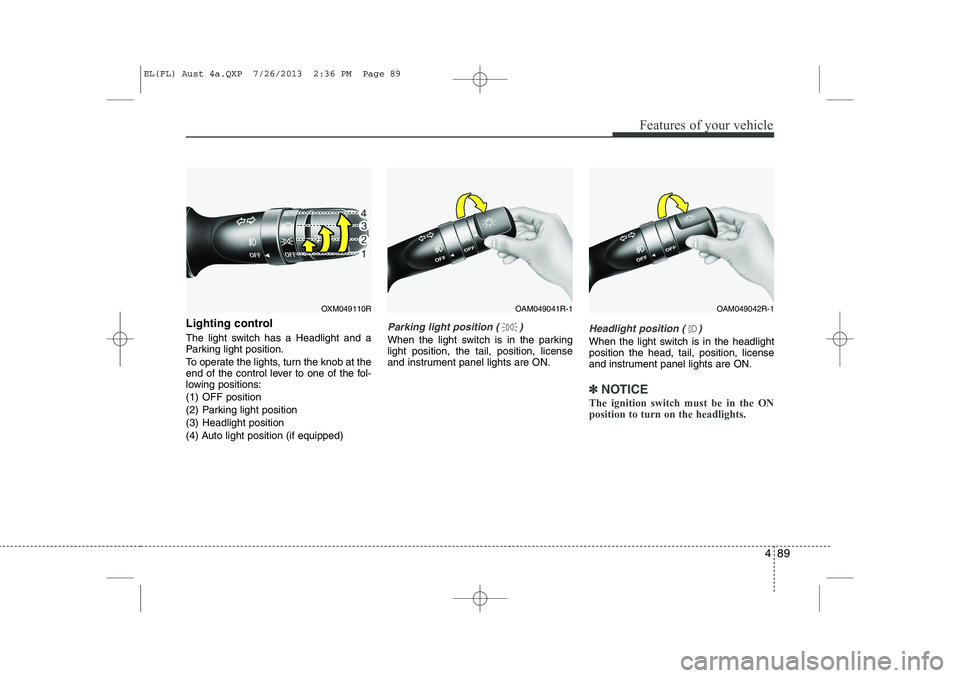
Lighting control
The light switch has a Headlight and a
Parking light position.
To operate the lights, turn the knob at the
end of the control lever to one of the fol-
lowing positions:
(1) OFF position
(2) Parking light position
(3) Headlight position
(4) Auto light position (if equipped)Parking light position ( )
When the light switch is in the parking light position, the tail, position, license
and instrument panel lights are ON.Headlight position ( )
When the light switch is in the headlight position the head, tail, position, license
and instrument panel lights are ON.
✽✽NOTICE
The ignition switch must be in the ON position to turn on the headlights.
OAM049042R-1OAM049041R-1OXM049110R
EL(FL) Aust 4a.QXP 7/26/2013 2:36 PM Page 89
Page 162 of 1534
Features of your vehicle
90
4
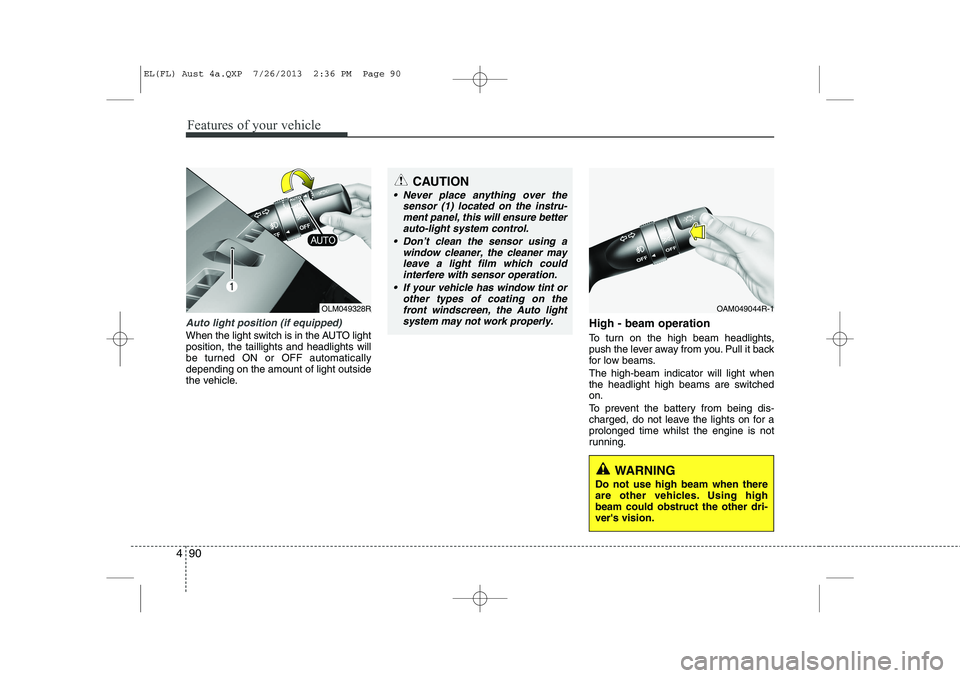
Auto light position (if equipped)
When the light switch is in the AUTO light position, the taillights and headlights will
be turned ON or OFF automaticallydepending on the amount of light outside
the vehicle. High - beam operation
To turn on the high beam headlights,
push the lever away from you. Pull it back
for low beams. The high-beam indicator will light when
the headlight high beams are switchedon.
To prevent the battery from being dis-
charged, do not leave the lights on for aprolonged time whilst the engine is not
running.
CAUTION
Never place anything over the
sensor (1) located on the instru-
ment panel, this will ensure better auto-light system control.
Don’t clean the sensor using a window cleaner, the cleaner may
leave a light film which could interfere with sensor operation.
If your vehicle has window tint or other types of coating on thefront windscreen, the Auto light
system may not work properly.
WARNING
Do not use high beam when there
are other vehicles. Using highbeam could obstruct the other dri-ver's vision.
OAM049044R-1OLM049328R
EL(FL) Aust 4a.QXP 7/26/2013 2:36 PM Page 90