trip computer HYUNDAI IX35 2014 User Guide
[x] Cancel search | Manufacturer: HYUNDAI, Model Year: 2014, Model line: IX35, Model: HYUNDAI IX35 2014Pages: 1534, PDF Size: 39.76 MB
Page 933 of 1534

Maintenance
68
7
Battery recharging
Your vehicle has a maintenance-free,
calcium-based battery.
If the battery becomes discharged in a
short time (because, for example, the
headlights or interior lights were left on
while the vehicle was not in use),
recharge it by slow charging (trickle)
for 10 hours.
If the battery gradually discharges because of high electric load while the
vehicle is being used, recharge it at 20-
30A for two hours. Reset items
Items should be reset after the battery
has been discharged or the battery hasbeen disconnected.
Auto up/down window (See section 4)
Sunroof (See section 4)
Trip computer (See section 4)
Climate control system
(See section 4)
Clock (See section 4)
Audio (See section 4)(Continued)
Before performing maintenance or recharging the battery, turn off all accessories and stop the
engine.
The negative battery cable must be removed first and installed
last when the battery is discon-nected.WARNING - Recharging
battery
When recharging the battery,
observe the following precautions:
The battery must be removed from the vehicle and placed in an area with good ventilation.
Do not allow cigarettes, sparks, or flame near the battery.
Watch the battery during charg- ing, and stop or reduce the charg-
ing rate if the battery cells begin
gassing (boiling) violently or if
the temperature of the electrolyte
of any cell exceeds 49°C (120°F).
Wear eye protection when check- ing the battery during charging.
Disconnect the battery charger in the following order.
1. Turn off the battery charger main switch.
2. Unhook the negative clamp from the negative battery ter- minal.
3. Unhook the positive clamp from the positive battery termi-nal.
(Continued)
EL(FL) Eng 7.QXP 10/7/2013 9:31 AM Page 68
Page 1117 of 1534
Features of your vehicle
46
4
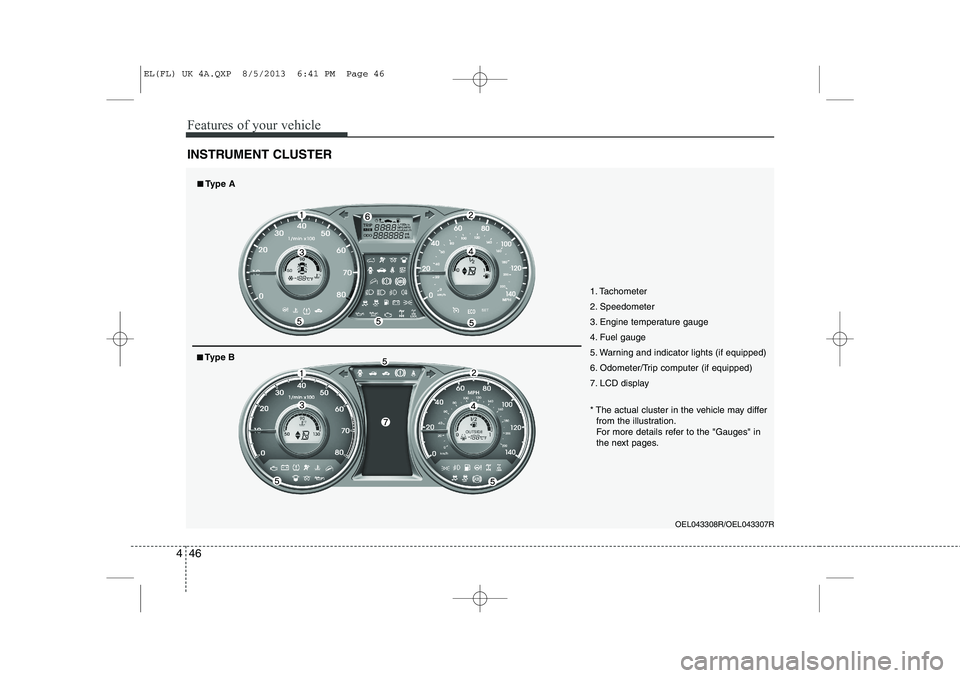
INSTRUMENT CLUSTER
1. Tachometer
2. Speedometer
3. Engine temperature gauge
4. Fuel gauge
5. Warning and indicator lights (if equipped)
6. Odometer/Trip computer (if equipped)
7. LCD display
OEL043308R/OEL043307R
* The actual cluster in the vehicle may differ
from the illustration.
For more details refer to the "Gauges" in
the next pages.
■■ Type A
■■Type B
EL(FL) UK 4A.QXP 8/5/2013 6:41 PM Page 46
Page 1125 of 1534
Features of your vehicle
54
4
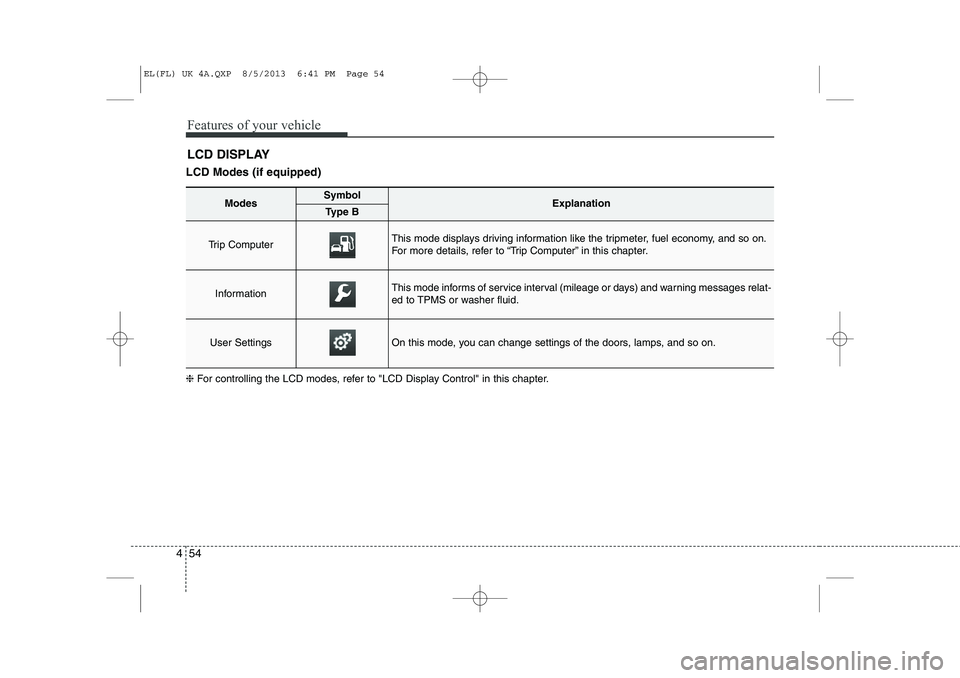
LCD DISPLAY
LCD Modes (if equipped) ❈ For controlling the LCD modes, refer to "LCD Display Control" in this chapter.
ModesSymbolExplanationType B
Trip Computer This mode displays driving information like the tripmeter, fuel economy, and so on.
For more details, refer to “Trip Computer” in this chapter.
InformationThis mode informs of service interval (mileage or days) and warning messages relat-
ed to TPMS or washer fluid.
User SettingsOn this mode, you can change settings of the doors, lamps, and so on.
EL(FL) UK 4A.QXP 8/5/2013 6:41 PM Page 54
Page 1128 of 1534
457
Features of your vehicle
Horn Feedback (if equipped)
If this item is checked, the horn feedback
operation will be activated.
After locking the door by pressing the
lock button on the transmitter, if you
press the lock button again within 4 sec-
onds, the warning sound will operate
once to indicate that all doors are locked.Lamp
Head Lamp Delay (if equipped)
If this item is checked, the headlamp
delay and headlamp welcome function
will be activated.
Settings
Language (if equipped)
Choose the language you prefer within
the LCD display. SPAS Voice (if equipped)
Adjust the volume of SPAS voice infor- mation. Temperature Unit
Convert the temperature unit from °C to
°F or from °F to °C.AVG Fuel Eco Reset
Auto Reset:
The average fuel economy will reset automatically when refuelling.
Manual Reset: The average fuel economy will not
reset automatically whenever refu-elling.
For more details, refer to “Trip Computer”
in this chapter.
EL(FL) UK 4A.QXP 8/5/2013 6:41 PM Page 57
Page 1135 of 1534
Features of your vehicle
64
4
Overview
Description
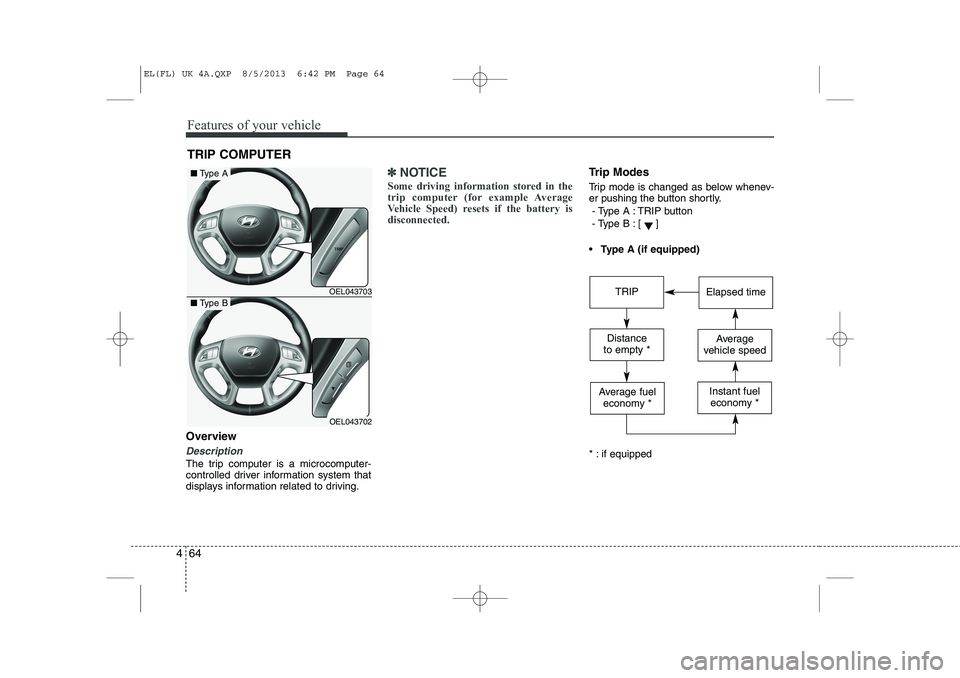
The trip computer is a microcomputer-
controlled driver information system that
displays information related to driving.
✽✽
NOTICE
Some driving information stored in the
trip computer (for example Average
Vehicle Speed) resets if the battery isdisconnected.Trip Modes
Trip mode is changed as below whenev-
er pushing the button shortly.
- Type A : TRIP button
- Type B :
[]
Type A (if equipped)
* : if equipped
TRIP COMPUTER
OEL043703
OEL043702
■ Type A
■Type BTRIPElapsed time
Distance
to empty *Average
vehicle speed
Average fuel economy *Instant fueleconomy *
EL(FL) UK 4A.QXP 8/5/2013 6:42 PM Page 64
Page 1476 of 1534
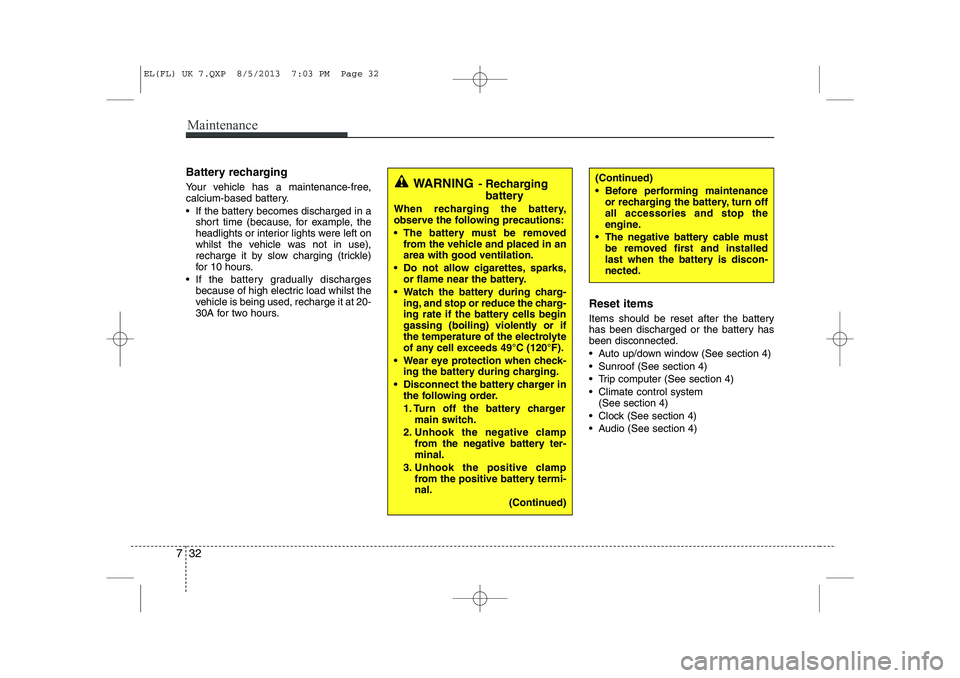
Maintenance
32
7
Battery recharging
Your vehicle has a maintenance-free,
calcium-based battery.
If the battery becomes discharged in a
short time (because, for example, the
headlights or interior lights were left on
whilst the vehicle was not in use),
recharge it by slow charging (trickle)
for 10 hours.
If the battery gradually discharges because of high electric load whilst the
vehicle is being used, recharge it at 20-
30A for two hours. Reset items
Items should be reset after the battery
has been discharged or the battery hasbeen disconnected.
Auto up/down window (See section 4)
Sunroof (See section 4)
Trip computer (See section 4)
Climate control system
(See section 4)
Clock (See section 4)
Audio (See section 4)(Continued)
Before performing maintenance or recharging the battery, turn off all accessories and stop the
engine.
The negative battery cable must be removed first and installed
last when the battery is discon-nected.WARNING - Recharging
battery
When recharging the battery,
observe the following precautions:
The battery must be removed from the vehicle and placed in an area with good ventilation.
Do not allow cigarettes, sparks, or flame near the battery.
Watch the battery during charg- ing, and stop or reduce the charg-
ing rate if the battery cells begin
gassing (boiling) violently or if
the temperature of the electrolyte
of any cell exceeds 49°C (120°F).
Wear eye protection when check- ing the battery during charging.
Disconnect the battery charger in the following order.
1. Turn off the battery charger main switch.
2. Unhook the negative clamp from the negative battery ter- minal.
3. Unhook the positive clamp from the positive battery termi-nal.
(Continued)
EL(FL) UK 7.QXP 8/5/2013 7:03 PM Page 32