wheel HYUNDAI IX35 2014 Owners Manual
[x] Cancel search | Manufacturer: HYUNDAI, Model Year: 2014, Model line: IX35, Model: HYUNDAI IX35 2014Pages: 1534, PDF Size: 39.76 MB
Page 1105 of 1534
Features of your vehicle
34
4
Electric power steering (if equipped)
Power steering uses the motor to assist
you in steering the vehicle. If the engine
is off or if the power steering system
becomes inoperative, the vehicle may
still be steered, but it will require
increased steering effort.
The motor driven power steering is con-
trolled by the power steering control unit
which senses the steering wheel torque
and vehicle speed to command the
motor.
The steering wheel becomes heavier as
the vehicle’s speed increases and
becomes lighter as the vehicle’s speed
decreases for better control of the steer-ing wheel.
Should you notice any change in the
effort required to steering during normal
vehicle operation, we recommend that
the system be checked by a HYUNDAI
authorised repairer.✽✽
NOTICE
The following symptoms may occur dur- ing normal vehicle operation:
Page 1106 of 1534
435
Features of your vehicle
Tilt steering
A tilt steering wheel allows you to adjust
the steering wheel before you drive. You
can also raise it to give your legs more
room when you exit and enter the vehicle(if equipped).
The steering wheel should be positioned
so that it is comfortable for you to drive,
whilst permitting you to see the instru-
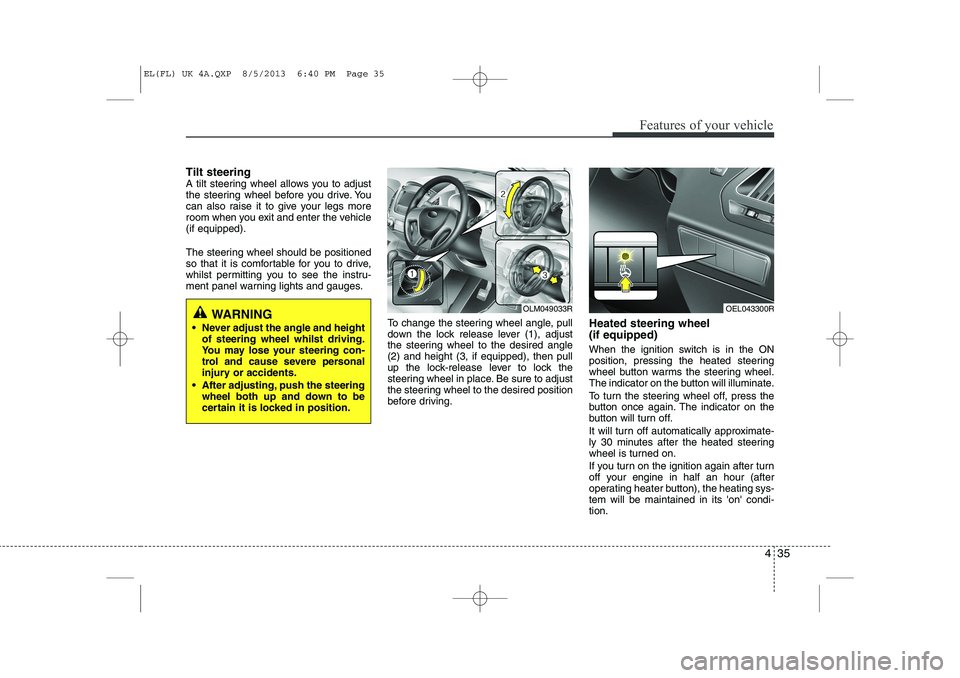
ment panel warning lights and gauges.To change the steering wheel angle, pull
down the lock release lever (1), adjust
the steering wheel to the desired angle(2) and height (3, if equipped), then pull
up the lock-release lever to lock the
steering wheel in place. Be sure to adjust
the steering wheel to the desired position
before driving.Heated steering wheel (if equipped)
When the ignition switch is in the ON
position, pressing the heated steering
wheel button warms the steering wheel.
The indicator on the button will illuminate.
To turn the steering wheel off, press the
button once again. The indicator on the
button will turn off.
It will turn off automatically approximate-
ly 30 minutes after the heated steering
wheel is turned on.
If you turn on the ignition again after turn
off your engine in half an hour (after
operating heater button), the heating sys-tem will be maintained in its 'on' condi-tion.
WARNING
Never adjust the angle and height of steering wheel whilst driving.
You may lose your steering con-
trol and cause severe personal
injury or accidents.
After adjusting, push the steering wheel both up and down to be
certain it is locked in position.OLM049033ROEL043300R
EL(FL) UK 4A.QXP 8/5/2013 6:40 PM Page 35
Page 1107 of 1534
Features of your vehicle
36
4
Horn
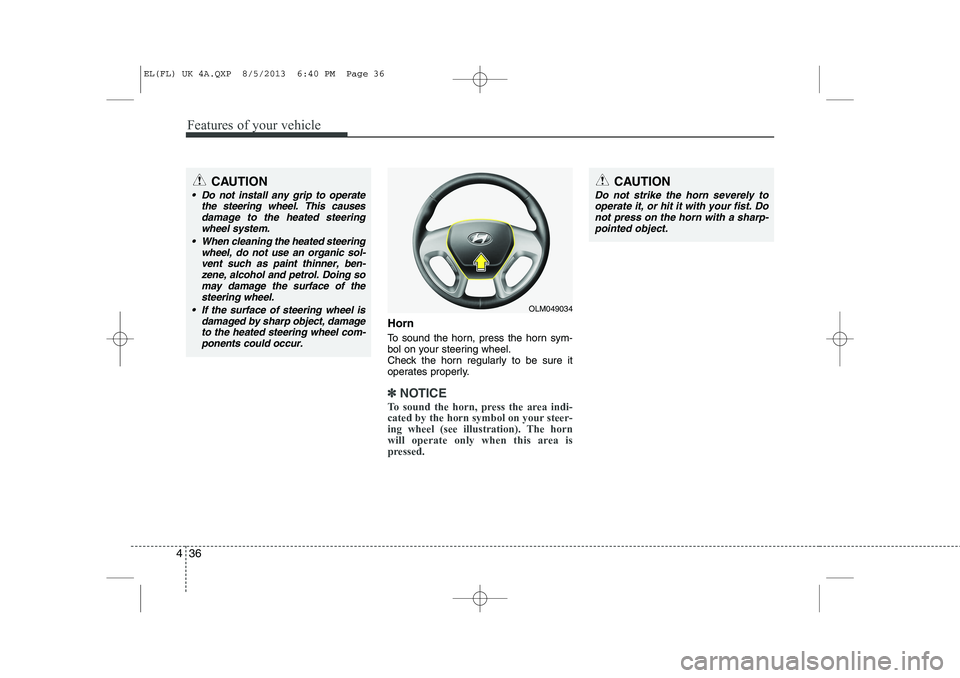
To sound the horn, press the horn sym-
bol on your steering wheel.
Check the horn regularly to be sure it
operates properly.
✽✽
NOTICE
To sound the horn, press the area indi-
cated by the horn symbol on your steer-
ing wheel (see illustration). The horn
will operate only when this area is
pressed.
OLM049034
CAUTION
Do not strike the horn severely to operate it, or hit it with your fist. Do
not press on the horn with a sharp- pointed object.
CAUTION
Do not install any grip to operate the steering wheel. This causes
damage to the heated steeringwheel system.
When cleaning the heated steering wheel, do not use an organic sol-
vent such as paint thinner, ben- zene, alcohol and petrol. Doing somay damage the surface of thesteering wheel.
If the surface of steering wheel is damaged by sharp object, damageto the heated steering wheel com-ponents could occur.
EL(FL) UK 4A.QXP 8/5/2013 6:40 PM Page 36
Page 1108 of 1534
437
Features of your vehicle
Flex steering wheel (if equipped)
The flex steering wheel controls steering
effort as driver's preference or road con-dition.
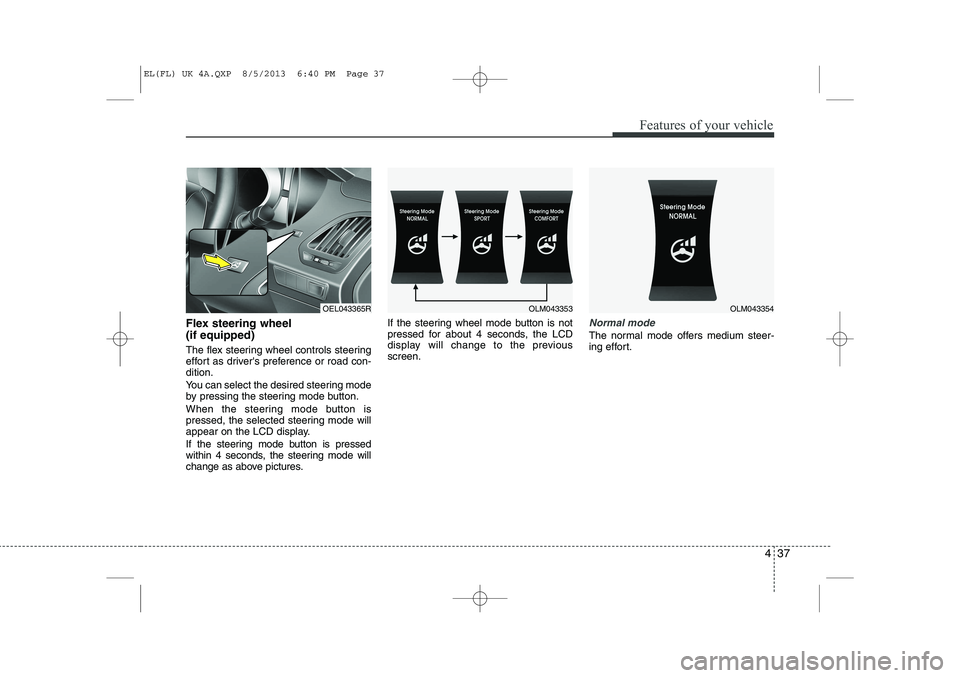
You can select the desired steering mode
by pressing the steering mode button.
When the steering mode button is
pressed, the selected steering mode will
appear on the LCD display.
If the steering mode button is pressed
within 4 seconds, the steering mode will
change as above pictures.If the steering wheel mode button is not
pressed for about 4 seconds, the LCD
display will change to the previousscreen.Normal mode
The normal mode offers medium steer-
ing effort.
OLM043353OLM043354OEL043365R
EL(FL) UK 4A.QXP 8/5/2013 6:40 PM Page 37
Page 1109 of 1534
Features of your vehicle
38
4
omfort mode
The steering wheel becomes lighter. The
comfort mode is usually used when driv-
ing in downtown or parking the vehicle.
Also, the comfort mode helps weak peo-
ple to drive easily.
Sport mode
The steering wheel becomes heavier.
The sport mode is usually used when
driving in highway.
OLM043355OLM043356
CAUTION
For your safety, if you press the
steering mode button whilst oper-
ating the steering wheel, the LCDdisplay will change, but the steer-ing effort will not change immedi- ately. After operating the steering
wheel, the steering effort will change automatically to theselected mode.
Be careful when changing the steering mode whilst driving.
When the electronic power steer- ing is not working properly, theflex steering wheel will not work.
EL(FL) UK 4A.QXP 8/5/2013 6:40 PM Page 38
Page 1113 of 1534
Features of your vehicle
42
4
3. Setting the compass zone
1. Find your current location and vari-
ance zone number on the zone map.
2. Press and hold the button for more than 6 but less than 9 seconds. The
current zone number will appear in the
display.
3. Press the button until the new zone number appears in the display. After
you stop pressing the button in, the
display will show a compass direction
within a few seconds. 4. Changing Mirror Angle setting
(if equipped):
Due to mirror positions being angled
towards the driver, the compass mirror
can also compensate for drivers seated
on the Left Hand side of the vehicle
(steering wheel on the LH side of the
vehicle) or Right Hand side of the vehicle
(steering wheel on the RH side of the
vehicle).
To adjust the Left Hand, “L” or Right
Hand, “R”, setting:
1. Press and hold the button for more than 12 seconds.
2. Release then press the button to tog- gle between “L” and “R”.
✽✽ NOTICE
This procedure also causes the compass to be de-calibrated.
3. To re-calibrate the compass, drive the vehicle in 2 complete circles at less than 5mph (8km/h).
CAUTION
1. Do not install the ski rack, anten-
na, etc. which are attached to thevehicle by means of a magnet. They affect the operation of thecompass.
2. If the compass deviates from the correct indication soon afterrepeated adjustment, we recom- mend that the system be checked
by an authorized HYUNDAI delaer.
3. The compass may not indicate the correct compass point in tun-nels or whilst driving up or down
a steep hill.
(The compass returns to the cor-rect compass point when thevehicle moves to an area where the geomagnetism is stabilized.)
4. When cleaning the mirror, use a paper towel or similar materialdampened with glass cleaner. Donot spray glass cleaner directly on the mirror as that may cause
the liquid cleaner to enter the mir- ror housing.
EL(FL) UK 4A.QXP 8/5/2013 6:40 PM Page 42
Page 1130 of 1534
459
Features of your vehicle
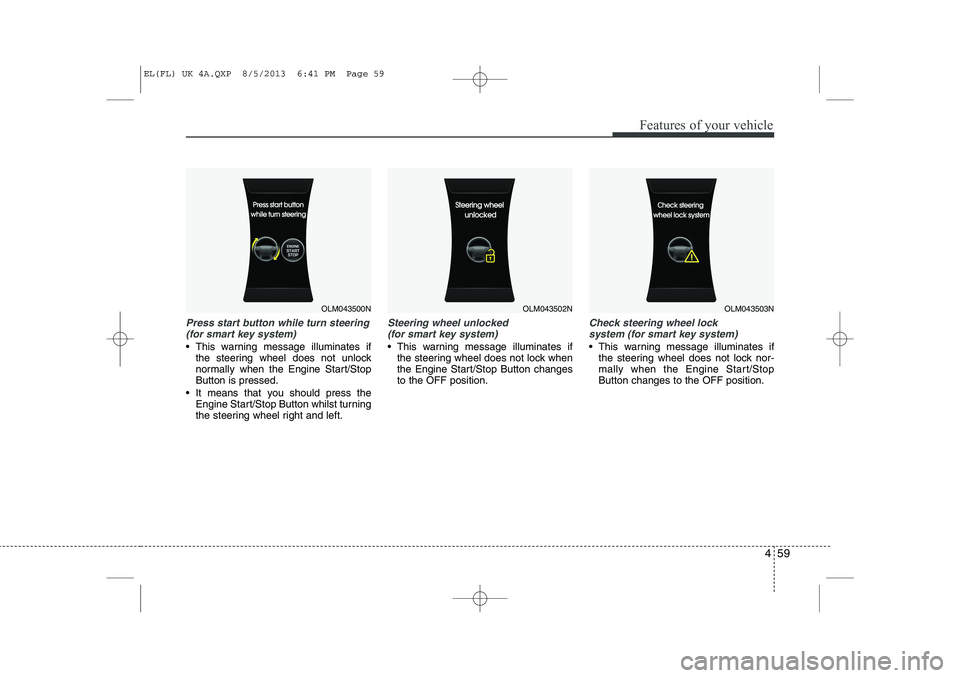
Press start button while turn steering(for smart key system)
This warning message illuminates if the steering wheel does not unlock
normally when the Engine Start/StopButton is pressed.
It means that you should press the Engine Start/Stop Button whilst turning
the steering wheel right and left.
Steering wheel unlocked
(for smart key system)
This warning message illuminates if the steering wheel does not lock when
the Engine Start/Stop Button changesto the OFF position.
Check steering wheel lock
system (for smart key system)
This warning message illuminates if the steering wheel does not lock nor-
mally when the Engine Start/StopButton changes to the OFF position.
OLM043500NOLM043502NOLM043503N
EL(FL) UK 4A.QXP 8/5/2013 6:41 PM Page 59
Page 1148 of 1534
477
Features of your vehicle
Indicator Lights
Electronic Stability Control(ESC) Indicator Light (if equipped)
This indicator light illumi- nates:
Once you set the ignition switch or Engine Start/Stop Button to the ON position.
- It illuminates for approximately 3 sec-onds and then goes off.
When there is a malfunction with the ESC system.
In this case, we recommend that you
have the vehicle inspected by a
HYUNDAI authorised repairer.
This indicator light blinks:
Whilst the ESC is operating.
For more details, refer to “Electronic
Stability Control (ESC)” in chapter 5.
Electronic Stability Control (ESC) OFF Indicator Light (if equipped)
This indicator light illumi- nates:
Once you set the ignition switch or Engine Start/Stop Button to the ON position.
- It illuminates for approximately 3 sec-onds and then goes off.
When you deactivate the ESC system by pressing the ESC OFF button.
For more details, refer to “Electronic
Stability Control (ESC)” in chapter 5.
Cruise indicator (if equipped)
CRUISE indicator
The indicator illuminates when the cruise
control system is enabled.
The cruise indicator in the instrument
cluster is illuminated when the cruise
control ON-OFF button on the steeringwheel is pushed.
The indicator goes off when the cruise
control ON-OFF button is pushed again.
For more information about the use of
cruise control, refer to “Cruise control
system” in section 5. Cruise SET indicator
The indicator illuminates when the cruise
control switch (-SET or RES+) is ON.
The cruise SET indicator in the instru-ment cluster is illuminated when the
cruise control switch (-SET or RES+) ispushed.
The cruise SET indicator does not illumi-
nate when the cruise control switch(CANCEL) is pushed or the system isdisengaged.
SET
EL(FL) UK 4A.QXP 8/5/2013 6:42 PM Page 77
Page 1156 of 1534
485
Features of your vehicle
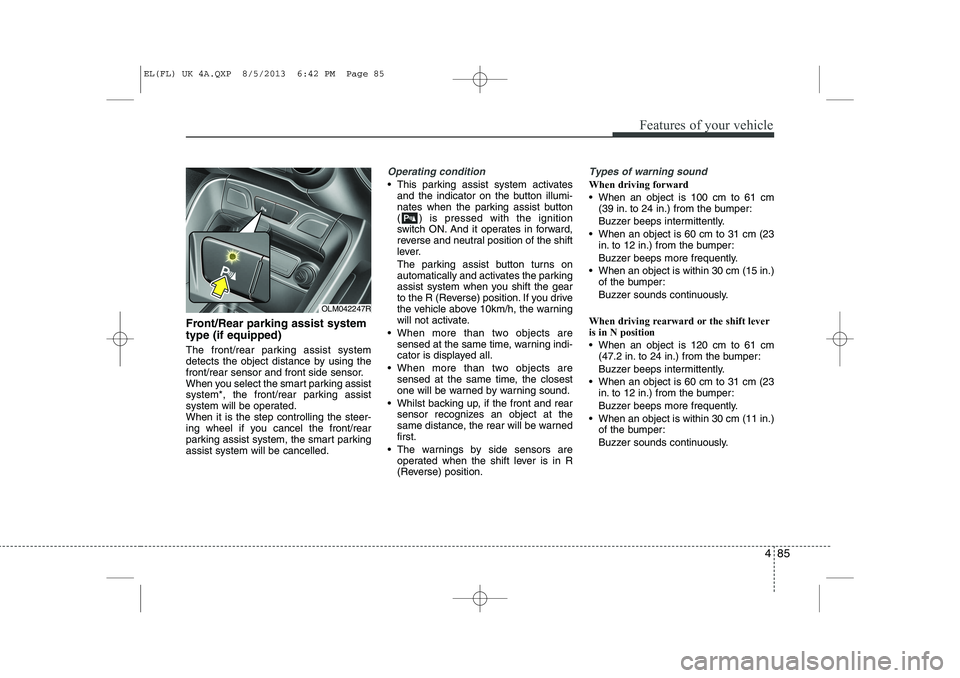
Front/Rear parking assist system type (if equipped)
The front/rear parking assist system
detects the object distance by using the
front/rear sensor and front side sensor.
When you select the smart parking assist
system*, the front/rear parking assist
system will be operated.When it is the step controlling the steer-
ing wheel if you cancel the front/rear
parking assist system, the smart parkingassist system will be cancelled.
Operating condition
This parking assist system activatesand the indicator on the button illumi-
nates when the parking assist button
( ) is pressed with the ignition
switch ON. And it operates in forward,
reverse and neutral position of the shift
lever.
The parking assist button turns on
automatically and activates the parking
assist system when you shift the gear
to the R (Reverse) position. If you drive
the vehicle above 10km/h, the warning
will not activate.
When more than two objects are sensed at the same time, warning indi-
cator is displayed all.
When more than two objects are sensed at the same time, the closest
one will be warned by warning sound.
Whilst backing up, if the front and rear sensor recognizes an object at the
same distance, the rear will be warnedfirst.
The warnings by side sensors are operated when the shift lever is in R
(Reverse) position.
Types of warning sound
When driving forward
When an object is 100 cm to 61 cm (39 in. to 24 in.) from the bumper:
Buzzer beeps intermittently.
When an object is 60 cm to 31 cm (23 in. to 12 in.) from the bumper:
Buzzer beeps more frequently.
When an object is within 30 cm (15 in.) of the bumper:
Buzzer sounds continuously.
When driving rearward or the shift lever is in N position
When an object is 120 cm to 61 cm (47.2 in. to 24 in.) from the bumper:
Buzzer beeps intermittently.
When an object is 60 cm to 31 cm (23 in. to 12 in.) from the bumper:
Buzzer beeps more frequently.
When an object is within 30 cm (11 in.) of the bumper:
Buzzer sounds continuously.
OLM042247R
EL(FL) UK 4A.QXP 8/5/2013 6:42 PM Page 85
Page 1158 of 1534
487
Features of your vehicle
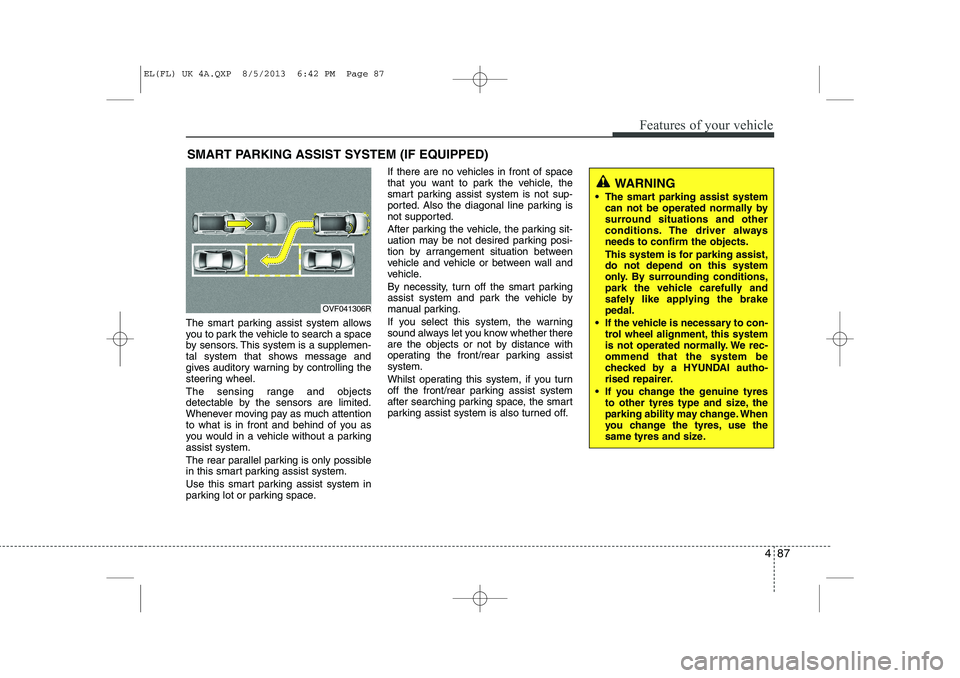
The smart parking assist system allows
you to park the vehicle to search a space
by sensors. This system is a supplemen-
tal system that shows message and
gives auditory warning by controlling the
steering wheel.
The sensing range and objects
detectable by the sensors are limited.
Whenever moving pay as much attention
to what is in front and behind of you as
you would in a vehicle without a parkingassist system.
The rear parallel parking is only possible
in this smart parking assist system.
Use this smart parking assist system in
parking lot or parking space.If there are no vehicles in front of space
that you want to park the vehicle, the
smart parking assist system is not sup-
ported. Also the diagonal line parking is
not supported.
After parking the vehicle, the parking sit-
uation may be not desired parking posi-
tion by arrangement situation between
vehicle and vehicle or between wall and
vehicle.
By necessity, turn off the smart parking
assist system and park the vehicle by
manual parking.
If you select this system, the warning
sound always let you know whether there
are the objects or not by distance with
operating the front/rear parking assistsystem.
Whilst operating this system, if you turn
off the front/rear parking assist system
after searching parking space, the smart
parking assist system is also turned off.
SMART PARKING ASSIST SYSTEM (IF EQUIPPED)
OVF041306R
WARNING
The smart parking assist system can not be operated normally by
surround situations and other
conditions. The driver alwaysneeds to confirm the objects.
This system is for parking assist, do not depend on this system
only. By surrounding conditions,
park the vehicle carefully and
safely like applying the brakepedal.
If the vehicle is necessary to con- trol wheel alignment, this system
is not operated normally. We rec-ommend that the system be
checked by a HYUNDAI autho-
rised repairer.
If you change the genuine tyres to other tyres type and size, the
parking ability may change. When
you change the tyres, use the
same tyres and size.
EL(FL) UK 4A.QXP 8/5/2013 6:42 PM Page 87