ECO mode HYUNDAI IX35 2014 Owner's Manual
[x] Cancel search | Manufacturer: HYUNDAI, Model Year: 2014, Model line: IX35, Model: HYUNDAI IX35 2014Pages: 1534, PDF Size: 39.76 MB
Page 407 of 1534
Stowing the rear seat belt ................................................3-23
Sun visor ........................................................................4-127
Sunglass holder ..............................................................4-124
Sunroof, see panorama sunroof ......................................4-30
Tachometer ......................................................................4-48
Tailgate ............................................................................4-19
Tether anchor system ......................................................3-34
Theft-alarm system ..........................................................4-13
Tilt steering ......................................................................4-35
Towing..............................................................................6-14
Trailer towing ..................................................................5-61
TransaxleAutomatic transaxle....................................................5-18
Manual transaxle ........................................................5-15
Transaxle Shift Indicator..................................................4-52
Trip A/B ..........................................................................4-64
Trip computer ..................................................................4-63 Fuel Economy ............................................................4-65
Trip A/B ......................................................................4-64
TSA (Trailer stability assist) ............................................5-43
Turn signals ......................................................................4-91
Tyre chains ......................................................................5-58
Tyre rotation ....................................................................7-43
Tyre specification and pressure label ..............................8-10
Tyres and wheels ......................................................7-40, 8-4 Checking tyre inflation pressure ................................7-42
Compact spare tyre replacement ................................7-45
Recommended cold tyre inflation pressures ..............7-43
Tyre care ....................................................................7-43
Tyre maintenance ......................................................7-46
Tyre replacement ........................................................7-44
Tyre rotation ..............................................................7-43
Tyre sidewall labeling ................................................7-46
Tyre traction ..............................................................7-46
Wheel alignment and tyre balance ............................7-44
Wheel replacement ....................................................7-45
User Settings Mode ..........................................................4-55
Vanity mirror lamp ........................................................4-100
Vehicle run-in process ........................................................1-6
Vehicle certification label ..................................................8-9
Vehicle handling instructions ............................................1-6
Vehicle identification number (VIN) ................................8-9
Vehicle stability management ..........................................5-39
Vehicle weight..................................................................5-71
I 10
Index
V
T
U
EL(FL) Aust Index.qxp 7/26/2013 2:14 PM Page 10
Page 527 of 1534
437
Features of your vehicle
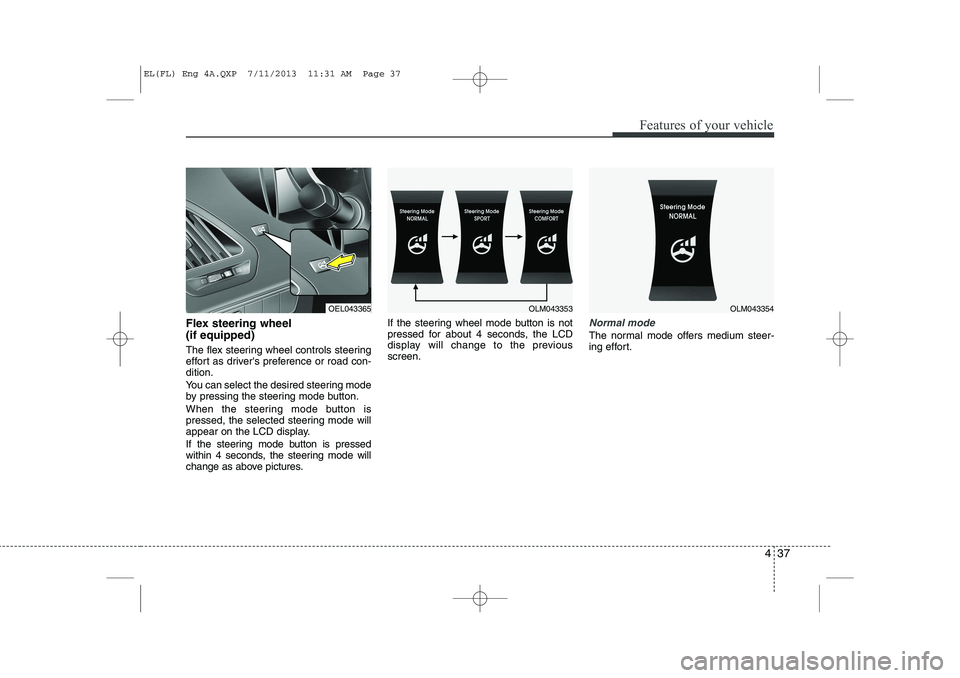
Flex steering wheel (if equipped)
The flex steering wheel controls steering
effort as driver's preference or road con-dition.
You can select the desired steering mode
by pressing the steering mode button.
When the steering mode button is
pressed, the selected steering mode will
appear on the LCD display.
If the steering mode button is pressed
within 4 seconds, the steering mode will
change as above pictures.If the steering wheel mode button is not
pressed for about 4 seconds, the LCD
display will change to the previousscreen.Normal mode
The normal mode offers medium steer-
ing effort.
OEL043365OLM043353OLM043354
EL(FL) Eng 4A.QXP 7/11/2013 11:31 AM Page 37
Page 528 of 1534
Features of your vehicle
38
4
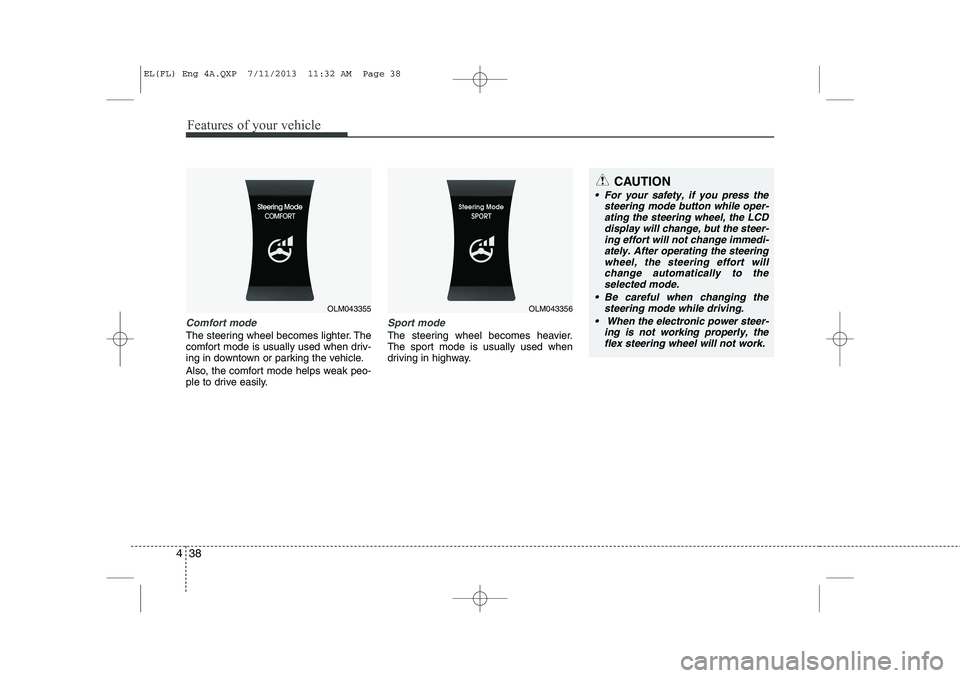
Comfort mode
The steering wheel becomes lighter. The
comfort mode is usually used when driv-
ing in downtown or parking the vehicle.
Also, the comfort mode helps weak peo-
ple to drive easily.
Sport mode
The steering wheel becomes heavier.
The sport mode is usually used when
driving in highway.
OLM043355OLM043356
CAUTION
For your safety, if you press the
steering mode button while oper-
ating the steering wheel, the LCD display will change, but the steer-ing effort will not change immedi-ately. After operating the steering
wheel, the steering effort willchange automatically to the selected mode.
Be careful when changing the steering mode while driving.
When the electronic power steer- ing is not working properly, theflex steering wheel will not work.
EL(FL) Eng 4A.QXP 7/11/2013 11:32 AM Page 38
Page 544 of 1534
Features of your vehicle
54
4
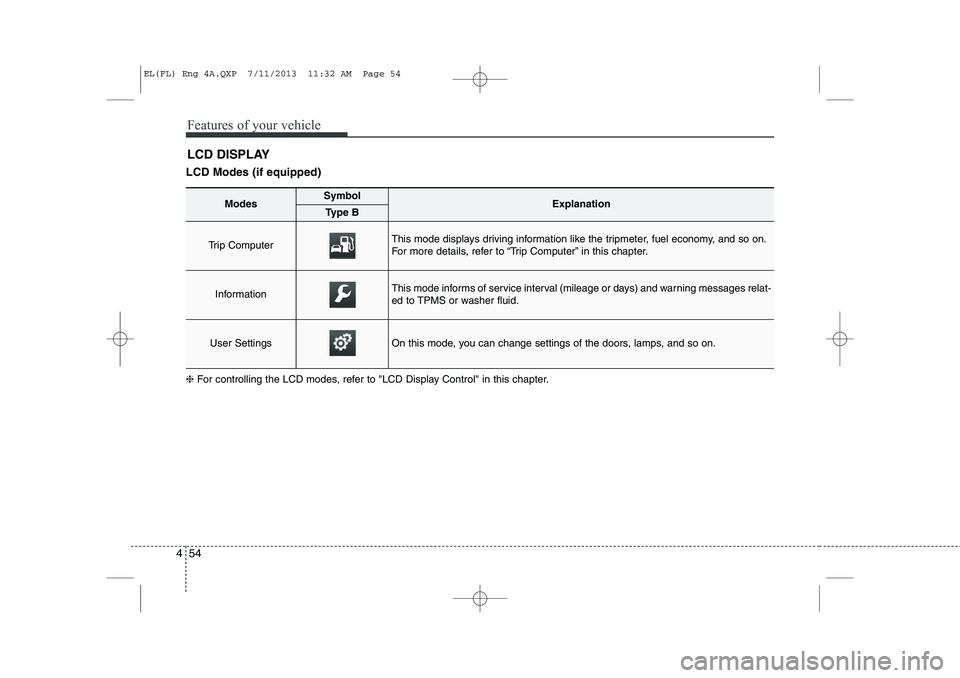
LCD Modes (if equipped) LCD DISPLAY
❈ For controlling the LCD modes, refer to "LCD Display Control" in this chapter.
ModesSymbolExplanationType B
Trip Computer This mode displays driving information like the tripmeter, fuel economy, and so on.
For more details, refer to “Trip Computer” in this chapter.
InformationThis mode informs of service interval (mileage or days) and warning messages relat-
ed to TPMS or washer fluid.
User SettingsOn this mode, you can change settings of the doors, lamps, and so on.
EL(FL) Eng 4A.QXP 7/11/2013 11:32 AM Page 54
Page 545 of 1534
455
Features of your vehicle
Information Mode
Service Interval
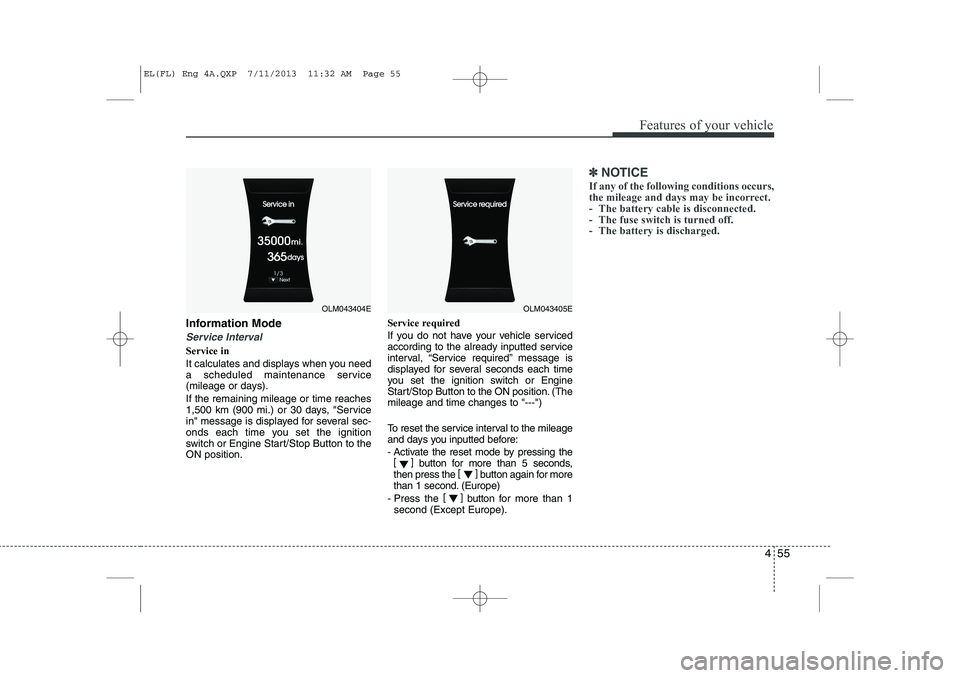
Service in
It calculates and displays when you need
a scheduled maintenance service
(mileage or days). If the remaining mileage or time reaches
1,500 km (900 mi.) or 30 days, "Service
in" message is displayed for several sec-
onds each time you set the ignition
switch or Engine Start/Stop Button to theON position.Service required
If you do not have your vehicle serviced
according to the already inputted service
interval, “Service required” message is
displayed for several seconds each time
you set the ignition switch or Engine
Start/Stop Button to the ON position. (Themileage and time changes to "---")
To reset the service interval to the mileage
and days you inputted before:
- Activate the reset mode by pressing the
[] button for more than 5 seconds,
then press the []
button again for more
than 1 second. (Europe)
- Press the []
button for more than 1
second (Except Europe).
✽✽ NOTICE
If any of the following conditions occurs,
the mileage and days may be incorrect.
- The battery cable is disconnected.
- The fuse switch is turned off.
- The battery is discharged.
OLM043404EOLM043405E
EL(FL) Eng 4A.QXP 7/11/2013 11:32 AM Page 55
Page 548 of 1534
Features of your vehicle
58
4
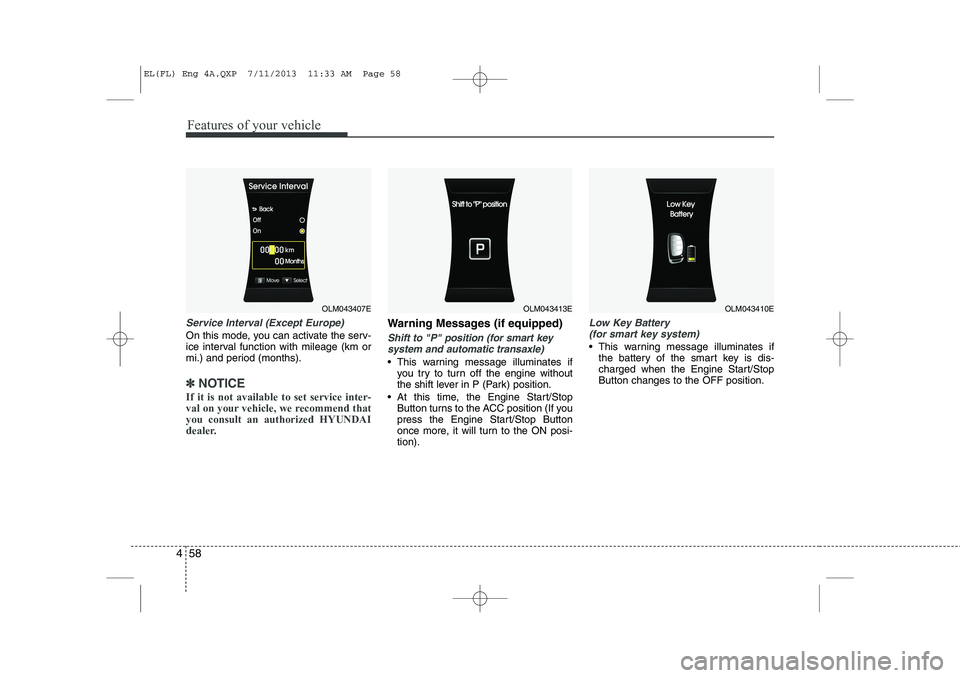
Service Interval (Except Europe)
On this mode, you can activate the serv-
ice interval function with mileage (km or
mi.) and period (months).
✽✽
NOTICE
If it is not available to set service inter-
val on your vehicle, we recommend thatyou consult an authorized HYUNDAI
dealer.
Warning Messages (if equipped)
Shift to "P" position (for smart key system and automatic transaxle)
This warning message illuminates if you try to turn off the engine without
the shift lever in P (Park) position.
At this time, the Engine Start/Stop Button turns to the ACC position (If you
press the Engine Start/Stop Button
once more, it will turn to the ON posi-tion).
Low Key Battery
(for smart key system)
This warning message illuminates if the battery of the smart key is dis-
charged when the Engine Start/StopButton changes to the OFF position.
OLM043407EOLM043413EOLM043410E
EL(FL) Eng 4A.QXP 7/11/2013 11:33 AM Page 58
Page 554 of 1534
Features of your vehicle
64
4
Overview
Description
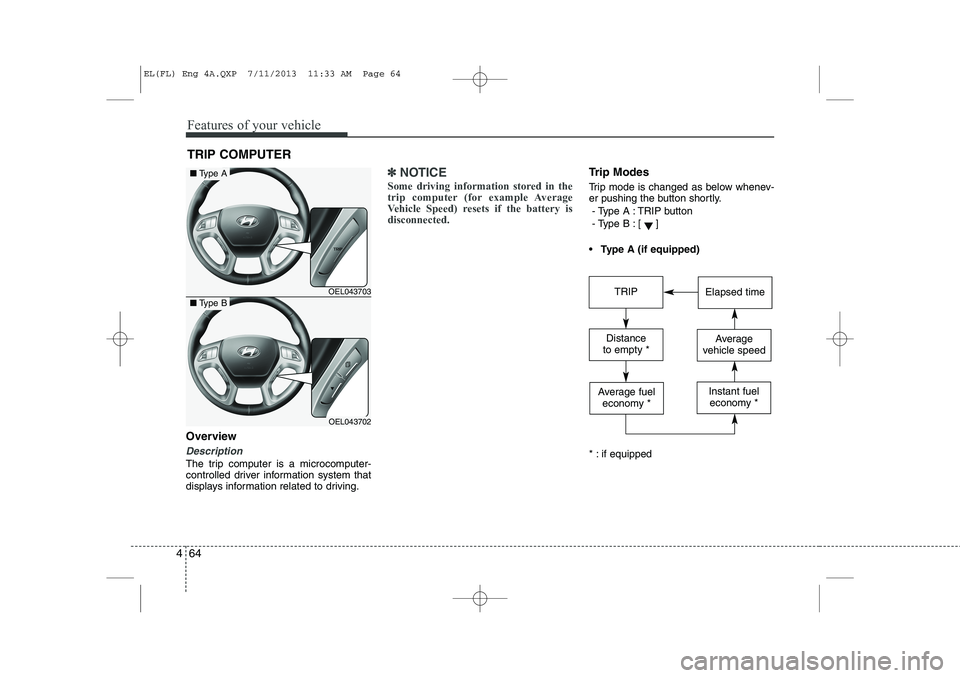
The trip computer is a microcomputer-
controlled driver information system that
displays information related to driving.
✽✽
NOTICE
Some driving information stored in the
trip computer (for example Average
Vehicle Speed) resets if the battery isdisconnected.Trip Modes
Trip mode is changed as below whenev-
er pushing the button shortly.
- Type A : TRIP button
- Type B :
[]
Type A (if equipped)
* : if equipped
TRIP COMPUTER
OEL043703
OEL043702
■ Type A
■Type BTRIPElapsed time
Distance
to empty *Average
vehicle speed
Average fuel economy *Instant fueleconomy *
EL(FL) Eng 4A.QXP 7/11/2013 11:33 AM Page 64
Page 555 of 1534
465
Features of your vehicle
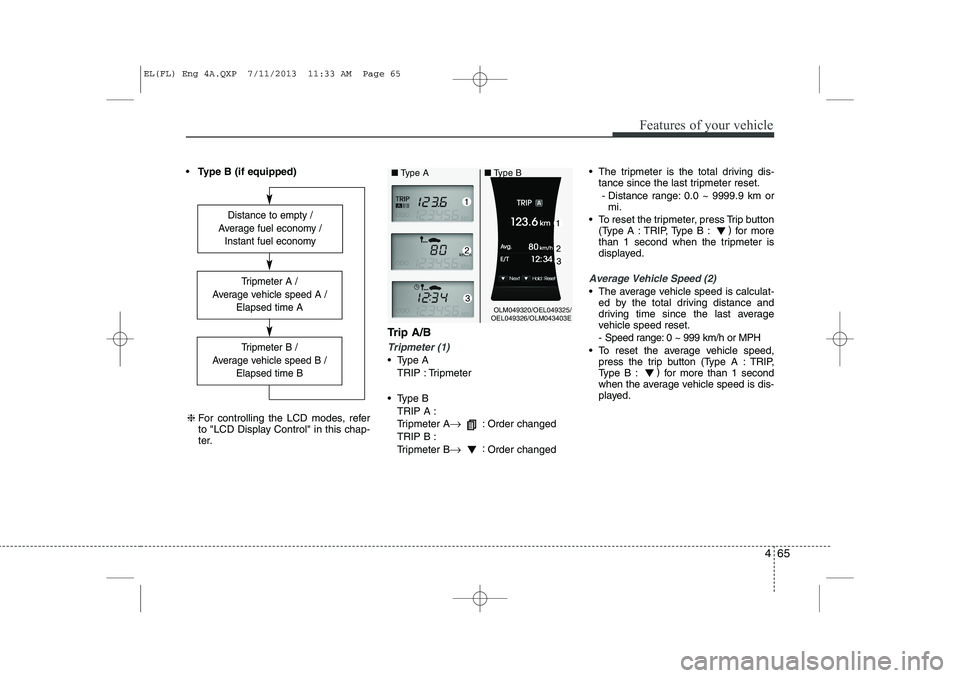
Type B (if equipped)
Trip A/B
Tripmeter (1)
Type ATRIP : Tripmeter
Type B TRIP A :
Tripmeter A →
: Order changed
TRIP B :
Tripmeter B →:
Order changed The tripmeter is the total driving dis-
tance since the last tripmeter reset.
- Distance range: 0.0 ~ 9999.9 km or mi.
To reset the tripmeter, press Trip button (Type A : TRIP, Type B : )
for more
than 1 second when the tripmeter is
displayed.
Average Vehicle Speed (2)
The average vehicle speed is calculat- ed by the total driving distance and
driving time since the last average
vehicle speed reset.
- Speed range: 0 ~ 999 km/h or MPH
To reset the average vehicle speed, press the trip button (Type A : TRIP,
Type B : )
for more than 1 second
when the average vehicle speed is dis-
played.
Distance to empty /
Average fuel economy / Instant fuel economy
Tripmeter B /
Average vehicle speed B / Elapsed time B
Tripmeter A /
Average vehicle speed A / Elapsed time A
❈For controlling the LCD modes, refer
to "LCD Display Control" in this chap-
ter.
OLM049320/OEL049325/
OEL049326/OLM043403E
■
Type A ■Type B
EL(FL) Eng 4A.QXP 7/11/2013 11:33 AM Page 65
Page 557 of 1534
467
Features of your vehicle
Average Fuel Economy (2)
The average fuel economy is calculat-ed by the total driving distance and fuel
consumption since the last average fuel
economy reset.
- Fuel economy range: 0.0 ~ 99.9L/100km or MPG
The average fuel economy can be reset both manually and automatically.
Manual reset
To clear the average fuel economy manu-
ally, press the trip b utton (Type A : TRIP,
Type B : )
for more than 1 second
when the average fuel economy is dis-
played. Automatic reset
The average fuel economy will be
cleared to zero (---) when the vehicle
speed exceeds 1 km/h after refuelingmore than 6 liters (1.6 gallons).
✽✽
NOTICE
The average fuel economy is not dis-
played for more accurate calculation if
the vehicle does not drive more than 10
seconds or 50 meters (0.03 miles) since
the ignition switch or Engine Start/Stopbutton is turned to ON.
Instant Fuel Economy (3)
This mode displays the instant fuel economy during the last few seconds
when the vehicle speed is more than10 km/h (6.2 MPH).
- Fuel economy range:
Type A : 0 ~ 99.9 L/100 km or MPG
Type B : 0 ~ 30 L/100 km or 0 ~ 50 MPG
EL(FL) Eng 4A.QXP 7/11/2013 11:33 AM Page 67
Page 563 of 1534
473
Features of your vehicle
TPMS (Tire Pressure MonitoringSystem) indicator (if equipped)
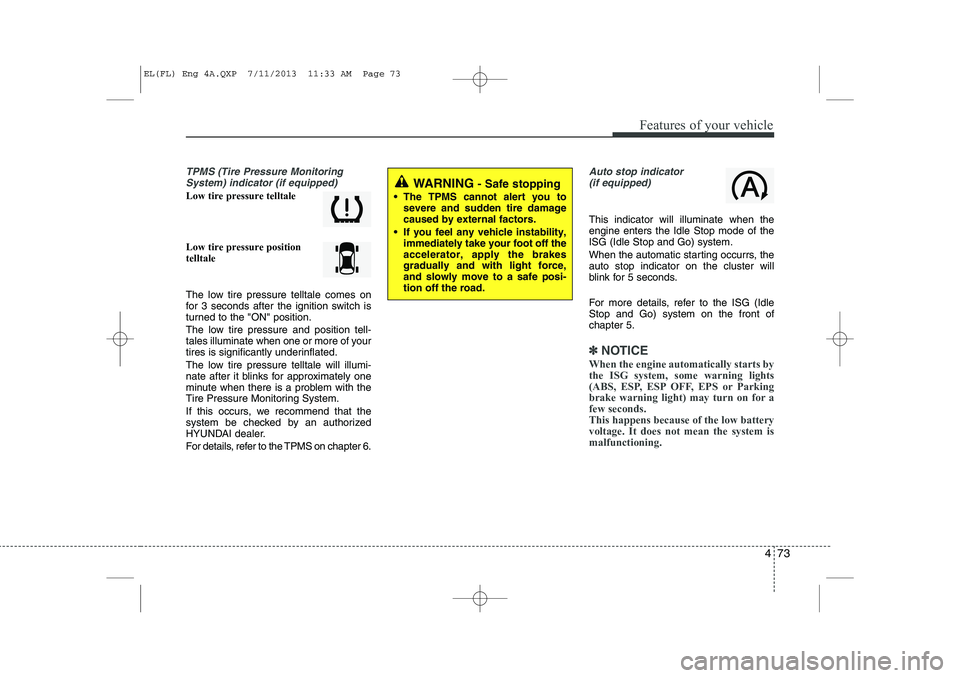
Low tire pressure telltale Low tire pressure position telltale
The low tire pressure telltale comes on
for 3 seconds after the ignition switch is
turned to the "ON" position.
The low tire pressure and position tell-
tales illuminate when one or more of your
tires is significantly underinflated.
The low tire pressure telltale will illumi-
nate after it blinks for approximately one
minute when there is a problem with the
Tire Pressure Monitoring System.
If this occurs, we recommend that the
system be checked by an authorized
HYUNDAI dealer.
For details, refer to the TPMS on chapter 6.
Auto stop indicator(if equipped)
This indicator will illuminate when the engine enters the Idle Stop mode of theISG (Idle Stop and Go) system.
When the automatic starting occurrs, the auto stop indicator on the cluster will
blink for 5 seconds.
For more details, refer to the ISG (Idle Stop and Go) system on the front ofchapter 5.
✽✽ NOTICE
When the engine automatically starts by
the ISG system, some warning lights
(ABS, ESP, ESP OFF, EPS or Parking
brake warning light) may turn on for afew seconds. This happens because of the low batteryvoltage. It does not mean the system ismalfunctioning.
WARNING - Safe stopping
The TPMS cannot alert you to severe and sudden tire damage caused by external factors.
If you feel any vehicle instability, immediately take your foot off theaccelerator, apply the brakesgradually and with light force,and slowly move to a safe posi-tion off the road.
EL(FL) Eng 4A.QXP 7/11/2013 11:33 AM Page 73