service HYUNDAI IX35 2014 Service Manual
[x] Cancel search | Manufacturer: HYUNDAI, Model Year: 2014, Model line: IX35, Model: HYUNDAI IX35 2014Pages: 1534, PDF Size: 39.76 MB
Page 482 of 1534
357
Safety features of your vehicle
(Continued)
Do not allow the passengers tolean their heads or bodies onto
doors, put their arms on the
doors, stretch their arms out of
the window, or place objects
between the doors and passen-
gers when they are seated onseats equipped with side and/or
curtain air bags.
Never try to open or repair any components of the side curtain
air bag system. We recommend
that the system be serviced by an
authorized HYUNDAI dealer.
Failure to follow the above men-tioned instructions can result in
injury or death to the vehicle occu-pants in an accident.
EL(FL) Eng 3.QXP 7/11/2013 10:57 AM Page 57
Page 484 of 1534
359
Safety features of your vehicle
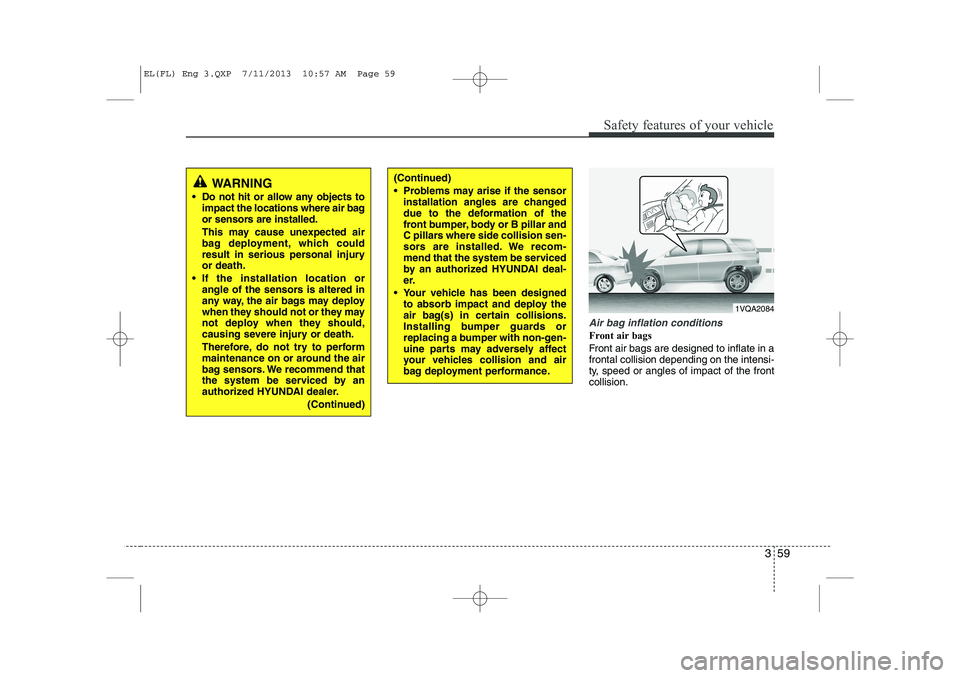
Air bag inflation conditions
Front air bags
Front air bags are designed to inflate in a frontal collision depending on the intensi-
ty, speed or angles of impact of the frontcollision.
WARNING
Do not hit or allow any objects to impact the locations where air bag
or sensors are installed.
This may cause unexpected air
bag deployment, which could
result in serious personal injuryor death.
If the installation location or angle of the sensors is altered in
any way, the air bags may deploy
when they should not or they may
not deploy when they should,
causing severe injury or death.
Therefore, do not try to perform
maintenance on or around the air
bag sensors. We recommend that
the system be serviced by an
authorized HYUNDAI dealer.
(Continued)(Continued)
Problems may arise if the sensorinstallation angles are changed
due to the deformation of the
front bumper, body or B pillar and
C pillars where side collision sen-
sors are installed. We recom-
mend that the system be serviced
by an authorized HYUNDAI deal-
er.
Your vehicle has been designed to absorb impact and deploy the
air bag(s) in certain collisions.
Installing bumper guards or
replacing a bumper with non-gen-
uine parts may adversely affect
your vehicles collision and air
bag deployment performance.
1VQA2084
EL(FL) Eng 3.QXP 7/11/2013 10:57 AM Page 59
Page 488 of 1534
363
Safety features of your vehicle
SRS Care
The SRS is virtually maintenance-free
and so there are no parts you can safely
service by yourself. If the SRS air bag
warning light does not illuminate, or con-
tinuously remains on, we recommend
that the system be inspected by an
authorized HYUNDAI dealer.
WARNING
Modification to SRS components or wiring, including the addition
of any kind of badges to the pad
covers or modifications to the
body structure, can adversely
affect SRS performance and lead
to possible injury.
For cleaning the air bag pad cov- ers, use only a soft, dry cloth or
one which has been moistened
with plain water. Solvents or
cleaners could adversely affect
the air bag covers and proper
deployment of the system.
No objects should be placed over or near the air bag modules on
the steering wheel, instrument
panel, and the front passenger's
panel above the glove box,
because any such object could
cause harm if the vehicle is in a
crash severe enough to cause
the air bags to inflate.
If the air bags inflate, we recom- mend that the system be
replaced by an authorized
HYUNDAI dealer.
(Continued)(Continued)
Do not tamper with or disconnectSRS wiring, or other components
of the SRS system. Doing so
could result in injury, due to acci-
dental inflation of the air bags or
by rendering the SRS inopera-
tive.
If components of the air bag sys- tem must be discarded, or if the
vehicle must be scrapped, certain
safety precautions must be
observed. We recommend that
you contact an authorized
HYUNDAI dealer for these pre-
cautions and necessary informa-
tion. Failure to follow these pre-
cautions and procedures could
increase the risk of personal
injury.
If your car was flooded and has soaked carpeting or water on
flooring, you shouldn't try to start
the engine; we recommend that
you contact an authorized
HYUNDAI dealer.
EL(FL) Eng 3.QXP 7/11/2013 10:57 AM Page 63
Page 496 of 1534
Features of your vehicle
6
4
CAUTION
The transponder in your ignition
key is an important part of the
immobilizer system. It is designedto give years of trouble-free service,however you should avoid expo- sure to moisture, static electricity
and rough handling. Immobilizersystem malfunction could occur.
CAUTION
Do not change, alter or adjust theimmobilizer system because it
could cause the immobilizer sys-tem to malfunction. We recommend that the system be serviced by anauthorized HYUNDAI dealer.
Malfunctions caused by improperalterations, adjustments or modifi-cations to the immobilizer system are not covered by your vehicle
manufacturer warranty.
EL(FL) Eng 4A.QXP 7/11/2013 11:29 AM Page 6
Page 544 of 1534
Features of your vehicle
54
4
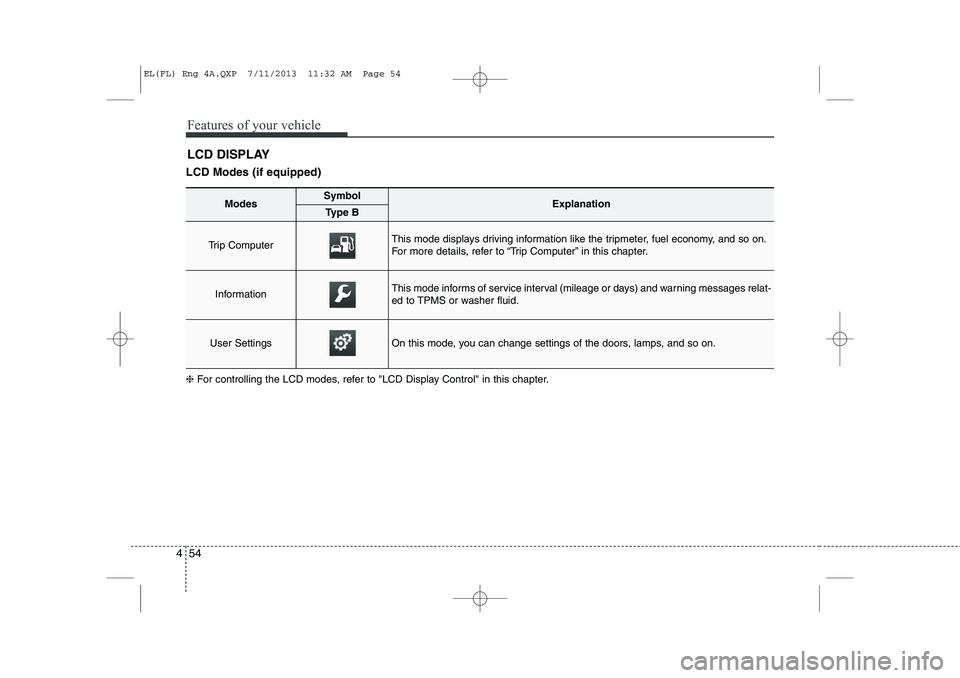
LCD Modes (if equipped) LCD DISPLAY
❈ For controlling the LCD modes, refer to "LCD Display Control" in this chapter.
ModesSymbolExplanationType B
Trip Computer This mode displays driving information like the tripmeter, fuel economy, and so on.
For more details, refer to “Trip Computer” in this chapter.
InformationThis mode informs of service interval (mileage or days) and warning messages relat-
ed to TPMS or washer fluid.
User SettingsOn this mode, you can change settings of the doors, lamps, and so on.
EL(FL) Eng 4A.QXP 7/11/2013 11:32 AM Page 54
Page 545 of 1534
455
Features of your vehicle
Information Mode
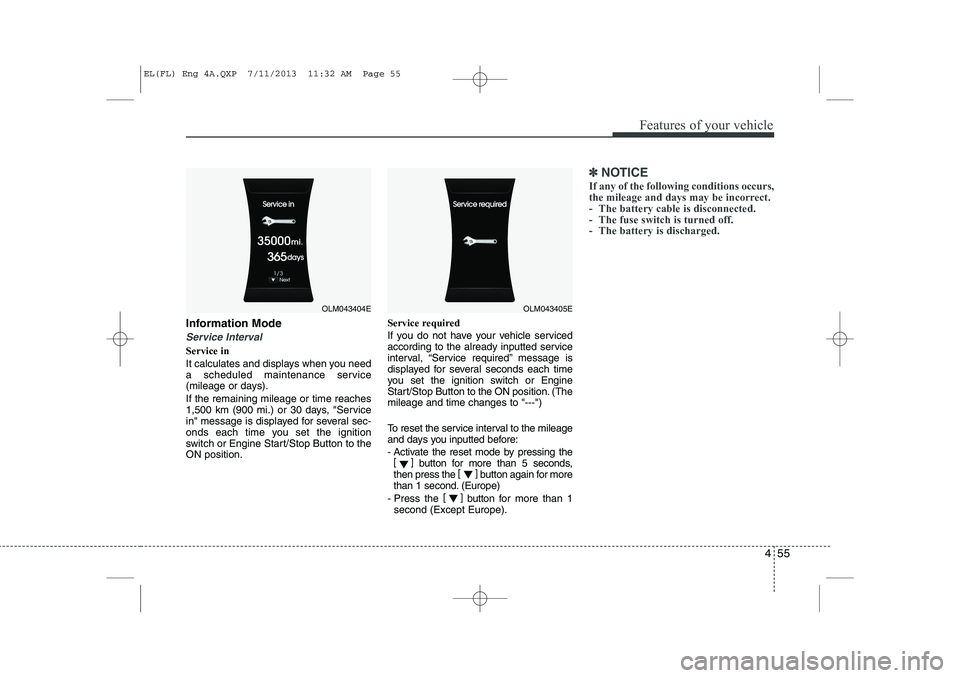
Service Interval
Service in
It calculates and displays when you need
a scheduled maintenance service
(mileage or days). If the remaining mileage or time reaches
1,500 km (900 mi.) or 30 days, "Service
in" message is displayed for several sec-
onds each time you set the ignition
switch or Engine Start/Stop Button to theON position.Service required
If you do not have your vehicle serviced
according to the already inputted service
interval, “Service required” message is
displayed for several seconds each time
you set the ignition switch or Engine
Start/Stop Button to the ON position. (Themileage and time changes to "---")
To reset the service interval to the mileage
and days you inputted before:
- Activate the reset mode by pressing the
[] button for more than 5 seconds,
then press the []
button again for more
than 1 second. (Europe)
- Press the []
button for more than 1
second (Except Europe).
✽✽ NOTICE
If any of the following conditions occurs,
the mileage and days may be incorrect.
- The battery cable is disconnected.
- The fuse switch is turned off.
- The battery is discharged.
OLM043404EOLM043405E
EL(FL) Eng 4A.QXP 7/11/2013 11:32 AM Page 55
Page 548 of 1534
Features of your vehicle
58
4
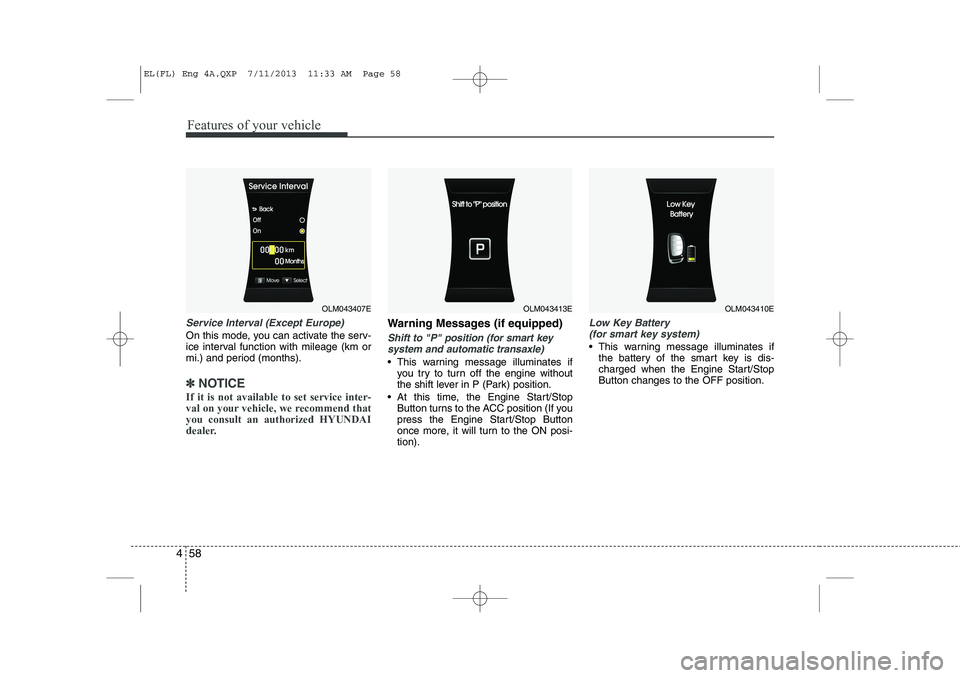
Service Interval (Except Europe)
On this mode, you can activate the serv-
ice interval function with mileage (km or
mi.) and period (months).
✽✽
NOTICE
If it is not available to set service inter-
val on your vehicle, we recommend thatyou consult an authorized HYUNDAI
dealer.
Warning Messages (if equipped)
Shift to "P" position (for smart key system and automatic transaxle)
This warning message illuminates if you try to turn off the engine without
the shift lever in P (Park) position.
At this time, the Engine Start/Stop Button turns to the ACC position (If you
press the Engine Start/Stop Button
once more, it will turn to the ON posi-tion).
Low Key Battery
(for smart key system)
This warning message illuminates if the battery of the smart key is dis-
charged when the Engine Start/StopButton changes to the OFF position.
OLM043407EOLM043413EOLM043410E
EL(FL) Eng 4A.QXP 7/11/2013 11:33 AM Page 58
Page 553 of 1534
463
Features of your vehicle
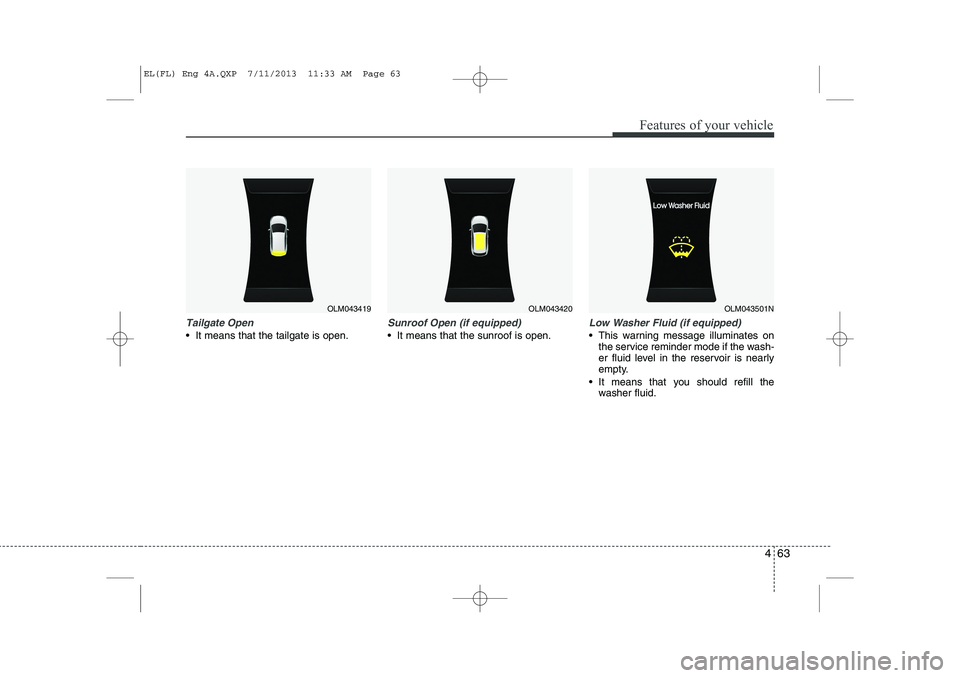
Tailgate Open
It means that the tailgate is open.
Sunroof Open (if equipped)
It means that the sunroof is open.
Low Washer Fluid (if equipped)
This warning message illuminates onthe service reminder mode if the wash-
er fluid level in the reservoir is nearly
empty.
It means that you should refill the washer fluid.
OLM043419OLM043420OLM043501N
EL(FL) Eng 4A.QXP 7/11/2013 11:33 AM Page 63
Page 642 of 1534
Features of your vehicle
152
4
(Continued)
Turn on the car ignition before using this device. Do not operatethe audio system for long periodsof time with the ignition turned off
as such operations may lead tobattery discharge.
Do not subject the device to severe shock or impact. Direct
pressure onto the front side of the monitor may cause damage tothe LCD or touch screen.
When cleaning the device, make sure to turn off the device anduse a dry and smooth cloth.Never use tough materials, chem- ical cloths, or solvents (alcohol,
benzene, thinners, etc.) as such materials may damage the devicepanel or cause color/quality dete- rioration
(Continued)(Continued) Do not place beverages close to the audio system. Spilling bever-ages may lead to system mal-function.
In case of product malfunction, please contact your place of pur-chase or After Service center.
Placing the audio system within an electromagnetic environment
may result in noise interference.
Prevent caustic solutions such as perfume and cosmetic oil fromcontacting the dashboard
because they may cause damageor discoloration.CAUTION
Operating the device while driv- ing could lead to accidents due to
a lack of attention to external sur-roundings. First park the vehiclebefore operating the device.
Adjust the volume to levels that allow the driver to hear soundsfrom outside of the vehicle.Driving in a state where externalsounds cannot be heard may lead
to accidents.
Pay attention to the volume set- ting when turning the device on.A sudden output of extreme vol-
ume upon turning the device oncould lead to hearing impairment. (Adjust the volume to a suitablelevels before turning off the
device.)
(Continued)
EL(FL) Eng 4B AUDIO.QXP 7/11/2013 11:20 AM Page 152
Page 778 of 1534
Driving your vehicle
24
5
R (Reverse)
Use this position to drive the vehicle
backward. N (Neutral)
The wheels and transaxle are not
engaged. The vehicle will roll freely even
on the slightest incline unless the parking
brake or service brakes are applied. D (Drive)
This is the normal forward driving posi-
tion. The transaxle will automatically shift
through a 6-gear sequence, providing the
best fuel economy and power.
For extra power when passing another
vehicle or climbing grades, depress the
accelerator fully, at which time the
transaxle will automatically downshift to
the next lower gear.
✽✽
NOTICE
Always come to a complete stop before shifting into D (Drive).
WARNING
Shifting into P (Park) while the vehicle is in motion will cause the
drive wheels to lock which will
cause you to lose control of the
vehicle.
Do not use the P (Park) position in place of the parking brake.
Always make sure the shift lever
is latched in the P (Park) position
and set the parking brake fully.
Never leave a child unattended in a vehicle.
CAUTION
The transaxle may be damaged if
you shift into P (Park) while the
vehicle is in motion.
CAUTION
Always come to a complete stopbefore shifting into or out of R
(Reverse); you may damage thetransaxle if you shift into R (Reverse) while the vehicle is inmotion, except as explained in
“Rocking the vehicle”, in this manu-al.
EL(FL) Eng 5.QXP 7/11/2013 11:03 AM Page 24