ECU HYUNDAI IX35 2014 Manual PDF
[x] Cancel search | Manufacturer: HYUNDAI, Model Year: 2014, Model line: IX35, Model: HYUNDAI IX35 2014Pages: 1534, PDF Size: 39.76 MB
Page 583 of 1534
493
Features of your vehicle
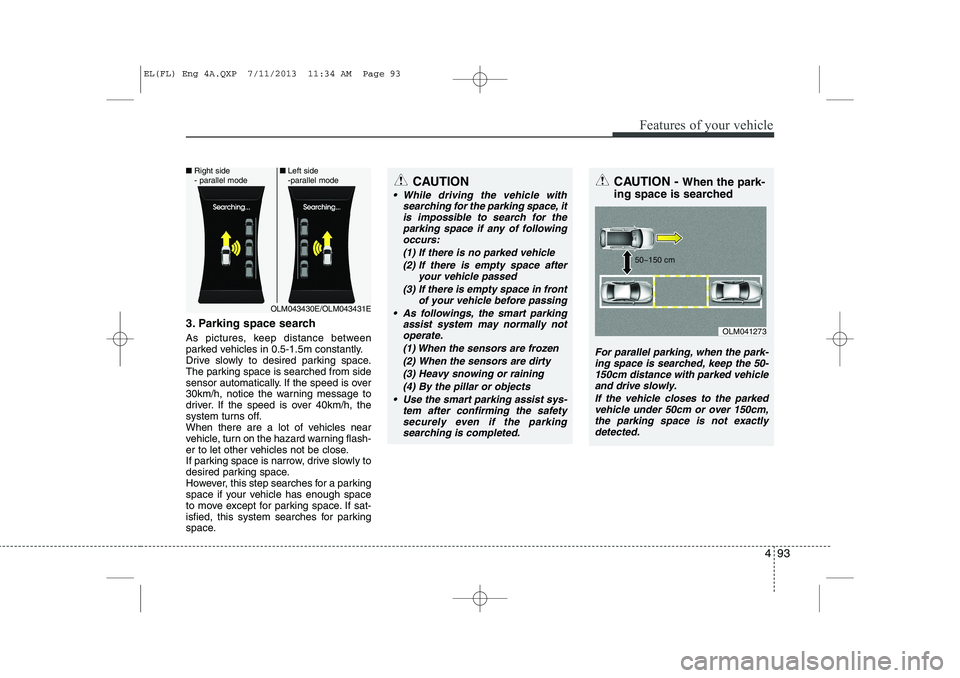
3. Parking space search
As pictures, keep distance between
parked vehicles in 0.5-1.5m constantly.
Drive slowly to desired parking space.
The parking space is searched from side
sensor automatically. If the speed is over
30km/h, notice the warning message to
driver. If the speed is over 40km/h, the
system turns off.
When there are a lot of vehicles near
vehicle, turn on the hazard warning flash-
er to let other vehicles not be close.
If parking space is narrow, drive slowly to
desired parking space.
However, this step searches for a parking
space if your vehicle has enough space
to move except for parking space. If sat-
isfied, this system searches for parking
space.
CAUTION
While driving the vehicle withsearching for the parking space, it
is impossible to search for the parking space if any of followingoccurs:
(1) If there is no parked vehicle(2) If there is empty space after your vehicle passed
(3) If there is empty space in front of your vehicle before passing
As followings, the smart parking assist system may normally notoperate.
(1) When the sensors are frozen
(2) When the sensors are dirty(3) Heavy snowing or raining (4) By the pillar or objects
Use the smart parking assist sys- tem after confirming the safetysecurely even if the parking searching is completed.
CAUTION - When the park-
ing space is searched
For parallel parking, when the park- ing space is searched, keep the 50-150cm distance with parked vehicleand drive slowly.
If the vehicle closes to the parkedvehicle under 50cm or over 150cm, the parking space is not exactlydetected.
OLM041273
50~150 cm
OLM043430E/OLM043431E
■
Right side
- parallel mode ■
Left side
-parallel mode
EL(FL) Eng 4A.QXP 7/11/2013 11:34 AM Page 93
Page 625 of 1534
These compartments can be used to
store small items required by the driver
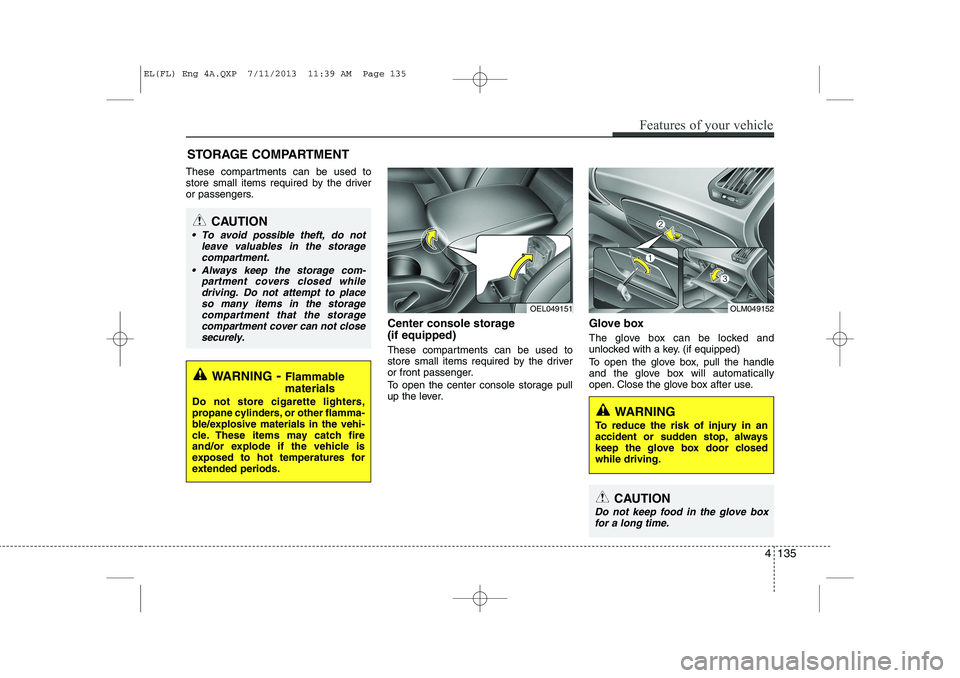
or passengers.Center console storage (if equipped)
These compartments can be used to
store small items required by the driver
or front passenger.
To open the center console storage pull
up the lever.Glove box
The glove box can be locked and
unlocked with a key. (if equipped)
To open the glove box, pull the handle
and the glove box will automatically
open. Close the glove box after use.
STORAGE COMPARTMENT
WARNING
- Flammable
materials
Do not store cigarette lighters,
propane cylinders, or other flamma-
ble/explosive materials in the vehi-
cle. These items may catch fire
and/or explode if the vehicle is
exposed to hot temperatures for
extended periods.
CAUTION
To avoid possible theft, do not leave valuables in the storagecompartment.
Always keep the storage com- partment covers closed whiledriving. Do not attempt to place so many items in the storagecompartment that the storage
compartment cover can not close securely.
OEL049151OLM049152
WARNING
To reduce the risk of injury in an
accident or sudden stop, always
keep the glove box door closedwhile driving.
CAUTION
Do not keep food in the glove box for a long time.
Features of your vehicle
135
4
EL(FL) Eng 4A.QXP 7/11/2013 11:39 AM Page 135
Page 629 of 1534
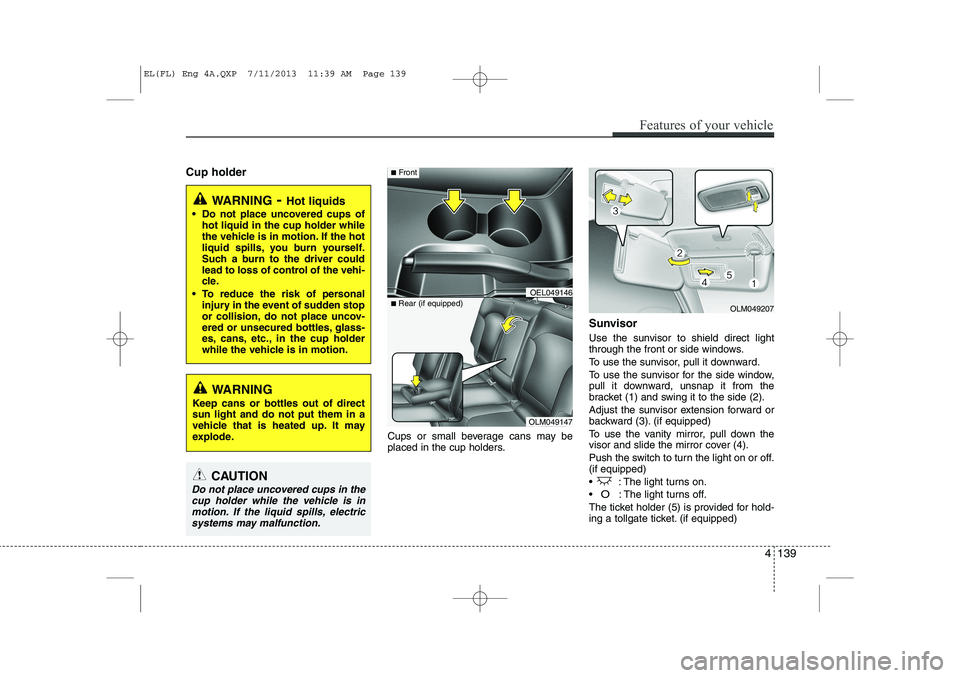
Cup holderCups or small beverage cans may be
placed in the cup holders.Sunvisor
Use the sunvisor to shield direct light
through the front or side windows.
To use the sunvisor, pull it downward.
To use the sunvisor for the side window,
pull it downward, unsnap it from the
bracket (1) and swing it to the side (2).
Adjust the sunvisor extension forward or
backward (3). (if equipped)
To use the vanity mirror, pull down the
visor and slide the mirror cover (4).
Push the switch to turn the light on or off. (if equipped)
: The light turns on.
O: The light turns off.
The ticket holder (5) is provided for hold-
ing a tollgate ticket. (if equipped)
Features of your vehicle
139
4
WARNING - Hot liquids
Do not place uncovered cups of hot liquid in the cup holder while
the vehicle is in motion. If the hot
liquid spills, you burn yourself.
Such a burn to the driver could
lead to loss of control of the vehi-
cle.
To reduce the risk of personal injury in the event of sudden stop
or collision, do not place uncov-
ered or unsecured bottles, glass-
es, cans, etc., in the cup holder
while the vehicle is in motion.
WARNING
Keep cans or bottles out of direct sun light and do not put them in a
vehicle that is heated up. It may
explode.
CAUTION
Do not place uncovered cups in the cup holder while the vehicle is inmotion. If the liquid spills, electricsystems may malfunction.
OLM049147
■
Rear (if equipped)
OEL049146
■Front
OLM049207
EL(FL) Eng 4A.QXP 7/11/2013 11:39 AM Page 139
Page 632 of 1534
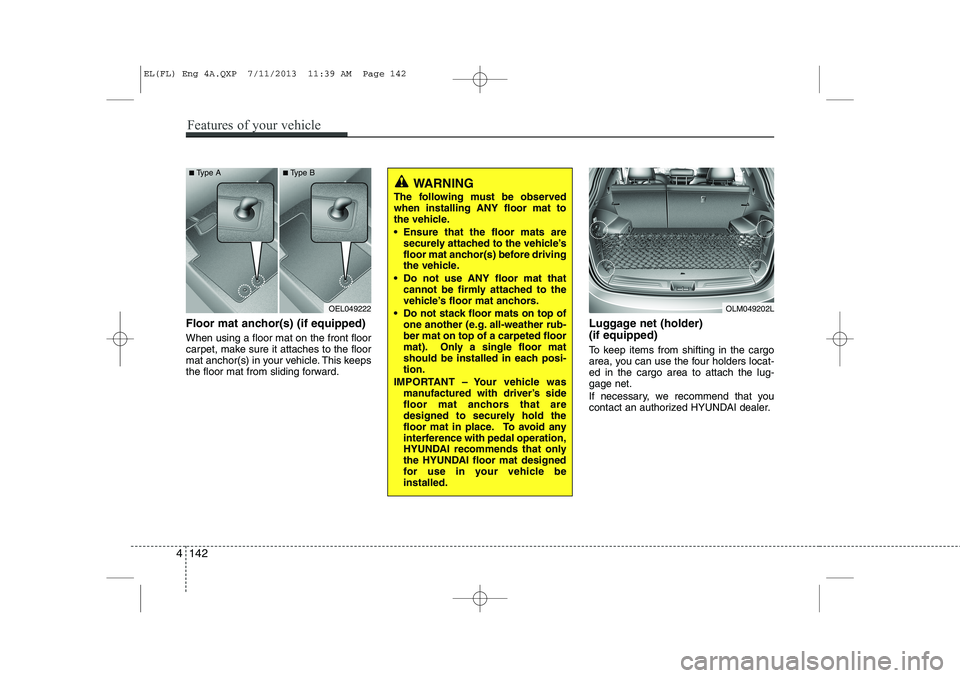
Floor mat anchor(s) (if equipped) When using a floor mat on the front floor
carpet, make sure it attaches to the floor
mat anchor(s) in your vehicle. This keeps
the floor mat from sliding forward.Luggage net (holder) (if equipped)
To keep items from shifting in the cargo
area, you can use the four holders locat-ed in the cargo area to attach the lug-gage net.
If necessary, we recommend that you
contact an authorized HYUNDAI dealer.
OEL049222OLM049202L
■
Type A ■Type B
WARNING
The following must be observed when installing ANY floor mat to
the vehicle.
Ensure that the floor mats are securely attached to the vehicle’s
floor mat anchor(s) before driving
the vehicle.
Do not use ANY floor mat that cannot be firmly attached to the
vehicle’s floor mat anchors.
Do not stack floor mats on top of one another (e.g. all-weather rub-ber mat on top of a carpeted floor
mat). Only a single floor mat
should be installed in each posi-tion.
IMPORTANT – Your vehicle was manufactured with driver’s side
floor mat anchors that are
designed to securely hold the
floor mat in place. To avoid any
interference with pedal operation,
HYUNDAI recommends that only
the HYUNDAI floor mat designed
for use in your vehicle beinstalled.
4 142
Features of your vehicle
EL(FL) Eng 4A.QXP 7/11/2013 11:39 AM Page 142
Page 633 of 1534
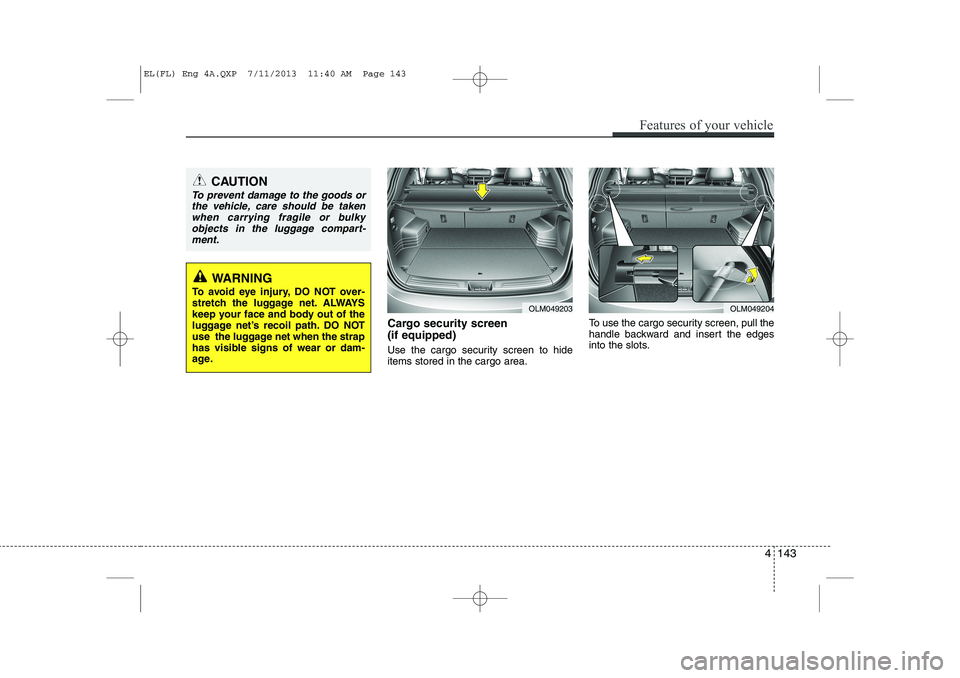
Cargo security screen (if equipped)
Use the cargo security screen to hide items stored in the cargo area.To use the cargo security screen, pull the
handle backward and insert the edges
into the slots.
OLM049203OLM049204
CAUTION
To prevent damage to the goods or
the vehicle, care should be taken
when carrying fragile or bulkyobjects in the luggage compart-ment.
WARNING
To avoid eye injury, DO NOT over-
stretch the luggage net. ALWAYS
keep your face and body out of the
luggage net’s recoil path. DO NOT
use the luggage net when the strap
has visible signs of wear or dam-
age.
Features of your vehicle
143
4
EL(FL) Eng 4A.QXP 7/11/2013 11:40 AM Page 143
Page 634 of 1534
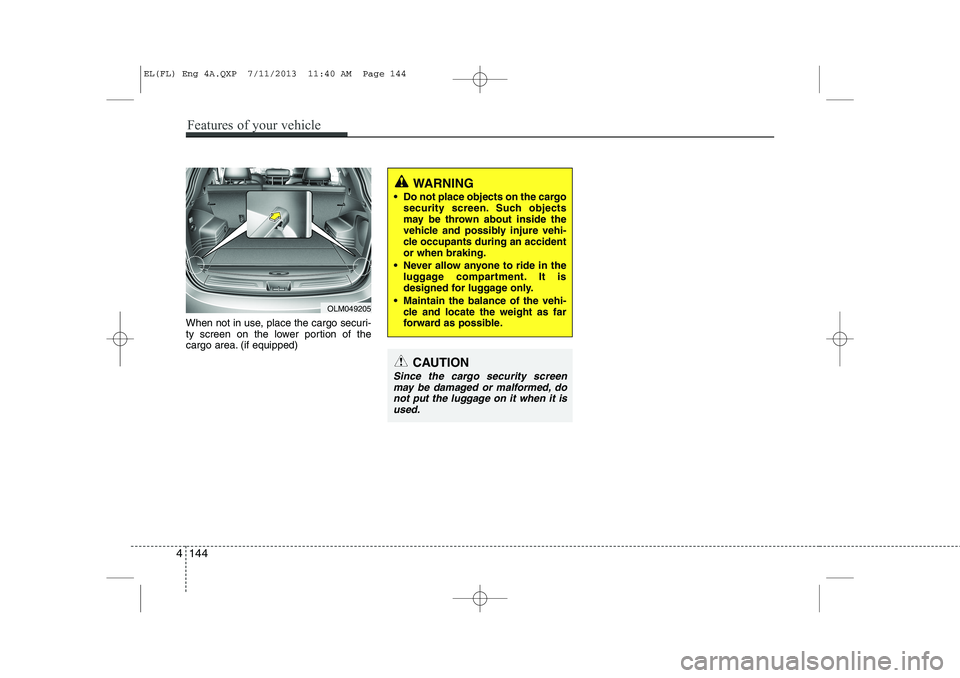
When not in use, place the cargo securi-
ty screen on the lower portion of the
cargo area. (if equipped)
WARNING
Do not place objects on the cargo security screen. Such objects
may be thrown about inside the
vehicle and possibly injure vehi-
cle occupants during an accidentor when braking.
Never allow anyone to ride in the luggage compartment. It is
designed for luggage only.
Maintain the balance of the vehi- cle and locate the weight as far
forward as possible.
CAUTION
Since the cargo security screen
may be damaged or malformed, do not put the luggage on it when it is
used.
OLM049205
4 144
Features of your vehicle
EL(FL) Eng 4A.QXP 7/11/2013 11:40 AM Page 144
Page 635 of 1534
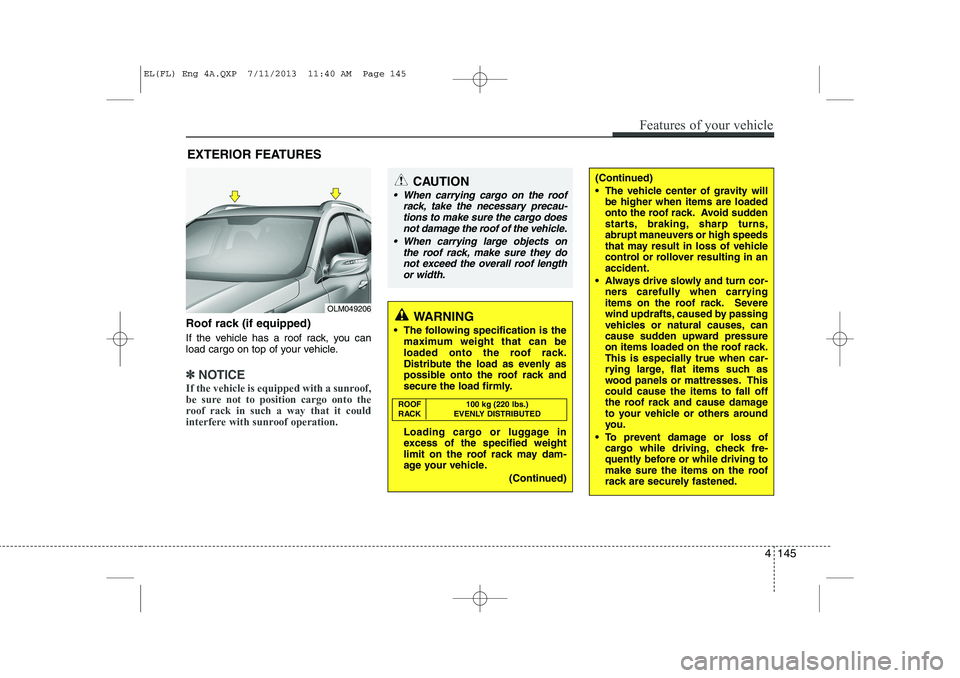
Roof rack (if equipped)
If the vehicle has a roof rack, you can
load cargo on top of your vehicle.
✽✽NOTICE
If the vehicle is equipped with a sunroof,
be sure not to position cargo onto the
roof rack in such a way that it could
interfere with sunroof operation.
EXTERIOR FEATURES
(Continued)
The vehicle center of gravity will be higher when items are loaded
onto the roof rack. Avoid sudden
starts, braking, sharp turns,
abrupt maneuvers or high speeds
that may result in loss of vehicle
control or rollover resulting in anaccident.
Always drive slowly and turn cor- ners carefully when carrying
items on the roof rack. Severe
wind updrafts, caused by passing
vehicles or natural causes, can
cause sudden upward pressure
on items loaded on the roof rack.
This is especially true when car-
rying large, flat items such as
wood panels or mattresses. Thiscould cause the items to fall off
the roof rack and cause damage
to your vehicle or others around
you.
To prevent damage or loss of cargo while driving, check fre-
quently before or while driving to
make sure the items on the roof
rack are securely fastened.CAUTION
When carrying cargo on the roof
rack, take the necessary precau-
tions to make sure the cargo does not damage the roof of the vehicle.
When carrying large objects on the roof rack, make sure they do
not exceed the overall roof lengthor width.
WARNING
The following specification is the maximum weight that can be
loaded onto the roof rack.
Distribute the load as evenly as
possible onto the roof rack and
secure the load firmly.
Loading cargo or luggage in
excess of the specified weight
limit on the roof rack may dam-
age your vehicle.
(Continued)
ROOF 100 kg (220 lbs.)
RACK EVENLY DISTRIBUTED
Features of your vehicle
145
4
OLM049206
EL(FL) Eng 4A.QXP 7/11/2013 11:40 AM Page 145
Page 647 of 1534
4 157
Features of your vehicle
SYSTEM CONTROLLERS AND FUNCTIONS ❈Display and settings may differ
depending on the selected audio.
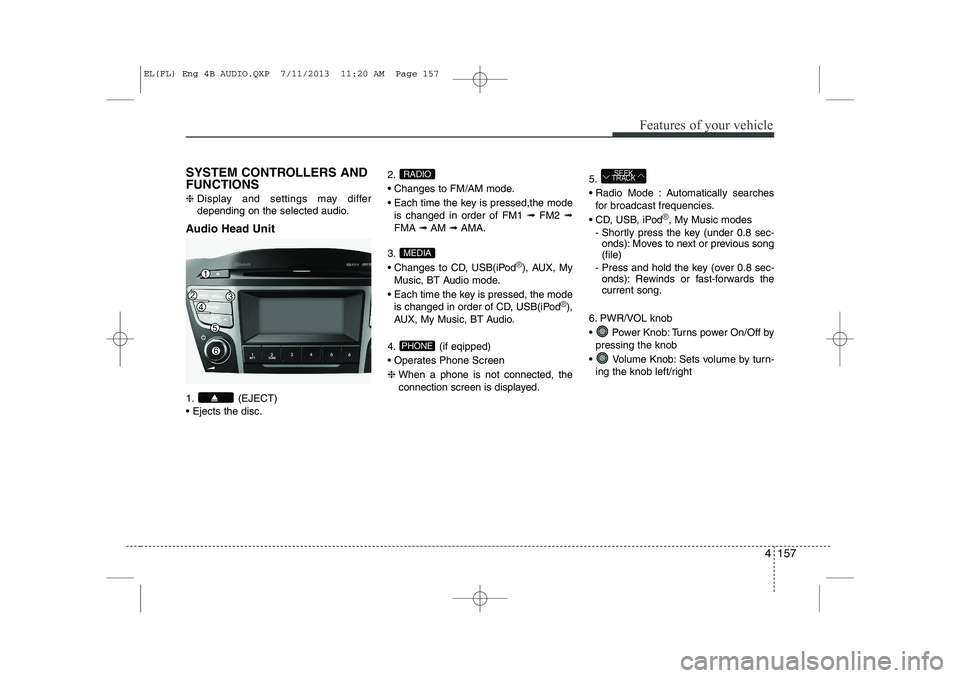
Audio Head Unit
1. (EJECT) Ejects the disc. 2.
Changes to FM/AM mode.
Each time the key is pressed,the mode
is changed in order of FM1 ➟FM2 ➟
FMA ➟AM ➟AMA.
3.
Changes to CD, USB(iPod
®), AUX, My
Music, BT Audio mode.
Each time the key is pressed, the mode is changed in order of CD, USB(iPod
®),
AUX, My Music, BT Audio.
4. (if eqipped)
Operates Phone Screen❈ When a phone is not connected, the
connection screen is displayed. 5.
Radio Mode : Automatically searches
for broadcast frequencies.
CD, USB, iPod
®, My Music modes
- Shortly press the key (under 0.8 sec- onds): Moves to next or previous song (file)
- Press and hold the key (over 0.8 sec- onds): Rewinds or fast-forwards thecurrent song.
6. PWR/VOL knob
Power Knob: Turns power On/Off by pressing the knob
Volume Knob: Sets volume by turn- ing the knob left/right
SEEK
TRACK
PHONE
MEDIA
RADIO
EL(FL) Eng 4B AUDIO.QXP 7/11/2013 11:20 AM Page 157
Page 791 of 1534
537
Driving your vehicle
If the parking brake does not release or
does not release all the way, we recom-
mend that the system be checked by an
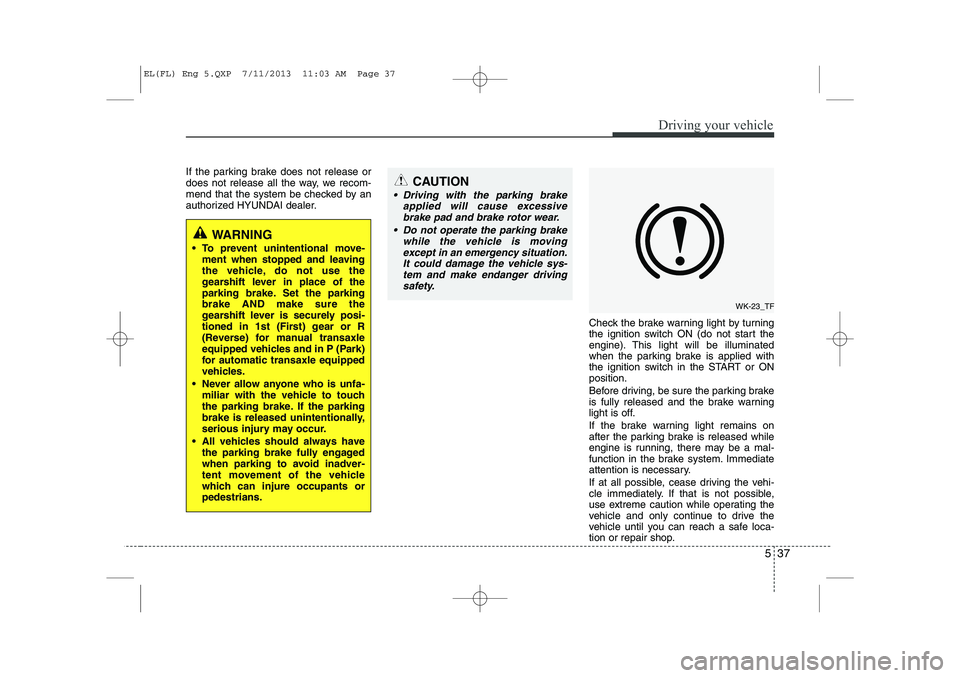
authorized HYUNDAI dealer.Check the brake warning light by turning
the ignition switch ON (do not start the
engine). This light will be illuminated
when the parking brake is applied with
the ignition switch in the START or ONposition.
Before driving, be sure the parking brake
is fully released and the brake warning
light is off.
If the brake warning light remains on
after the parking brake is released while
engine is running, there may be a mal-
function in the brake system. Immediate
attention is necessary.
If at all possible, cease driving the vehi-
cle immediately. If that is not possible,
use extreme caution while operating the
vehicle and only continue to drive the
vehicle until you can reach a safe loca-
tion or repair shop.
WARNING
To prevent unintentional move- ment when stopped and leaving
the vehicle, do not use the
gearshift lever in place of the
parking brake. Set the parkingbrake AND make sure the
gearshift lever is securely posi-
tioned in 1st (First) gear or R
(Reverse) for manual transaxle
equipped vehicles and in P (Park)
for automatic transaxle equipped
vehicles.
Never allow anyone who is unfa- miliar with the vehicle to touch
the parking brake. If the parking
brake is released unintentionally,
serious injury may occur.
All vehicles should always have the parking brake fully engaged
when parking to avoid inadver-
tent movement of the vehicle
which can injure occupants orpedestrians.
CAUTION
Driving with the parking brake
applied will cause excessive
brake pad and brake rotor wear.
Do not operate the parking brake while the vehicle is movingexcept in an emergency situation.
It could damage the vehicle sys-tem and make endanger driving safety.
WK-23_TF
EL(FL) Eng 5.QXP 7/11/2013 11:03 AM Page 37
Page 821 of 1534
567
Driving your vehicle
Safety chains
You should always attach chains
between your vehicle and your trailer.
Cross the safety chains under the tongue
of the trailer so that the tongue will not
drop to the road if it becomes separatedfrom the hitch.
Instructions about safety chains may be
provided by the hitch manufacturer or by
the trailer manufacturer. Follow the man-
ufacturer’s recommendation for attaching
safety chains. Always leave just enough
slack so you can turn with your trailer.
And, never allow safety chains to drag on
the ground.Trailer brakes
If your trailer is equipped with a braking
system, make sure it conforms to your
country’s regulations and that it is prop-
erly installed and operating correctly.
If your trailer weight exceeds the maxi-
mum allowed weight without trailer
brakes, then the trailer will also require its
own brakes as well. Be sure to read and
follow the instructions for the trailer
brakes so you’ll be able to install, adjust
and maintain them properly.
Don’t tap into or modify your vehicle's
brake system. Driving with a trailer
Towing a trailer requires a certain
amount of experience. Before setting out
for the open road, you must get to know
your trailer. Acquaint yourself with the
feel of handling and braking with the
added weight of the trailer. And always
keep in mind that the vehicle you are
driving is now a good deal longer and not
nearly so responsive as your vehicle is
by itself.
Before you start, check the trailer hitch
and platform, safety chains, electrical
connector(s), lights, tires and mirror
adjustment. If the trailer has electric
brakes, start your vehicle and trailer mov-
ing and then apply the trailer brake con-
troller by hand to be sure the brakes are
working. This lets you check your electri-
cal connection at the same time.
During your trip, check occasionally to be
sure that the load is secure, and that the
lights and any trailer brakes are still work-ing.
WARNING
- Trailer brakes
Do not use a trailer with its own
brakes unless you are absolutely
certain that you have properly set
up the brake system. This is not a
task for amateurs. Use an experi-
enced, competent trailer shop for
this work.
EL(FL) Eng 5.QXP 7/11/2013 11:05 AM Page 67