steering HYUNDAI IX35 2015 User Guide
[x] Cancel search | Manufacturer: HYUNDAI, Model Year: 2015, Model line: IX35, Model: HYUNDAI IX35 2015Pages: 550, PDF Size: 9.92 MB
Page 75 of 550
Safety features of your vehicle56
3 The side air bags are designed to
deploy only during certain side-impact
collisions, depending on the crash
severity, angle, speed and point of
impact.
The side air bags do not only deploy on the side of the impact but also on the
opposite side.
(Continued)
Use of seat covers could reduceor prevent the effectiveness of
the system.
Do not install any accessories on the side or near the side air bag.
Do not place any objects over the air bag or between the air bag
and yourself.
Do not place any objects (an umbrella, bag, etc.) between the
front door and the front seat.
Such objects may become dan-
gerous projectiles and cause
injury if the supplemental side air
bag inflates.
To prevent unexpected deploy- ment of the side air bag that may
result in personal injury, avoid
impact to the side impact sensor
when the ignition key is on.
If seat or seat cover is damaged, we recommend that the system
be serviced by a HYUNDAI autho-
rised repairer. Inform that your
vehicle is equipped with side air
bags.
WARNING
The side air bag is supplementalto the driver's and the passen-
ger's seat belt systems and is not
a substitute for them. Therefore
your seat belts must be worn at
all times whilst the vehicle is in
motion. The air bags deploy only
in certain side impact conditions
severe enough to cause signifi-
cant injury to the vehicle occu-
pants.
For best protection from the side air bag system and to avoid being
injured by the deploying side air
bag, both front seat occupants
should sit in an upright position
with the seat belt properly fas-
tened. The driver's hands should
be placed on the steering wheel
at the 9:00 and 3:00 positions.
The passenger's arms and hands
should be placed on their laps.
Do not use any accessory seat covers.
(Continued)
WARNING
Do not allow the passengers to lean
their heads or bodies onto doors,
put their arms on the doors, stretch
their arms out of the window, or
place objects between the doors
and passengers when they are
seated on seats equipped with side
and/or curtain air bags.
EL(FL) UK 3.QXP 12/16/2014 8:56 PM Page 56
Page 83 of 550
Safety features of your vehicle64
3SRS CareThe SRS is virtually maintenance-free
and so there are no parts you can safely
service by yourself. If the SRS air bag
warning light does not illuminate, or con-
tinuously remains on, we recommend
that the system be inspected by a
HYUNDAI authorised repairer.
WARNING
Modification to SRS components
or wiring, including the addition
of any kind of badges to the pad
covers or modifications to the
body structure, can adversely
affect SRS performance and lead
to possible injury.
For cleaning the air bag pad cov- ers, use only a soft, dry cloth or
one which has been moistened
with plain water. Solvents or
cleaners could adversely affect
the air bag covers and proper
deployment of the system.
No objects should be placed over or near the air bag modules on
the steering wheel, instrument
panel, and the front passenger's
panel above the glove box,
because any such object could
cause harm if the vehicle is in a
crash severe enough to cause
the air bags to inflate.
If the air bags inflate, we recom- mend that the system be
replaced by a HYUNDAI autho-
rised repairer.
(Continued)
(Continued)
Do not tamper with or disconnectSRS wiring, or other components
of the SRS system. Doing so
could result in injury, due to acci-
dental inflation of the air bags or
by rendering the SRS inopera-
tive.
If components of the air bag sys- tem must be discarded, or if the
vehicle must be scrapped, certain
safety precautions must be
observed. We recommend that
you contact a HYUNDAI autho-
rised repairer for these precau-
tions and necessary information.
Failure to follow these precau-
tions and procedures could
increase the risk of personal
injury.
If your car was flooded and has soaked carpeting or water on
flooring, you shouldn't try to start
the engine; we recommend that
you contact a HYUNDAI autho-
rised repairer.
EL(FL) UK 3.QXP 12/16/2014 8:57 PM Page 64
Page 86 of 550

Features of your vehicleKeys . . . . . . . . . . . . . . . . . . . . . . . . . . . . . . . . . . . . \
. . 4-4• Record your key number . . . . . . . . . . . . . . . . . . . . . . . 4-4
• Key operations . . . . . . . . . . . . . . . . . . . . . . . . . . . . . . . . 4-4
• Immobiliser system . . . . . . . . . . . . . . . . . . . . . . . . . . . . 4-5Remote keyless entry . . . . . . . . . . . . . . . . . . . . . . . 4-7• Remote keyless entry system operations . . . . . . . . . . . 4-7
• Transmitter precautions . . . . . . . . . . . . . . . . . . . . . . . . 4-8
• Battery replacement . . . . . . . . . . . . . . . . . . . . . . . . . . . 4-9Smart key . . . . . . . . . . . . . . . . . . . . . . . . . . . . . . . . 4-10• Smart key functions . . . . . . . . . . . . . . . . . . . . . . . . . . 4-10
• Smart key precautions . . . . . . . . . . . . . . . . . . . . . . . . 4-12
• Door lock/unlock in an emergency situation . . . . . . 4-12Theft-alarm system . . . . . . . . . . . . . . . . . . . . . . . . 4-13• Theft-alarm stage . . . . . . . . . . . . . . . . . . . . . . . . . . . . 4-14
• Disarmed stage. . . . . . . . . . . . . . . . . . . . . . . . . . . . . . . 4-14Door locks . . . . . . . . . . . . . . . . . . . . . . . . . . . . . . . 4-15• Operating door locks from outside the vehicle . . . . 4-15
• Operating door locks from inside the vehicle . . . . . . 4-16
• Deadlocks . . . . . . . . . . . . . . . . . . . . . . . . . . . . . . . . . . 4-17\
• Speed sensing door lock system . . . . . . . . . . . . . . . . 4-18
• Child-protector rear door lock. . . . . . . . . . . . . . . . . . 4-18Tailgate . . . . . . . . . . . . . . . . . . . . . . . . . . . . . . . . . . 4-19\
• Opening the tailgate . . . . . . . . . . . . . . . . . . . . . . . . . . 4-19
• Closing the tailgate . . . . . . . . . . . . . . . . . . . . . . . . . . . 4-19
Windows . . . . . . . . . . . . . . . . . . . . . . . . . . . . . . . . . 4-21• Power windows . . . . . . . . . . . . . . . . . . . . . . . . . . . . . . 4-22Bonnet . . . . . . . . . . . . . . . . . . . . . . . . . . . . . . . . . . . 4-\
25• Opening the bonnet . . . . . . . . . . . . . . . . . . . . . . . . . . 4-25
• Closing the bonnet . . . . . . . . . . . . . . . . . . . . . . . . . . . . 4-26Fuel filler lid . . . . . . . . . . . . . . . . . . . . . . . . . . . . . 4-27• Opening the fuel filler lid . . . . . . . . . . . . . . . . . . . . . . 4-27
• Closing the fuel filler lid . . . . . . . . . . . . . . . . . . . . . . . 4-27Panorama sunroof . . . . . . . . . . . . . . . . . . . . . . . . . 4-30• Sunroof open warning . . . . . . . . . . . . . . . . . . . . . . . . 4-30
• Tilting the sunroof . . . . . . . . . . . . . . . . . . . . . . . . . . . 4-32
• Resetting the sunroof . . . . . . . . . . . . . . . . . . . . . . . . . 4-33Steering wheel . . . . . . . . . . . . . . . . . . . . . . . . . . . . . 4-34• Electric power steering . . . . . . . . . . . . . . . . . . . . . . . 4-34
• Heated steering wheel . . . . . . . . . . . . . . . . . . . . . . . . 4-35
• Horn . . . . . . . . . . . . . . . . . . . . . . . . . . . . . . . . . . . . \
. . . 4-36
• Flex steering wheel . . . . . . . . . . . . . . . . . . . . . . . . . . . 4-37Mirrors . . . . . . . . . . . . . . . . . . . . . . . . . . . . . . . . . . 4-39\
• Inside rearview mirror . . . . . . . . . . . . . . . . . . . . . . . . 4-39
• Outside rearview mirror . . . . . . . . . . . . . . . . . . . . . . 4-43Instrument cluster . . . . . . . . . . . . . . . . . . . . . . . . . 4-46• Instrument panel illumination . . . . . . . . . . . . . . . . . 4-47
• LCD Display Control . . . . . . . . . . . . . . . . . . . . . . . . . 4-47
• Gauges . . . . . . . . . . . . . . . . . . . . . . . . . . . . . . . . . . . . \
. 4-48
• Transaxle Shift Indicator . . . . . . . . . . . . . . . . . . . . . . 4-52
4
EL(FL) UK 4A.QXP 2/9/2015 9:02 PM Page 1
Page 119 of 550
Features of your vehicle34
4Electric power steering
(if equipped)Power steering uses the motor to assist
you in steering the vehicle. If the engine
is off or if the power steering system
becomes inoperative, the vehicle may
still be steered, but it will require
increased steering effort.
The motor driven power steering is con-
trolled by the power steering control unit
which senses the steering wheel torque
and vehicle speed to command the
motor.
The steering wheel becomes heavier as
the vehicle’s speed increases and
becomes lighter as the vehicle’s speed
decreases for better control of the steer-
ing wheel.
Should you notice any change in the
effort required to steering during normal
vehicle operation, we recommend that
the system be checked by a HYUNDAI
authorised repairer.
✽ ✽
NOTICEThe following symptoms may occur dur-
ing normal vehicle operation:
• The EPS warning light does not illumi-
nate.
• The steering effort is high immediately after turning the ignition switch on.
This happens as the system performs
the EPS system diagnostics. When the
diagnostics is completed, the steering
wheel will return to its normal condi-
tion.
• A click noise may be heard from the EPS relay after the ignition switch is
turned to the ON or LOCK position.
• Motor noise may be heard when the vehicle is at a stop or at a low driving
speed.
• The steering effort increases if the steering wheel is rotated continuously
when the vehicle is not in motion.
However, after a few minutes, it will
return to its normal conditions. (Continued)(Continued)
• If the Electric Power Steering System
does not operate normally, the warn-
ing light will illuminate on the instru-
ment cluster. The steering wheel may
become difficult to control or operate
abnormally. We recommend that the
system be checked by a HYUNDAI
authorised repairer.
• When you operate the steering wheel in low temperature, abnormal noise
could occur. If temperature rises, the
noise will disappear. This is a normal
condition.
STEERING WHEEL
EL(FL) UK 4A.QXP 2/9/2015 9:04 PM Page 34
Page 120 of 550
435
Features of your vehicle
Tilt steering A tilt steering wheel allows you to adjust
the steering wheel before you drive. You
can also raise it to give your legs more
room when you exit and enter the vehicle
(if equipped).
The steering wheel should be positioned
so that it is comfortable for you to drive,
whilst permitting you to see the instru-
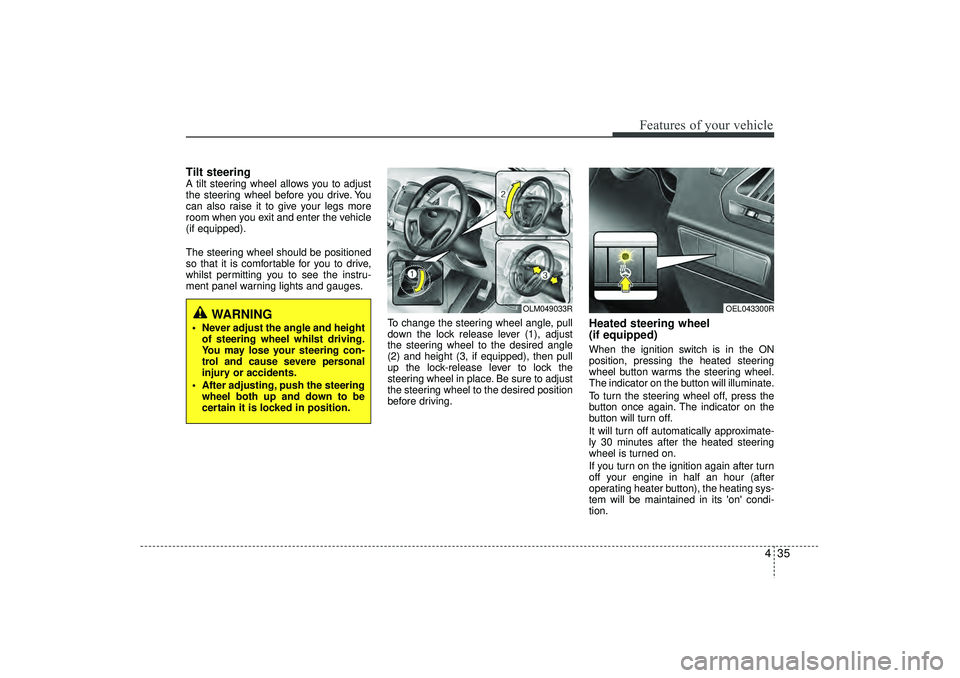
ment panel warning lights and gauges.To change the steering wheel angle, pull
down the lock release lever (1), adjust
the steering wheel to the desired angle
(2) and height (3, if equipped), then pull
up the lock-release lever to lock the
steering wheel in place. Be sure to adjust
the steering wheel to the desired position
before driving.
Heated steering wheel
(if equipped)When the ignition switch is in the ON
position, pressing the heated steering
wheel button warms the steering wheel.
The indicator on the button will illuminate.
To turn the steering wheel off, press the
button once again. The indicator on the
button will turn off.
It will turn off automatically approximate-
ly 30 minutes after the heated steering
wheel is turned on.
If you turn on the ignition again after turn
off your engine in half an hour (after
operating heater button), the heating sys-
tem will be maintained in its 'on' condi-
tion.
WARNING
Never adjust the angle and heightof steering wheel whilst driving.
You may lose your steering con-
trol and cause severe personal
injury or accidents.
After adjusting, push the steering wheel both up and down to be
certain it is locked in position.
OLM049033R
OEL043300R
EL(FL) UK 4A.QXP 2/9/2015 9:04 PM Page 35
Page 121 of 550
Features of your vehicle36
4
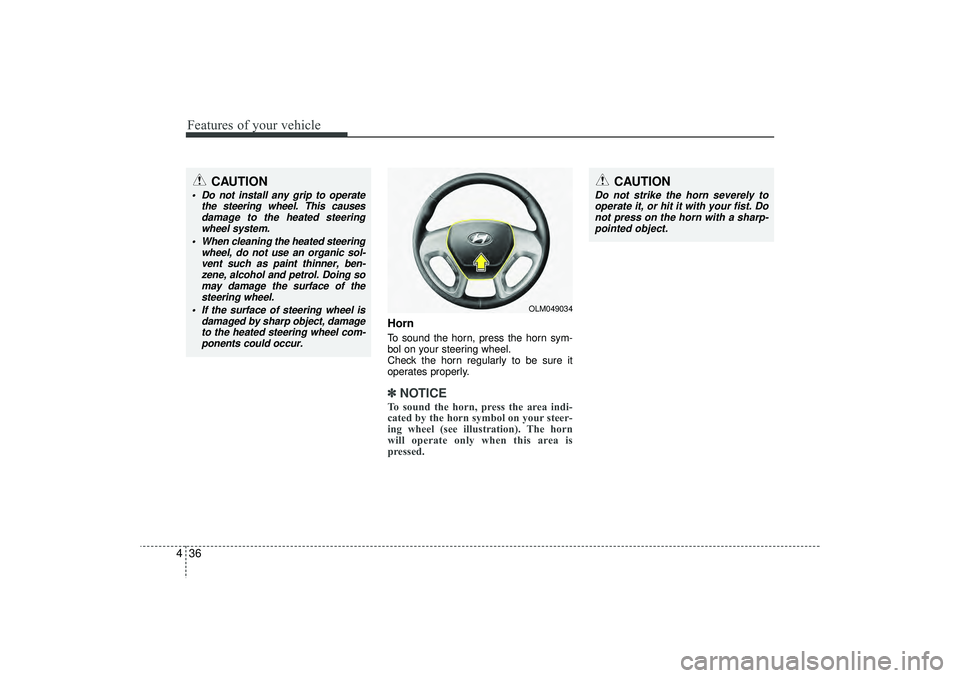
HornTo sound the horn, press the horn sym-
bol on your steering wheel.
Check the horn regularly to be sure it
operates properly.✽ ✽
NOTICETo sound the horn, press the area indi-
cated by the horn symbol on your steer-
ing wheel (see illustration). The horn
will operate only when this area is
pressed.
OLM049034
CAUTION
Do not strike the horn severely to
operate it, or hit it with your fist. Donot press on the horn with a sharp- pointed object.
CAUTION
Do not install any grip to operate the steering wheel. This causesdamage to the heated steeringwheel system.
When cleaning the heated steering wheel, do not use an organic sol-vent such as paint thinner, ben- zene, alcohol and petrol. Doing somay damage the surface of thesteering wheel.
If the surface of steering wheel is damaged by sharp object, damageto the heated steering wheel com-ponents could occur.
EL(FL) UK 4A.QXP 2/9/2015 9:04 PM Page 36
Page 122 of 550
437
Features of your vehicle
Flex steering wheel
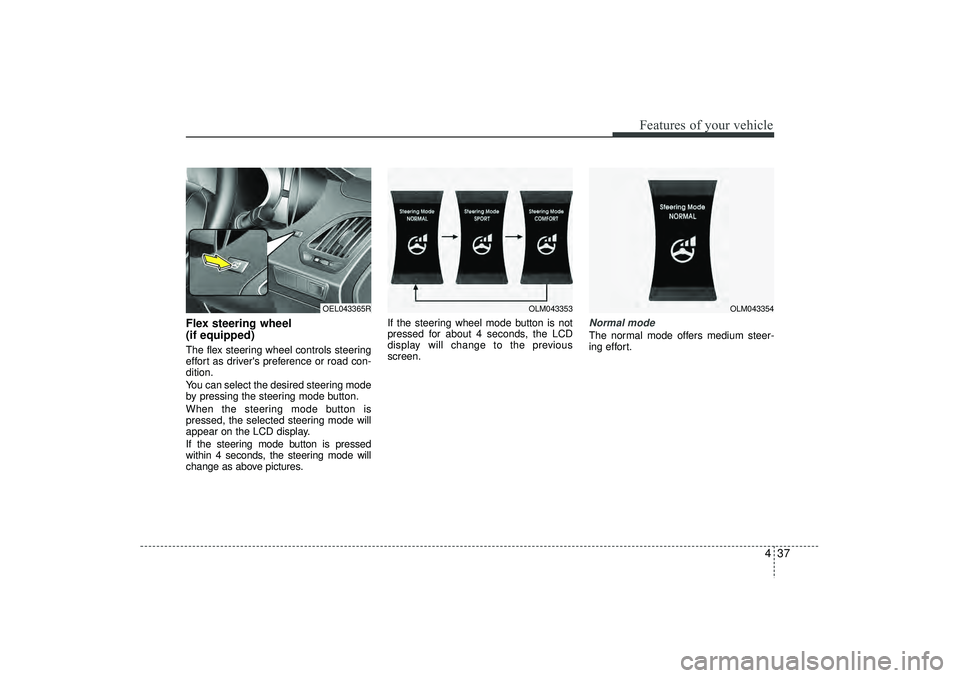
(if equipped)The flex steering wheel controls steering
effort as driver's preference or road con-
dition.
You can select the desired steering mode
by pressing the steering mode button.
When the steering mode button is
pressed, the selected steering mode will
appear on the LCD display.
If the steering mode button is pressed
within 4 seconds, the steering mode will
change as above pictures.If the steering wheel mode button is not
pressed for about 4 seconds, the LCD
display will change to the previous
screen.
Normal modeThe normal mode offers medium steer-
ing effort.
OLM043353
OLM043354
OEL043365R
EL(FL) UK 4A.QXP 2/9/2015 9:04 PM Page 37
Page 123 of 550
Features of your vehicle38
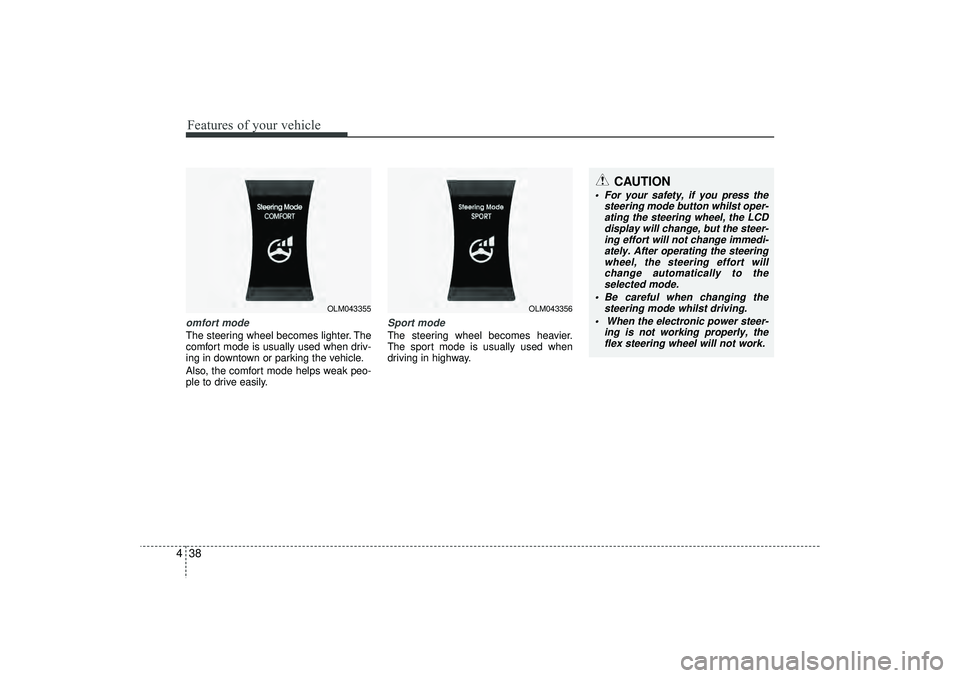
4omfort modeThe steering wheel becomes lighter. The
comfort mode is usually used when driv-
ing in downtown or parking the vehicle.
Also, the comfort mode helps weak peo-
ple to drive easily.
Sport modeThe steering wheel becomes heavier.
The sport mode is usually used when
driving in highway.
OLM043355
OLM043356
CAUTION
For your safety, if you press the
steering mode button whilst oper-ating the steering wheel, the LCDdisplay will change, but the steer-ing effort will not change immedi- ately. After operating the steeringwheel, the steering effort will change automatically to theselected mode.
Be careful when changing the steering mode whilst driving.
When the electronic power steer- ing is not working properly, theflex steering wheel will not work.
EL(FL) UK 4A.QXP 2/9/2015 9:04 PM Page 38
Page 127 of 550
Features of your vehicle42
43. Setting the compass zone
1. Find your current location and vari-
ance zone number on the zone map.
2. Press and hold the button for more than 6 but less than 9 seconds. The
current zone number will appear in the
display.
3. Press the button until the new zone number appears in the display. After
you stop pressing the button in, the
display will show a compass direction
within a few seconds. 4. Changing Mirror Angle setting
(if equipped):
Due to mirror positions being angled
towards the driver, the compass mirror
can also compensate for drivers seated
on the Left Hand side of the vehicle
(steering wheel on the LH side of the
vehicle) or Right Hand side of the vehicle
(steering wheel on the RH side of the
vehicle).
To adjust the Left Hand, “L” or Right
Hand, “R”, setting:
1. Press and hold the button for more than 12 seconds.
2. Release then press the button to tog- gle between “L” and “R”.
✽ ✽NOTICEThis procedure also causes the compass
to be de-calibrated.
3. To re-calibrate the compass, drive the
vehicle in 2 complete circles at less
than 5mph (8km/h).
CAUTION
1. Do not install the ski rack, anten- na, etc. which are attached to thevehicle by means of a magnet. They affect the operation of thecompass.
2. If the compass deviates from the correct indication soon afterrepeated adjustment, we recom- mend that the system be checkedby an authorized HYUNDAI delaer.
3. The compass may not indicate the correct compass point in tun-nels or whilst driving up or downa steep hill.
(The compass returns to the cor-rect compass point when thevehicle moves to an area wherethe geomagnetism is stabilized.)
4. When cleaning the mirror, use a paper towel or similar materialdampened with glass cleaner. Donot spray glass cleaner directly on the mirror as that may causethe liquid cleaner to enter the mir- ror housing.
EL(FL) UK 4A.QXP 2/9/2015 9:04 PM Page 42
Page 144 of 550
459
Features of your vehicle
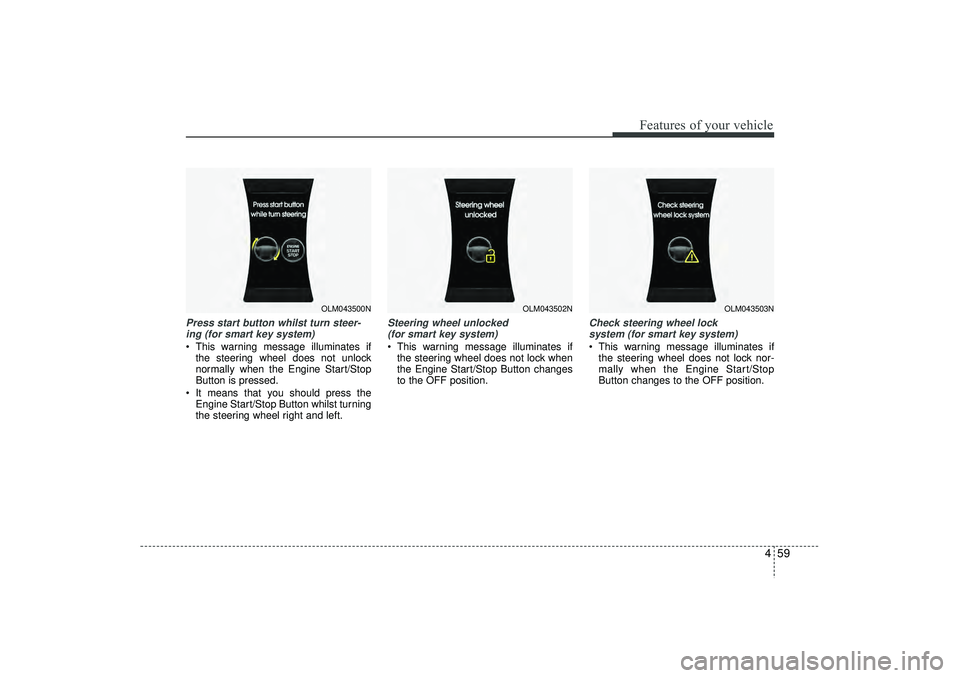
Press start button whilst turn steer-ing (for smart key system) This warning message illuminates if the steering wheel does not unlock
normally when the Engine Start/Stop
Button is pressed.
It means that you should press the Engine Start/Stop Button whilst turning
the steering wheel right and left.
Steering wheel unlocked (for smart key system) This warning message illuminates if the steering wheel does not lock when
the Engine Start/Stop Button changes
to the OFF position.
Check steering wheel lock system (for smart key system) This warning message illuminates if the steering wheel does not lock nor-
mally when the Engine Start/Stop
Button changes to the OFF position.
OLM043500N
OLM043502N
OLM043503N
EL(FL) UK 4A.QXP 2/9/2015 9:05 PM Page 59