4 wheel drive HYUNDAI IX35 2015 Owner's Guide
[x] Cancel search | Manufacturer: HYUNDAI, Model Year: 2015, Model line: IX35, Model: HYUNDAI IX35 2015Pages: 550, PDF Size: 9.92 MB
Page 377 of 550
529
Driving your vehicle
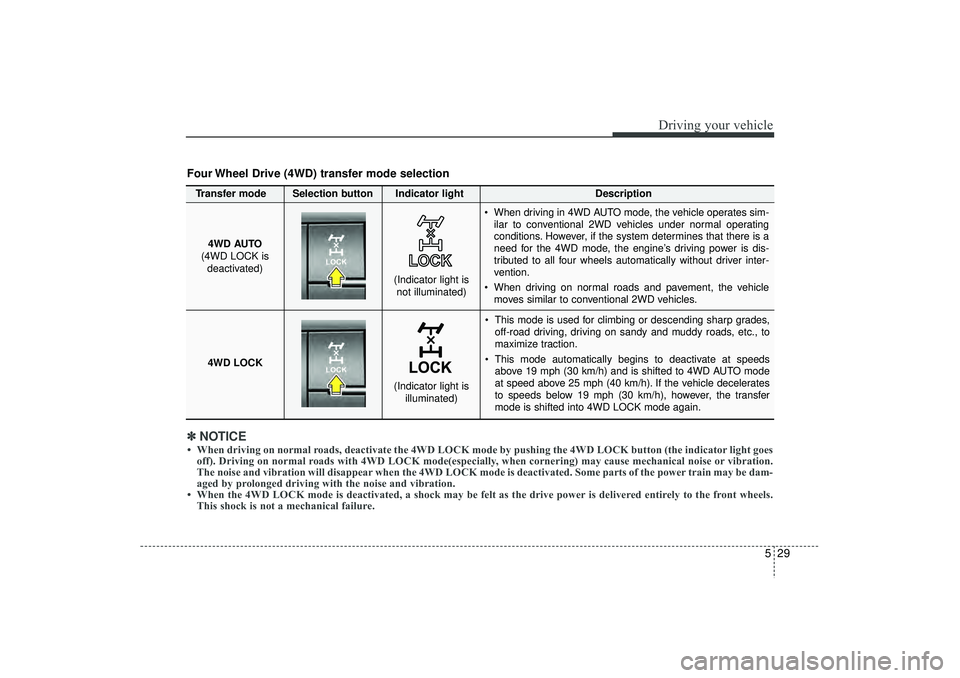
This mode is used for climbing or descending sharp grades,off-road driving, driving on sandy and muddy roads, etc., to
maximize traction.
This mode automatically begins to deactivate at speeds above 19 mph (30 km/h) and is shifted to 4WD AUTO mode
at speed above 25 mph (40 km/h). If the vehicle decelerates
to speeds below 19 mph (30 km/h), however, the transfer
mode is shifted into 4WD LOCK mode again.
4WD AUTO
(4WD LOCK is deactivated)
(Indicator light isnot illuminated)
✽ ✽ NOTICE• When driving on normal roads, deactivate the 4WD LOCK mode by pushing the 4WD LOCK button (the \
indicator light goes
off). Driving on normal roads with 4WD LOCK mode(especially, when cornering) may cause mechanical noise or vibration.
The noise and vibration will disappear when the 4WD LOCK mode is deactivated. Some parts of the power train may be dam-
aged by prolonged driving with the noise and vibration.
• When the 4WD LOCK mode is deactivated, a shock may be felt as the drive \
power is delivered entirely to the front wheels. This shock is not a mechanical failure.Four Wheel Drive (4WD) transfer mode selectionTransfer mode Selection button Indicator light Description
When driving in 4WD AUTO mode, the vehicle operates sim-
ilar to conventional 2WD vehicles under normal operating
conditions. However, if the system determines that there is a
need for the 4WD mode, the engine’s driving power is dis-
tributed to all four wheels automatically without driver inter-
vention.
When driving on normal roads and pavement, the vehicle moves similar to conventional 2WD vehicles.
4WD LOCK
(Indicator light is illuminated)
EL(FL) UK 5.QXP 12/16/2014 8:09 PM Page 29
Page 378 of 550
Driving your vehicle30
5For safe four-wheel drive opera-
tion Do not drive in deep standing water or
mud conditions since such conditions
can damage your engine and/or
restrict your exhaust pipes. Do not
drive down steep hills since it requires
extreme skill to maintain control of the
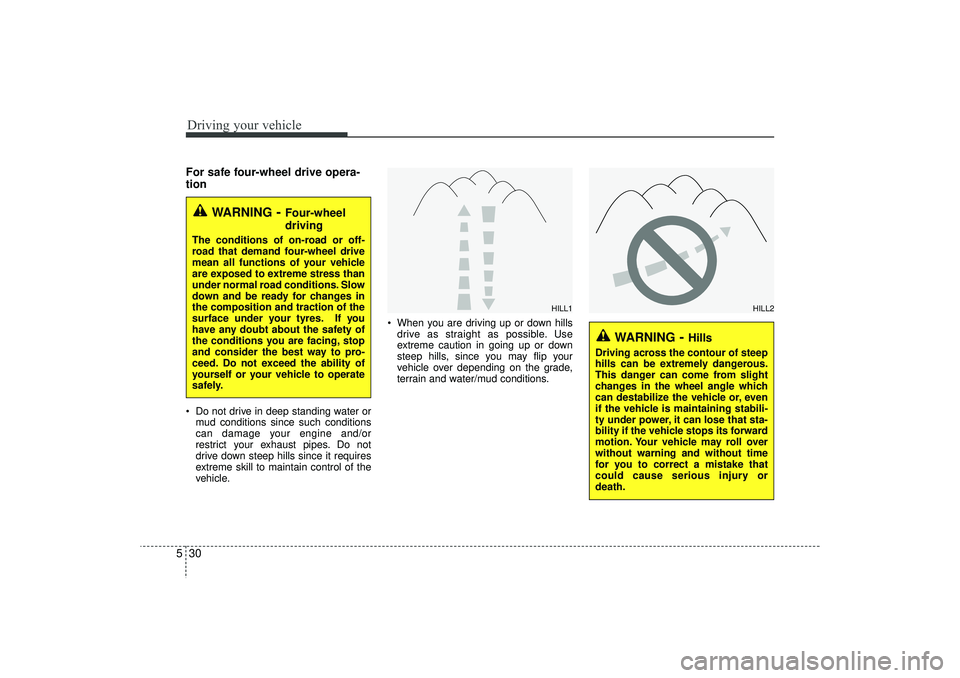
vehicle. When you are driving up or down hills
drive as straight as possible. Use
extreme caution in going up or down
steep hills, since you may flip your
vehicle over depending on the grade,
terrain and water/mud conditions.
WARNING
- Four-wheel
driving
The conditions of on-road or off-
road that demand four-wheel drive
mean all functions of your vehicle
are exposed to extreme stress than
under normal road conditions. Slow
down and be ready for changes in
the composition and traction of the
surface under your tyres. If you
have any doubt about the safety of
the conditions you are facing, stop
and consider the best way to pro-
ceed. Do not exceed the ability of
yourself or your vehicle to operate
safely.
WARNING
- Hills
Driving across the contour of steep
hills can be extremely dangerous.
This danger can come from slight
changes in the wheel angle which
can destabilize the vehicle or, even
if the vehicle is maintaining stabili-
ty under power, it can lose that sta-
bility if the vehicle stops its forward
motion. Your vehicle may roll over
without warning and without time
for you to correct a mistake that
could cause serious injury or
death.
HILL1
HILL2
EL(FL) UK 5.QXP 12/16/2014 8:09 PM Page 30
Page 379 of 550
531
Driving your vehicle
You must consciously take the effort tolearn how to corner in a 4WD vehicle.
Do not rely on your experience in con-
ventional 2WD vehicles in choosing
safe cornering speed in 4WD mode.
For drivers with little or no experience
of driving a 4WD, you must drive more
slowly in 4WD.
Drive carefully off-road because your vehicle may be damaged by rocks or
roots of trees. Become familiar with the
off-road conditions where you are
going to drive before you begin driving.
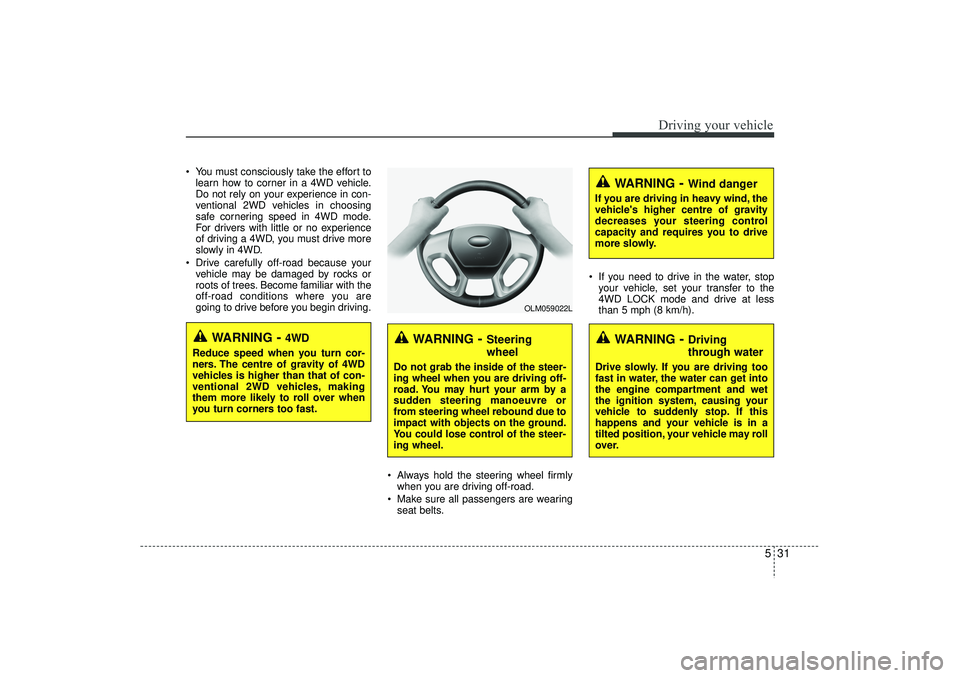
Always hold the steering wheel firmlywhen you are driving off-road.
Make sure all passengers are wearing seat belts. If you need to drive in the water, stop
your vehicle, set your transfer to the
4WD LOCK mode and drive at less
than 5 mph (8 km/h).
WARNING
- Steering
wheel
Do not grab the inside of the steer-
ing wheel when you are driving off-
road. You may hurt your arm by a
sudden steering manoeuvre or
from steering wheel rebound due to
impact with objects on the ground.
You could lose control of the steer-
ing wheel.
WARNING
- Wind danger
If you are driving in heavy wind, the
vehicle's higher centre of gravity
decreases your steering control
capacity and requires you to drive
more slowly.
WARNING
- Driving
through water
Drive slowly. If you are driving too
fast in water, the water can get into
the engine compartment and wet
the ignition system, causing your
vehicle to suddenly stop. If this
happens and your vehicle is in a
tilted position, your vehicle may roll
over.
OLM059022L
WARNING
- 4WD
Reduce speed when you turn cor-
ners. The centre of gravity of 4WD
vehicles is higher than that of con-
ventional 2WD vehicles, making
them more likely to roll over when
you turn corners too fast.
EL(FL) UK 5.QXP 12/16/2014 8:09 PM Page 31
Page 380 of 550
Driving your vehicle32
5✽
✽
NOTICE• Do not drive in water if the level is
higher than the floor of the vehicle.
• Check your brake condition once you are out of mud or water. Press the
brake pedal several times as you move
slowly until you feel normal braking
forces return.
• Shorten your scheduled maintenance interval if you drive in off-road condi-
tions such as sand, mud or water.
Always wash your vehicle thoroughly
after off road use, especially cleaning
the bottom of the vehicle.
• Since the driving torque is always applied to the 4 wheels the perform-
ance of the 4WD vehicle is greatly
affected by the condition of the tyres.
Be sure to equip the vehicle with four
tyres of the same size and type.
• A full time four wheel drive vehicle cannot be towed by an ordinary tow
truck. Make sure that the vehicle is
placed on a flat bed truck for moving.
Reducing the risk of a rolloverThis multi-purpose passenger vehicle is
defined as a Sports Utility Vehicle (SUV).
SUV’s have higher ground clearance and
a narrower track to make them capable
of performing in a wide variety of off-road
applications. Specific design characteris-
tics give them a higher centre of gravity
than ordinary vehicles. An advantage of
the higher ground clearance is a better
view of the road, which allows you to
anticipate problems. They are not
designed for cornering at the same
speeds as conventional passenger vehi-
cles, any more than low-slung sports
vehicles are designed to perform satis-
factorily in off-road conditions. Due to this
risk, driver and passengers are strongly
recommended to buckle their seat belts.
In a rollover crash, an unbelted person is
more likely to die than a person wearing
a seat belt. There are steps that a driver
can make to reduce the risk of a rollover.
If at all possible, avoid sharp turns or
abrupt manoeuvres, do not load your
roof rack with heavy cargo, and never
modify your vehicle in any way.
CAUTION -
Mud or snow
If one of the front or rear wheels
begins to spin in mud, snow, etc.the vehicle can sometimes be driv-en out by depressing the accelera-tor pedal further; however avoidrunning the engine continuously athigh rpm because doing so coulddamage the 4WD system.
WARNING -
4WD driving
Avoid high cornering speed.
Do not make quick steering wheel movements, such as sharp
lane changes or fast, sharp turns.
The risk of rollover is greatly increased if you lose control of
your vehicle at high speed.
In a collision, an unbelted person is significantly more likely to die
compared to a person wearing a
seat belt.
Loss of control often occurs if two or more wheels drop off the
roadway and the driver over
steers to re-enter the roadway. In
the event your vehicle leaves the
roadway, do not steer sharply.
Instead, slow down before pulling
back into the travel lanes.
EL(FL) UK 5.QXP 12/16/2014 8:09 PM Page 32
Page 386 of 550
Driving your vehicle38
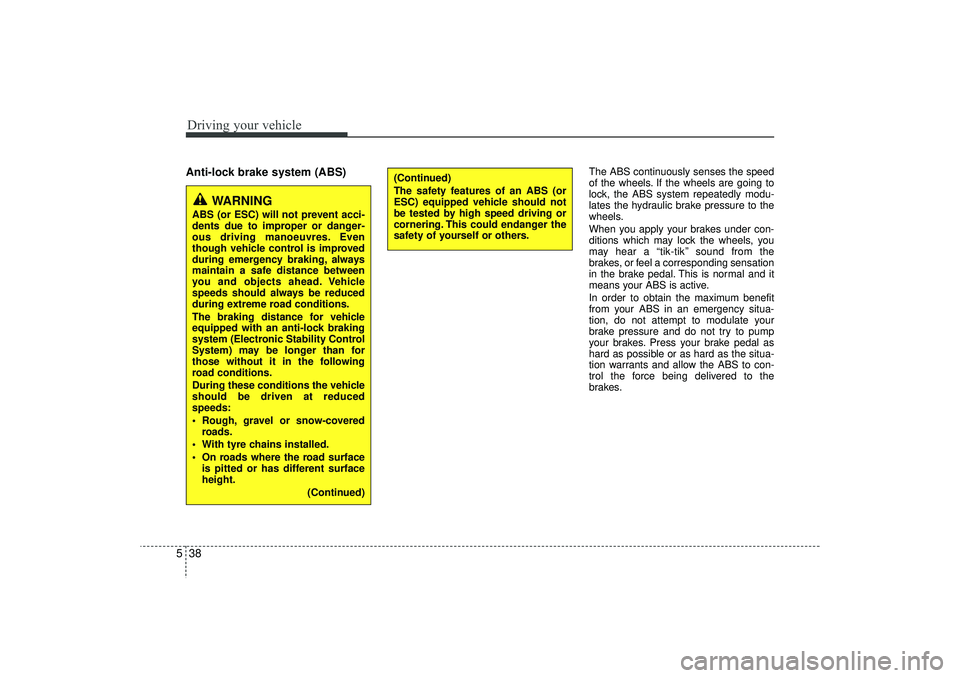
5Anti-lock brake system (ABS)
The ABS continuously senses the speed
of the wheels. If the wheels are going to
lock, the ABS system repeatedly modu-
lates the hydraulic brake pressure to the
wheels.
When you apply your brakes under con-
ditions which may lock the wheels, you
may hear a “tik-tik’’ sound from the
brakes, or feel a corresponding sensation
in the brake pedal. This is normal and it
means your ABS is active.
In order to obtain the maximum benefit
from your ABS in an emergency situa-
tion, do not attempt to modulate your
brake pressure and do not try to pump
your brakes. Press your brake pedal as
hard as possible or as hard as the situa-
tion warrants and allow the ABS to con-
trol the force being delivered to the
brakes.
WARNING
ABS (or ESC) will not prevent acci-
dents due to improper or danger-
ous driving manoeuvres. Even
though vehicle control is improved
during emergency braking, always
maintain a safe distance between
you and objects ahead. Vehicle
speeds should always be reduced
during extreme road conditions.
The braking distance for vehicle
equipped with an anti-lock braking
system (Electronic Stability Control
System) may be longer than for
those without it in the following
road conditions.
During these conditions the vehicle
should be driven at reduced
speeds:
Rough, gravel or snow-covered
roads.
With tyre chains installed.
On roads where the road surface is pitted or has different surface
height.
(Continued)
(Continued)
The safety features of an ABS (or
ESC) equipped vehicle should not
be tested by high speed driving or
cornering. This could endanger the
safety of yourself or others.
EL(FL) UK 5.QXP 12/16/2014 8:09 PM Page 38
Page 389 of 550
541
Driving your vehicle
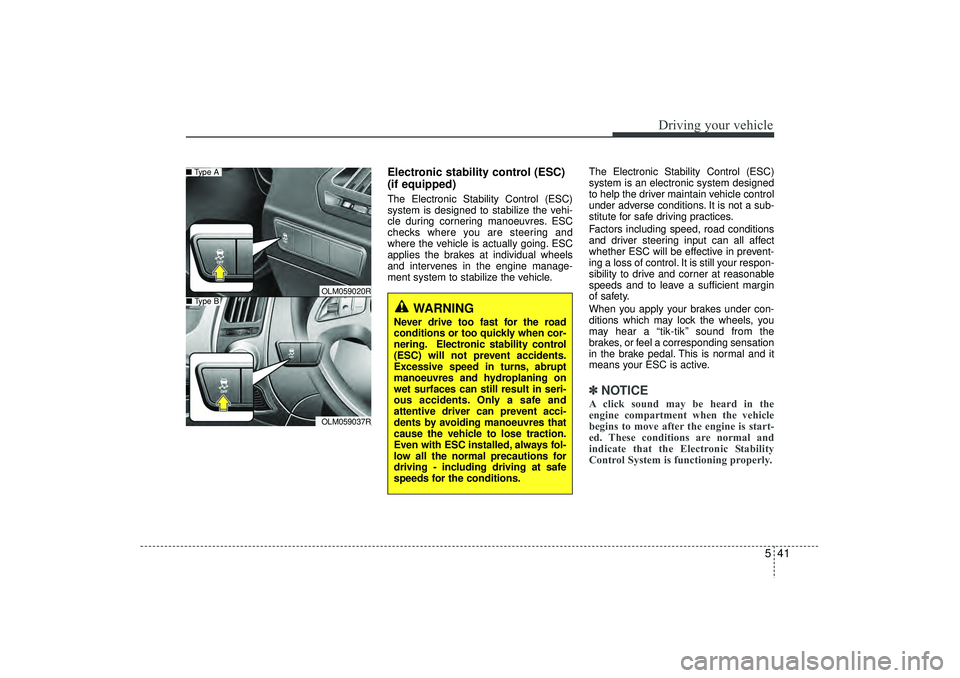
Electronic stability control (ESC)
(if equipped)The Electronic Stability Control (ESC)
system is designed to stabilize the vehi-
cle during cornering manoeuvres. ESC
checks where you are steering and
where the vehicle is actually going. ESC
applies the brakes at individual wheels
and intervenes in the engine manage-
ment system to stabilize the vehicle.The Electronic Stability Control (ESC)
system is an electronic system designed
to help the driver maintain vehicle control
under adverse conditions. It is not a sub-
stitute for safe driving practices.
Factors including speed, road conditions
and driver steering input can all affect
whether ESC will be effective in prevent-
ing a loss of control. It is still your respon-
sibility to drive and corner at reasonable
speeds and to leave a sufficient margin
of safety.
When you apply your brakes under con-
ditions which may lock the wheels, you
may hear a “tik-tik’’ sound from the
brakes, or feel a corresponding sensation
in the brake pedal. This is normal and it
means your ESC is active.
✽ ✽
NOTICEA click sound may be heard in the
engine compartment when the vehicle
begins to move after the engine is start-
ed. These conditions are normal and
indicate that the Electronic Stability
Control System is functioning properly.
WARNING
Never drive too fast for the road
conditions or too quickly when cor-
nering. Electronic stability control
(ESC) will not prevent accidents.
Excessive speed in turns, abrupt
manoeuvres and hydroplaning on
wet surfaces can still result in seri-
ous accidents. Only a safe and
attentive driver can prevent acci-
dents by avoiding manoeuvres that
cause the vehicle to lose traction.
Even with ESC installed, always fol-
low all the normal precautions for
driving - including driving at safe
speeds for the conditions.
OLM059020ROLM059037R
■ Type A■ Type B
EL(FL) UK 5.QXP 12/16/2014 8:09 PM Page 41
Page 391 of 550
543
Driving your vehicle
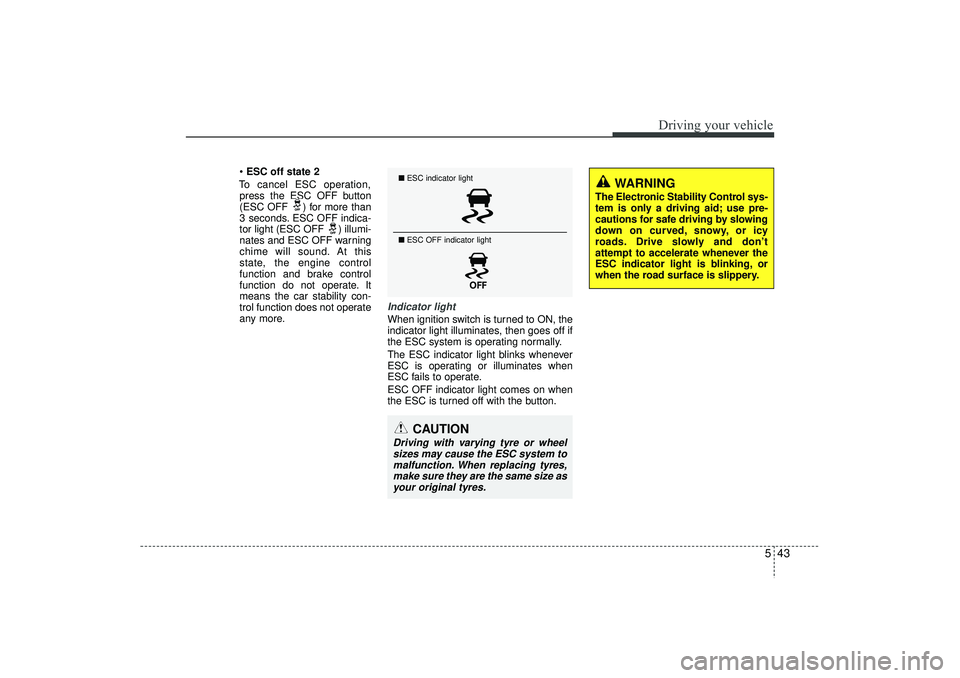
ESC off state 2
To cancel ESC operation, press the ESC OFF button
(ESC OFF ) for more than
3 seconds. ESC OFF indica-
tor light (ESC OFF ) illumi-
nates and ESC OFF warning
chime will sound. At this
state, the engine control
function and brake control
function do not operate. It
means the car stability con-
trol function does not operate
any more.
Indicator lightWhen ignition switch is turned to ON, the
indicator light illuminates, then goes off if
the ESC system is operating normally.
The ESC indicator light blinks whenever
ESC is operating or illuminates when
ESC fails to operate.
ESC OFF indicator light comes on when
the ESC is turned off with the button.■ ESC indicator light
■ ESC OFF indicator light
CAUTION
Driving with varying tyre or wheel
sizes may cause the ESC system to malfunction. When replacing tyres,make sure they are the same size as your original tyres.
WARNING
The Electronic Stability Control sys-
tem is only a driving aid; use pre-
cautions for safe driving by slowing
down on curved, snowy, or icy
roads. Drive slowly and don’t
attempt to accelerate whenever the
ESC indicator light is blinking, or
when the road surface is slippery.
EL(FL) UK 5.QXP 12/16/2014 8:09 PM Page 43
Page 393 of 550
545
Driving your vehicle
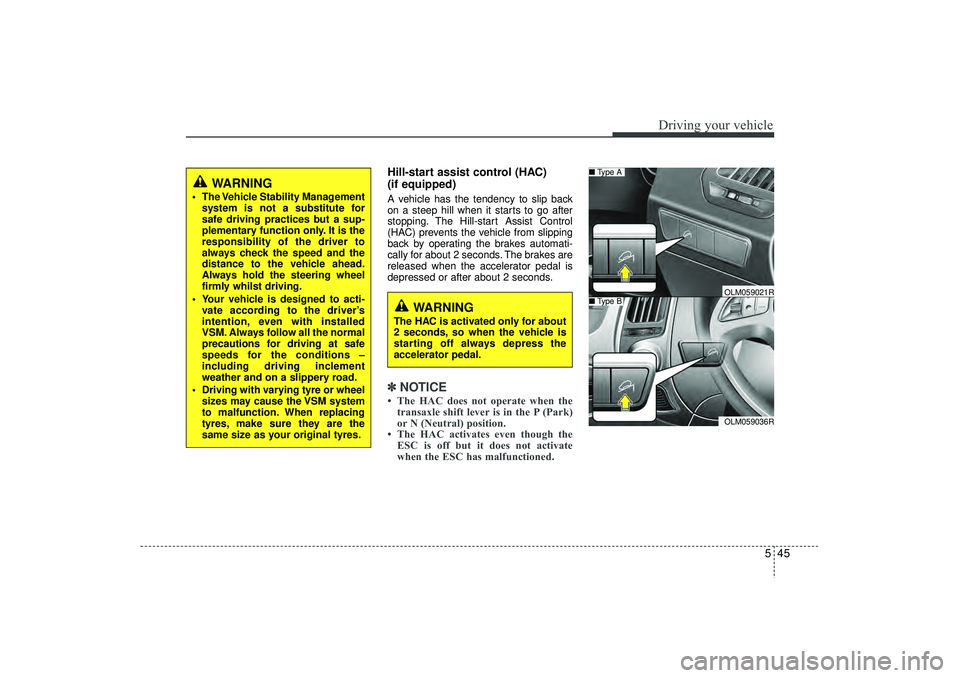
Hill-start assist control (HAC)
(if equipped) A vehicle has the tendency to slip back
on a steep hill when it starts to go after
stopping. The Hill-start Assist Control
(HAC) prevents the vehicle from slipping
back by operating the brakes automati-
cally for about 2 seconds. The brakes are
released when the accelerator pedal is
depressed or after about 2 seconds.✽ ✽NOTICE• The HAC does not operate when the
transaxle shift lever is in the P (Park)
or N (Neutral) position.
• The HAC activates even though the ESC is off but it does not activate
when the ESC has malfunctioned.
WARNING
The Vehicle Stability Management
system is not a substitute for
safe driving practices but a sup-
plementary function only. It is the
responsibility of the driver to
always check the speed and the
distance to the vehicle ahead.
Always hold the steering wheel
firmly whilst driving.
Your vehicle is designed to acti- vate according to the driver’s
intention, even with installed
VSM. Always follow all the normal
precautions for driving at safe
speeds for the conditions –
including driving inclement
weather and on a slippery road.
Driving with varying tyre or wheel sizes may cause the VSM system
to malfunction. When replacing
tyres, make sure they are the
same size as your original tyres.
WARNING
The HAC is activated only for about
2 seconds, so when the vehicle is
starting off always depress the
accelerator pedal.
OLM059036R
■ Type A■ Type B
OLM059021R
EL(FL) UK 5.QXP 12/16/2014 8:09 PM Page 45
Page 395 of 550
547
Driving your vehicle
✽
✽NOTICE• The DBC does not turn ON in the P
(Park) position.
• The DBC may not activate if the ESC (or BAS, if equipped) is activated.
• Noise or vibration may occur from the brakes when the DBC is activated.
• The rear stop light comes on when the DBC is activated.
• In a very steep hill even though the brake pedal or accelerator pedal is
depressed the DBC may not deacti-
vate.
• Always turn OFF the DBC on normal roads. The DBC might activate from
the standby mode when abrupt corn-
ing or driving through speed bumps.
• DBC may activate and cause the engine to stop in vehicles with manual
transaxle if you drive in 3rd gear (or
above) with DBC on. Do not turn on
DBC when driving in 3rd gear (or
above).
ESS : Emergency Stop SignalThe Emergency Stop Signal system
alerts the driver behind by blinking the
stop light when the vehicle suddenly
stops or when the ABS activates in a
stop. (The system activates when the
vehicle speed is over 34 mph (55 km/h)
and the vehicle deceleration is over
7m/s² or the ABS activates when the
vehicle emergency braking.)
When the vehicle speed is under 25 mph
(40 km/h) and the ABS deactivates or the
sudden stop situation is over, the stop
light will not blink. Instead, the hazard
warning flasher will turn on automatically.
The hazard warning flasher will turn off
when the vehicle speed is over 6 mph (10
km/h) after the vehicle has stopped. Also,
it will turn off when the vehicle drives at
low speed for some time. You can turn it
off manually by pushing the hazard warn-
ing flasher switch.
Trailer stability assist (TSA)
(if equipped)Trailer stability assist is operated as vehi-
cle stability control system. Trailer stabili-
ty assist system has an effort to stabilize
the vehicle and trailer when the trailer
sways or oscillates. There are various
reasons making vehicle sway and oscil-
late. Almost case it happens at high
speed however, if the trailer is affected by
crosswinds, buffeting, and improper over-
loading, it may be a risk of swaying.
Factors of swaying such as:
- High speed
- Strong crosswinds
- Improper overloading
- Sudden controlling of steering wheel
- Uneven road
CAUTION
The Emergency Stop Signal system
will not work if the hazard warningflasher is already on.
EL(FL) UK 5.QXP 12/16/2014 8:09 PM Page 47
Page 403 of 550
555
Driving your vehicle
ECONOMICAL OPERATIONYour vehicle's fuel economy depends
mainly on your style of driving, where you
drive and when you drive.
Each of these factors affects how many
miles (kilometers) you can get from a
gallon (litre) of fuel. To operate your vehi-
cle as economically as possible, use the
following driving suggestions to help
save money in both fuel and repairs:
Drive smoothly. Accelerate at a moder-ate rate. Don't make "jack-rabbit" starts
or full-throttle shifts and maintain a
steady cruising speed. Don't race
between stoplights. Try to adjust your
speed to the traffic so you don't have to
change speeds unnecessarily. Avoid
heavy traffic whenever possible.
Always maintain a safe distance from
other vehicles so you can avoid unnec-
essary braking. This also reduces
brake wear.
Drive at a moderate speed. The faster you drive, the more fuel your vehicle
uses. Driving at a moderate speed,
especially on the highway, is one of the
most effective ways to reduce fuel con-
sumption. Don't "ride" the brake or clutch pedal.
This can increase fuel consumption
and also increase wear on these com-
ponents. In addition, driving with your
foot resting on the brake pedal may
cause the brakes to overheat, which
reduces their effectiveness and may
lead to more serious consequences.
Take care of your tyres. Keep them inflated to the recommended pressure.
Incorrect inflation, either too much or
too little, results in unnecessary tyre
wear. Check the tyre pressures at least
once a month.
Be sure that the wheels are aligned correctly. Improper alignment can
result from hitting kerbs or driving too
fast over irregular surfaces. Poor align-
ment causes faster tyre wear and may
also result in other problems as well as
greater fuel consumption. Keep your vehicle in good condition.
For better fuel economy and reduced
maintenance costs, maintain your vehi-
cle in accordance with the mainte-
nance schedule. If you drive your vehi-
cle in severe conditions, more frequent
maintenance is required.
Keep your vehicle clean. For maximum service, your vehicle should be kept
clean and free of corrosive materials. It
is especially important that mud, dirt,
ice, etc. not be allowed to accumulate
on the underside of the vehicle. This
extra weight can result in increased
fuel consumption and also contribute
to corrosion.
Travel lightly. Don't carry unnecessary weight in your vehicle. Weight reduces
fuel economy.
Don't let the engine idle longer than necessary. If you are waiting (and not
in traffic), turn off your engine and
restart only when you're ready to go.
EL(FL) UK 5.QXP 12/16/2014 8:10 PM Page 55