warning HYUNDAI IX35 2015 Manual Online
[x] Cancel search | Manufacturer: HYUNDAI, Model Year: 2015, Model line: IX35, Model: HYUNDAI IX35 2015Pages: 550, PDF Size: 9.92 MB
Page 128 of 550
443
Features of your vehicle
Outside rearview mirror Be sure to adjust mirror angles before
driving.
Your vehicle is equipped with both left-
hand and right-hand outside rearview
mirrors. The mirrors can be adjusted
remotely with the remote switch. The mir-
ror heads can be folded back to prevent
damage during an automatic car wash or
when passing in a narrow street.
CAUTION
If the mirror is jammed with ice, donot adjust the mirror by force. Use an approved spray de-icer (not radi-ator antifreeze) to release thefrozen mechanism or move the vehicle to a warm place and allowthe ice to melt.
WARNING
Do not adjust or fold the outside
rearview mirrors whilst the vehicle
is moving. This could result in loss
of control, and an accident which
could cause death, serious injury
or property damage.
WARNING -
Rearview mir-
rors
The right outside rearview mirror is convex. In some countries, the
left outside rearview mirror is
also convex. Objects seen in the
mirror are closer than they
appear.
Use your interior rearview mirror or direct observation to deter-
mine the actual distance of fol-
lowing vehicles when changing
lanes.
CAUTION
Do not scrape ice off the mirrorface; this may damage the surfaceof the glass. If ice should restrict movement of the mirror, do notforce the mirror for adjustment. To remove ice, use a deicer spray, or asponge or soft cloth with very warmwater.
EL(FL) UK 4A.QXP 2/9/2015 9:04 PM Page 43
Page 131 of 550
Features of your vehicle46
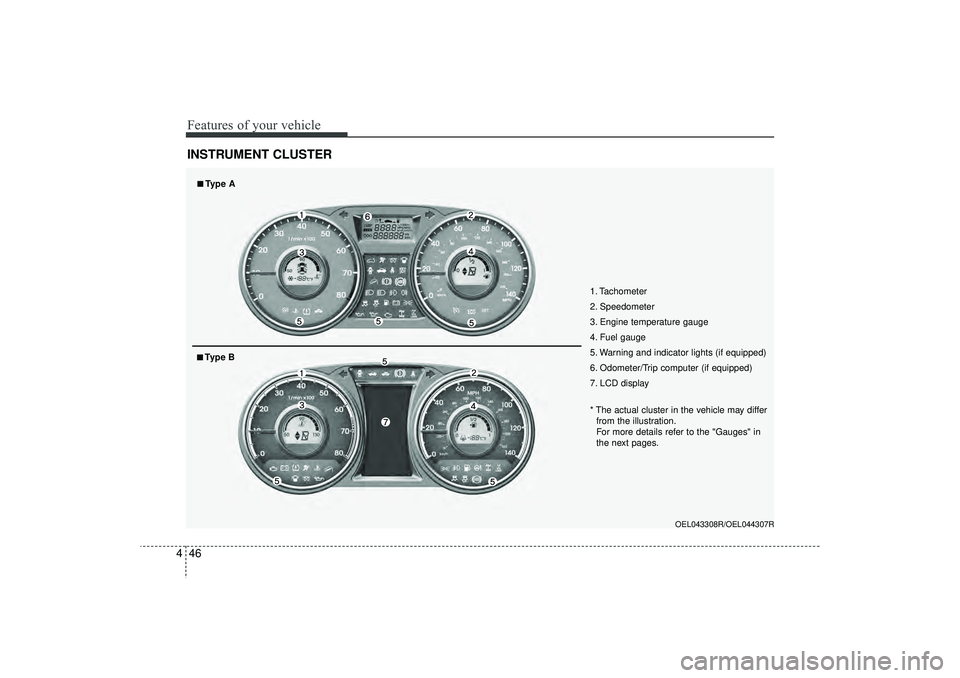
4INSTRUMENT CLUSTER
1. Tachometer
2. Speedometer
3. Engine temperature gauge
4. Fuel gauge
5. Warning and indicator lights (if equipped)
6. Odometer/Trip computer (if equipped)
7. LCD display
OEL043308R/OEL044307R
* The actual cluster in the vehicle may differ
from the illustration.
For more details refer to the "Gauges" in
the next pages.
■
■Type A■
■Type B
EL(FL) UK 4A.QXP 2/9/2015 9:04 PM Page 46
Page 132 of 550

447
Features of your vehicle
Instrument panel illumination
(if equipped)When the vehicle’s parking lights or
headlights are on, press the illumination
control button to adjust the instrument
panel illumination intensity. The brightness of the instrument panel
illumination is displayed.
If the brightness reaches to the maxi- mum or minimum level, an alarm will
sound.
LCD Display Control (if equipped)The LCD display modes can be changed
by using the control buttons on the crash
pad.
(1) : MODE button for changing
modes
(2) : SELECT/RESET button
❈ For the LCD modes, refer to “LCD
Display” in this chapter.
OLM049052R
OEL043306/OLM043401E
■
Type A
■Type B
OEL043702/Q
WARNING
Never adjust the instrument cluster
whilst driving. This could result in
loss of control and lead to an acci-
dent that may cause death, serious
injury, or property damage.
EL(FL) UK 4A.QXP 2/9/2015 9:04 PM Page 47
Page 135 of 550
Features of your vehicle50
4
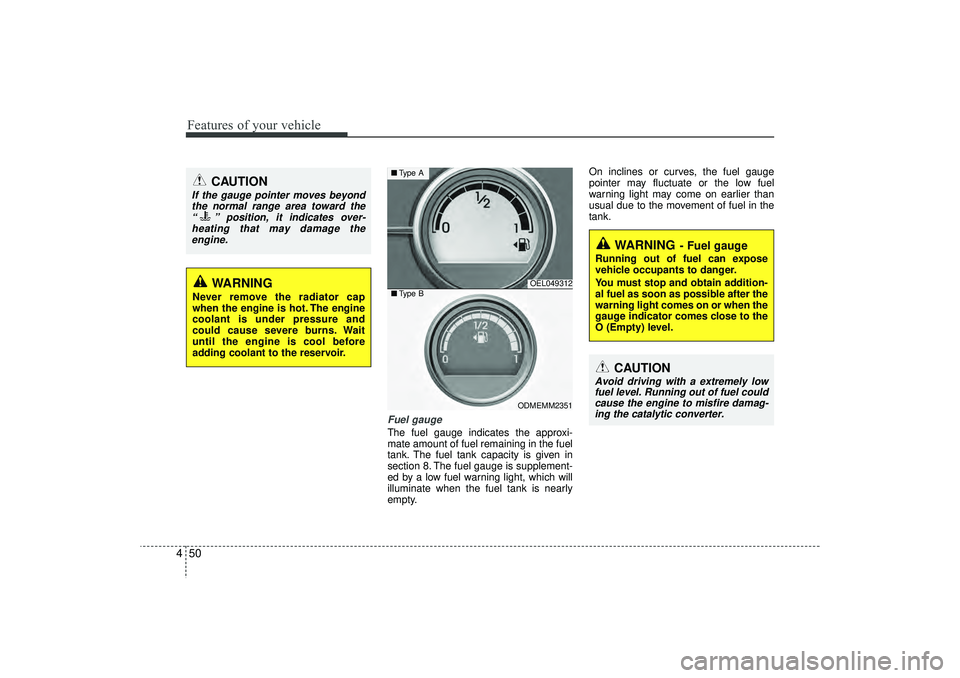
Fuel gaugeThe fuel gauge indicates the approxi-
mate amount of fuel remaining in the fuel
tank. The fuel tank capacity is given in
section 8. The fuel gauge is supplement-
ed by a low fuel warning light, which will
illuminate when the fuel tank is nearly
empty. On inclines or curves, the fuel gauge
pointer may fluctuate or the low fuel
warning light may come on earlier than
usual due to the movement of fuel in the
tank.
WARNING
Never remove the radiator cap
when the engine is hot. The engine
coolant is under pressure and
could cause severe burns. Wait
until the engine is cool before
adding coolant to the reservoir.
CAUTION
If the gauge pointer moves beyond
the normal range area toward the “ ” position, it indicates over-heating that may damage theengine.
OEL049312
ODMEMM2351
■ Type A■Type B
WARNING
- Fuel gauge
Running out of fuel can expose
vehicle occupants to danger.
You must stop and obtain addition-
al fuel as soon as possible after the
warning light comes on or when the
gauge indicator comes close to the
O (Empty) level.
CAUTION
Avoid driving with a extremely low
fuel level. Running out of fuel couldcause the engine to misfire damag-ing the catalytic converter.
EL(FL) UK 4A.QXP 2/9/2015 9:04 PM Page 50
Page 136 of 550
451
Features of your vehicle
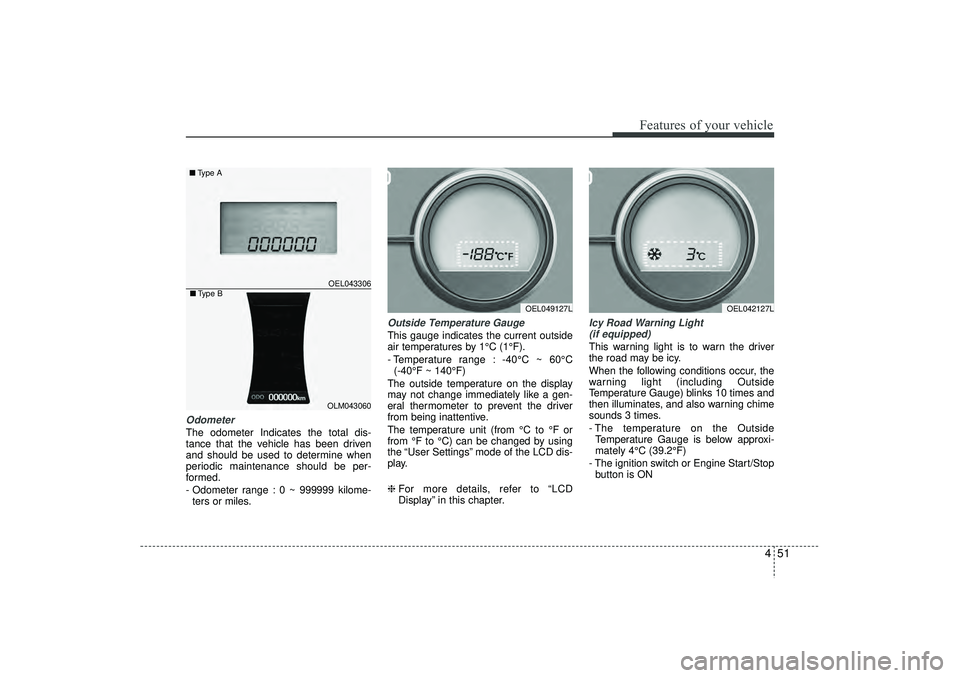
OdometerThe odometer Indicates the total dis-
tance that the vehicle has been driven
and should be used to determine when
periodic maintenance should be per-
formed.
- Odometer range : 0 ~ 999999 kilome-ters or miles.
Outside Temperature GaugeThis gauge indicates the current outside
air temperatures by 1°C (1°F).
- Temperature range : -40°C ~ 60°C (-40°F ~ 140°F)
The outside temperature on the display
may not change immediately like a gen-
eral thermometer to prevent the driver
from being inattentive.
The temperature unit (from °C to °F or
from °F to °C) can be changed by using
the “User Settings” mode of the LCD dis-
play.
❈ For more details, refer to “LCD
Display” in this chapter.
Icy Road Warning Light
(if equipped)This warning light is to warn the driver
the road may be icy.
When the following conditions occur, the
warning light (including Outside
Temperature Gauge) blinks 10 times and
then illuminates, and also warning chime
sounds 3 times.
- The temperature on the Outside Temperature Gauge is below approxi-
mately 4°C (39.2°F)
- The ignition switch or Engine Start/Stop button is ON
OEL049127L
OEL043306
■ Type A
OEL042127L
OLM043060
■Type B
EL(FL) UK 4A.QXP 2/9/2015 9:04 PM Page 51
Page 137 of 550
Features of your vehicle52
4✽
✽
NOTICEIf the icy road warning light appears
whilst driving, you should drive more
attentively and safely refraining from
over-speeding, rapid acceleration, sud-
den braking or sharp turning, etc.
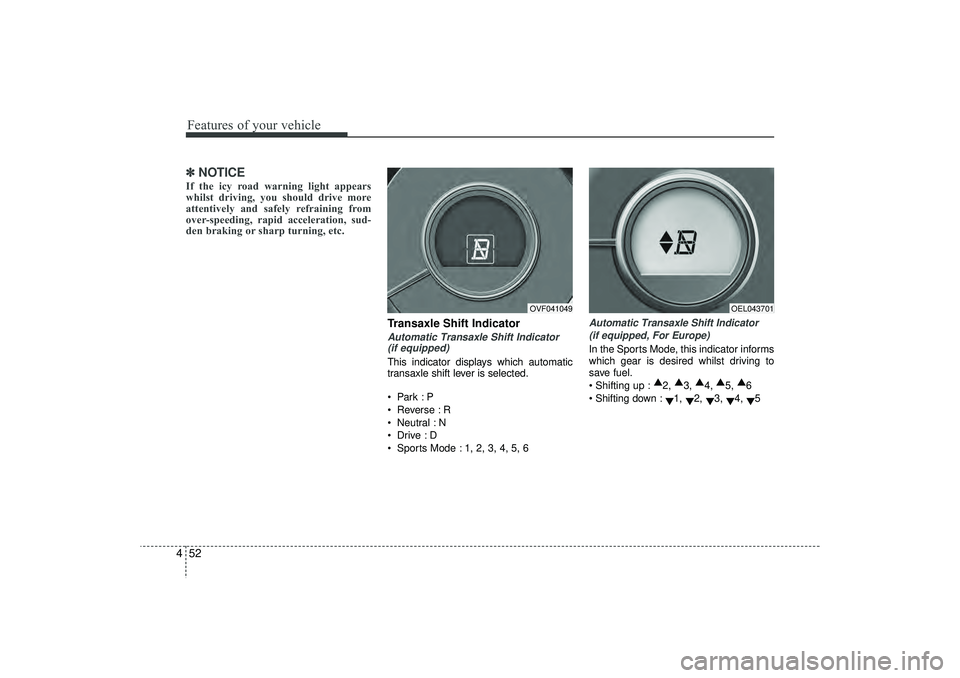
Transaxle Shift IndicatorAutomatic Transaxle Shift Indicator
(if equipped)This indicator displays which automatic
transaxle shift lever is selected.
Park :P
Reverse : R
Neutral : N
Drive :D
Sports Mode : 1, 2, 3, 4, 5, 6
Automatic Transaxle Shift Indicator
(if equipped, For Europe)In the Sports Mode, this indicator informs
which gear is desired whilst driving to
save fuel.
Shifting up : ▲
2, ▲
3, ▲
4, ▲
5, ▲
6
Shifting down : ▼1,
▼2,
▼3,
▼4,
▼5
OVF041049
OEL043701
EL(FL) UK 4A.QXP 2/9/2015 9:04 PM Page 52
Page 139 of 550
Features of your vehicle54
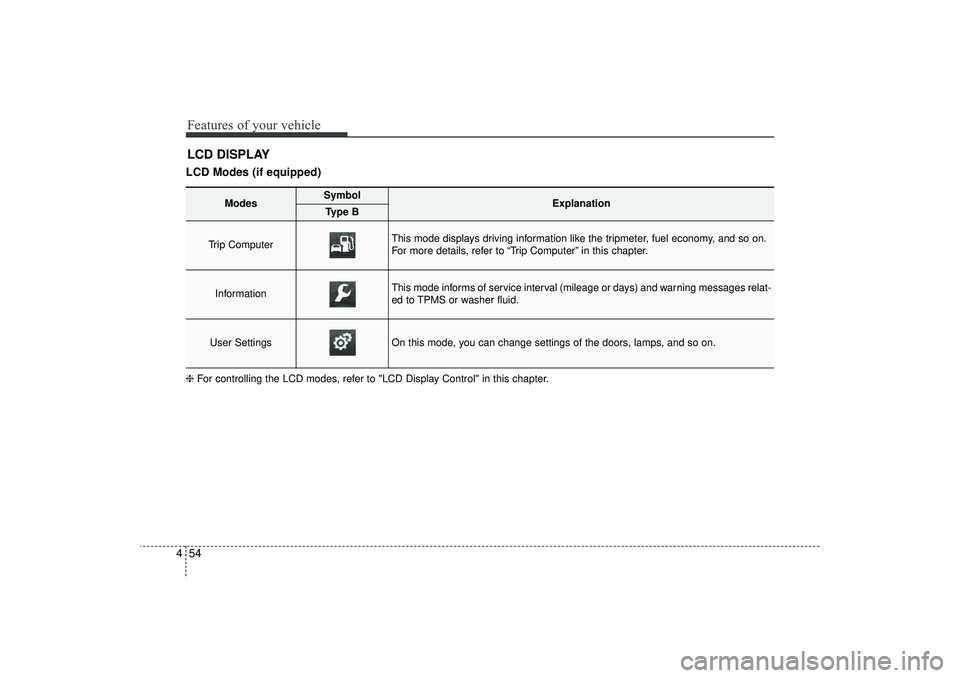
4LCD DISPLAYLCD Modes (if equipped)❈ For controlling the LCD modes, refer to "LCD Display Control" in this chapter.
Modes
Symbol
Explanation
Type B
Trip Computer
This mode displays driving information like the tripmeter, fuel economy, and so on.
For more details, refer to “Trip Computer” in this chapter.
Information
This mode informs of service interval (mileage or days) and warning messages relat-
ed to TPMS or washer fluid.
User Settings
On this mode, you can change settings of the doors, lamps, and so on.
EL(FL) UK 4A.QXP 2/9/2015 9:04 PM Page 54
Page 142 of 550
457
Features of your vehicle
Horn Feedback (if equipped)
If this item is checked, the horn feedback
operation will be activated.
After locking the door by pressing the
lock button on the transmitter, if you
press the lock button again within 4 sec-
onds, the warning sound will operate
once to indicate that all doors are locked.
LampHead Lamp Delay (if equipped)
If this item is checked, the headlamp
delay and headlamp welcome function
will be activated.SettingsLanguage (if equipped)
Choose the language you prefer within
the LCD display.
SPAS Voice (if equipped)
Adjust the volume of SPAS voice infor-
mation.
Temperature Unit
Convert the temperature unit from °C to
°F or from °F to °C.AVG Fuel Eco Reset
Auto Reset:
The average fuel economy will reset
automatically when refuelling.
Manual Reset: The average fuel economy will not
reset automatically whenever refu-
elling.
For more details, refer to “Trip Computer”
in this chapter.
EL(FL) UK 4A.QXP 2/9/2015 9:04 PM Page 57
Page 143 of 550
Features of your vehicle58
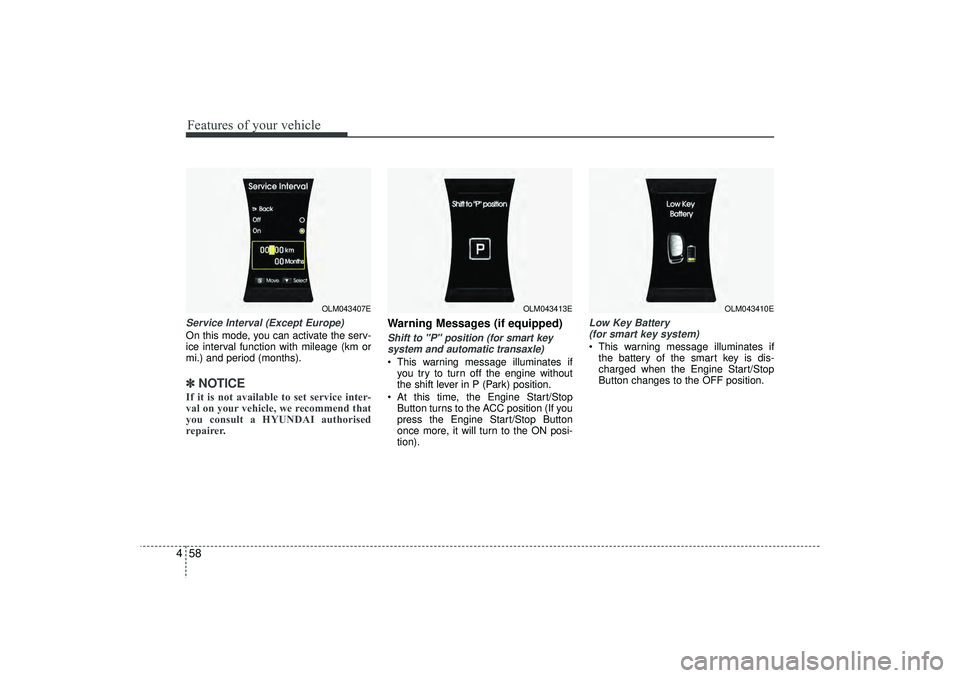
4Service Interval (Except Europe)On this mode, you can activate the serv-
ice interval function with mileage (km or
mi.) and period (months).✽ ✽
NOTICEIf it is not available to set service inter-
val on your vehicle, we recommend that
you consult a HYUNDAI authorised
repairer.
Warning Messages (if equipped)Shift to "P" position (for smart key
system and automatic transaxle) This warning message illuminates if you try to turn off the engine without
the shift lever in P (Park) position.
At this time, the Engine Start/Stop Button turns to the ACC position (If you
press the Engine Start/Stop Button
once more, it will turn to the ON posi-
tion).
Low Key Battery (for smart key system) This warning message illuminates if the battery of the smart key is dis-
charged when the Engine Start/Stop
Button changes to the OFF position.
OLM043407E
OLM043413E
OLM043410E
EL(FL) UK 4A.QXP 2/9/2015 9:04 PM Page 58
Page 144 of 550
459
Features of your vehicle
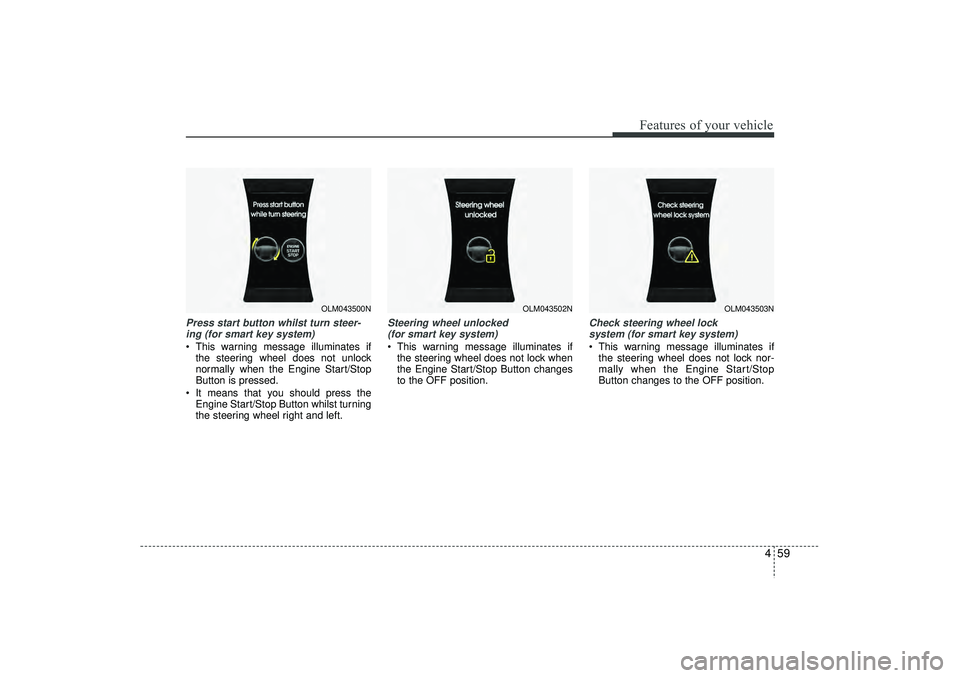
Press start button whilst turn steer-ing (for smart key system) This warning message illuminates if the steering wheel does not unlock
normally when the Engine Start/Stop
Button is pressed.
It means that you should press the Engine Start/Stop Button whilst turning
the steering wheel right and left.
Steering wheel unlocked (for smart key system) This warning message illuminates if the steering wheel does not lock when
the Engine Start/Stop Button changes
to the OFF position.
Check steering wheel lock system (for smart key system) This warning message illuminates if the steering wheel does not lock nor-
mally when the Engine Start/Stop
Button changes to the OFF position.
OLM043500N
OLM043502N
OLM043503N
EL(FL) UK 4A.QXP 2/9/2015 9:05 PM Page 59