warning HYUNDAI IX35 2015 Owners Manual
[x] Cancel search | Manufacturer: HYUNDAI, Model Year: 2015, Model line: IX35, Model: HYUNDAI IX35 2015Pages: 550, PDF Size: 9.92 MB
Page 172 of 550
487
Features of your vehicle
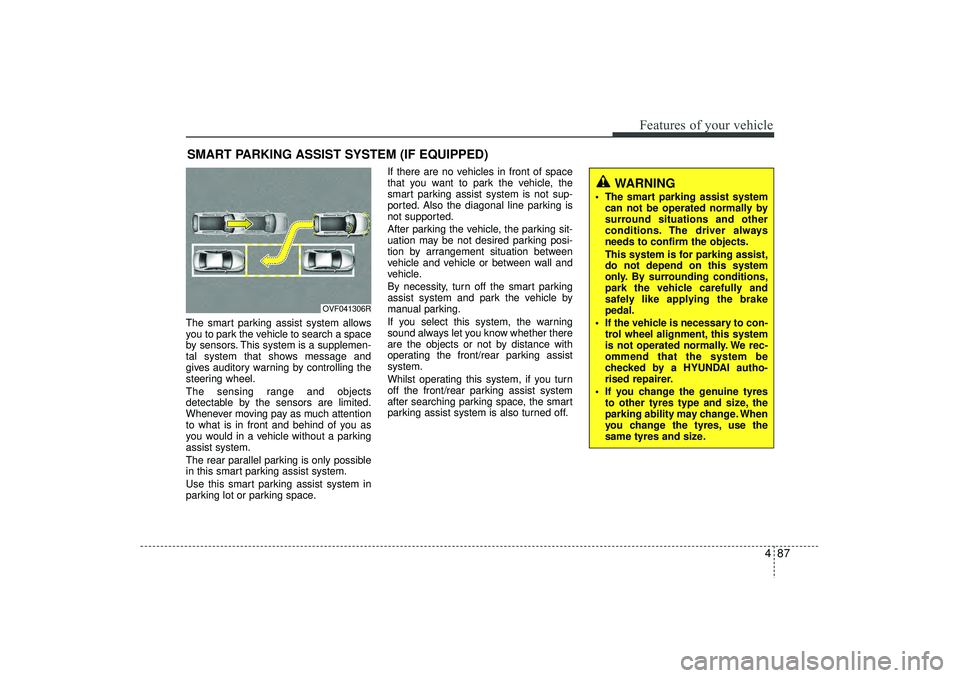
The smart parking assist system allows
you to park the vehicle to search a space
by sensors. This system is a supplemen-
tal system that shows message and
gives auditory warning by controlling the
steering wheel.
The sensing range and objects
detectable by the sensors are limited.
Whenever moving pay as much attention
to what is in front and behind of you as
you would in a vehicle without a parking
assist system.
The rear parallel parking is only possible
in this smart parking assist system.
Use this smart parking assist system in
parking lot or parking space.If there are no vehicles in front of space
that you want to park the vehicle, the
smart parking assist system is not sup-
ported. Also the diagonal line parking is
not supported.
After parking the vehicle, the parking sit-
uation may be not desired parking posi-
tion by arrangement situation between
vehicle and vehicle or between wall and
vehicle.
By necessity, turn off the smart parking
assist system and park the vehicle by
manual parking.
If you select this system, the warning
sound always let you know whether there
are the objects or not by distance with
operating the front/rear parking assist
system.
Whilst operating this system, if you turn
off the front/rear parking assist system
after searching parking space, the smart
parking assist system is also turned off.SMART PARKING ASSIST SYSTEM (IF EQUIPPED)
OVF041306R
WARNING
The smart parking assist system
can not be operated normally by
surround situations and other
conditions. The driver always
needs to confirm the objects.
This system is for parking assist,
do not depend on this system
only. By surrounding conditions,
park the vehicle carefully and
safely like applying the brake
pedal.
If the vehicle is necessary to con- trol wheel alignment, this system
is not operated normally. We rec-
ommend that the system be
checked by a HYUNDAI autho-
rised repairer.
If you change the genuine tyres to other tyres type and size, the
parking ability may change. When
you change the tyres, use the
same tyres and size.
EL(FL) UK 4A.QXP 2/9/2015 9:05 PM Page 87
Page 174 of 550
489
Features of your vehicle
WARNING
In following conditions, when smart
parking assist system is operated,
the unexpected result may occur
and it could result in serious injury.
Do not use the smart parking assist
system.
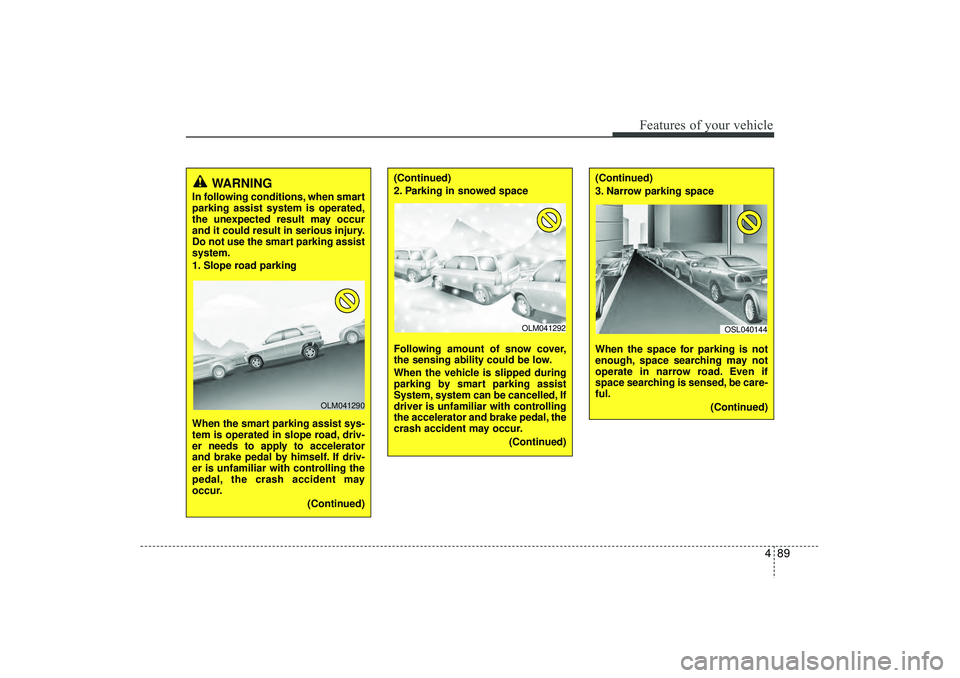
1. Slope road parking
When the smart parking assist sys-
tem is operated in slope road, driv-
er needs to apply to accelerator
and brake pedal by himself. If driv-
er is unfamiliar with controlling the
pedal, the crash accident may
occur.(Continued)
OLM041290
(Continued)
2. Parking in snowed space
Following amount of snow cover,
the sensing ability could be low.
When the vehicle is slipped during
parking by smart parking assist
System, system can be cancelled, If
driver is unfamiliar with controlling
the accelerator and brake pedal, the
crash accident may occur.(Continued)
(Continued)
3. Narrow parking space
When the space for parking is not
enough, space searching may not
operate in narrow road. Even if
space searching is sensed, be care-
ful.(Continued)
OLM041292
OSL040144
EL(FL) UK 4A.QXP 2/9/2015 9:05 PM Page 89
Page 177 of 550
Features of your vehicle92
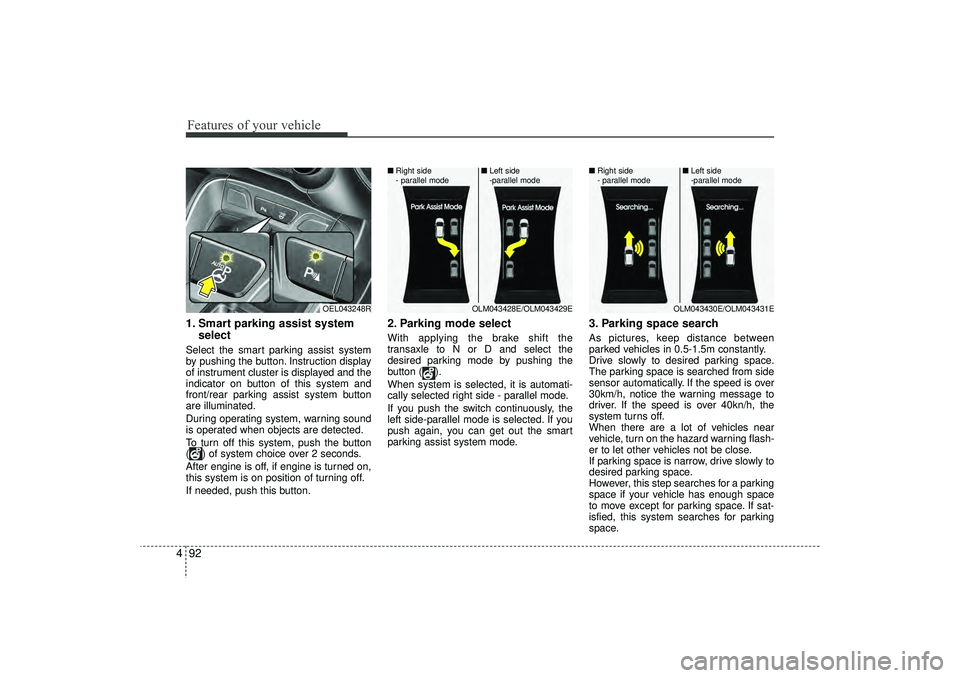
41. Smart parking assist system
selectSelect the smart parking assist system
by pushing the button. Instruction display
of instrument cluster is displayed and the
indicator on button of this system and
front/rear parking assist system button
are illuminated.
During operating system, warning sound
is operated when objects are detected.
To turn off this system, push the button
( ) of system choice over 2 seconds.
After engine is off, if engine is turned on,
this system is on position of turning off.
If needed, push this button.
2. Parking mode selectWith applying the brake shift the
transaxle to N or D and select the
desired parking mode by pushing the
button ( ).
When system is selected, it is automati-
cally selected right side - parallel mode.
If you push the switch continuously, the
left side-parallel mode is selected. If you
push again, you can get out the smart
parking assist system mode.
3. Parking space searchAs pictures, keep distance between
parked vehicles in 0.5-1.5m constantly.
Drive slowly to desired parking space.
The parking space is searched from side
sensor automatically. If the speed is over
30km/h, notice the warning message to
driver. If the speed is over 40kn/h, the
system turns off.
When there are a lot of vehicles near
vehicle, turn on the hazard warning flash-
er to let other vehicles not be close.
If parking space is narrow, drive slowly to
desired parking space.
However, this step searches for a parking
space if your vehicle has enough space
to move except for parking space. If sat-
isfied, this system searches for parking
space.
OEL043248R
OLM043428E/OLM043429E
■
Right side
- parallel mode ■
Left side
-parallel mode
OLM043430E/OLM043431E
■
Right side
- parallel mode ■
Left side
-parallel mode
EL(FL) UK 4A.QXP 2/9/2015 9:06 PM Page 92
Page 179 of 550
Features of your vehicle94
4
CAUTION
If you go forward or backward
without notice like warning mes-sage, the parking state may be not good.
However, if the 3rd warning sound(continuous sound) occurs, drivethe vehicle reverse direction slowly after confirming surround-ing objects.
When parking the vehicle, care- fully go forward or backward withdepressing the brake pedal after completing steering wheel con-trol support.
If the speed of vehicle is high, the crash accident may occur.
Whilst parking the vehicle, if the 3rd warning sound (continuoussound) occurs, it means the vehi- cle is close to objects. Check thesurround objects by yourself.
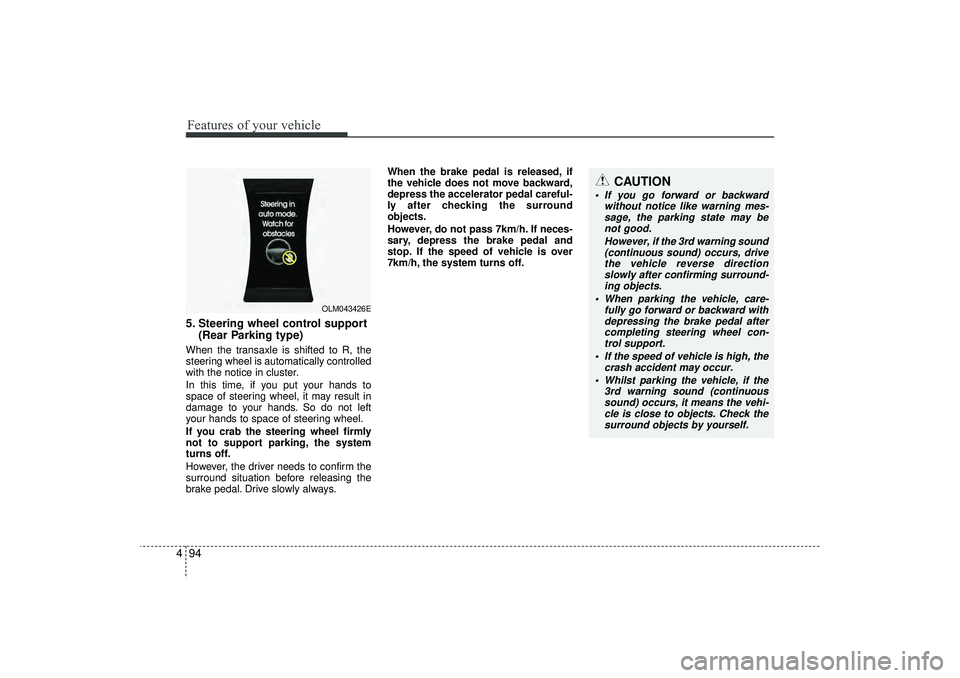
5. Steering wheel control support (Rear Parking type)When the transaxle is shifted to R, the
steering wheel is automatically controlled
with the notice in cluster.
In this time, if you put your hands to
space of steering wheel, it may result in
damage to your hands. So do not left
your hands to space of steering wheel.
If you crab the steering wheel firmly
not to support parking, the system
turns off.
However, the driver needs to confirm the
surround situation before releasing the
brake pedal. Drive slowly always. When the brake pedal is released, if
the vehicle does not move backward,
depress the accelerator pedal careful-
ly after checking the surround
objects.
However, do not pass 7km/h. If neces-
sary, depress the brake pedal and
stop. If the speed of vehicle is over
7km/h, the system turns off.
OLM043426E
EL(FL) UK 4A.QXP 2/9/2015 9:06 PM Page 94
Page 180 of 550
495
Features of your vehicle
System cancellation whilst park-
ingPush the smart parking assist system or
turn the steering wheel left side or right
side.
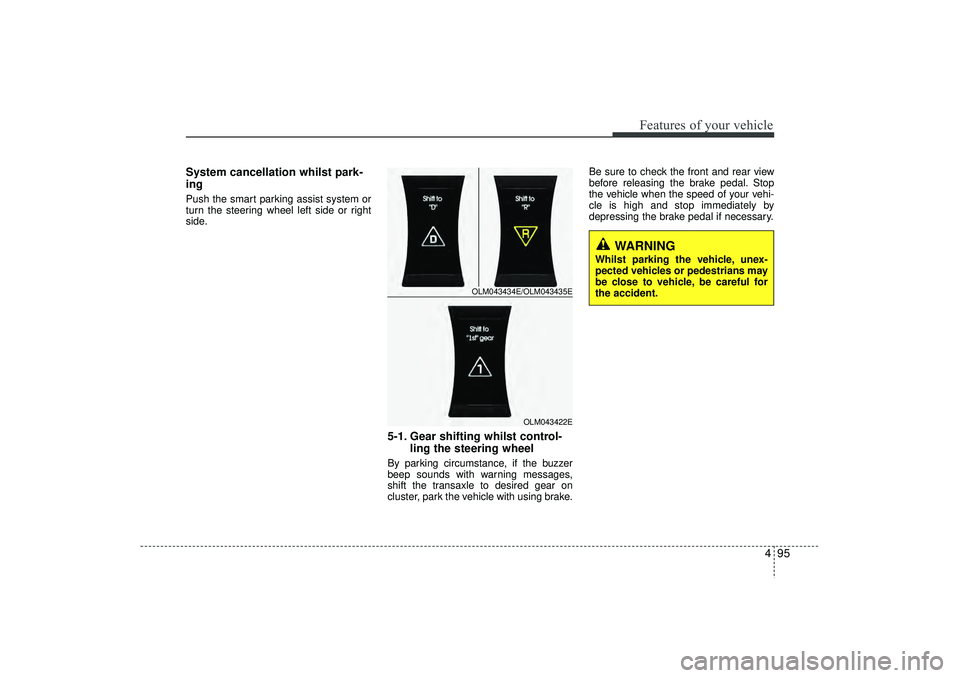
5-1. Gear shifting whilst control-ling the steering wheelBy parking circumstance, if the buzzer
beep sounds with warning messages,
shift the transaxle to desired gear on
cluster, park the vehicle with using brake. Be sure to check the front and rear view
before releasing the brake pedal. Stop
the vehicle when the speed of your vehi-
cle is high and stop immediately by
depressing the brake pedal if necessary.
OLM043434E/OLM043435E
OLM043422E
WARNING
Whilst parking the vehicle, unex-
pected vehicles or pedestrians may
be close to vehicle, be careful for
the accident.
EL(FL) UK 4A.QXP 2/9/2015 9:06 PM Page 95
Page 182 of 550
497
Features of your vehicle
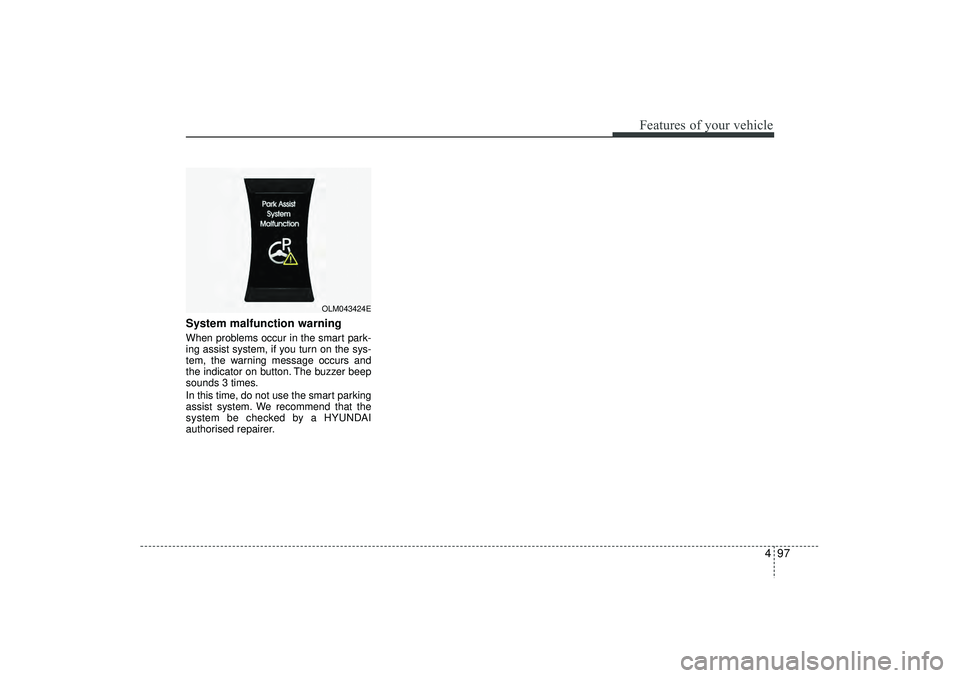
System malfunction warningWhen problems occur in the smart park-
ing assist system, if you turn on the sys-
tem, the warning message occurs and
the indicator on button. The buzzer beep
sounds 3 times.
In this time, do not use the smart parking
assist system. We recommend that the
system be checked by a HYUNDAI
authorised repairer.
OLM043424E
EL(FL) UK 4A.QXP 2/9/2015 9:06 PM Page 97
Page 183 of 550
Features of your vehicle98
4
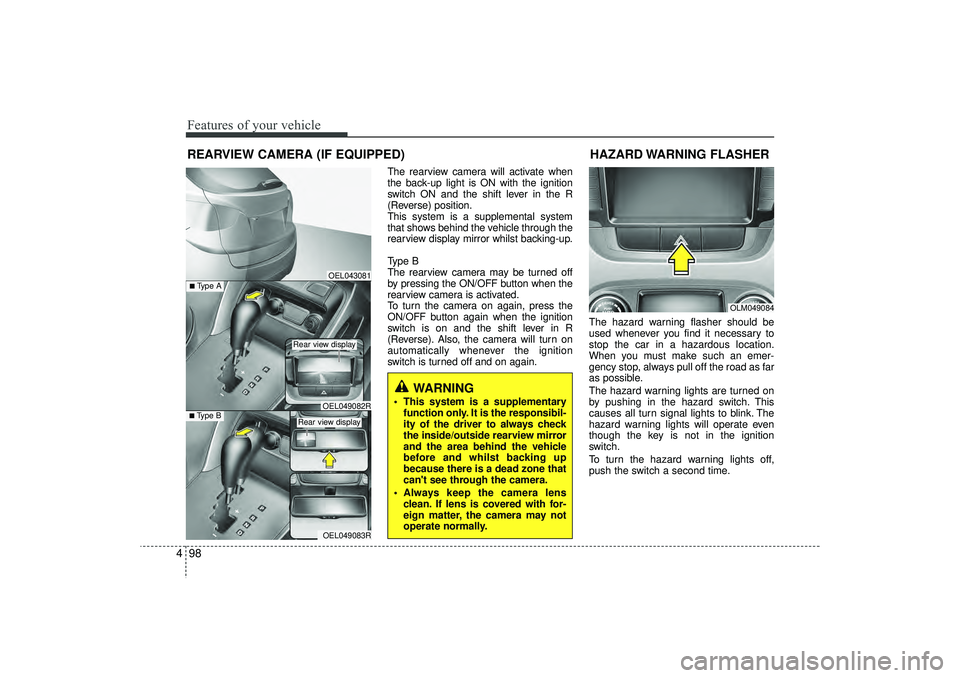
The rearview camera will activate when
the back-up light is ON with the ignition
switch ON and the shift lever in the R
(Reverse) position.
This system is a supplemental system
that shows behind the vehicle through the
rearview display mirror whilst backing-up.
Type B
The rearview camera may be turned off
by pressing the ON/OFF button when the
rearview camera is activated.
To turn the camera on again, press the
ON/OFF button again when the ignition
switch is on and the shift lever in R
(Reverse). Also, the camera will turn on
automatically whenever the ignition
switch is turned off and on again. The hazard warning flasher should be
used whenever you find it necessary to
stop the car in a hazardous location.
When you must make such an emer-
gency stop, always pull off the road as far
as possible.
The hazard warning lights are turned on
by pushing in the hazard switch. This
causes all turn signal lights to blink. The
hazard warning lights will operate even
though the key is not in the ignition
switch.
To turn the hazard warning lights off,
push the switch a second time.
REARVIEW CAMERA (IF EQUIPPED)
WARNING
This system is a supplementary
function only. It is the responsibil-
ity of the driver to always check
the inside/outside rearview mirror
and the area behind the vehicle
before and whilst backing up
because there is a dead zone that
can't see through the camera.
Always keep the camera lens clean. If lens is covered with for-
eign matter, the camera may not
operate normally.
OEL043081
OLM049084
HAZARD WARNING FLASHER
OEL049083R
■Type B
OEL049082R
■Type A
Rear view display Rear view display
EL(FL) UK 4A.QXP 2/9/2015 9:06 PM Page 98
Page 186 of 550
4 101
Features of your vehicle
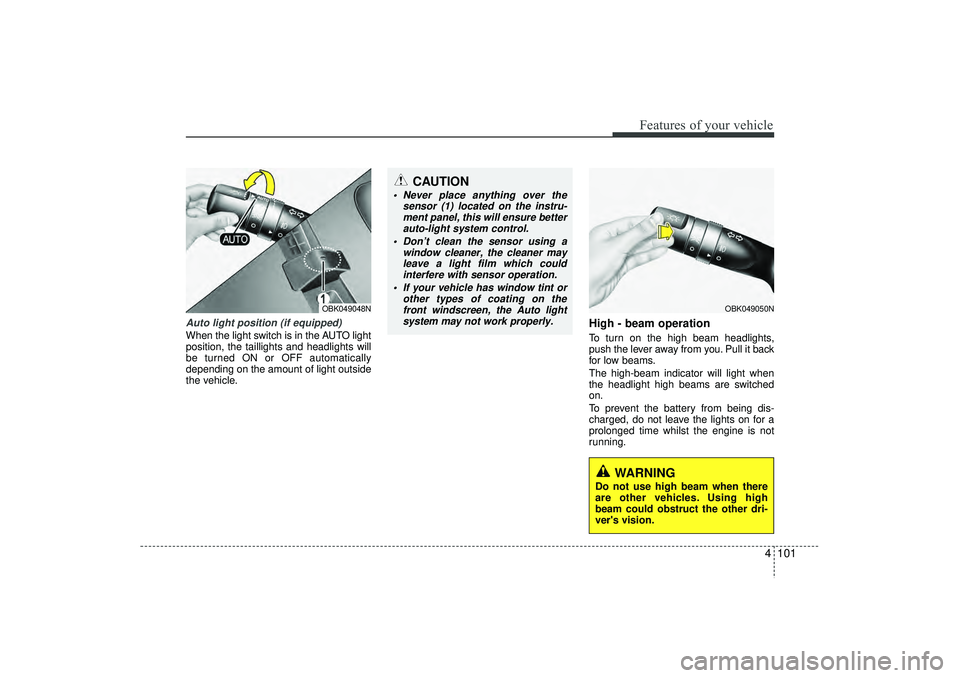
Auto light position (if equipped)When the light switch is in the AUTO light
position, the taillights and headlights will
be turned ON or OFF automatically
depending on the amount of light outside
the vehicle.
High - beam operation To turn on the high beam headlights,
push the lever away from you. Pull it back
for low beams.
The high-beam indicator will light when
the headlight high beams are switched
on.
To prevent the battery from being dis-
charged, do not leave the lights on for a
prolonged time whilst the engine is not
running.
OBK049050N
CAUTION
Never place anything over thesensor (1) located on the instru-ment panel, this will ensure better auto-light system control.
Don’t clean the sensor using a window cleaner, the cleaner mayleave a light film which could interfere with sensor operation.
If your vehicle has window tint or other types of coating on thefront windscreen, the Auto lightsystem may not work properly.
OBK049048N
WARNING
Do not use high beam when there
are other vehicles. Using high
beam could obstruct the other dri-
ver's vision.
EL(FL) UK 4A.QXP 2/9/2015 9:06 PM Page 101
Page 190 of 550
4 105
Features of your vehicle
Automatic typeIt automatically adjusts the headlight
beam level according to the number of
passengers and loading weight in the
luggage area.
And it offers proper headlight beam
under various conditions.
WARNING
If it does not work properly even
though your car is inclined back-
ward according to passenger's
posture, or the headlight beam is
irradiated to the high or low posi-
tion, we recommend that you have
your vehicle inspected by a
HYUNDAI authorised repairer.
Do not attempt to inspect or
replace the wiring yourself.
EL(FL) UK 4A.QXP 2/9/2015 9:06 PM Page 105
Page 193 of 550
Features of your vehicle108
4
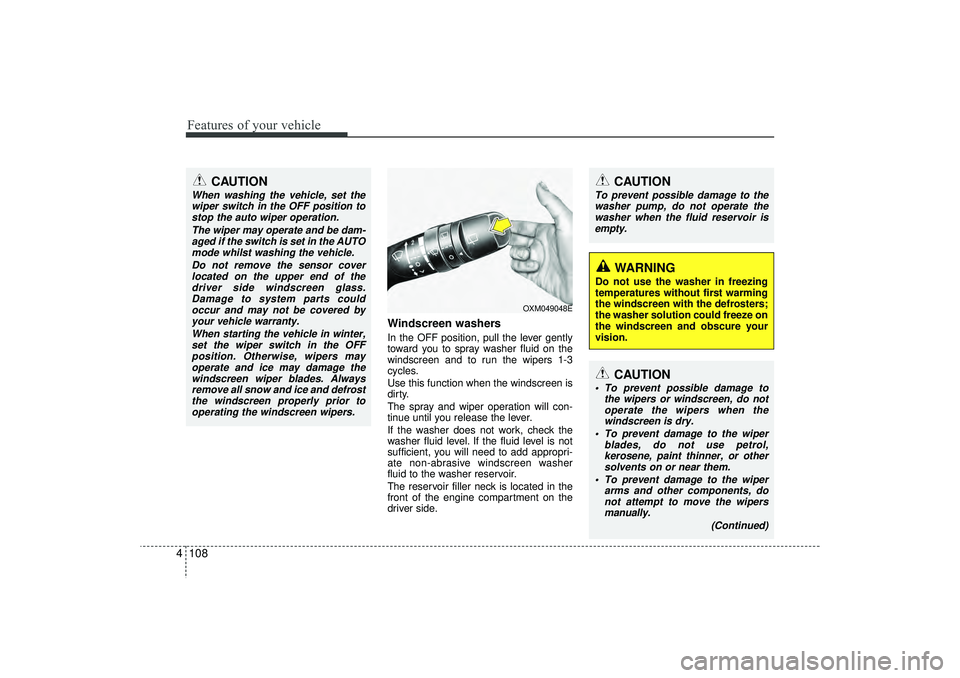
Windscreen washers In the OFF position, pull the lever gently
toward you to spray washer fluid on the
windscreen and to run the wipers 1-3
cycles.
Use this function when the windscreen is
dirty.
The spray and wiper operation will con-
tinue until you release the lever.
If the washer does not work, check the
washer fluid level. If the fluid level is not
sufficient, you will need to add appropri-
ate non-abrasive windscreen washer
fluid to the washer reservoir.
The reservoir filler neck is located in the
front of the engine compartment on the
driver side.
CAUTION
To prevent possible damage to the
washer pump, do not operate the washer when the fluid reservoir isempty.
WARNING
Do not use the washer in freezing
temperatures without first warming
the windscreen with the defrosters;
the washer solution could freeze on
the windscreen and obscure your
vision.
CAUTION
When washing the vehicle, set thewiper switch in the OFF position to stop the auto wiper operation.
The wiper may operate and be dam-aged if the switch is set in the AUTOmode whilst washing the vehicle.
Do not remove the sensor coverlocated on the upper end of thedriver side windscreen glass. Damage to system parts couldoccur and may not be covered byyour vehicle warranty.
When starting the vehicle in winter,set the wiper switch in the OFFposition. Otherwise, wipers mayoperate and ice may damage thewindscreen wiper blades. Always remove all snow and ice and defrostthe windscreen properly prior tooperating the windscreen wipers.
OXM049048E
CAUTION
To prevent possible damage to the wipers or windscreen, do notoperate the wipers when thewindscreen is dry.
To prevent damage to the wiper blades, do not use petrol,kerosene, paint thinner, or othersolvents on or near them.
To prevent damage to the wiper arms and other components, donot attempt to move the wipersmanually.
(Continued)
EL(FL) UK 4A.QXP 2/9/2015 9:06 PM Page 108