air conditioning HYUNDAI IX35 2016 User Guide
[x] Cancel search | Manufacturer: HYUNDAI, Model Year: 2016, Model line: IX35, Model: HYUNDAI IX35 2016Pages: 550, PDF Size: 11.23 MB
Page 210 of 550
4 125
Features of your vehicle
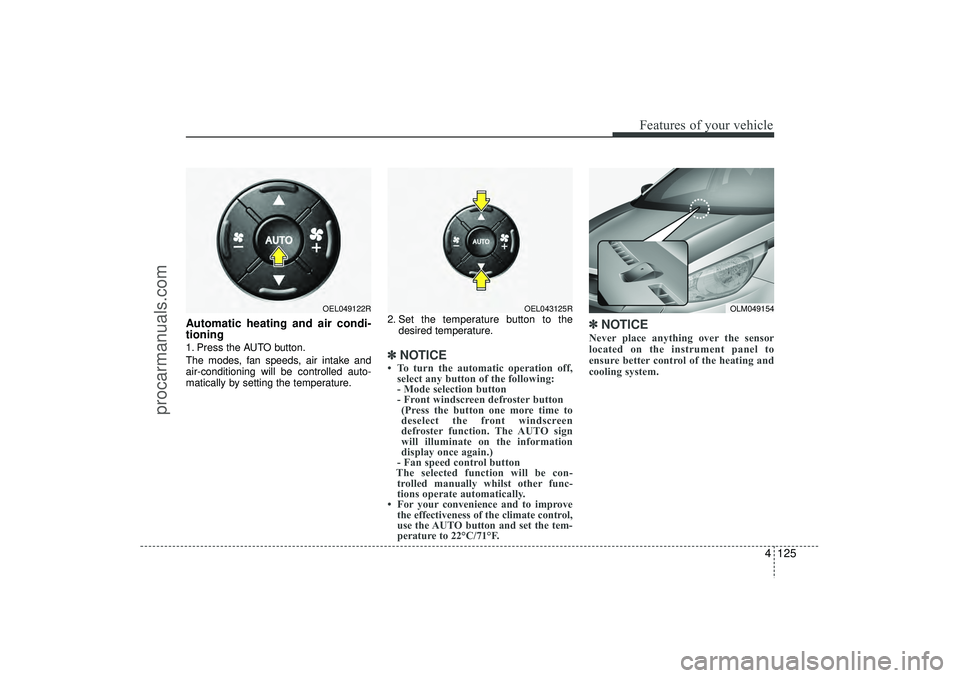
Automatic heating and air condi-
tioning1. Press the AUTO button.
The modes, fan speeds, air intake and
air-conditioning will be controlled auto-
matically by setting the temperature.2. Set the temperature button to the
desired temperature.
✽ ✽NOTICE• To turn the automatic operation off,
select any button of the following:
- Mode selection button
- Front windscreen defroster button (Press the button one more time to
deselect the front windscreen
defroster function. The AUTO sign
will illuminate on the information
display once again.)
- Fan speed control button
The selected function will be con- trolled manually whilst other func-
tions operate automatically.
• For your convenience and to improve the effectiveness of the climate control,
use the AUTO button and set the tem-
perature to 22°C/71°F.
✽ ✽ NOTICENever place anything over the sensor
located on the instrument panel to
ensure better control of the heating and
cooling system.
OLM049154
OEL049122R
OEL043125R
EL(FL) UK 4A.QXP 2/9/2015 9:08 PM Page 125
procarmanuals.com
Page 211 of 550
Features of your vehicle126
4Manual heating and air condition-
ingThe heating and cooling system can be
controlled manually by pressing buttons
or turning knob(s) other than the AUTO
button. In this case, the system works
sequentially according to the order of
buttons or knob(s) selected.
1. Start the engine.
2. Set the mode to the desired position.
For improving the effectiveness of
heating and cooling;
- Heating:
- Cooling:
3. Set the temperature control to the desired position.
4. Set the air intake control to the outside (fresh) air position.
5. Set the fan speed control to the desired speed.
6. If air conditioning is desired, turn the air conditioning system on.
Press the AUTO button in order to con-
vert to full automatic control of the sys-
tem.
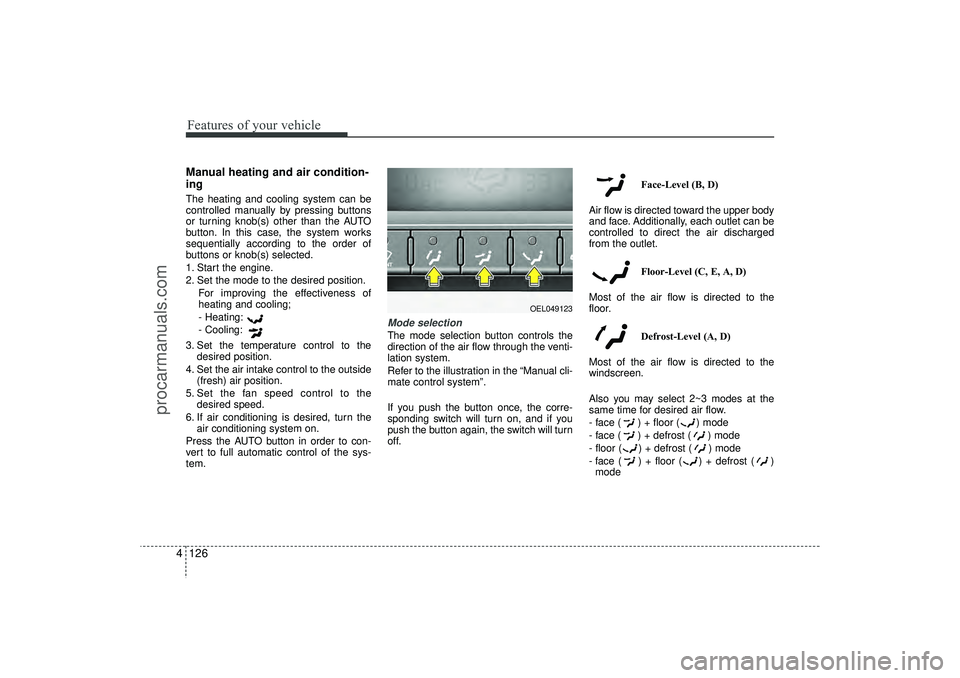
Mode selectionThe mode selection button controls the
direction of the air flow through the venti-
lation system.
Refer to the illustration in the “Manual cli-
mate control system”.
If you push the button once, the corre-
sponding switch will turn on, and if you
push the button again, the switch will turn
off. Face-Level (B, D)
Air flow is directed toward the upper body
and face. Additionally, each outlet can be
controlled to direct the air discharged
from the outlet.
Floor-Level (C, E, A, D)
Most of the air flow is directed to the
floor.
Defrost-Level (A, D)
Most of the air flow is directed to the
windscreen.
Also you may select 2~3 modes at the
same time for desired air flow.
- face ( ) + floor ( ) mode
- face ( ) + defrost ( ) mode
- floor ( ) + defrost ( ) mode
- face ( ) + floor ( ) + defrost ( ) mode
OEL049123
EL(FL) UK 4A.QXP 2/9/2015 9:08 PM Page 126
procarmanuals.com
Page 212 of 550
4 127
Features of your vehicle
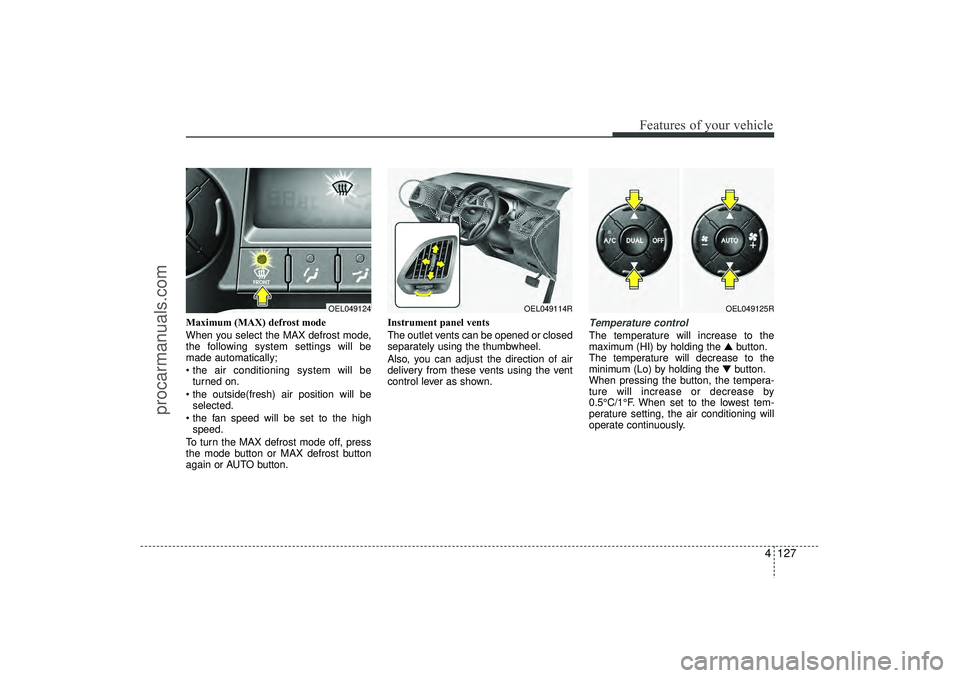
Maximum (MAX) defrost mode
When you select the MAX defrost mode,
the following system settings will be
made automatically;
the air conditioning system will beturned on.
the outside(fresh) air position will be selected.
the fan speed will be set to the high speed.
To turn the MAX defrost mode off, press
the mode button or MAX defrost button
again or AUTO button. Instrument panel vents
The outlet vents can be opened or closed
separately using the thumbwheel.
Also, you can adjust the direction of air
delivery from these vents using the vent
control lever as shown.
Temperature controlThe temperature will increase to the
maximum (HI) by holding the
▲button.
The temperature will decrease to the
minimum (Lo) by holding the ▼button.
When pressing the button, the tempera-
ture will increase or decrease by
0.5°C/1°F. When set to the lowest tem-
perature setting, the air conditioning will
operate continuously.
OEL049124
OEL049114R
OEL049125R
EL(FL) UK 4A.QXP 2/9/2015 9:08 PM Page 127
procarmanuals.com
Page 214 of 550
4 129
Features of your vehicle
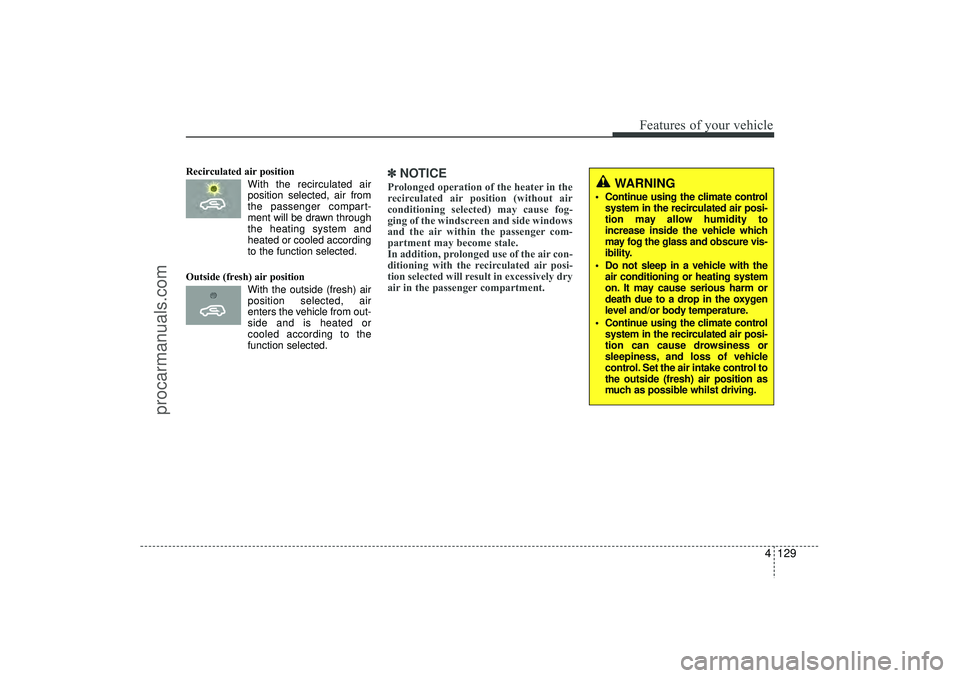
Recirculated air positionWith the recirculated airposition selected, air from
the passenger compart-
ment will be drawn through
the heating system and
heated or cooled according
to the function selected.
Outside (fresh) air position With the outside (fresh) airposition selected, air
enters the vehicle from out-
side and is heated or
cooled according to the
function selected.
✽ ✽ NOTICEProlonged operation of the heater in the
recirculated air position (without air
conditioning selected) may cause fog-
ging of the windscreen and side windows
and the air within the passenger com-
partment may become stale.
In addition, prolonged use of the air con-
ditioning with the recirculated air posi-
tion selected will result in excessively dry
air in the passenger compartment.
WARNING
Continue using the climate control
system in the recirculated air posi-
tion may allow humidity to
increase inside the vehicle which
may fog the glass and obscure vis-
ibility.
Do not sleep in a vehicle with the air conditioning or heating system
on. It may cause serious harm or
death due to a drop in the oxygen
level and/or body temperature.
Continue using the climate control system in the recirculated air posi-
tion can cause drowsiness or
sleepiness, and loss of vehicle
control. Set the air intake control to
the outside (fresh) air position as
much as possible whilst driving.
EL(FL) UK 4A.QXP 2/9/2015 9:08 PM Page 129
procarmanuals.com
Page 215 of 550
Features of your vehicle130
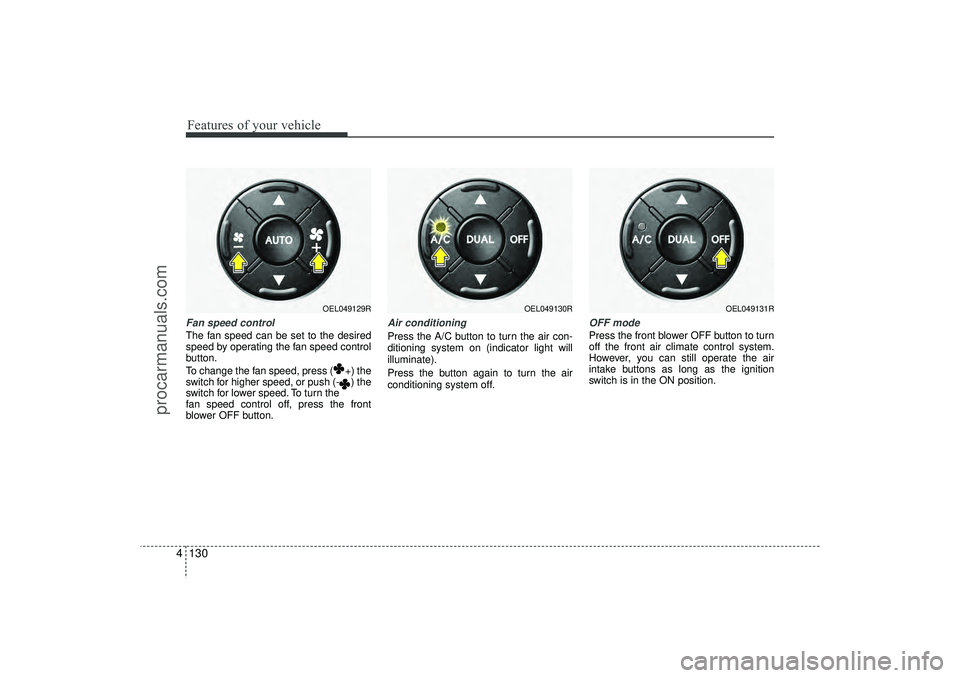
4Fan speed controlThe fan speed can be set to the desired
speed by operating the fan speed control
button.
To change the fan speed, press ( +) the
switch for higher speed, or push (- ) the
switch for lower speed. To turn the
fan speed control off, press the front
blower OFF button.
Air conditioningPress the A/C button to turn the air con-
ditioning system on (indicator light will
illuminate).
Press the button again to turn the air
conditioning system off.
OFF modePress the front blower OFF button to turn
off the front air climate control system.
However, you can still operate the air
intake buttons as long as the ignition
switch is in the ON position.
OEL049129R
OEL049130R
OEL049131R
EL(FL) UK 4A.QXP 2/9/2015 9:08 PM Page 130
procarmanuals.com
Page 217 of 550
Features of your vehicle132
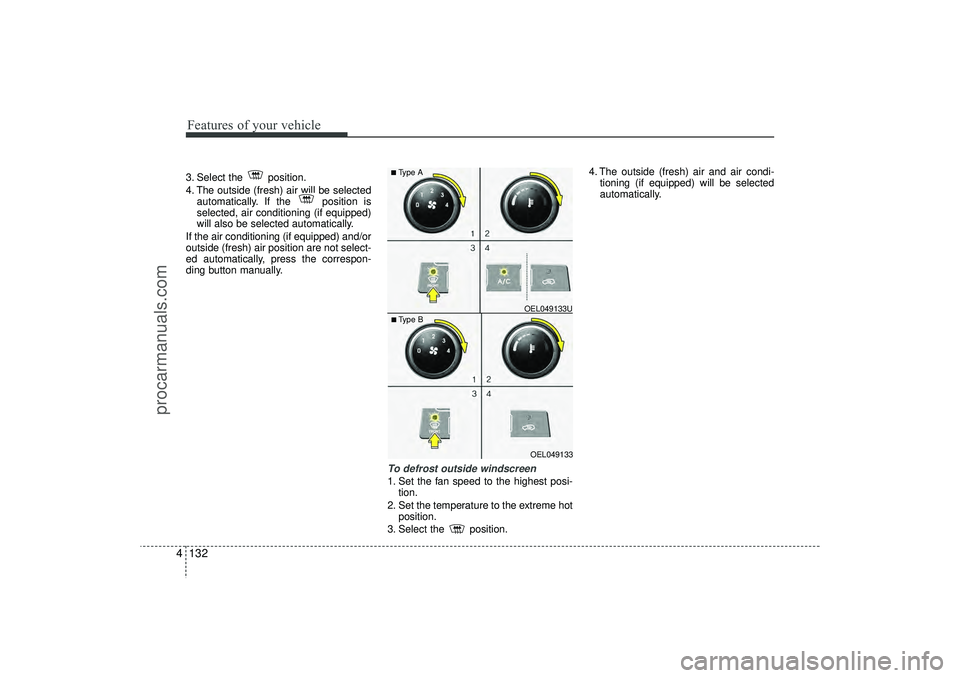
43. Select the position.
4. The outside (fresh) air will be selected
automatically. If the position is
selected, air conditioning (if equipped)
will also be selected automatically.
If the air conditioning (if equipped) and/or
outside (fresh) air position are not select-
ed automatically, press the correspon-
ding button manually.
To defrost outside windscreen 1. Set the fan speed to the highest posi- tion.
2. Set the temperature to the extreme hot position.
3. Select the position. 4. The outside (fresh) air and air condi-
tioning (if equipped) will be selected
automatically.
OEL049133
■Type B OEL049133U■Type A
EL(FL) UK 4A.QXP 2/9/2015 9:08 PM Page 132
procarmanuals.com
Page 218 of 550
4 133
Features of your vehicle
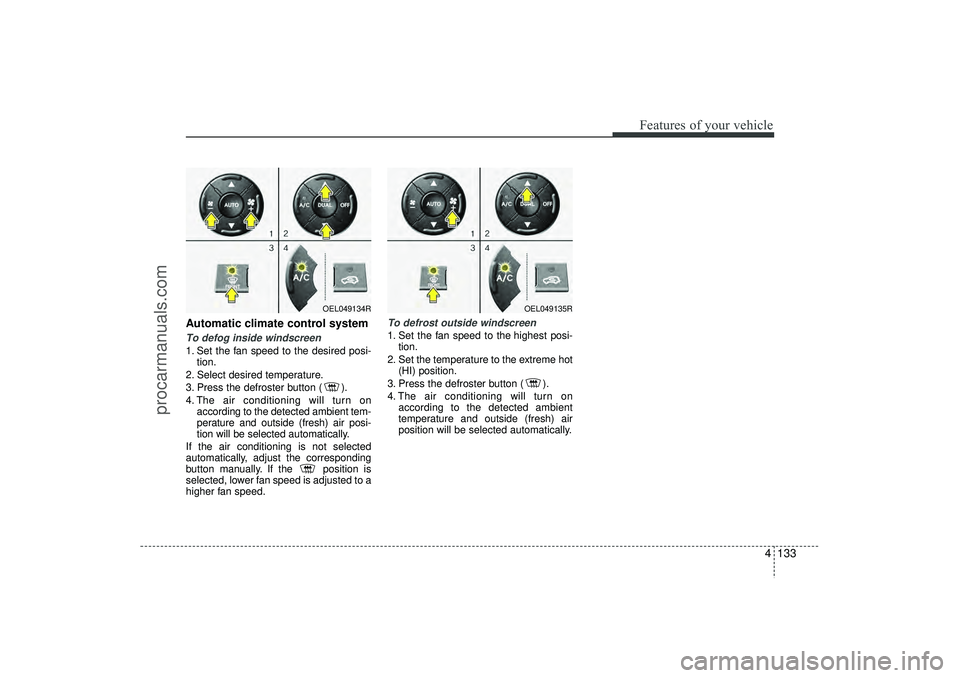
Automatic climate control systemTo defog inside windscreen 1. Set the fan speed to the desired posi-tion.
2. Select desired temperature.
3. Press the defroster button ( ).
4. The air conditioning will turn on according to the detected ambient tem-
perature and outside (fresh) air posi-
tion will be selected automatically.
If the air conditioning is not selected
automatically, adjust the corresponding
button manually. If the position is
selected, lower fan speed is adjusted to a
higher fan speed.
To defrost outside windscreen 1. Set the fan speed to the highest posi- tion.
2. Set the temperature to the extreme hot (HI) position.
3. Press the defroster button ( ).
4. The air conditioning will turn on according to the detected ambient
temperature and outside (fresh) air
position will be selected automatically.
OEL049134R
OEL049135R
EL(FL) UK 4A.QXP 2/9/2015 9:08 PM Page 133
procarmanuals.com
Page 220 of 550
4 135
Features of your vehicle
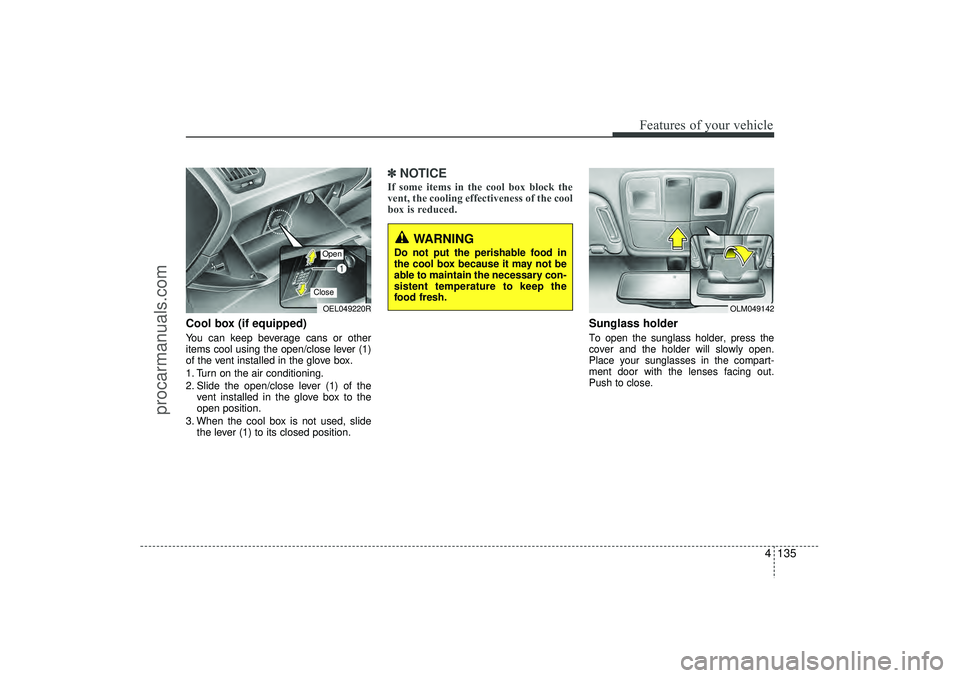
Cool box (if equipped)You can keep beverage cans or other
items cool using the open/close lever (1)
of the vent installed in the glove box.
1. Turn on the air conditioning.
2. Slide the open/close lever (1) of thevent installed in the glove box to the
open position.
3. When the cool box is not used, slide the lever (1) to its closed position.
✽ ✽NOTICEIf some items in the cool box block the
vent, the cooling effectiveness of the cool
box is reduced.
Sunglass holder To open the sunglass holder, press the
cover and the holder will slowly open.
Place your sunglasses in the compart-
ment door with the lenses facing out.
Push to close.
OEL049220ROpenClose
OLM049142
WARNING
Do not put the perishable food in
the cool box because it may not be
able to maintain the necessary con-
sistent temperature to keep the
food fresh.
EL(FL) UK 4A.QXP 2/9/2015 9:09 PM Page 135
procarmanuals.com
Page 364 of 550
Driving your vehicle16
5✽
✽
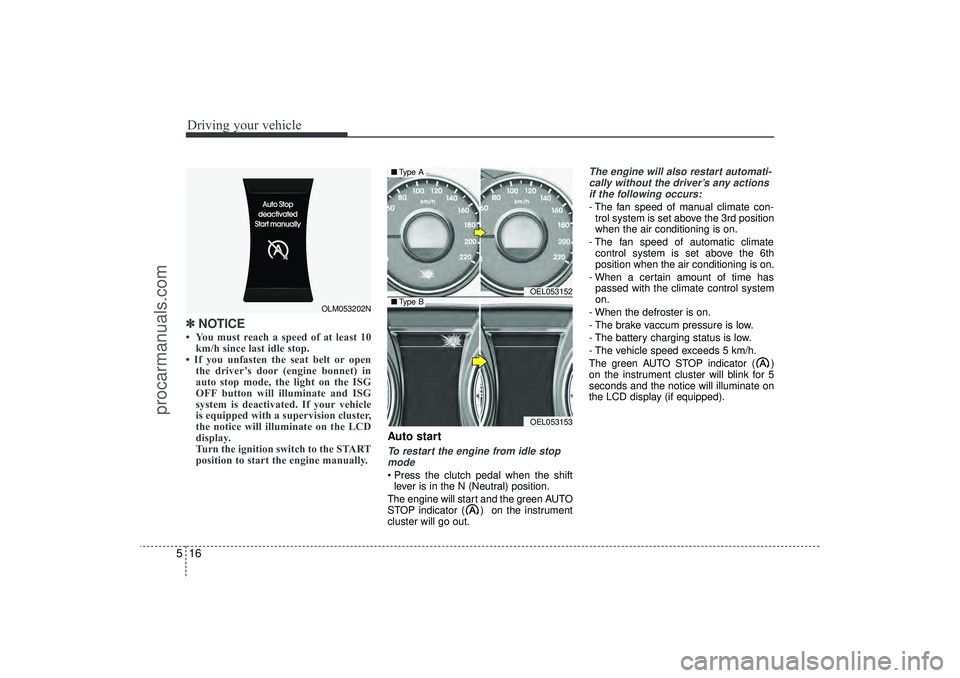
NOTICE • You must reach a speed of at least 10
km/h since last idle stop.
• If you unfasten the seat belt or open the driver’s door (engine bonnet) in
auto stop mode, the light on the ISG
OFF button will illuminate and ISG
system is deactivated. If your vehicle
is equipped with a supervision cluster,
the notice will illuminate on the LCD
display.
Turn the ignition switch to the START
position to start the engine manually.
Auto startTo restart the engine from idle stop
mode Press the clutch pedal when the shift lever is in the N (Neutral) position.
The engine will start and the green AUTO
STOP indicator ( ) on the instrument
cluster will go out.
The engine will also restart automati- cally without the driver’s any actionsif the following occurs:- The fan speed of manual climate con- trol system is set above the 3rd position
when the air conditioning is on.
- The fan speed of automatic climate control system is set above the 6th
position when the air conditioning is on.
- When a certain amount of time has passed with the climate control system
on.
- When the defroster is on.
- The brake vaccum pressure is low.
- The battery charging status is low.
- The vehicle speed exceeds 5 km/h.
The green AUTO STOP indicator ( )
on the instrument cluster will blink for 5
seconds and the notice will illuminate on
the LCD display (if equipped).
OLM053202N
OEL053152OEL053153
■ Type A■Type B
EL(FL) UK 5.QXP 12/16/2014 8:08 PM Page 16
procarmanuals.com
Page 404 of 550
Driving your vehicle56
5 Remember, your vehicle does not
require extended warm-up. After the
engine has started, allow the engine to
run for 10 to 20 seconds prior to plac-
ing the vehicle in gear. In very cold
weather, however, give your engine a
slightly longer warm-up period.
Don't "labour" or "over-rev" the engine. Labouring is driving too slowly in too
high a gear resulting engine bucking. If
this happens, shift to a lower gear.
Over-revving is racing the engine
beyond its safe limit. This can be avoid-
ed by shifting at the recommended
speeds.
Use your air conditioning sparingly. The air conditioning system is operat-
ed by engine power so your fuel econ-
omy is reduced when you use it.
Open windows at high speeds can reduce fuel economy.
Fuel economy is less in crosswinds and headwinds. To help offset some of
this loss, slow down when driving in
these conditions. Keeping a vehicle in good operating con-
dition is important both for economy and
safety. Therefore, we recommend that
you contact a HYUNDAI authorised
repairer to perform scheduled inspec-
tions and maintenance
WARNING
- Engine off dur-
ing motion
Never turn the engine off to coast
down hills or anytime the vehicle is
in motion. The power steering and
power brakes will not function
properly without the engine run-
ning. Instead, keep the engine on
and downshift to an appropriate
gear for engine braking effect. In
addition, turning off the ignition
whilst driving could engage the
steering wheel lock resulting in
loss of vehicle steering which
could cause serious injury or
death.
EL(FL) UK 5.QXP 12/16/2014 8:10 PM Page 56
procarmanuals.com