park assist HYUNDAI IX35 2016 User Guide
[x] Cancel search | Manufacturer: HYUNDAI, Model Year: 2016, Model line: IX35, Model: HYUNDAI IX35 2016Pages: 550, PDF Size: 11.23 MB
Page 174 of 550
489
Features of your vehicle
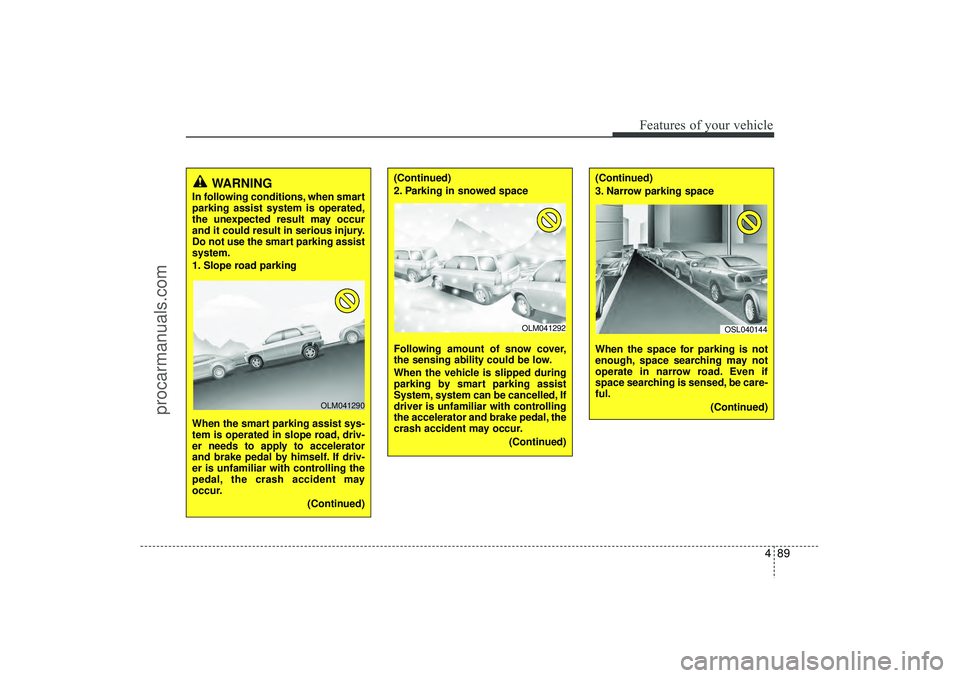
WARNING
In following conditions, when smart
parking assist system is operated,
the unexpected result may occur
and it could result in serious injury.
Do not use the smart parking assist
system.
1. Slope road parking
When the smart parking assist sys-
tem is operated in slope road, driv-
er needs to apply to accelerator
and brake pedal by himself. If driv-
er is unfamiliar with controlling the
pedal, the crash accident may
occur.(Continued)
OLM041290
(Continued)
2. Parking in snowed space
Following amount of snow cover,
the sensing ability could be low.
When the vehicle is slipped during
parking by smart parking assist
System, system can be cancelled, If
driver is unfamiliar with controlling
the accelerator and brake pedal, the
crash accident may occur.(Continued)
(Continued)
3. Narrow parking space
When the space for parking is not
enough, space searching may not
operate in narrow road. Even if
space searching is sensed, be care-
ful.(Continued)
OLM041292
OSL040144
EL(FL) UK 4A.QXP 2/9/2015 9:05 PM Page 89
procarmanuals.com
Page 175 of 550
Features of your vehicle90
4(Continued)
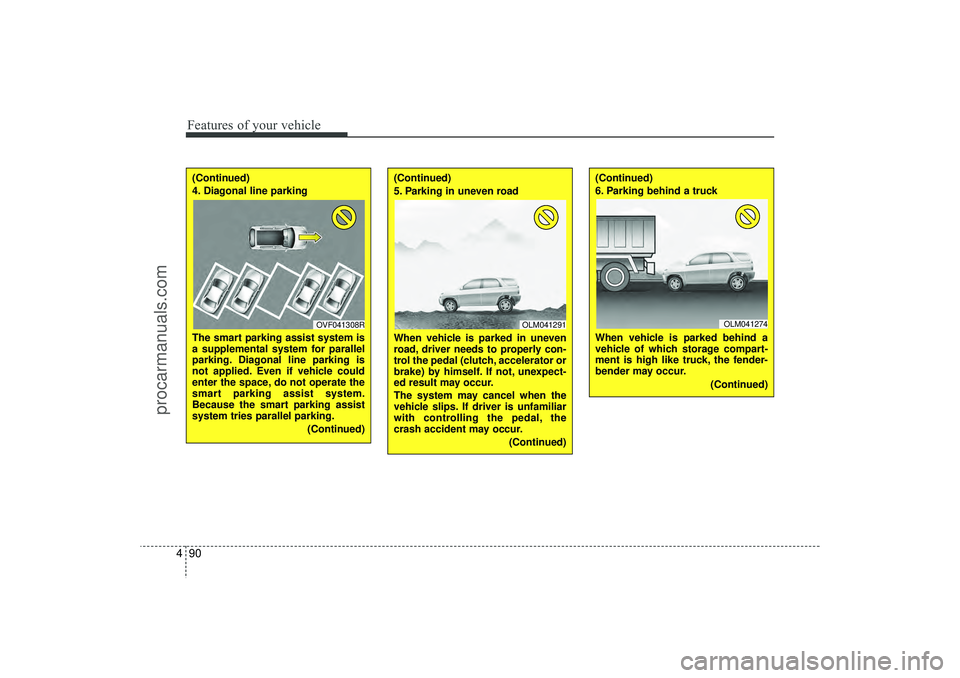
4. Diagonal line parking
The smart parking assist system is
a supplemental system for parallel
parking. Diagonal line parking is
not applied. Even if vehicle could
enter the space, do not operate the
smart parking assist system.
Because the smart parking assist
system tries parallel parking.
(Continued)
(Continued)
5. Parking in uneven road
When vehicle is parked in uneven
road, driver needs to properly con-
trol the pedal (clutch, accelerator or
brake) by himself. If not, unexpect-
ed result may occur.
The system may cancel when the
vehicle slips. If driver is unfamiliar
with controlling the pedal, the
crash accident may occur.(Continued)
(Continued)
6. Parking behind a truck
When vehicle is parked behind a
vehicle of which storage compart-
ment is high like truck, the fender-
bender may occur.(Continued)
OVF041308R
OLM041291
OLM041274
EL(FL) UK 4A.QXP 2/9/2015 9:05 PM Page 90
procarmanuals.com
Page 176 of 550
491
Features of your vehicle
Operation wayBefore operating the smart parking assist
system, confirm the condition that is pos-
sible to use. For safety, always operate it
by applying the brake pedal under any
condition, for example before each step,
whilst pressing the ON/OFF button of this
system or shifting the lever, etc.
When vehicle is parked by using the
smart parking assist system, general
steps are followings
1. The smart parking assist system select
2. Parking mode select
3. Parking space search : Direct way driv-ing
4. Search complete : Automatic search by sensor
However, before parking, real parking
environment confirmations are needed
for driver. 5. Steering wheel support (Rear Parking
type)
(1) Operate shift lever by display in cluster
(2) Always drive slowly with applying to brake
6. Smart parking assist system complete
7. If required, move vehicle to manual operation
According to parking space, select
mode, and surrounding environment, the
sequence of display or situation could be
changed. Refer to next operation way.
(Continued)
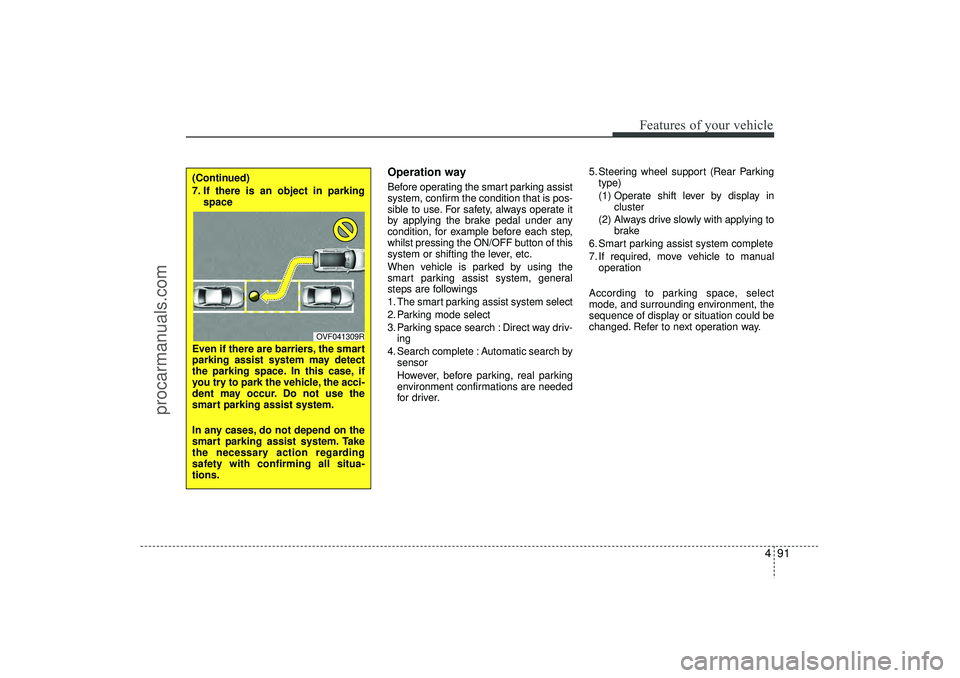
7. If there is an object in parking space
Even if there are barriers, the smart
parking assist system may detect
the parking space. In this case, if
you try to park the vehicle, the acci-
dent may occur. Do not use the
smart parking assist system.
In any cases, do not depend on the
smart parking assist system. Take
the necessary action regarding
safety with confirming all situa-
tions.
OVF041309R
EL(FL) UK 4A.QXP 2/9/2015 9:05 PM Page 91
procarmanuals.com
Page 177 of 550
Features of your vehicle92
41. Smart parking assist system
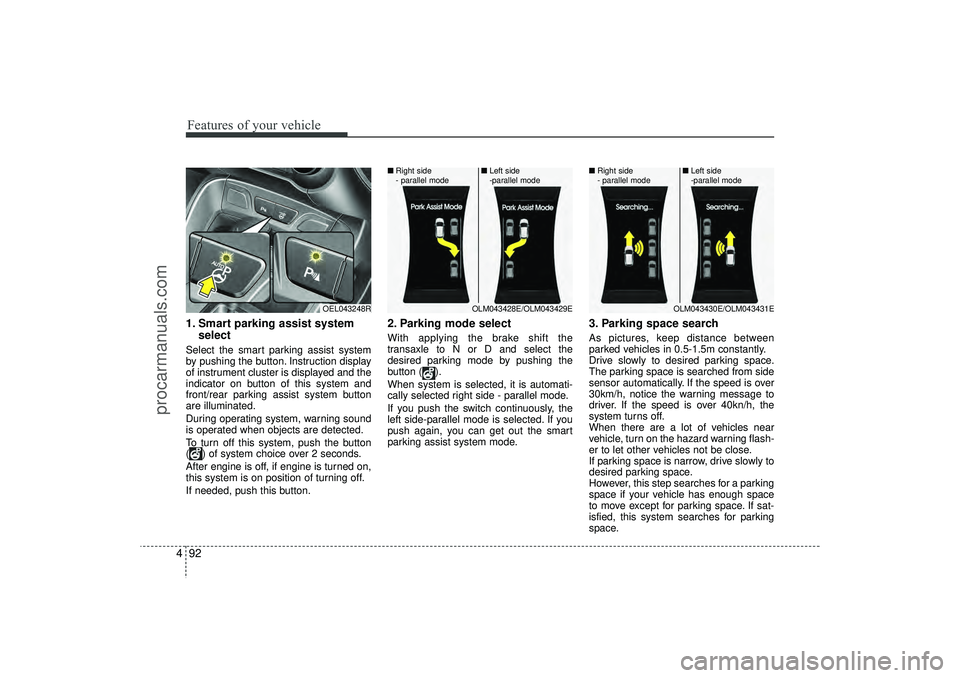
selectSelect the smart parking assist system
by pushing the button. Instruction display
of instrument cluster is displayed and the
indicator on button of this system and
front/rear parking assist system button
are illuminated.
During operating system, warning sound
is operated when objects are detected.
To turn off this system, push the button
( ) of system choice over 2 seconds.
After engine is off, if engine is turned on,
this system is on position of turning off.
If needed, push this button.
2. Parking mode selectWith applying the brake shift the
transaxle to N or D and select the
desired parking mode by pushing the
button ( ).
When system is selected, it is automati-
cally selected right side - parallel mode.
If you push the switch continuously, the
left side-parallel mode is selected. If you
push again, you can get out the smart
parking assist system mode.
3. Parking space searchAs pictures, keep distance between
parked vehicles in 0.5-1.5m constantly.
Drive slowly to desired parking space.
The parking space is searched from side
sensor automatically. If the speed is over
30km/h, notice the warning message to
driver. If the speed is over 40kn/h, the
system turns off.
When there are a lot of vehicles near
vehicle, turn on the hazard warning flash-
er to let other vehicles not be close.
If parking space is narrow, drive slowly to
desired parking space.
However, this step searches for a parking
space if your vehicle has enough space
to move except for parking space. If sat-
isfied, this system searches for parking
space.
OEL043248R
OLM043428E/OLM043429E
■
Right side
- parallel mode ■
Left side
-parallel mode
OLM043430E/OLM043431E
■
Right side
- parallel mode ■
Left side
-parallel mode
EL(FL) UK 4A.QXP 2/9/2015 9:06 PM Page 92
procarmanuals.com
Page 178 of 550
493
Features of your vehicle
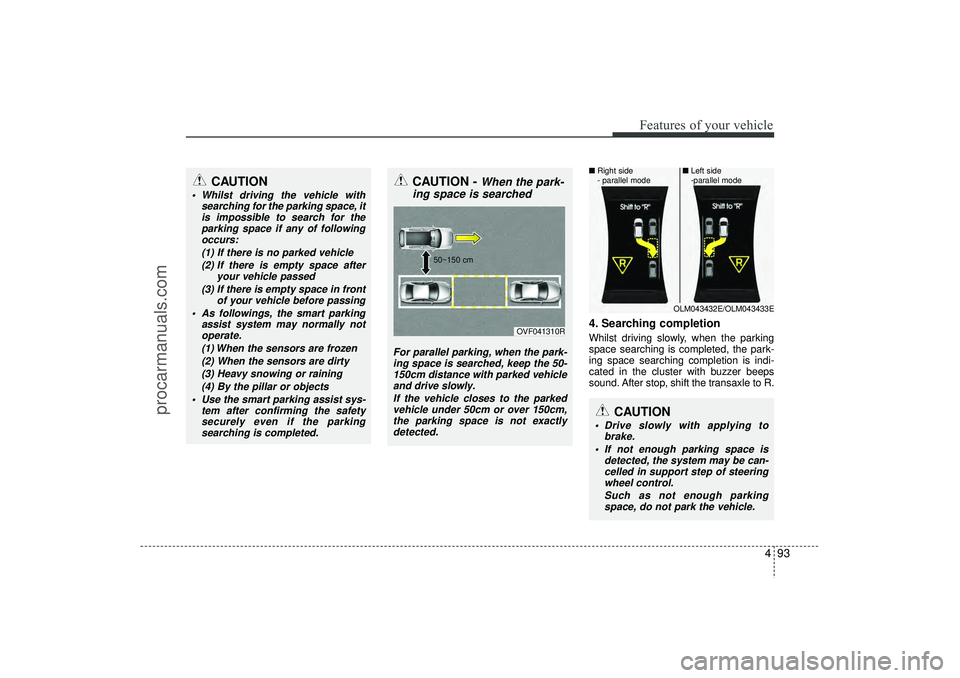
4. Searching completionWhilst driving slowly, when the parking
space searching is completed, the park-
ing space searching completion is indi-
cated in the cluster with buzzer beeps
sound. After stop, shift the transaxle to R.
CAUTION
Whilst driving the vehicle withsearching for the parking space, itis impossible to search for theparking space if any of followingoccurs:
(1) If there is no parked vehicle(2) If there is empty space after your vehicle passed
(3) If there is empty space in front of your vehicle before passing
As followings, the smart parking assist system may normally notoperate.
(1) When the sensors are frozen(2) When the sensors are dirty(3) Heavy snowing or raining (4) By the pillar or objects
Use the smart parking assist sys- tem after confirming the safetysecurely even if the parking searching is completed.
CAUTION -
When the park-
ing space is searched
For parallel parking, when the park-
ing space is searched, keep the 50- 150cm distance with parked vehicleand drive slowly.
If the vehicle closes to the parkedvehicle under 50cm or over 150cm,the parking space is not exactly detected.
OVF041310R
50~150 cm
CAUTION
Drive slowly with applying to
brake.
If not enough parking space is detected, the system may be can-celled in support step of steering wheel control.
Such as not enough parkingspace, do not park the vehicle.
OLM043432E/OLM043433E
■
Right side
- parallel mode ■
Left side
-parallel mode
EL(FL) UK 4A.QXP 2/9/2015 9:06 PM Page 93
procarmanuals.com
Page 180 of 550
495
Features of your vehicle
System cancellation whilst park-
ingPush the smart parking assist system or
turn the steering wheel left side or right
side.
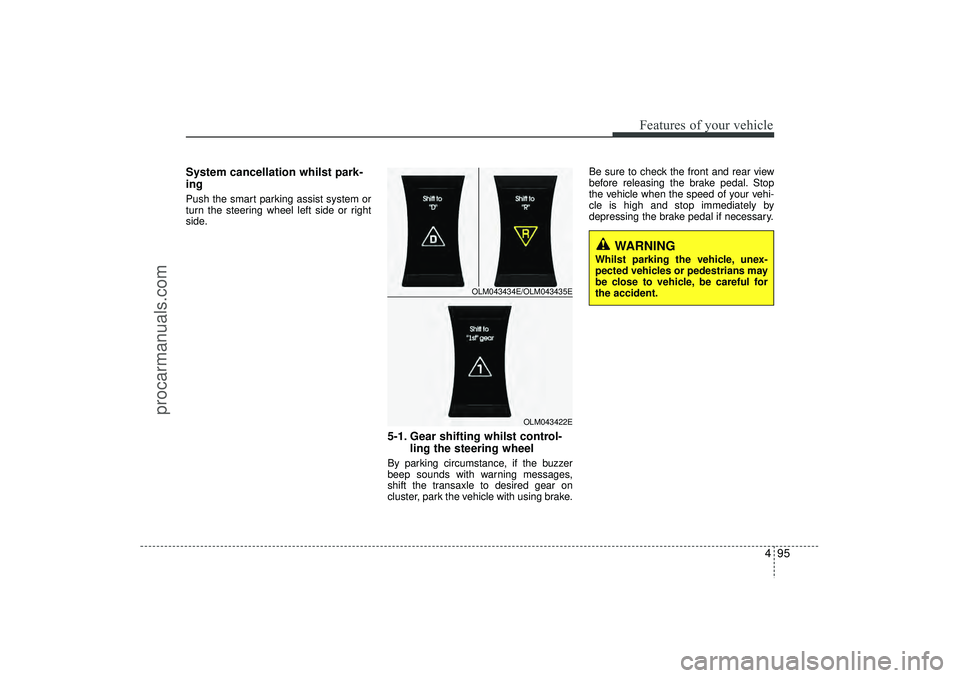
5-1. Gear shifting whilst control-ling the steering wheelBy parking circumstance, if the buzzer
beep sounds with warning messages,
shift the transaxle to desired gear on
cluster, park the vehicle with using brake. Be sure to check the front and rear view
before releasing the brake pedal. Stop
the vehicle when the speed of your vehi-
cle is high and stop immediately by
depressing the brake pedal if necessary.
OLM043434E/OLM043435E
OLM043422E
WARNING
Whilst parking the vehicle, unex-
pected vehicles or pedestrians may
be close to vehicle, be careful for
the accident.
EL(FL) UK 4A.QXP 2/9/2015 9:06 PM Page 95
procarmanuals.com
Page 181 of 550
Features of your vehicle96
4
CAUTION
Park the vehicle by yourself as fol-
lowing because the system will be cancelled;
1. Whilst searching for the parking space
- When the ABS/ESC is operated- When the vehicle speed is over 40km/h
- When you click the smart parking assist system button
(The front and rear parking assistsystem is normally operated)
- When you shift the transaxle to R
2. Whilst controlling the steering wheel
- When the ABS/ESC is operated- When the vehicle speed is over 7km/h
- When you click the smart parking assist system button
(The front and rear parking assistsystem is normally operated.)
- When you shift the transaxle to D before entering the parkingspace
- When you grab the steering strongly
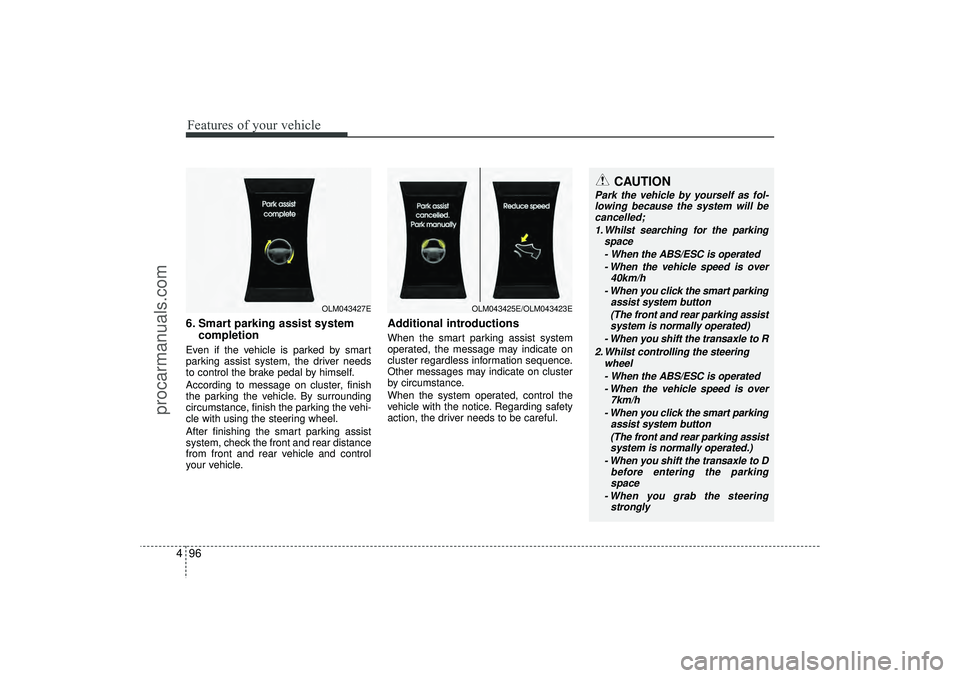
6. Smart parking assist system completionEven if the vehicle is parked by smart
parking assist system, the driver needs
to control the brake pedal by himself.
According to message on cluster, finish
the parking the vehicle. By surrounding
circumstance, finish the parking the vehi-
cle with using the steering wheel.
After finishing the smart parking assist
system, check the front and rear distance
from front and rear vehicle and control
your vehicle.
Additional introductionsWhen the smart parking assist system
operated, the message may indicate on
cluster regardless information sequence.
Other messages may indicate on cluster
by circumstance.
When the system operated, control the
vehicle with the notice. Regarding safety
action, the driver needs to be careful.
OLM043427E
OLM043425E/OLM043423E
EL(FL) UK 4A.QXP 2/9/2015 9:06 PM Page 96
procarmanuals.com
Page 182 of 550
497
Features of your vehicle
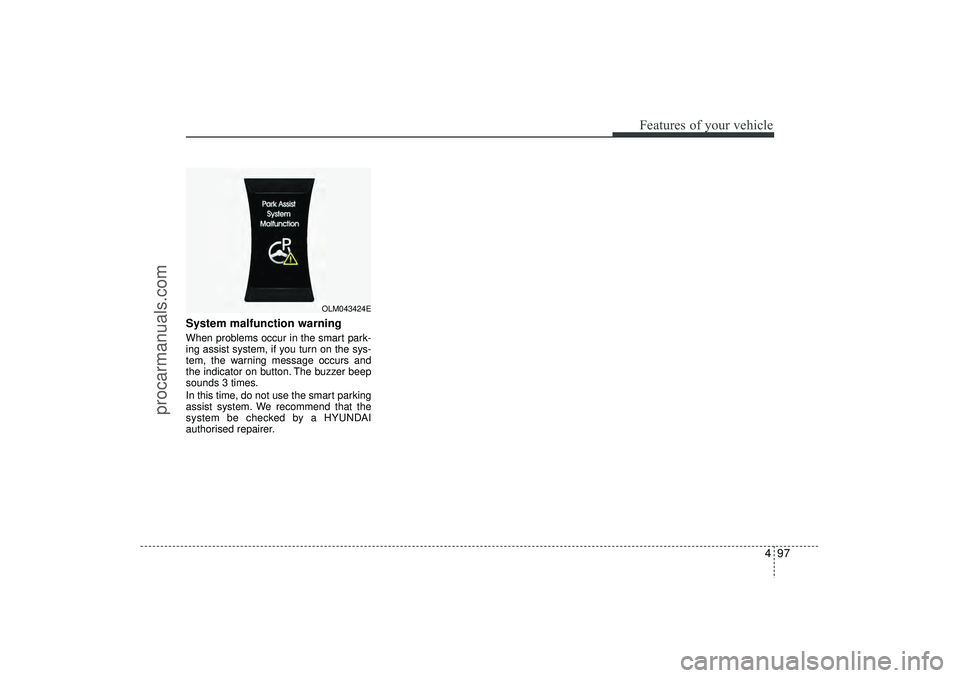
System malfunction warningWhen problems occur in the smart park-
ing assist system, if you turn on the sys-
tem, the warning message occurs and
the indicator on button. The buzzer beep
sounds 3 times.
In this time, do not use the smart parking
assist system. We recommend that the
system be checked by a HYUNDAI
authorised repairer.
OLM043424E
EL(FL) UK 4A.QXP 2/9/2015 9:06 PM Page 97
procarmanuals.com
Page 349 of 550
Driving your vehicle
5
Before driving . . . . . . . . . . . . . . . . . . . . . . . . . . . . . . 5-4• Before entering vehicle . . . . . . . . . . . . . . . . . . . . . . . . . 5-4
• Necessary inspections . . . . . . . . . . . . . . . . . . . . . . . . . 5-4
• Before starting . . . . . . . . . . . . . . . . . . . . . . . . . . . . . . . 5-4Key positions . . . . . . . . . . . . . . . . . . . . . . . . . . . . . . . 5-5• Illuminated ignition switch . . . . . . . . . . . . . . . . . . . . . 5-5
• Ignition switch position . . . . . . . . . . . . . . . . . . . . . . . . . 5-6
• Starting the engine . . . . . . . . . . . . . . . . . . . . . . . . . . . . 5-7Engine start/stop button . . . . . . . . . . . . . . . . . . . . . 5-9• Illuminated engine start/stop button . . . . . . . . . . . . . . 5-9
• Engine start/stop button position. . . . . . . . . . . . . . . . . 5-9
• Starting the engine . . . . . . . . . . . . . . . . . . . . . . . . . . . 5-12ISG (Idle Stop and Go) system . . . . . . . . . . . . . . 5-15• Auto stop . . . . . . . . . . . . . . . . . . . . . . . . . . . . . . . . . . . 5-\
15
• Auto start . . . . . . . . . . . . . . . . . . . . . . . . . . . . . . . . . . . 5-\
16
• Condition of ISG system operation . . . . . . . . . . . . . . 5-17
• ISG system deactivation . . . . . . . . . . . . . . . . . . . . . . . 5-17
• ISG system malfunction . . . . . . . . . . . . . . . . . . . . . . . 5-18Manual transaxle . . . . . . . . . . . . . . . . . . . . . . . . . . 5-19• Manual transaxle operation . . . . . . . . . . . . . . . . . . . . 5-19
• Good driving practices . . . . . . . . . . . . . . . . . . . . . . . . 5-21Automatic transaxle . . . . . . . . . . . . . . . . . . . . . . . 5-22• Automatic transaxle operation. . . . . . . . . . . . . . . . . . 5-23
• Good driving practices . . . . . . . . . . . . . . . . . . . . . . . . 5-27
Four wheel drive (4WD) . . . . . . . . . . . . . . . . . . . . 5-28• Tight corner brake effect . . . . . . . . . . . . . . . . . . . . . . 5-28
• Four Wheel Drive (4WD) transfer mode selection . 5-29
• For safe four-wheel drive operation . . . . . . . . . . . . 5-30
• Reducing the risk of a rollover . . . . . . . . . . . . . . . . . 5-32Brake system . . . . . . . . . . . . . . . . . . . . . . . . . . . . . . 5-35• Power brakes . . . . . . . . . . . . . . . . . . . . . . . . . . . . . . . 5-35
• Parking brake . . . . . . . . . . . . . . . . . . . . . . . . . . . . . . 5-36
• Anti-lock brake system (ABS) . . . . . . . . . . . . . . . . . . 5-38
• Electronic stability control (ESC) . . . . . . . . . . . . . . . 5-41
• Vehicle stability management (VSM) . . . . . . . . . . . . 5-44
• Hill-start assist control (HAC) . . . . . . . . . . . . . . . . . . 5-45
• Downhill brake control (DBC) . . . . . . . . . . . . . . . . . 5-46
• Emergency stop signal (ESS) . . . . . . . . . . . . . . . . . . . 5-47
• Trailer stability assist (TSA) . . . . . . . . . . . . . . . . . . . 5-47
• Good braking practices. . . . . . . . . . . . . . . . . . . . . . . . 5-48Cruise control system . . . . . . . . . . . . . . . . . . . . . . 5-50• To set cruise control speed . . . . . . . . . . . . . . . . . . . . . 5-51
• To increase cruise control set speed. . . . . . . . . . . . . . 5-51
• To decrease the cruising speed . . . . . . . . . . . . . . . . . . 5-52
• To temporarily accelerate with the cruise control on . . . . . . . . . . . . . . . . . . . . . . . . 5-52
• To cancel cruise control, do one of the following . . . 5-52
• To resume cruising speed at more than approximately 25 mph (40 km/h) . . . . . . . . . . . . . . 5-53
EL(FL) UK 5.QXP 12/16/2014 8:08 PM Page 1
procarmanuals.com
Page 383 of 550
535
Driving your vehicle
Power brakes Your vehicle has power-assisted brakes
that adjust automatically through normal
usage.
In the event that the power-assisted
brakes lose power because of a stalled
engine or some other reason, you can
still stop your vehicle by applying greater
force to the brake pedal than you nor-
mally would. The stopping distance, how-
ever, will be longer.
When the engine is not running, the
reserve brake power is partially depleted
each time the brake pedal is applied. Do
not pump the brake pedal when the
power assist has been interrupted.
Pump the brake pedal only when neces-
sary to maintain steering control on slip-
pery surfaces.
In the event of brake failure If service brakes fail to operate whilst the
vehicle is in motion, you can make an
emergency stop with the parking brake.
The stopping distance, however, will be
much greater than normal.
BRAKE SYSTEM
(Continued)
When descending a long or steephill, shift to a lower gear and
avoid continuous application of
the brakes. Continuous brake
application will cause the brakes
to overheat and could result in a
temporary loss of braking per-
formance.
Wet brakes may impair the vehi- cle’s ability to sefely slow down;
the vehicle may also pull to one
side when the brakes are applied.
Applying the brakes lightly will
indicate whether they have been
affected in this way. Always test
your brakes in this fashion after
driving through deep water. To
dry the brakes, apply them lightly
whilst maintaining a safe forward
speed until brake performance
returns to normal.
Always, confirm the position of the brake and accelerator pedal
before driving. If you don't check
the position of the accelerator
and brake pedal before driving,
you may depress the accelerator
instead of the brake pedal. It may
cause a serious accident.
WARNING
- Parking brake
Applying the parking brake whilst
the vehicle is moving at normal
speeds can cause a sudden loss of
control of the vehicle. If you must
use the parking brake to stop the
vehicle, use great caution in apply-
ing the brake.
WARNING -
Brakes
Do not drive with your foot rest-ing on the brake pedal. This will
create abnormal high brake tem-
peratures, excessive brake lining
and pad wear, and increased
stopping distances.
(Continued)
EL(FL) UK 5.QXP 12/16/2014 8:09 PM Page 35
procarmanuals.com