steering HYUNDAI IX35 2016 Owner's Manual
[x] Cancel search | Manufacturer: HYUNDAI, Model Year: 2016, Model line: IX35, Model: HYUNDAI IX35 2016Pages: 550, PDF Size: 9.92 MB
Page 154 of 550
469
Features of your vehicle
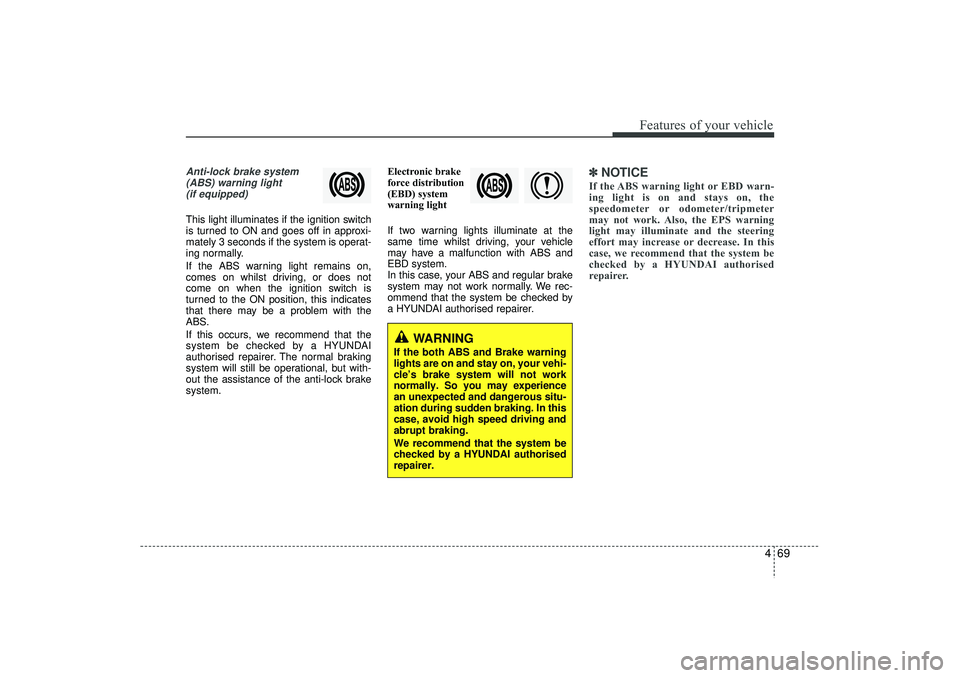
Anti-lock brake system(ABS) warning light (if equipped)This light illuminates if the ignition switch
is turned to ON and goes off in approxi-
mately 3 seconds if the system is operat-
ing normally.
If the ABS warning light remains on,
comes on whilst driving, or does not
come on when the ignition switch is
turned to the ON position, this indicates
that there may be a problem with the
ABS.
If this occurs, we recommend that the
system be checked by a HYUNDAI
authorised repairer. The normal braking
system will still be operational, but with-
out the assistance of the anti-lock brake
system. Electronic brake
force distribution
(EBD) system
warning light
If two warning lights illuminate at the
same time whilst driving, your vehicle
may have a malfunction with ABS and
EBD system.
In this case, your ABS and regular brake
system may not work normally. We rec-
ommend that the system be checked by
a HYUNDAI authorised repairer.
✽ ✽
NOTICEIf the ABS warning light or EBD warn-
ing light is on and stays on, the
speedometer or odometer/tripmeter
may not work. Also, the EPS warning
light may illuminate and the steering
effort may increase or decrease. In this
case, we recommend that the system be
checked by a HYUNDAI authorised
repairer.
WARNING
If the both ABS and Brake warning
lights are on and stay on, your vehi-
cle’s brake system will not work
normally. So you may experience
an unexpected and dangerous situ-
ation during sudden braking. In this
case, avoid high speed driving and
abrupt braking.
We recommend that the system be
checked by a HYUNDAI authorised
repairer.
EL(FL) UK 4A.QXP 2/9/2015 9:05 PM Page 69
Page 162 of 550
477
Features of your vehicle
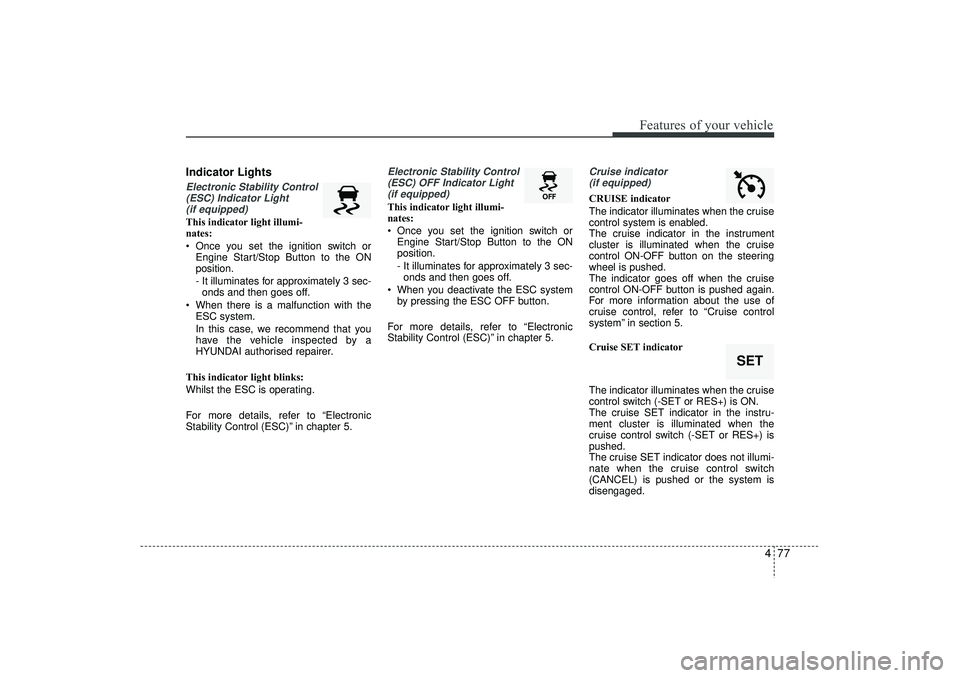
Indicator LightsElectronic Stability Control(ESC) Indicator Light (if equipped)This indicator light illumi-
nates:
Once you set the ignition switch or Engine Start/Stop Button to the ON
position.
- It illuminates for approximately 3 sec-onds and then goes off.
When there is a malfunction with the ESC system.
In this case, we recommend that you
have the vehicle inspected by a
HYUNDAI authorised repairer.
This indicator light blinks:
Whilst the ESC is operating.
For more details, refer to “Electronic
Stability Control (ESC)” in chapter 5.
Electronic Stability Control (ESC) OFF Indicator Light (if equipped)This indicator light illumi-
nates:
Once you set the ignition switch or Engine Start/Stop Button to the ON
position.
- It illuminates for approximately 3 sec-onds and then goes off.
When you deactivate the ESC system by pressing the ESC OFF button.
For more details, refer to “Electronic
Stability Control (ESC)” in chapter 5.
Cruise indicator (if equipped)CRUISE indicator
The indicator illuminates when the cruise
control system is enabled.
The cruise indicator in the instrument
cluster is illuminated when the cruise
control ON-OFF button on the steering
wheel is pushed.
The indicator goes off when the cruise
control ON-OFF button is pushed again.
For more information about the use of
cruise control, refer to “Cruise control
system” in section 5.
Cruise SET indicator
The indicator illuminates when the cruise
control switch (-SET or RES+) is ON.
The cruise SET indicator in the instru-
ment cluster is illuminated when the
cruise control switch (-SET or RES+) is
pushed.
The cruise SET indicator does not illumi-
nate when the cruise control switch
(CANCEL) is pushed or the system is
disengaged.
SET
EL(FL) UK 4A.QXP 2/9/2015 9:05 PM Page 77
Page 165 of 550
Features of your vehicle80
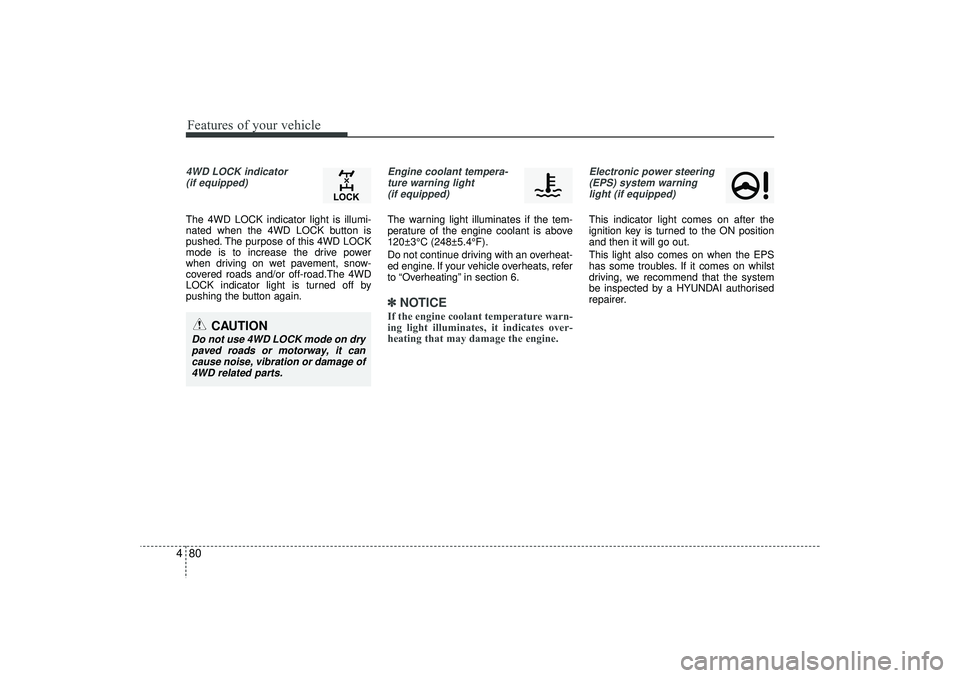
44WD LOCK indicator
(if equipped)The 4WD LOCK indicator light is illumi-
nated when the 4WD LOCK button is
pushed. The purpose of this 4WD LOCK
mode is to increase the drive power
when driving on wet pavement, snow-
covered roads and/or off-road.The 4WD
LOCK indicator light is turned off by
pushing the button again.
Engine coolant tempera-ture warning light (if equipped)The warning light illuminates if the tem-
perature of the engine coolant is above
120±3°C (248±5.4°F).
Do not continue driving with an overheat-
ed engine. If your vehicle overheats, refer
to “Overheating” in section 6.✽ ✽ NOTICEIf the engine coolant temperature warn-
ing light illuminates, it indicates over-
heating that may damage the engine.
Electronic power steering
(EPS) system warninglight (if equipped)This indicator light comes on after the
ignition key is turned to the ON position
and then it will go out.
This light also comes on when the EPS
has some troubles. If it comes on whilst
driving, we recommend that the system
be inspected by a HYUNDAI authorised
repairer.
CAUTION
Do not use 4WD LOCK mode on drypaved roads or motorway, it can cause noise, vibration or damage of4WD related parts.
EL(FL) UK 4A.QXP 2/9/2015 9:05 PM Page 80
Page 172 of 550
487
Features of your vehicle
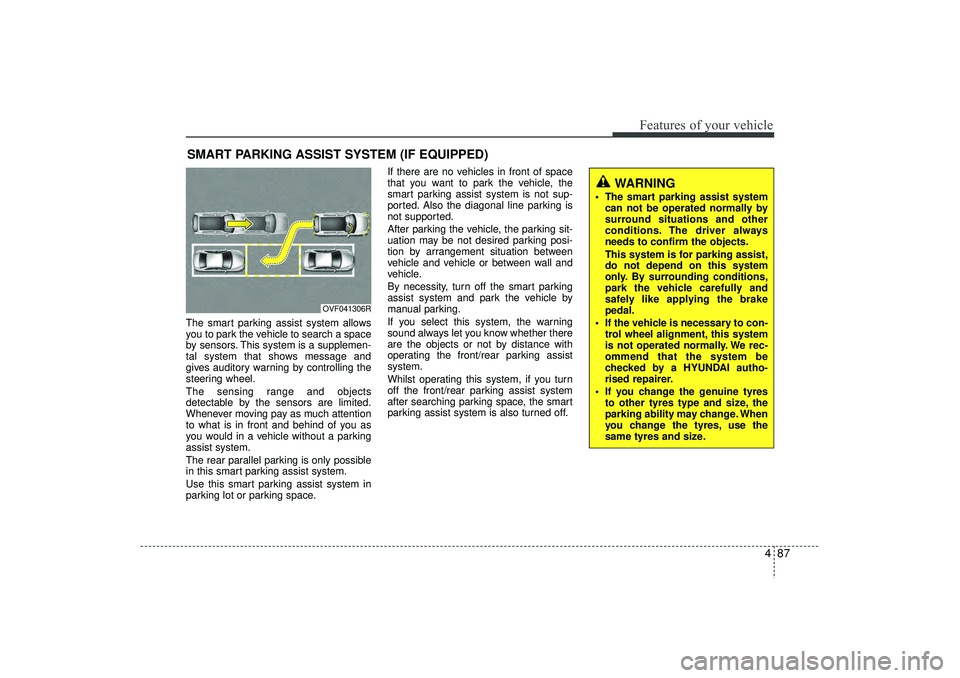
The smart parking assist system allows
you to park the vehicle to search a space
by sensors. This system is a supplemen-
tal system that shows message and
gives auditory warning by controlling the
steering wheel.
The sensing range and objects
detectable by the sensors are limited.
Whenever moving pay as much attention
to what is in front and behind of you as
you would in a vehicle without a parking
assist system.
The rear parallel parking is only possible
in this smart parking assist system.
Use this smart parking assist system in
parking lot or parking space.If there are no vehicles in front of space
that you want to park the vehicle, the
smart parking assist system is not sup-
ported. Also the diagonal line parking is
not supported.
After parking the vehicle, the parking sit-
uation may be not desired parking posi-
tion by arrangement situation between
vehicle and vehicle or between wall and
vehicle.
By necessity, turn off the smart parking
assist system and park the vehicle by
manual parking.
If you select this system, the warning
sound always let you know whether there
are the objects or not by distance with
operating the front/rear parking assist
system.
Whilst operating this system, if you turn
off the front/rear parking assist system
after searching parking space, the smart
parking assist system is also turned off.SMART PARKING ASSIST SYSTEM (IF EQUIPPED)
OVF041306R
WARNING
The smart parking assist system
can not be operated normally by
surround situations and other
conditions. The driver always
needs to confirm the objects.
This system is for parking assist,
do not depend on this system
only. By surrounding conditions,
park the vehicle carefully and
safely like applying the brake
pedal.
If the vehicle is necessary to con- trol wheel alignment, this system
is not operated normally. We rec-
ommend that the system be
checked by a HYUNDAI autho-
rised repairer.
If you change the genuine tyres to other tyres type and size, the
parking ability may change. When
you change the tyres, use the
same tyres and size.
EL(FL) UK 4A.QXP 2/9/2015 9:05 PM Page 87
Page 173 of 550
Features of your vehicle88
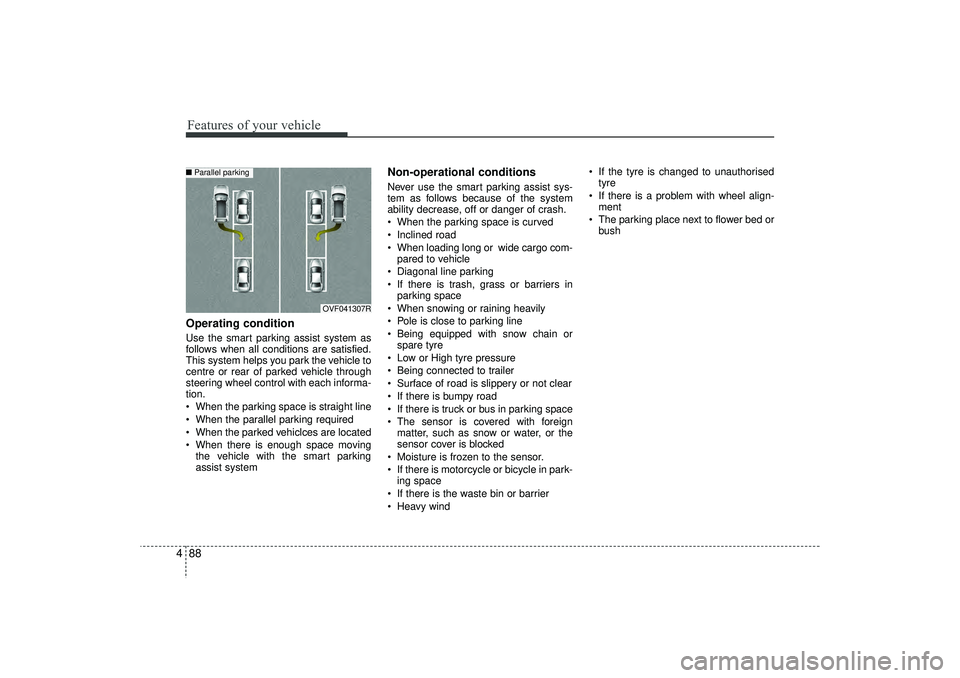
4Operating conditionUse the smart parking assist system as
follows when all conditions are satisfied.
This system helps you park the vehicle to
centre or rear of parked vehicle through
steering wheel control with each informa-
tion.
When the parking space is straight line
When the parallel parking required
When the parked vehiclces are located
When there is enough space moving
the vehicle with the smart parking
assist system
Non-operational conditionsNever use the smart parking assist sys-
tem as follows because of the system
ability decrease, off or danger of crash.
When the parking space is curved
Inclined road
When loading long or wide cargo com-pared to vehicle
Diagonal line parking
If there is trash, grass or barriers in parking space
When snowing or raining heavily
Pole is close to parking line
Being equipped with snow chain or spare tyre
Low or High tyre pressure
Being connected to trailer
Surface of road is slippery or not clear
If there is bumpy road
If there is truck or bus in parking space
The sensor is covered with foreign matter, such as snow or water, or the
sensor cover is blocked
Moisture is frozen to the sensor.
If there is motorcycle or bicycle in park- ing space
If there is the waste bin or barrier
Heavy wind If the tyre is changed to unauthorised
tyre
If there is a problem with wheel align- ment
The parking place next to flower bed or bush
OVF041307R
■ Parallel parking
EL(FL) UK 4A.QXP 2/9/2015 9:05 PM Page 88
Page 176 of 550
491
Features of your vehicle
Operation wayBefore operating the smart parking assist
system, confirm the condition that is pos-
sible to use. For safety, always operate it
by applying the brake pedal under any
condition, for example before each step,
whilst pressing the ON/OFF button of this
system or shifting the lever, etc.
When vehicle is parked by using the
smart parking assist system, general
steps are followings
1. The smart parking assist system select
2. Parking mode select
3. Parking space search : Direct way driv-ing
4. Search complete : Automatic search by sensor
However, before parking, real parking
environment confirmations are needed
for driver. 5. Steering wheel support (Rear Parking
type)
(1) Operate shift lever by display in cluster
(2) Always drive slowly with applying to brake
6. Smart parking assist system complete
7. If required, move vehicle to manual operation
According to parking space, select
mode, and surrounding environment, the
sequence of display or situation could be
changed. Refer to next operation way.
(Continued)
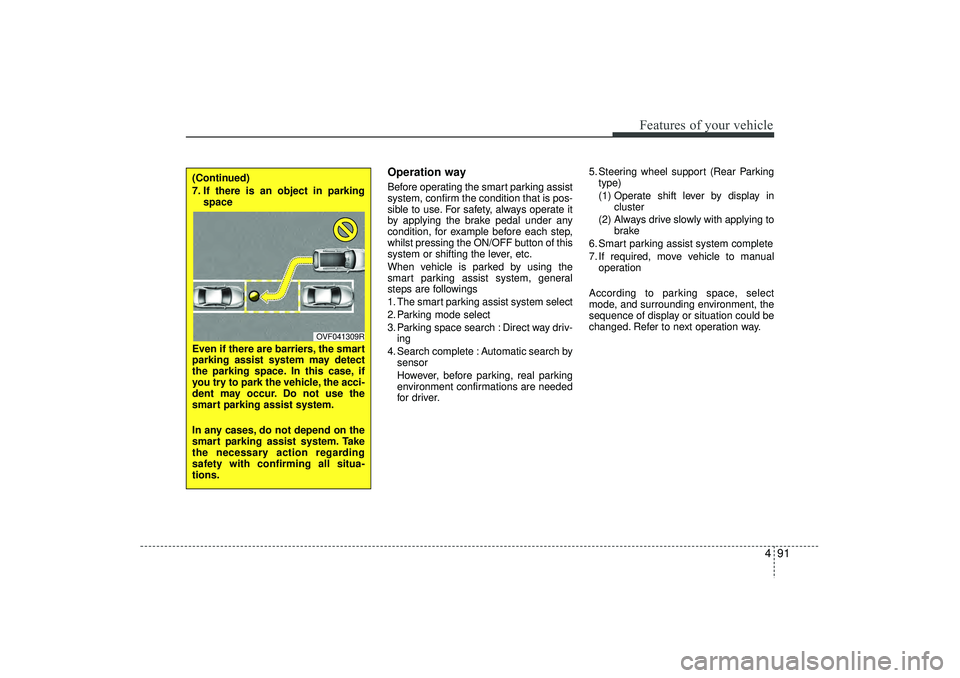
7. If there is an object in parking space
Even if there are barriers, the smart
parking assist system may detect
the parking space. In this case, if
you try to park the vehicle, the acci-
dent may occur. Do not use the
smart parking assist system.
In any cases, do not depend on the
smart parking assist system. Take
the necessary action regarding
safety with confirming all situa-
tions.
OVF041309R
EL(FL) UK 4A.QXP 2/9/2015 9:05 PM Page 91
Page 178 of 550
493
Features of your vehicle
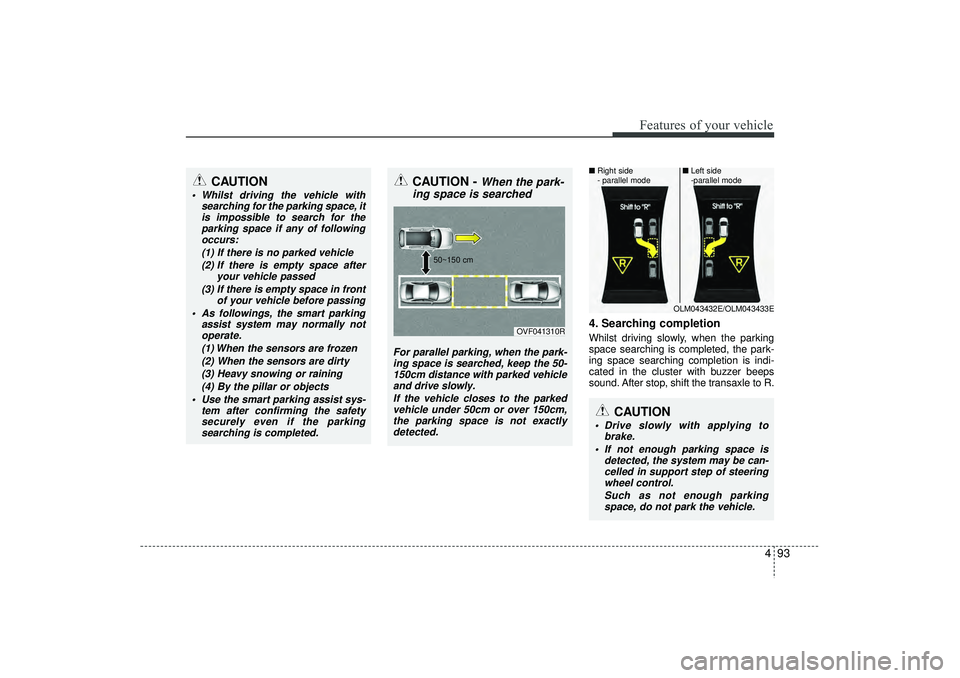
4. Searching completionWhilst driving slowly, when the parking
space searching is completed, the park-
ing space searching completion is indi-
cated in the cluster with buzzer beeps
sound. After stop, shift the transaxle to R.
CAUTION
Whilst driving the vehicle withsearching for the parking space, itis impossible to search for theparking space if any of followingoccurs:
(1) If there is no parked vehicle(2) If there is empty space after your vehicle passed
(3) If there is empty space in front of your vehicle before passing
As followings, the smart parking assist system may normally notoperate.
(1) When the sensors are frozen(2) When the sensors are dirty(3) Heavy snowing or raining (4) By the pillar or objects
Use the smart parking assist sys- tem after confirming the safetysecurely even if the parking searching is completed.
CAUTION -
When the park-
ing space is searched
For parallel parking, when the park-
ing space is searched, keep the 50- 150cm distance with parked vehicleand drive slowly.
If the vehicle closes to the parkedvehicle under 50cm or over 150cm,the parking space is not exactly detected.
OVF041310R
50~150 cm
CAUTION
Drive slowly with applying to
brake.
If not enough parking space is detected, the system may be can-celled in support step of steering wheel control.
Such as not enough parkingspace, do not park the vehicle.
OLM043432E/OLM043433E
■
Right side
- parallel mode ■
Left side
-parallel mode
EL(FL) UK 4A.QXP 2/9/2015 9:06 PM Page 93
Page 179 of 550
Features of your vehicle94
4
CAUTION
If you go forward or backward
without notice like warning mes-sage, the parking state may be not good.
However, if the 3rd warning sound(continuous sound) occurs, drivethe vehicle reverse direction slowly after confirming surround-ing objects.
When parking the vehicle, care- fully go forward or backward withdepressing the brake pedal after completing steering wheel con-trol support.
If the speed of vehicle is high, the crash accident may occur.
Whilst parking the vehicle, if the 3rd warning sound (continuoussound) occurs, it means the vehi- cle is close to objects. Check thesurround objects by yourself.
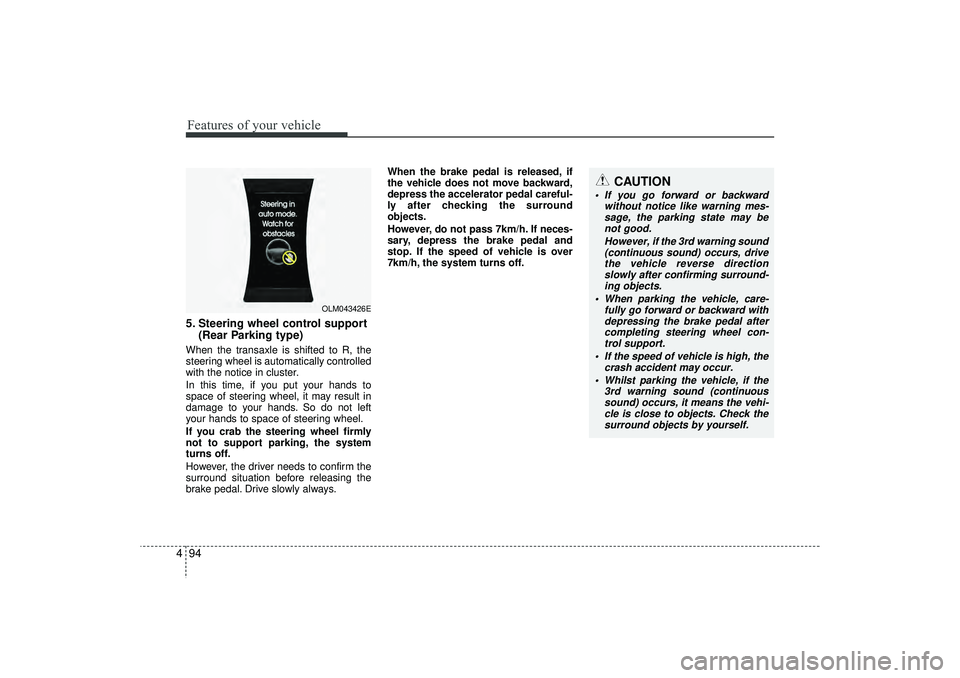
5. Steering wheel control support (Rear Parking type)When the transaxle is shifted to R, the
steering wheel is automatically controlled
with the notice in cluster.
In this time, if you put your hands to
space of steering wheel, it may result in
damage to your hands. So do not left
your hands to space of steering wheel.
If you crab the steering wheel firmly
not to support parking, the system
turns off.
However, the driver needs to confirm the
surround situation before releasing the
brake pedal. Drive slowly always. When the brake pedal is released, if
the vehicle does not move backward,
depress the accelerator pedal careful-
ly after checking the surround
objects.
However, do not pass 7km/h. If neces-
sary, depress the brake pedal and
stop. If the speed of vehicle is over
7km/h, the system turns off.
OLM043426E
EL(FL) UK 4A.QXP 2/9/2015 9:06 PM Page 94
Page 180 of 550
495
Features of your vehicle
System cancellation whilst park-
ingPush the smart parking assist system or
turn the steering wheel left side or right
side.
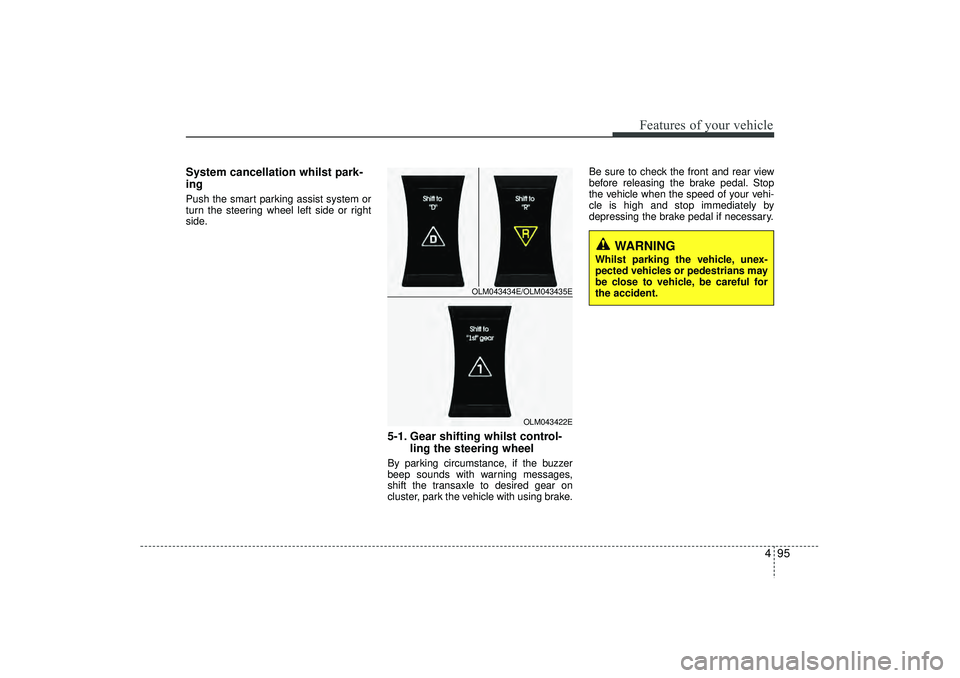
5-1. Gear shifting whilst control-ling the steering wheelBy parking circumstance, if the buzzer
beep sounds with warning messages,
shift the transaxle to desired gear on
cluster, park the vehicle with using brake. Be sure to check the front and rear view
before releasing the brake pedal. Stop
the vehicle when the speed of your vehi-
cle is high and stop immediately by
depressing the brake pedal if necessary.
OLM043434E/OLM043435E
OLM043422E
WARNING
Whilst parking the vehicle, unex-
pected vehicles or pedestrians may
be close to vehicle, be careful for
the accident.
EL(FL) UK 4A.QXP 2/9/2015 9:06 PM Page 95
Page 181 of 550
Features of your vehicle96
4
CAUTION
Park the vehicle by yourself as fol-
lowing because the system will be cancelled;
1. Whilst searching for the parking space
- When the ABS/ESC is operated- When the vehicle speed is over 40km/h
- When you click the smart parking assist system button
(The front and rear parking assistsystem is normally operated)
- When you shift the transaxle to R
2. Whilst controlling the steering wheel
- When the ABS/ESC is operated- When the vehicle speed is over 7km/h
- When you click the smart parking assist system button
(The front and rear parking assistsystem is normally operated.)
- When you shift the transaxle to D before entering the parkingspace
- When you grab the steering strongly
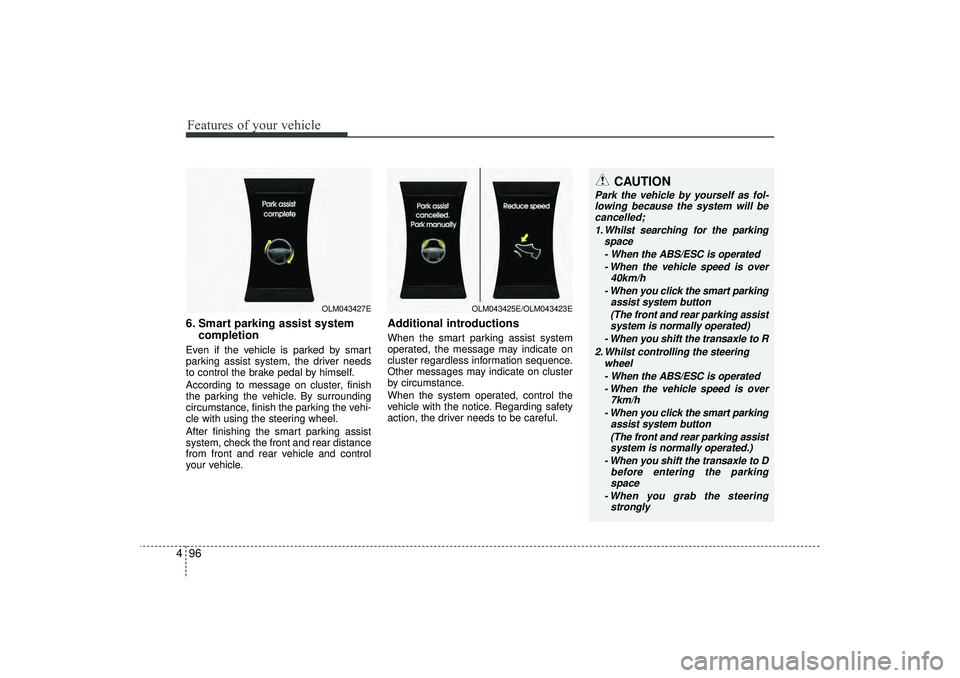
6. Smart parking assist system completionEven if the vehicle is parked by smart
parking assist system, the driver needs
to control the brake pedal by himself.
According to message on cluster, finish
the parking the vehicle. By surrounding
circumstance, finish the parking the vehi-
cle with using the steering wheel.
After finishing the smart parking assist
system, check the front and rear distance
from front and rear vehicle and control
your vehicle.
Additional introductionsWhen the smart parking assist system
operated, the message may indicate on
cluster regardless information sequence.
Other messages may indicate on cluster
by circumstance.
When the system operated, control the
vehicle with the notice. Regarding safety
action, the driver needs to be careful.
OLM043427E
OLM043425E/OLM043423E
EL(FL) UK 4A.QXP 2/9/2015 9:06 PM Page 96