steering HYUNDAI IX35 2016 Workshop Manual
[x] Cancel search | Manufacturer: HYUNDAI, Model Year: 2016, Model line: IX35, Model: HYUNDAI IX35 2016Pages: 550, PDF Size: 9.92 MB
Page 381 of 550
533
Driving your vehicle
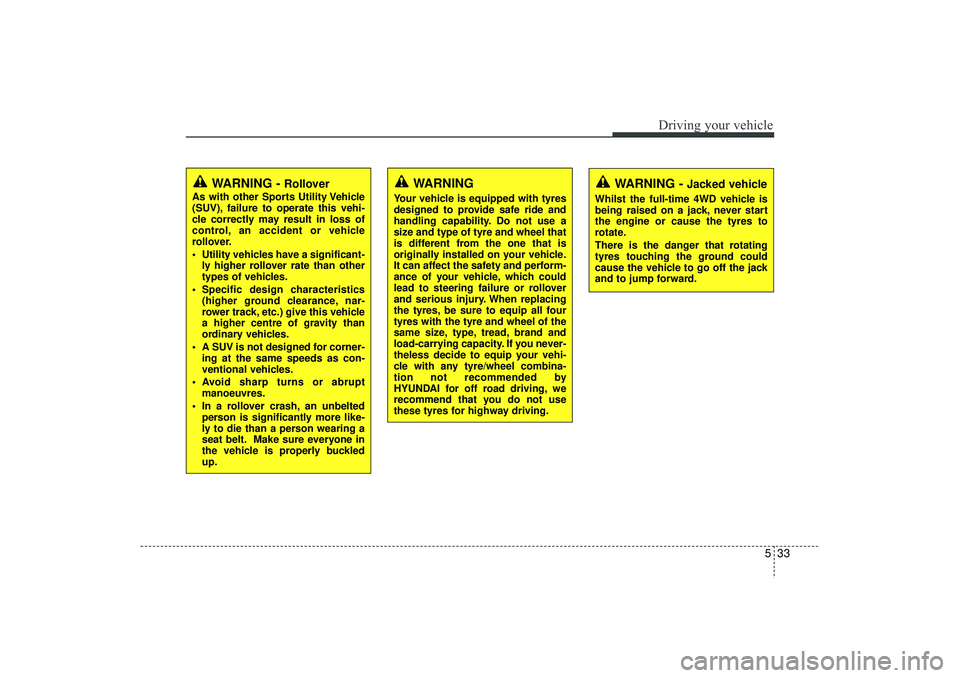
WARNING -
Jacked vehicle
Whilst the full-time 4WD vehicle is
being raised on a jack, never start
the engine or cause the tyres to
rotate.
There is the danger that rotating
tyres touching the ground could
cause the vehicle to go off the jack
and to jump forward.
WARNING
Your vehicle is equipped with tyres
designed to provide safe ride and
handling capability. Do not use a
size and type of tyre and wheel that
is different from the one that is
originally installed on your vehicle.
It can affect the safety and perform-
ance of your vehicle, which could
lead to steering failure or rollover
and serious injury. When replacing
the tyres, be sure to equip all four
tyres with the tyre and wheel of the
same size, type, tread, brand and
load-carrying capacity. If you never-
theless decide to equip your vehi-
cle with any tyre/wheel combina-
tion not recommended by
HYUNDAI for off road driving, we
recommend that you do not use
these tyres for highway driving.
WARNING -
Rollover
As with other Sports Utility Vehicle
(SUV), failure to operate this vehi-
cle correctly may result in loss of
control, an accident or vehicle
rollover.
Utility vehicles have a significant-ly higher rollover rate than other
types of vehicles.
Specific design characteristics (higher ground clearance, nar-
rower track, etc.) give this vehicle
a higher centre of gravity than
ordinary vehicles.
A SUV is not designed for corner- ing at the same speeds as con-
ventional vehicles.
Avoid sharp turns or abrupt manoeuvres.
In a rollover crash, an unbelted person is significantly more like-
ly to die than a person wearing a
seat belt. Make sure everyone in
the vehicle is properly buckled
up.
EL(FL) UK 5.QXP 12/16/2014 8:09 PM Page 33
Page 383 of 550
535
Driving your vehicle
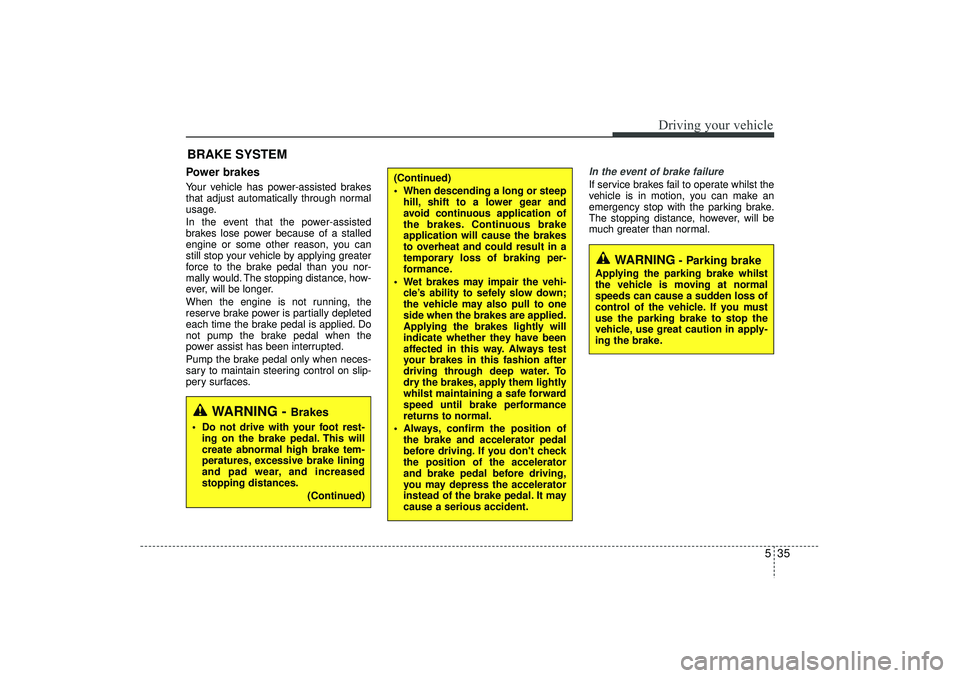
Power brakes Your vehicle has power-assisted brakes
that adjust automatically through normal
usage.
In the event that the power-assisted
brakes lose power because of a stalled
engine or some other reason, you can
still stop your vehicle by applying greater
force to the brake pedal than you nor-
mally would. The stopping distance, how-
ever, will be longer.
When the engine is not running, the
reserve brake power is partially depleted
each time the brake pedal is applied. Do
not pump the brake pedal when the
power assist has been interrupted.
Pump the brake pedal only when neces-
sary to maintain steering control on slip-
pery surfaces.
In the event of brake failure If service brakes fail to operate whilst the
vehicle is in motion, you can make an
emergency stop with the parking brake.
The stopping distance, however, will be
much greater than normal.
BRAKE SYSTEM
(Continued)
When descending a long or steephill, shift to a lower gear and
avoid continuous application of
the brakes. Continuous brake
application will cause the brakes
to overheat and could result in a
temporary loss of braking per-
formance.
Wet brakes may impair the vehi- cle’s ability to sefely slow down;
the vehicle may also pull to one
side when the brakes are applied.
Applying the brakes lightly will
indicate whether they have been
affected in this way. Always test
your brakes in this fashion after
driving through deep water. To
dry the brakes, apply them lightly
whilst maintaining a safe forward
speed until brake performance
returns to normal.
Always, confirm the position of the brake and accelerator pedal
before driving. If you don't check
the position of the accelerator
and brake pedal before driving,
you may depress the accelerator
instead of the brake pedal. It may
cause a serious accident.
WARNING
- Parking brake
Applying the parking brake whilst
the vehicle is moving at normal
speeds can cause a sudden loss of
control of the vehicle. If you must
use the parking brake to stop the
vehicle, use great caution in apply-
ing the brake.
WARNING -
Brakes
Do not drive with your foot rest-ing on the brake pedal. This will
create abnormal high brake tem-
peratures, excessive brake lining
and pad wear, and increased
stopping distances.
(Continued)
EL(FL) UK 5.QXP 12/16/2014 8:09 PM Page 35
Page 389 of 550
541
Driving your vehicle
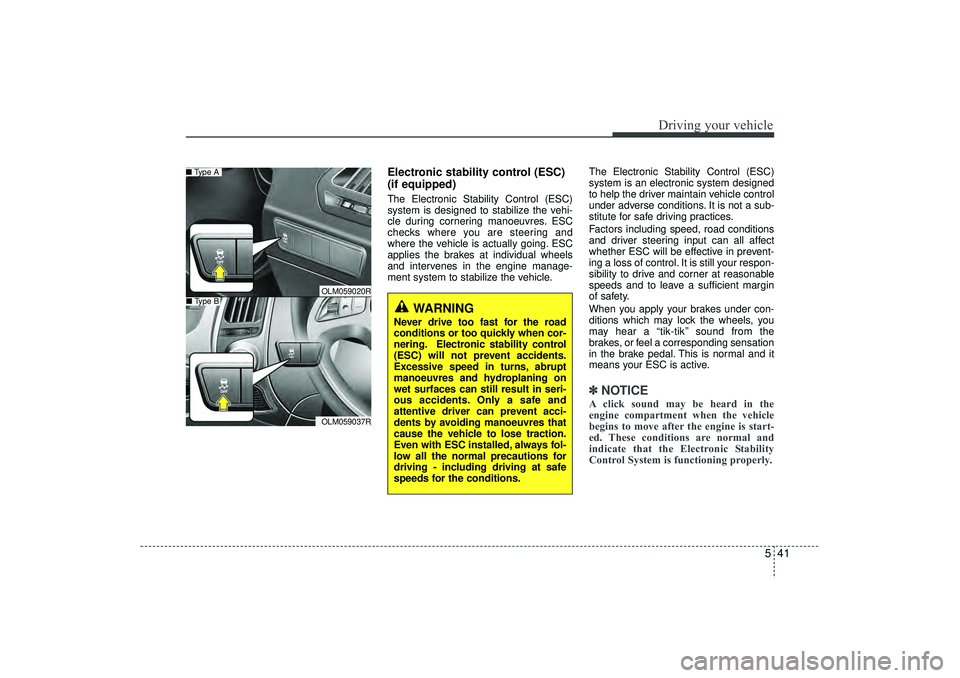
Electronic stability control (ESC)
(if equipped)The Electronic Stability Control (ESC)
system is designed to stabilize the vehi-
cle during cornering manoeuvres. ESC
checks where you are steering and
where the vehicle is actually going. ESC
applies the brakes at individual wheels
and intervenes in the engine manage-
ment system to stabilize the vehicle.The Electronic Stability Control (ESC)
system is an electronic system designed
to help the driver maintain vehicle control
under adverse conditions. It is not a sub-
stitute for safe driving practices.
Factors including speed, road conditions
and driver steering input can all affect
whether ESC will be effective in prevent-
ing a loss of control. It is still your respon-
sibility to drive and corner at reasonable
speeds and to leave a sufficient margin
of safety.
When you apply your brakes under con-
ditions which may lock the wheels, you
may hear a “tik-tik’’ sound from the
brakes, or feel a corresponding sensation
in the brake pedal. This is normal and it
means your ESC is active.
✽ ✽
NOTICEA click sound may be heard in the
engine compartment when the vehicle
begins to move after the engine is start-
ed. These conditions are normal and
indicate that the Electronic Stability
Control System is functioning properly.
WARNING
Never drive too fast for the road
conditions or too quickly when cor-
nering. Electronic stability control
(ESC) will not prevent accidents.
Excessive speed in turns, abrupt
manoeuvres and hydroplaning on
wet surfaces can still result in seri-
ous accidents. Only a safe and
attentive driver can prevent acci-
dents by avoiding manoeuvres that
cause the vehicle to lose traction.
Even with ESC installed, always fol-
low all the normal precautions for
driving - including driving at safe
speeds for the conditions.
OLM059020ROLM059037R
■ Type A■ Type B
EL(FL) UK 5.QXP 12/16/2014 8:09 PM Page 41
Page 392 of 550
Driving your vehicle44
5When driving
ESC should be turned on for daily driv-
ing whenever possible.
To turn ESC off whilst driving, press the ESC OFF button whilst driving on a
flat road surface.✽ ✽ NOTICE• When operating the vehicle on a
dynamometer, ensure that the ESC is
turned off (ESC OFF light illuminat-
ed). If the ESC is left on, it may pre-
vent the vehicle speed from increas-
ing, and result in false diagnosis.
• Turning the ESC off does not affect ABS or brake system operation.
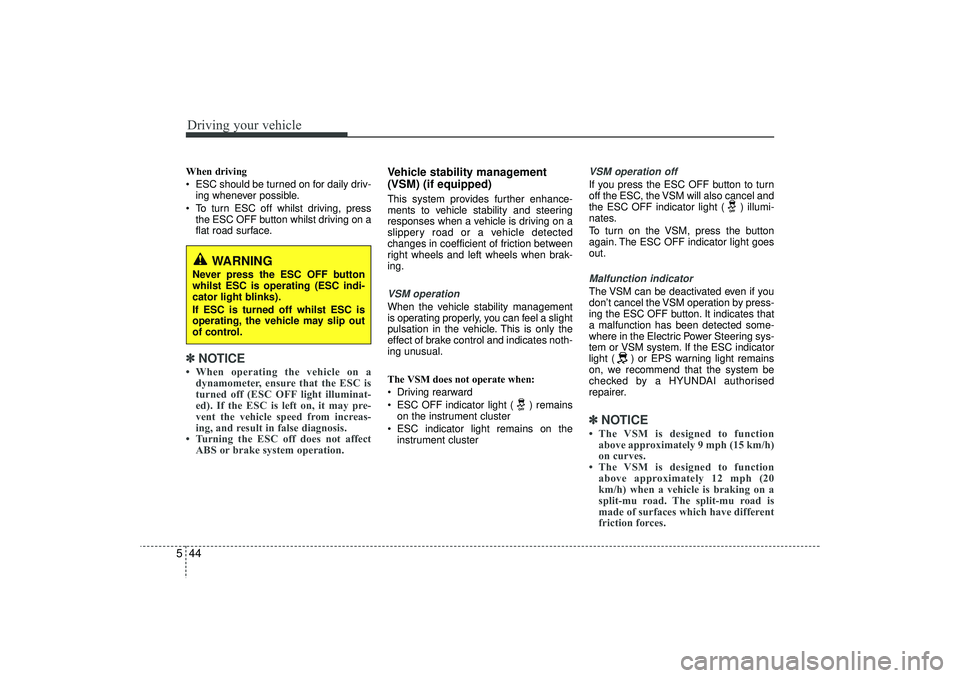
Vehicle stability management
(VSM) (if equipped)This system provides further enhance-
ments to vehicle stability and steering
responses when a vehicle is driving on a
slippery road or a vehicle detected
changes in coefficient of friction between
right wheels and left wheels when brak-
ing.VSM operationWhen the vehicle stability management
is operating properly, you can feel a slight
pulsation in the vehicle. This is only the
effect of brake control and indicates noth-
ing unusual.
The VSM does not operate when:
Driving rearward
ESC OFF indicator light ( ) remains
on the instrument cluster
ESC indicator light remains on the instrument cluster
VSM operation offIf you press the ESC OFF button to turn
off the ESC, the VSM will also cancel and
the ESC OFF indicator light ( ) illumi-
nates.
To turn on the VSM, press the button
again. The ESC OFF indicator light goes
out.Malfunction indicatorThe VSM can be deactivated even if you
don’t cancel the VSM operation by press-
ing the ESC OFF button. It indicates that
a malfunction has been detected some-
where in the Electric Power Steering sys-
tem or VSM system. If the ESC indicator
light ( ) or EPS warning light remains
on, we recommend that the system be
checked by a HYUNDAI authorised
repairer.✽ ✽ NOTICE• The VSM is designed to function
above approximately 9 mph (15 km/h)
on curves.
• The VSM is designed to function above approximately 12 mph (20
km/h) when a vehicle is braking on a
split-mu road. The split-mu road is
made of surfaces which have different
friction forces.
WARNING
Never press the ESC OFF button
whilst ESC is operating (ESC indi-
cator light blinks).
If ESC is turned off whilst ESC is
operating, the vehicle may slip out
of control.
EL(FL) UK 5.QXP 12/16/2014 8:09 PM Page 44
Page 393 of 550
545
Driving your vehicle
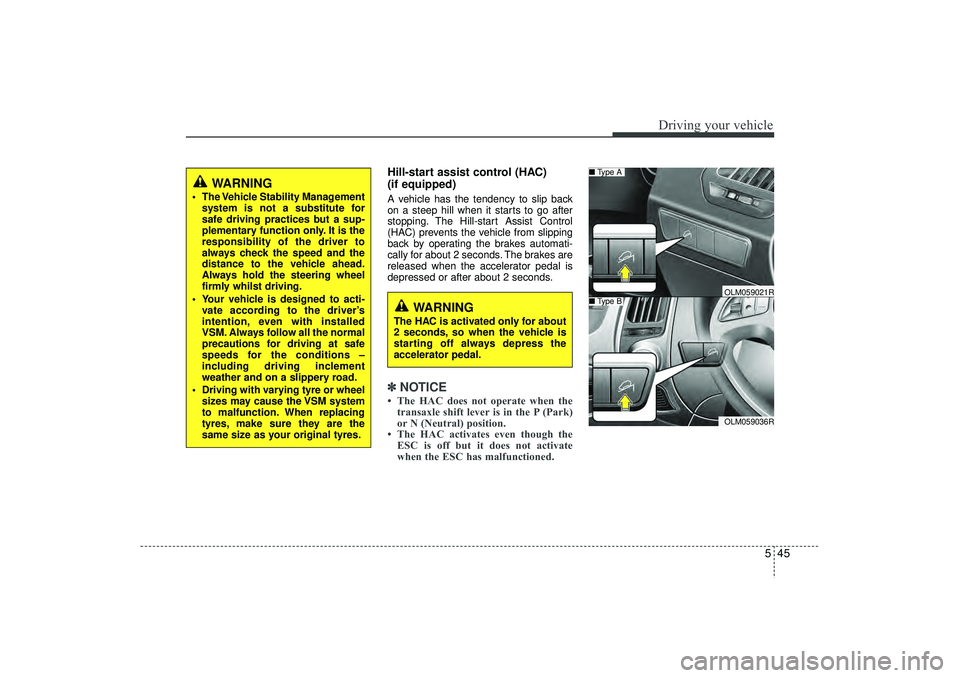
Hill-start assist control (HAC)
(if equipped) A vehicle has the tendency to slip back
on a steep hill when it starts to go after
stopping. The Hill-start Assist Control
(HAC) prevents the vehicle from slipping
back by operating the brakes automati-
cally for about 2 seconds. The brakes are
released when the accelerator pedal is
depressed or after about 2 seconds.✽ ✽NOTICE• The HAC does not operate when the
transaxle shift lever is in the P (Park)
or N (Neutral) position.
• The HAC activates even though the ESC is off but it does not activate
when the ESC has malfunctioned.
WARNING
The Vehicle Stability Management
system is not a substitute for
safe driving practices but a sup-
plementary function only. It is the
responsibility of the driver to
always check the speed and the
distance to the vehicle ahead.
Always hold the steering wheel
firmly whilst driving.
Your vehicle is designed to acti- vate according to the driver’s
intention, even with installed
VSM. Always follow all the normal
precautions for driving at safe
speeds for the conditions –
including driving inclement
weather and on a slippery road.
Driving with varying tyre or wheel sizes may cause the VSM system
to malfunction. When replacing
tyres, make sure they are the
same size as your original tyres.
WARNING
The HAC is activated only for about
2 seconds, so when the vehicle is
starting off always depress the
accelerator pedal.
OLM059036R
■ Type A■ Type B
OLM059021R
EL(FL) UK 5.QXP 12/16/2014 8:09 PM Page 45
Page 394 of 550
Driving your vehicle46
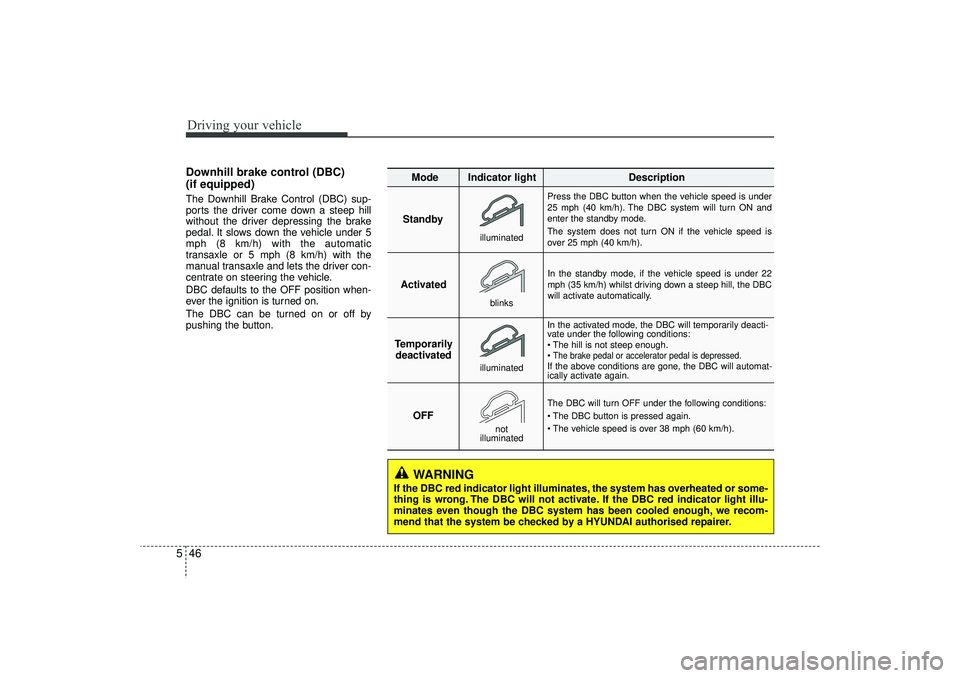
5Downhill brake control (DBC)
(if equipped)The Downhill Brake Control (DBC) sup-
ports the driver come down a steep hill
without the driver depressing the brake
pedal. It slows down the vehicle under 5
mph (8 km/h) with the automatic
transaxle or 5 mph (8 km/h) with the
manual transaxle and lets the driver con-
centrate on steering the vehicle.
DBC defaults to the OFF position when-
ever the ignition is turned on.
The DBC can be turned on or off by
pushing the button.
Standby
Press the DBC button when the vehicle speed is under
25 mph (40 km/h). The DBC system will turn ON and
enter the standby mode.
The system does not turn ON if the vehicle speed is
over 25 mph (40 km/h).
In the standby mode, if the vehicle speed is under 22
mph (35 km/h) whilst driving down a steep hill, the DBC
will activate automatically.
In the activated mode, the DBC will temporarily deacti-
vate under the following conditions:
The hill is not steep enough.
The brake pedal or accelerator pedal is depressed.If the above conditions are gone, the DBC will automat-
ically activate again.
The DBC will turn OFF under the following conditions:
The DBC button is pressed again.
The vehicle speed is over 38 mph (60 km/h).
Activated
Temporarily deactivated
OFF
Mode Indicator light
Description
blinksilluminated
not
illuminated
illuminated
WARNING
If the DBC red indicator light illuminates, the system has overheated or some-
thing is wrong. The DBC will not activate. If the DBC red indicator light illu-
minates even though the DBC system has been cooled enough, we recom-
mend that the system be checked by a HYUNDAI authorised repairer.
EL(FL) UK 5.QXP 12/16/2014 8:09 PM Page 46
Page 395 of 550
547
Driving your vehicle
✽
✽NOTICE• The DBC does not turn ON in the P
(Park) position.
• The DBC may not activate if the ESC (or BAS, if equipped) is activated.
• Noise or vibration may occur from the brakes when the DBC is activated.
• The rear stop light comes on when the DBC is activated.
• In a very steep hill even though the brake pedal or accelerator pedal is
depressed the DBC may not deacti-
vate.
• Always turn OFF the DBC on normal roads. The DBC might activate from
the standby mode when abrupt corn-
ing or driving through speed bumps.
• DBC may activate and cause the engine to stop in vehicles with manual
transaxle if you drive in 3rd gear (or
above) with DBC on. Do not turn on
DBC when driving in 3rd gear (or
above).
ESS : Emergency Stop SignalThe Emergency Stop Signal system
alerts the driver behind by blinking the
stop light when the vehicle suddenly
stops or when the ABS activates in a
stop. (The system activates when the
vehicle speed is over 34 mph (55 km/h)
and the vehicle deceleration is over
7m/s² or the ABS activates when the
vehicle emergency braking.)
When the vehicle speed is under 25 mph
(40 km/h) and the ABS deactivates or the
sudden stop situation is over, the stop
light will not blink. Instead, the hazard
warning flasher will turn on automatically.
The hazard warning flasher will turn off
when the vehicle speed is over 6 mph (10
km/h) after the vehicle has stopped. Also,
it will turn off when the vehicle drives at
low speed for some time. You can turn it
off manually by pushing the hazard warn-
ing flasher switch.
Trailer stability assist (TSA)
(if equipped)Trailer stability assist is operated as vehi-
cle stability control system. Trailer stabili-
ty assist system has an effort to stabilize
the vehicle and trailer when the trailer
sways or oscillates. There are various
reasons making vehicle sway and oscil-
late. Almost case it happens at high
speed however, if the trailer is affected by
crosswinds, buffeting, and improper over-
loading, it may be a risk of swaying.
Factors of swaying such as:
- High speed
- Strong crosswinds
- Improper overloading
- Sudden controlling of steering wheel
- Uneven road
CAUTION
The Emergency Stop Signal system
will not work if the hazard warningflasher is already on.
EL(FL) UK 5.QXP 12/16/2014 8:09 PM Page 47
Page 399 of 550
551
Driving your vehicle
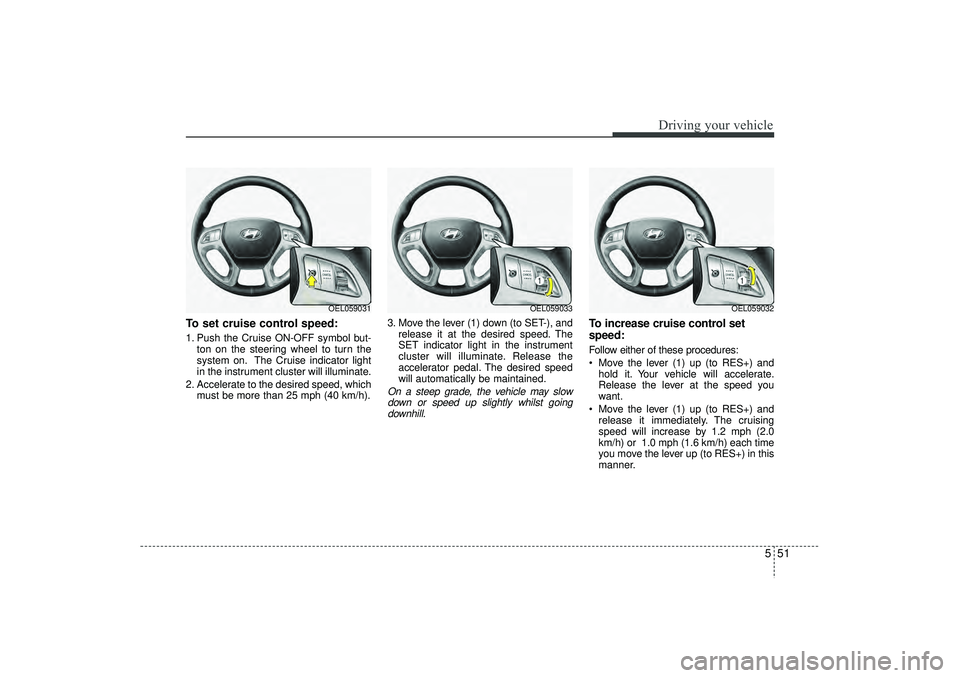
To set cruise control speed:1. Push the Cruise ON-OFF symbol but-ton on the steering wheel to turn the
system on. The Cruise indicator light
in the instrument cluster will illuminate.
2. Accelerate to the desired speed, which must be more than 25 mph (40 km/h). 3. Move the lever (1) down (to SET-), and
release it at the desired speed. The
SET indicator light in the instrument
cluster will illuminate. Release the
accelerator pedal. The desired speed
will automatically be maintained.
On a steep grade, the vehicle may slowdown or speed up slightly whilst goingdownhill.
To increase cruise control set
speed:Follow either of these procedures:
Move the lever (1) up (to RES+) and hold it. Your vehicle will accelerate.
Release the lever at the speed you
want.
Move the lever (1) up (to RES+) and release it immediately. The cruising
speed will increase by 1.2 mph (2.0
km/h) or 1.0 mph (1.6 km/h) each time
you move the lever up (to RES+) in this
manner.
OEL059031
OEL059033
OEL059032
EL(FL) UK 5.QXP 12/16/2014 8:09 PM Page 51
Page 400 of 550
Driving your vehicle52
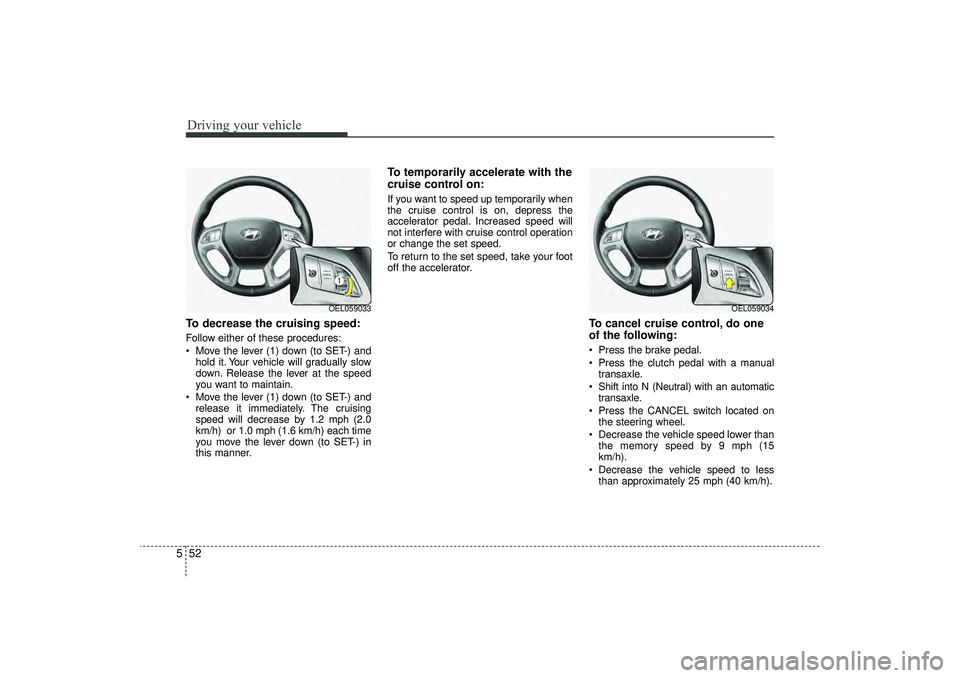
5To decrease the cruising speed:Follow either of these procedures:
Move the lever (1) down (to SET-) and
hold it. Your vehicle will gradually slow
down. Release the lever at the speed
you want to maintain.
Move the lever (1) down (to SET-) and release it immediately. The cruising
speed will decrease by 1.2 mph (2.0
km/h) or 1.0 mph (1.6 km/h) each time
you move the lever down (to SET-) in
this manner.
To temporarily accelerate with the
cruise control on:If you want to speed up temporarily when
the cruise control is on, depress the
accelerator pedal. Increased speed will
not interfere with cruise control operation
or change the set speed.
To return to the set speed, take your foot
off the accelerator.
To cancel cruise control, do one
of the following: Press the brake pedal.
Press the clutch pedal with a manualtransaxle.
Shift into N (Neutral) with an automatic transaxle.
Press the CANCEL switch located on the steering wheel.
Decrease the vehicle speed lower than the memory speed by 9 mph (15
km/h).
Decrease the vehicle speed to less than approximately 25 mph (40 km/h).
OEL059033
OEL059034
EL(FL) UK 5.QXP 12/16/2014 8:09 PM Page 52
Page 401 of 550
553
Driving your vehicle
Each of these actions will cancel cruisecontrol operation (the SET indicator lightin the instrument cluster will go off), but itwill not turn the system off. If you wish to resume cruise control operation, moveup the lever (to RES+) located on yoursteering wheel. You will return to your previously preset speed.
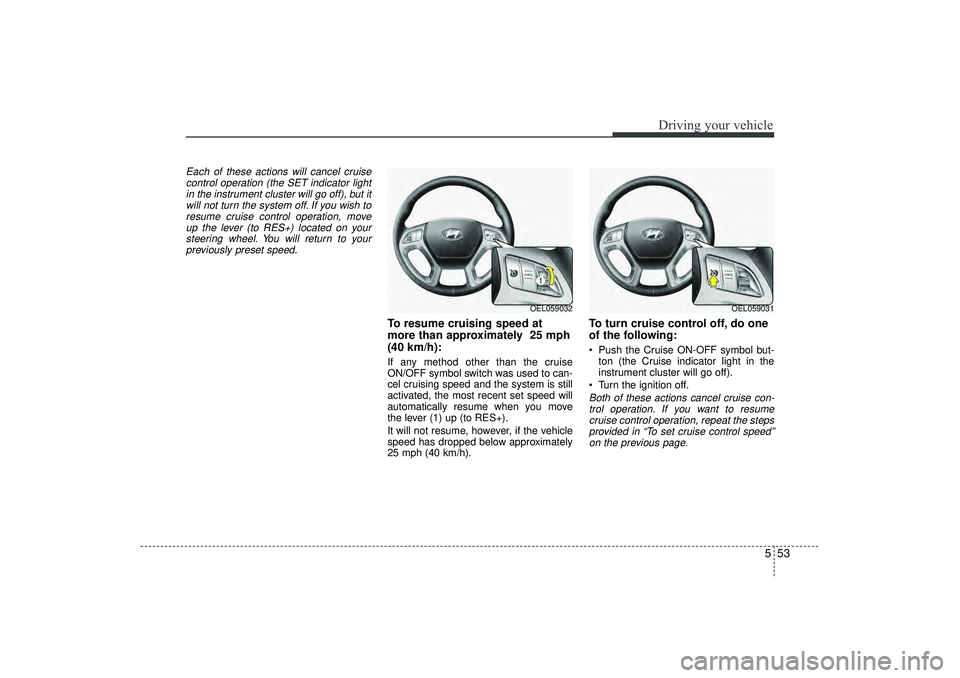
To resume cruising speed at
more than approximately 25 mph
(40 km/h):If any method other than the cruise
ON/OFF symbol switch was used to can-
cel cruising speed and the system is still
activated, the most recent set speed will
automatically resume when you move
the lever (1) up (to RES+).
It will not resume, however, if the vehicle
speed has dropped below approximately
25 mph (40 km/h).
To turn cruise control off, do one
of the following: Push the Cruise ON-OFF symbol but- ton (the Cruise indicator light in the
instrument cluster will go off).
Turn the ignition off.Both of these actions cancel cruise con- trol operation. If you want to resume cruise control operation, repeat the stepsprovided in “To set cruise control speed”on the previous page.
OEL059032
OEL059031
EL(FL) UK 5.QXP 12/16/2014 8:10 PM Page 53