fog light Hyundai Kona 2018 - RHD (UK, Australia) User Guide
[x] Cancel search | Manufacturer: HYUNDAI, Model Year: 2018, Model line: Kona, Model: Hyundai Kona 2018Pages: 497, PDF Size: 11.7 MB
Page 198 of 497
3-120
Convenient features of your vehicle
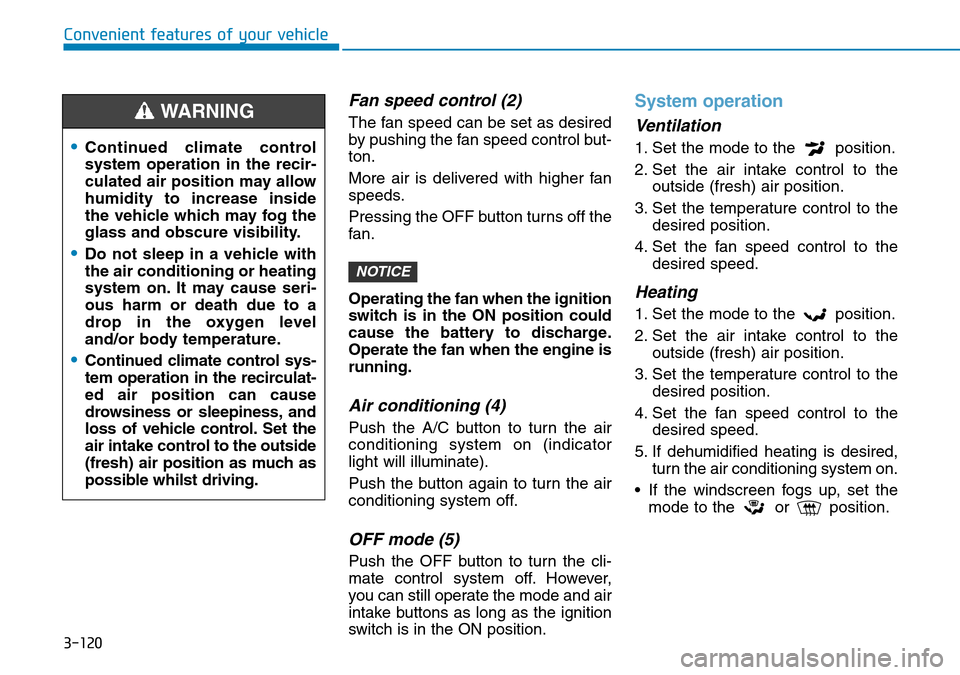
Fan speed control (2)
The fan speed can be set as desired
by pushing the fan speed control but-
ton.
More air is delivered with higher fan
speeds.
Pressing the OFF button turns off the
fan.
Operating the fan when the ignition
switch is in the ON position could
cause the battery to discharge.
Operate the fan when the engine is
running.
Air conditioning (4)
Push the A/C button to turn the air
conditioning system on (indicator
light will illuminate).
Push the button again to turn the air
conditioning system off.
OFF mode (5)
Push the OFF button to turn the cli-
mate control system off. However,
you can still operate the mode and air
intake buttons as long as the ignition
switch is in the ON position.
System operation
Ventilation
1. Set the mode to the position.
2. Set the air intake control to theoutside (fresh) air position.
3. Set the temperature control to the desired position.
4. Set the fan speed control to the desired speed.
Heating
1. Set the mode to the position.
2. Set the air intake control to theoutside (fresh) air position.
3. Set the temperature control to the desired position.
4. Set the fan speed control to the desired speed.
5. If dehumidified heating is desired, turn the air conditioning system on.
• If the windscreen fogs up, set the mode to the or position.
NOTICE
•Continued climate control
system operation in the recir-
culated air position may allow
humidity to increase inside
the vehicle which may fog the
glass and obscure visibility.
•Do not sleep in a vehicle with
the air conditioning or heating
system on. It may cause seri-
ous harm or death due to a
drop in the oxygen level
and/or body temperature.
•Continued climate control sys-
tem operation in the recirculat-
ed air position can cause
drowsiness or sleepiness, and
loss of vehicle control. Set the
air intake control to the outside
(fresh) air position as much as
possible whilst driving.
WARNING
Page 200 of 497
3-122
Convenient features of your vehicle
Air conditioning system operation
tips
• If the vehicle has been parked indirect sunlight during hot weather,
open the windows for a short time
to let the hot air inside the vehicle
escape.
• After sufficient cooling has been achieved, switch back from the
recirculated air to the fresh outside
air position.
• To help reduce moisture inside of the windows on rainy or humid
days, decrease the humidity inside
the vehicle by operating the air con-
ditioning system with the windows
and sunroof closed.
• Use the air conditioning system every month for a few minutes to
ensure maximum system perform-
ance.
• If you operate the air conditioner excessively, the difference between
the temperature of the outside air
and that of the windscreen could
cause the outer surface of the wind-
screen to fog up, causing loss of
visibility. In this case, set the mode
selection button to the position
and set the fan speed control knob
to the lowest speed setting.
System maintenance
Climate control air filter
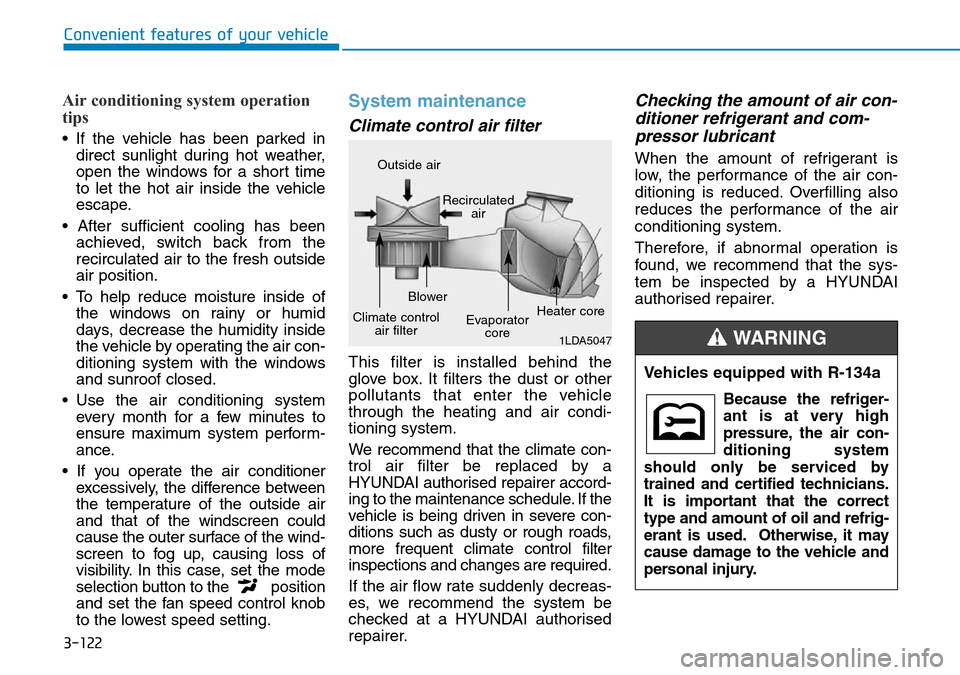
This filter is installed behind the
glove box. It filters the dust or other
pollutants that enter the vehicle
through the heating and air condi-
tioning system.
We recommend that the climate con-
trol air filter be replaced by a
HYUNDAI authorised repairer accord-
ing to the maintenance schedule. If the
vehicle is being driven in severe con-
ditions such as dusty or rough roads,
more frequent climate control filter
inspections and changes are required.
If the air flow rate suddenly decreas-
es, we recommend the system be
checked at a HYUNDAI authorised
repairer.
Checking the amount of air con-
ditioner refrigerant and com-pressor lubricant
When the amount of refrigerant is
low, the performance of the air con-
ditioning is reduced. Overfilling also
reduces the performance of the air
conditioning system.
Therefore, if abnormal operation is
found, we recommend that the sys-
tem be inspected by a HYUNDAI
authorised repairer.
1LDA5047
Outside air
Recirculatedair
Climate control air filter Blower
Evaporatorcore Heater core
Vehicles equipped with R-134a
Because the refriger-
ant is at very high
pressure, the air con-
ditioning system
should only be serviced by
trained and certified technicians.
It is important that the correct
type and amount of oil and refrig-
erant is used. Otherwise, it may
cause damage to the vehicle and
personal injury.
WARNING
Page 321 of 497
5-72
Driving your vehicle
• The driver's field of view is not well illuminated (either too dark or too
much reflection or too much back-
light that obscures the field of view)
• The vehicle in front does not have their rear lights properly turned ON.
• The outside brightness changes suddenly, for example when enter-
ing or exiting a tunnel
• When light coming from a street light or an oncoming vehicle is
reflected on a wet road surface
such as a puddle in the road
• The field of view in front is obstruct- ed by sun glare
• The windscreen glass is fogged up; a clear view of the road is obstruct-
ed
• The vehicle in front is driving errati- cally
• The vehicle is on unpaved or uneven rough surfaces, or road
with sudden gradient changes.
• The vehicle is driven near areas containing metal substances as a
construction zone, railroad, etc. • The vehicle drives inside a building,
such as a basement parking lot
• The adverse road conditions cause excessive vehicle vibrations whilst
driving
• The sensor recognition changes suddenly when passing over a
speed bump
• The vehicle in front is moving verti- cally to the driving direction
• The vehicle in front is stopped ver- tically
• The vehicle in front is driving towards your vehicle or reversing
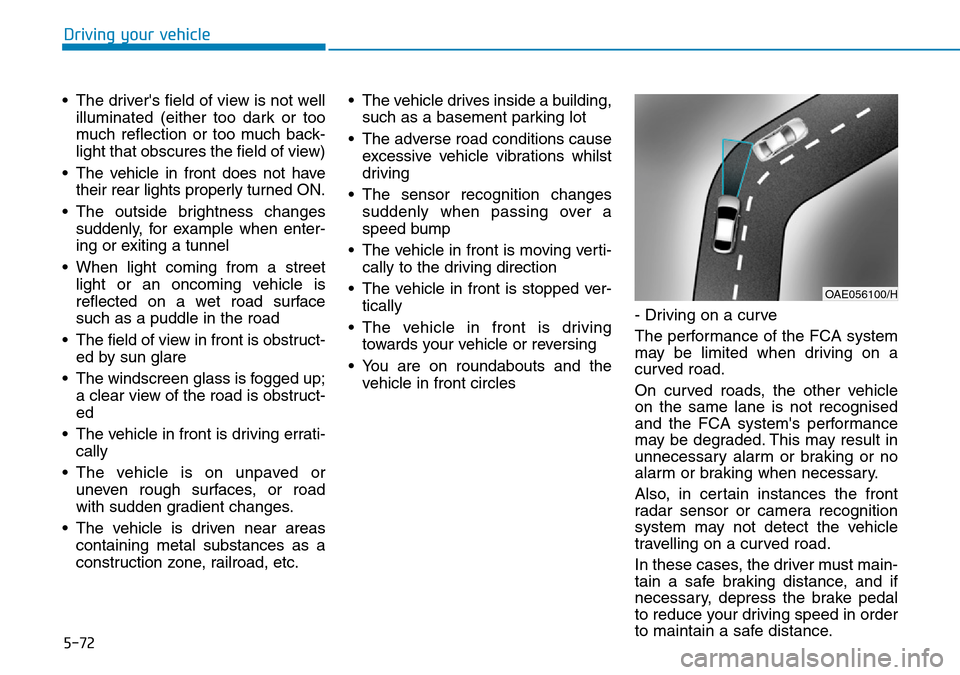
• You are on roundabouts and the vehicle in front circles - Driving on a curve
The performance of the FCA system
may be limited when driving on a
curved road.
On curved roads, the other vehicle
on the same lane is not recognised
and the FCA system's performance
may be degraded. This may result in
unnecessary alarm or braking or no
alarm or braking when necessary.
Also, in certain instances the front
radar sensor or camera recognition
system may not detect the vehicle
travelling on a curved road.
In these cases, the driver must main-
tain a safe braking distance, and if
necessary, depress the brake pedal
to reduce your driving speed in order
to maintain a safe distance.
OAE056100/H
Page 324 of 497
5-75
Driving your vehicle
5
• The pedestrian has impairedmobility
• The sensor recognition is limited
• The radar sensor or camera is blocked with a foreign object or
debris
• Inclement weather such as heavy rain or snow obscures the field of
view of the radar sensor or camera
• When light coming from a street light or an oncoming vehicle is
reflected on a wet road surface
such as a puddle in the road
• The field of view in front is obstructed by sun glare
• The windscreen glass is fogged up; a clear view of the road is
obstructed
• The adverse road conditions cause excessive vehicle vibrations whilst
driving
Information
In some instances, the FCA system
may be cancelled when subjected to
electromagnetic interference.
i
•Never try to test the operation
of the FCA system. Doing so
may cause severe injury or
death.
•If the front bumper, front
glass, radar or camera have
been replaced or repaired, we
recommend that you have
your vehicle inspected by a
HYUNDAI authorised repairer.
•Do not use the Forward
Collision avoidance Assist
(FCA) system when towing a
vehicle. Application of the
FCA system whilst towing
may adversely affect the safe-
ty of your vehicle or the tow-
ing vehicle.
•Use extreme caution when the
vehicle in front of you has
cargo that extends rearward
from the cab, or when the
vehicle in front of you has
higher ground clearance.
•The FCA system is designed
to detect and monitor the
vehicle ahead or detect a
pedestrian in the roadway
through radar signals and
camera recognition. It is not
designed to detect bicycles,
motorcycles, or smaller
wheeled objects such as lug-
gage bags, shopping carts, or
strollers.
WARNING
Page 330 of 497
5-81
Driving your vehicle
5
Warning light and message
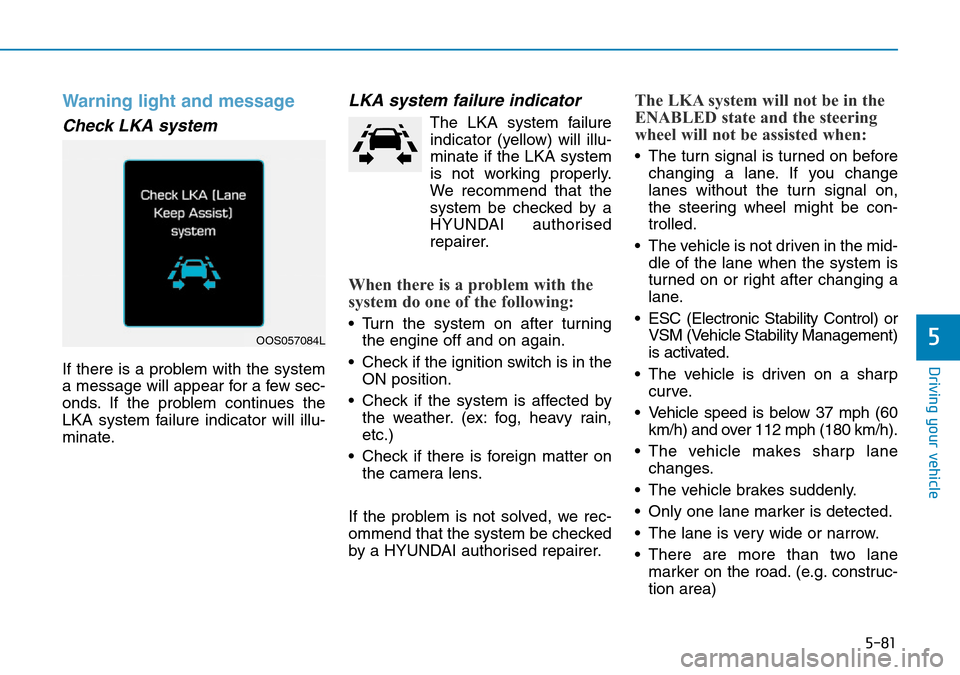
Check LKA system
If there is a problem with the system
a message will appear for a few sec-
onds. If the problem continues the
LKA system failure indicator will illu-
minate.
LKA system failure indicator
The LKA system failureindicator (yellow) will illu-
minate if the LKA system
is not working properly.
We recommend that the
system be checked by a
HYUNDAI authorised
repairer.
When there is a problem with the
system do one of the following:
• Turn the system on after turning the engine off and on again.
• Check if the ignition switch is in the ON position.
• Check if the system is affected by the weather. (ex: fog, heavy rain,
etc.)
• Check if there is foreign matter on the camera lens.
If the problem is not solved, we rec-
ommend that the system be checked
by a HYUNDAI authorised repairer.
The LKA system will not be in the
ENABLED state and the steering
wheel will not be assisted when:
• The turn signal is turned on before changing a lane. If you change
lanes without the turn signal on,
the steering wheel might be con-
trolled.
• The vehicle is not driven in the mid- dle of the lane when the system is
turned on or right after changing a
lane.
• ESC (Electronic Stability Control) or VSM (Vehicle Stability Management)
is activated.
• The vehicle is driven on a sharp curve.
• Vehicle speed is below 37 mph (60 km/h) and over 112 mph (180 km/h).
• The vehicle makes sharp lane changes.
• The vehicle brakes suddenly.
• Only one lane marker is detected.
• The lane is very wide or narrow.
• There are more than two lane marker on the road. (e.g. construc-
tion area)
OOS057084L
Page 332 of 497
5-83
Driving your vehicle
5
• Driving on a steep grade, over ahill, or when driving on a curved
road.
• The adverse road conditions cause excessive vehicle vibrations whilst
driving.
• The surrounding of the inside rear view mirror temperature is high
due to direct sunlight, etc.
When front visibility is poor
• The windscreen or the LKAS cam- era lens is blocked with dirt or
debris.
• The windscreen glass is fogged up; a clear view of the road is
obstructed.
• Placing objects on the dashboard, etc.
• The sensor cannot detect the lane because of fog, heavy rain or snow.LKA system function change
The driver can change LKA to Lane
Departure Warning (LDW) system or
change the LKA system mode
between Standard LKA and Active
LKA from the LCD display. Go to the
"User Settings → Driver Assistance
→ LKA (Lane Keeping Assist) →
LDW (Lane Departure Warning)/
Standard LKA/Active LKA".
The system is automatically set to
Standard LKA if a function is not
selected.
Lane Departure Warning
LDW system alerts the driver with a
visual warning and a warning alarm
when the system detects the vehicle
departing the lane. The steering
wheel will not be controlled.
Standard LKA
The Standard LKA mode guides the
driver to help keep the vehicle within
the lanes. It rarely controls the steer-
ing wheel, when the vehicle drives
well inside the lanes. However, it
starts to control the steering wheel,
when the vehicle is about to deviate
out of the lanes.
Active LKA
The Active LKA mode provides more
frequent steering wheel control in
comparison with the Standard LKA
mode. Active LKA can reduce the dri-
ver’s fatigue to assist the steering for
maintaining the vehicle in the middle
of the lane.
Page 409 of 497
 User Guide 7
Fuses ......................................................................7-\
37
Instrument panel fuse replacement ...........................7-38
Engine compartment panel fuse replacement........")
7
Fuses ......................................................................7-\
37
Instrument panel fuse replacement ...........................7-38
Engine compartment panel fuse replacement.........7-39
Fuse/Relay panel description ......................................7-41
Light bulbs.............................................................7-54
Headlamp, Low beam assist - Static,
position lamp, turn signal lamp and
daytime running light bulb replacement ...................7-55
Front fog lamp .................................................................7-59
Headlamp and front fog lamp aiming ........................7-59
Side repeater lamp replacement .................................7-64
Rear combination lamp bulb replacement ................7-64
High mounted stop lamp replacement .......................7-66
License plate light bulb replacement .........................7-66
Interior light bulb replacement ....................................7-67
Appearance care ..................................................7-68
Exterior care ....................................................................7-68\
Interior care......................................................................7-\
73
Emission control system .....................................7-75
Crankcase emission control system ...........................7-76
Evaporative emission control system.........................7-76
Exhaust emission control system ...............................7-76
Page 462 of 497
7-55
7
Maintenance
Headlamp, Low beam assist –
Static, position lamp, turn sig-
nal lamp and daytime running
light bulb replacement
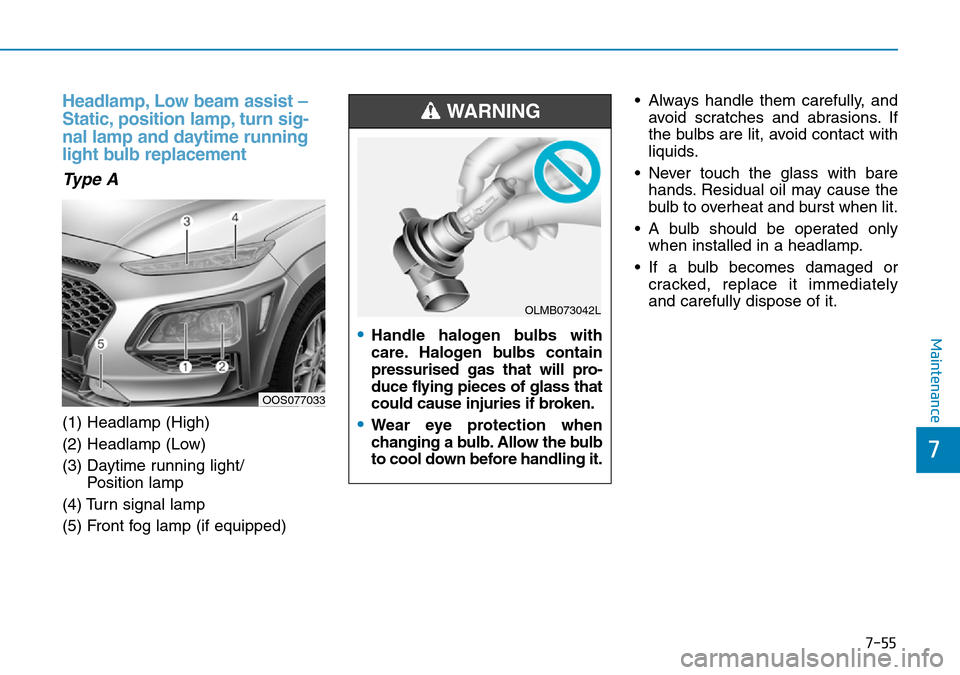
Type A
(1) Headlamp (High)
(2) Headlamp (Low)
(3) Daytime running light/ Position lamp
(4) Turn signal lamp
(5) Front fog lamp (if equipped) • Always handle them carefully, and
avoid scratches and abrasions. If
the bulbs are lit, avoid contact with
liquids.
• Never touch the glass with bare hands. Residual oil may cause the
bulb to overheat and burst when lit.
• A bulb should be operated only when installed in a headlamp.
• If a bulb becomes damaged or cracked, replace it immediately
and carefully dispose of it.
OOS077033
•Handle halogen bulbs with
care. Halogen bulbs contain
pressurised gas that will pro-
duce flying pieces of glass that
could cause injuries if broken.
•Wear eye protection when
changing a bulb. Allow the bulb
to cool down before handling it.
WARNING
OLMB073042L
Page 464 of 497
7-57
7
Maintenance
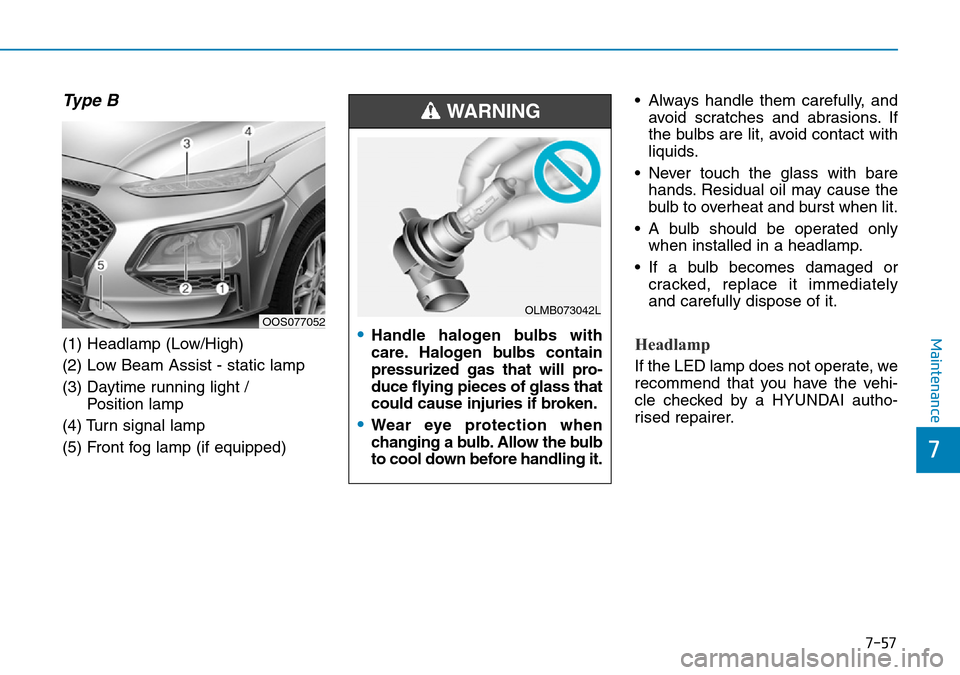
Type B
(1) Headlamp (Low/High)
(2) Low Beam Assist - static lamp
(3) Daytime running light / Position lamp
(4) Turn signal lamp
(5) Front fog lamp (if equipped) • Always handle them carefully, and
avoid scratches and abrasions. If
the bulbs are lit, avoid contact with
liquids.
• Never touch the glass with bare hands. Residual oil may cause the
bulb to overheat and burst when lit.
• A bulb should be operated only when installed in a headlamp.
• If a bulb becomes damaged or cracked, replace it immediately
and carefully dispose of it.Headlamp
If the LED lamp does not operate, we
recommend that you have the vehi-
cle checked by a HYUNDAI autho-
rised repairer.
OOS077052•Handle halogen bulbs with
care. Halogen bulbs contain
pressurized gas that will pro-
duce flying pieces of glass that
could cause injuries if broken.
•Wear eye protection when
changing a bulb. Allow the bulb
to cool down before handling it.
WARNING
OLMB073042L
Page 466 of 497
7-59
7
Maintenance
5. Insert a new bulb by inserting itinto the socket and rotating it until
it locks into place.
6. Install the socket in the assembly by aligning the tabs on the socket
with the slots in the assembly.
7. Push the socket into the assembly and turn the socket clockwise.
Position lamp and daytime running
light
If the LED lamp does not operate, we
recommend that you have the vehicle
checked by a HYUNDAI authorised
repairer.
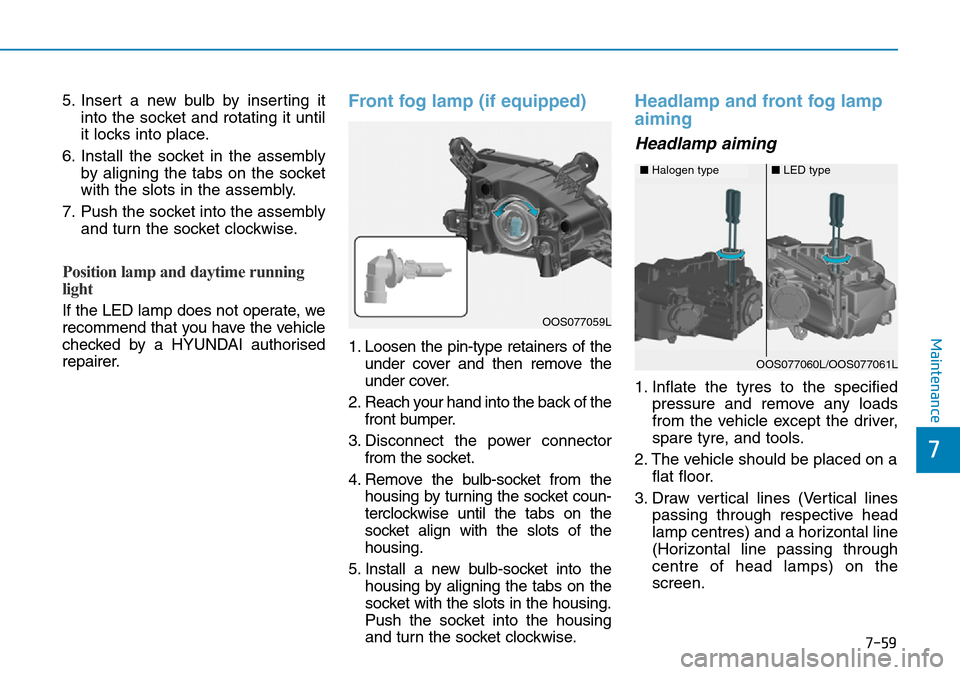
Front fog lamp (if equipped)
1. Loosen the pin-type retainers of theunder cover and then remove the
under cover.
2. Reach your hand into the back of the front bumper.
3. Disconnect the power connector from the socket.
4. Remove the bulb-socket from the housing by turning the socket coun-
terclockwise until the tabs on the
socket align with the slots of the
housing.
5. Install a new bulb-socket into the housing by aligning the tabs on the
socket with the slots in the housing.
Push the socket into the housing
and turn the socket clockwise.
Headlamp and front fog lamp
aiming
Headlamp aiming
1. Inflate the tyres to the specified pressure and remove any loads
from the vehicle except the driver,
spare tyre, and tools.
2. The vehicle should be placed on a flat floor.
3. Draw vertical lines (Vertical lines passing through respective head
lamp centres) and a horizontal line
(Horizontal line passing through
centre of head lamps) on the
screen.
OOS077059L
■Halogen type■LED type
OOS077060L/OOS077061L