turn signal Hyundai Kona 2018 - RHD (UK, Australia) User Guide
[x] Cancel search | Manufacturer: HYUNDAI, Model Year: 2018, Model line: Kona, Model: Hyundai Kona 2018Pages: 497, PDF Size: 11.7 MB
Page 305 of 497
![Hyundai Kona 2018 - RHD (UK, Australia) User Guide 5-56
Driving your vehicle
[A] : Blind spot area
[B] : Closing at high speed
The Blind-spot Collision Warning
(BCW) system uses radar sensors in
the rear bumper to monitor and warn
the driver of an a](/img/35/16232/w960_16232-304.png "Hyundai Kona 2018 - RHD (UK, Australia) User Guide 5-56
Driving your vehicle
[A] : Blind spot area
[B] : Closing at high speed
The Blind-spot Collision Warning
(BCW) system uses radar sensors in
the rear bumper to monitor and warn
the driver of an a")
5-56
Driving your vehicle
[A] : Blind spot area
[B] : Closing at high speed
The Blind-spot Collision Warning
(BCW) system uses radar sensors in
the rear bumper to monitor and warn
the driver of an approaching vehicle
in the driver's blind spot area.The system monitors the rear area of
the vehicle and provides information
to the driver with an audible alert and
an indicator on the outside rearview
mirrors.
(1) BCW : Blind spot area
The BCW range varies relative to
vehicle speed. Note that if your
vehicle is travelling much faster
than the vehicles around you, the
warning will not occur.
(2) BCW : Closing at high speed The BCW-Closing at high speed
feature will alert you when a vehi-
cle is approaching in an adjacent
lane at a high rate of speed. If the
driver activates the turn signal
when the system detects an
oncoming vehicle, the system
sounds an audible alert. Distance
from the approaching vehicle can
be seen differently according to
the relative speed. (3) RCCW (Rear Cross-Traffic
Collision Warning)
The RCCW feature monitors
approaching cross traffic from the
left and right side of the vehicle
when your vehicle is in reverse.
The feature will operate when the
vehicle is moving in reverse below
about 6 mph (10 km/h). If oncom-
ing cross traffic is detected a
warning chime will sound.
Distance from the approaching
vehicle can be seen differently
according to the relative speed.
BLIND-SPOT COLLISION WARNING (BCW) SYSTEM (IF EQUIPPED)
OOS057099R
Page 307 of 497
5-58
Driving your vehicle
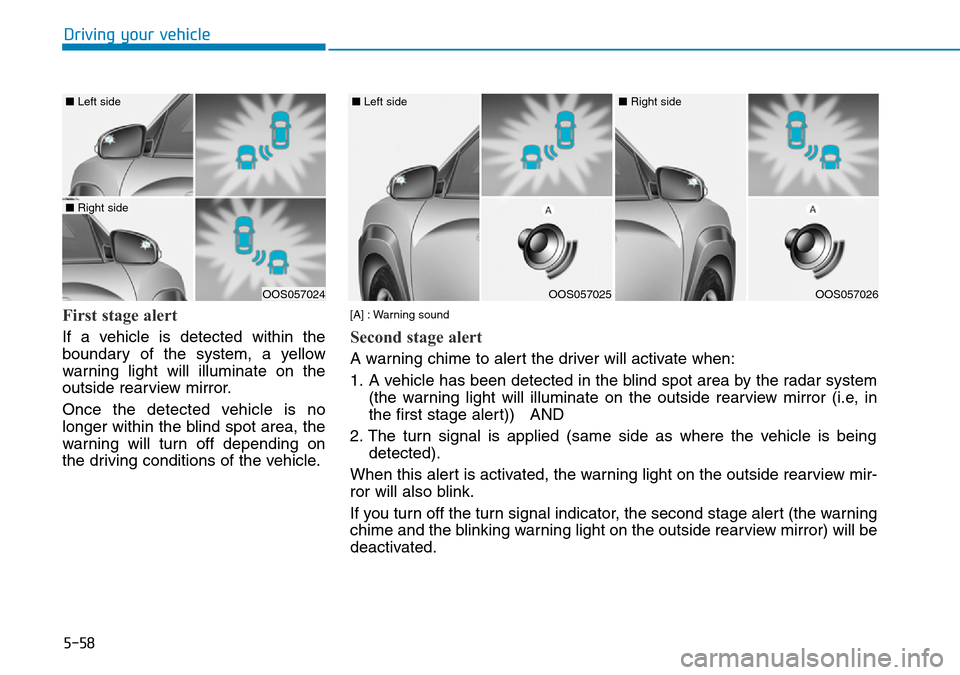
First stage alert
If a vehicle is detected within the
boundary of the system, a yellow
warning light will illuminate on the
outside rearview mirror.
Once the detected vehicle is no
longer within the blind spot area, the
warning will turn off depending on
the driving conditions of the vehicle.
OOS057024
■ Left side
■ Right side
OOS057025
■ Left side
OOS057026
■ Right side
[A] : Warning sound
Second stage alert
A warning chime to alert the driver will activate when:
1. A vehicle has been detected in the blind spot area by the radar system (the warning light will illuminate on the outside rearview mirror (i.e, in
the first stage alert)) AND
2. The turn signal is applied (same side as where the vehicle is being detected).
When this alert is activated, the warning light on the outside rearview mir-
ror will also blink.
If you turn off the turn signal indicator, the second stage alert (the warning
chime and the blinking warning light on the outside rearview mirror) will be
deactivated.
Page 313 of 497
5-64
Driving your vehicle
The Forward Collision-avoidance
Assist (FCA) system is designed to
help detect and monitor the vehicle
ahead or detect a pedestrian (if
equipped) in the roadway through
radar signals and camera recognition
to warn the driver that a collision is
imminent, and if necessary, apply
emergency braking.
System setting and activation
System setting
• The driver can activate the FCA by placing the ignition switch to the
ON position and by selecting:
"User Settings → Driver assistance
→ Forward Collision-avoidance
Assist (FCA)"
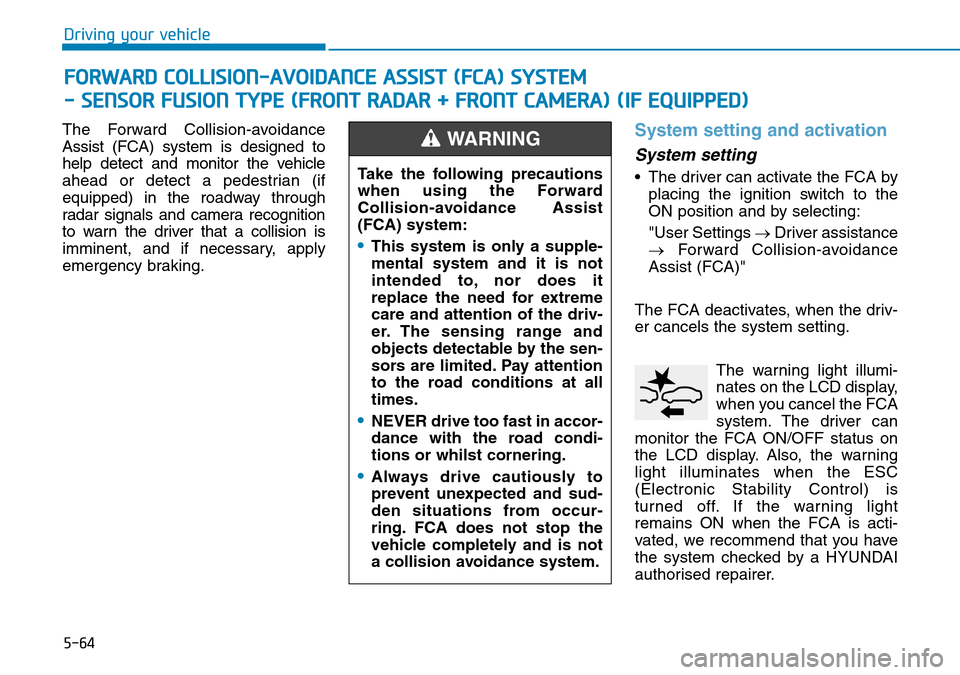
The FCA deactivates, when the driv-
er cancels the system setting. The warning light illumi-
nates on the LCD display,
when you cancel the FCA
system. The driver can
monitor the FCA ON/OFF status on
the LCD display. Also, the warning
light illuminates when the ESC
(Electronic Stability Control) is
turned off. If the warning light
remains ON when the FCA is acti-
vated, we recommend that you have
the system checked by a HYUNDAI
authorised repairer.
FORWARD COLLISION-AVOIDANCE ASSIST (FCA) SYSTEM
- SENSOR FUSION TYPE (FRONT RADAR + FRONT CAMERA) (
II F EQUIPPED)
Take the following precautions
when using the Forward
Collision-avoidance Assist
(FCA) system:
•This system is only a supple-
mental system and it is not
intended to, nor does it
replace the need for extreme
care and attention of the driv-
er. The sensing range and
objects detectable by the sen-
sors are limited. Pay attention
to the road conditions at all
times.
•NEVER drive too fast in accor-
dance with the road condi-
tions or whilst cornering.
•Always drive cautiously to
prevent unexpected and sud-
den situations from occur-
ring. FCA does not stop the
vehicle completely and is not
a collision avoidance system.
WARNING
Page 330 of 497
5-81
Driving your vehicle
5
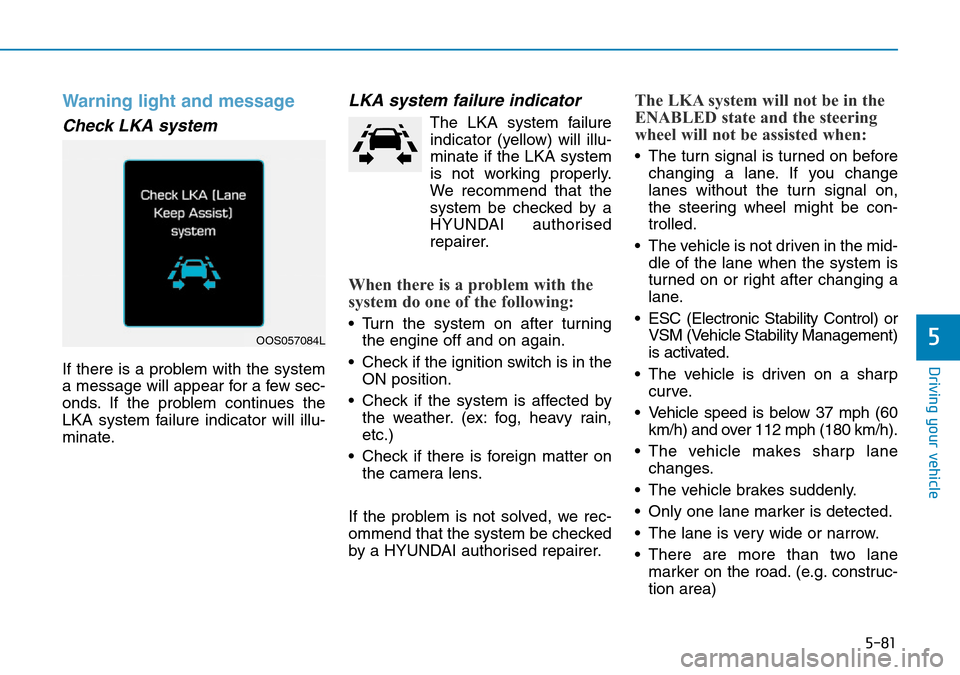
Warning light and message
Check LKA system
If there is a problem with the system
a message will appear for a few sec-
onds. If the problem continues the
LKA system failure indicator will illu-
minate.
LKA system failure indicator
The LKA system failureindicator (yellow) will illu-
minate if the LKA system
is not working properly.
We recommend that the
system be checked by a
HYUNDAI authorised
repairer.
When there is a problem with the
system do one of the following:
• Turn the system on after turning the engine off and on again.
• Check if the ignition switch is in the ON position.
• Check if the system is affected by the weather. (ex: fog, heavy rain,
etc.)
• Check if there is foreign matter on the camera lens.
If the problem is not solved, we rec-
ommend that the system be checked
by a HYUNDAI authorised repairer.
The LKA system will not be in the
ENABLED state and the steering
wheel will not be assisted when:
• The turn signal is turned on before changing a lane. If you change
lanes without the turn signal on,
the steering wheel might be con-
trolled.
• The vehicle is not driven in the mid- dle of the lane when the system is
turned on or right after changing a
lane.
• ESC (Electronic Stability Control) or VSM (Vehicle Stability Management)
is activated.
• The vehicle is driven on a sharp curve.
• Vehicle speed is below 37 mph (60 km/h) and over 112 mph (180 km/h).
• The vehicle makes sharp lane changes.
• The vehicle brakes suddenly.
• Only one lane marker is detected.
• The lane is very wide or narrow.
• There are more than two lane marker on the road. (e.g. construc-
tion area)
OOS057084L
Page 358 of 497
5-109
Driving your vehicle
5
Driving with a trailer
Towing a trailer requires a certain
amount of experience. Before setting
out for the open road, you must get
to know your trailer. Acquaint your-
self with the feel of handling and
braking with the added weight of the
trailer. And always keep in mind that
the vehicle you are driving is now
longer and not nearly as responsive
as your vehicle is by itself.
Before you start, check the trailer
towbar and platform, safety chains,
electrical connector(s), lights, tyres
and brakes.
During your trip, occasionally check
to be sure that the load is secure,
and that the lights and trailer brakes
are still working.
Distance
Stay at least twice as far behind the
vehicle ahead as you would when
driving your vehicle without a trailer.
This can help you avoid situations
that require heavy braking and sud-
den turns.
Passing
You will need more passing distance
up ahead when you’re towing a trail-
er. And, because of the increased
vehicle length, you’ll need to go
much farther beyond the passed
vehicle before you can return to your
lane.
Backing up
Hold the bottom of the steering
wheel with one hand. Then, to move
the trailer to the left, move your hand
to the left. To move the trailer to the
right, move your hand to the right.
Always back up slowly and, if possi-
ble, have someone guide you.
Making turns
When you’re turning with a trailer,
make wider turns than normal. Do this
so your trailer won’t strike soft shoul-
ders, kerbs, road signs, trees, or other
objects. Avoid jerky or sudden
maneuvers. Signal well in advance.
Turn signals
When you tow a trailer, your vehicle
has to have a different turn signal
flasher and extra wiring. The green
arrows on your instrument panel will
flash whenever you signal a turn or
lane change. Properly connected,
the trailer lights will also flash to alert
other drivers you’re about to turn,
change lanes, or stop.
When towing a trailer, the green
arrows on your instrument panel will
flash for turns even if the bulbs on
the trailer are burned out. Thus, you
may think drivers behind you are
seeing your signals when, in fact,
they are not. It’s important to check
occasionally to be sure the trailer
bulbs are still working. You must also
check the lights every time you dis-
connect and then reconnect the
wires.
Page 365 of 497
6-3
What to do in an emergency
6
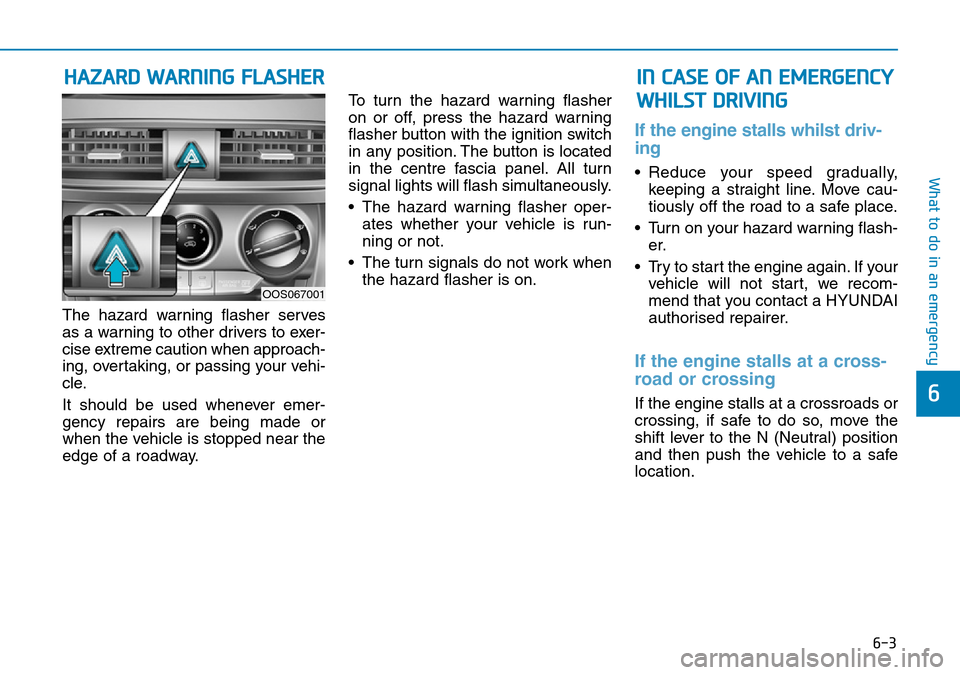
The hazard warning flasher serves
as a warning to other drivers to exer-
cise extreme caution when approach-
ing, overtaking, or passing your vehi-
cle.
It should be used whenever emer-
gency repairs are being made or
when the vehicle is stopped near the
edge of a roadway.To turn the hazard warning flasher
on or off, press the hazard warning
flasher button with the ignition switch
in any position. The button is located
in the centre fascia panel. All turn
signal lights will flash simultaneously.
• The hazard warning flasher oper-
ates whether your vehicle is run-
ning or not.
• The turn signals do not work when the hazard flasher is on.
If the engine stalls whilst driv-
ing
• Reduce your speed gradually,keeping a straight line. Move cau-
tiously off the road to a safe place.
• Turn on your hazard warning flash- er.
• Try to start the engine again. If your vehicle will not start, we recom-
mend that you contact a HYUNDAI
authorised repairer.
If the engine stalls at a cross-
road or crossing
If the engine stalls at a crossroads or
crossing, if safe to do so, move the
shift lever to the N (Neutral) position
and then push the vehicle to a safe
location.
HAZARD WARNING FLASHER IN CASE OF AN EMERGENCY
WHILST DRIVING
OOS067001
Page 372 of 497
6-10
What to do in an emergency
Your vehicle has also been equipped
with a TPMS malfunction indicator to
indicate when the system is not
operating properly. The TPMS mal-
function indicator is combined with
the low tyre pressure telltale. When
the system detects a malfunction,
the telltale will flash for approximate-
ly one minute and then remain con-
tinuously illuminated.
This sequence will continue upon
subsequent vehicle start-ups as long
as the malfunction exists. When the
malfunction indicator is illuminated,
the system may not be able to detect
or signal low tyre pressure as intend-
ed. TPMS malfunctions may occur
for a variety of reasons, including the
installation of replacement or alter-
nate tyres or wheels on the vehicle
that prevent the TPMS from function-
ing properly. Always check the
TPMS malfunction telltale after
replacing one or more tyres or
wheels on your vehicle to ensure that
the replacement or alternate tyres
and wheels allow the TPMS to con-
tinue to function properly. If the TPMS indicator does not illu-
minate for 3 seconds when the
ignition switch is turned to the ON
position or engine is running, or if
it comes on after blinking for
approximately one minute, we rec-
ommend that you contact a
HYUNDAI authorised repairer.
Low tyre pressure telltale
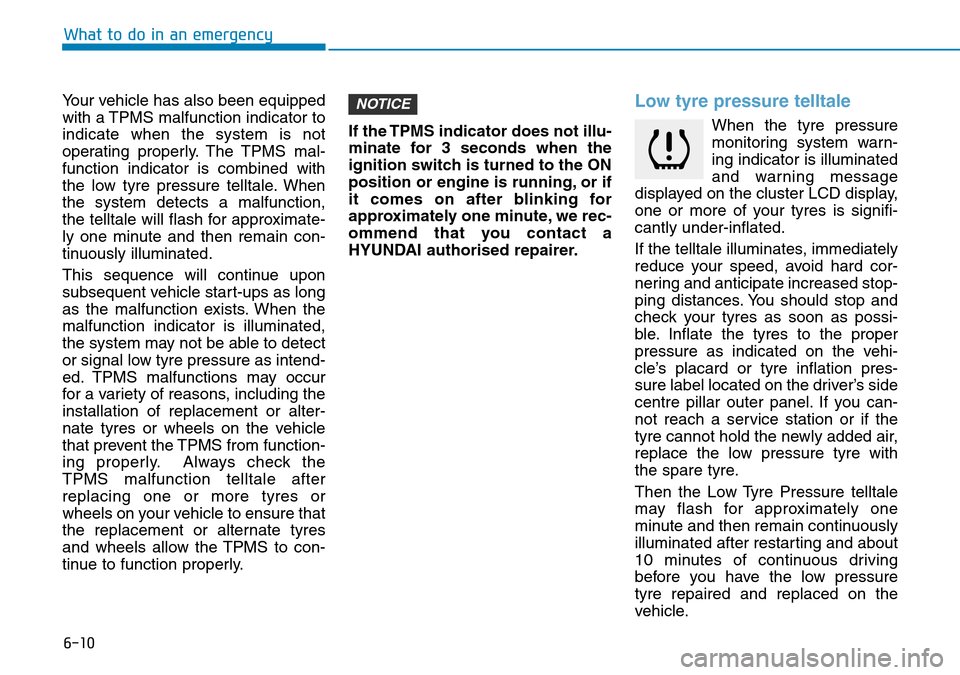
When the tyre pressure
monitoring system warn-
ing indicator is illuminated
and warning message
displayed on the cluster LCD display,
one or more of your tyres is signifi-
cantly under-inflated.
If the telltale illuminates, immediately
reduce your speed, avoid hard cor-
nering and anticipate increased stop-
ping distances. You should stop and
check your tyres as soon as possi-
ble. Inflate the tyres to the proper
pressure as indicated on the vehi-
cle’s placard or tyre inflation pres-
sure label located on the driver’s side
centre pillar outer panel. If you can-
not reach a service station or if the
tyre cannot hold the newly added air,
replace the low pressure tyre with
the spare tyre.
Then the Low Tyre Pressure telltale
may flash for approximately one
minute and then remain continuously
illuminated after restarting and about
10 minutes of continuous driving
before you have the low pressure
tyre repaired and replaced on the
vehicle.
NOTICE
Page 409 of 497
 User Guide 7
Fuses ......................................................................7-\
37
Instrument panel fuse replacement ...........................7-38
Engine compartment panel fuse replacement........")
7
Fuses ......................................................................7-\
37
Instrument panel fuse replacement ...........................7-38
Engine compartment panel fuse replacement.........7-39
Fuse/Relay panel description ......................................7-41
Light bulbs.............................................................7-54
Headlamp, Low beam assist - Static,
position lamp, turn signal lamp and
daytime running light bulb replacement ...................7-55
Front fog lamp .................................................................7-59
Headlamp and front fog lamp aiming ........................7-59
Side repeater lamp replacement .................................7-64
Rear combination lamp bulb replacement ................7-64
High mounted stop lamp replacement .......................7-66
License plate light bulb replacement .........................7-66
Interior light bulb replacement ....................................7-67
Appearance care ..................................................7-68
Exterior care ....................................................................7-68\
Interior care......................................................................7-\
73
Emission control system .....................................7-75
Crankcase emission control system ...........................7-76
Evaporative emission control system.........................7-76
Exhaust emission control system ...............................7-76
Page 413 of 497
7-6
Maintenance
Whilst operating your vehicle:
• Note any changes in the sound ofthe exhaust or any smell of exhaust
fumes in the vehicle.
• Check for vibrations in the steering wheel. Notice if there is any
increased steering effort or loose-
ness in the steering wheel, or
change in its straight-ahead position.
• Notice if your vehicle constantly turns slightly or “pulls” to one side when
travelling on smooth, level road.
• When stopping, listen and check for unusual sounds, pulling to one side,
increased brake pedal travel or
“hard-to-push” brake pedal.
• If any slipping or changes in the operation of your transmission
occurs, check the transmission fluid
level.
• Check the dual clutch transmission P (Park) function.
• Check the parking brake.
• Check for fluid leaks under your vehicle (water dripping from the air
conditioning system during or after
use is normal).
At least monthly:
• Check coolant level in the enginecoolant reservoir.
• Check the operation of all exterior lights, including the stoplights, turn
signals and hazard warning flashers.
• Check the inflation pressures of all tyres including the spare for tyres
that are worn, show uneven wear,
or are damaged.
• Check for loose wheel lug nuts.
At least twice a year: (i.e., every Spring and Autumn)
• Check radiator, heater and air condi-
tioning hoses for leaks or damage.
• Check windscreen washer spray and wiper operation. Clean wiper
blades with a clean cloth damp-
ened with washer fluid.
• Check headlamp alignment.
• Check muffler, exhaust pipes, shields and clamps.
• Check the seat belts for wear and function.
At least once a year:
• Clean body and door drain holes.
• Lubricate door hinges and bonnethinges.
• Lubricate door and bonnet locks and latches.
• Lubricate door rubber weather strips.
• Check the air conditioning system.
• Inspect and lubricate dual clutch transmission linkage and controls.
• Clean the battery and terminals.
• Check the brake fluid level.
Page 462 of 497
7-55
7
Maintenance
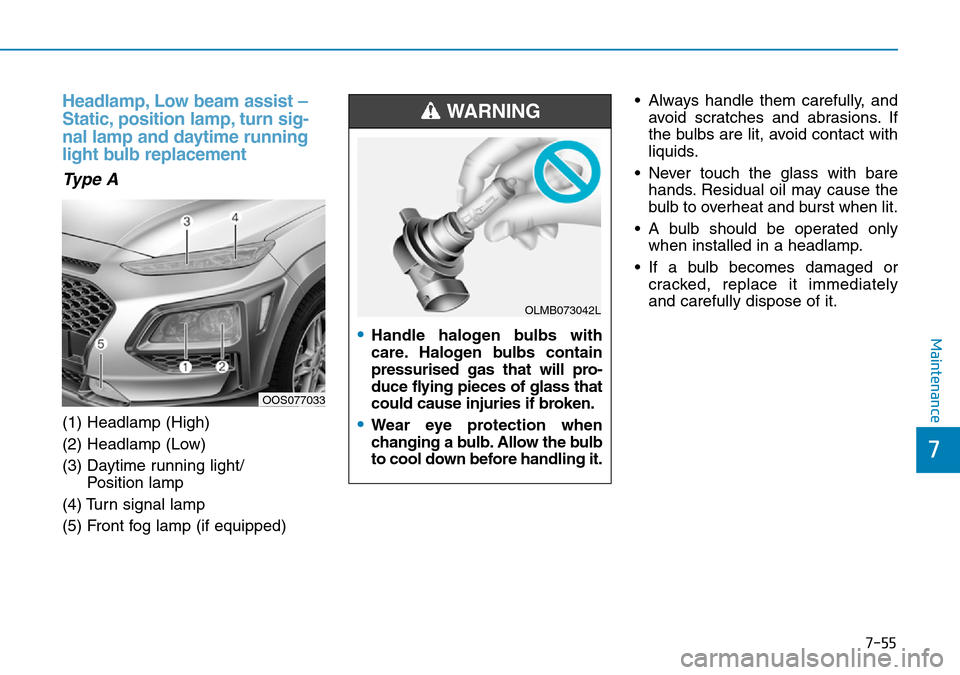
Headlamp, Low beam assist –
Static, position lamp, turn sig-
nal lamp and daytime running
light bulb replacement
Type A
(1) Headlamp (High)
(2) Headlamp (Low)
(3) Daytime running light/ Position lamp
(4) Turn signal lamp
(5) Front fog lamp (if equipped) • Always handle them carefully, and
avoid scratches and abrasions. If
the bulbs are lit, avoid contact with
liquids.
• Never touch the glass with bare hands. Residual oil may cause the
bulb to overheat and burst when lit.
• A bulb should be operated only when installed in a headlamp.
• If a bulb becomes damaged or cracked, replace it immediately
and carefully dispose of it.
OOS077033
•Handle halogen bulbs with
care. Halogen bulbs contain
pressurised gas that will pro-
duce flying pieces of glass that
could cause injuries if broken.
•Wear eye protection when
changing a bulb. Allow the bulb
to cool down before handling it.
WARNING
OLMB073042L