ECO mode Hyundai Kona 2018 - RHD (UK, Australia) Owner's Guide
[x] Cancel search | Manufacturer: HYUNDAI, Model Year: 2018, Model line: Kona, Model: Hyundai Kona 2018Pages: 497, PDF Size: 11.7 MB
Page 282 of 497
5-33
Driving your vehicle
5
ABS cannot prevent a loss of stabili-
ty. Always steer moderately when
braking hard. Severe or sharp steer-
ing wheel movement can still cause
your vehicle to veer into oncoming
traffic or off the road.
On loose or uneven road surfaces,
operation of the anti-lock brake sys-
tem may result in a longer stopping
distance than for vehicles equipped
with a conventional brake system.
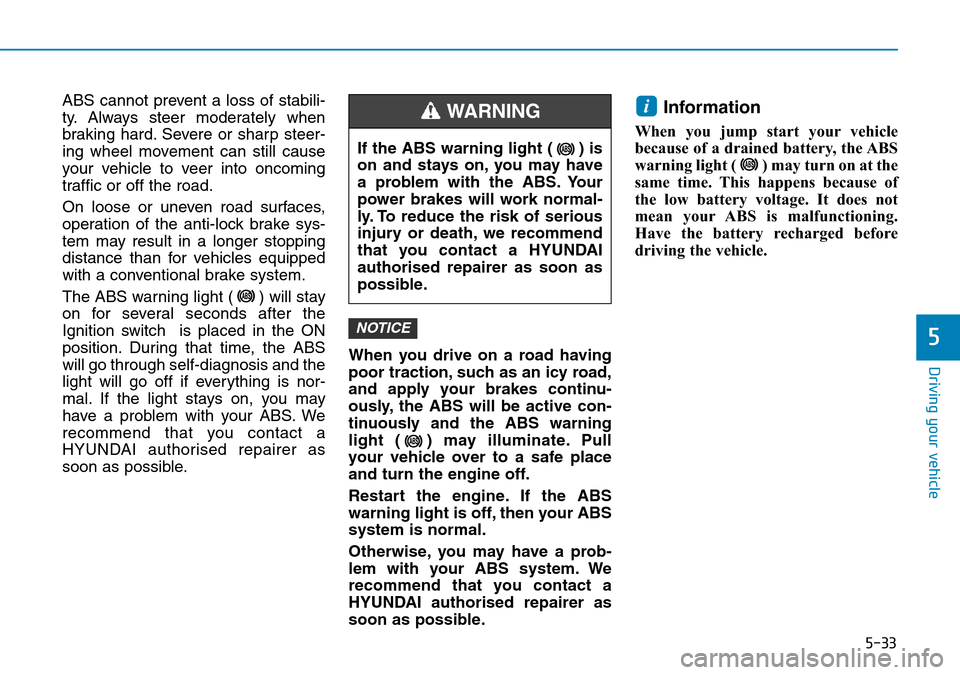
The ABS warning light ( ) will stay
on for several seconds after the
Ignition switch is placed in the ON
position. During that time, the ABS
will go through self-diagnosis and the
light will go off if everything is nor-
mal. If the light stays on, you may
have a problem with your ABS. We
recommend that you contact a
HYUNDAI authorised repairer as
soon as possible.When you drive on a road having
poor traction, such as an icy road,
and apply your brakes continu-
ously, the ABS will be active con-
tinuously and the ABS warning
light ( ) may illuminate. Pull
your vehicle over to a safe place
and turn the engine off.
Restart the engine. If the ABS
warning light is off, then your ABS
system is normal.
Otherwise, you may have a prob-
lem with your ABS system. We
recommend that you contact a
HYUNDAI authorised repairer as
soon as possible.Information
When you jump start your vehicle
because of a drained battery, the ABS
warning light ( ) may turn on at the
same time. This happens because of
the low battery voltage. It does not
mean your ABS is malfunctioning.
Have the battery recharged before
driving the vehicle.
i
NOTICE
If the ABS warning light ( ) is
on and stays on, you may have
a problem with the ABS. Your
power brakes will work normal-
ly. To reduce the risk of serious
injury or death, we recommend
that you contact a HYUNDAI
authorised repairer as soon as
possible.
WARNING
Page 289 of 497
5-40
Driving your vehicle
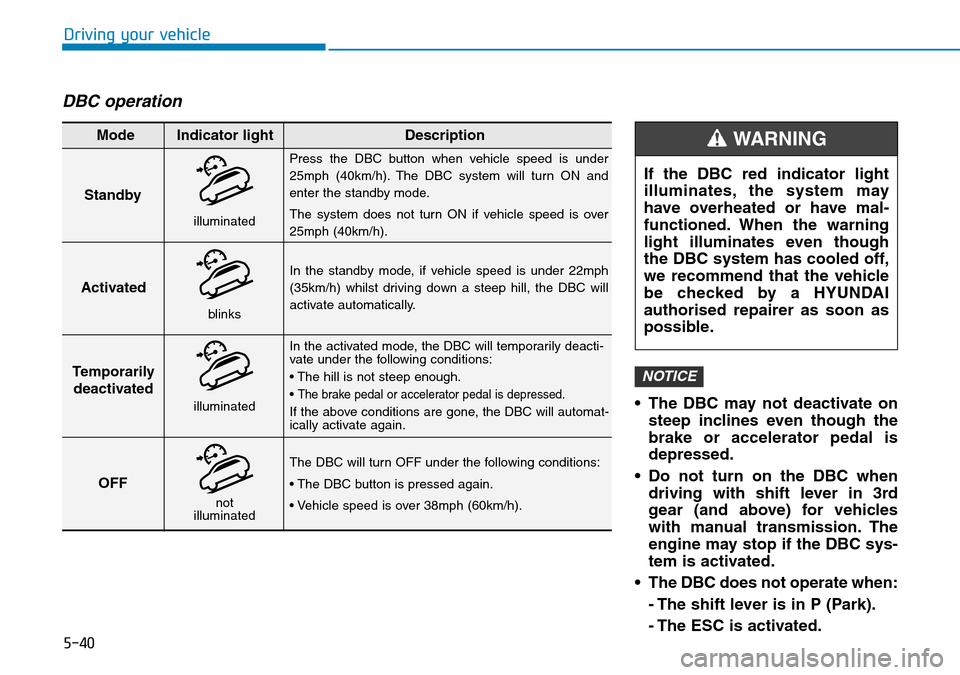
DBC operation
• The DBC may not deactivate onsteep inclines even though the
brake or accelerator pedal is
depressed.
• Do not turn on the DBC when driving with shift lever in 3rd
gear (and above) for vehicles
with manual transmission. The
engine may stop if the DBC sys-
tem is activated.
• The DBC does not operate when: - The shift lever is in P (Park).
- The ESC is activated.
NOTICE
Standby
Press the DBC button when vehicle speed is under
25mph (40km/h). The DBC system will turn ON and
enter the standby mode.
The system does not turn ON if vehicle speed is over
25mph (40km/h).
In the standby mode, if vehicle speed is under 22mph
(35km/h) whilst driving down a steep hill, the DBC will
activate automatically.
In the activated mode, the DBC will temporarily deacti-
vate under the following conditions:
• The hill is not steep enough.
•
The brake pedal or accelerator pedal is depressed.
If the above conditions are gone, the DBC will automat-
ically activate again.
The DBC will turn OFF under the following conditions:
• The DBC button is pressed again.
• Vehicle speed is over 38mph (60km/h).
Activated
Temporarily deactivated
OFF
Mode Indicator light Description
blinks
illuminated
not
illuminated
illuminated
If the DBC red indicator light
illuminates, the system may
have overheated or have mal-
functioned. When the warning
light illuminates even though
the DBC system has cooled off,
we recommend that the vehicle
be checked by a HYUNDAI
authorised repairer as soon as
possible.
WARNING
Page 292 of 497
5-43
Driving your vehicle
5
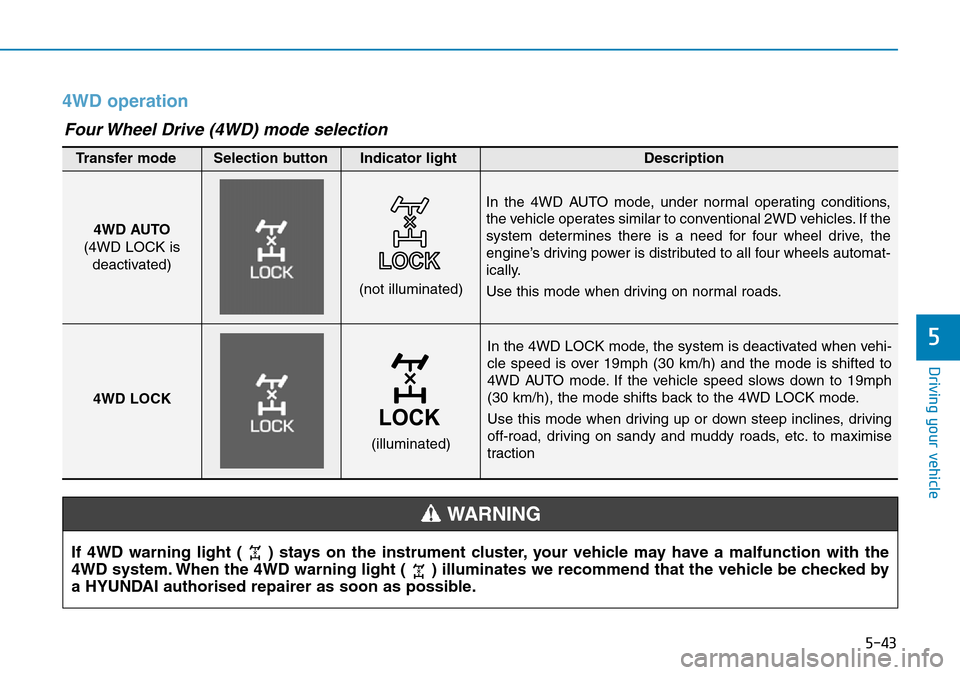
4WD operation
In the 4WD LOCK mode, the system is deactivated when vehi-
cle speed is over 19mph (30 km/h) and the mode is shifted to
4WD AUTO mode. If the vehicle speed slows down to 19mph
(30 km/h), the mode shifts back to the 4WD LOCK mode.
Use this mode when driving up or down steep inclines, driving
off-road, driving on sandy and muddy roads, etc. to maximise
traction
4WD AUTO
(4WD LOCK is deactivated)
(not illuminated)
Transfer mode Selection button Indicator light Description
In the 4WD AUTO mode, under normal operating conditions,
the vehicle operates similar to conventional 2WD vehicles. If the
system determines there is a need for four wheel drive, the
engine’s driving power is distributed to all four wheels automat-
ically.
Use this mode when driving on normal roads.
4WD LOCK
(illuminated)
Four Wheel Drive (4WD) mode selection
If 4WD warning light ( ) stays on the instrument cluster, your vehicle may have a malfunction with the
4WD system. When the 4WD warning light ( ) illuminates we recommend that the vehicle be checked by
a HYUNDAI authorised repairer as soon as possible.
WARNING
Page 297 of 497
5-48
The ISG system is to reduce the fuel
consumption by automatically shut-
ting down the engine, when the vehi-
cle is at a standstill (i.e. red stop light,
stop sign, and traffic jam).
The engine is automatically started
upon satisfying the starting condi-
tions.
The ISG system is always active,
when the engine is running.
Information
When the engine is automatically
started by the ISG system, some warn-
ing lights (i.e. ABS, ESC, ESC OFF,
EPS, and parking brake warning
light) may illuminate for a few sec-
onds due to the low battery voltage.
However, it does not indicate a mal-
function with the ISG system.
To activate the ISG system
Prerequisite for activation
The ISG system operates in the fol-
lowing situations.
- The driver's seatbelt is fastened.
- The driver's door and the bonnetare closed.
- The brake vacuum pressure is adequate.
- The battery is sufficiently charged.
- The outside temperature is between -20 °C and 35 °C (-4 °F and 95 °F).
- The engine coolant temperature is not too low.
- The system is not in the diagnostic mode.
- The steering wheel is not steered excessively. (for dual clutch trans-
mission vehicle)
- The vehicle is driven on a steep incline. (for dual clutch transmis-
sion vehicle)
Information
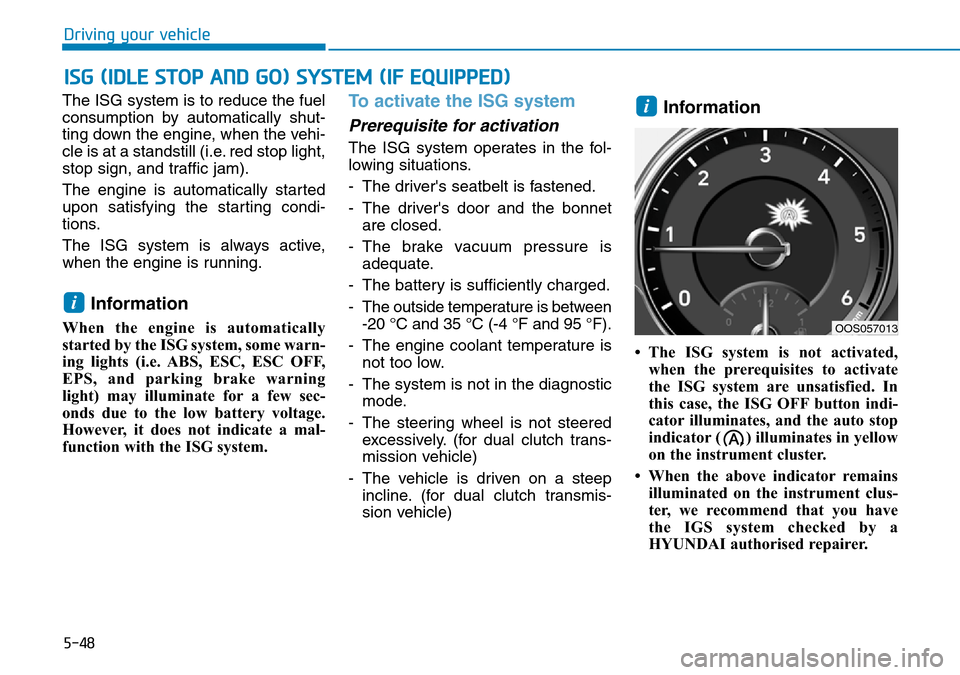
• The ISG system is not activated,when the prerequisites to activate
the ISG system are unsatisfied. In
this case, the ISG OFF button indi-
cator illuminates, and the auto stop
indicator ( ) illuminates in yellow
on the instrument cluster.
• When the above indicator remains illuminated on the instrument clus-
ter, we recommend that you have
the IGS system checked by a
HYUNDAI authorised repairer.
i
i
ISG (IDLE STOP AND GO) SYSTEM (IF EQUIPPED)
Driving your vehicle
OOS057013
Page 300 of 497
5-51
Driving your vehicle
- The door is opened or seat belt isunfastened when the brake pedal
is depressed.
The auto stop indicator ( ) blinks
in green for 5 seconds on the instru-
ment cluster and a message "Auto
Start" will appear on the LCD display.
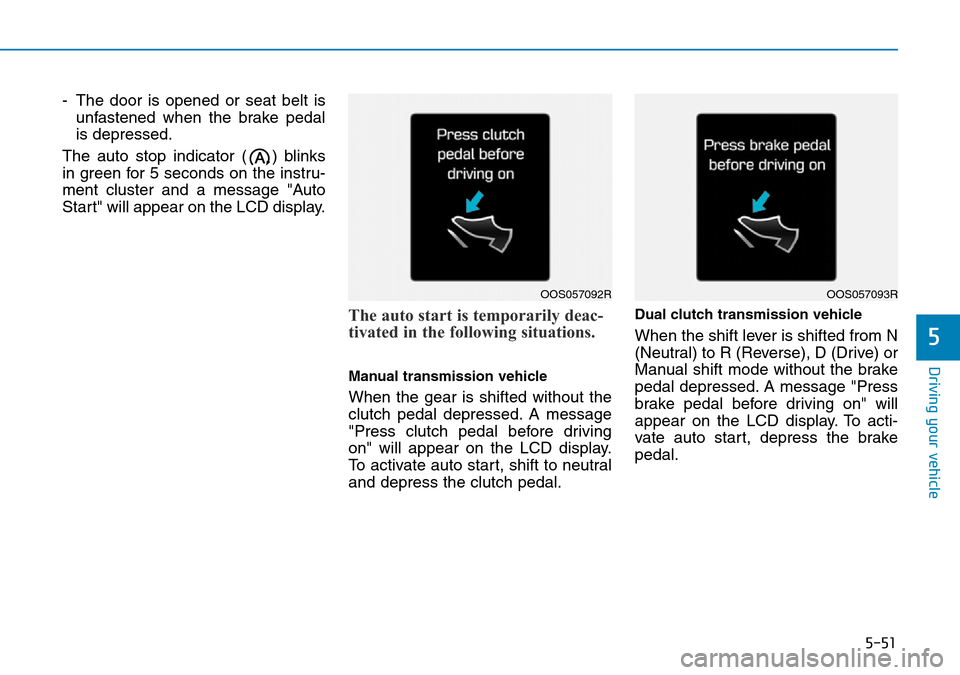
The auto start is temporarily deac-
tivated in the following situations.
Manual transmission vehicle
When the gear is shifted without the
clutch pedal depressed. A message
"Press clutch pedal before driving
on" will appear on the LCD display.
To activate auto start, shift to neutral
and depress the clutch pedal.
Dual clutch transmission vehicle
When the shift lever is shifted from N
(Neutral) to R (Reverse), D (Drive) or
Manual shift mode without the brake
pedal depressed. A message "Press
brake pedal before driving on" will
appear on the LCD display. To acti-
vate auto start, depress the brake
pedal.5
OOS057092ROOS057093R
Page 301 of 497
5-52
To deactivate the ISG system
• Press the ISG OFF button to deac-tivate the ISG system. Then, the
ISG OFF button indicator illumi-
nates, and the message "Auto
Stop System Off" appears on the
LCD display.
• Press the ISG OFF button again to reactivate the ISG system. Then,
the ISG OFF button indicator turns
OFF.
ISG system malfunction
The ISG system may not operate:
When there is a malfunction with the
ISG sensors or the ISG system.
The followings occur, when there is
a malfunction with the ISG system:
• The auto stop indicator ( ) willblink in yellow on the instrument
cluster.
• The light on the ISG OFF button will illuminate.
Information
• When you cannot turn OFF the ISGOFF button indicator by pressing the
ISG OFF button, or when the mal-
function with the ISG system per-
sists, we recommend that you contact
a HYUNDAI authorised repairer.
• You can turn off the ISG OFF but- ton indicator by driving over 50
mph (80 km/h) for up to 2 hours
with the fan speed below the 2nd
position. If the ISG OFF button
indicator remains ON, we recom-
mend that you contact a HYUNDAI
authorised repairer.
i
Driving your vehicle
When the engine is in auto stop
mode, the engine may restart.
Before leaving the vehicle or
checking the engine compart-
ment, stop the engine by plac-
ing the ignition switch to the
LOCK/OFF position or remov-
ing the ignition key.
WARNING
Page 303 of 497
5-54
Driving your vehicle
DRIVE MODE INTEGRATED CONTROL SYSTEM (IF EQUIPPED)
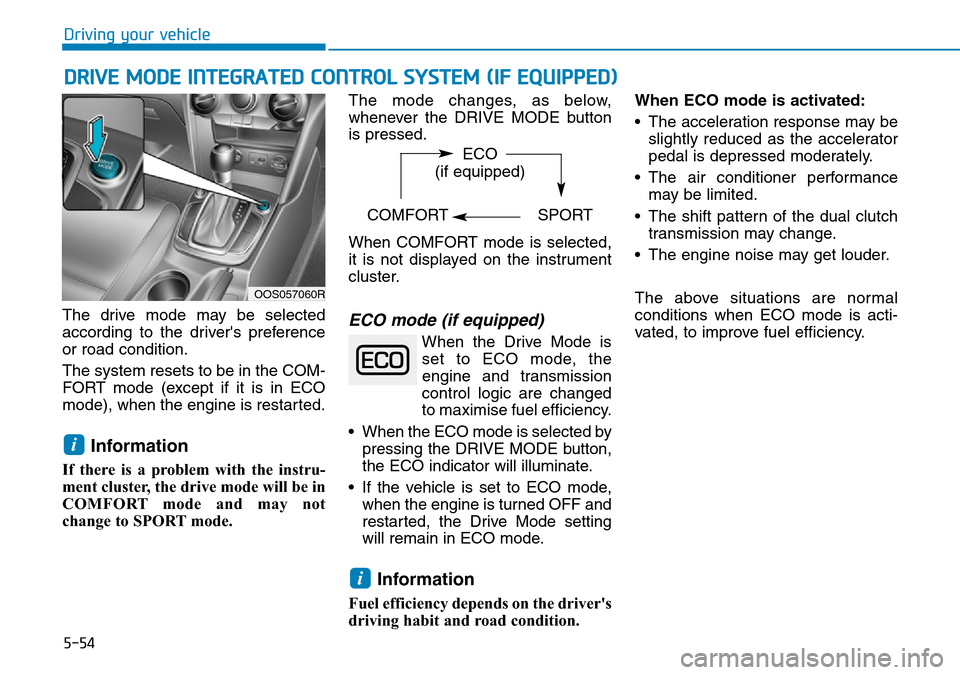
The drive mode may be selected
according to the driver's preference
or road condition.
The system resets to be in the COM-
FORT mode (except if it is in ECO
mode), when the engine is restarted.
Information
If there is a problem with the instru-
ment cluster, the drive mode will be in
COMFORT mode and may not
change to SPORT mode. The mode changes, as below,
whenever the DRIVE MODE button
is pressed.
When COMFORT mode is selected,
it is not displayed on the instrument
cluster.
ECO mode (if equipped)
When the Drive Mode is
set to ECO mode, the
engine and transmission
control logic are changed
to maximise fuel efficiency.
• When the ECO mode is selected by pressing the DRIVE MODE button,
the ECO indicator will illuminate.
• If the vehicle is set to ECO mode, when the engine is turned OFF and
restarted, the Drive Mode setting
will remain in ECO mode.
Information
Fuel efficiency depends on the driver's
driving habit and road condition. When ECO mode is activated:
• The acceleration response may be
slightly reduced as the accelerator
pedal is depressed moderately.
• The air conditioner performance may be limited.
• The shift pattern of the dual clutch transmission may change.
• The engine noise may get louder.
The above situations are normal
conditions when ECO mode is acti-
vated, to improve fuel efficiency.
i
i
OOS057060R
ECO
(if equipped)
COMFORT SPORT
Page 304 of 497
5-55
Driving your vehicle
5
Limitation of ECO mode opera-
tion:
If the following conditions occur
whilst ECO mode is operating, the
system operation is limited even
though there is no change in ECO
indicator.
• When the coolant temperature islow:
The system will be limited until
engine performance becomes nor-
mal.
• When driving up a hill: The system will be limited to gain
power when driving uphill because
engine torque is restricted.
• When driving the vehicle with the dual clutch transmission gear shift
lever in manual shift mode:
The system will be limited due to
the shift location.
• When the accelerator pedal is deeply depressed for a few seconds:
The system will be limited, judging
that the driver wants to speed up.SPORT mode
SPORT mode managesthe driving dynamics by
automatically adjusting the
steering effort, the engine
and transmission control
logic for enhanced driving
performance.
• When SPORT mode is selected by pressing the DRIVE MODE button,
the SPORT indicator will illuminate.
• Whenever the engine is restarted, the Drive Mode will revert back to
COMFORT mode. If SPORT mode
is desired, re-select SPORT mode
from the DRIVE MODE button.
• When SPORT mode is activated: - The engine rpm will tend to remainraised over a certain length of time
even after releasing the accelerator
- Upshifts are delayed when accel- erating
Information
In SPORT mode, the fuel efficiency
may decrease.
COMFORT mode
COMFORT mode is a
base mode.
When COMFORT mode is selected
by pressing the DRIVE MODE but-
ton, the COMFORT indicator will illu-
minate.
If the vehicle is set to COMFORT
mode, when the engine is turned
OFF and restarted, the Drive Mode
setting will remain in COMFORT
mode.
i
Page 311 of 497
5-62
Driving your vehicle- A trailer or carrier is installed. Touse the BCW system, remove the
trailer or carrier from your vehicle.
If any of these conditions occur, the
light on the BCW switch and the sys-
tem will turn off automatically.
When the BCW cancelled warning
message is displayed in the cluster,
check to make sure that the rear
bumper is free from any dirt or snow
in the areas where the sensor is
located. Remove any dirt, snow, or
foreign material that could interfere
with the radar sensors.
After any dirt or debris is removed,
the BCW system should operate nor-
mally after about 10 minutes of driv-
ing the vehicle.
If the system still does not operate
normally have your vehicle inspected
by a HYUNDAI authorised repairer.
Information
Turn off the system by pressing the
BCW switch and deselecting Rear
Cross-Traffic Collision warning
(RCCW) from the User Settings mode
on the cluster, when using a trailer or
carrier behind your vehicle.
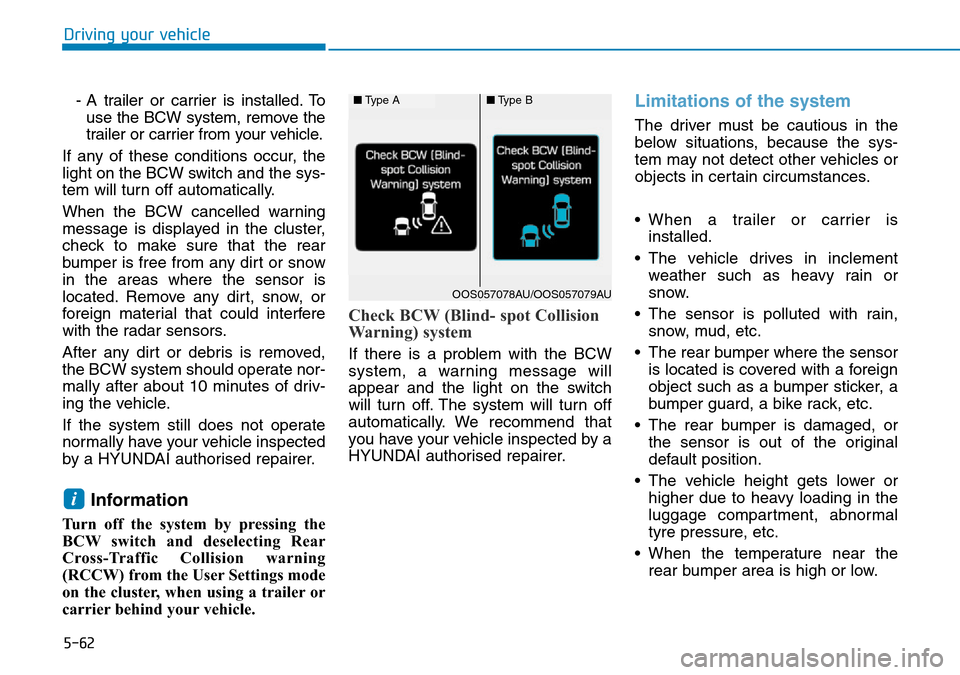
Check BCW (Blind- spot Collision
Warning) system
If there is a problem with the BCW
system, a warning message will
appear and the light on the switch
will turn off. The system will turn off
automatically. We recommend that
you have your vehicle inspected by a
HYUNDAI authorised repairer.
Limitations of the system
The driver must be cautious in the
below situations, because the sys-
tem may not detect other vehicles or
objects in certain circumstances.
• When a trailer or carrier is installed.
• The vehicle drives in inclement weather such as heavy rain or
snow.
• The sensor is polluted with rain, snow, mud, etc.
• The rear bumper where the sensor is located is covered with a foreign
object such as a bumper sticker, a
bumper guard, a bike rack, etc.
• The rear bumper is damaged, or the sensor is out of the original
default position.
• The vehicle height gets lower or higher due to heavy loading in the
luggage compartment, abnormal
tyre pressure, etc.
• When the temperature near the rear bumper area is high or low.
i
■ Type A■Type B
OOS057078AU/OOS057079AU
Page 340 of 497
5-91
Driving your vehicle
5
Information
• During normal cruise control opera-tion, when the SET switch is activat-
ed or reactivated after applying the
brakes, the cruise control will acti-
vate after approximately 3 seconds.
This delay is normal.
• Before activating the cruise control function, the system will check to
verify that the brake switch is oper-
ating normally. Depress the brake
pedal at least once after turning ON
the ignition or starting the vehicle.
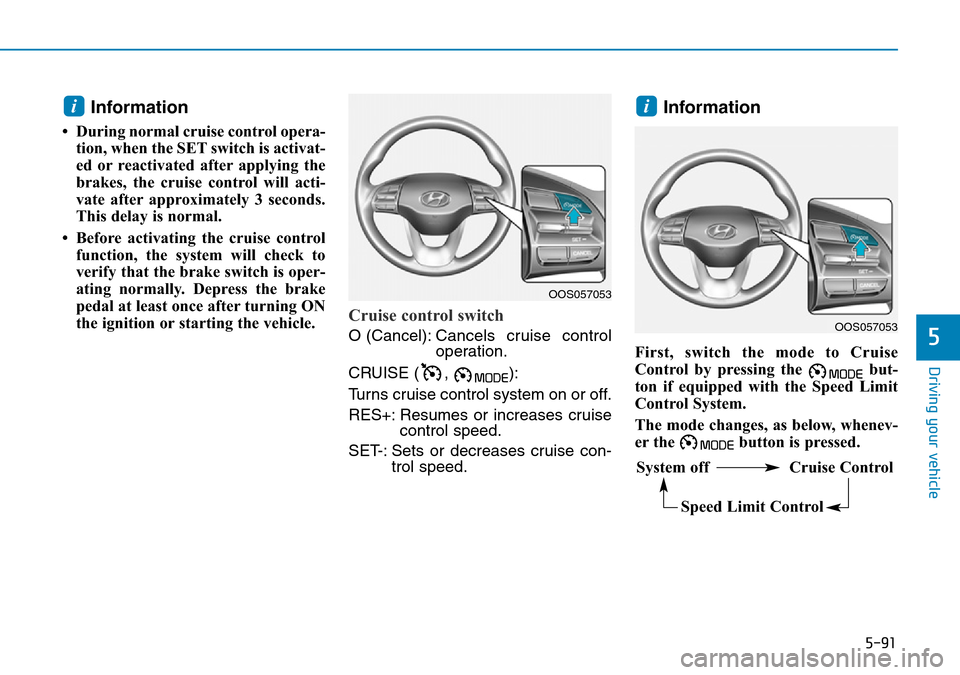
Cruise control switch
O (Cancel): Cancels cruise control
operation.
CRUISE ( , ):
Turns cruise control system on or off.
RES+: Resumes or increases cruise control speed.
SET-: Sets or decreases cruise con- trol speed.
Information
First, switch the mode to Cruise
Control by pressing the but-
ton if equipped with the Speed Limit
Control System.
The mode changes, as below, whenev-
er the button is pressed.
ii
OOS057053
System off Cruise Control
Speed Limit Control
OOS057053