alarm Hyundai Kona 2018 Owner's Manual
[x] Cancel search | Manufacturer: HYUNDAI, Model Year: 2018, Model line: Kona, Model: Hyundai Kona 2018Pages: 523, PDF Size: 33.6 MB
Page 84 of 523
Convenient features of your vehicle
Accessing your vehicle .........................................3-3Remote key .........................................................................3-3
Smart key ............................................................................3-6
Immobilizer system .........................................................3-10
Door locks .............................................................3-11 Operating door locks from outside the vehicle .....3-11
Operating door locks from inside the vehicle ........3-12
Deadlocks ..........................................................................3-14
Auto door lock/unlock features ................................3-15
Child-protector rear door locks ..................................3-15
Theft-alarm system.............................................3-16
Steering wheel......................................................3-17 Electric power steering (EPS) ......................................3-17
Tilt steering / Telescopic steering ..............................3-17
Heated steering wheel ...................................................3-18
Horn ....................................................................................3-19
Mirrors ...................................................................3-19 Inside rearview mirror....................................................3-19
Outside rearview mirror ................................................3-20
Windows ................................................................3-23 Power windows ................................................................3-23
Sunroof..................................................................3-27 Sunroof opening and closing .......................................3-28
Sliding the sunroof .........................................................3-28
Tilting the sunroof ..........................................................3-29 Sunshade ...........................................................................3-29
Resetting the sunroof ....................................................3-30
Sunroof open warning ...................................................3-30
Exterior features .................................................3-31 Hood ...................................................................................3-31
Tailgate...............................................................................3-32
Fuel filler door .................................................................3-34
Instrument cluster................................................3-37 Instrument cluster control ............................................3-38
Gauges and meters .........................................................3-38
Icy road warning light ..................................................3-41
Transmission shift indicator .........................................3-42
Warning and indicator lights ........................................3-44
LCD display messages ..................................................3-57
LCD display (cluster type B,C) ...........................3-64 LCD display control.........................................................3-64
LCD display modes ..........................................................3-65
Trip computer and service reminder
(for cluster type A) .............................................3-72 Trip computer ...................................................................3-72
Service reminder .............................................................3-75
Trip computer (type B, type C) ..........................3-77 Trip modes ........................................................................3-77
Head up display (HUD) ......................................3-80
3
Page 99 of 523
3-16
Convenient features of your vehicle
This system helps to protect your
vehicle and valuables. The horn will
sound and the hazard warning lights
will blink continuously if any of the
following occur:
- A door is opened without using theremote key or smart key.
- The tailgate is opened without using the remote key or smart key.
- The engine hood is opened.
The alarm continues for 30 seconds,
then the system resets. To turn off
the alarm, unlock the doors with the
remote key or smart key.
The Theft Alarm System automati-
cally sets 30 seconds after you lock
the doors and the tailgate. For the
system to activate, you must lock thedoors and the tailgate from outside
the vehicle with the remote key or
smart key or by pressing the buttonon the outside of the door handles
with the smart key in your posses-sion.
The hazard warning lights will blink and the chime will sound once to
indicate the system is armed. Once the security system is set, open-
ing any door, the tailgate, or the hood
without using the remote key or smart
key will cause the alarm to activate.
The Theft Alarm System will not set if
the hood, the tailgate, or any door is
not fully closed. If the system will not
set, check the hood, the tailgate, orthe doors are fully closed. Do not attempt to alter this system or
add other devices to it.
Information
Do not lock the doors until all pas- sengers have left the vehicle. If the
remaining passenger leaves the
vehicle when the system is armed,
the alarm will be activated.
If the vehicle is not disarmed with the remote key or smart key, open
the doors by using the mechanical
key and place the ignition switch in
the ON position (for remote key) or
start the engine (for smart key) and
wait for 30 seconds.
When the system is disarmed but a door or tailgate is not opened within 30
seconds, the system will be rearmed. Information
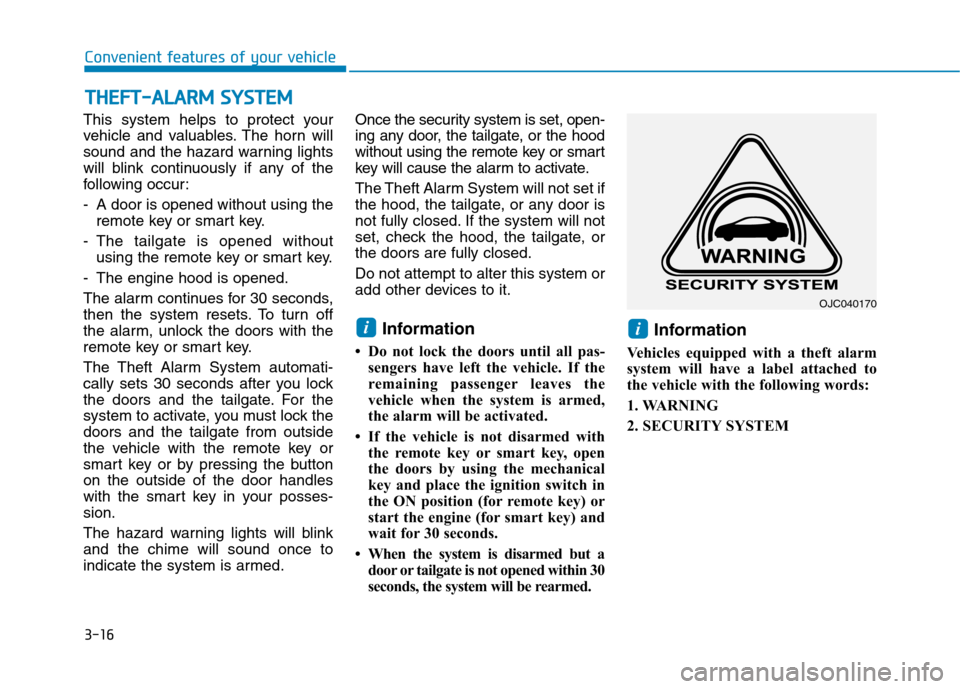
Vehicles equipped with a theft alarm
system will have a label attached to
the vehicle with the following words:
1. WARNING
2. SECURITY SYSTEM
ii
TT HH EEFFTT --AA LLAA RRMM SS YY SSTT EEMM
OJC040170
Page 121 of 523
3-38
Convenient features of your vehicle
Instrument cluster control
Instrument panel illumination
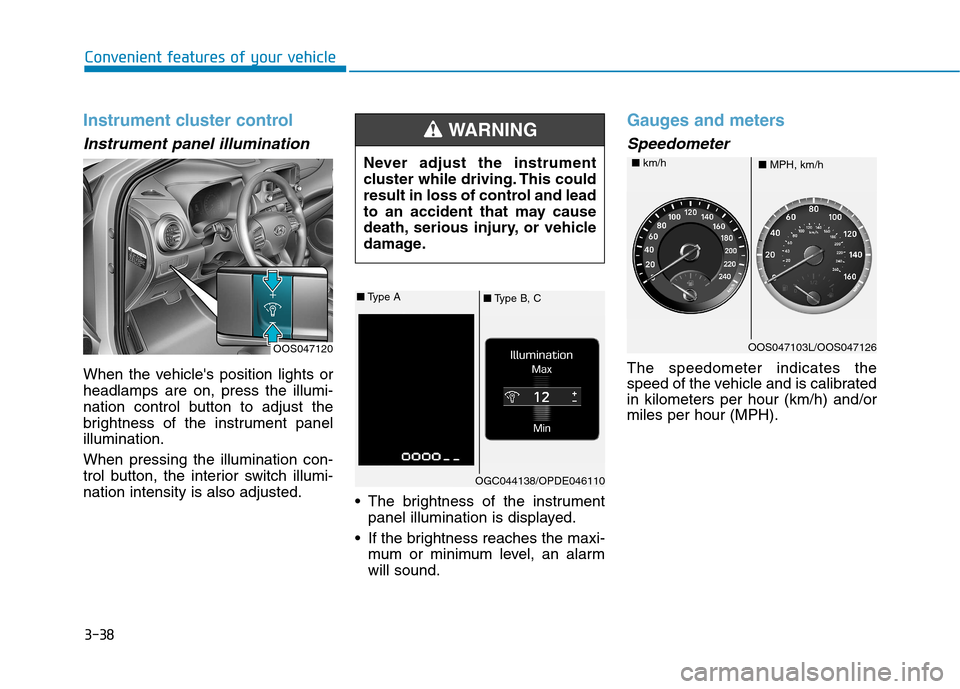
When the vehicle's position lights or headlamps are on, press the illumi-
nation control button to adjust the
brightness of the instrument panelillumination. When pressing the illumination con-
trol button, the interior switch illumi-nation intensity is also adjusted. The brightness of the instrument
panel illumination is displayed.
If the brightness reaches the maxi- mum or minimum level, an alarmwill sound.
Gauges and meters
Speedometer
The speedometer indicates the
speed of the vehicle and is calibratedin kilometers per hour (km/h) and/ormiles per hour (MPH).
OOS047120 Never adjust the instrument
cluster while driving. This could
result in loss of control and lead
to an accident that may cause
death, serious injury, or vehicle
damage.
WARNING
■
Type B, C
■
Type A
OGC044138/OPDE046110
OOS047103L/OOS047126
■ MPH, km/h
■
km/h
Page 176 of 523
3-93
Convenient features of your vehicle
Interior lights
Do not use the interior lights for
extended periods when the engine
is turned off otherwise the battery
will discharge.
Interior lamp AUTO cut
The interior lamps will automatically
go off approximately 20 minutes after
the engine is turned off and the
doors are closed. If a door is opened,
the lamp will go off 40 minutes after
the engine is turned off. If the doors
are locked and the vehicle enters the
armed stage of the theft alarm sys-
tem, the lamps will go off five sec-
onds later.
Front lamps
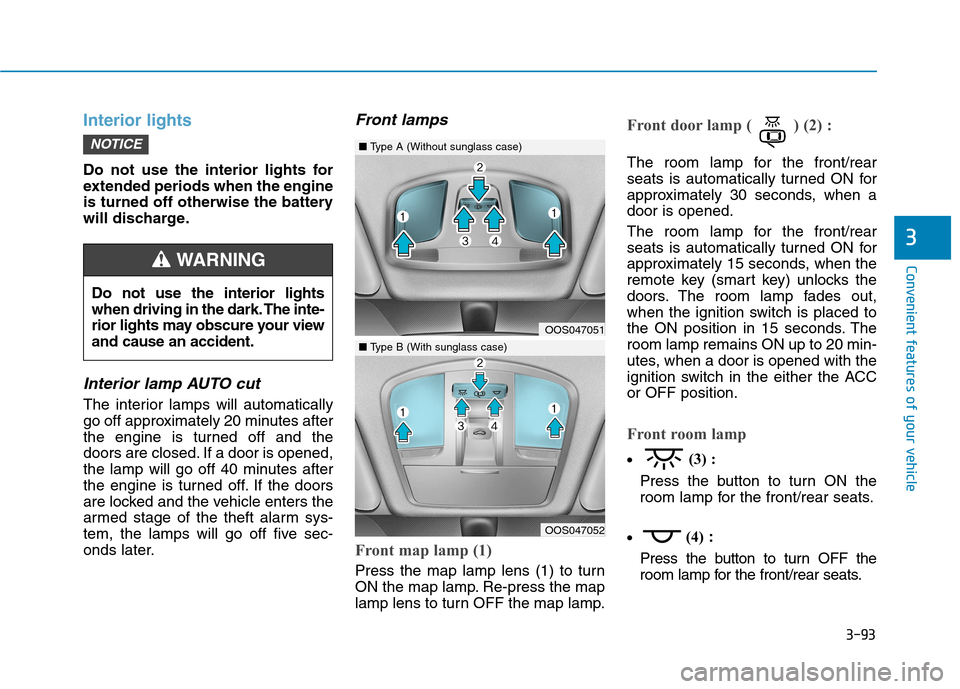
Front map lamp (1)
Press the map lamp lens (1) to turn
ON the map lamp. Re-press the map
lamp lens to turn OFF the map lamp.
Front door lamp ( ) (2) :
The room lamp for the front/rear
seats is automatically turned ON for
approximately 30 seconds, when adoor is opened.
The room lamp for the front/rear
seats is automatically turned ON for
approximately 15 seconds, when the
remote key (smart key) unlocks the
doors. The room lamp fades out,
when the ignition switch is placed to
the ON position in 15 seconds. Theroom lamp remains ON up to 20 min-
utes, when a door is opened with the
ignition switch in the either the ACCor OFF position.
Front room lamp
(3) :
Press the button to turn ON the
room lamp for the front/rear seats.
(4)
:
Press the button to turn OFF the
room lamp for the front/rear seats.
NOTICE
3
Do not use the interior lights
when driving in the dark. The inte-
rior lights may obscure your viewand cause an accident.
WARNING
OOS047051
OOS047052
■ Type A (Without sunglass case)
■Type B (With sunglass case)
Page 318 of 523
5-64
Driving your vehicle
The driver can select the initial warn-ing activation time on the LCD dis-
play. Go to the "User Settings Driver
assistance Forward Collision
Warning Late/Normal/Early".
The options for the initial Forward
Collision Warning includes the fol-
lowing:
- Early: When this condition is selected,
the initial Forward Collision
Warning is activated earlier than
normal. This setting maximizes the
amount of distance between the
vehicle or pedestrian ahead before
the initial warning occurs.
Even though, 'Early' is selected if
the front vehicle suddenly stops
the initial warning activation time
may not seem fast.
If you feel the warning activates too
early, set the Forward Collision
Warning to "Normal". - Normal:
When this condition is selected,the initial Forward Collision
Warning is activated normally. This
setting allows for a nominal
amount of distance between the
vehicle or pedestrian ahead before
the initial warning occurs.
- Late: When this condition is selected,the initial Forward Collision
Warning is activated later than nor-
mal. This setting reduces the
amount of distance between the
vehicle or pedestrian ahead before
the initial warning occurs.
Select 'Late' when traffic is light
and when driving speed is slow.Prerequisite for activation
The FCA gets ready to be activated,when the FCA is selected on the
LCD display, and when the followingprerequisites are satisfied.
- The ESC (Electronic Stability Control) is on.
- Vehicle speed is over 10 km/h (6 mph). (The FCA is only activated
within a certain speed range.)
- The system detects a pedestrian or a vehicle in front, which may col-
lide with your vehicle. (The FCA
may not be activated or may sound
a warning alarm in accordance
with the driving situation or vehiclecondition.)
Page 319 of 523
5-65
Driving your vehicle
5
FCA warning message and
system control
The FCA produces warning mes-
sages and warning alarms in accor-
dance with the collision risk levels,
such as abrupt stopping of the vehi-
cle in front, insufficient braking dis-
tance, or pedestrian detection. Also,
it controls the brakes in accordance
with the collision risk levels.
The driver can select the initial warn-
ing activation time in the User
Settings in the LCD display. The
options for the initial Forward
Collision Warning include Early,
Normal or Late initial warning time.
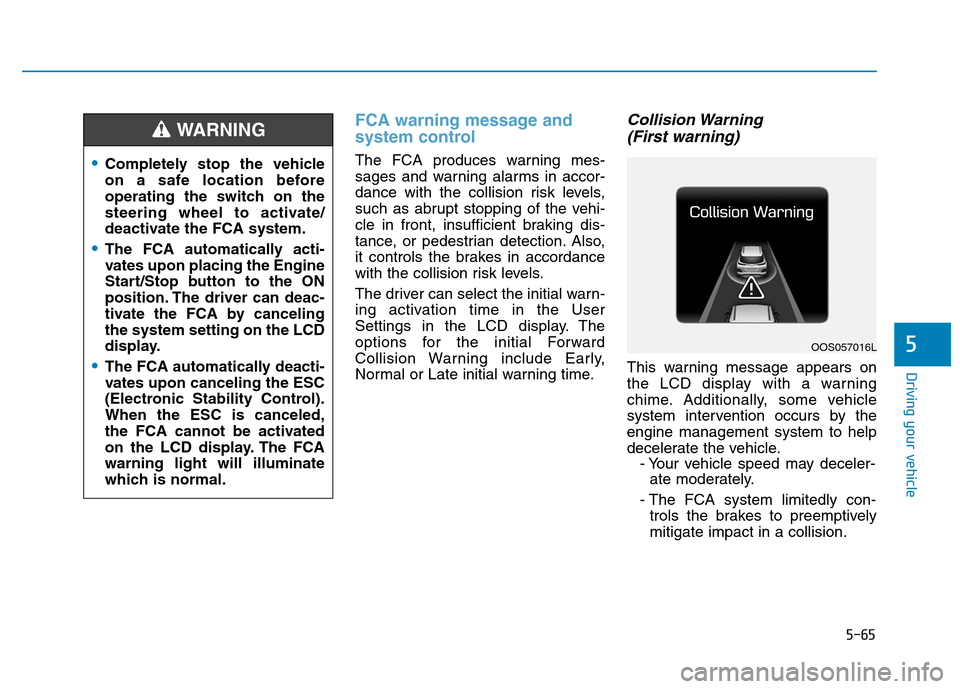
Collision Warning (First warning)
This warning message appears on
the LCD display with a warning
chime. Additionally, some vehicle
system intervention occurs by theengine management system to help
decelerate the vehicle. - Your vehicle speed may deceler-ate moderately.
- The FCA system limitedly con- trols the brakes to preemptivelymitigate impact in a collision.
Completely stop the vehicle
on a safe location before
operating the switch on the
steering wheel to activate/
deactivate the FCA system.
The FCA automatically acti-
vates upon placing the Engine
Start/Stop button to the ON
position. The driver can deac-
tivate the FCA by cancelingthe system setting on the LCD
display.
The FCA automatically deacti-
vates upon canceling the ESC
(Electronic Stability Control).When the ESC is canceled,
the FCA cannot be activated
on the LCD display. The FCAwarning light will illuminate
which is normal.
WARNING
OOS057016L
Page 320 of 523
5-66
Driving your vehicle
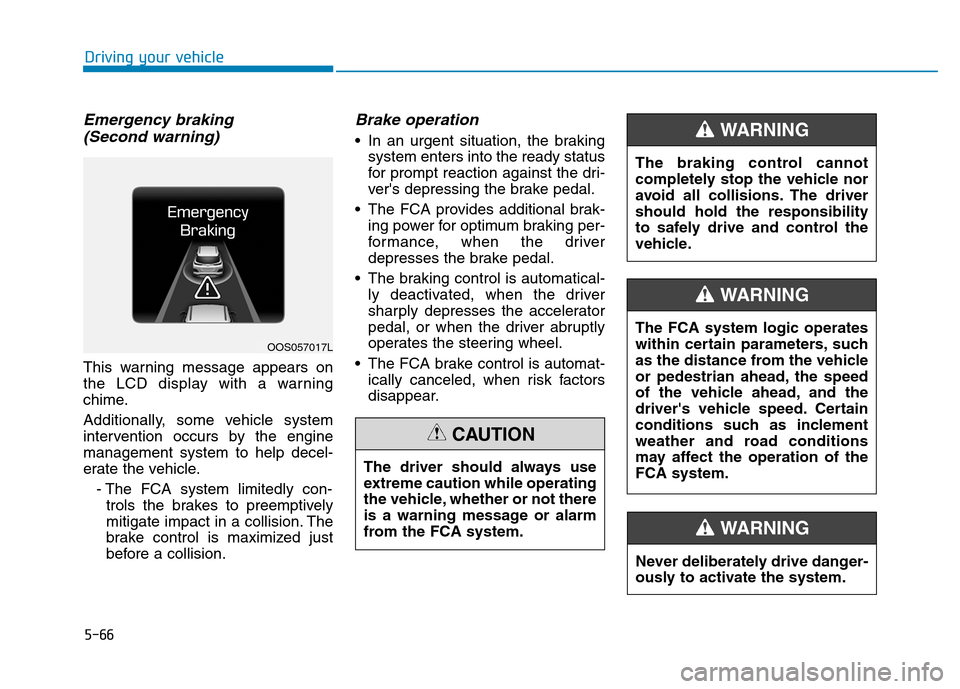
Emergency braking (Second warning)
This warning message appears on
the LCD display with a warning
chime.
Additionally, some vehicle system
intervention occurs by the enginemanagement system to help decel-
erate the vehicle.
- The FCA system limitedly con-trols the brakes to preemptively
mitigate impact in a collision. The
brake control is maximized just
before a collision.
Brake operation
In an urgent situation, the braking system enters into the ready status
for prompt reaction against the dri-
ver's depressing the brake pedal.
The FCA provides additional brak- ing power for optimum braking per-
formance, when the driver
depresses the brake pedal.
The braking control is automatical- ly deactivated, when the driver
sharply depresses the accelerator
pedal, or when the driver abruptly
operates the steering wheel.
The FCA brake control is automat- ically canceled, when risk factors
disappear.
OOS057017L
The driver should always use
extreme caution while operating
the vehicle, whether or not there
is a warning message or alarm
from the FCA system.
CAUTION
The braking control cannot
completely stop the vehicle nor
avoid all collisions. The drivershould hold the responsibility
to safely drive and control the
vehicle.
WARNING
Never deliberately drive danger-
ously to activate the system.
WARNING
The FCA system logic operates
within certain parameters, such
as the distance from the vehicle
or pedestrian ahead, the speed
of the vehicle ahead, and the
driver's vehicle speed. Certain
conditions such as inclement
weather and road conditions
may affect the operation of theFCA system.
WARNING
Page 326 of 523
5-72
Driving your vehicle
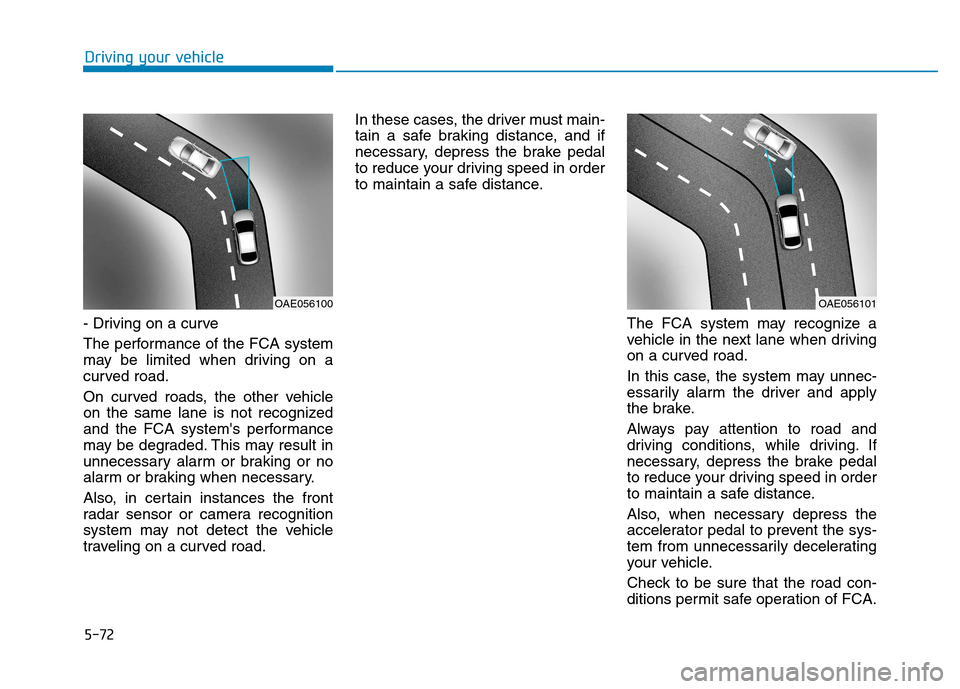
- Driving on a curve
The performance of the FCA system
may be limited when driving on a
curved road.
On curved roads, the other vehicle
on the same lane is not recognized
and the FCA system's performance
may be degraded. This may result in
unnecessary alarm or braking or no
alarm or braking when necessary.
Also, in certain instances the front
radar sensor or camera recognition
system may not detect the vehicle
traveling on a curved road.In these cases, the driver must main-
tain a safe braking distance, and if
necessary, depress the brake pedal
to reduce your driving speed in order
to maintain a safe distance.
The FCA system may recognize a
vehicle in the next lane when driving
on a curved road.
In this case, the system may unnec-
essarily alarm the driver and apply
the brake.
Always pay attention to road and
driving conditions, while driving. If
necessary, depress the brake pedal
to reduce your driving speed in order
to maintain a safe distance.
Also, when necessary depress the
accelerator pedal to prevent the sys-
tem from unnecessarily decelerating
your vehicle.
Check to be sure that the road con-
ditions permit safe operation of FCA.
OAE056101OAE056100
Page 327 of 523
5-73
Driving your vehicle
5
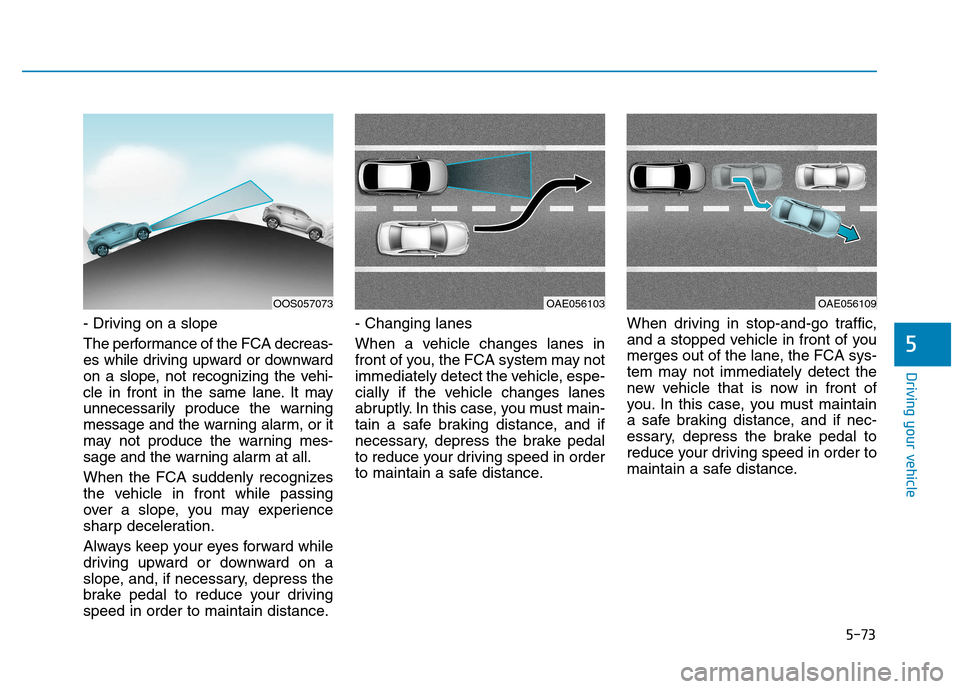
- Driving on a slope
The performance of the FCA decreas-
es while driving upward or downward
on a slope, not recognizing the vehi-
cle in front in the same lane. It may
unnecessarily produce the warning
message and the warning alarm, or it
may not produce the warning mes-
sage and the warning alarm at all.
When the FCA suddenly recognizes
the vehicle in front while passing
over a slope, you may experience
sharp deceleration.
Always keep your eyes forward while
driving upward or downward on a
slope, and, if necessary, depress the
brake pedal to reduce your driving
speed in order to maintain distance.- Changing lanes
When a vehicle changes lanes in
front of you, the FCA system may not
immediately detect the vehicle, espe-
cially if the vehicle changes lanes
abruptly. In this case, you must main-
tain a safe braking distance, and if
necessary, depress the brake pedal
to reduce your driving speed in order
to maintain a safe distance.
When driving in stop-and-go traffic,
and a stopped vehicle in front of you
merges out of the lane, the FCA sys-
tem may not immediately detect the
new vehicle that is now in front of
you. In this case, you must maintain
a safe braking distance, and if nec-
essary, depress the brake pedal to
reduce your driving speed in order to
maintain a safe distance.
OAE056103OAE056109OOS057073
Page 331 of 523
5-77
Driving your vehicle
5
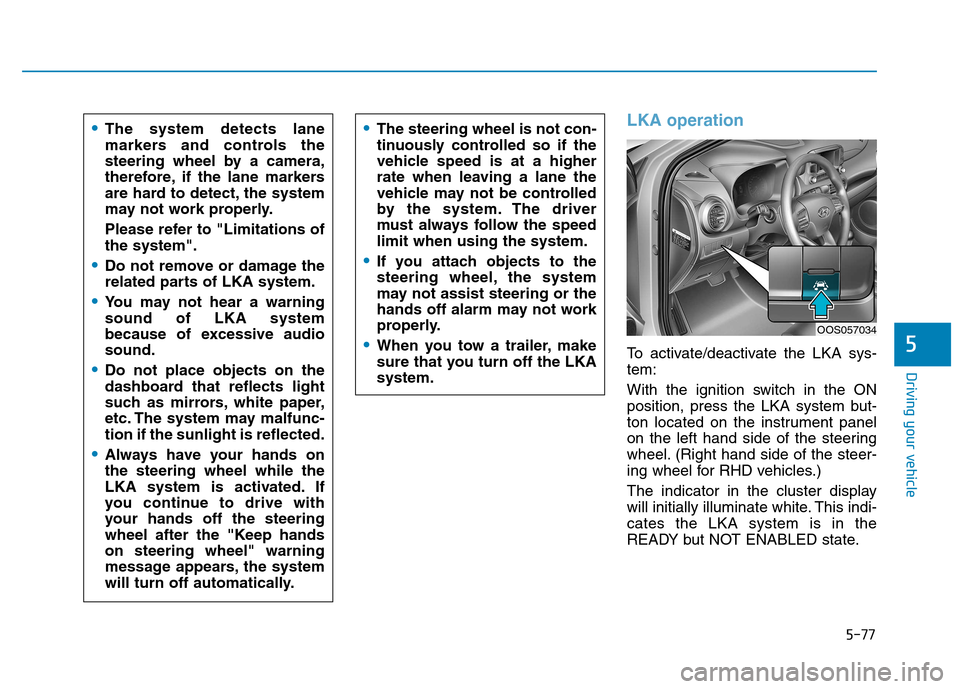
LKA operation
To activate/deactivate the LKA sys- tem:
With the ignition switch in the ON
position, press the LKA system but-
ton located on the instrument panel
on the left hand side of the steering
wheel. (Right hand side of the steer-
ing wheel for RHD vehicles.)
The indicator in the cluster display
will initially illuminate white. This indi-cates the LKA system is in the
READY but NOT ENABLED state.
The system detects lane
markers and controls the
steering wheel by a camera,
therefore, if the lane markers
are hard to detect, the system
may not work properly.
Please refer to "Limitations of the system".
Do not remove or damage the
related parts of LKA system.
You may not hear a warning sound of LKA system
because of excessive audiosound.
Do not place objects on the
dashboard that reflects light
such as mirrors, white paper,
etc. The system may malfunc-tion if the sunlight is reflected.
Always have your hands on the steering wheel while the
LKA system is activated. If
you continue to drive with
your hands off the steering
wheel after the "Keep handson steering wheel" warning
message appears, the system
will turn off automatically.
The steering wheel is not con-
tinuously controlled so if the
vehicle speed is at a higher
rate when leaving a lane the
vehicle may not be controlled
by the system. The driver
must always follow the speedlimit when using the system.
If you attach objects to the
steering wheel, the system
may not assist steering or the
hands off alarm may not work
properly.
When you tow a trailer, make
sure that you turn off the LKAsystem.
OOS057034