low beam Hyundai Kona 2018 Owner's Manual
[x] Cancel search | Manufacturer: HYUNDAI, Model Year: 2018, Model line: Kona, Model: Hyundai Kona 2018Pages: 523, PDF Size: 33.6 MB
Page 85 of 523
Lighting..................................................................3-83Exterior lights ..................................................................3-83
Low Beam Assist-Static light ......................................3-92
Welcome system ............................................................3-92
Interior lights ....................................................................3-93
Wipers and washers ............................................3-95 Windshield wipers ..........................................................3-96
Windshield washers .......................................................3-97
Rear window wiper and washer switch ...................3-98
Driver assist system ............................................3-99 Rear view monitor...........................................................3-99
Parking Distance Warning (Reverse) system .........3-100
Parking Distance Warning (Reverse/Forward)
system..............................................................................3-104
Defroster .............................................................3-107 Rear window defroster ...............................................3-107
Manual climate control system........................3-108 Heating and air conditioning......................................3-109
System operation ..........................................................3-112
System maintenance ....................................................3-114
Automatic climate control system ...................3-116 Automatic heating and air conditioning ..................3-117
Manual heating and air conditioning .......................3-117
System operation ..........................................................3-120
System maintenance ....................................................3-122
Windshield defrosting and defogging ............3-124 Manual climate control system .................................3-124
Automatic climate control system ............................3-125
Auto defogging system
(only for automatic climate control system) .........3-126
Climate control additional features.................3-127 Cluster ionizer ................................................................3-127
Automatic ventilation ..................................................3-127
Sunroof inside air recirculation.................................3-127
Storage compartment ........................................3-128 Center console storage ...............................................3-128
Glove box ....................................................................... 3-128
Sunglass holder ............................................................3-129
Multi box ........................................................................3-129
Luggage tray .................................................................3-130
To increase luggage space .........................................3-130
Interior features ...............................................3-131 Cup holder.......................................................................3-131
Sunvisor ...........................................................................3-132
Power outlet .................................................................3-132
Wireless cellular phone charging system ..............3-133
Clock .................................................................................3-135
Clothes hanger .............................................................3-135
Floor mat anchor(s) ....................................................3-136
Luggage net (holder) ...................................................3-136
Cargo area cover .........................................................3-137
Exterior features ...............................................3-138 Roof rack .......................................................................3-138
3
Page 136 of 523
3-53
Convenient features of your vehicle
3
This indicator light illuminates for
2 seconds and goes off:
If the smart key is in the vehicleand the Engine Start/Stop button is
ON, but the vehicle cannot detect
the smart key.
In this case, we recommend that
you have the vehicle inspected by
an authorized HYUNDAI dealer.
This indicator light blinks:
When the battery voltage of thesmart key is low.
- At this time, you cannot start theengine. However, you can start
the engine if you press the
Engine Start/Stop button with the
smart key. (For more details,
refer to "Starting the Engine"
in chapter 5) .
When there is a malfunction with the immobilizer system.
In this case, we recommend that
you have the vehicle inspected by
an authorized HYUNDAI dealer.
Turn Signal Indicator
Light
This indicator light blinks:
When you operate the turn signals.
If any of the following occur, there may
be a malfunction with the turn signalsystem.
- The turn signal indicator light illumi- nates but does not blink
- The turn signal indicator light blinks rapidly
- The turn signal indicator light does not illuminate at all
If any of these conditions occur, we
recommend that you have your vehi-
cle inspected by an authorized
HYUNDAI dealer.
Low Beam Indicator Light (if equipped)
This indicator light illuminates:
When the headlights are on.
High Beam Indicator
Light
This indicator light illuminates:
When the headlamps are on and in the high beam position.
When the turn signal lever is pulled into the Flash-to-Pass position.
Page 137 of 523
3-54
Convenient features of your vehicle
High Beam Assist(HBA) indicator light
(if equipped)
This warning light illuminates:
When the high-beam is on with the light switch in the AUTO light posi- tion.
If your vehicle detects oncoming or preceding vehicles, the High Beam
Assist (HBA) system will switch the
high beam to low beam automati-
cally.
For more details, refer to "High
Beam Assist (HBA)" in this chap-
ter.
Light ON Indicator Light
This indicator light illuminates:
When the tail lights or headlamps are on.
Front Fog Indicator
Light (if equipped)
This indicator light illuminates:
When the front fog lights are on.
Rear Fog IndicatorLight
This indicator light illuminates:
When the rear fog lights are on.
LED Headlamp WarningLight (if equipped)
This warning light illuminates:
When you turn the ignition switch or the Engine Start/Stop button to the ON position.
When there is a malfunction with the LED headlamp.
In this case, we recommend that you
have the vehicle inspected by an an
authorized HYUNDAI dealer.
This warning light blinks:
When there is a malfunction with a
LED headlamp related part.
In this case, we recommend that you
have the vehicle inspected by an an
authorized HYUNDAI dealer.
Continuous driving with the LED
Headlamp Warning Light on or
blinking can reduce LED head-
lamp life.
NOTICE
Page 145 of 523
3-62
Convenient features of your vehicle
Heated Steering Wheel turnedoff (if equipped)
This message is displayed if you turn
off the heated steering wheel.
For more details, refer to “Heated
Steering Wheel” in this chapter.
Low washer fluid (if equipped)
This warning message is displayed
if the washer fluid level in the reser-
voir is nearly empty.
Have the washer fluid reservoir refilled.
Low fuel
This warning message is displayed ifthe fuel tank is almost out of fuel.
When this message is displayed, the
low fuel level warning light in thecluster will come on.
It is recommended to look for the nearest fueling station and refuel as
soon as possible.
Add fuel as soon as possible.
Engine has overheated (if equipped)
This warning message is displayed
when the engine coolant tempera-
ture is above 120°C (248°F). This
means that the engine is overheated
and may be damaged.
If your vehicle is overheated, refer
to “Overheating” in chapter 6.
Check headlight (if equipped)
This warning message is displayed if
the headlamps are not operating
properly. A headlamp bulb may needto be replaced.
Information
Make sure to replace the burned out
bulb with a new one of the same wattage
rating.
Check High Beam Assist (HBA) system (if equipped)
This warning message is displayed if
there is a problem with the High
Beam Assist (HBA) System. We rec-
ommend that you have the vehicle
inspected by an authorized
HYUNDAI dealer.
For more information, refer to
“High Beam Assist (HBA) System”
in chapter 3.
i
Page 150 of 523
3-67
Convenient features of your vehicle
3
Assist mode
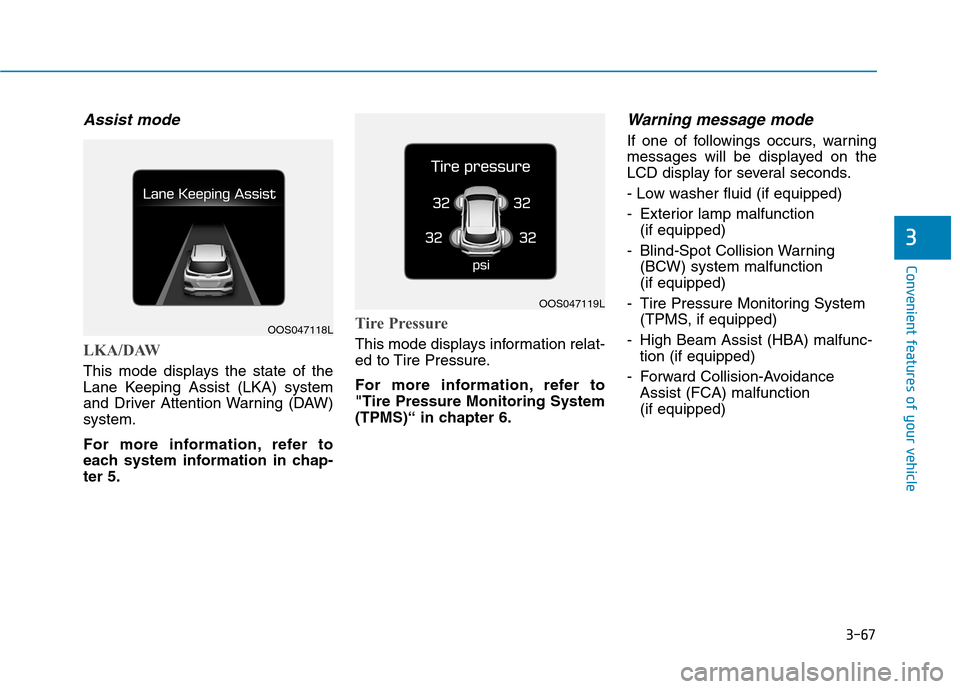
LKA/DAW
This mode displays the state of the
Lane Keeping Assist (LKA) system
and Driver Attention Warning (DAW)system.
For more information, refer to
each system information in chap-ter 5.
Tire Pressure
This mode displays information relat-
ed to Tire Pressure.
For more information, refer to "Tire Pressure Monitoring System
(TPMS)“ in chapter 6.
Warning message mode
If one of followings occurs, warning
messages will be displayed on the
LCD display for several seconds.
- Low washer fluid (if equipped)
- Exterior lamp malfunction (if equipped)
- Blind-Spot Collision Warning (BCW) system malfunction (if equipped)
- Tire Pressure Monitoring System (TPMS, if equipped)
- High Beam Assist (HBA) malfunc- tion (if equipped)
- Forward Collision-Avoidance Assist (FCA) malfunction (if equipped)
OOS047118L
OOS047119L
Page 167 of 523
3-84
Convenient features of your vehicle
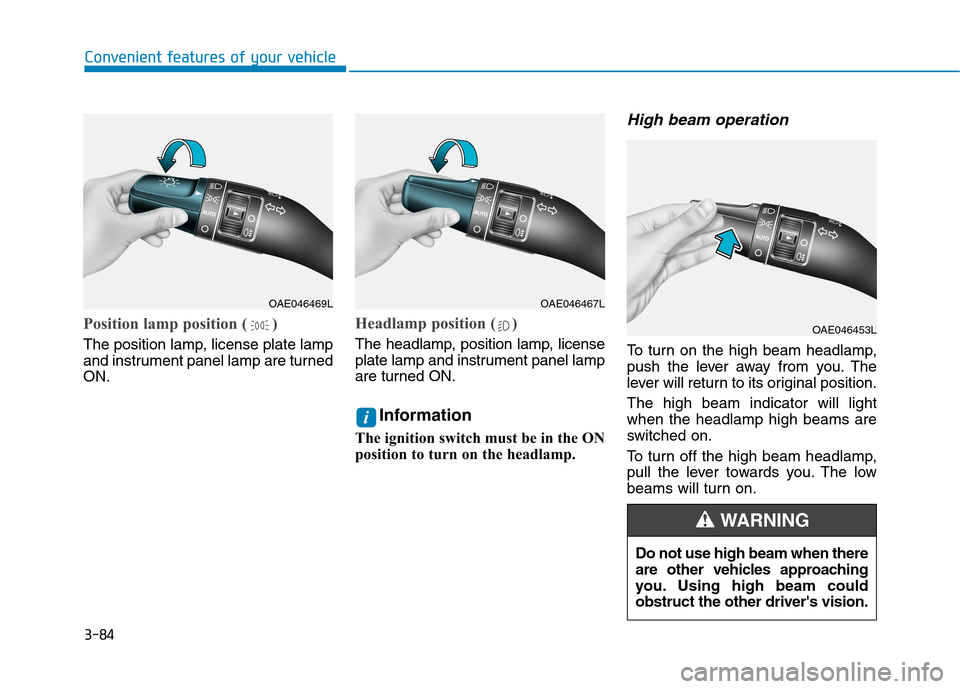
Position lamp position ( )
The position lamp, license plate lamp
and instrument panel lamp are turnedON.
Headlamp position ( )
The headlamp, position lamp, license
plate lamp and instrument panel lamp
are turned ON.Information
The ignition switch must be in the ON
position to turn on the headlamp.
High beam operation
To turn on the high beam headlamp,
push the lever away from you. The
lever will return to its original position. The high beam indicator will light when the headlamp high beams are
switched on.
To turn off the high beam headlamp,
pull the lever towards you. The low
beams will turn on.
i
OAE046469LOAE046467L
OAE046453L
Do not use high beam when there
are other vehicles approaching
you. Using high beam couldobstruct the other driver's vision.
WARNING
Page 168 of 523
3-85
Convenient features of your vehicle
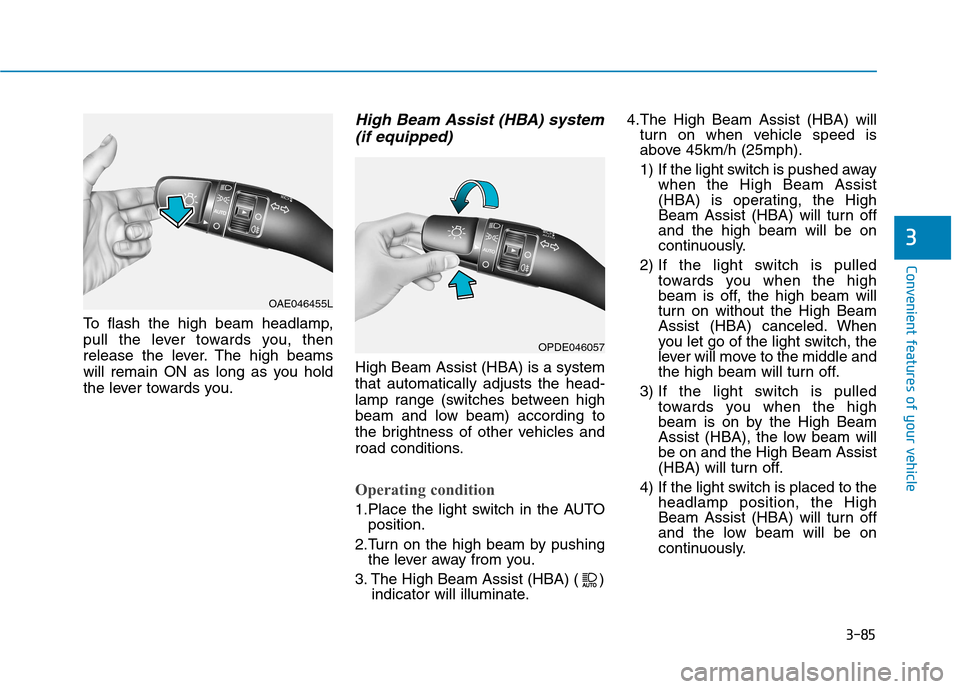
To flash the high beam headlamp,
pull the lever towards you, then
release the lever. The high beams
will remain ON as long as you hold
the lever towards you.
High Beam Assist (HBA) system(if equipped)
High Beam Assist (HBA) is a systemthat automatically adjusts the head-
lamp range (switches between high
beam and low beam) according to
the brightness of other vehicles and
road conditions.
Operating condition
1.Place the light switch in the AUTO position.
2.Turn on the high beam by pushing the lever away from you.
3. The High Beam Assist (HBA) ( ) indicator will illuminate. 4.The High Beam Assist (HBA) will
turn on when vehicle speed is
above 45km/h (25mph).
1) If the light switch is pushed away when the High Beam Assist
(HBA) is operating, the High
Beam Assist (HBA) will turn offand the high beam will be on
continuously.
2) If the light switch is pulled towards you when the high
beam is off, the high beam will
turn on without the High Beam
Assist (HBA) canceled. When
you let go of the light switch, the
lever will move to the middle and
the high beam will turn off.
3) If the light switch is pulled towards you when the high
beam is on by the High Beam
Assist (HBA), the low beam willbe on and the High Beam Assist
(HBA) will turn off.
4) If the light switch is placed to the headlamp position, the High
Beam Assist (HBA) will turn off
and the low beam will be on
continuously.
3
OAE046455L
OPDE046057
Page 169 of 523
3-86
When the High Beam Assist (HBA) is
operating, the high beam switches to
low beam in the below conditions.
- When the headlamp of an on-com-
ing vehicle is detected.
- When the tail lamp of a vehicle in front is detected.
- When headlamp/tail lamp of bicy- cle/motorcycle is detected.
- When the surrounding is bright enough high beams are not needed.
- When streetlights or other lights are detected.
- When the light switch is not in the AUTO position.
- When the High Beam Assist (HBA) is off.
- When vehicle speed is below 35 km/h (22mph).
Warning light and message
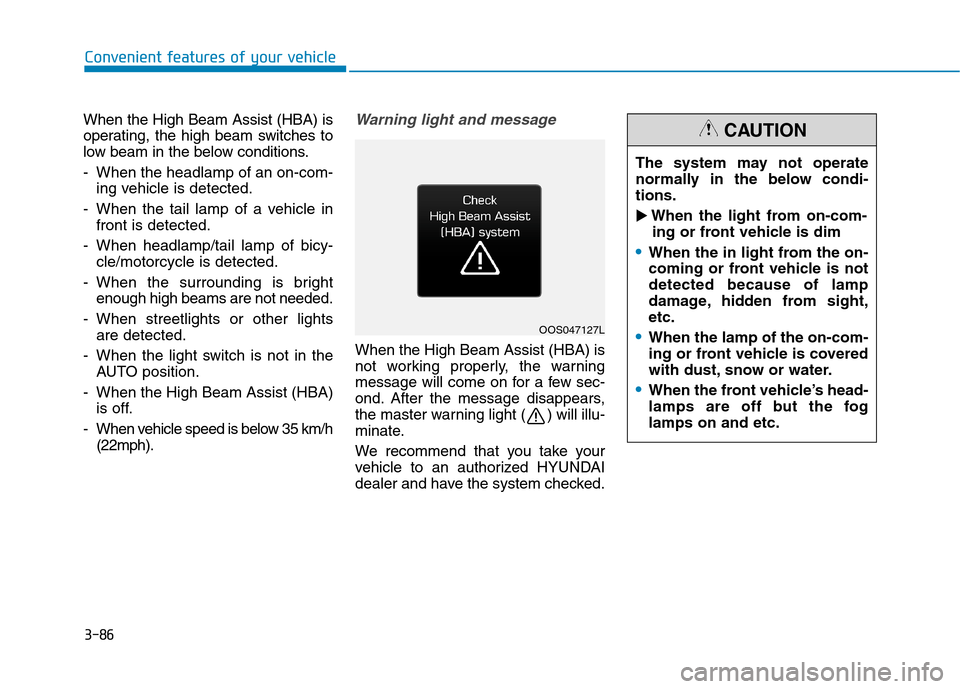
When the High Beam Assist (HBA) is
not working properly, the warning
message will come on for a few sec-
ond. After the message disappears,
the master warning light ( ) will illu-
minate.
We recommend that you take your
vehicle to an authorized HYUNDAI
dealer and have the system checked.
Convenient features of your vehicle
OOS047127L The system may not operate
normally in the below condi-tions.
When the light from on-com-
ing or front vehicle is dim
When the in light from the on-
coming or front vehicle is notdetected because of lamp
damage, hidden from sight,etc.
When the lamp of the on-com-
ing or front vehicle is covered
with dust, snow or water.
When the front vehicle’s head-
lamps are off but the foglamps on and etc.
CAUTION
Page 171 of 523
3-88
Convenient features of your vehicle
Turn signals and lane changesignals
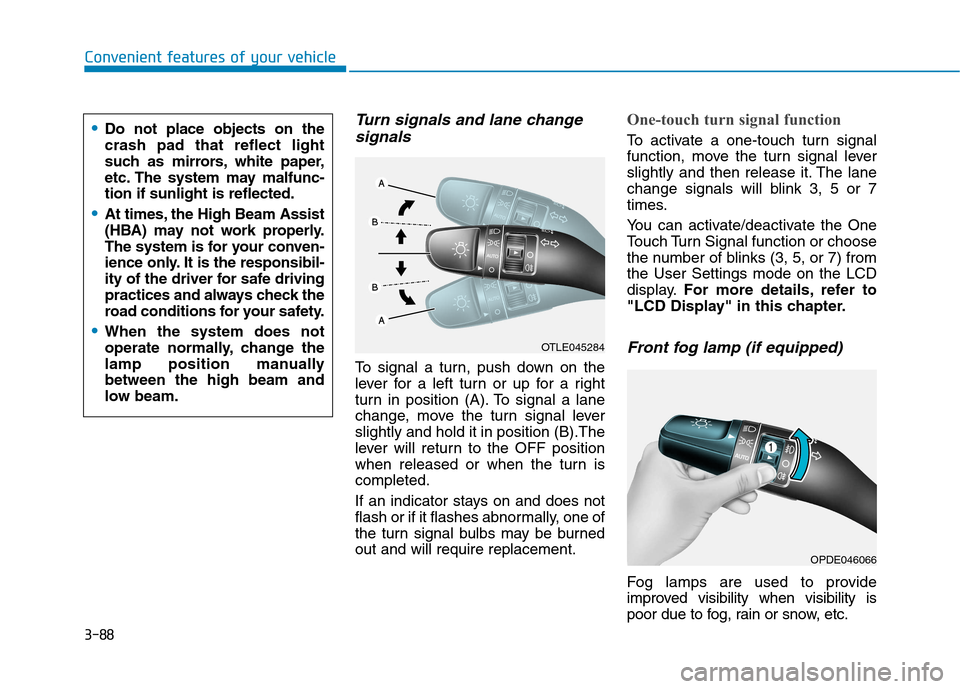
To signal a turn, push down on the
lever for a left turn or up for a right
turn in position (A). To signal a lane
change, move the turn signal leverslightly and hold it in position (B).The
lever will return to the OFF position
when released or when the turn iscompleted.
If an indicator stays on and does not
flash or if it flashes abnormally, one of
the turn signal bulbs may be burnedout and will require replacement.
One-touch turn signal function
To activate a one-touch turn signal
function, move the turn signal lever
slightly and then release it. The lane
change signals will blink 3, 5 or 7
times.
You can activate/deactivate the One
Touch Turn Signal function or choose
the number of blinks (3, 5, or 7) fromthe User Settings mode on the LCD
display. For more details, refer to
"LCD Display" in this chapter.
Front fog lamp (if equipped)
Fog lamps are used to provide
improved visibility when visibility is
poor due to fog, rain or snow, etc.
OPDE046066
OTLE045284
Do not place objects on the crash pad that reflect light
such as mirrors, white paper,
etc. The system may malfunc-tion if sunlight is reflected.
At times, the High Beam Assist
(HBA) may not work properly.
The system is for your conven-
ience only. It is the responsibil-
ity of the driver for safe driving
practices and always check the
road conditions for your safety.
When the system does not
operate normally, change the
lamp position manuallybetween the high beam and
low beam.
Page 174 of 523
3-91
Convenient features of your vehicle
3
Daytime running light (DRL) (if equipped)
The Daytime Running Lights (DRL)
can make it easier for others to see
the front of your vehicle during the
day, especially after dawn and beforesunset.
The DRL system will turn the dedi- cated lamp OFF when:
1. The headlamps or front fog lights are in the ON position.
2. The position light switch is in the ON position.
3. The engine is turned off.
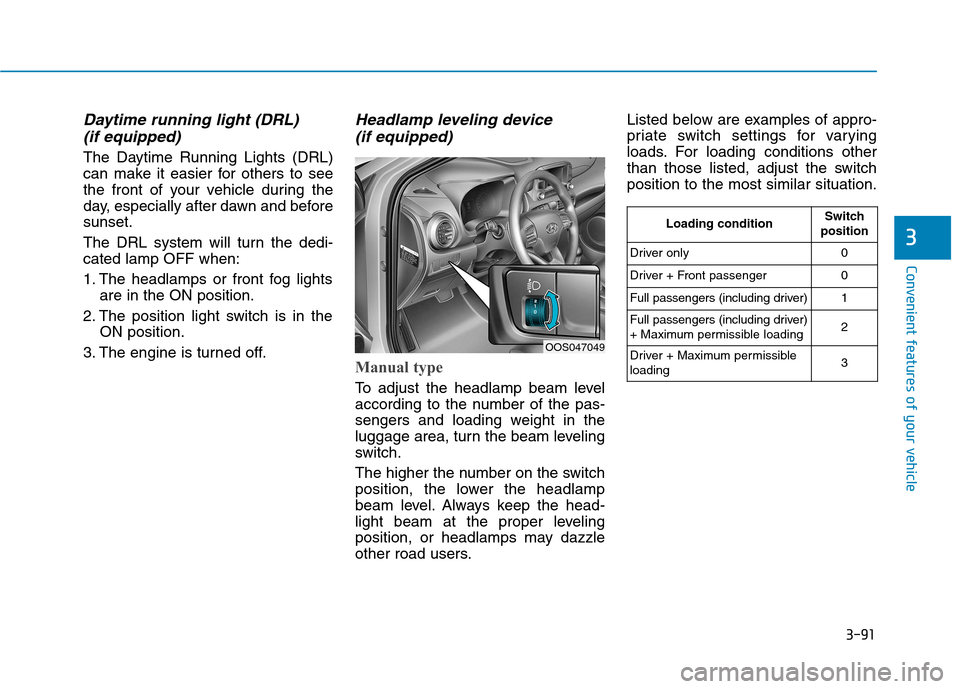
Headlamp leveling device (if equipped)
Manual type
To adjust the headlamp beam level
according to the number of the pas-
sengers and loading weight in the
luggage area, turn the beam leveling
switch.
The higher the number on the switch
position, the lower the headlamp
beam level. Always keep the head-
light beam at the proper leveling
position, or headlamps may dazzle
other road users. Listed below are examples of appro-
priate switch settings for varying
loads. For loading conditions other
than those listed, adjust the switchposition to the most similar situation.
OOS047049
Loading conditionSwitch
position
Driver only0
Driver + Front passenger0
Full passengers (including driver)1
Full passengers (including driver)
+ Maximum permissible loading2
Driver + Maximum permissible loading 3