display Hyundai Kona 2019 Workshop Manual
[x] Cancel search | Manufacturer: HYUNDAI, Model Year: 2019, Model line: Kona, Model: Hyundai Kona 2019Pages: 485, PDF Size: 15.75 MB
Page 268 of 485
5-36
Driving your vehicle
ESC OFF usage
When Driving
The ESC OFF mode should only be
used briefly to help free the vehicle if
stuck in snow or mud by temporarily
stopping operation of the ESC to
maintain wheel torque.
To turn ESC off while driving, press
the ESC OFF button while driving on
a flat road surface.
To prevent damage to the trans-
mission:
Do not allow wheel(s) of oneaxle to spin excessively while
the ESC, ABS, and parking brake
warning lights are displayed.
The repairs would not be cov-
ered by the vehicle warranty.
Reduce engine power and do
not spin the wheel(s) excessive-
ly while these lights are dis-
played.
When operating the vehicle on a dynamometer, make sure the
ESC is turned off (ESC OFF light
illuminated).
Information
Turning the ESC off does not affect ABS
or standard brake system operation.
Vehicle Stability Management
(VSM)
The Vehicle Stability Management
(VSM) is a function of the Electronic
Stability Control (ESC) system. It
helps ensure the vehicle stays stable
when accelerating or braking sud-
denly on wet, slippery and rough
roads where traction over the four
tires can suddenly become uneven.
VSM operation
VSM ON condition
The VSM operates when:
The Electronic Stability Control(ESC) is on.
Vehicle speed is approximately above 9 mph (15 km/h) on curve
roads.
Vehicle speed is approximately above 12 mph (20 km/h) when the
vehicle is braking on rough roads.
When operating
When you apply your brakes under
conditions which may activate the
ESC, you may hear sounds from the
brakes, or feel a corresponding sen-
sation in the brake pedal. This is nor-
mal and it means your VSM is active.
i
NOTICE
Take the following precautions
when using the Vehicle Stability
Management (VSM):
ALWAYS check the speed and
the distance to the vehicle
ahead. The VSM is not a sub-
stitute for safe driving prac-
tices.
Never drive too fast for the
road conditions. The VSM sys-
tem will not prevent acci-
dents. Excessive speed in bad
weather, slippery and uneven
roads can result in severe
accidents.
WARNING
Page 278 of 485
5-46
Driving your vehicle
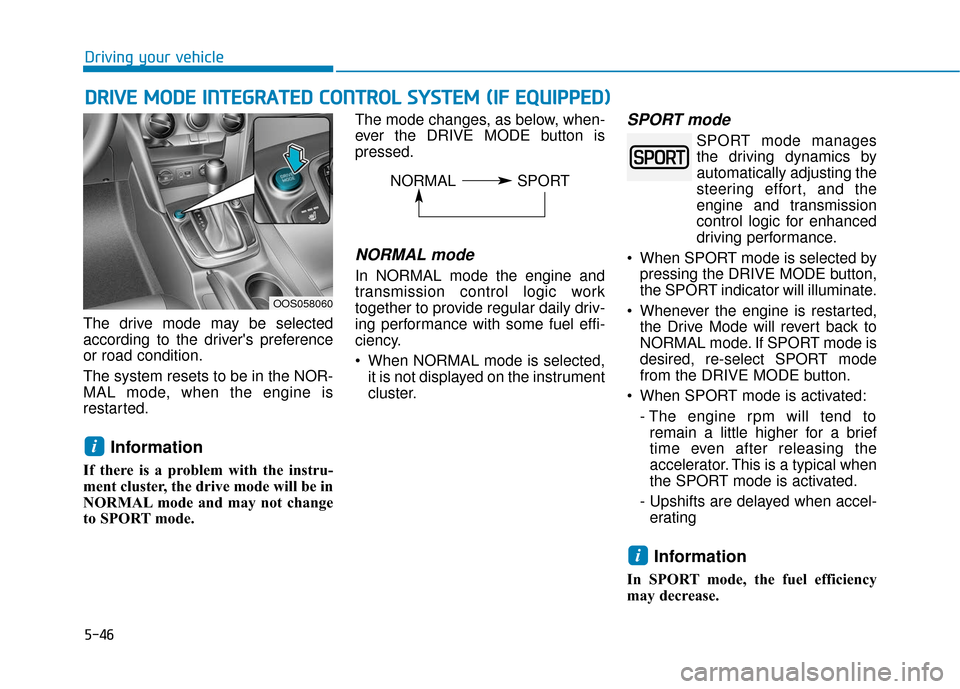
The drive mode may be selected
according to the driver's preference
or road condition.
The system resets to be in the NOR-
MAL mode, when the engine is
restarted.
Information
If there is a problem with the instru-
ment cluster, the drive mode will be in
NORMAL mode and may not change
to SPORT mode. The mode changes, as below, when-
ever the DRIVE MODE button is
pressed.
NORMAL mode
In NORMAL mode the engine and
transmission control logic work
together to provide regular daily driv-
ing performance with some fuel effi-
ciency.
When NORMAL mode is selected,
it is not displayed on the instrument
cluster.
SPORT mode
SPORT mode managesthe driving dynamics by
automatically adjusting the
steering effort, and the
engine and transmission
control logic for enhanced
driving performance.
When SPORT mode is selected by pressing the DRIVE MODE button,
the SPORT indicator will illuminate.
Whenever the engine is restarted, the Drive Mode will revert back to
NORMAL mode. If SPORT mode is
desired, re-select SPORT mode
from the DRIVE MODE button.
When SPORT mode is activated: - The engine rpm will tend toremain a little higher for a brief
time even after releasing the
accelerator. This is a typical when
the SPORT mode is activated.
- Upshifts are delayed when accel- erating
Information
In SPORT mode, the fuel efficiency
may decrease.
i
i
D D R
RI
IV
V E
E
M
M O
OD
DE
E
I
IN
N T
TE
EG
G R
RA
A T
TE
ED
D
C
C O
O N
NT
TR
R O
O L
L
S
S Y
Y S
ST
T E
EM
M
(
( I
IF
F
E
E Q
Q U
UI
IP
P P
PE
ED
D )
)
OOS058060
NORMAL SPORT
Page 281 of 485
5-49
Driving your vehicle
5
The second stage alarm may bedeactivated.
- To deactivate the warning chime:
Go to the ''User Settings → Driver
Assistance and deselect Blind-
Spot Collision Warning sound'' on
the LCD display.
- To activate the warning chime:
Go to the ''User Settings → Driver
Assistance and select Blind-Spot
Collision Warning sound'' on the
LCD display.
Information
The warning chime function helps
alert the driver. Deactivate this func-
tion only when it is necessary.
i
OOS057025
■ Left side
OOS057026
■ Right side
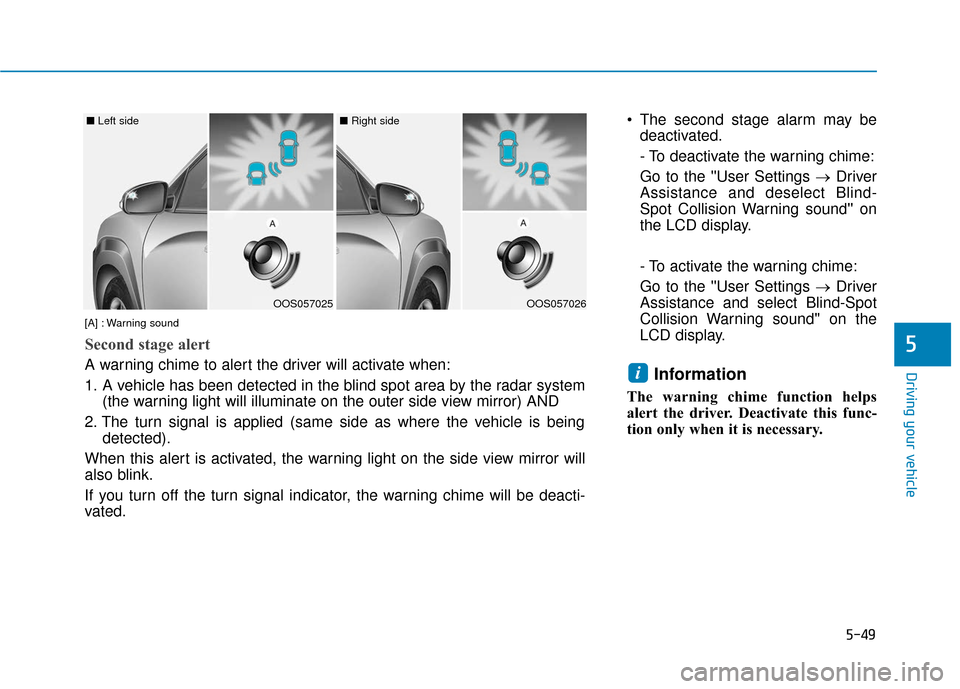
[A] : Warning sound
Second stage alert
A warning chime to alert the driver will activate when:
1. A vehicle has been detected in the blind spot area by the radar system (the warning light will illuminate on the outer side view mirror) AND
2. The turn signal is applied (same side as where the vehicle is being detected).
When this alert is activated, the warning light on the side view mirror will
also blink.
If you turn off the turn signal indicator, the warning chime will be deacti-
vated.
Page 282 of 485
5-50
Driving your vehicle
RCCW (Rear Cross-Traffic
Collision Warning)
The Rear Cross-Traffic Collision
Warning function monitors approach-
ing cross traffic from the left and right
side of the vehicle when your vehicle
is in reverse.
Operating conditions
To operate:
Go to the 'User Settings →Driver
Assistance and select Rear Cross-
Traffic Collision Warning' on the LCD
display. (For more information,
refer to "LCD Display" in chapter
3.)
The system will turn on and standby
to activate. The system will activate
when vehicle speed is below 6 mph
(10 km/h) and with the shift lever in R
(Reverse).
Information
The Rear Cross-Traffic Collision
Warning (RCCW) detecting range is
approximately 1 - 65 ft (0.5 – 20 m).
An approaching vehicle will be detect-
ed if their vehicle speed is within 2.5 -
22.5 mph (4 - 36 km/h).
Note that the detecting range may
vary under certain conditions. As
always, use caution and pay close
attention to your surroundings when
backing up your vehicle.
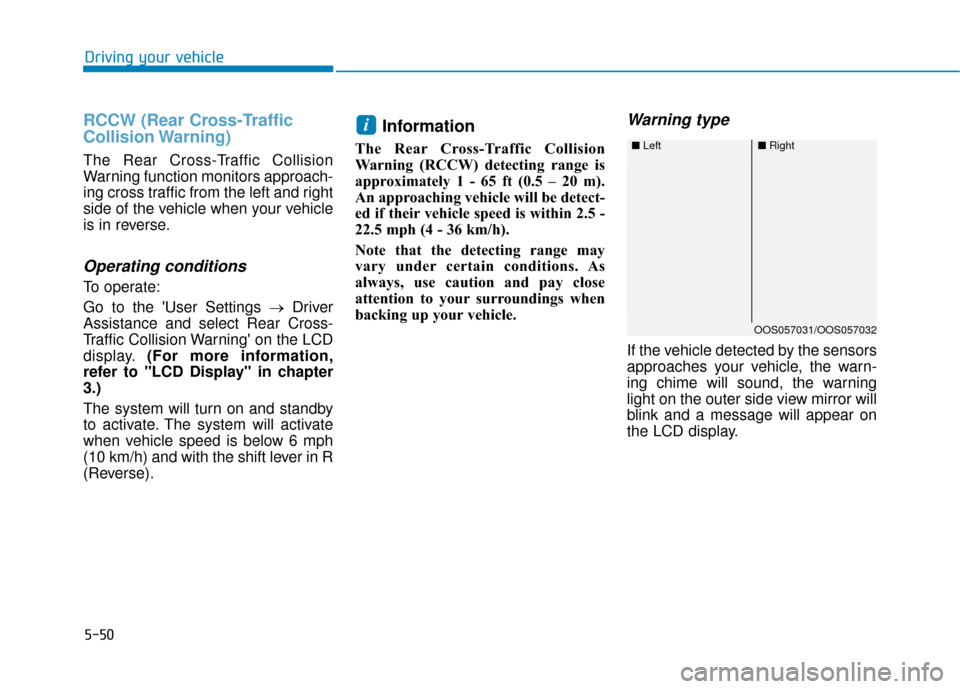
Warning type
If the vehicle detected by the sensors
approaches your vehicle, the warn-
ing chime will sound, the warning
light on the outer side view mirror will
blink and a message will appear on
the LCD display.
i
■ Left■Right
OOS057031/OOS057032
Page 284 of 485
5-52
Driving your vehicle
Blind-Spot Collision Warning -
Sensor Location
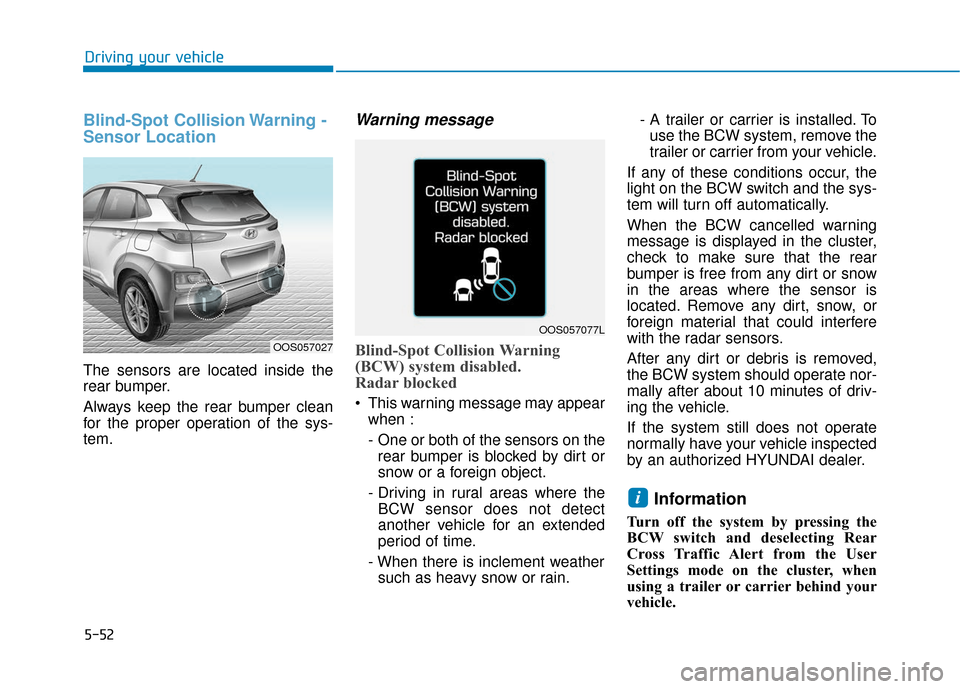
The sensors are located inside the
rear bumper.
Always keep the rear bumper clean
for the proper operation of the sys-
tem.
Warning message
Blind-Spot Collision Warning
(BCW) system disabled.
Radar blocked
This warning message may appearwhen :
- One or both of the sensors on therear bumper is blocked by dirt or
snow or a foreign object.
- Driving in rural areas where the BCW sensor does not detect
another vehicle for an extended
period of time.
- When there is inclement weather such as heavy snow or rain. - A trailer or carrier is installed. To
use the BCW system, remove the
trailer or carrier from your vehicle.
If any of these conditions occur, the
light on the BCW switch and the sys-
tem will turn off automatically.
When the BCW cancelled warning
message is displayed in the cluster,
check to make sure that the rear
bumper is free from any dirt or snow
in the areas where the sensor is
located. Remove any dirt, snow, or
foreign material that could interfere
with the radar sensors.
After any dirt or debris is removed,
the BCW system should operate nor-
mally after about 10 minutes of driv-
ing the vehicle.
If the system still does not operate
normally have your vehicle inspected
by an authorized HYUNDAI dealer.
Information
Turn off the system by pressing the
BCW switch and deselecting Rear
Cross Traffic Alert from the User
Settings mode on the cluster, when
using a trailer or carrier behind your
vehicle.
i
OOS057027
OOS057077L
Page 287 of 485
5-55
Driving your vehicle
The Forward Collision-Avoidance
Assist (FCA) system is designed to
help detect and monitor the vehicle
ahead in the roadway through camera
recognition to warn the driver that a
collision is imminent, and if necessary,
apply emergency braking.
The camera type Forward Collision-
Avoidance Assist (FCA) systemdetects the vehicle ahead in theroadway through camera.
System setting and activation
System setting
The Forward Collision-Avoidance Assist (FCA) system is enabled
whenever the vehicle is turned on.
To turn off the system, go to the
'User settings → Driver assistance'
and deselect 'FCA (Forward
Collision Avoidance Assist)' on the
cluster LCD display.
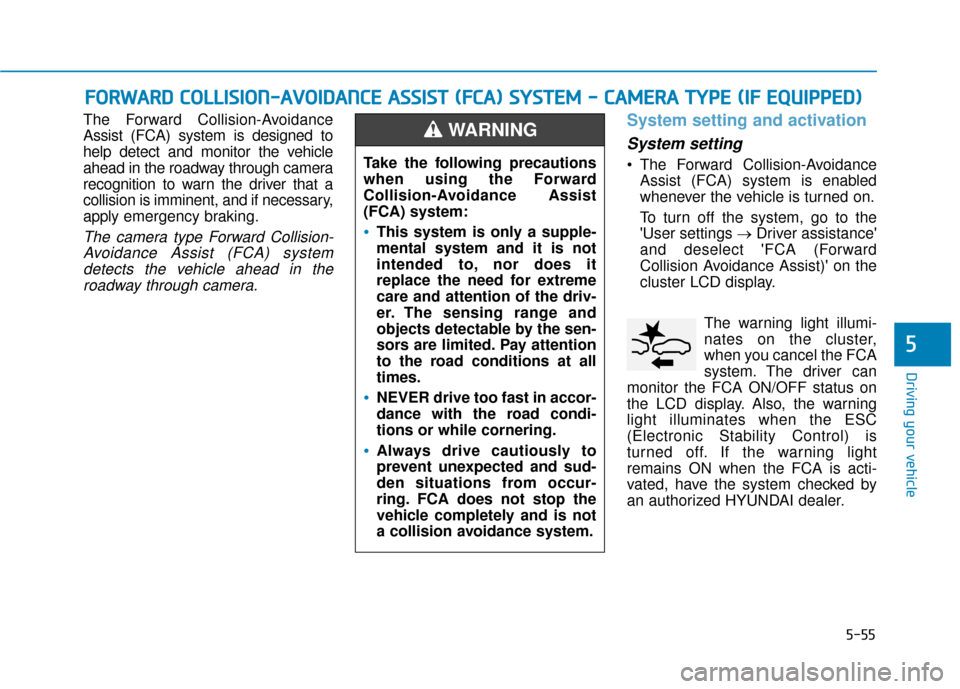
The warning light illumi-
nates on the cluster,
when you cancel the FCA
system. The driver can
monitor the FCA ON/OFF status on
the LCD display. Also, the warning
light illuminates when the ESC
(Electronic Stability Control) is
turned off. If the warning light
remains ON when the FCA is acti-
vated, have the system checked by
an authorized HYUNDAI dealer.
F F O
O R
RW
W A
AR
RD
D
C
C O
O L
LL
LI
IS
S I
IO
O N
N-
-A
A V
VO
O I
ID
D A
A N
N C
CE
E
A
A S
SS
SI
IS
S T
T
(
( F
F C
C A
A )
)
S
S Y
Y S
ST
T E
EM
M
-
-
C
C A
A M
M E
ER
R A
A
T
T Y
Y P
PE
E
(
( I
IF
F
E
E Q
Q U
UI
IP
P P
PE
ED
D )
)
5
Take the following precautions
when using the Forward
Collision-Avoidance Assist
(FCA) system:
This system is only a supple-
mental system and it is not
intended to, nor does it
replace the need for extreme
care and attention of the driv-
er. The sensing range and
objects detectable by the sen-
sors are limited. Pay attention
to the road conditions at all
times.
NEVER drive too fast in accor-
dance with the road condi-
tions or while cornering.
Always drive cautiously to
prevent unexpected and sud-
den situations from occur-
ring. FCA does not stop the
vehicle completely and is not
a collision avoidance system.
WARNING
Page 289 of 485
5-57
Driving your vehicle
Prerequisite for activation
The FCA gets ready to be activated,
when the FCA is selected on the
LCD display, and when the following
prerequisites are satisfied.
- The ESC (Electronic StabilityControl) is on.
- Vehicle speed is over 10 km/h (6 mph) and below 60 km/h (38 mph).
(The FCA is only activated within a
certain speed range.)
- The system detects a vehicle in front, which may collide with your
vehicle. (The FCA may not be acti-
vated or may sound a warning
alarm in accordance with the driv-
ing situation or vehicle condition.)
FCA warning message and
system control
The FCA produces warning mes-
sages and warning alarms in accor-
dance with the collision risk levels,
such as abrupt stopping of the vehi-
cle in front or insufficient braking dis-
tance. Also, it controls the brakes in
accordance with the collision risk lev-
els.
The driver can select the initial warn-
ing activation time in the User
Settings on the LCD display. The
options for the initial Forward
Collision Warning include Late,
Normal or Early initial warning time.
5
Completely stop the vehicle
on a safe location before
operating the switch on the
steering wheel to activate/
deactivate the FCA system.
The FCA automatically acti-
vates upon placing the
POWER button to the ON
position. The driver can deac-
tivate the FCA by canceling
the system setting on the LCD
display.
The FCA automatically deacti-
vates upon canceling the ESC
(Electronic Stability Control).
When the ESC is canceled,
the FCA cannot be activated
on the LCD display. The FCA
warning light will illuminate
which is normal.
WARNING
Page 290 of 485
5-58
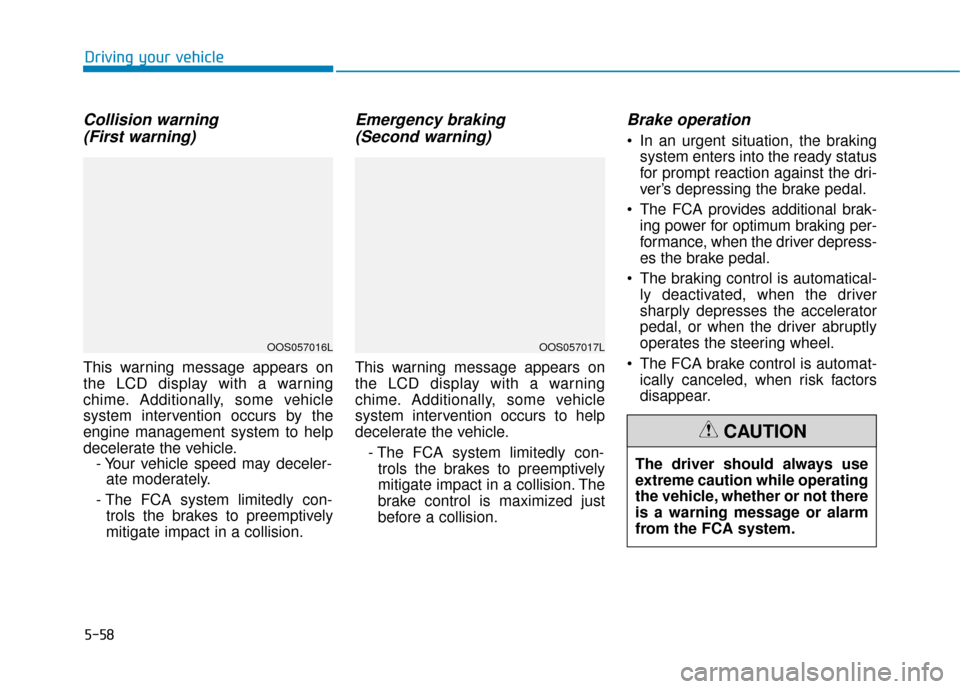
Collision warning (First warning)
This warning message appears on
the LCD display with a warning
chime. Additionally, some vehicle
system intervention occurs by the
engine management system to help
decelerate the vehicle. - Your vehicle speed may deceler-ate moderately.
- The FCA system limitedly con- trols the brakes to preemptively
mitigate impact in a collision.
Emergency braking (Second warning)
This warning message appears on
the LCD display with a warning
chime. Additionally, some vehicle
system intervention occurs to help
decelerate the vehicle.
- The FCA system limitedly con-trols the brakes to preemptively
mitigate impact in a collision. The
brake control is maximized just
before a collision.
Brake operation
In an urgent situation, the braking system enters into the ready status
for prompt reaction against the dri-
ver’s depressing the brake pedal.
The FCA provides additional brak- ing power for optimum braking per-
formance, when the driver depress-
es the brake pedal.
The braking control is automatical- ly deactivated, when the driver
sharply depresses the accelerator
pedal, or when the driver abruptly
operates the steering wheel.
The FCA brake control is automat- ically canceled, when risk factors
disappear.
Driving your vehicle
OOS057016LOOS057017L
The driver should always use
extreme caution while operating
the vehicle, whether or not there
is a warning message or alarm
from the FCA system.
CAUTION
Page 291 of 485
5-59
Driving your vehicle
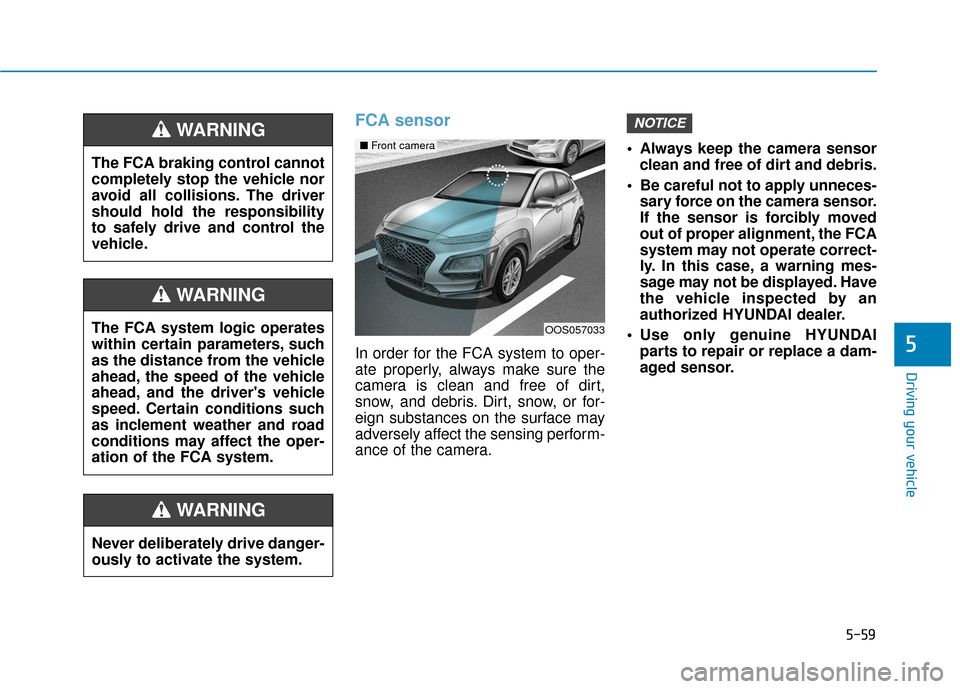
FCA sensor
In order for the FCA system to oper-
ate properly, always make sure the
camera is clean and free of dirt,
snow, and debris. Dirt, snow, or for-
eign substances on the surface may
adversely affect the sensing perform-
ance of the camera. Always keep the camera sensor
clean and free of dirt and debris.
Be careful not to apply unneces- sary force on the camera sensor.
If the sensor is forcibly moved
out of proper alignment, the FCA
system may not operate correct-
ly. In this case, a warning mes-
sage may not be displayed. Have
the vehicle inspected by an
authorized HYUNDAI dealer.
Use only genuine HYUNDAI parts to repair or replace a dam-
aged sensor.
NOTICE
5
The FCA braking control cannot
completely stop the vehicle nor
avoid all collisions. The driver
should hold the responsibility
to safely drive and control the
vehicle.
WARNING
Never deliberately drive danger-
ously to activate the system.
WARNING
The FCA system logic operates
within certain parameters, such
as the distance from the vehicle
ahead, the speed of the vehicle
ahead, and the driver's vehicle
speed. Certain conditions such
as inclement weather and road
conditions may affect the oper-
ation of the FCA system.
WARNING
OOS057033
■ Front camera
Page 293 of 485
5-61
Driving your vehicle
The FCA may not properly operate in
an area (e.g. open terrain), where
any substances are not detected
after turning ON the engine.System malfunction
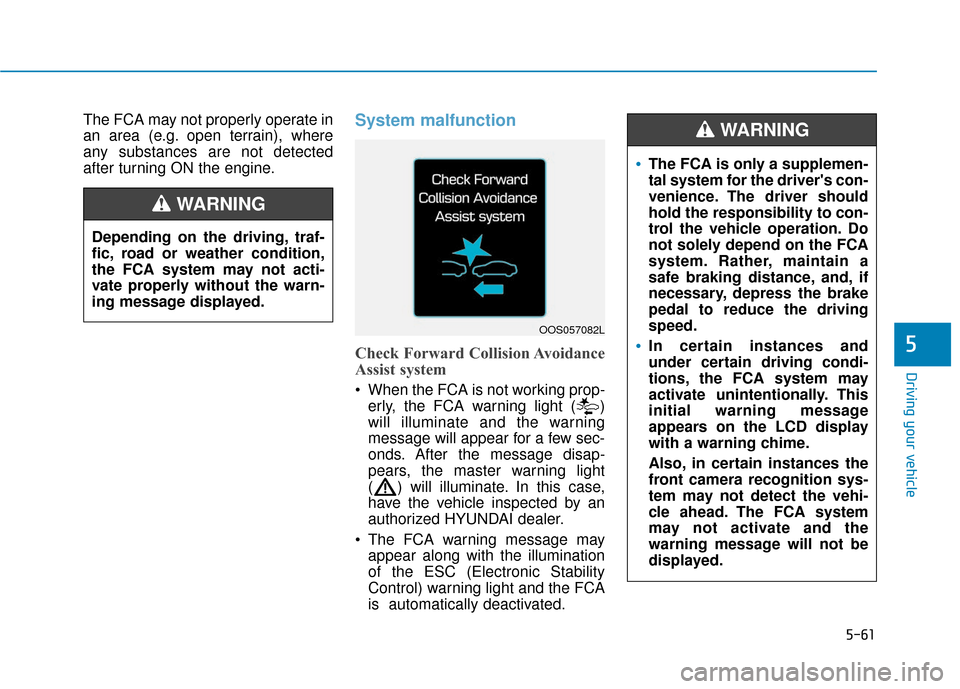
Check Forward Collision Avoidance
Assist system
When the FCA is not working prop-erly, the FCA warning light ( )
will illuminate and the warning
message will appear for a few sec-
onds. After the message disap-
pears, the master warning light
( ) will illuminate. In this case,
have the vehicle inspected by an
authorized HYUNDAI dealer.
The FCA warning message may appear along with the illumination
of the ESC (Electronic Stability
Control) warning light and the FCA
is automatically deactivated.
5
Depending on the driving, traf-
fic, road or weather condition,
the FCA system may not acti-
vate properly without the warn-
ing message displayed.
WARNING
OOS057082L
The FCA is only a supplemen-
tal system for the driver's con-
venience. The driver should
hold the responsibility to con-
trol the vehicle operation. Do
not solely depend on the FCA
system. Rather, maintain a
safe braking distance, and, if
necessary, depress the brake
pedal to reduce the driving
speed.
In certain instances and
under certain driving condi-
tions, the FCA system may
activate unintentionally. This
initial warning message
appears on the LCD display
with a warning chime.
Also, in certain instances the
front camera recognition sys-
tem may not detect the vehi-
cle ahead. The FCA system
may not activate and the
warning message will not be
displayed.
WARNING