Driving mode Hyundai Kona 2020 Owner's Guide
[x] Cancel search | Manufacturer: HYUNDAI, Model Year: 2020, Model line: Kona, Model: Hyundai Kona 2020Pages: 505, PDF Size: 13.47 MB
Page 280 of 505
5-46
Driving your vehicle
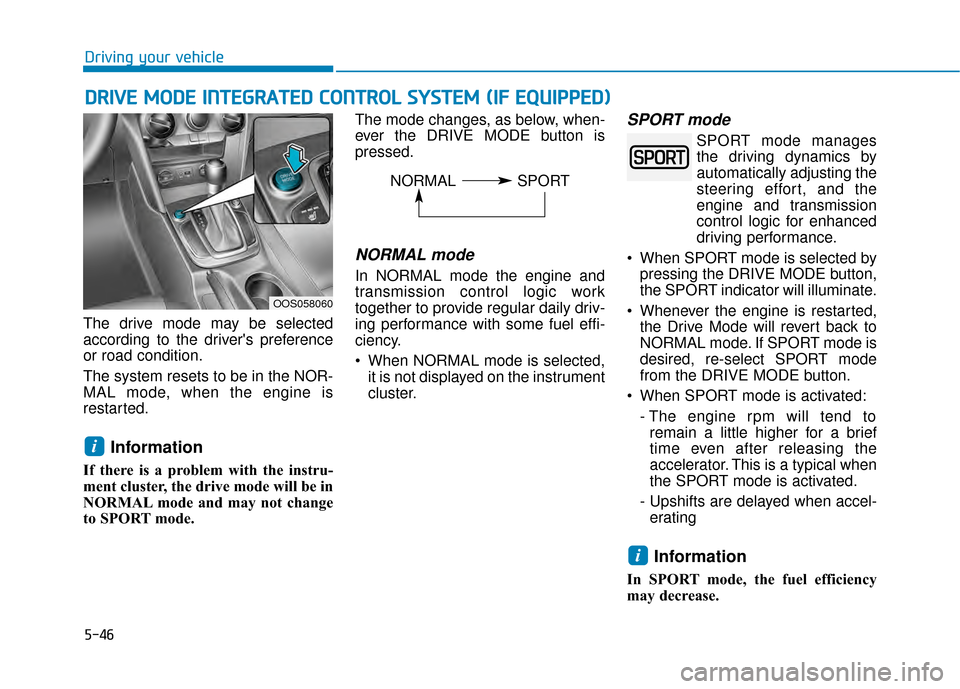
The drive mode may be selected
according to the driver's preference
or road condition.
The system resets to be in the NOR-
MAL mode, when the engine is
restarted.
Information
If there is a problem with the instru-
ment cluster, the drive mode will be in
NORMAL mode and may not change
to SPORT mode. The mode changes, as below, when-
ever the DRIVE MODE button is
pressed.
NORMAL mode
In NORMAL mode the engine and
transmission control logic work
together to provide regular daily driv-
ing performance with some fuel effi-
ciency.
When NORMAL mode is selected,
it is not displayed on the instrument
cluster.
SPORT mode
SPORT mode managesthe driving dynamics by
automatically adjusting the
steering effort, and the
engine and transmission
control logic for enhanced
driving performance.
When SPORT mode is selected by pressing the DRIVE MODE button,
the SPORT indicator will illuminate.
Whenever the engine is restarted, the Drive Mode will revert back to
NORMAL mode. If SPORT mode is
desired, re-select SPORT mode
from the DRIVE MODE button.
When SPORT mode is activated: - The engine rpm will tend toremain a little higher for a brief
time even after releasing the
accelerator. This is a typical when
the SPORT mode is activated.
- Upshifts are delayed when accel- erating
Information
In SPORT mode, the fuel efficiency
may decrease.
i
i
D D R
RI
IV
V E
E
M
M O
OD
DE
E
I
IN
N T
TE
EG
G R
RA
A T
TE
ED
D
C
C O
O N
NT
TR
R O
O L
L
S
S Y
Y S
ST
T E
EM
M
(
( I
IF
F
E
E Q
Q U
UI
IP
P P
PE
ED
D )
)
OOS058060
NORMAL SPORT
Page 286 of 505
5-52
Driving your vehicle
Blind-Spot Collision Warning -
Sensor Location
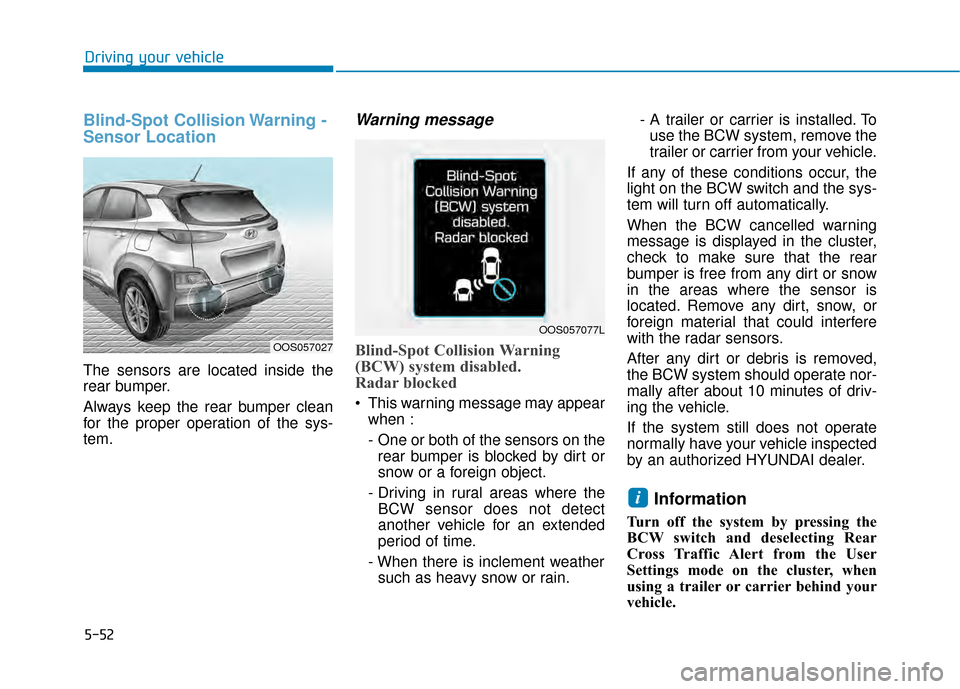
The sensors are located inside the
rear bumper.
Always keep the rear bumper clean
for the proper operation of the sys-
tem.
Warning message
Blind-Spot Collision Warning
(BCW) system disabled.
Radar blocked
This warning message may appearwhen :
- One or both of the sensors on therear bumper is blocked by dirt or
snow or a foreign object.
- Driving in rural areas where the BCW sensor does not detect
another vehicle for an extended
period of time.
- When there is inclement weather such as heavy snow or rain. - A trailer or carrier is installed. To
use the BCW system, remove the
trailer or carrier from your vehicle.
If any of these conditions occur, the
light on the BCW switch and the sys-
tem will turn off automatically.
When the BCW cancelled warning
message is displayed in the cluster,
check to make sure that the rear
bumper is free from any dirt or snow
in the areas where the sensor is
located. Remove any dirt, snow, or
foreign material that could interfere
with the radar sensors.
After any dirt or debris is removed,
the BCW system should operate nor-
mally after about 10 minutes of driv-
ing the vehicle.
If the system still does not operate
normally have your vehicle inspected
by an authorized HYUNDAI dealer.
Information
Turn off the system by pressing the
BCW switch and deselecting Rear
Cross Traffic Alert from the User
Settings mode on the cluster, when
using a trailer or carrier behind your
vehicle.
i
OOS057027
OOS057077L
Page 292 of 505
5-58
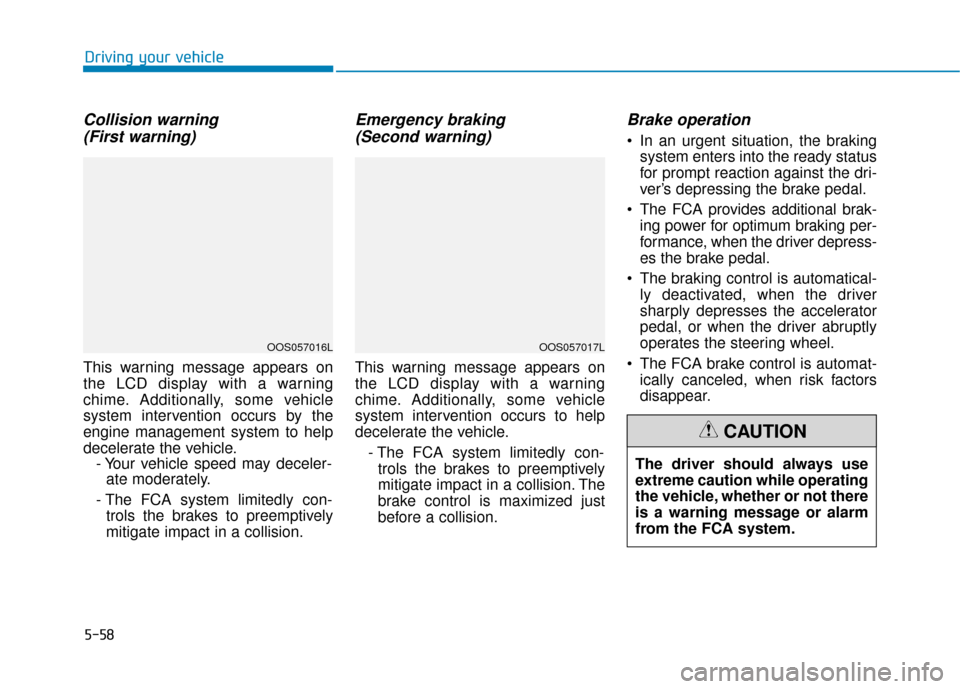
Collision warning (First warning)
This warning message appears on
the LCD display with a warning
chime. Additionally, some vehicle
system intervention occurs by the
engine management system to help
decelerate the vehicle. - Your vehicle speed may deceler-ate moderately.
- The FCA system limitedly con- trols the brakes to preemptively
mitigate impact in a collision.
Emergency braking (Second warning)
This warning message appears on
the LCD display with a warning
chime. Additionally, some vehicle
system intervention occurs to help
decelerate the vehicle.
- The FCA system limitedly con-trols the brakes to preemptively
mitigate impact in a collision. The
brake control is maximized just
before a collision.
Brake operation
In an urgent situation, the braking system enters into the ready status
for prompt reaction against the dri-
ver’s depressing the brake pedal.
The FCA provides additional brak- ing power for optimum braking per-
formance, when the driver depress-
es the brake pedal.
The braking control is automatical- ly deactivated, when the driver
sharply depresses the accelerator
pedal, or when the driver abruptly
operates the steering wheel.
The FCA brake control is automat- ically canceled, when risk factors
disappear.
Driving your vehicle
OOS057016LOOS057017L
The driver should always use
extreme caution while operating
the vehicle, whether or not there
is a warning message or alarm
from the FCA system.
CAUTION
Page 304 of 505
5-70
Driving your vehicle
FCA Warning Message and
System Control
The FCA produces warning mes-
sages and warning alarms in accor-
dance with the collision risk levels,
such as abrupt stopping of the vehi-
cle in front, insufficient braking dis-
tance, or pedestrian detection. Also,
it controls the brakes in accordance
with the collision risk levels.
The driver can select the initial warn-
ing activation time in the User
Settings in the LCD display. The
options for the initial Forward Collision
Warning include EARLY, NORMAL, or
LATE initial warning time.
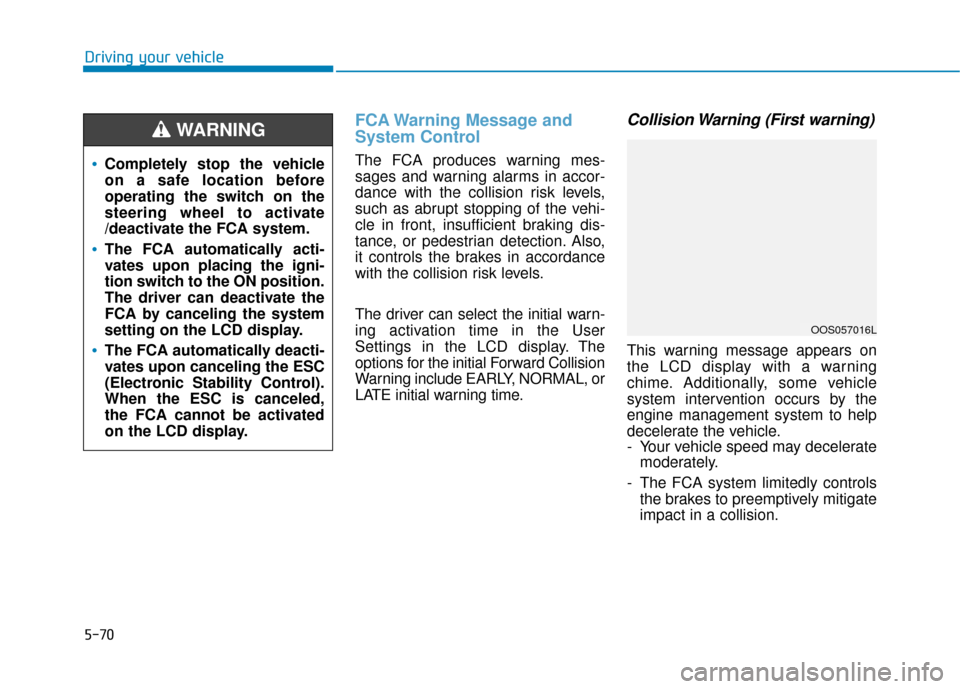
Collision Warning (First warning)
This warning message appears on
the LCD display with a warning
chime. Additionally, some vehicle
system intervention occurs by the
engine management system to help
decelerate the vehicle.
- Your vehicle speed may deceleratemoderately.
- The FCA system limitedly controls the brakes to preemptively mitigate
impact in a collision.
Completely stop the vehicle
on a safe location before
operating the switch on the
steering wheel to activate
/deactivate the FCA system.
The FCA automatically acti-
vates upon placing the igni-
tion switch to the ON position.
The driver can deactivate the
FCA by canceling the system
setting on the LCD display.
The FCA automatically deacti-
vates upon canceling the ESC
(Electronic Stability Control).
When the ESC is canceled,
the FCA cannot be activated
on the LCD display.
WARNING
OOS057016L
Page 316 of 505
5-82
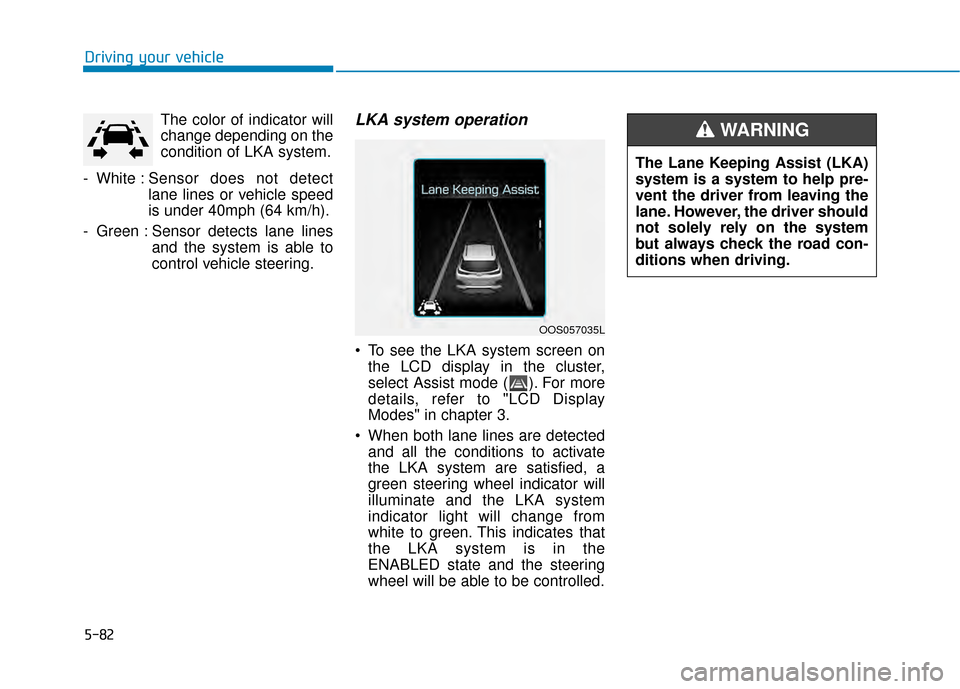
Driving your vehicleThe color of indicator will
change depending on the
condition of LKA system.
- White : Sensor does not detect
lane lines or vehicle speed
is under 40mph (64 km/h).
- Green : Sensor detects lane lines and the system is able to
control vehicle steering.
LKA system operation
To see the LKA system screen onthe LCD display in the cluster,
select Assist mode ( ). For more
details, refer to "LCD Display
Modes" in chapter 3.
When both lane lines are detected and all the conditions to activate
the LKA system are satisfied, a
green steering wheel indicator will
illuminate and the LKA system
indicator light will change from
white to green. This indicates that
the LKA system is in the
ENABLED state and the steering
wheel will be able to be controlled.
The Lane Keeping Assist (LKA)
system is a system to help pre-
vent the driver from leaving the
lane. However, the driver should
not solely rely on the system
but always check the road con-
ditions when driving.
WARNING
OOS057035L
Page 321 of 505
5-87
Driving your vehicle
5
LKA system Function Change
The driver can change LKA to Lane
Departure Warning (LDW) system or
change the LKA system mode
between Standard LKA and Active
LKA from the LCD display. Go to the
'User Settings →Driver Assistance →
Lane Keeping Assist → Lane
Departure Warning/Standard
LKA/Active LKA'.
Lane Departure Warning
LDW system alerts the driver with a
visual warning and a warning alarm
when the system detects the vehicle
departing the lane. The steering
wheel will not be controlled.
Standard LKA
The Standard LKA mode guides the
driver to help keep the vehicle within
the lanes. It rarely controls the steer-
ing wheel, when the vehicle drives
well inside the lanes. However, it
starts to control the steering wheel,
when the vehicle is about to deviate
out of the lanes.
Active LKA
The Active LKA mode provides more
frequent steering wheel control in
comparison with the Standard LKA
mode. Active LKA can help reduce
the driver's fatigue to assist the
steering for maintaining the vehicle
in the middle of the lane.
Information
This device complies with Part 15 of
the FCC rules.
Operation is subject to the following
two conditions:
1. This device may not cause harmful interference.
2. This device must accept any inter- ference received, including interfer-
ence that may cause undesired
operation.
i
Page 322 of 505
5-88
Driving your vehicle
The Driver Attention Warning (DAW)
System is designed as a safety fea-
ture to help reduce drowsy or inat-
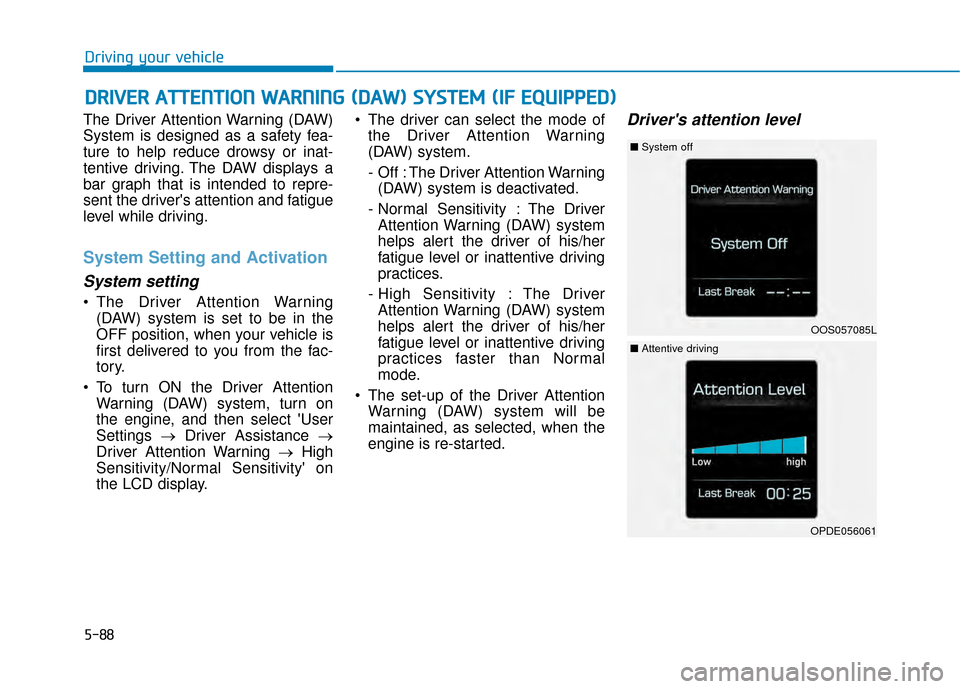
tentive driving. The DAW displays a
bar graph that is intended to repre-
sent the driver's attention and fatigue
level while driving.
System Setting and Activation
System setting
The Driver Attention Warning (DAW) system is set to be in the
OFF position, when your vehicle is
first delivered to you from the fac-
tory.
To turn ON the Driver Attention Warning (DAW) system, turn on
the engine, and then select 'User
Settings →Driver Assistance →
Driver Attention Warning →High
Sensitivity/Normal Sensitivity' on
the LCD display. The driver can select the mode of
the Driver Attention Warning
(DAW) system.
- Off : The Driver Attention Warning(DAW) system is deactivated.
- Normal Sensitivity : The Driver Attention Warning (DAW) system
helps alert the driver of his/her
fatigue level or inattentive driving
practices.
- High Sensitivity : The Driver Attention Warning (DAW) system
helps alert the driver of his/her
fatigue level or inattentive driving
practices faster than Normal
mode.
The set-up of the Driver Attention Warning (DAW) system will be
maintained, as selected, when the
engine is re-started.
Driver's attention level
D DR
RI
IV
V E
ER
R
A
A T
TT
TE
EN
N T
TI
IO
O N
N
W
W A
AR
RN
N I
IN
N G
G
(
( D
D A
A W
W )
)
S
S Y
Y S
ST
T E
EM
M
(
( I
IF
F
E
E Q
Q U
UI
IP
P P
PE
ED
D )
)
OOS057085L
■ System off
OPDE056061
■Attentive driving
Page 323 of 505
5-89
Driving your vehicle
5
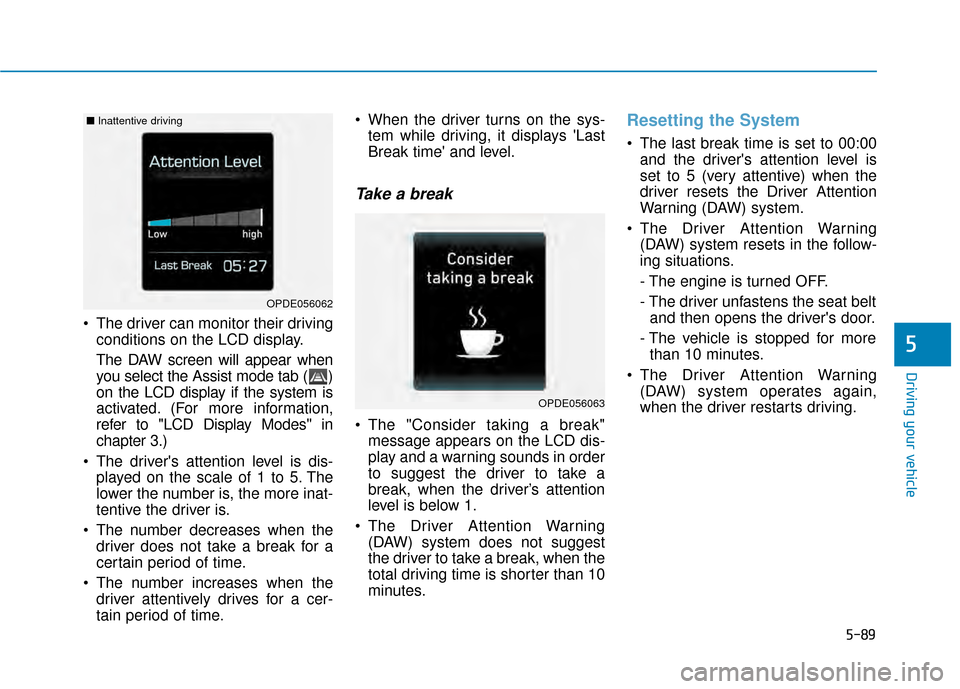
The driver can monitor their drivingconditions on the LCD display.
The DAW screen will appear when
you select the Assist mode tab ( )
on the LCD display if the system is
activated. (For more information,
refer to "LCD Display Modes" in
chapter 3.)
The driver's attention level is dis- played on the scale of 1 to 5. The
lower the number is, the more inat-
tentive the driver is.
The number decreases when the driver does not take a break for a
certain period of time.
The number increases when the driver attentively drives for a cer-
tain period of time. When the driver turns on the sys-
tem while driving, it displays 'Last
Break time' and level.
Take a break
The "Consider taking a break"message appears on the LCD dis-
play and a warning sounds in order
to suggest the driver to take a
break, when the driver’s attention
level is below 1.
The Driver Attention Warning (DAW) system does not suggest
the driver to take a break, when the
total driving time is shorter than 10
minutes.
Resetting the System
The last break time is set to 00:00and the driver's attention level is
set to 5 (very attentive) when the
driver resets the Driver Attention
Warning (DAW) system.
The Driver Attention Warning (DAW) system resets in the follow-
ing situations.
- The engine is turned OFF.
- The driver unfastens the seat beltand then opens the driver's door.
- The vehicle is stopped for more than 10 minutes.
The Driver Attention Warning (DAW) system operates again,
when the driver restarts driving.
OPDE056063
OPDE056062
■ Inattentive driving
Page 329 of 505
5-95
Driving your vehicle
5
To temporarily accelerate withthe Cruise Control ON
Depress the accelerator pedal. When
you take your foot off the accelerator,
the vehicle will return to the previ-
ously set speed.
If you push the toggle switch down
(SET-) at the increased speed, the
Cruise Control will maintain the
increased speed.
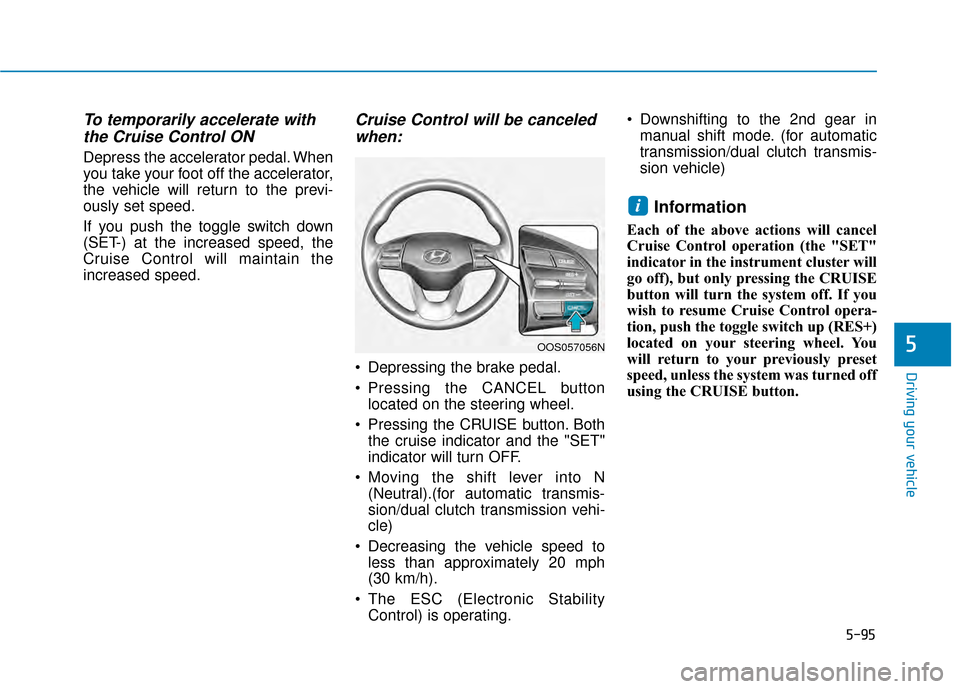
Cruise Control will be canceledwhen:
Depressing the brake pedal.
Pressing the CANCEL button
located on the steering wheel.
Pressing the CRUISE button. Both the cruise indicator and the "SET"
indicator will turn OFF.
Moving the shift lever into N (Neutral).(for automatic transmis-
sion/dual clutch transmission vehi-
cle)
Decreasing the vehicle speed to less than approximately 20 mph
(30 km/h).
The ESC (Electronic Stability Control) is operating. Downshifting to the 2nd gear in
manual shift mode. (for automatic
transmission/dual clutch transmis-
sion vehicle)
Information
Each of the above actions will cancel
Cruise Control operation (the "SET"
indicator in the instrument cluster will
go off), but only pressing the CRUISE
button will turn the system off. If you
wish to resume Cruise Control opera-
tion, push the toggle switch up (RES+)
located on your steering wheel. You
will return to your previously preset
speed, unless the system was turned off
using the CRUISE button.
i
OOS057056N
Page 331 of 505
5-97
Driving your vehicle
➀Cruise indicator
➁ Set speed
➂ Vehicle-to-vehicle distance
To see the SCC screen on the LCD
display in the cluster, select Assist
mode ( ). For more details, refer to
"LCD Display Modes" in chapter 3. The Smart Cruise Control system
allows you to program the vehicle to
maintain constant speed and mini-
mum distance between the vehicle
ahead.
The Smart Cruise Control system
will automatically adjust your vehicle
speed to maintain your programmed
speed and following distance without
requiring you to depress the acceler-
ator or brake pedals.
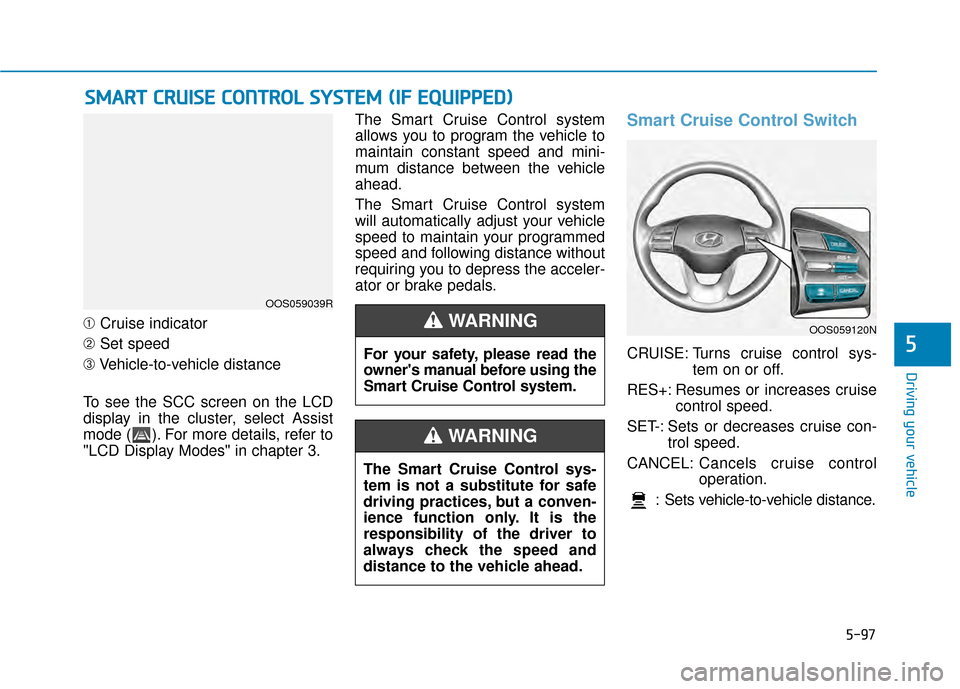
Smart Cruise Control Switch
CRUISE: Turns cruise control sys-
tem on or off.
RES+: Resumes or increases cruise control speed.
SET-: Sets or decreases cruise con- trol speed.
CANCEL: Cancels cruise control
operation.
: Sets vehicle-to-vehicle distance.
S
S M
M A
AR
RT
T
C
C R
R U
U I
IS
S E
E
C
C O
O N
NT
TR
R O
O L
L
S
S Y
Y S
ST
T E
EM
M
(
( I
IF
F
E
E Q
Q U
UI
IP
P P
PE
ED
D )
)
5
OOS059039R
OOS059120N
For your safety, please read the
owner's manual before using the
Smart Cruise Control system.
WARNING
The Smart Cruise Control sys-
tem is not a substitute for safe
driving practices, but a conven-
ience function only. It is the
responsibility of the driver to
always check the speed and
distance to the vehicle ahead.
WARNING