Brake HYUNDAI KONA 2022 Owners Manual
[x] Cancel search | Manufacturer: HYUNDAI, Model Year: 2022, Model line: KONA, Model: HYUNDAI KONA 2022Pages: 579, PDF Size: 35.31 MB
Page 404 of 579
Driver assistance system
7-72
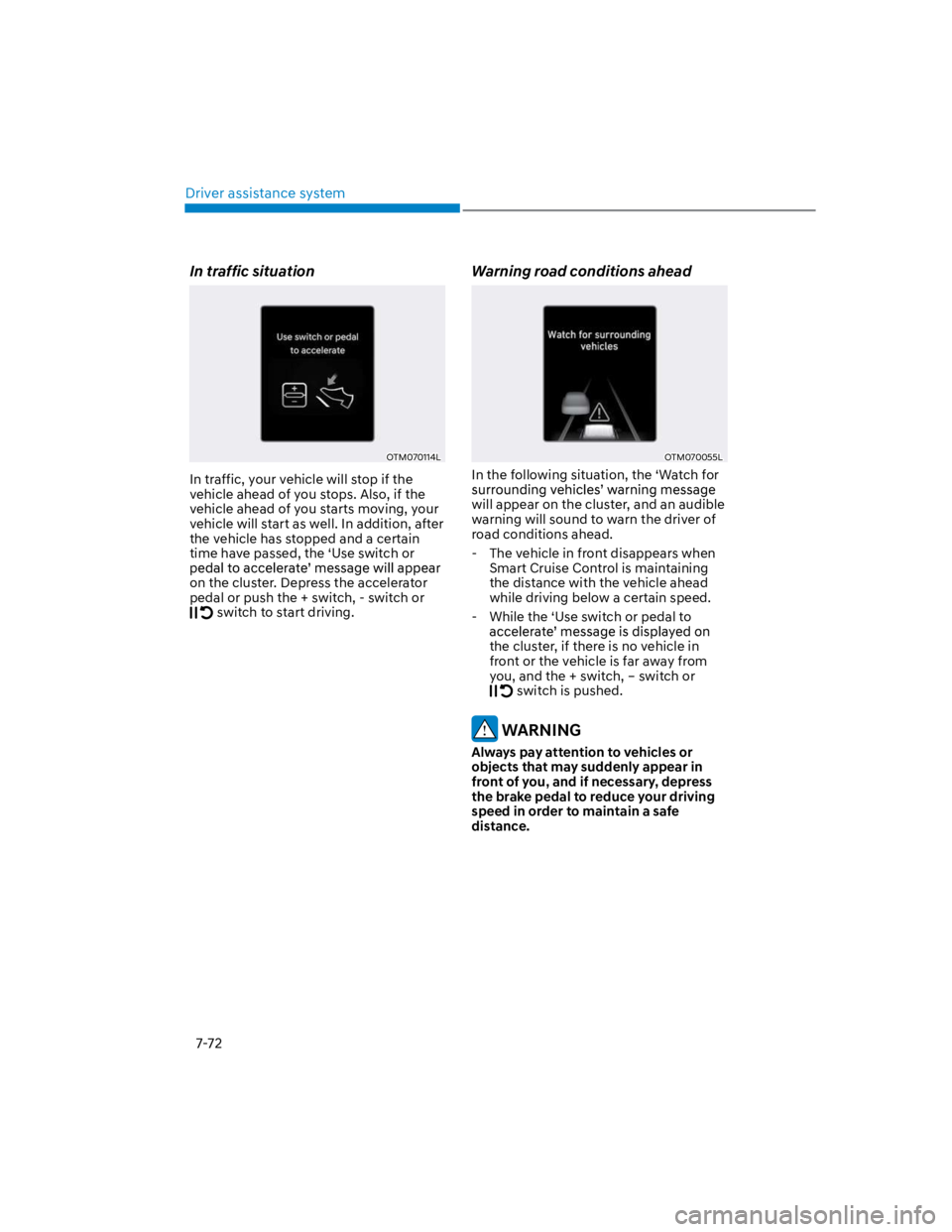
In traffic situation
OTM070114L
In traffic, your vehicle will stop if the
vehicle ahead of you stops. Also, if the
vehicle ahead of you starts moving, your
vehicle will start as well. In addition, after
the vehicle has stopped and a certain
time have passed, the ‘Use switch or
on the cluster. Depress the accelerator
pedal or push the + switch, - switch or
switch to start driving.
Warning road conditions ahead
OTM070055L
In the following situation, the ‘Watch for
will appear on the cluster, and an audible
warning will sound to warn the driver of
road conditions ahead.
- The vehicle in front disappears when
Smart Cruise Control is maintaining
the distance with the vehicle ahead
while driving below a certain speed.
- While the ‘Use switch or pedal to
the cluster, if there is no vehicle in
front or the vehicle is far away from
you, and the + switch, – switch or
switch is pushed.
WARNING
Always pay attention to vehicles or
objects that may suddenly appear in
front of you, and if necessary, depress
the brake pedal to reduce your driving
speed in order to maintain a safe
distance.
Page 405 of 579
07
7-73
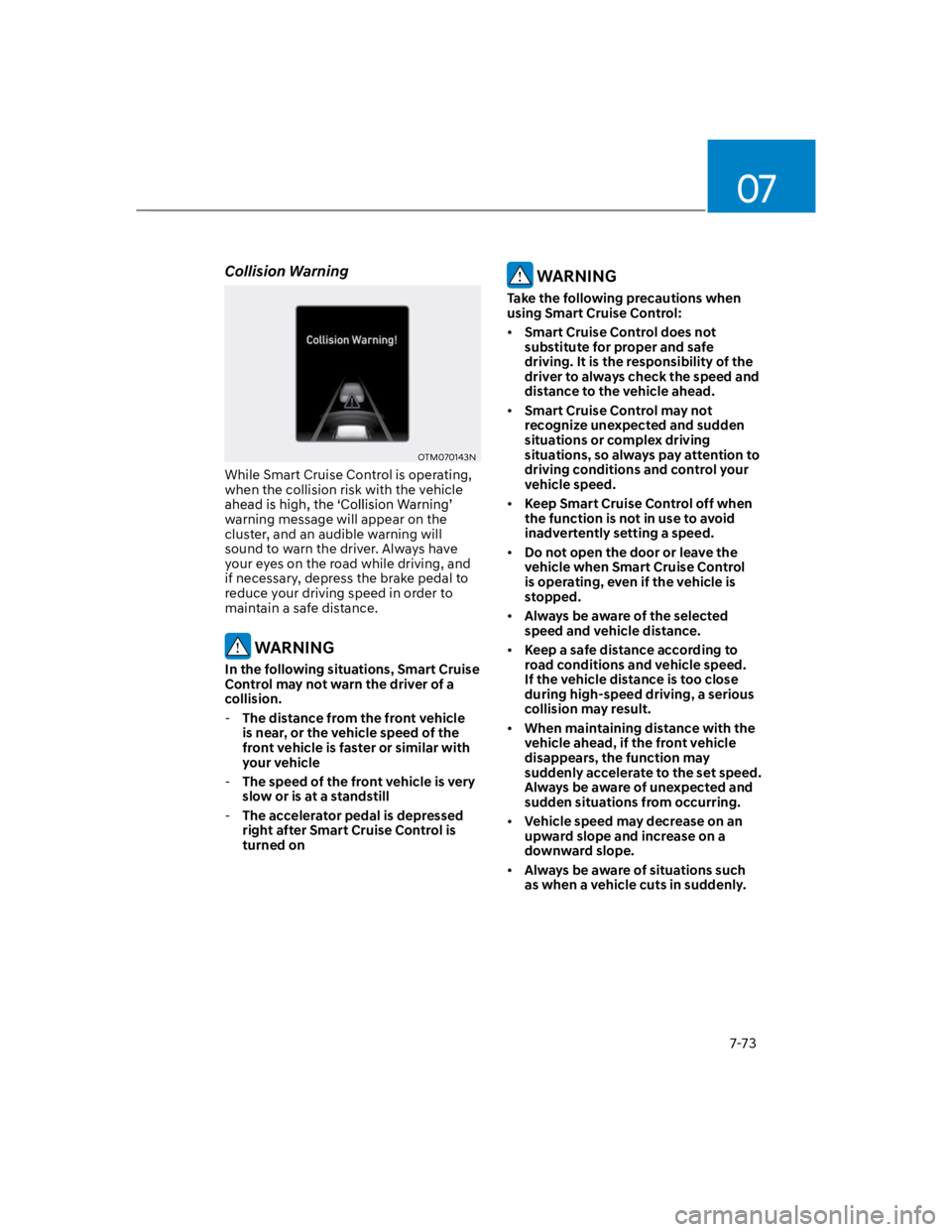
Collision Warning
OTM070143N
While Smart Cruise Control is operating,
when the collision risk with the vehicle
warning message will appear on the
cluster, and an audible warning will
sound to warn the driver. Always have
your eyes on the road while driving, and
if necessary, depress the brake pedal to
reduce your driving speed in order to
maintain a safe distance.
WARNING
In the following situations, Smart Cruise
Control may not warn the driver of a
collision.
-The distance from the front vehicle
is near, or the vehicle speed of the
front vehicle is faster or similar with
your vehicle
-The speed of the front vehicle is very
slow or is at a standstill
-The accelerator pedal is depressed
right after Smart Cruise Control is
turned on
WARNING
Take the following precautions when
using Smart Cruise Control:
Smart Cruise Control does not
substitute for proper and safe
driving. It is the responsibility of the
driver to always check the speed and
distance to the vehicle ahead.
Smart Cruise Control may not
recognize unexpected and sudden
situations or complex driving
situations, so always pay attention to
driving conditions and control your
vehicle speed.
Keep Smart Cruise Control off when
the function is not in use to avoid
inadvertently setting a speed.
Do not open the door or leave the
vehicle when Smart Cruise Control
is operating, even if the vehicle is
stopped.
Always be aware of the selected
speed and vehicle distance.
Keep a safe distance according to
road conditions and vehicle speed.
If the vehicle distance is too close
during high-speed driving, a serious
collision may result.
When maintaining distance with the
vehicle ahead, if the front vehicle
disappears, the function may
suddenly accelerate to the set speed.
Always be aware of unexpected and
sudden situations from occurring.
Vehicle speed may decrease on an
upward slope and increase on a
downward slope.
Always be aware of situations such
as when a vehicle cuts in suddenly.
Page 409 of 579
07
7-77
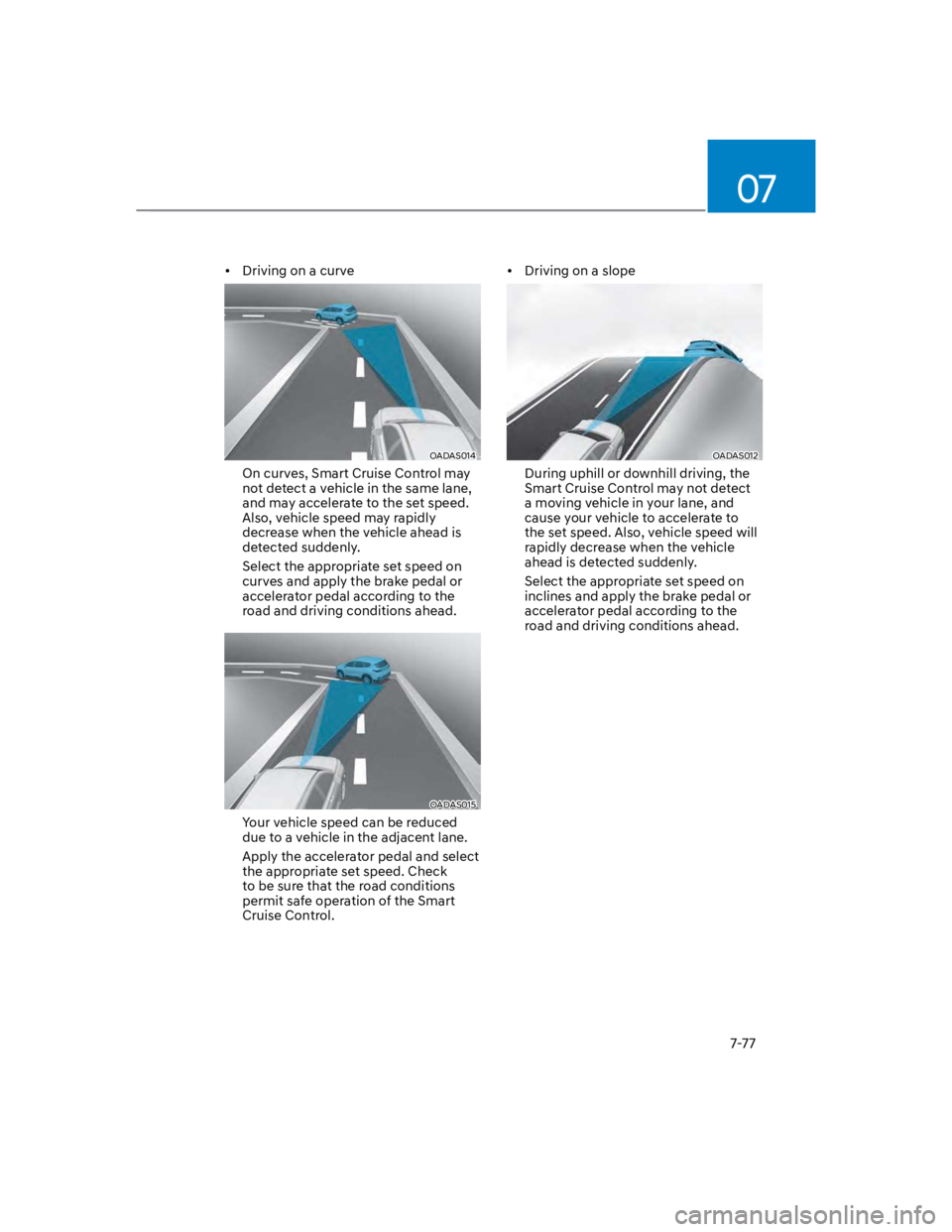
Driving on a curve
OADAS014
On curves, Smart Cruise Control may
not detect a vehicle in the same lane,
and may accelerate to the set speed.
Also, vehicle speed may rapidly
decrease when the vehicle ahead is
detected suddenly.
Select the appropriate set speed on
curves and apply the brake pedal or
accelerator pedal according to the
road and driving conditions ahead.
OADAS015
Your vehicle speed can be reduced
due to a vehicle in the adjacent lane.
Apply the accelerator pedal and select
the appropriate set speed. Check
to be sure that the road conditions
permit safe operation of the Smart
Cruise Control.
Driving on a slope
OADAS012
During uphill or downhill driving, the
Smart Cruise Control may not detect
a moving vehicle in your lane, and
cause your vehicle to accelerate to
the set speed. Also, vehicle speed will
rapidly decrease when the vehicle
ahead is detected suddenly.
Select the appropriate set speed on
inclines and apply the brake pedal or
accelerator pedal according to the
road and driving conditions ahead.
Page 410 of 579
![HYUNDAI KONA 2022 Owners Manual Driver assistance system
7-78
Changing lanes
OADAS030
[A] : Your vehicle, [B] : Lane changing vehicle
When a vehicle moves into your lane
from an adjacent lane, it cannot be
detected by the sensor](/img/35/41169/w960_41169-409.png "HYUNDAI KONA 2022 Owners Manual Driver assistance system
7-78
Changing lanes
OADAS030
[A] : Your vehicle, [B] : Lane changing vehicle
When a vehicle moves into your lane
from an adjacent lane, it cannot be
detected by the sensor")
Driver assistance system
7-78
Changing lanes
OADAS030
[A] : Your vehicle, [B] : Lane changing vehicle
When a vehicle moves into your lane
from an adjacent lane, it cannot be
detected by the sensor until it is in the
sensor's detection range. Smart Cruise
Control may not immediately detect
the vehicle when the vehicle changes
lanes abruptly. In this case, you must
maintain a safe braking distance, and
if necessary, depress the brake pedal
to reduce your driving speed in order
to maintain a safe distance.
Detecting vehicle
OJX1079181
In the following cases, some vehicles
in your lane cannot be detected by the
sensor:
- Vehicles offset to one side
- Slow-moving vehicles or sudden-
decelerating vehicles
- Oncoming vehicles
- Stopped vehicles
- Vehicles with small rear profile, such
as trailers
- Narrow vehicles, such as
motorcycles or bicycles
- Special vehicles
- Animals and pedestrians
Adjust your vehicle speed by
depressing the brake pedal according
to the road and driving conditions
ahead.
Page 411 of 579
07
7-79
OOS057022
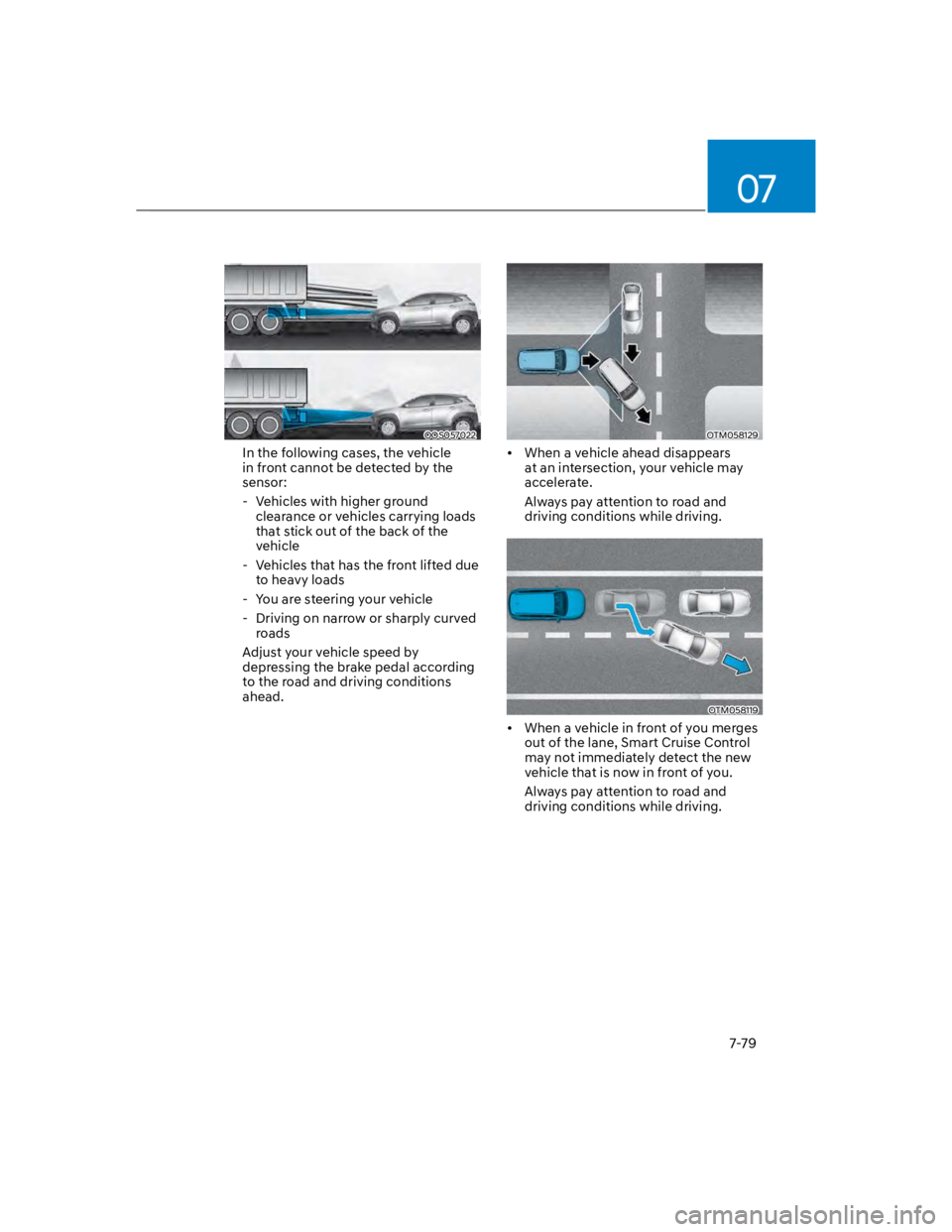
In the following cases, the vehicle
in front cannot be detected by the
sensor:
- Vehicles with higher ground
clearance or vehicles carrying loads
that stick out of the back of the
vehicle
- Vehicles that has the front lifted due
to heavy loads
- You are steering your vehicle
- Driving on narrow or sharply curved
roads
Adjust your vehicle speed by
depressing the brake pedal according
to the road and driving conditions
ahead.
OTM058129
When a vehicle ahead disappears
at an intersection, your vehicle may
accelerate.
Always pay attention to road and
driving conditions while driving.
OTM058119
When a vehicle in front of you merges
out of the lane, Smart Cruise Control
may not immediately detect the new
vehicle that is now in front of you.
Always pay attention to road and
driving conditions while driving.
Page 415 of 579
07
7-83
Information
Depending on the curve ahead on the
highway, the vehicle will decelerate,
and after passing the curve, the
vehicle will accelerate to Smart Cruise
Control set speed.
Vehicle deceleration time may differ
depending on the vehicle speed
and the degree of the curve on the
road. The higher the driving speed,
deceleration will start faster.
Highway Set Speed Auto Change
function will operate when Smart
Cruise Control set speed and the
highway speed limit is matched.
While Highway Set Speed Auto
Change function is operating, when
the highway speed limit changes,
Smart Cruise Control set speed
automatically changes to the changed
speed limit.
If Smart Cruise Control set speed is
adjusted different from the speed
limit, Highway Set Speed Auto Change
function will be in the standby state.
If Highway Set Speed Auto Change
function has changed to the standby
state by driving on a road other than
the highway main road, Highway Set
Speed Auto Change function will
operate again when you drive on the
main road again without setting the
set speed.
If Highway Set Speed Auto Change
function has changed to the standby
state by depressing the brake pedal
or pressing the switch on the
steering wheel, press the switch
to restart the function.
Highway Set Speed Auto Change
function does not operate on highway
interchanges or junctions.
Information
Page 438 of 579
Driver assistance system
7-106
Rear Cross-Traffic Safety system
will operate when all the following
conditions are satisfied:
- The gear is shifted to R (Reverse)
- Vehicle speed is below 5 mph (8
km/h)
- The approaching vehicle is within
approximately 5 ft. (1.5 m) from the
left or right side of your vehicle
- The speed of the vehicle
approaching from the left and right
is above 3 mph (5 km/h)
Emergency braking will be assisted
to help prevent collision with
approaching vehicles from the left
and right.
WARNING
Brake control will end when:
-The approaching vehicle is out of the
detecting range
-The approaching vehicle passes
behind your vehicle
-The approaching vehicle does not
drive toward your vehicle
-The approaching vehicle speed slows
down
-The driver depresses the brake pedal
with sufficient power
OOS070113N
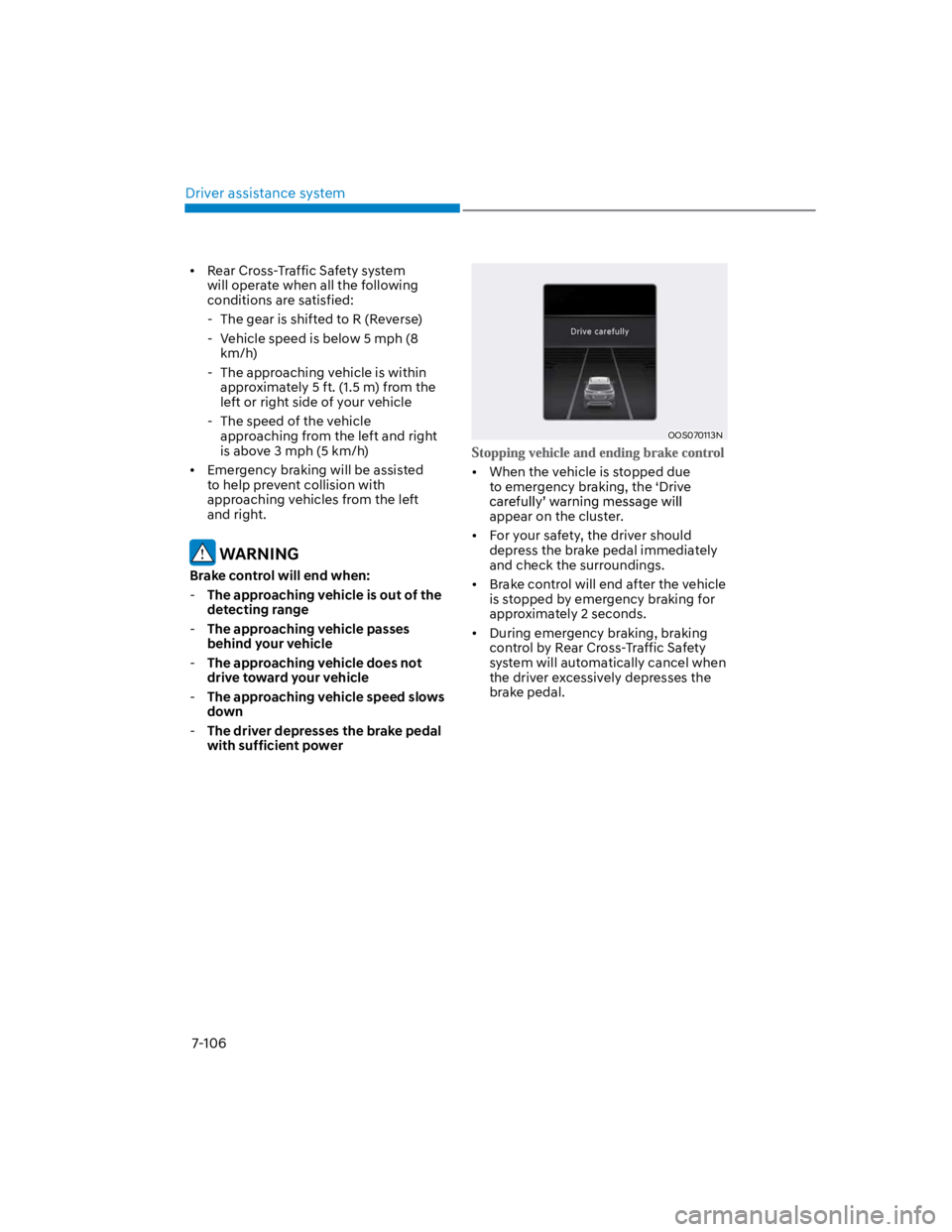
When the vehicle is stopped due
to emergency braking, the ‘Drive
appear on the cluster.
For your safety, the driver should
depress the brake pedal immediately
and check the surroundings.
Brake control will end after the vehicle
is stopped by emergency braking for
approximately 2 seconds.
During emergency braking, braking
control by Rear Cross-Traffic Safety
system will automatically cancel when
the driver excessively depresses the
brake pedal.
Page 439 of 579
07
7-107
WARNING
Take the following precautions when
using Rear Cross-Traffic Safety system:
For your safety, change the Settings
after parking the vehicle at a safe
location.
If any other function’s warning
message is displayed or audible
warning is generated, Rear Cross-
Traffic Safety system’s warning
message may not be displayed
and audible warning may not be
generated.
You may not hear the warning sound
of Rear Cross-Traffic Safety system if
the surrounding is noisy.
Rear Cross-Traffic Safety system may
not operate if the driver applies the
brake pedal to avoid collision.
During Rear Cross-Traffic Safety
system operation, the vehicle may
stop suddenly injuring passengers
and shifting loose objects. Always
have the seat belt on and keep loose
objects secured.
Even if there is a problem with Rear
Cross-Traffic Safety system, the
vehicle’s basic braking performance
will operate normally.
When Rear Cross-Traffic Safety
system is operating, braking control
by the function will automatically
cancel when the driver excessively
depresses the accelerator pedal.
Rear Cross-Traffic Safety system does
not operate in all situations or cannot
avoid all collisions.
Rear Cross-Traffic Safety system may
warn the driver late or may not warn
the driver depending on the road and
driving conditions.
The driver is solely responsible to
operate the vehicle in a safe manner.
Do not solely depend on Rear
Cross-Traffic Safety system. Rather,
maintain a safe braking distance, and
if necessary, depress the brake pedal
to reduce driving speed or to stop
the vehicle.
Never deliberately operate Rear
Cross-Traffic Safety system on
people, animal, objects, etc. It may
cause serious injury or death.
CAUTION
The brake control may not operate
properly depending on the status of
ESC (Electronic Stability Control).
There will only be a warning when:
-The ESC (Electronic Stability Control)
warning light is on
-ESC (Electronic Stability Control) is
engaged in a different function
Information
Page 441 of 579
07
7-109
WARNING
Even though the warning message
does not appear on the cluster, Rear
Cross-Traffic Safety system may not
operate properly.
Rear Cross-Traffic Safety system may
not operate properly in an area (for
example: open terrain), where any
substance are not detected after
turning ON the engine.
CAUTION
Turn off Rear Cross-Traffic Safety
system to install a trailer, carrier, etc.,
or remove the trailer, carrier, etc. to use
Rear Cross-Traffic Safety system.
Limitations of Rear Cross-Traffic
Safety system
Rear Cross-Traffic Safety system may
not operate normally, or the function
may operate unexpectedly under the
following circumstances:
Departing from where trees or grass
are overgrown
Departing from where roads are wet
Speed of the approaching vehicle is
fast or slow
attention is required in the following
circumstances:
The vehicle severely vibrates while
driving over a bumpy road, uneven
road or concrete patch
Driving on a slippery surface due to
snow, water puddle, ice, etc.
The tire pressure is low or a tire is
damaged
The brake is reworked
Remote Smart Parking Assist is
operating (if equipped)
Information
WARNING
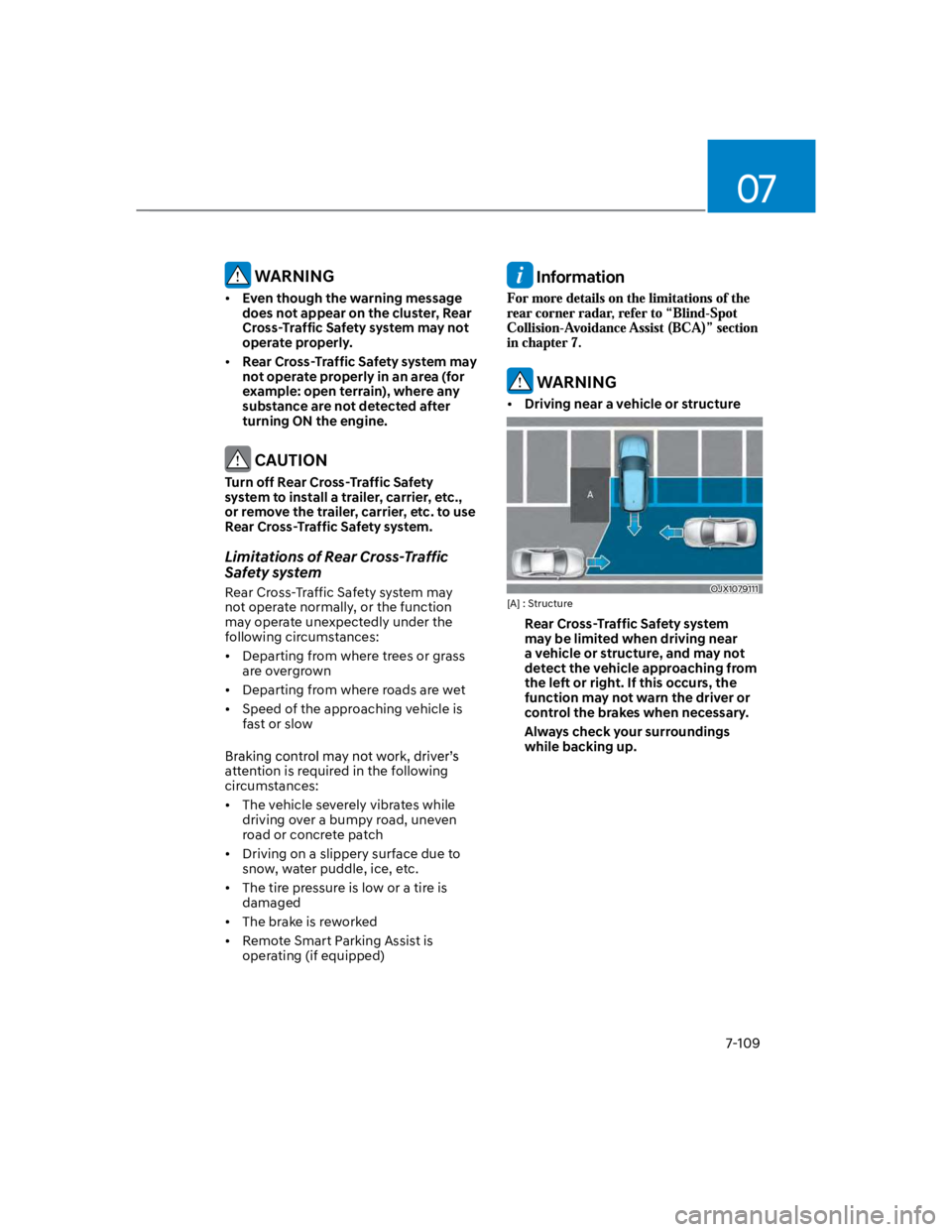
Driving near a vehicle or structure
OJX1079111
[A] : Structure
Rear Cross-Traffic Safety system
may be limited when driving near
a vehicle or structure, and may not
detect the vehicle approaching from
the left or right. If this occurs, the
function may not warn the driver or
control the brakes when necessary.
Always check your surroundings
while backing up.
Page 442 of 579
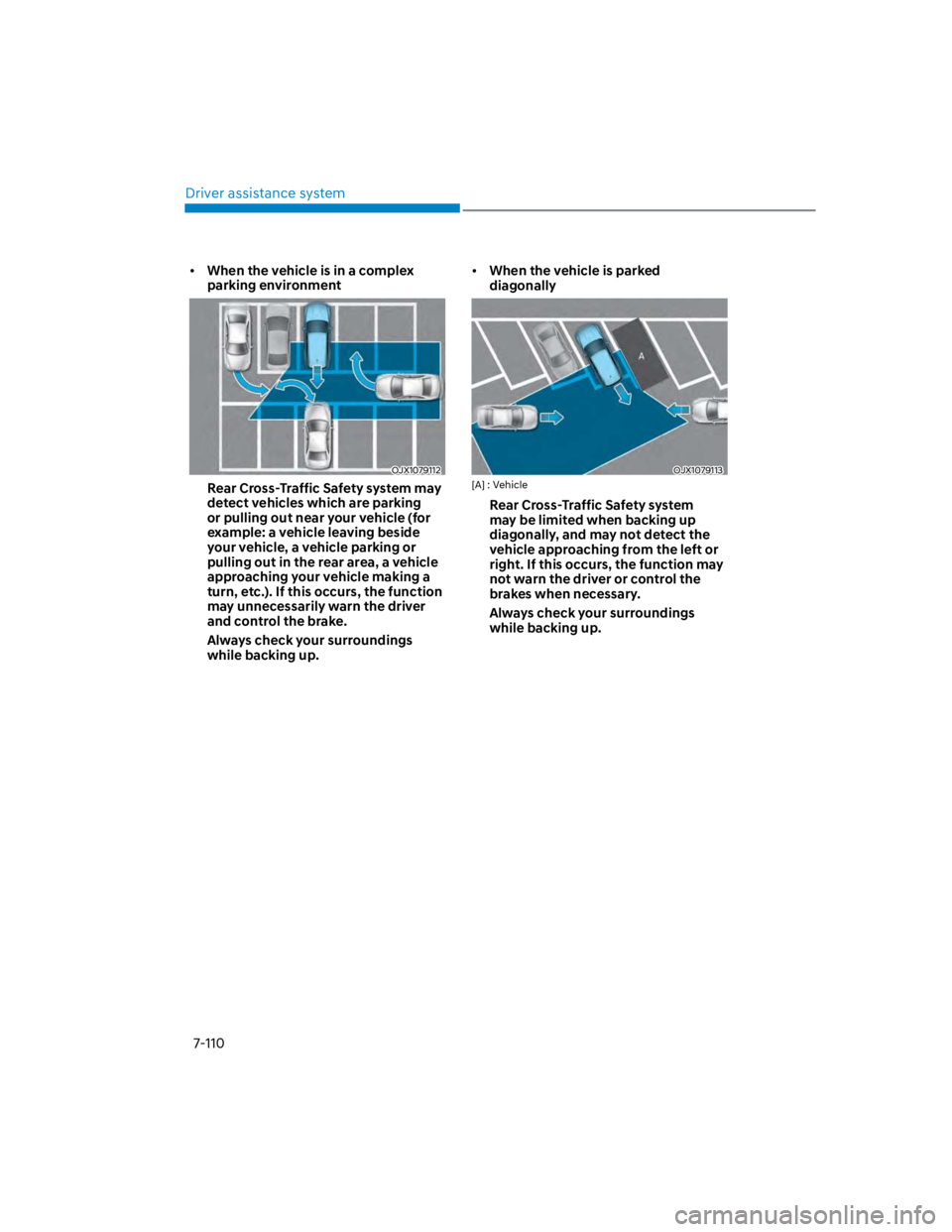
Driver assistance system
7-110
When the vehicle is in a complex
parking environment
OJX1079112
Rear Cross-Traffic Safety system may
detect vehicles which are parking
or pulling out near your vehicle (for
example: a vehicle leaving beside
your vehicle, a vehicle parking or
pulling out in the rear area, a vehicle
approaching your vehicle making a
turn, etc.). If this occurs, the function
may unnecessarily warn the driver
and control the brake.
Always check your surroundings
while backing up.
When the vehicle is parked
diagonally
OJX1079113
[A] : Vehicle
Rear Cross-Traffic Safety system
may be limited when backing up
diagonally, and may not detect the
vehicle approaching from the left or
right. If this occurs, the function may
not warn the driver or control the
brakes when necessary.
Always check your surroundings
while backing up.