Brake HYUNDAI KONA 2022 Owners Manual
[x] Cancel search | Manufacturer: HYUNDAI, Model Year: 2022, Model line: KONA, Model: HYUNDAI KONA 2022Pages: 579, PDF Size: 35.31 MB
Page 367 of 579
07
7-35
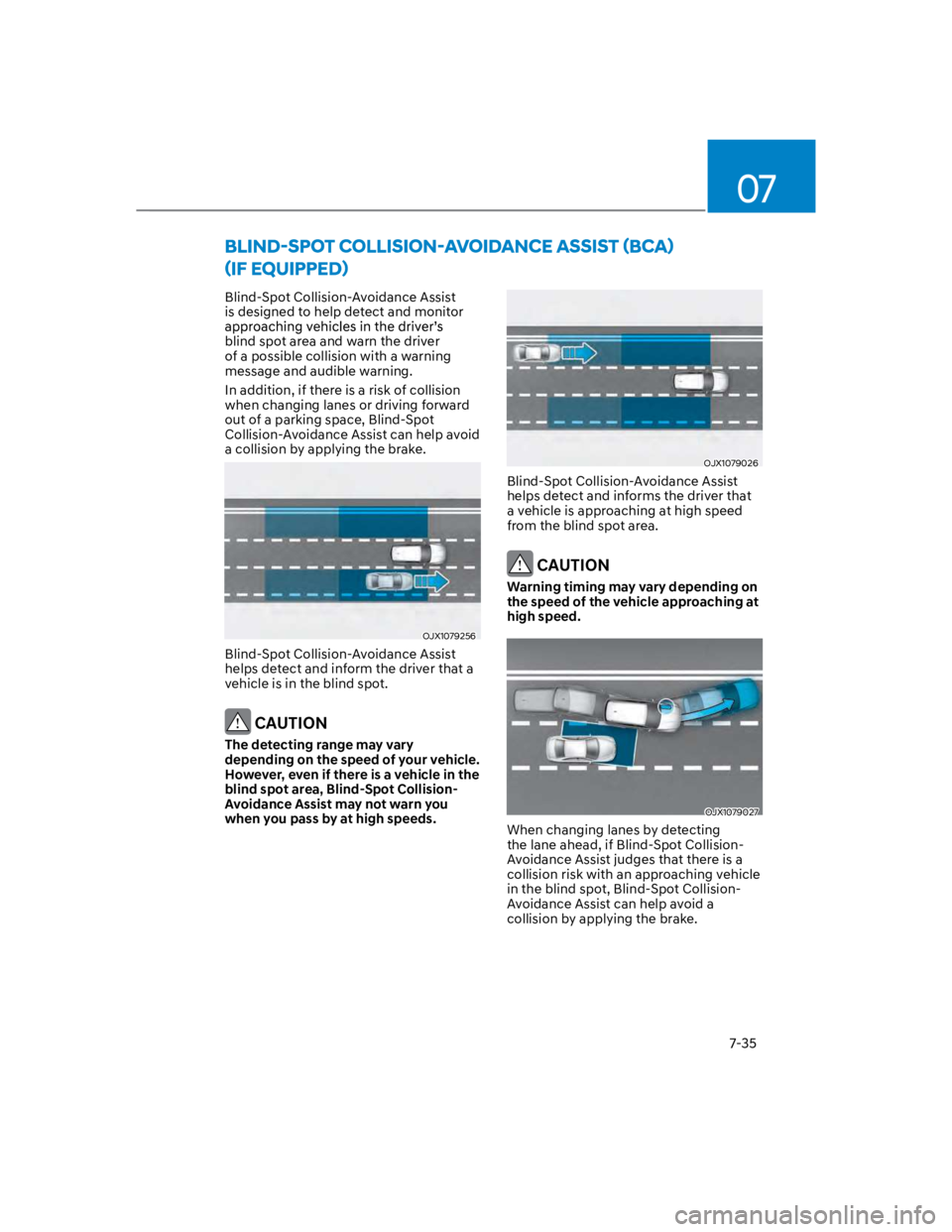
Blind-Spot Collision-Avoidance Assist
is designed to help detect and monitor
blind spot area and warn the driver
of a possible collision with a warning
message and audible warning.
In addition, if there is a risk of collision
when changing lanes or driving forward
out of a parking space, Blind-Spot
Collision-Avoidance Assist can help avoid
a collision by applying the brake.
OJX1079256
Blind-Spot Collision-Avoidance Assist
helps detect and inform the driver that a
vehicle is in the blind spot.
CAUTION
The detecting range may vary
depending on the speed of your vehicle.
However, even if there is a vehicle in the
blind spot area, Blind-Spot Collision-
Avoidance Assist may not warn you
when you pass by at high speeds.
OJX1079026
Blind-Spot Collision-Avoidance Assist
helps detect and informs the driver that
a vehicle is approaching at high speed
from the blind spot area.
CAUTION
Warning timing may vary depending on
the speed of the vehicle approaching at
high speed.
OJX1079027
When changing lanes by detecting
the lane ahead, if Blind-Spot Collision-
Avoidance Assist judges that there is a
collision risk with an approaching vehicle
in the blind spot, Blind-Spot Collision-
Avoidance Assist can help avoid a
collision by applying the brake.
Page 368 of 579
Driver assistance system
7-36
OJX1079028
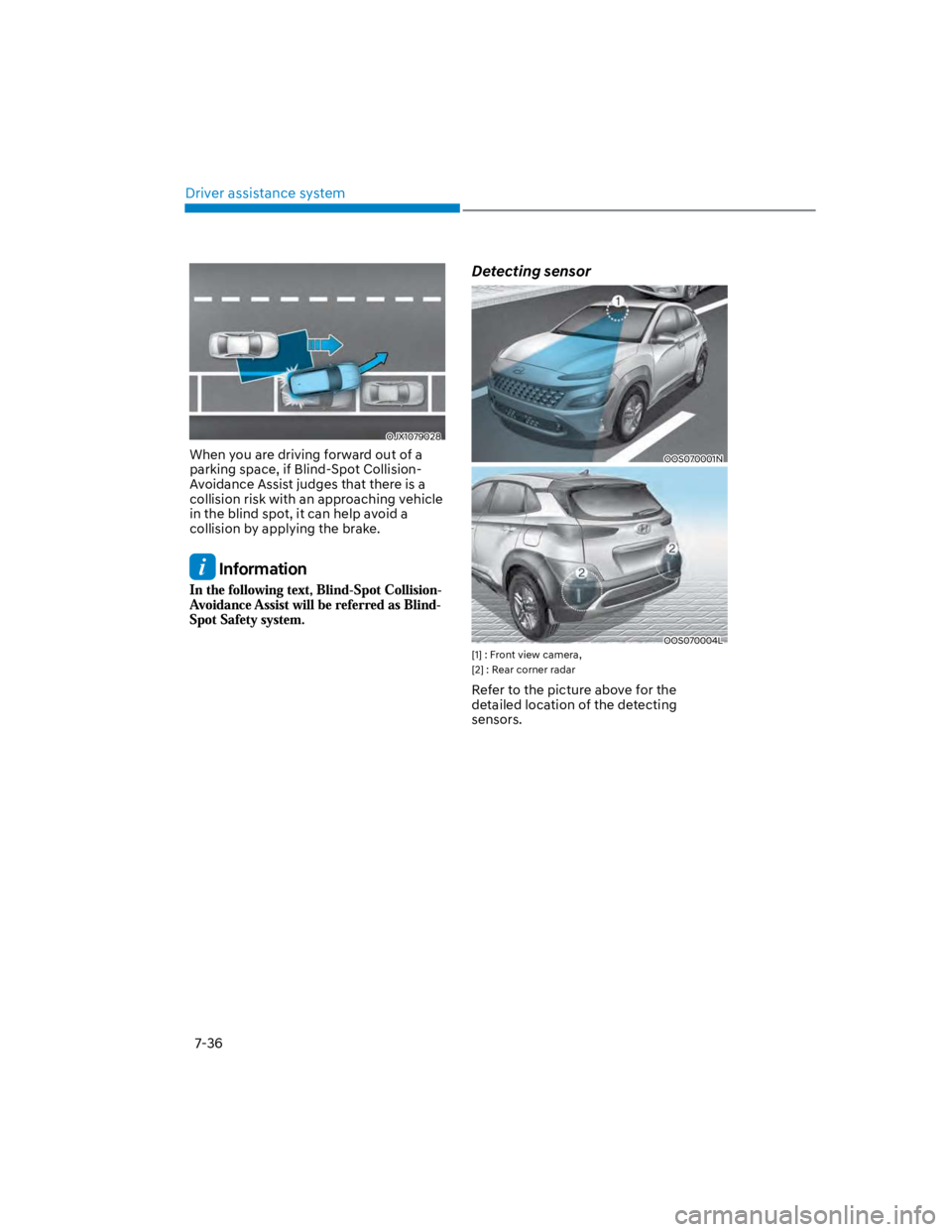
When you are driving forward out of a
parking space, if Blind-Spot Collision-
Avoidance Assist judges that there is a
collision risk with an approaching vehicle
in the blind spot, it can help avoid a
collision by applying the brake.
Information
Detecting sensor
OOS070001N
OOS070004L
[1] : Front view camera,
[2] : Rear corner radar
Refer to the picture above for the
detailed location of the detecting
sensors.
Page 373 of 579
07
7-41
OOS070005L
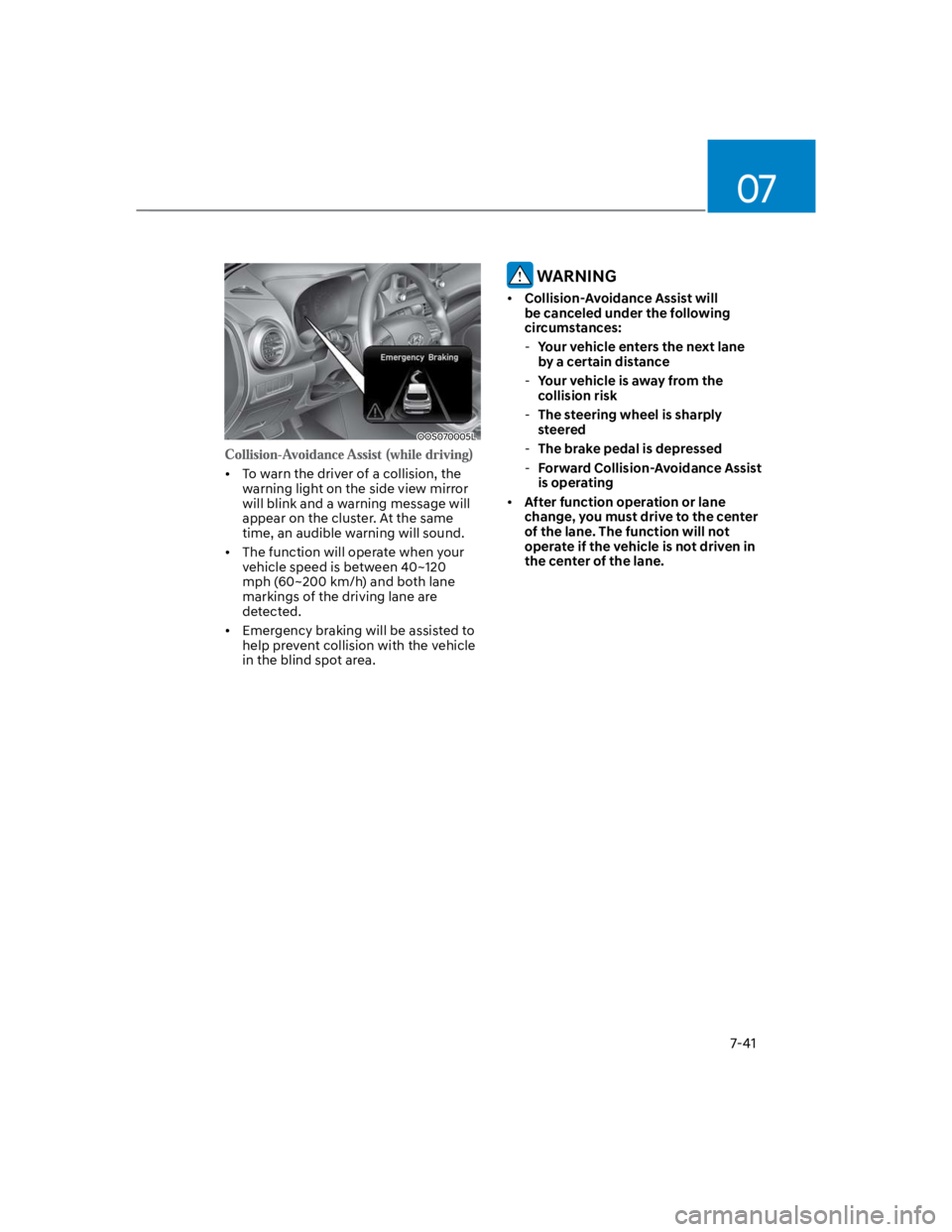
To warn the driver of a collision, the
warning light on the side view mirror
will blink and a warning message will
appear on the cluster. At the same
time, an audible warning will sound.
The function will operate when your
vehicle speed is between 40~120
mph (60~200 km/h) and both lane
markings of the driving lane are
detected.
Emergency braking will be assisted to
help prevent collision with the vehicle
in the blind spot area.
WARNING
Collision-Avoidance Assist will
be canceled under the following
circumstances:
-Your vehicle enters the next lane
by a certain distance
-Your vehicle is away from the
collision risk
-The steering wheel is sharply
steered
-The brake pedal is depressed
-Forward Collision-Avoidance Assist
is operating
After function operation or lane
change, you must drive to the center
of the lane. The function will not
operate if the vehicle is not driven in
the center of the lane.
Page 374 of 579
Driver assistance system
7-42
OOS070031L
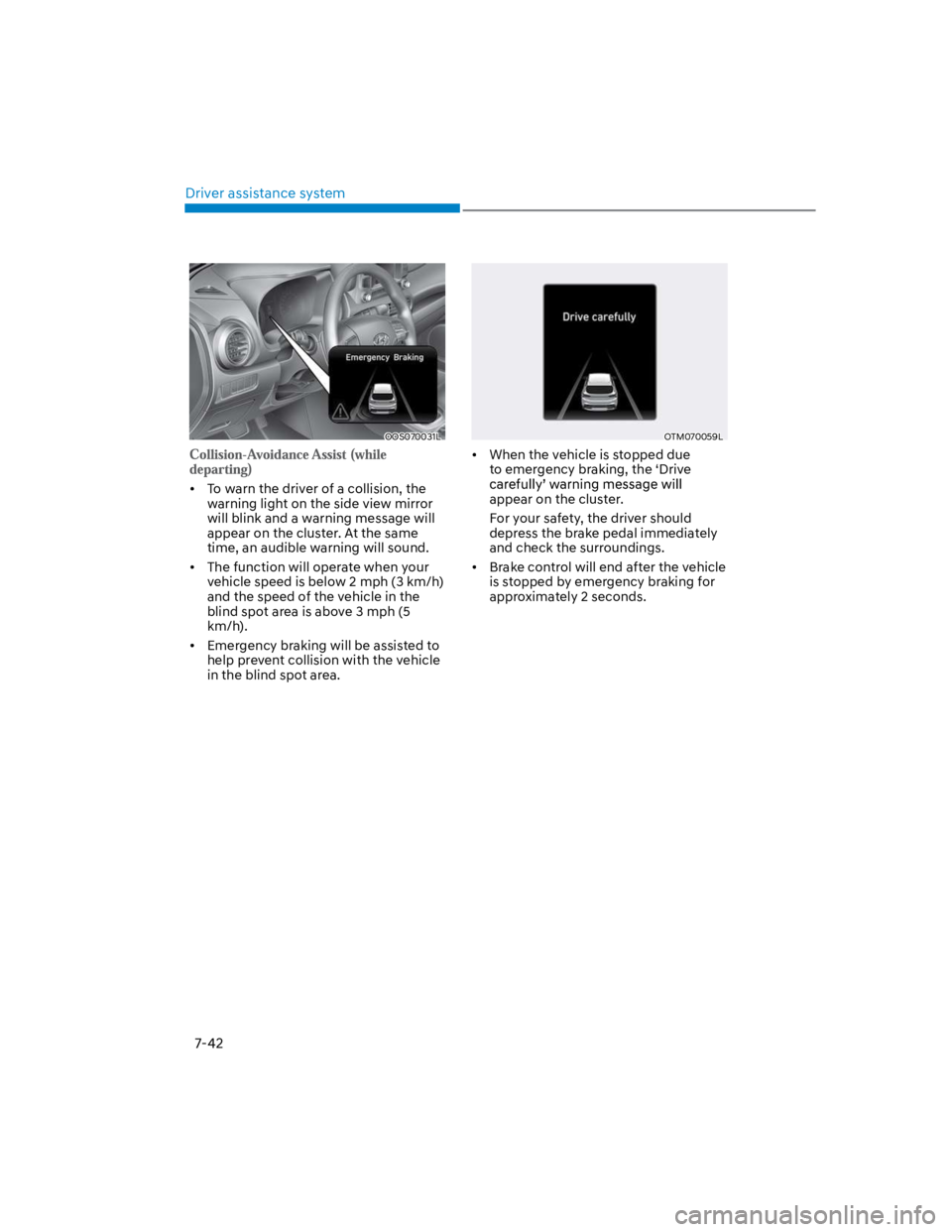
To warn the driver of a collision, the
warning light on the side view mirror
will blink and a warning message will
appear on the cluster. At the same
time, an audible warning will sound.
The function will operate when your
vehicle speed is below 2 mph (3 km/h)
and the speed of the vehicle in the
blind spot area is above 3 mph (5
km/h).
Emergency braking will be assisted to
help prevent collision with the vehicle
in the blind spot area.
OTM070059L
When the vehicle is stopped due
to emergency braking, the ‘Drive
appear on the cluster.
For your safety, the driver should
depress the brake pedal immediately
and check the surroundings.
Brake control will end after the vehicle
is stopped by emergency braking for
approximately 2 seconds.
Page 375 of 579

07
7-43
WARNING
Take the following precautions when
using Blind-Spot Safety system:
For your safety, change the Settings
after parking the vehicle at a safe
location.
If any other function’s warning
message is displayed or audible
warning is generated, Blind-Spot
Safety system’s warning message
may not be displayed and audible
warning may not be generated.
You may not hear the warning sound
of Blind-Spot Safety system if the
surrounding is noisy.
Blind-Spot Safety system may not
operate if the driver applies the
brake pedal to avoid collision.
When Blind-Spot Safety system
is operating, braking control by
the function will automatically
cancel when the driver excessively
depresses the accelerator pedal or
sharply steers the vehicle.
During Blind-Spot Safety system
operation, the vehicle may stop
suddenly injuring passengers and
shifting loose objects. Always have
the seat belt on and keep loose
objects secured.
Even if there is a problem with Blind-
Spot Safety system, the vehicle’s
basic braking performance will
operate normally.
Blind-Spot Safety system does not
operate in all situations or cannot
avoid all collisions.
Blind-Spot Safety system may warn
the driver late or may not warn the
driver depending on the road and
driving conditions.
Driver should maintain control
of the vehicle at all times. Do not
depend on Blind-Spot Safety system.
Maintain a safe braking distance, and
if necessary, depress the brake pedal
to reduce driving speed or to stop
the vehicle.
Never operate Blind-Spot Safety
system on people, animal, objects,
etc. It may cause serious injury or
death.
WARNING
The brake control may not operate
properly depending on the status of
ESC (Electronic Stability Control).
There will only be a warning when:
-The ESC (Electronic Stability Control)
warning light is on
-ESC (Electronic Stability Control) is
engaged in a different function
Page 378 of 579
Driver assistance system
7-46
attention is required in the following
circumstances:
The vehicle severely vibrates while
driving over a bumpy road, uneven
road or concrete patch
Driving on a slippery surface due to
snow, water puddle, ice, etc.
The tire pressure is low or a tire is
damaged
The brake is reworked
The vehicle makes abrupt lane
changes
Information
WARNING
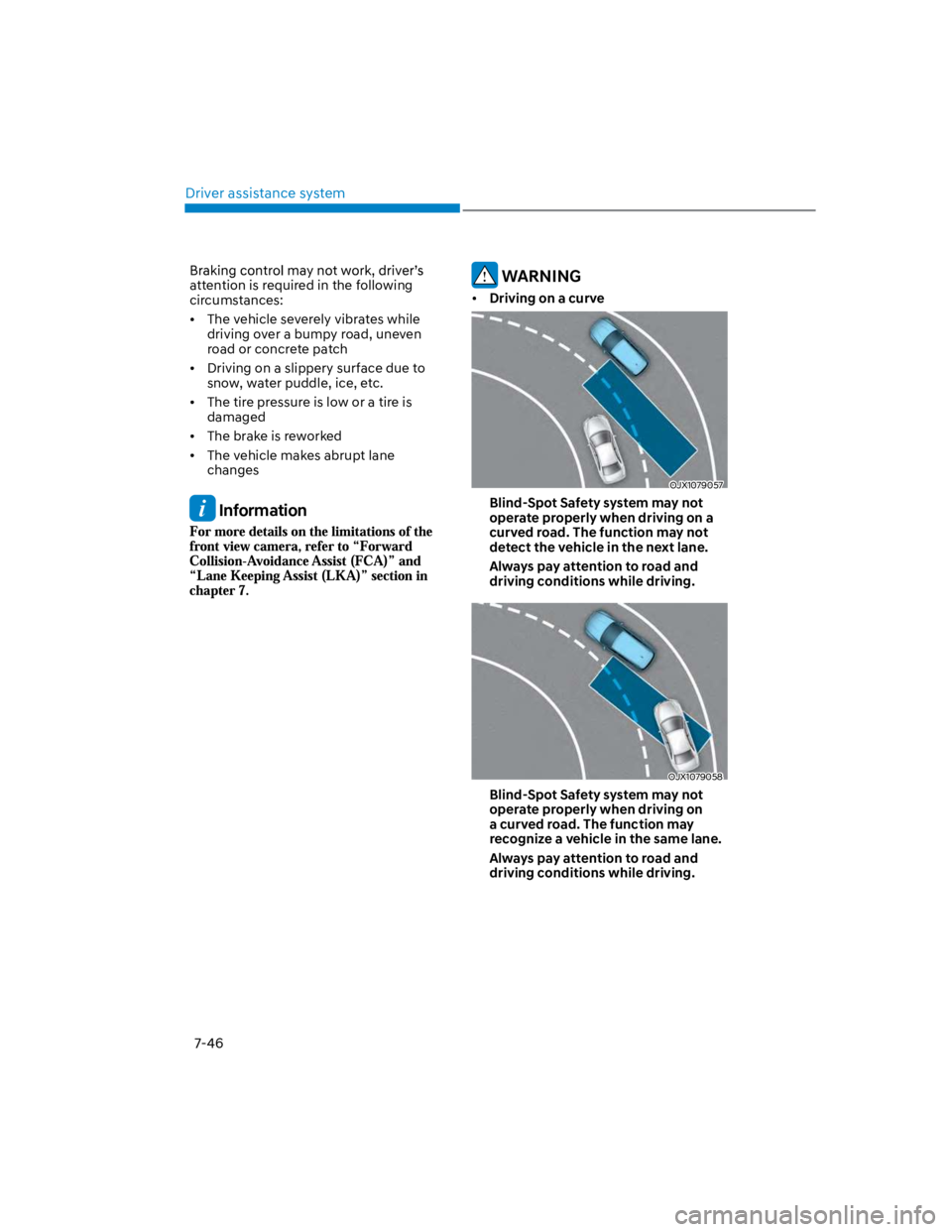
Driving on a curve
OJX1079057
Blind-Spot Safety system may not
operate properly when driving on a
curved road. The function may not
detect the vehicle in the next lane.
Always pay attention to road and
driving conditions while driving.
OJX1079058
Blind-Spot Safety system may not
operate properly when driving on
a curved road. The function may
recognize a vehicle in the same lane.
Always pay attention to road and
driving conditions while driving.
Page 394 of 579
Driver assistance system
7-62
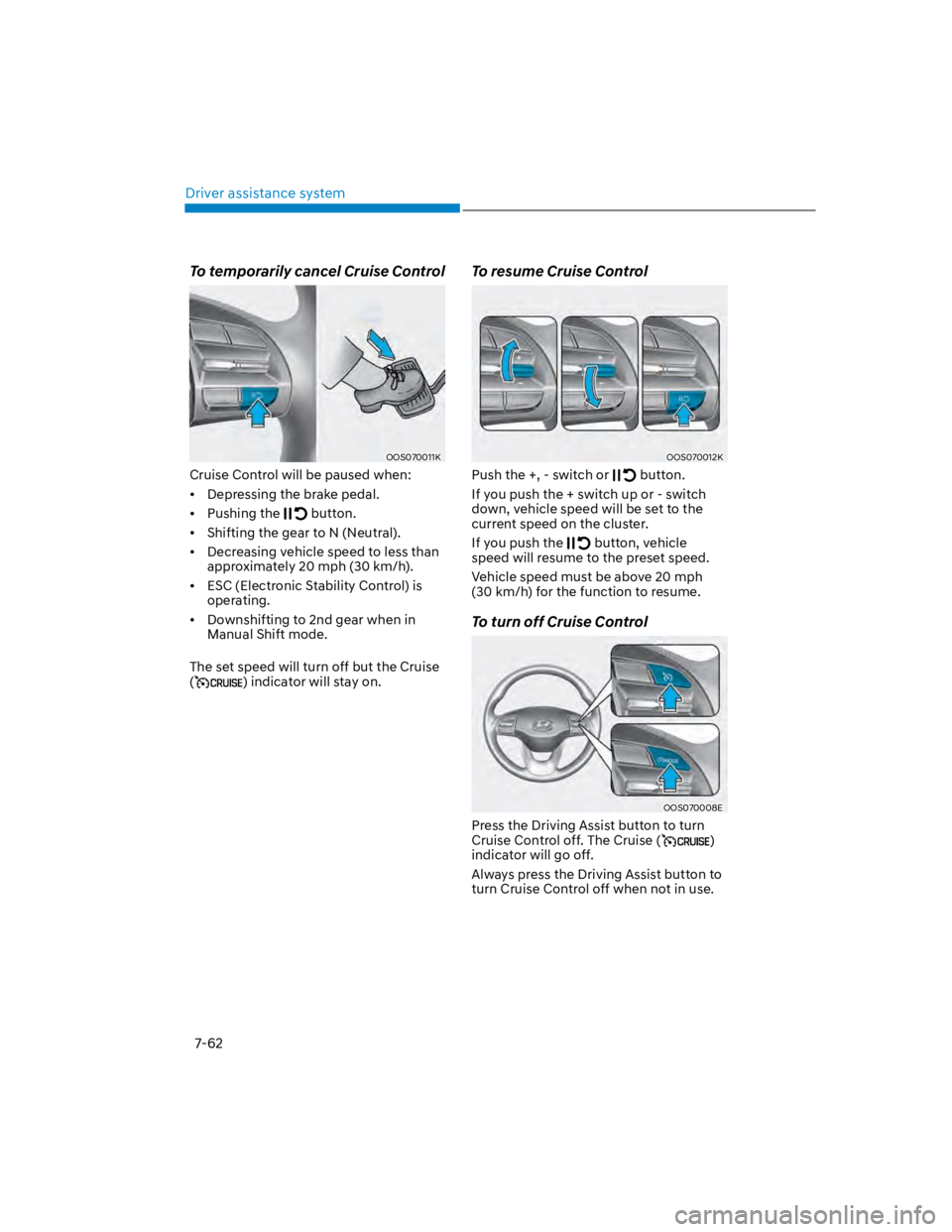
To temporarily cancel Cruise Control
OOS070011K
Cruise Control will be paused when:
Depressing the brake pedal.
Pushing the button.
Shifting the gear to N (Neutral).
Decreasing vehicle speed to less than
approximately 20 mph (30 km/h).
ESC (Electronic Stability Control) is
operating.
Downshifting to 2nd gear when in
Manual Shift mode.
The set speed will turn off but the Cruise
() indicator will stay on.
To resume Cruise Control
OOS070012K
Push the +, - switch or button.
If you push the + switch up or - switch
down, vehicle speed will be set to the
current speed on the cluster.
If you push the button, vehicle
speed will resume to the preset speed.
Vehicle speed must be above 20 mph
(30 km/h) for the function to resume.
To turn off Cruise Control
OOS070008E
Press the Driving Assist button to turn
Cruise Control off. The Cruise ()
indicator will go off.
Always press the Driving Assist button to
turn Cruise Control off when not in use.
Page 399 of 579
07
7-67
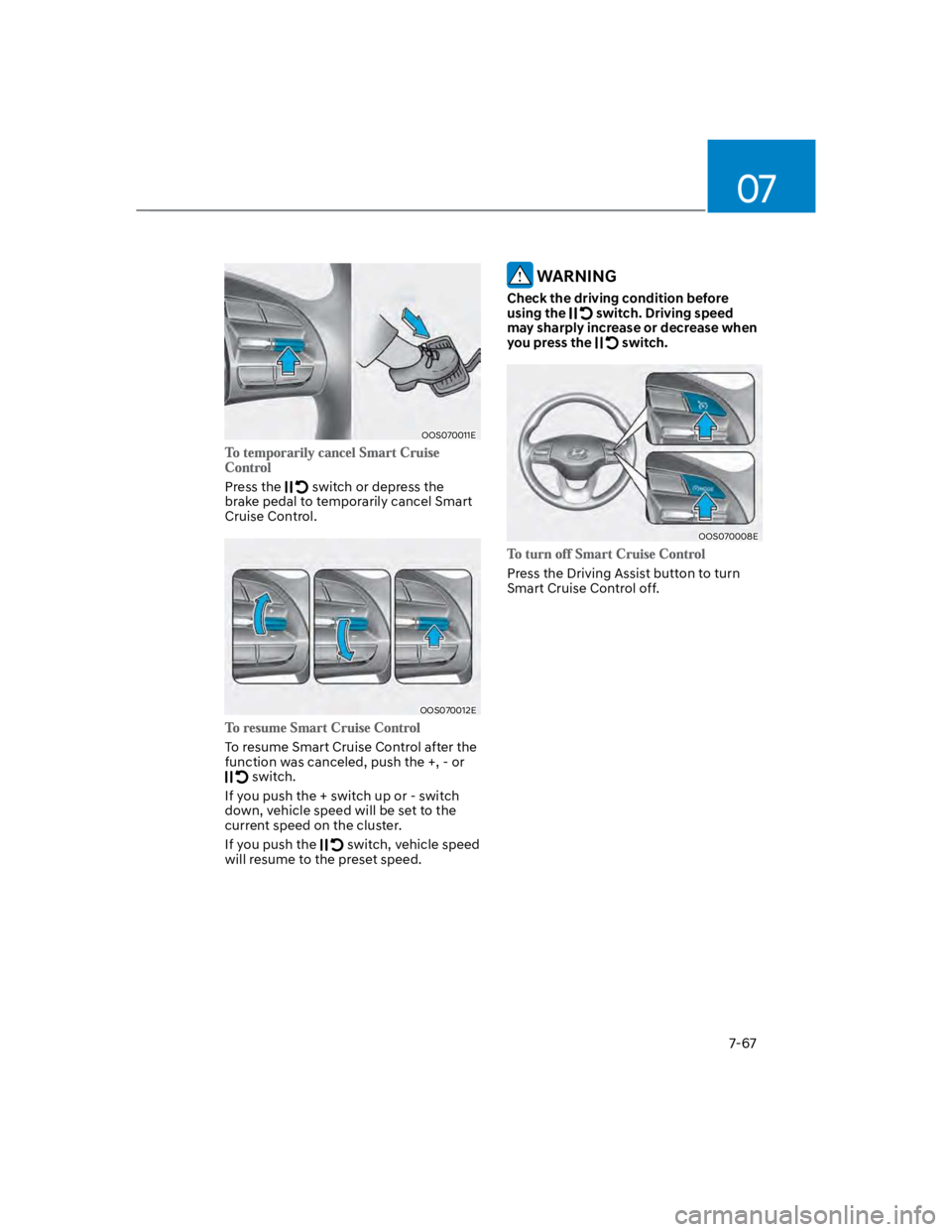
OOS070011E
Press the switch or depress the
brake pedal to temporarily cancel Smart
Cruise Control.
OOS070012E
To resume Smart Cruise Control after the
function was canceled, push the +, - or
switch.
If you push the + switch up or - switch
down, vehicle speed will be set to the
current speed on the cluster.
If you push the switch, vehicle speed
will resume to the preset speed.
WARNING
Check the driving condition before
using the switch. Driving speed
may sharply increase or decrease when
you press the switch.
OOS070008E
Press the Driving Assist button to turn
Smart Cruise Control off.
Page 400 of 579
Driver assistance system
7-68
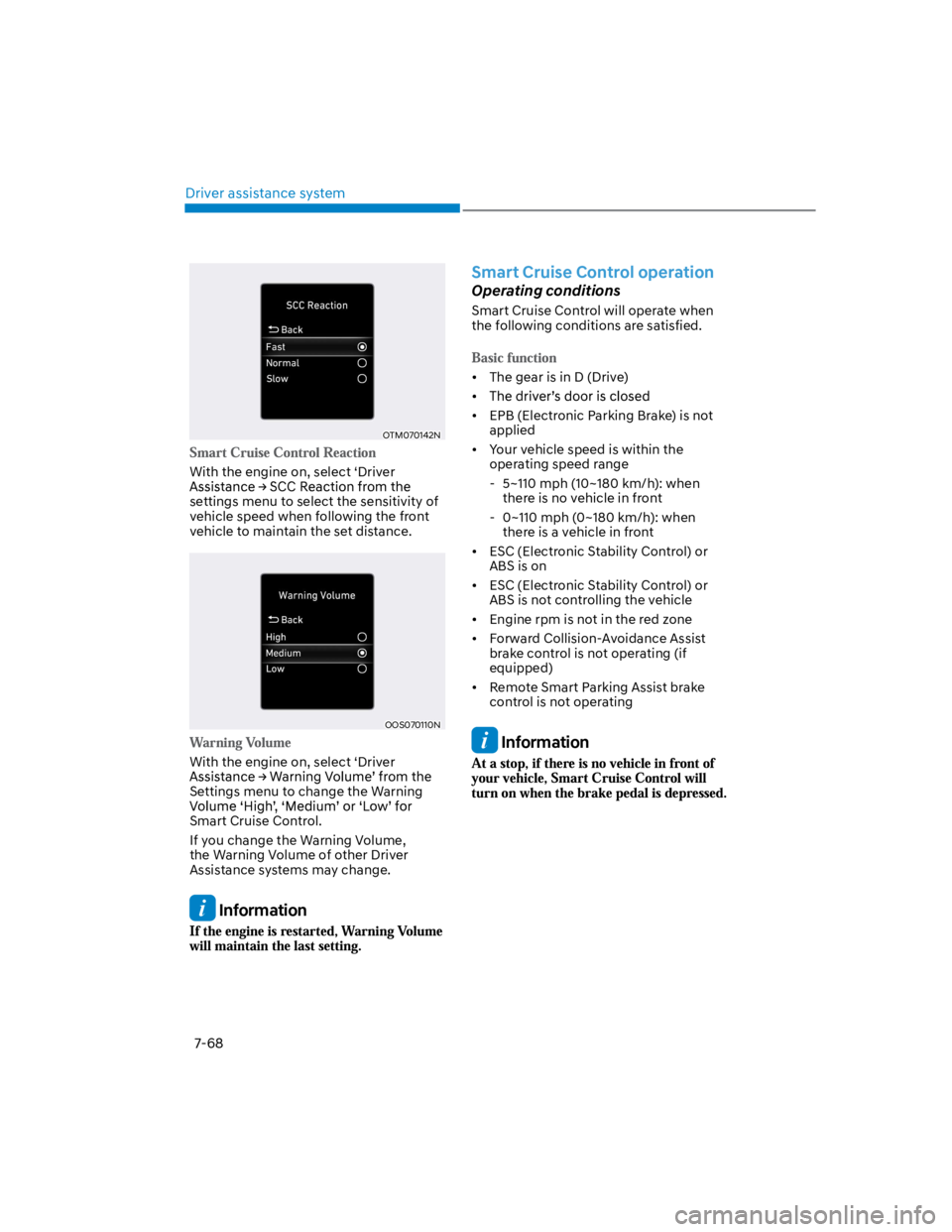
OTM070142N
With the engine on, select ‘Driver
settings menu to select the sensitivity of
vehicle speed when following the front
vehicle to maintain the set distance.
OOS070110N
With the engine on, select ‘Driver
Settings menu to change the Warning
Smart Cruise Control.
If you change the Warning Volume,
the Warning Volume of other Driver
Assistance systems may change.
Information
Smart Cruise Control operation
Operating conditions
Smart Cruise Control will operate when
the following conditions are satisfied.
The gear is in D (Drive)
EPB (Electronic Parking Brake) is not
applied
Your vehicle speed is within the
operating speed range
- 5~110 mph (10~180 km/h): when
there is no vehicle in front
- 0~110 mph (0~180 km/h): when
there is a vehicle in front
ESC (Electronic Stability Control) or
ABS is on
ESC (Electronic Stability Control) or
ABS is not controlling the vehicle
Engine rpm is not in the red zone
Forward Collision-Avoidance Assist
brake control is not operating (if
equipped)
Remote Smart Parking Assist brake
control is not operating
Information
Page 403 of 579
07
7-71
Smart Cruise Control temporarily
canceled
OTM070113N
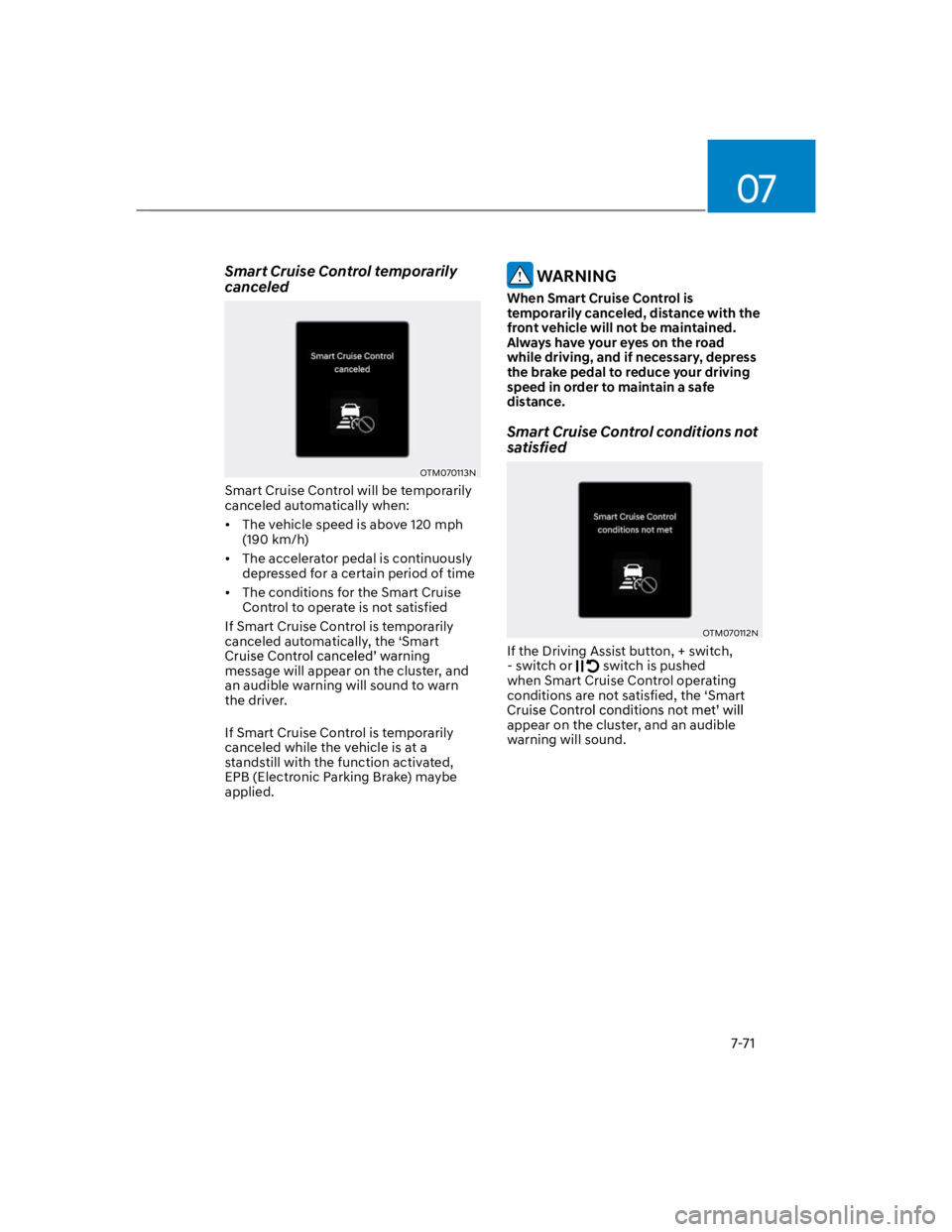
Smart Cruise Control will be temporarily
canceled automatically when:
The vehicle speed is above 120 mph
(190 km/h)
The accelerator pedal is continuously
depressed for a certain period of time
The conditions for the Smart Cruise
Control to operate is not satisfied
If Smart Cruise Control is temporarily
canceled automatically, the ‘Smart
message will appear on the cluster, and
an audible warning will sound to warn
the driver.
If Smart Cruise Control is temporarily
canceled while the vehicle is at a
standstill with the function activated,
EPB (Electronic Parking Brake) maybe
applied.
WARNING
When Smart Cruise Control is
temporarily canceled, distance with the
front vehicle will not be maintained.
Always have your eyes on the road
while driving, and if necessary, depress
the brake pedal to reduce your driving
speed in order to maintain a safe
distance.
Smart Cruise Control conditions not
satisfied
OTM070112N
If the Driving Assist button, + switch,
- switch or switch is pushed
when Smart Cruise Control operating
conditions are not satisfied, the ‘Smart
appear on the cluster, and an audible
warning will sound.