lock HYUNDAI KONA 2022 Owners Manual
[x] Cancel search | Manufacturer: HYUNDAI, Model Year: 2022, Model line: KONA, Model: HYUNDAI KONA 2022Pages: 579, PDF Size: 35.31 MB
Page 341 of 579
07
7-9
Driving through steam, smoke or
shadow
Only part of the vehicle, pedestrian or
cyclist is detected
The vehicle in front is a bus, heavy
truck, truck with a unusually shaped
cargo, trailer, etc.
The vehicle in front has no tail lights,
tail lights are located unusually, etc.
The brightness outside is low, and the
tail lamps are not on or are not bright
The rear of the front vehicle is small
or the vehicle does not look normal,
such as when the vehicle is tilted,
overturned, or the side of the vehicle
is visible, etc.
low or high
A vehicle or pedestrian suddenly cuts
in front
The vehicle in front is detected late
The vehicle in front is suddenly
blocked by a obstacle
The vehicle in front suddenly changes
lane or suddenly reduces speed
The vehicle in front is bent out of
shape
slow
The vehicle in front steers in the
opposite direction of your vehicle to
avoid a collision
With a vehicle in front, your vehicle
changes lane at low speed
The vehicle in front is covered with
snow
You are departing or returning to the
lane
Unstable driving
You are on a roundabout and the
vehicle in front is not detected
You are continuously driving in a circle
The vehicle in front has an unusual
shape
The vehicle in front is driving uphill or
downhill
The pedestrian is not fully detected,
for example, if the pedestrian is
leaning over or is not fully walking
upright
The pedestrian is wearing clothing or
equipment that makes it difficult to
detect as a pedestrian
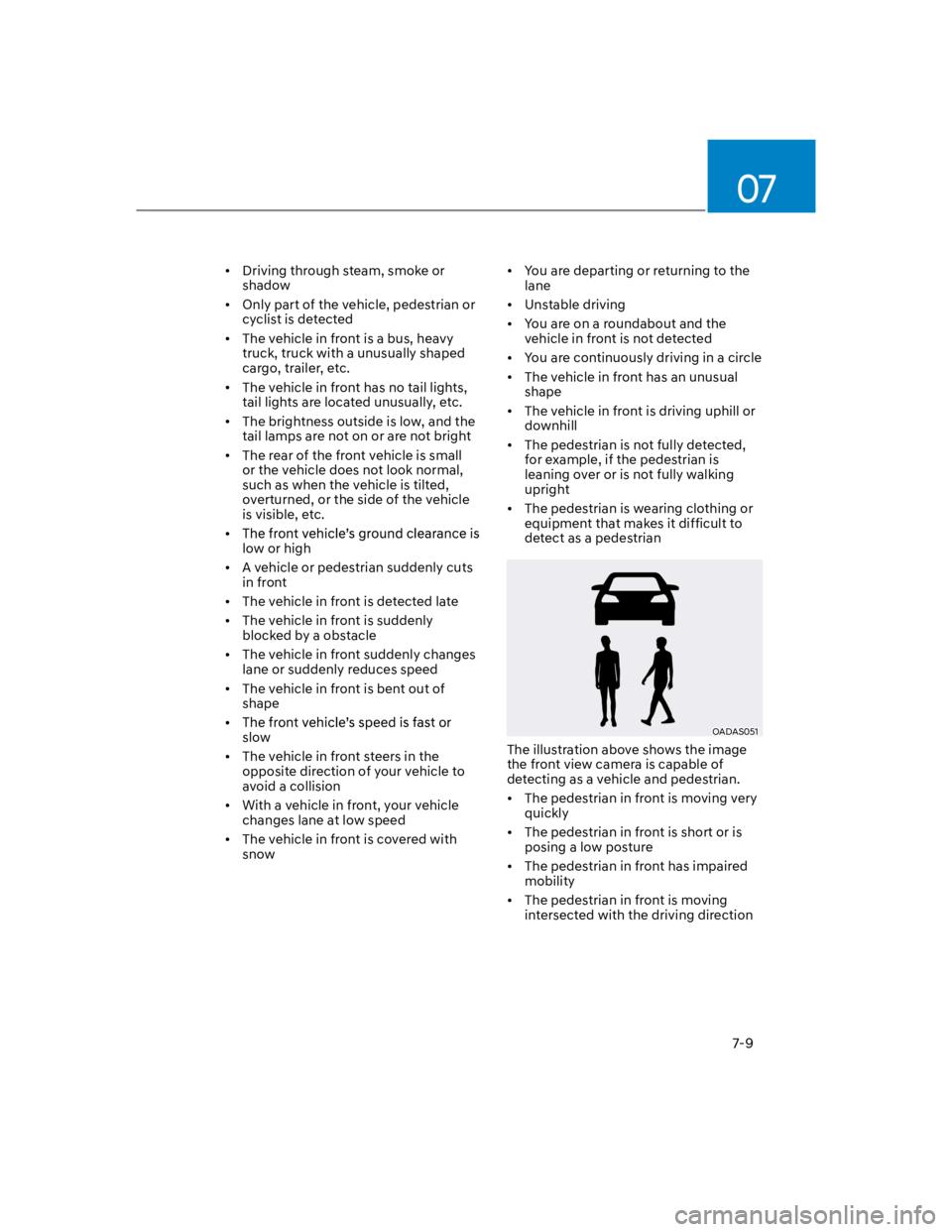
OADAS051
The illustration above shows the image
the front view camera is capable of
detecting as a vehicle and pedestrian.
The pedestrian in front is moving very
quickly
The pedestrian in front is short or is
posing a low posture
The pedestrian in front has impaired
mobility
The pedestrian in front is moving
intersected with the driving direction
Page 355 of 579
07
7-23
Driving through a tunnel or iron bridge
Driving in large areas where there are
few vehicles or structures (i.e. desert,
meadow, suburb, etc.)
Driving near areas containing metal
substances, such as a construction
zone, railroad, etc.
A material is near that reflects very
well on the front radar, such as a
guardrail, nearby vehicle, etc.
The cyclist in front is on a bicycle
made of material that does not reflect
on the front radar
The vehicle in front is detected late
The vehicle in front is suddenly
blocked by a obstacle
The vehicle in front suddenly changes
lane or suddenly reduces speed
The vehicle in front is bent out of
shape
slow
The vehicle in front steers in the
opposite direction of your vehicle to
avoid a collision
With a vehicle in front, your vehicle
changes lane at low speed
The vehicle in front is covered with
snow
You are departing or returning to the
lane
Unstable driving
You are on a roundabout and the
vehicle in front is not detected
You are continuously driving in a circle
The vehicle in front has an unusual
shape
The vehicle in front is driving uphill or
downhill
The pedestrian or cyclist is not
fully detected, for example, if the
pedestrian is leaning over or is not
fully walking upright
The pedestrian or cyclist is wearing
clothing or equipment that makes it
difficult to detect as a pedestrian or
cyclist
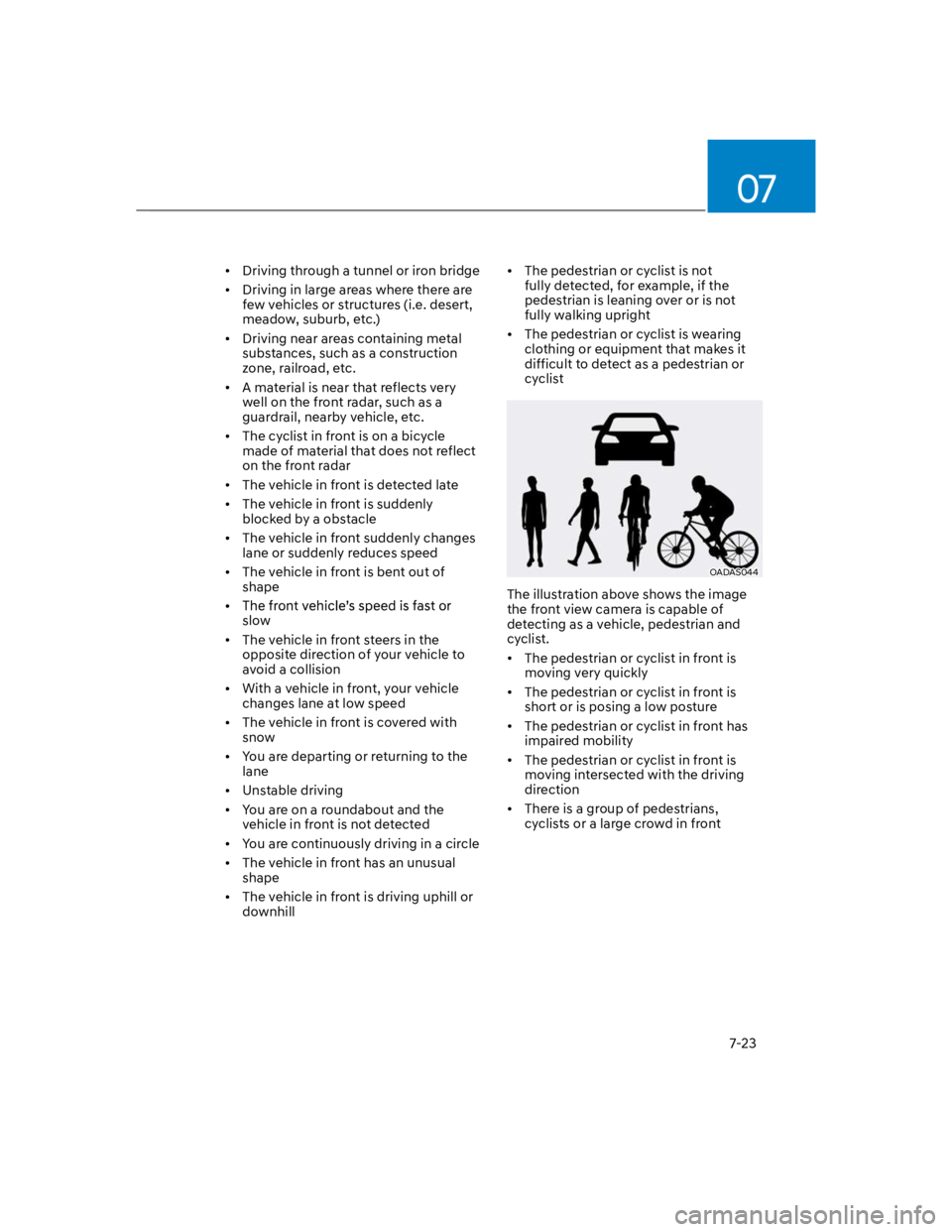
OADAS044
The illustration above shows the image
the front view camera is capable of
detecting as a vehicle, pedestrian and
cyclist.
The pedestrian or cyclist in front is
moving very quickly
The pedestrian or cyclist in front is
short or is posing a low posture
The pedestrian or cyclist in front has
impaired mobility
The pedestrian or cyclist in front is
moving intersected with the driving
direction
There is a group of pedestrians,
cyclists or a large crowd in front
Page 376 of 579
Driver assistance system
7-44
Blind- Spot Safety system
malfunction and limitation
Blind- Spot Safety system
malfunction
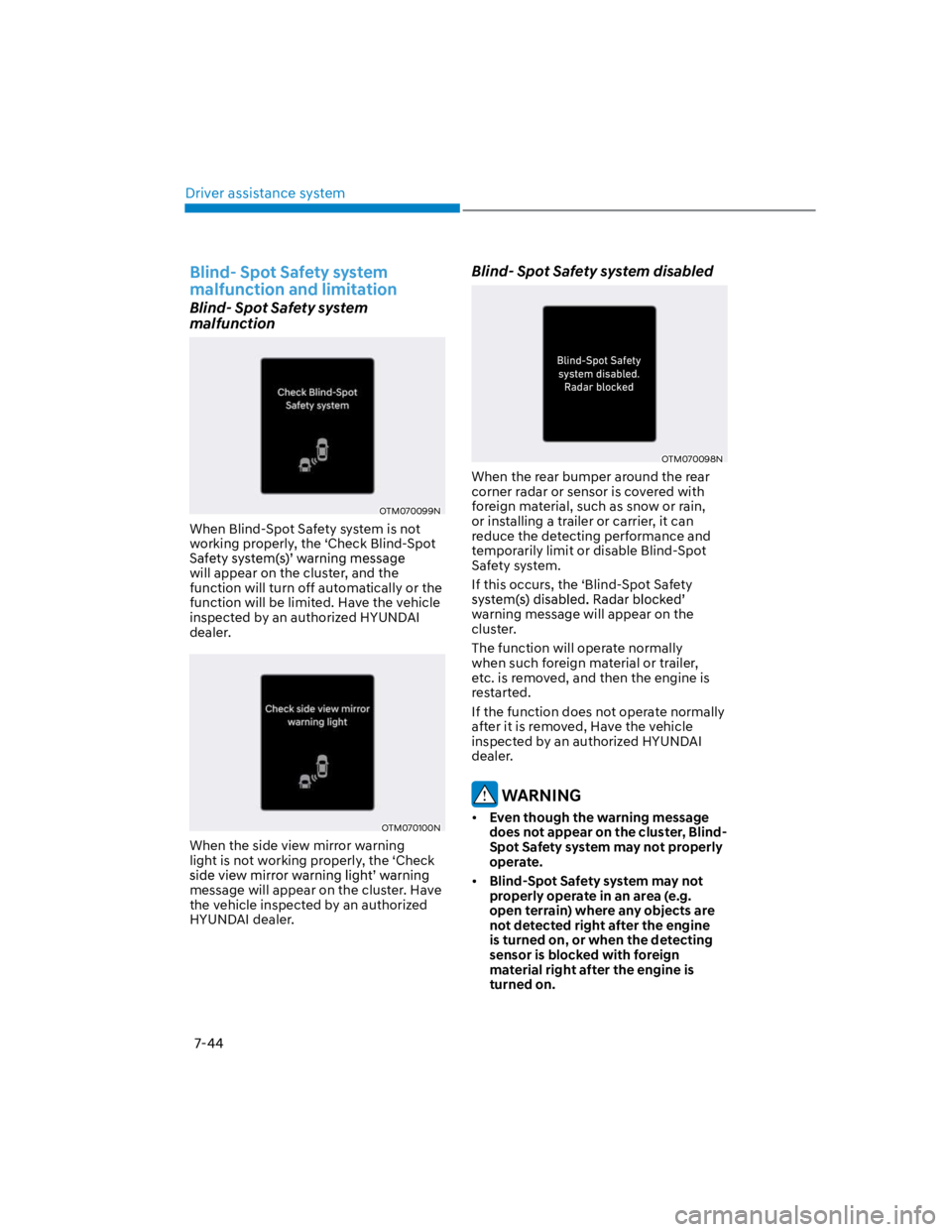
OTM070099N
When Blind-Spot Safety system is not
working properly, the ‘Check Blind-Spot
will appear on the cluster, and the
function will turn off automatically or the
function will be limited. Have the vehicle
inspected by an authorized HYUNDAI
dealer.
OTM070100N
When the side view mirror warning
light is not working properly, the ‘Check
message will appear on the cluster. Have
the vehicle inspected by an authorized
HYUNDAI dealer.
Blind- Spot Safety system disabled
OTM070098N
When the rear bumper around the rear
corner radar or sensor is covered with
foreign material, such as snow or rain,
or installing a trailer or carrier, it can
reduce the detecting performance and
temporarily limit or disable Blind-Spot
Safety system.
If this occurs, the ‘Blind-Spot Safety
warning message will appear on the
cluster.
The function will operate normally
when such foreign material or trailer,
etc. is removed, and then the engine is
restarted.
If the function does not operate normally
after it is removed, Have the vehicle
inspected by an authorized HYUNDAI
dealer.
WARNING
Even though the warning message
does not appear on the cluster, Blind-
Spot Safety system may not properly
operate.
Blind-Spot Safety system may not
properly operate in an area (e.g.
open terrain) where any objects are
not detected right after the engine
is turned on, or when the detecting
sensor is blocked with foreign
material right after the engine is
turned on.
Page 385 of 579
07
7-53
Safe Exit Warning disabled
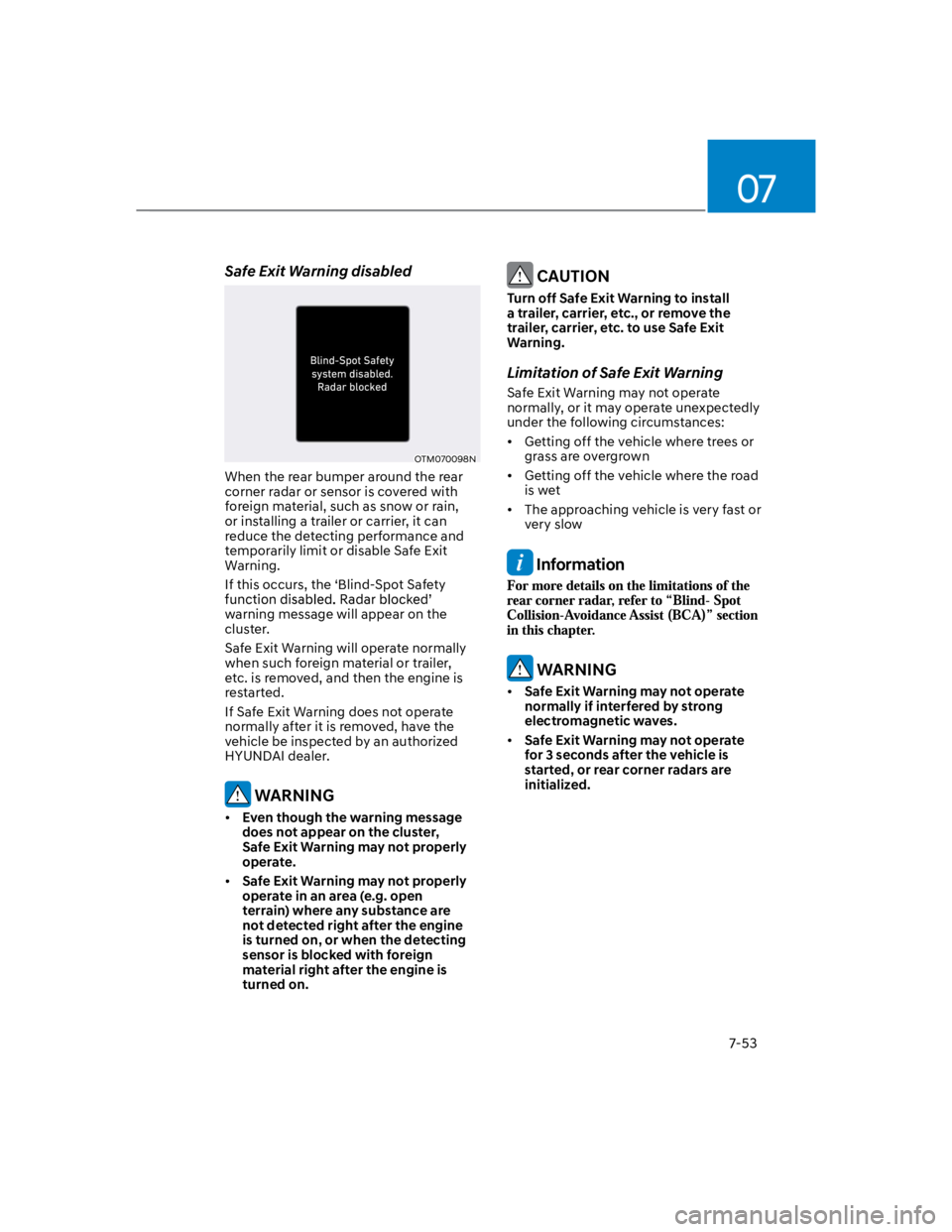
OTM070098N
When the rear bumper around the rear
corner radar or sensor is covered with
foreign material, such as snow or rain,
or installing a trailer or carrier, it can
reduce the detecting performance and
temporarily limit or disable Safe Exit
Warning.
If this occurs, the ‘Blind-Spot Safety
warning message will appear on the
cluster.
Safe Exit Warning will operate normally
when such foreign material or trailer,
etc. is removed, and then the engine is
restarted.
If Safe Exit Warning does not operate
normally after it is removed, have the
vehicle be inspected by an authorized
HYUNDAI dealer.
WARNING
Even though the warning message
does not appear on the cluster,
Safe Exit Warning may not properly
operate.
Safe Exit Warning may not properly
operate in an area (e.g. open
terrain) where any substance are
not detected right after the engine
is turned on, or when the detecting
sensor is blocked with foreign
material right after the engine is
turned on.
CAUTION
Turn off Safe Exit Warning to install
a trailer, carrier, etc., or remove the
trailer, carrier, etc. to use Safe Exit
Warning.
Limitation of Safe Exit Warning
Safe Exit Warning may not operate
normally, or it may operate unexpectedly
under the following circumstances:
Getting off the vehicle where trees or
grass are overgrown
Getting off the vehicle where the road
is wet
The approaching vehicle is very fast or
very slow
Information
WARNING
Safe Exit Warning may not operate
normally if interfered by strong
electromagnetic waves.
Safe Exit Warning may not operate
for 3 seconds after the vehicle is
started, or rear corner radars are
initialized.
Page 408 of 579

Driver assistance system
7-76
Only part of the vehicle is detected
The vehicle in front has no tail lights,
tail lights are located unusually, etc.
The brightness outside is low, and the
tail lamps are not on or are not bright
The rear of the front vehicle is small
or does not look normal (i.e. tilted,
overturned, etc.)
low or high
A vehicle suddenly cuts in front
Your vehicle is being towed
Driving through a tunnel or iron bridge
Driving near areas containing metal
substances, such as a construction
zone, railroad, etc.
A material is near that reflects very
well on the front radar, such as a
guardrail, nearby vehicle, etc.
The bumper around the front radar is
impacted, damaged or the front radar
is out of position
The temperature around the front
radar is high or low
Driving in large areas where there are
few vehicles or structures (i.e. desert,
meadow, suburb, etc.)
The vehicle in front is made of
material that does not reflect on the
front radar
Driving near a highway (or motorway)
interchange or tollgate
Driving on a slippery surface due to
snow, water puddle, ice, etc.
Driving on a curved road
The vehicle in front is detected late
The vehicle in front is suddenly
blocked by a obstacle
The vehicle in front suddenly changes
lane or suddenly reduces speed
The vehicle in front is bent out of
shape
slow
With a vehicle in front, your vehicle
changes lane at low speed
The vehicle in front is covered with
snow
Unstable driving
You are on a roundabout and the
vehicle in front is not detected
You are continuously driving in a circle
Driving in a parking lot
Driving through a construction area,
unpaved road, partial paved road,
uneven road, speed bumps, etc.
Driving on an incline road, curved
road, etc.
Driving through a roadside with trees
or streetlights
The adverse road conditions cause
excessive vehicle vibrations while
driving
Your vehicle height is low or high
due to heavy loads, abnormal tire
pressure, etc.
Driving through a narrow road where
trees or grass are overgrown
There is interference by
electromagnetic waves, such as
driving in an area with strong radio
waves or electrical noise
Page 416 of 579

Driver assistance system
7-84
Limitations of Navigation-based
Smart Cruise Control
Navigation-based Smart Cruise Control
may not operate normally under the
following circumstances:
The navigation is not working properly
Map information is not transmitted
due to infotainment system's
abnormal operation
Speed limit and road information in
the navigation is not updated
The map information and the actual
road is different because of real-time
GPS data or map information error
The navigation searches for a route
while driving
GPS signals are blocked in areas such
as a tunnel
The navigation is updated while
driving
A road that divides into two or more
roads and joins again
The driver goes off course the route
set in the navigation
The route to the destination is
changed or canceled by resetting the
navigation
The vehicle enters a service station or
rest area
Android Auto or Car Play is operating
The navigation cannot detect the
current vehicle position (ex: elevated
roads including overpass adjacent to
general roads or nearby roads exist in
a parallel way)
The navigation is being updated while
driving
The navigation is being restarted while
driving
The speed limit of some sections
changes according to the road
situations
Driving on a road under construction
Driving on a road that is controlled
There is bad weather, such as heavy
rain, heavy snow, etc.
Driving on a road that is sharply
curved
Page 429 of 579

07
7-97
Highway Driving Assist may
inadvertently operate or turn off
depending on road conditions
(navigation information) and
surroundings.
Lane Following Assist function may
be temporarily disabled when the
front view camera cannot detect
lanes properly or the hands-off
warning is on.
You may not hear the warning sound
of Highway Driving Assist if the
surrounding is noisy.
If the vehicle is driven at high speed
above a certain speed at a curve,
your vehicle may drive to one side or
may depart from the driving lane.
When you are towing a trailer or
another vehicle, we recommend that
Highway Driving Assist is turned off
due to safety reasons.
The hands–off warning message
may appear early or late depending
on how the steering wheel is held or
road conditions. Always have your
hands on the steering wheel while
driving.
For your safety, please read the
owner's manual before using the
Highway Driving Assist.
Highway Driving Assist will not
operate when the engine is started,
or when the detecting sensors or
navigation is being initialized.
Limitations of Highway Driving
Assist
Highway Driving Assist may not operate
normally, or may not operate under the
following circumstances:
The map information and the
actual road is different because the
navigation is not updated
The map information and the actual
road is different because of real-time
GPS data or map information error
The infotainment system is overloaded
by simultaneously performing
functions such as route search, video
playback, voice recognition, etc.
GPS signals are blocked in areas such
as a tunnel
The driver goes off course or the
route to the destination is changed or
canceled by resetting the navigation
The vehicle enters a service station or
rest area
Android Auto or Car Play is operating
The navigation cannot detect the
current vehicle position (ex: elevated
roads including overpass adjacent to
general roads or nearby roads exist in
a parallel way)
Information
Page 446 of 579
Driver assistance system
7-114
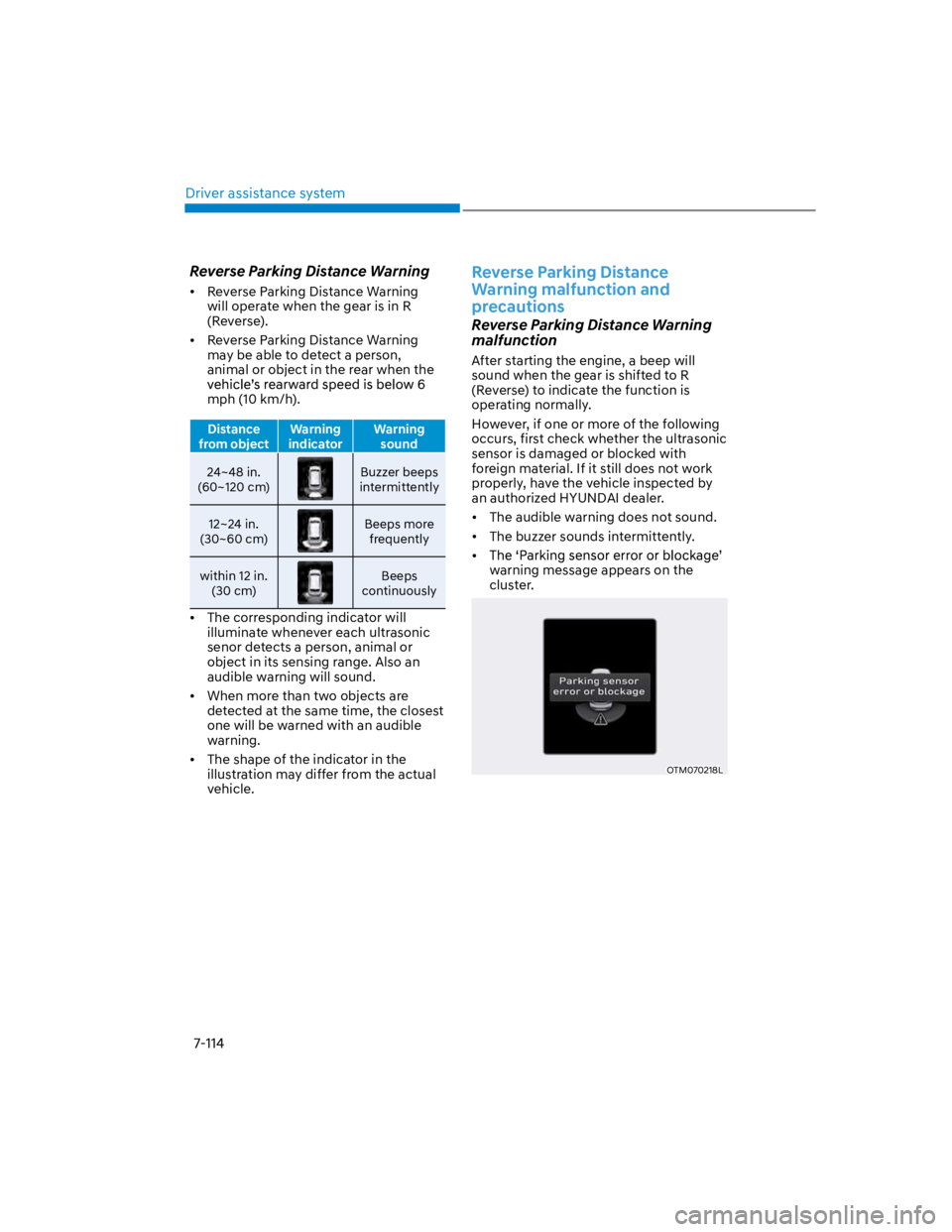
Reverse Parking Distance Warning
Reverse Parking Distance Warning
will operate when the gear is in R
(Reverse).
Reverse Parking Distance Warning
may be able to detect a person,
animal or object in the rear when the
mph (10 km/h).
Distance
from object
Warning
indicator
Warning
sound
24~48 in.
(60~120 cm)
Buzzer beeps
intermittently
12~24 in.
(30~60 cm)
Beeps more
frequently
within 12 in.
(30 cm)
Beeps
continuously
The corresponding indicator will
illuminate whenever each ultrasonic
senor detects a person, animal or
object in its sensing range. Also an
audible warning will sound.
When more than two objects are
detected at the same time, the closest
one will be warned with an audible
warning.
The shape of the indicator in the
illustration may differ from the actual
vehicle.
Reverse Parking Distance
Warning malfunction and
precautions
Reverse Parking Distance Warning
malfunction
After starting the engine, a beep will
sound when the gear is shifted to R
(Reverse) to indicate the function is
operating normally.
However, if one or more of the following
occurs, first check whether the ultrasonic
sensor is damaged or blocked with
foreign material. If it still does not work
properly, have the vehicle inspected by
an authorized HYUNDAI dealer.
The audible warning does not sound.
The buzzer sounds intermittently.
warning message appears on the
cluster.
OTM070218L
Page 453 of 579
08
8-3
If you have a flat tire while
driving
If a tire goes flat while you are driving:
Take your foot off the accelerator
pedal and let the vehicle slow down
while driving straight ahead. Do not
apply the brakes immediately or
attempt to pull off the road as this
may cause loss of vehicle control
resulting in an accident. When the
vehicle has slowed to such a speed
that it is safe to do so, brake carefully
and pull off the road. Drive off the
road as far as possible and park on
firm, level ground. If you are on a
divided highway, do not park in the
median area between the two traffic
lanes.
When the vehicle is stopped, press the
hazard warning flasher button, move
the shift lever into P (Park), apply the
parking brake, and place the ignition
switch in the LOCK/OFF position.
Have all passengers get out of the
vehicle. Be sure they all get out on the
side of the vehicle that is away from
traffic.
When changing a flat tire, follow the
instructions provided later in this
chapter.
IF THE ENGINE WILL NOT
START
If the Engine Doesn't Turn Over
or Turns Over Slowly
Be sure the shift lever is in N (Neutral)
or P (Park). The engine starts only
when the shift lever is in N (Neutral) or
P (Park).
Check the battery connections to be
sure they are clean and tight.
Turn on the interior light. If the light
dims or goes out when you operate
the starter, the battery is drained.
Do not push or pull the vehicle to start it.
This could cause damage to your vehicle.
See instructions for "Jump Starting"
provided in this chapter.
CAUTION
Push or pull starting the vehicle may
cause the catalytic converter to
overload which can lead to damage to
the emission control system.
If the Engine Turns Over
Normally but Doesn't Start
Check the fuel level and add fuel if
necessary.
If the engine still does not start, have
your vehicle checked by an authorized
HYUNDAI dealer.
Page 457 of 579
08
8-7
If your temperature gauge indicates
overheating, you experience a loss of
power, or hear loud pinging or knocking,
the engine may be overheating. If this
happens, you should:
1. Pull off the road and stop as soon as it
is safe to do so.
2. Place the shift lever in P (Park) and
set the parking brake. If the air
conditioning is ON, turn it OFF.
3. If engine coolant is running out under
the vehicle or steam is coming out
from the hood, stop the engine. Do
not open the hood until the coolant
has stopped running or the steaming
has stopped. If there is no visible
loss of engine coolant and no steam,
leave the engine running and check
to be sure the engine cooling fan is
operating. If the fan is not running,
turn the engine off.
WARNING
While the engine is running,
keep hands, clothing and tools
away from the moving parts
such as the cooling fan and
drive belt to prevent serious
injury.
4. Check for coolant leaking from the
radiator, hoses or under the vehicle. (If
the air conditioning had been in use, it
is normal for cold water to be draining
from it when you stop.)
5. If engine coolant is leaking out, stop
the engine immediately and call the
nearest authorized HYUNDAI dealer
for assistance.
WARNING
Never remove the engine
coolant cap and/or water-
cooled intercooler coolant
cap or the drain plug while the
engine and radiator are hot.
Hot coolant and steam may blow out
under pressure, causing serious injury.
Turn the engine off and wait until the
engine cools down. Use extreme care
when removing the coolant cap. Wrap
a thick towel around it, and turn it
counterclockwise slowly to the first
stop. Step back while the pressure is
released from the cooling system. When
you are sure all the pressure has been
released, press down on the cap, using
a thick towel, and continue turning
counterclockwise to remove it.
IF THE ENGINE OVERHEATS