display HYUNDAI KONA 2022 User Guide
[x] Cancel search | Manufacturer: HYUNDAI, Model Year: 2022, Model line: KONA, Model: HYUNDAI KONA 2022Pages: 579, PDF Size: 35.31 MB
Page 108 of 579
04
4-15
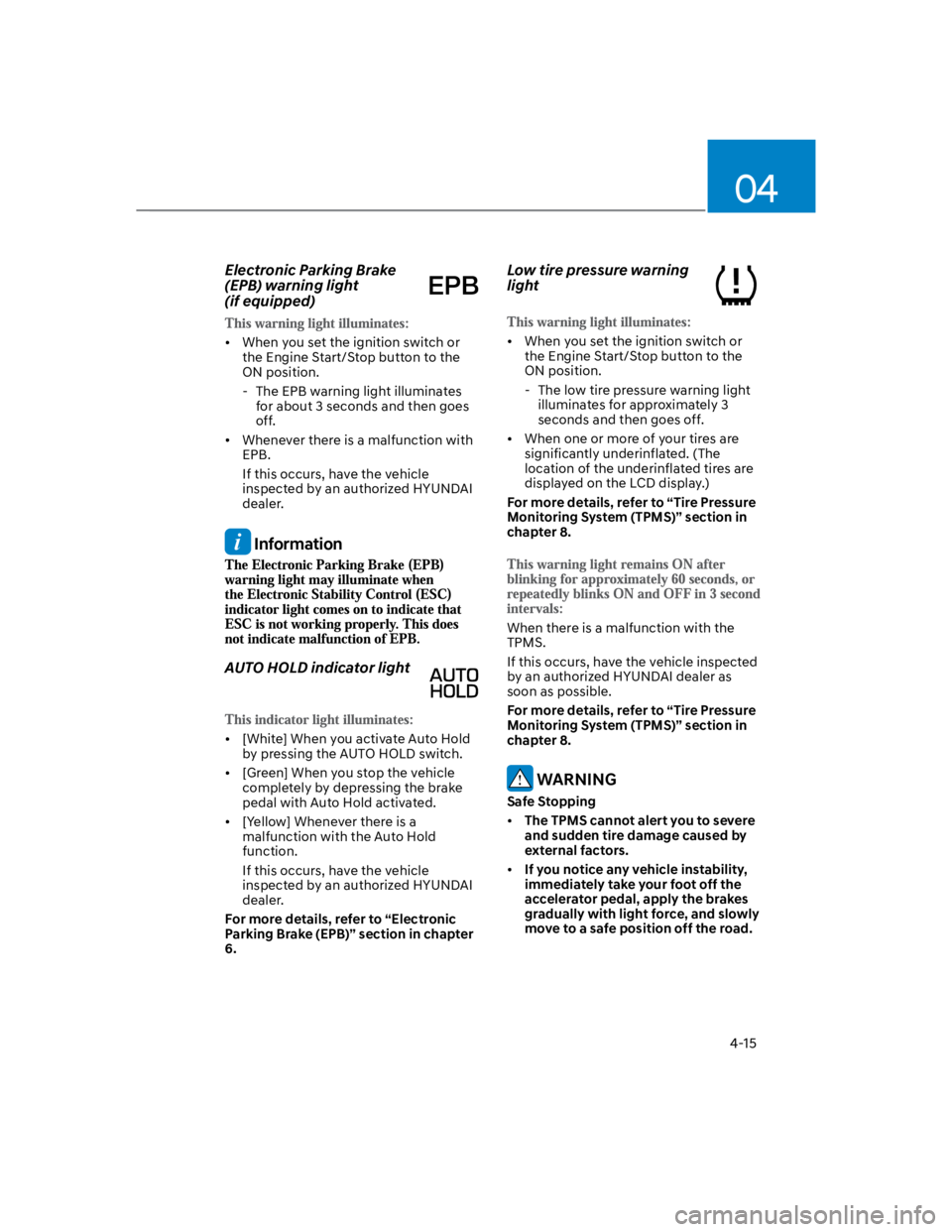
Electronic Parking Brake
(EPB) warning light
(if equipped)
When you set the ignition switch or
the Engine Start/Stop button to the
ON position.
- The EPB warning light illuminates
for about 3 seconds and then goes
off.
Whenever there is a malfunction with
EPB.
If this occurs, have the vehicle
inspected by an authorized HYUNDAI
dealer.
Information
AUTO HOLD indicator light
[White] When you activate Auto Hold
by pressing the AUTO HOLD switch.
[Green] When you stop the vehicle
completely by depressing the brake
pedal with Auto Hold activated.
[Yellow] Whenever there is a
malfunction with the Auto Hold
function.
If this occurs, have the vehicle
inspected by an authorized HYUNDAI
dealer.
For more details, refer to “Electronic
Parking Brake (EPB)” section in chapter
6.
Low tire pressure warning
light
When you set the ignition switch or
the Engine Start/Stop button to the
ON position.
- The low tire pressure warning light
illuminates for approximately 3
seconds and then goes off.
When one or more of your tires are
significantly underinflated. (The
location of the underinflated tires are
displayed on the LCD display.)
For more details, refer to “Tire Pressure
Monitoring System (TPMS)” section in
chapter 8.
When there is a malfunction with the
TPMS.
If this occurs, have the vehicle inspected
by an authorized HYUNDAI dealer as
soon as possible.
For more details, refer to “Tire Pressure
Monitoring System (TPMS)” section in
chapter 8.
WARNING
Safe Stopping
The TPMS cannot alert you to severe
and sudden tire damage caused by
external factors.
If you notice any vehicle instability,
immediately take your foot off the
accelerator pedal, apply the brakes
gradually with light force, and slowly
move to a safe position off the road.
Page 114 of 579
04
4-21
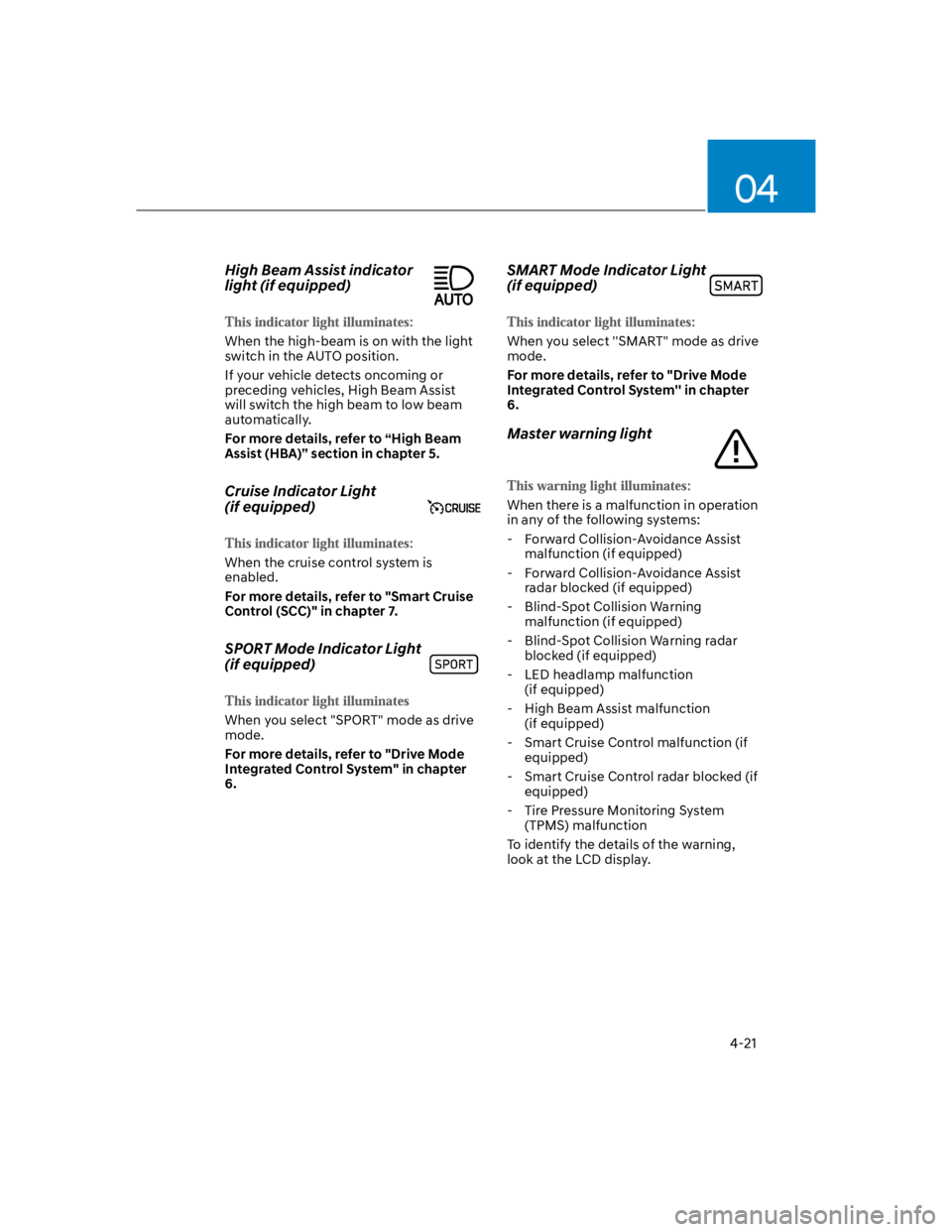
High Beam Assist indicator
light (if equipped)
When the high-beam is on with the light
switch in the AUTO position.
If your vehicle detects oncoming or
preceding vehicles, High Beam Assist
will switch the high beam to low beam
automatically.
For more details, refer to “High Beam
Assist (HBA)” section in chapter 5.
Cruise Indicator Light
(if equipped)
When the cruise control system is
enabled.
For more details, refer to "Smart Cruise
Control (SCC)" in chapter 7.
SPORT Mode Indicator Light
(if equipped)
When you select "SPORT" mode as drive
mode.
For more details, refer to "Drive Mode
Integrated Control System" in chapter
6.
SMART Mode Indicator Light
(if equipped)
When you select ''SMART" mode as drive
mode.
For more details, refer to "Drive Mode
Integrated Control System'' in chapter
6.
Master warning light
When there is a malfunction in operation
in any of the following systems:
- Forward Collision-Avoidance Assist
malfunction (if equipped)
- Forward Collision-Avoidance Assist
radar blocked (if equipped)
- Blind-Spot Collision Warning
malfunction (if equipped)
- Blind-Spot Collision Warning radar
blocked (if equipped)
- LED headlamp malfunction
(if equipped)
- High Beam Assist malfunction
(if equipped)
- Smart Cruise Control malfunction (if
equipped)
- Smart Cruise Control radar blocked (if
equipped)
- Tire Pressure Monitoring System
(TPMS) malfunction
To identify the details of the warning,
look at the LCD display.
Page 115 of 579
Instrument cluster
4-22
LCD display messages
Shift to P (for smart key system and
dual clutch transmission)
This message is displayed if you try to
turn off the vehicle without the gear in
the P (Park) position.
If this occurs, the Engine Start/Stop
button turns to the ACC position.
Low key battery (for smart key
system)
This message is displayed if the battery
of the smart key is discharged while
changing the Engine Start/Stop button to
the OFF position.
Press START button while turning
wheel (for smart key system)
This message is displayed if the steering
wheel does not unlock normally when
the Engine Start/Stop button is pressed.
You should press the Engine Start/Stop
button while turning the steering wheel
right and left.
Steering wheel not locked
(for smart key system)
This message is displayed if the steering
wheel does not lock normally while the
Engine Start/Stop button is pressed to
the OFF position.
Press brake pedal to start engine (for
smart key system and dual clutch
transmission)
This message is displayed if the Engine
Start/Stop button changes to the ACC
position twice by pressing the button
repeatedly without depressing the brake
pedal.
You can start the vehicle by depressing
the brake pedal and then pressing the
Engine Start/Stop button.
Key not in vehicle (for smart key
system)
This message is displayed if the smart
key is not in the vehicle when you leave
the vehicle with the Engine Start/Stop
button in the ON or Start position.
Always turn off the engine before leaving
your vehicle.
Key not detected (for smart key
system)
This message is displayed if the smart
key is not detected when you press the
Engine Start/Stop button.
Press START button again (for smart
key system)
This message is displayed if you were
unable to start the vehicle when the
Engine Start/Stop button was pressed.
If this occurs, attempt to start the engine
by pressing the Engine Start/ Stop button
again.
If the warning message appears each
time you press the Engine Start/Stop
button, have the vehicle inspected by an
authorized HYUNDAI dealer.
Page 116 of 579

04
4-23
Press START button with key
(for smart key system)
This message is displayed if you press
the Engine Start/Stop button while the
warning message “Key not detected” is
displayed.
At this time, the immobilizer indicator
light blinks.
Check BRAKE SWITCH fuse
(for smart key system and dual
clutch transmission)
This message is displayed if the brake
switch fuse is disconnected.
You need to replace the fuse with a new
one before starting the engine.
If that is not possible, you can start the
engine by pressing the Engine Start/
Stop button for 10 seconds in the ACC
position.
Shift to P or N to start engine
(for smart key system and dual
clutch transmission)
This message is displayed if you try to
start the engine in any other position
except P (Park) or N (Neutral).
Information
Battery discharging due to external
electrical devices (if equipped)
This message is displayed if the 12V
battery voltage is weak due to any
non-factory electrical accessories (ex.
dashboard camera) while parking. Be
careful that the battery is not discharged.
If the message appears after removing
the non-factory electrical accessories,
have the vehicle inspected by an
authorized HYUNDAI dealer.
Page 117 of 579
Instrument cluster
4-24
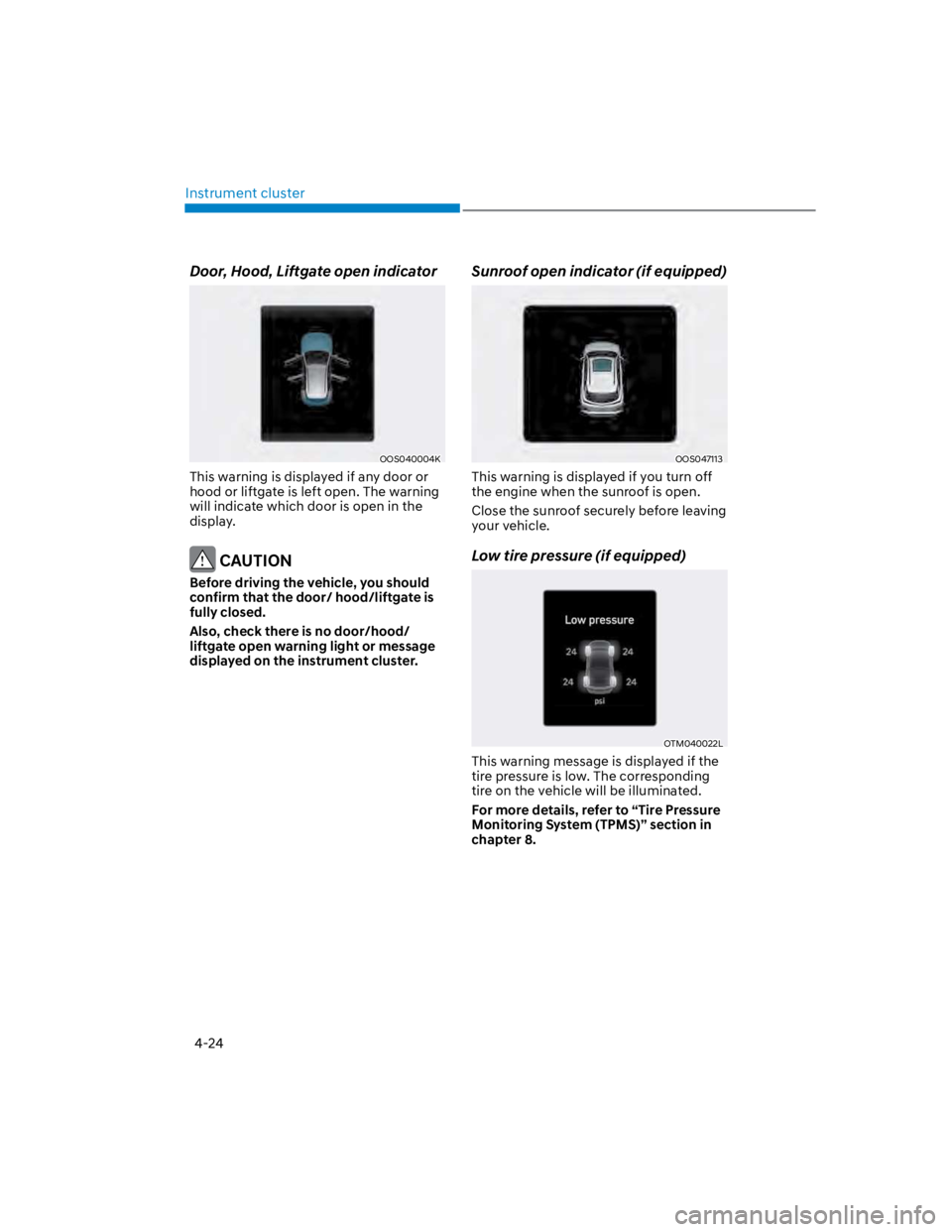
Door, Hood, Liftgate open indicator
OOS040004K
This warning is displayed if any door or
hood or liftgate is left open. The warning
will indicate which door is open in the
display.
CAUTION
Before driving the vehicle, you should
confirm that the door/ hood/liftgate is
fully closed.
Also, check there is no door/hood/
liftgate open warning light or message
displayed on the instrument cluster.
Sunroof open indicator (if equipped)
OOS047113
This warning is displayed if you turn off
the engine when the sunroof is open.
Close the sunroof securely before leaving
your vehicle.
Low tire pressure (if equipped)
OTM040022L
This warning message is displayed if the
tire pressure is low. The corresponding
tire on the vehicle will be illuminated.
For more details, refer to “Tire Pressure
Monitoring System (TPMS)” section in
chapter 8.
Page 118 of 579
04
4-25
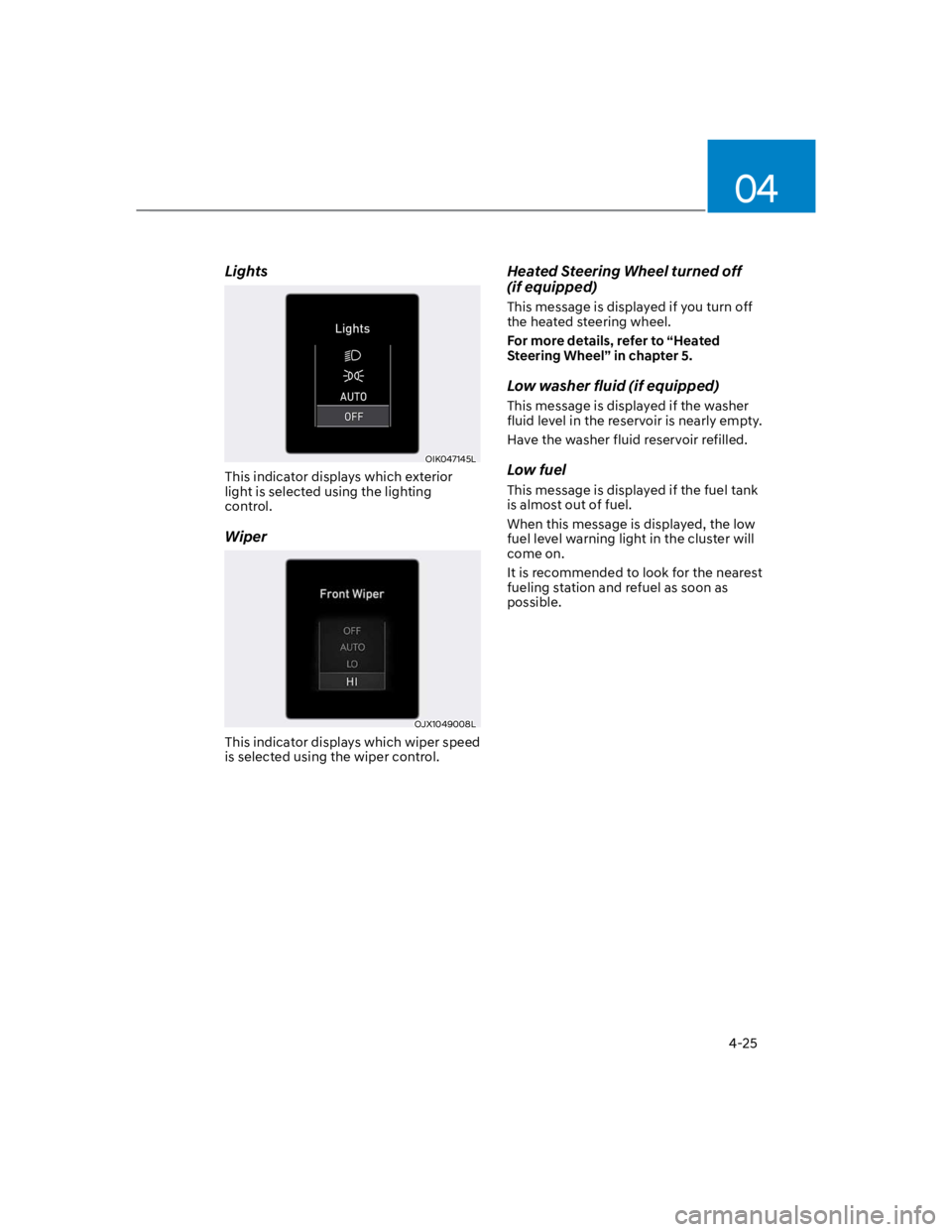
Lights
OIK047145L
This indicator displays which exterior
light is selected using the lighting
control.
Wiper
OJX1049008L
This indicator displays which wiper speed
is selected using the wiper control.
Heated Steering Wheel turned off
(if equipped)
This message is displayed if you turn off
the heated steering wheel.
For more details, refer to “Heated
Steering Wheel” in chapter 5.
Low washer fluid (if equipped)
This message is displayed if the washer
fluid level in the reservoir is nearly empty.
Have the washer fluid reservoir refilled.
Low fuel
This message is displayed if the fuel tank
is almost out of fuel.
When this message is displayed, the low
fuel level warning light in the cluster will
come on.
It is recommended to look for the nearest
fueling station and refuel as soon as
possible.
Page 119 of 579

Instrument cluster
4-26
Engine overheated / Engine has
overheated (if equipped)
This message is displayed when the
engine coolant temperature is above
248°F (120°C). This means that the
engine is overheated and may be
damaged.
If your vehicle is overheated, refer to
“Overheating” section in chapter 8.
Check exhaust system (if equipped)
This message is displayed if there is a
problem with the GPF system. At this
time, the GPF warning light will also
blink. If this occurs, have the GPF system
checked by an authorized HYUNDAI
dealer.
GPF : Gasoline Particulate Filter
For more details, refer to “Warning
lights” in this chapter.
Check headlight (if equipped)
This warning message is displayed if the
headlamps are not operating properly.
A corresponding bulb may need to be
replaced.
Make sure to replace the burned out
bulb with a new one of the same wattage
rating.
Check turn signal (if equipped)
This message is displayed if the turn
signal lamps are not operating properly.
A lamp may need to be replaced.
Make sure to replace the burned out
bulb with a new one of the same wattage
rating.
Check headlamp LED (if equipped)
This message is displayed if there is a
problem with the LED headlamp. Have
the vehicle inspected by an authorized
HYUNDAI dealer.
Page 120 of 579

04
4-27
Check Forward Safety system
(if equipped)
This warning message is displayed
if there is a problem with Forward
Collision-Avoidance Assist. Have the
vehicle inspected by an authorized
HYUNDAI dealer.
For more details, refer to “Forward
Collision-Avoidance Assist (FCA)” in
chapter 6.
Check Lane Keeping Assist (LKA)
system (if equipped)
This warning message is displayed if
there is a problem with Lane Keeping
Assist. Have the vehicle inspected by an
authorized HYUNDAI dealer.
For more details, refer to “Lane Keeping
Assist (LKA)” in chapter 6.
Check Blind-Spot Safety system
(if equipped)
This warning message is displayed
if there is a problem with Blind-Spot
Collision Warning. Have the vehicle
inspected by an authorized HYUNDAI
dealer.
For more details, refer to “Blind-Spot
Collision -Avoidance Assist (BCA)” in
chapter 6.
Check Driver Attention Warning
system (if equipped)
This warning message is displayed if
there is a problem with Driver Attention
Warning. Have the vehicle inspected by
an authorized HYUNDAI dealer.
For more details, refer to “Driver
Attention Warning (DAW)” in chapter 6.
Check High Beam Assist (HBA)
system (if equipped)
This warning message is displayed if
there is a problem with the High Beam
Assist. Have the vehicle inspected by an
authorized HYUNDAI dealer.
For more details, refer to “High Beam
Assist (HBA)” in chapter 5.
Check Smart Cruise Control system
(if equipped)
This warning message is displayed if
there is a problem with Smart Cruise
Control. Have the vehicle inspected by
an authorized HYUNDAI dealer.
For more details, refer to “Smart Cruise
Control (SCC)” in chapter 6.
Page 121 of 579
Instrument cluster
4-28
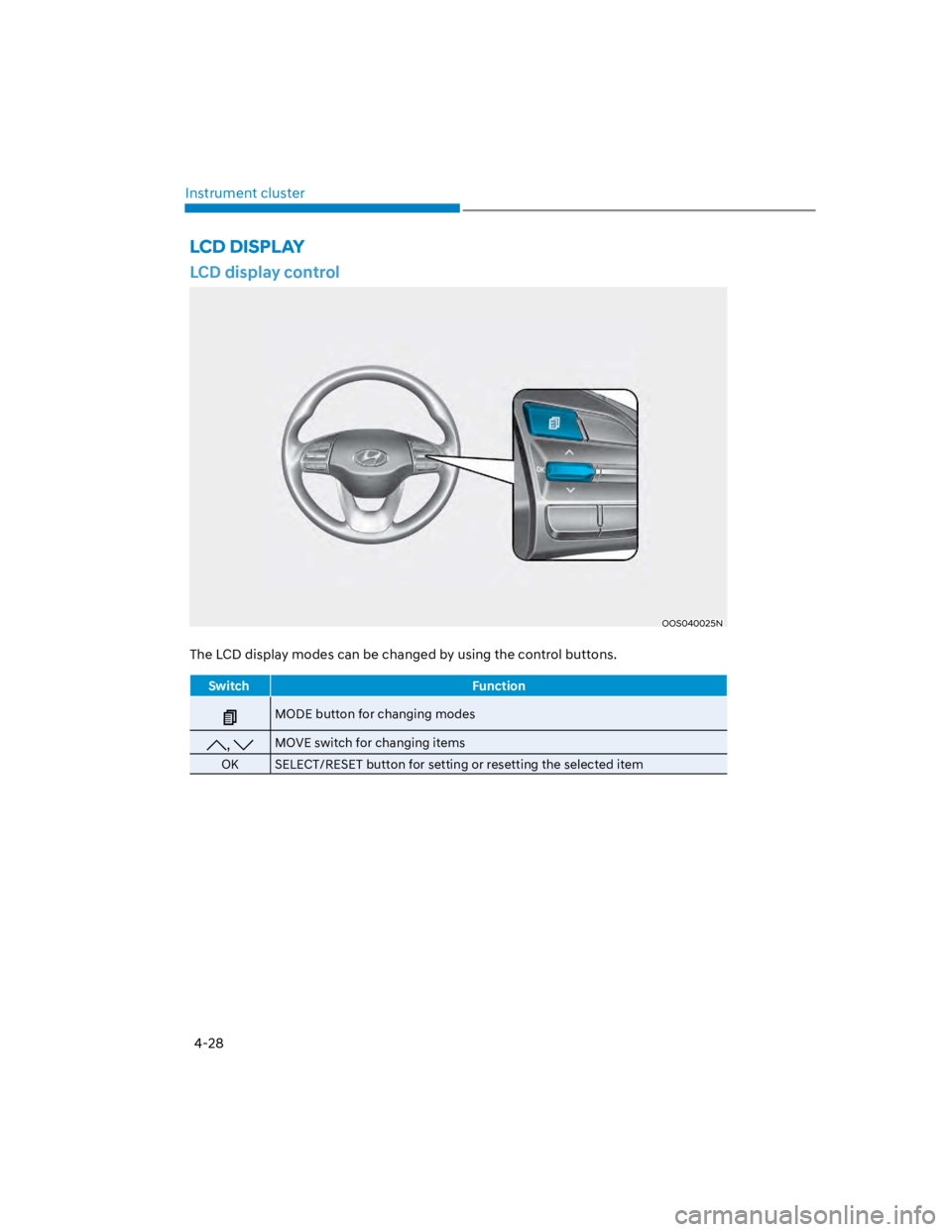
LCD display control
OOS040025N
The LCD display modes can be changed by using the control buttons.
Switch Function
MODE button for changing modes
, MOVE switch for changing items
OK SELECT/RESET button for setting or resetting the selected item
LCD DISPLAY
Page 122 of 579
04
4-29
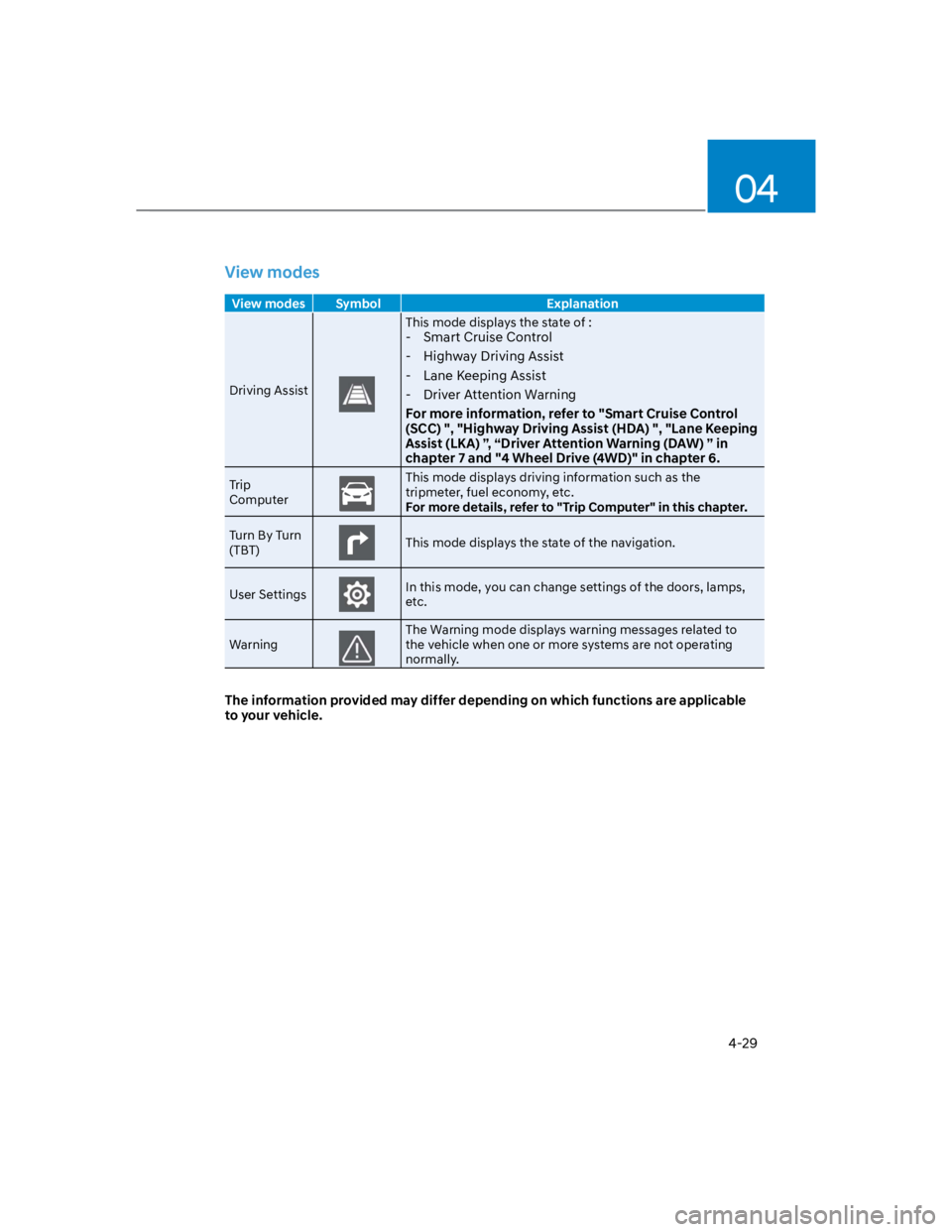
View modes
View modes Symbol Explanation
Driving Assist
This mode displays the state of :
- Smart Cruise Control
- Highway Driving Assist
- Lane Keeping Assist
- Driver Attention Warning
For more information, refer to "Smart Cruise Control
(SCC) ", "Highway Driving Assist (HDA) ", "Lane Keeping
Assist (LKA) ”, “Driver Attention Warning (DAW) ” in
chapter 7 and "4 Wheel Drive (4WD)" in chapter 6.
Trip
Computer
This mode displays driving information such as the
tripmeter, fuel economy, etc.
For more details, refer to "Trip Computer" in this chapter.
Turn By Turn
(TBT)This mode displays the state of the navigation.
User SettingsIn this mode, you can change settings of the doors, lamps,
etc.
Warning
The Warning mode displays warning messages related to
the vehicle when one or more systems are not operating
normally.
The information provided may differ depending on which functions are applicable
to your vehicle.