Blind HYUNDAI KONA 2022 Owners Manual
[x] Cancel search | Manufacturer: HYUNDAI, Model Year: 2022, Model line: KONA, Model: HYUNDAI KONA 2022Pages: 579, PDF Size: 35.31 MB
Page 95 of 579

4
Turn signal indicator light ........................................................................................4-20
High beam indicator light .......................................................................................4-20
High Beam Assist indicator light ..............................................................................4-21
Cruise Indicator Light ...............................................................................................4-21
SPORT Mode Indicator Light ....................................................................................4-21
SMART Mode Indicator Light ...................................................................................4-21
Master warning light .................................................................................................4-21
LCD display messages ............................................................................................... 4-22
Shift to P (for smart key system and dual clutch transmission)............................ 4-22
Low key battery (for smart key system).................................................................. 4-22
Press START button while turning wheel (for smart key system) ......................... 4-22
Steering wheel not locked (for smart key system) ................................................ 4-22
Press brake pedal to start engine (for smart key system and dual clutch
transmission) ........................................................................................................... 4-22
Key not in vehicle (for smart key system) ............................................................... 4-22
Key not detected (for smart key system)................................................................ 4-22
Press START button again (for smart key system) ................................................ 4-22
Press START button with key (for smart key system) ........................................... 4-23
Check BRAKE SWITCH fuse (for smart key system and dual clutch
transmission) ........................................................................................................... 4-23
Shift to P or N to start engine (for smart key system and dual clutch
transmission) ........................................................................................................... 4-23
Battery discharging due to external electrical devices ......................................... 4-23
Door, Hood, Liftgate open indicator .......................................................................4-24
Sunroof open indicator ............................................................................................4-24
Low tire pressure .....................................................................................................4-24
Lights ........................................................................................................................ 4-25
Wiper ........................................................................................................................ 4-25
Heated Steering Wheel turned off .......................................................................... 4-25
Low washer fluid ...................................................................................................... 4-25
Low fuel .................................................................................................................... 4-25
Engine overheated / Engine has overheated .........................................................4-26
Check exhaust system .............................................................................................4-26
Check headlight .......................................................................................................4-26
Check turn signal .....................................................................................................4-26
Check headlamp LED ..............................................................................................4-26
Check Forward Safety system ................................................................................. 4-27
Check Lane Keeping Assist (LKA) system .............................................................. 4-27
Check Blind-Spot Safety system............................................................................. 4-27
Check Driver Attention Warning system ................................................................ 4-27
Check High Beam Assist (HBA) system .................................................................. 4-27
Check Smart Cruise Control system ....................................................................... 4-27
Page 114 of 579
04
4-21
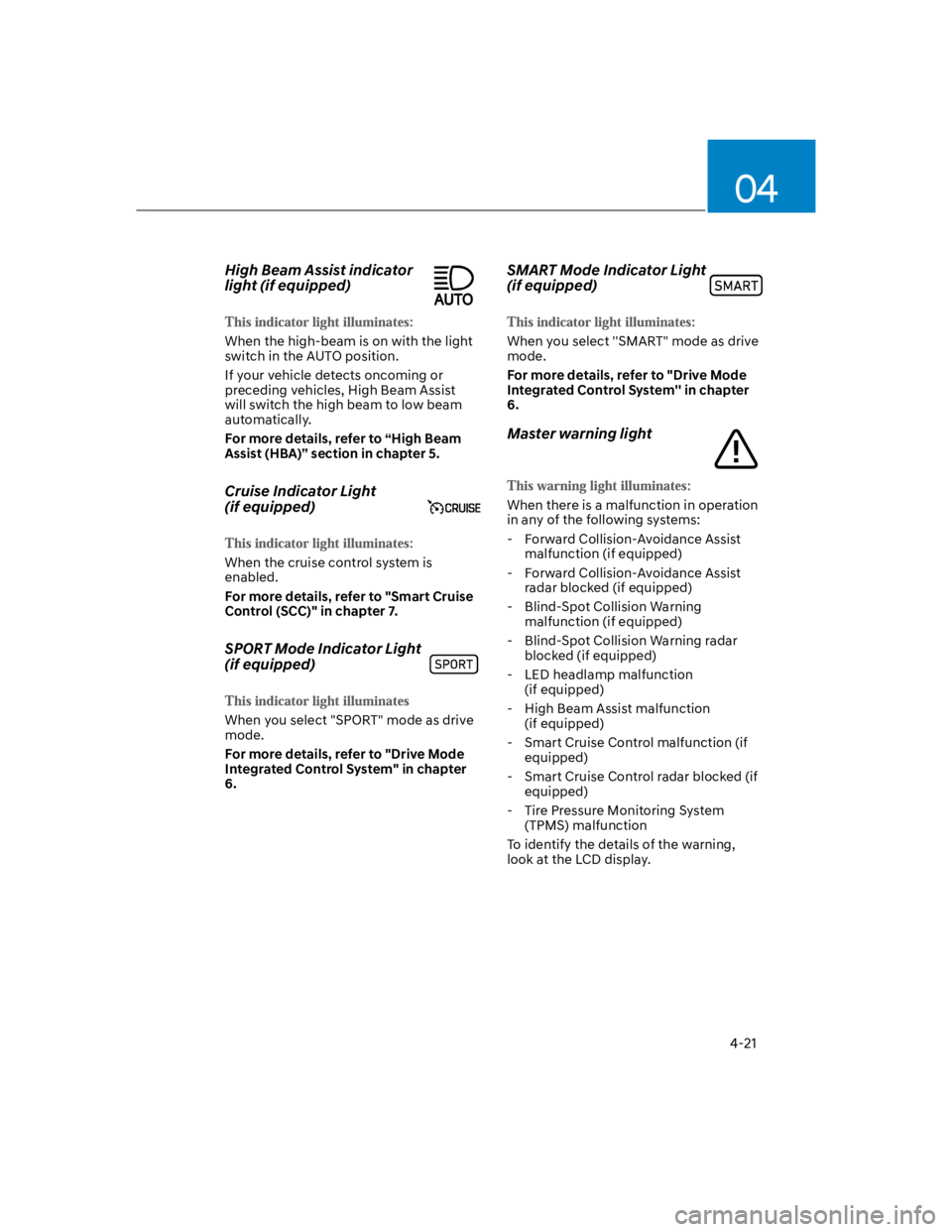
High Beam Assist indicator
light (if equipped)
When the high-beam is on with the light
switch in the AUTO position.
If your vehicle detects oncoming or
preceding vehicles, High Beam Assist
will switch the high beam to low beam
automatically.
For more details, refer to “High Beam
Assist (HBA)” section in chapter 5.
Cruise Indicator Light
(if equipped)
When the cruise control system is
enabled.
For more details, refer to "Smart Cruise
Control (SCC)" in chapter 7.
SPORT Mode Indicator Light
(if equipped)
When you select "SPORT" mode as drive
mode.
For more details, refer to "Drive Mode
Integrated Control System" in chapter
6.
SMART Mode Indicator Light
(if equipped)
When you select ''SMART" mode as drive
mode.
For more details, refer to "Drive Mode
Integrated Control System'' in chapter
6.
Master warning light
When there is a malfunction in operation
in any of the following systems:
- Forward Collision-Avoidance Assist
malfunction (if equipped)
- Forward Collision-Avoidance Assist
radar blocked (if equipped)
- Blind-Spot Collision Warning
malfunction (if equipped)
- Blind-Spot Collision Warning radar
blocked (if equipped)
- LED headlamp malfunction
(if equipped)
- High Beam Assist malfunction
(if equipped)
- Smart Cruise Control malfunction (if
equipped)
- Smart Cruise Control radar blocked (if
equipped)
- Tire Pressure Monitoring System
(TPMS) malfunction
To identify the details of the warning,
look at the LCD display.
Page 120 of 579

04
4-27
Check Forward Safety system
(if equipped)
This warning message is displayed
if there is a problem with Forward
Collision-Avoidance Assist. Have the
vehicle inspected by an authorized
HYUNDAI dealer.
For more details, refer to “Forward
Collision-Avoidance Assist (FCA)” in
chapter 6.
Check Lane Keeping Assist (LKA)
system (if equipped)
This warning message is displayed if
there is a problem with Lane Keeping
Assist. Have the vehicle inspected by an
authorized HYUNDAI dealer.
For more details, refer to “Lane Keeping
Assist (LKA)” in chapter 6.
Check Blind-Spot Safety system
(if equipped)
This warning message is displayed
if there is a problem with Blind-Spot
Collision Warning. Have the vehicle
inspected by an authorized HYUNDAI
dealer.
For more details, refer to “Blind-Spot
Collision -Avoidance Assist (BCA)” in
chapter 6.
Check Driver Attention Warning
system (if equipped)
This warning message is displayed if
there is a problem with Driver Attention
Warning. Have the vehicle inspected by
an authorized HYUNDAI dealer.
For more details, refer to “Driver
Attention Warning (DAW)” in chapter 6.
Check High Beam Assist (HBA)
system (if equipped)
This warning message is displayed if
there is a problem with the High Beam
Assist. Have the vehicle inspected by an
authorized HYUNDAI dealer.
For more details, refer to “High Beam
Assist (HBA)” in chapter 5.
Check Smart Cruise Control system
(if equipped)
This warning message is displayed if
there is a problem with Smart Cruise
Control. Have the vehicle inspected by
an authorized HYUNDAI dealer.
For more details, refer to “Smart Cruise
Control (SCC)” in chapter 6.
Page 124 of 579
04
4-31
OTM040024
This mode displays information related to
4WD driving force.
If the vehicle is in 4WD lock state, this
mode is not displayed.
For detailed information, refer to the
"Four Wheel Drive" in the chapter 6.
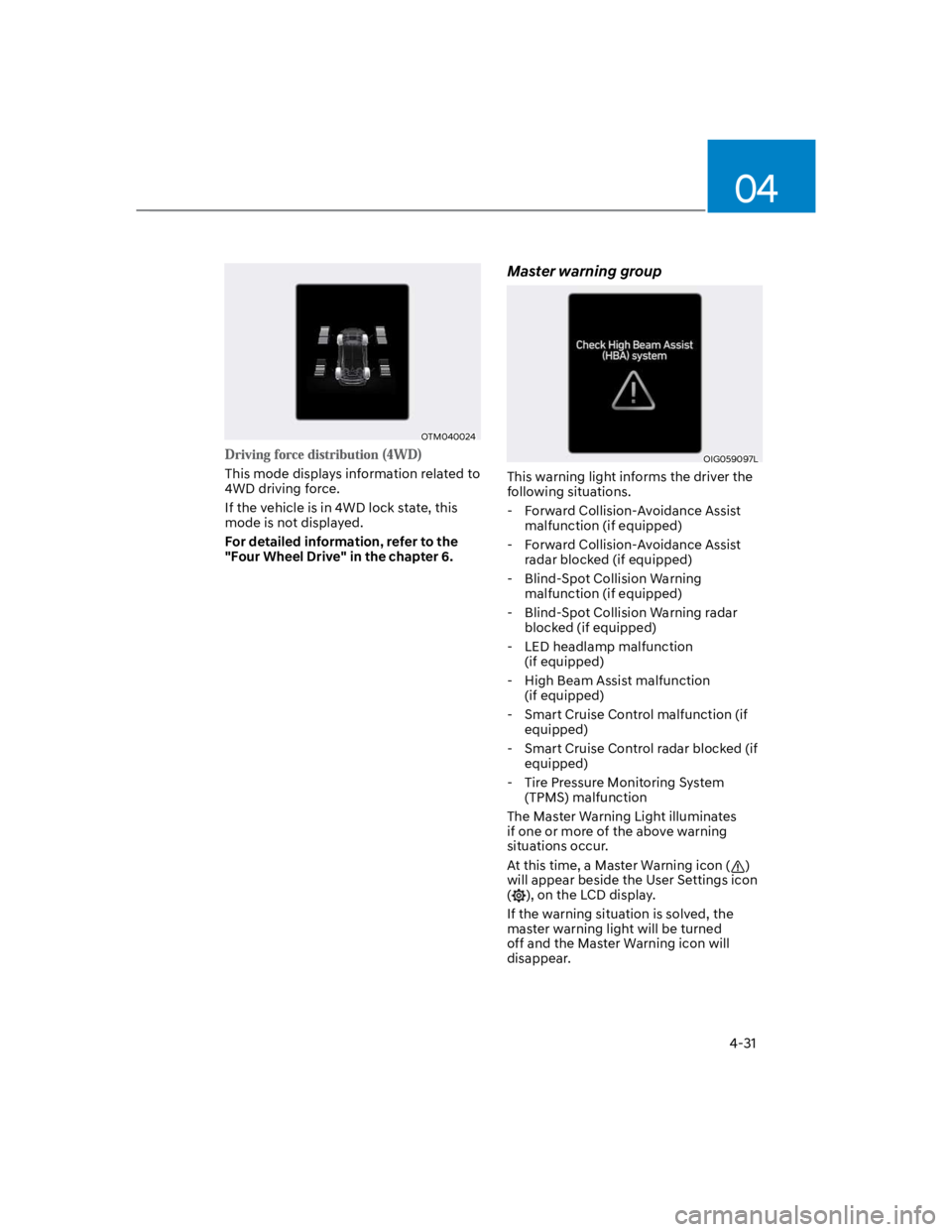
Master warning group
OIG059097L
This warning light informs the driver the
following situations.
- Forward Collision-Avoidance Assist
malfunction (if equipped)
- Forward Collision-Avoidance Assist
radar blocked (if equipped)
- Blind-Spot Collision Warning
malfunction (if equipped)
- Blind-Spot Collision Warning radar
blocked (if equipped)
- LED headlamp malfunction
(if equipped)
- High Beam Assist malfunction
(if equipped)
- Smart Cruise Control malfunction (if
equipped)
- Smart Cruise Control radar blocked (if
equipped)
- Tire Pressure Monitoring System
(TPMS) malfunction
The Master Warning Light illuminates
if one or more of the above warning
situations occur.
At this time, a Master Warning icon ()
will appear beside the User Settings icon
(), on the LCD display.
If the warning situation is solved, the
master warning light will be turned
off and the Master Warning icon will
disappear.
Page 127 of 579
Instrument cluster
4-34
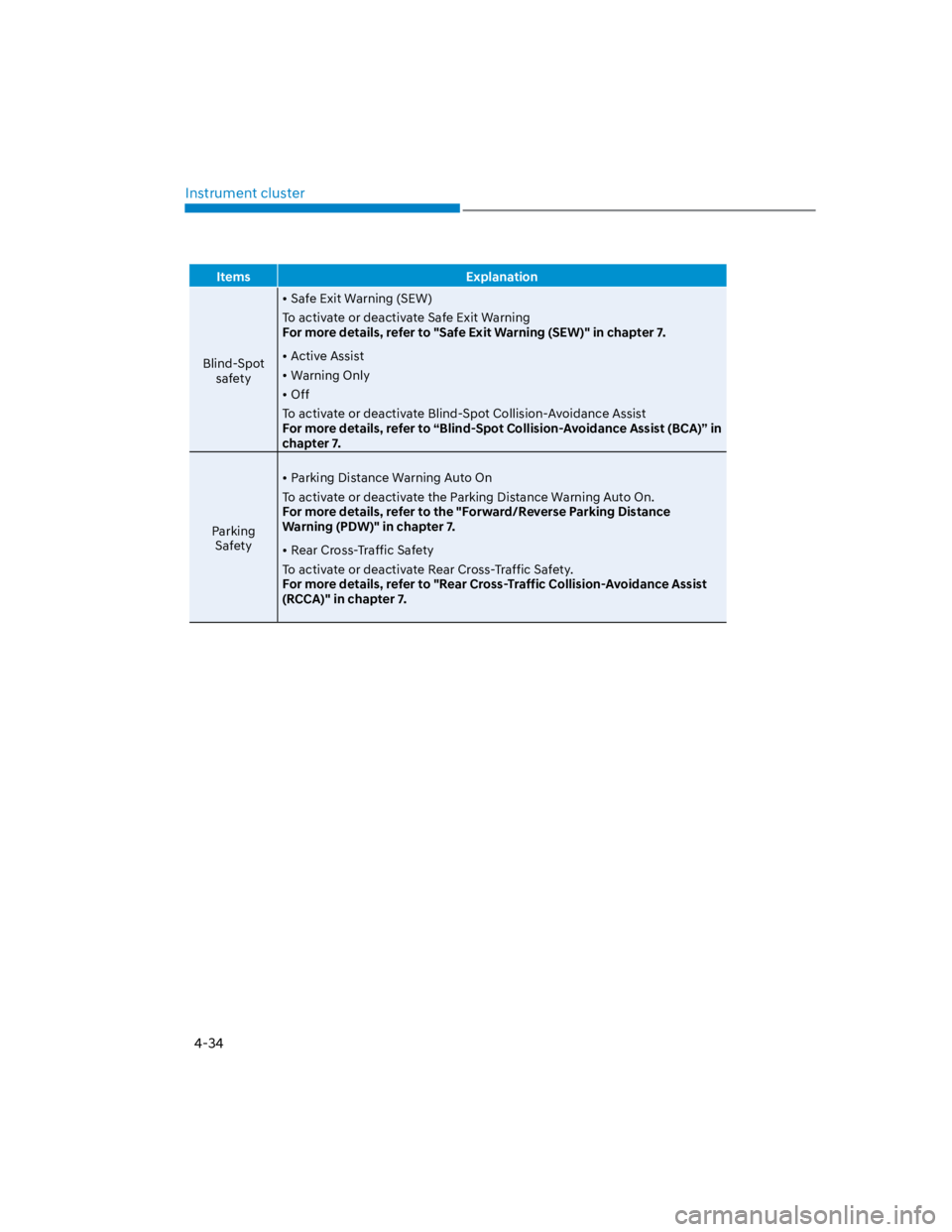
Items Explanation
Blind-Spot
safety
Safe Exit Warning (SEW)
To activate or deactivate Safe Exit Warning
For more details, refer to "Safe Exit Warning (SEW)" in chapter 7.
Active Assist
Warning Only
Off
To activate or deactivate Blind-Spot Collision-Avoidance Assist
For more details, refer to “Blind-Spot Collision-Avoidance Assist (BCA)” in
chapter 7.
Parking
Safety
Parking Distance Warning Auto On
To activate or deactivate the Parking Distance Warning Auto On.
For more details, refer to the "Forward/Reverse Parking Distance
Warning (PDW)" in chapter 7.
Rear Cross-Traffic Safety
To activate or deactivate Rear Cross-Traffic Safety.
For more details, refer to "Rear Cross-Traffic Collision-Avoidance Assist
(RCCA)" in chapter 7.
Page 185 of 579
05
5-51
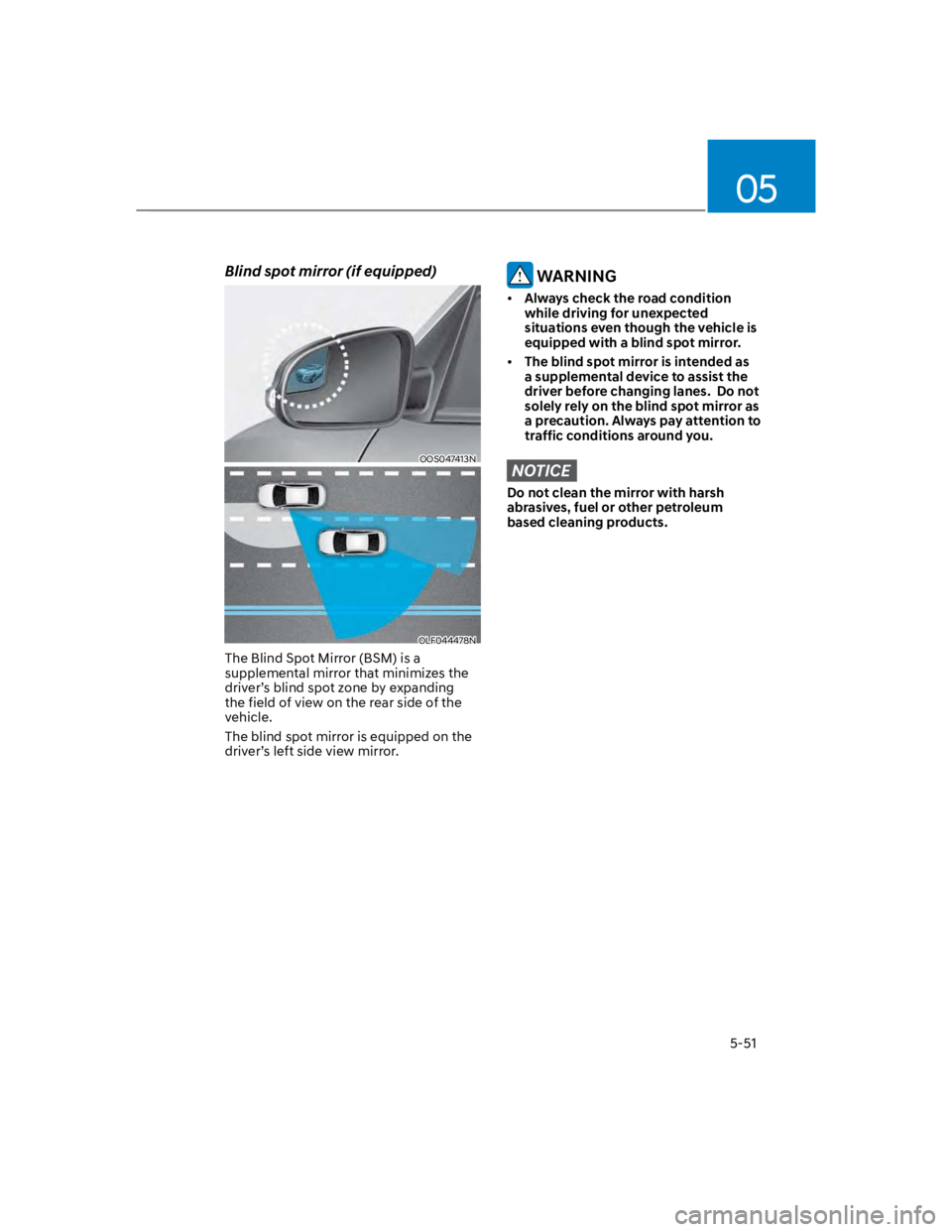
Blind spot mirror (if equipped)
OOS047413N
OLF044478N
The Blind Spot Mirror (BSM) is a
supplemental mirror that minimizes the
driver’s blind spot zone by expanding
the field of view on the rear side of the
vehicle.
The blind spot mirror is equipped on the
driver’s left side view mirror.
WARNING
Always check the road condition
while driving for unexpected
situations even though the vehicle is
equipped with a blind spot mirror.
The blind spot mirror is intended as
a supplemental device to assist the
driver before changing lanes. Do not
solely rely on the blind spot mirror as
a precaution. Always pay attention to
traffic conditions around you.
NOTICE
Do not clean the mirror with harsh
abrasives, fuel or other petroleum
based cleaning products.
Page 321 of 579
Driving your vehicle
6-64
NOTICE
If you are still stuck after rocking the
vehicle a few times, have the vehicle
pulled out by a tow vehicle to avoid
engine overheating, possible damage to
the transmission, and tire damage. See
“Towing” section in chapter 8.
Smooth cornering
Avoid braking or gear changing in
corners, especially when roads are wet.
Ideally, corners should always be taken
under gentle acceleration.
Driving at night
Night driving presents more hazards than
driving in the daylight. Here are some
important tips to remember:
Slow down and keep more distance
between you and other vehicles, as it
may be more difficult to see at night,
especially in areas where there may
not be any street lights.
Adjust your mirrors to reduce the glare
from other drivers’ headlamps.
Keep your headlamps clean and
properly aimed. Dirty or improperly
aimed headlamps will make it much
more difficult to see at night.
Avoid staring directly at the
headlamps of oncoming vehicles. You
could be temporarily blinded, and it
will take several seconds for your eyes
to readjust to the darkness.
Driving in the rain
Rain and wet roads can make driving
dangerous. Here are a few things to
consider when driving in the rain or on
slick pavement:
Slow down and allow extra following
distance. A heavy rainfall makes
it harder to see and increases the
distance needed to stop your vehicle.
Turn OFF your Cruise Control. (if
equipped)
Replace your windshield wiper blades
when they show signs of streaking or
missing areas on the windshield.
Be sure your tires have enough tread.
If your tires do not have enough tread,
making a quick stop on wet pavement
can cause a skid and possibly lead to
an accident. See “Tire replacement”
in chapter 9.
Turn on your headlamps to make it
easier for others to see you.
Driving too fast through large puddles
can affect your brakes. If you must go
through puddles, try to drive through
them slowly.
If you believe your brakes may be wet,
apply them lightly while driving until
normal braking operation returns.
Hydroplaning
If the road is wet enough and you are
going fast enough, your vehicle may
have little or no contact with the road
surface and actually ride on the water.
The best advice is SLOW DOWN when
the road is wet.
The risk of hydroplaning increases as
the depth of tire tread decreases, refer
to “Tire Tread” section in chapter 9.
Page 333 of 579
7
Driving Safety
Forward Collision–Avoidance Assist (FCA) (Front view camera only) ................... 7-2
Forward Collision–Avoidance Assist (FCA) (Sensor fusion) .................................. 7-14
Lane Keeping Assist (LKA) ...................................................................................... 7-29
Blind-Spot Collision-Avoidance Assist (BCA) ........................................................ 7-35
Safe Exit Warning (SEW) ..........................................................................................7-49
Driver Attention Warning (DAW) ............................................................................ 7-54
Driving Convenience
Cruise Control (CC) .................................................................................................7-60
Smart Cruise Control (SCC) ....................................................................................7-64
Navigation-Based Smart Cruise Control (NSCC) ...................................................7-81
Lane Following Assist (LFA) ....................................................................................7-88
Highway Driving Assist (HDA) ................................................................................. 7-92
Parking Safety
Rear View Monitor (RVM) .......................................................................................7-99
Rear Cross-Traffic Collision-Avoidance Assist (RCCA) ........................................7-102
Reverse Parking Distance Warning (PDW) .............................................................7-113
Declaration of conformity ............................................................................. 7-116
7. Driver assistance system
Page 367 of 579
07
7-35
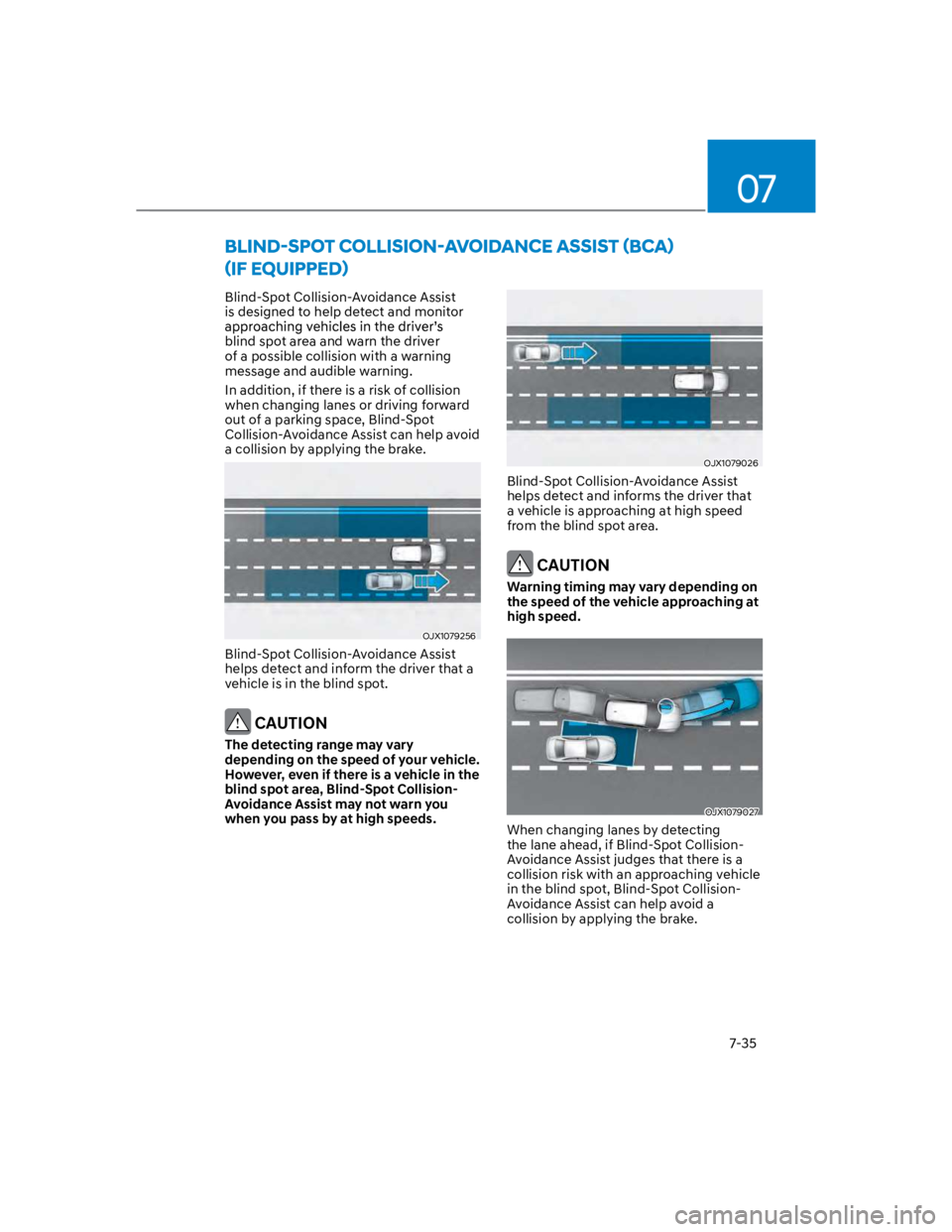
Blind-Spot Collision-Avoidance Assist
is designed to help detect and monitor
blind spot area and warn the driver
of a possible collision with a warning
message and audible warning.
In addition, if there is a risk of collision
when changing lanes or driving forward
out of a parking space, Blind-Spot
Collision-Avoidance Assist can help avoid
a collision by applying the brake.
OJX1079256
Blind-Spot Collision-Avoidance Assist
helps detect and inform the driver that a
vehicle is in the blind spot.
CAUTION
The detecting range may vary
depending on the speed of your vehicle.
However, even if there is a vehicle in the
blind spot area, Blind-Spot Collision-
Avoidance Assist may not warn you
when you pass by at high speeds.
OJX1079026
Blind-Spot Collision-Avoidance Assist
helps detect and informs the driver that
a vehicle is approaching at high speed
from the blind spot area.
CAUTION
Warning timing may vary depending on
the speed of the vehicle approaching at
high speed.
OJX1079027
When changing lanes by detecting
the lane ahead, if Blind-Spot Collision-
Avoidance Assist judges that there is a
collision risk with an approaching vehicle
in the blind spot, Blind-Spot Collision-
Avoidance Assist can help avoid a
collision by applying the brake.
Page 368 of 579
Driver assistance system
7-36
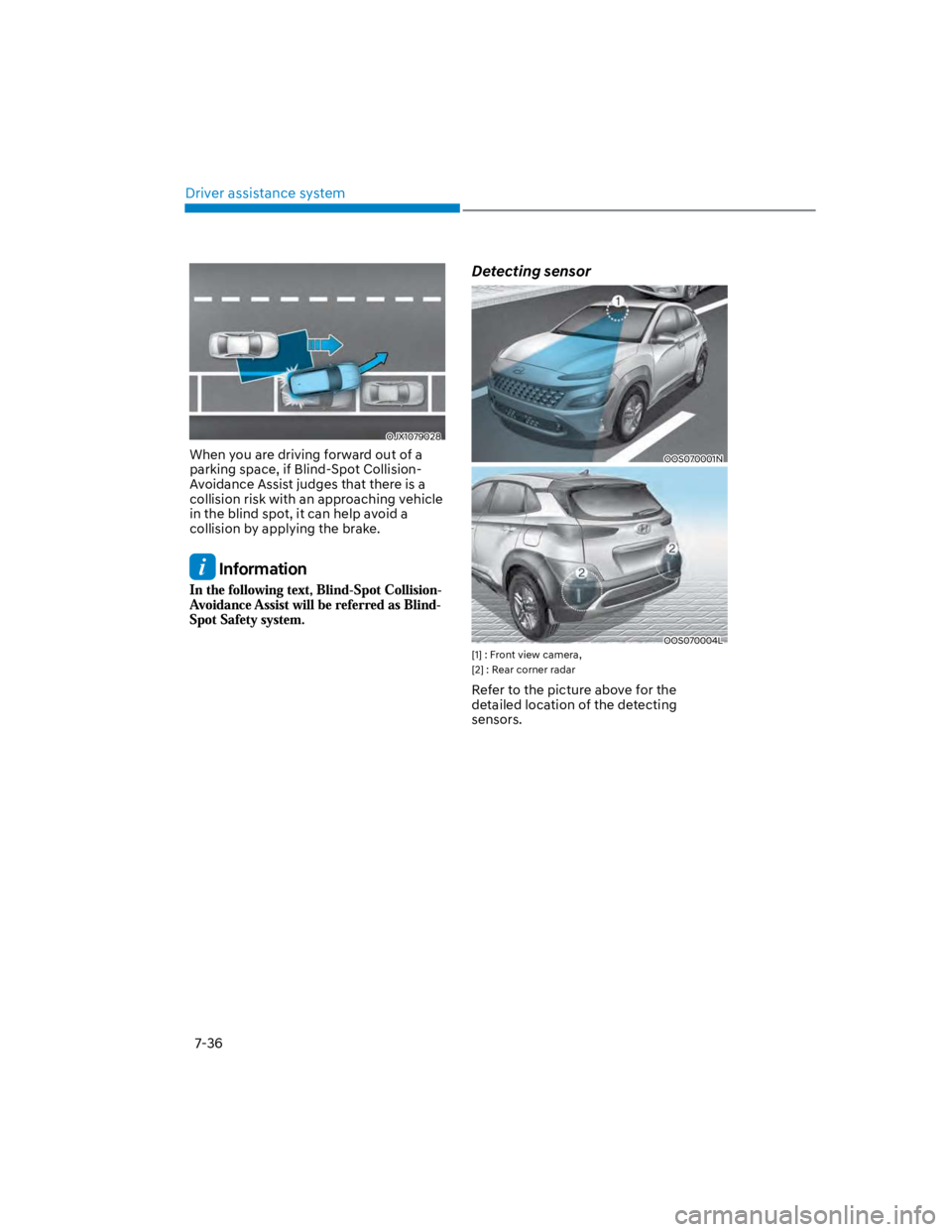
OJX1079028
When you are driving forward out of a
parking space, if Blind-Spot Collision-
Avoidance Assist judges that there is a
collision risk with an approaching vehicle
in the blind spot, it can help avoid a
collision by applying the brake.
Information
Detecting sensor
OOS070001N
OOS070004L
[1] : Front view camera,
[2] : Rear corner radar
Refer to the picture above for the
detailed location of the detecting
sensors.