charging HYUNDAI KONA 2022 Owners Manual
[x] Cancel search | Manufacturer: HYUNDAI, Model Year: 2022, Model line: KONA, Model: HYUNDAI KONA 2022Pages: 579, PDF Size: 35.31 MB
Page 82 of 579

03
3-51
Main components of the Occupant
Classification System
A detection device located within the
front passenger seat cushion.
Electronic system to help determine
whether the passenger air bag
systems should be activated or
deactivated.
An indicator light located on the
instrument panel which illuminates
the words “PASSENGER AIR BAG OFF”
indicating the front passenger air bag
system is deactivated.
The instrument panel air bag indicator
light is interconnected with the OCS.
The OCS is designed to help detect
the presence of a properly-seated
front passenger and determine if the
passenger’s front air bag should be
enabled (may inflate) or not.
The purpose is to help reduce the risk
of injury or death from an inflating air
bag to certain front passenger seat
occupants, such as children, by requiring
the air bag to be automatically turned
OFF.
For example, if a child restraint of the
type specified in the regulations is on the
seat, the occupant classification sensor
can detect it and cause the air bag to
turn OFF.
Front passenger seat adult occupants
who are properly seated and wearing the
seat belt properly, should not cause the
passenger air bag to be automatically
turned OFF. For smaller adults it may turn
OFF, however, if the occupant does not
sit in the seat properly (for example, by
not sitting upright, by sitting on the edge
of the seat, or by otherwise being out of
position), this could cause the sensor to
turn the air bag OFF.
You will find the “PASSENGER AIR BAG
OFF” indicator on the overhead console
panel. This system detects the conditions
1-4 in the following table and activates or
deactivates the front passenger air bag
based on these conditions.
Always be sure that you and all vehicle
occupants are seated properly and
wearing the seat belt properly for the
most effective protection by the air bag
and the seat belt.
The OCS may not function properly if the
passenger takes actions which can affect
the classification system. These include:
Failing to sit in an upright position.
Leaning against the door or center
console.
Sitting towards the sides of the front
of the seat.
Putting their legs on the dashboard or
resting them on other locations which
reduce the passenger weight on the
front seat.
Wearing the seat belt improperly.
Reclining the seatback.
Wearing thick clothes like ski wear or
hip protection wear.
Putting an additional thick cushion on
the seat.
Putting electrical devices (e.g.
notebook, satellite radio) on the seat
with inverter charging.
Page 94 of 579
4
Instrument cluster ............................................................................................ 4-4
Instrument cluster control ...........................................................................................4-5
Instrument panel illumination ...................................................................................4-5
Gauges and meters ......................................................................................................4-5
Speedometer .............................................................................................................4-5
Tachometer ................................................................................................................4-5
Engine coolant temperature gauge ......................................................................... 4-6
Fuel gauge ................................................................................................................. 4-6
Outside temperature gauge ...................................................................................... 4-7
Odometer .................................................................................................................. 4-8
Distance to empty .................................................................................................... 4-8
Transmission shift indicator ........................................................................................ 4-9
Intelligent variable transmission .............................................................................. 4-9
Dual clutch transmission shift indicator ................................................................. 4-9
Warning and indicator lights ..................................................................................... 4-10
Seat belt warning light ............................................................................................ 4-10
Air bag warning light ............................................................................................... 4-10
Parking brake & Brake fluid warning light .............................................................. 4-10
Anti-lock Brake System (ABS) warning light ........................................................... 4-11
Electronic Brake Force Distribution (EBD) system warning light .......................... 4-11
Electric Power Steering (EPS) warning light .......................................................... 4-12
Charging system warning light ............................................................................... 4-12
Engine oil pressure warning light ........................................................................... 4-13
Low fuel level warning light .................................................................................... 4-14
Malfunction Indicator Lamp (MIL) .......................................................................... 4-14
Exhaust system (GPF) warning light (for gasoline engine) ................................... 4-14
Electronic Parking Brake (EPB) warning light ........................................................ 4-15
AUTO HOLD indicator light ..................................................................................... 4-15
Low tire pressure warning light .............................................................................. 4-15
Forward Safety warning light .................................................................................. 4-16
Lane Safety indicator light ...................................................................................... 4-16
4 Wheel Drive (4WD) warning light ........................................................................ 4-16
4 Wheel Drive (4WD) LOCK Indicator Light ............................................................4-17
LED headlight warning light .....................................................................................4-17
Electronic Stability Control (ESC) indicator light ................................................... 4-18
Electronic Stability Control (ESC) OFF indicator light ........................................... 4-18
Immobilizer Indicator Light (without smart key) .................................................. 4-18
Immobilizer Indicator Light (with smart key) ........................................................ 4-19
Downhill Brake Control (DBC) indicator light ....................................................... 4-19
AUTO STOP indicator light .....................................................................................4-20
4. Instrument cluster
Page 95 of 579

4
Turn signal indicator light ........................................................................................4-20
High beam indicator light .......................................................................................4-20
High Beam Assist indicator light ..............................................................................4-21
Cruise Indicator Light ...............................................................................................4-21
SPORT Mode Indicator Light ....................................................................................4-21
SMART Mode Indicator Light ...................................................................................4-21
Master warning light .................................................................................................4-21
LCD display messages ............................................................................................... 4-22
Shift to P (for smart key system and dual clutch transmission)............................ 4-22
Low key battery (for smart key system).................................................................. 4-22
Press START button while turning wheel (for smart key system) ......................... 4-22
Steering wheel not locked (for smart key system) ................................................ 4-22
Press brake pedal to start engine (for smart key system and dual clutch
transmission) ........................................................................................................... 4-22
Key not in vehicle (for smart key system) ............................................................... 4-22
Key not detected (for smart key system)................................................................ 4-22
Press START button again (for smart key system) ................................................ 4-22
Press START button with key (for smart key system) ........................................... 4-23
Check BRAKE SWITCH fuse (for smart key system and dual clutch
transmission) ........................................................................................................... 4-23
Shift to P or N to start engine (for smart key system and dual clutch
transmission) ........................................................................................................... 4-23
Battery discharging due to external electrical devices ......................................... 4-23
Door, Hood, Liftgate open indicator .......................................................................4-24
Sunroof open indicator ............................................................................................4-24
Low tire pressure .....................................................................................................4-24
Lights ........................................................................................................................ 4-25
Wiper ........................................................................................................................ 4-25
Heated Steering Wheel turned off .......................................................................... 4-25
Low washer fluid ...................................................................................................... 4-25
Low fuel .................................................................................................................... 4-25
Engine overheated / Engine has overheated .........................................................4-26
Check exhaust system .............................................................................................4-26
Check headlight .......................................................................................................4-26
Check turn signal .....................................................................................................4-26
Check headlamp LED ..............................................................................................4-26
Check Forward Safety system ................................................................................. 4-27
Check Lane Keeping Assist (LKA) system .............................................................. 4-27
Check Blind-Spot Safety system............................................................................. 4-27
Check Driver Attention Warning system ................................................................ 4-27
Check High Beam Assist (HBA) system .................................................................. 4-27
Check Smart Cruise Control system ....................................................................... 4-27
Page 105 of 579
Instrument cluster
4-12
WARNING
Electronic Brake Force Distribution
(EBD) system warning light
When both ABS and Parking Brake &
Brake Fluid warning lights are on, the
brake system will not work normally
and you may experience an unexpected
and dangerous situation during sudden
braking.
If this occurs, avoid high speed driving
and abrupt braking.
Have the vehicle inspected by an
authorized HYUNDAI dealer as soon as
possible.
NOTICE
Electronic Brake Force Distribution
(EBD) system warning light
When the ABS warning light is on
or both ABS and Parking Brake &
Brake Fluid warning lights are on, the
speedometer, odometer, or tripmeter
may not work. Also, the EPS warning
light may illuminate and the steering
effort may increase or decrease.
If this occurs, have the vehicle
inspected by an authorized HYUNDAI
dealer as soon as possible.
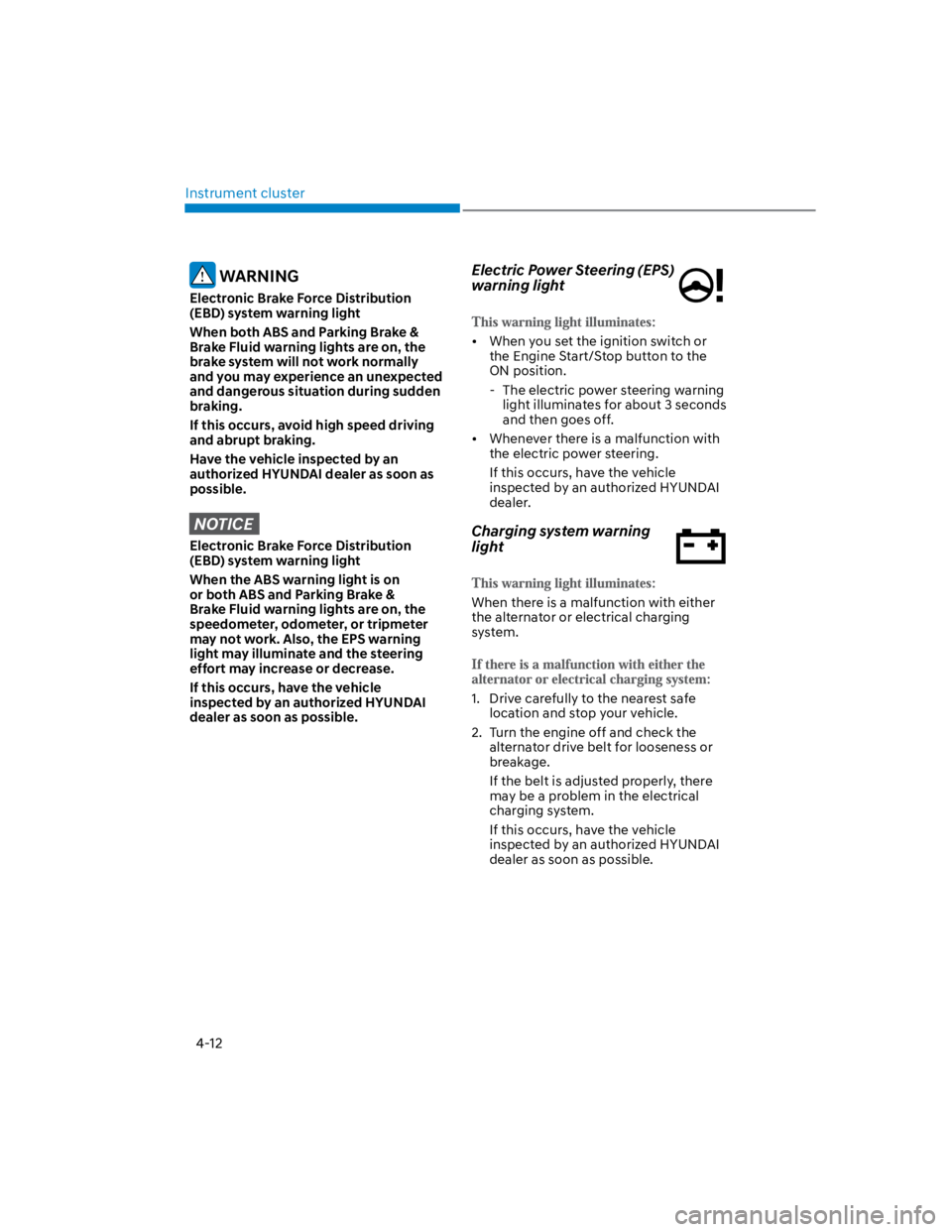
Electric Power Steering (EPS)
warning light
When you set the ignition switch or
the Engine Start/Stop button to the
ON position.
- The electric power steering warning
light illuminates for about 3 seconds
and then goes off.
Whenever there is a malfunction with
the electric power steering.
If this occurs, have the vehicle
inspected by an authorized HYUNDAI
dealer.
Charging system warning
light
When there is a malfunction with either
the alternator or electrical charging
system.
1. Drive carefully to the nearest safe
location and stop your vehicle.
2. Turn the engine off and check the
alternator drive belt for looseness or
breakage.
If the belt is adjusted properly, there
may be a problem in the electrical
charging system.
If this occurs, have the vehicle
inspected by an authorized HYUNDAI
dealer as soon as possible.
Page 116 of 579

04
4-23
Press START button with key
(for smart key system)
This message is displayed if you press
the Engine Start/Stop button while the
warning message “Key not detected” is
displayed.
At this time, the immobilizer indicator
light blinks.
Check BRAKE SWITCH fuse
(for smart key system and dual
clutch transmission)
This message is displayed if the brake
switch fuse is disconnected.
You need to replace the fuse with a new
one before starting the engine.
If that is not possible, you can start the
engine by pressing the Engine Start/
Stop button for 10 seconds in the ACC
position.
Shift to P or N to start engine
(for smart key system and dual
clutch transmission)
This message is displayed if you try to
start the engine in any other position
except P (Park) or N (Neutral).
Information
Battery discharging due to external
electrical devices (if equipped)
This message is displayed if the 12V
battery voltage is weak due to any
non-factory electrical accessories (ex.
dashboard camera) while parking. Be
careful that the battery is not discharged.
If the message appears after removing
the non-factory electrical accessories,
have the vehicle inspected by an
authorized HYUNDAI dealer.
Page 130 of 579
04
4-37
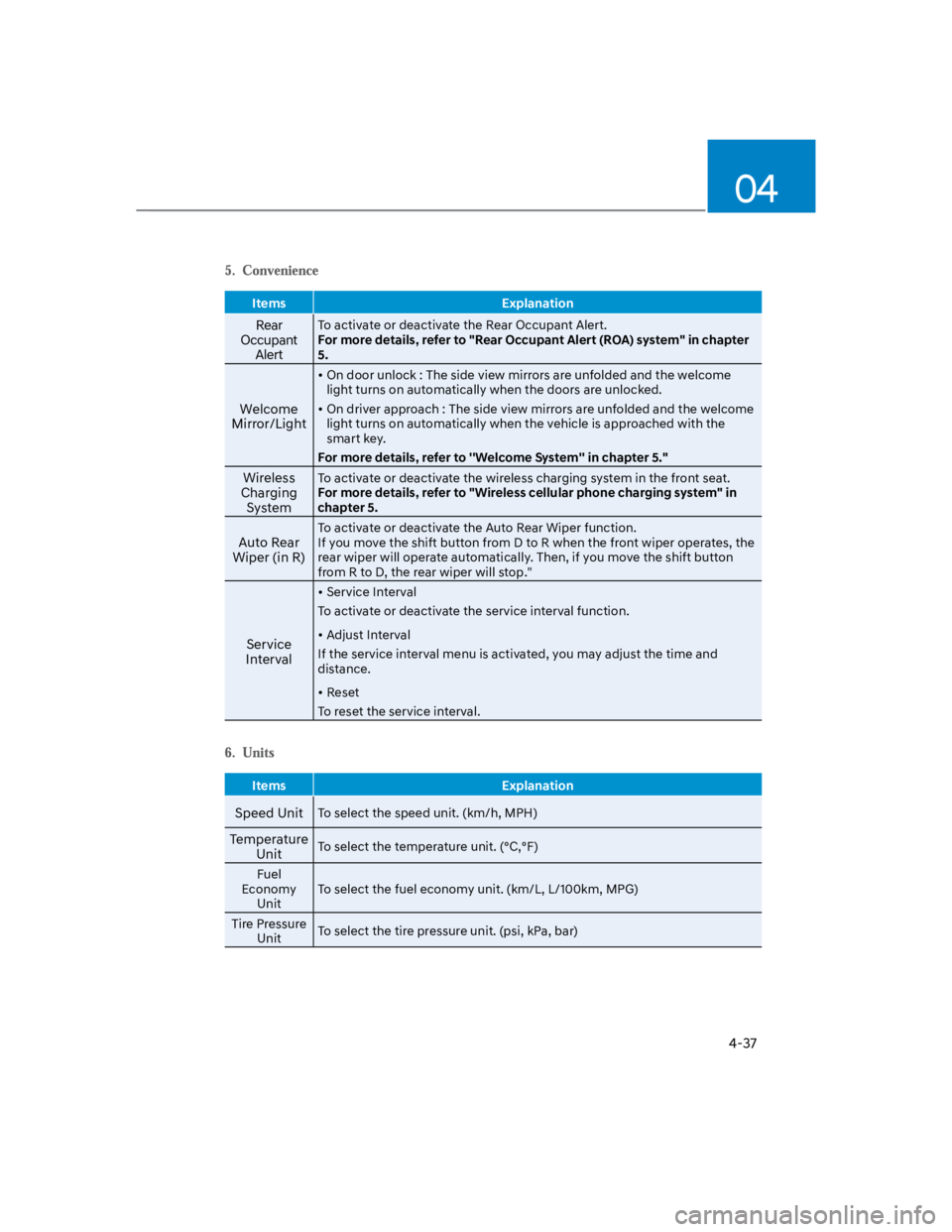
Items Explanation
Rear
Occupant
Alert
To activate or deactivate the Rear Occupant Alert.
For more details, refer to "Rear Occupant Alert (ROA) system" in chapter
5.
Welcome
Mirror/Light
On door unlock : The side view mirrors are unfolded and the welcome
light turns on automatically when the doors are unlocked.
On driver approach : The side view mirrors are unfolded and the welcome
light turns on automatically when the vehicle is approached with the
smart key.
For more details, refer to ''Welcome System'' in chapter 5."
Wireless
Charging
System
To activate or deactivate the wireless charging system in the front seat.
For more details, refer to "Wireless cellular phone charging system" in
chapter 5.
Auto Rear
Wiper (in R)
To activate or deactivate the Auto Rear Wiper function.
If you move the shift button from D to R when the front wiper operates, the
rear wiper will operate automatically. Then, if you move the shift button
from R to D, the rear wiper will stop."
Service
Interval
Service Interval
To activate or deactivate the service interval function.
Adjust Interval
If the service interval menu is activated, you may adjust the time and
distance.
Reset
To reset the service interval.
Items Explanation
Speed UnitTo select the speed unit. (km/h, MPH)
Temperature
UnitTo select the temperature unit. (°C,°F)
Fuel
Economy
Unit
To select the fuel economy unit. (km/L, L/100km, MPG)
Tire Pressure
UnitTo select the tire pressure unit. (psi, kPa, bar)
Page 137 of 579
5
Interior features ............................................................................................. 5-107
Cup holder .................................................................................................................5-107
Sunvisor .................................................................................................................... 5-108
Power outlet ............................................................................................................. 5-108
USB charger .............................................................................................................. 5-109
Wireless smart phone charging system ................................................................... 5-110
Clock .......................................................................................................................... 5-112
Clothes Hanger .......................................................................................................... 5-112
Floor mat anchor(s) ................................................................................................... 5-113
Luggage net holder ................................................................................................... 5-114
Cargo Area Cover ...................................................................................................... 5-114
Exterior features ..............................................................................................5-115
Roof side rails ............................................................................................................ 5-115
Infotainment system .......................................................................................5-116
USB and iPod® port ................................................................................................... 5-116
Antenna ...................................................................................................................... 5-116
Steering wheel remote controls ............................................................................... 5-117
Bluetooth® Wireless Technology .............................................................................. 5-118
Voice recognition ...................................................................................................... 5-118
Audio / Video / Navigation system (AVN) ............................................................... 5-118
How vehicle radio works ........................................................................................... 5-119
Infotainment System specifications ............................................................ 5-122
USB .............................................................................................................................5-122
Bluetooth ...................................................................................................................5-123
Trademarks ..................................................................................................... 5-123
5. Convenient features
Page 150 of 579
Convenient features
5-16
Digital key (smartphone)
1. Turn the vehicle on with the Smart key
and make sure to keep the smart key
inside the vehicle during digital key
registration.
2. Register your Digital key from the
vehicle user setting menu as follows.
With Navigation screen :
From the infotainment screen menu,
go to [Setup] - [Vehicle] - [Digital Key]
- [Smart Phone Key] then select the
[Save] from submenu.
Without navigation screen :
From cluster menu, go to [Digital Key]
- [Smart Phone Key] and select [Save].
Information
3. Select the vehicle to save on your
Digital key application and activate
the save mode.
Save mode is available only on
the vehicle owner’s Digital key
application.
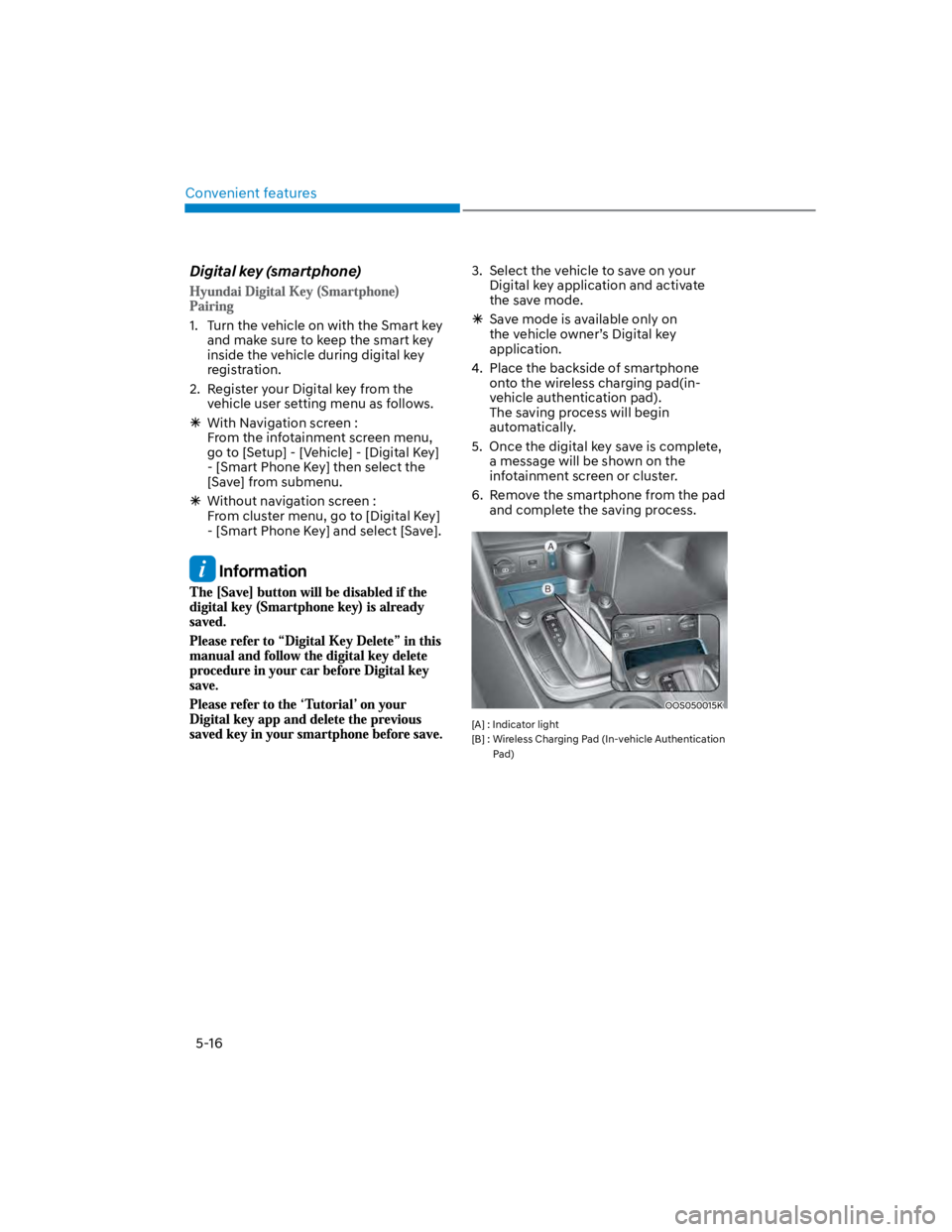
4. Place the backside of smartphone
onto the wireless charging pad(in-
vehicle authentication pad).
The saving process will begin
automatically.
5. Once the digital key save is complete,
a message will be shown on the
infotainment screen or cluster.
6. Remove the smartphone from the pad
and complete the saving process.
OOS050015K
[A] : Indicator light
[B] : Wireless Charging Pad (In-vehicle Authentication
Pad)
Page 152 of 579
Convenient features
5-18
You can manage multiple digital keys
from the Digital key app. From the list of
digital keys you own, select the vehicle
you want to make your priority vehicle.
For more information, please refer to
the ‘Tutorial’ on your Digital key app.
OOS050002K
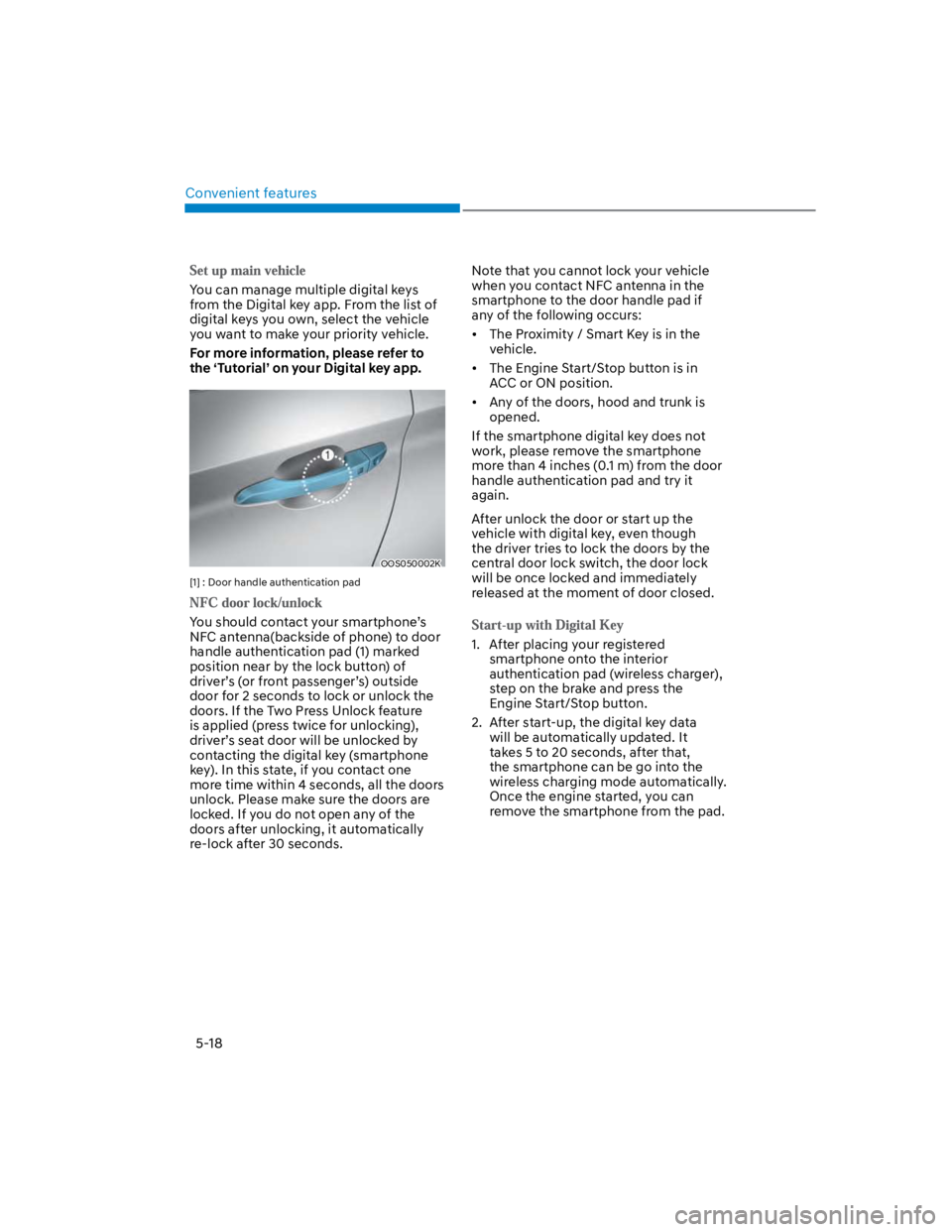
[1] : Door handle authentication pad
You should contact your smartphone’s
NFC antenna(backside of phone) to door
handle authentication pad (1) marked
position near by the lock button) of
driver’s (or front passenger’s) outside
door for 2 seconds to lock or unlock the
doors. If the Two Press Unlock feature
is applied (press twice for unlocking),
driver’s seat door will be unlocked by
contacting the digital key (smartphone
key). In this state, if you contact one
more time within 4 seconds, all the doors
unlock. Please make sure the doors are
locked. If you do not open any of the
doors after unlocking, it automatically
re-lock after 30 seconds.
Note that you cannot lock your vehicle
when you contact NFC antenna in the
smartphone to the door handle pad if
any of the following occurs:
The Proximity / Smart Key is in the
vehicle.
The Engine Start/Stop button is in
ACC or ON position.
Any of the doors, hood and trunk is
opened.
If the smartphone digital key does not
work, please remove the smartphone
more than 4 inches (0.1 m) from the door
handle authentication pad and try it
again.
After unlock the door or start up the
vehicle with digital key, even though
the driver tries to lock the doors by the
central door lock switch, the door lock
will be once locked and immediately
released at the moment of door closed.
1. After placing your registered
smartphone onto the interior
authentication pad (wireless charger),
step on the brake and press the
Engine Start/Stop button.
2. After start-up, the digital key data
will be automatically updated. It
takes 5 to 20 seconds, after that,
the smartphone can be go into the
wireless charging mode automatically.
Once the engine started, you can
remove the smartphone from the pad.
Page 153 of 579
![HYUNDAI KONA 2022 Owners Manual 05
5-19
OOS050015K
[A] : Indicator light
[B] : Wireless Charging Pad (In-vehicle Authentication
Pad)
Information
CAUTION
The engine can be turned on if the
registered smartphone or card key is](/img/35/41169/w960_41169-152.png "HYUNDAI KONA 2022 Owners Manual 05
5-19
OOS050015K
[A] : Indicator light
[B] : Wireless Charging Pad (In-vehicle Authentication
Pad)
Information
CAUTION
The engine can be turned on if the
registered smartphone or card key is")
05
5-19
OOS050015K
[A] : Indicator light
[B] : Wireless Charging Pad (In-vehicle Authentication
Pad)
Information
CAUTION
The engine can be turned on if the
registered smartphone or card key is
placed on the interior authentication
pad (wireless charger). Do not leave
unsupervised children or people who
are not aware of the system since it
can result in serious injury or death.
Always have the registered digital key
(smartphone) or card key with you to
prevent vehicle theft when leaving the
vehicle.
For more information, refer to the
Engine Start/Stop button in chapter 6.