change time HYUNDAI KONA EV 2022 Owner's Manual
[x] Cancel search | Manufacturer: HYUNDAI, Model Year: 2022, Model line: KONA EV, Model: HYUNDAI KONA EV 2022Pages: 548, PDF Size: 49.14 MB
Page 309 of 548
06
6-29
Information
• The Auto Hold does not operate when:
- The driver's door is opened.
- The hood is opened.
- The shift lever is in P (Park) or R (Reverse) .
- EPB is applied.
• For your safety, the Auto Hold automatically switches to EPB when:
- The driver's door is opened.
- The hood is opened.
- The vehicle is in a standstill for more than 10 minutes.
- The vehicle is standing on a steep slope.
- The vehicle moved several times.
In these cases, the parking brake
warning light comes on, the AUTO
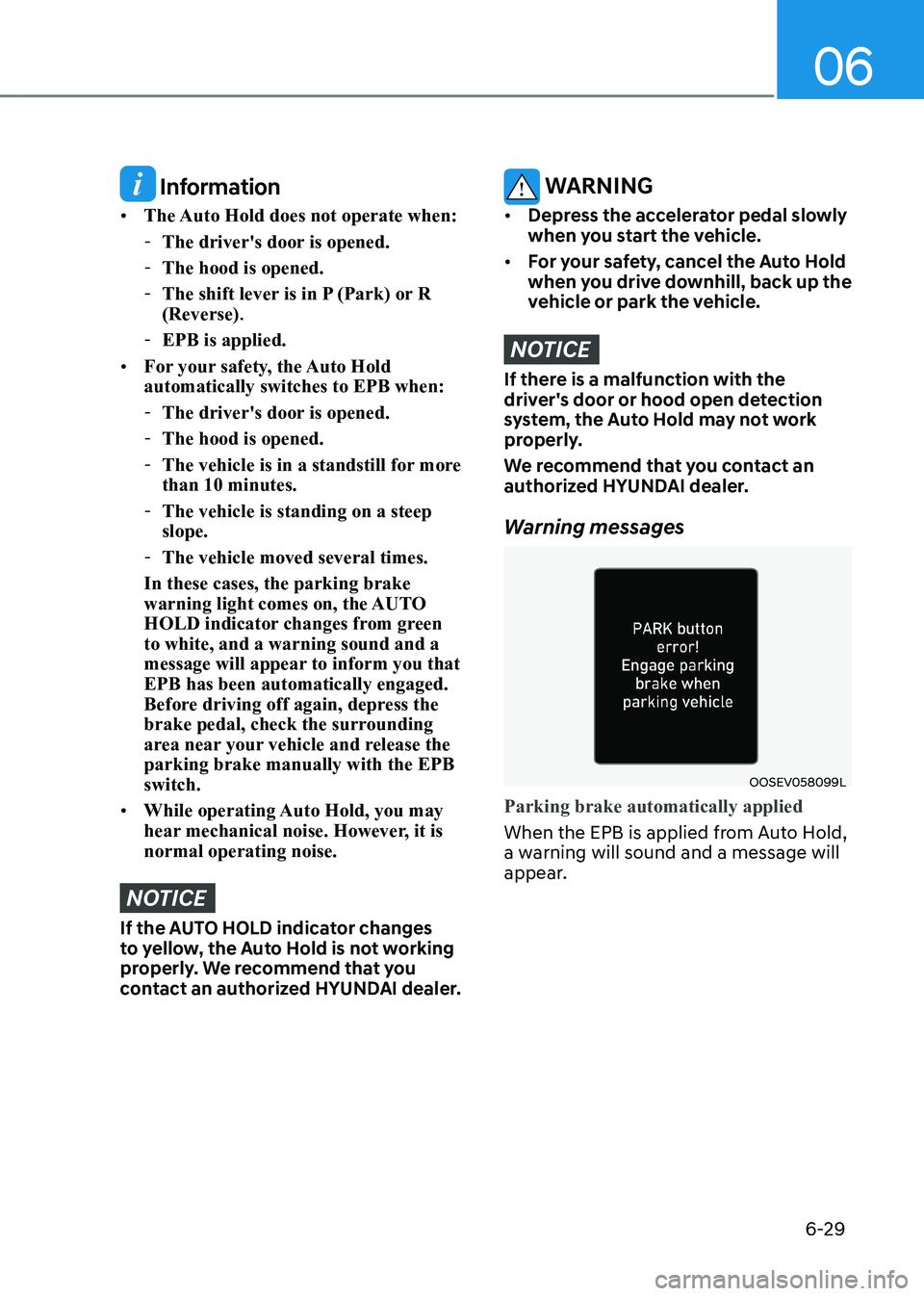
HOLD indicator changes from green to white, and a warning sound and a
message will appear to inform you that EPB has been automatically engaged.
Before driving off again, depress the
brake pedal, check the surrounding
area near your vehicle and release the parking brake manually with the EPB switch.
• While operating Auto Hold, you may
hear mechanical noise. However, it is normal operating noise.
NOTICE
If the AUTO HOLD indicator changes
to yellow, the Auto Hold is not working
properly. We recommend that you
contact an authorized HYUNDAI dealer.
WARNING
• Depress the accelerator pedal slowly
when you start the vehicle.
• For your safety, cancel the Auto Hold
when you drive downhill, back up the
vehicle or park the vehicle.
NOTICE
If there is a malfunction with the
driver's door or hood open detection
system, the Auto Hold may not work
properly.
We recommend that you contact an
authorized HYUNDAI dealer.
Warning messages
OOSEV058099L
Parking brake automatically applied
When the EPB is applied from Auto Hold,
a warning will sound and a message will
appear.
Page 311 of 548
6-31
06
Anti-lock Brake System (ABS)
WARNING
Anti-Lock Braking System (ABS) or
Electronic Stability Control (ESC) will
not prevent accidents due to improper
or dangerous driving maneuvers. Even
though vehicle control is improved
during emergency braking, always
maintain a safe distance between
you and objects ahead of you. Vehicle
speeds should always be reduced
during extreme road conditions. The
braking distance for vehicles equipped
with ABS or ESC may be longer than
for those without these systems in the
following road conditions.
Drive your vehicle at reduced speeds
during the following conditions: • Rough, gravel or snow-covered
roads.
• On roads where the road surface is
pitted or has different surface height.
• Tire chains are installed on your
vehicle. Drive your vehicle at
reduced speeds during the above
conditions.
The safety features of ABS or ESC
equipped vehicle should not be tested
by high speed driving or cornering. This
could endanger the safety of yourself or
others.
ABS is an electronic braking system that
helps to prevent a braking skid. ABS
allows the driver to steer and brake at the same time. Using ABS
To obtain the maximum benefit from
your ABS in an emergency situation,
do not attempt to modulate your brake
pressure and do not try to pump your
brakes. Depress your brake pedal as hard as possible.
When you apply your brakes under
conditions which may lock the wheels,
you may hear sounds from the brakes,
or feel a corresponding sensation in the
brake pedal. This is normal and it means
your ABS is active.
ABS does not reduce the time or distance
it takes to stop the vehicle.
Always maintain a safe distance from the
vehicle in front of you.
ABS will not prevent a skid that results
from sudden changes in direction, such
as trying to take a corner too fast or
making a sudden lane change. Always
drive at a safe speed depending on the
road and weather conditions.
ABS cannot prevent a loss of stability.
Always steer moderately when braking
hard. Severe or sharp steering wheel
movement can still cause your vehicle to
veer into oncoming traffic or off the road.
On loose or uneven road surfaces,
operation of the anti-lock brake system
may result in a longer stopping distance
than for vehicles equipped with a
conventional brake system.
The ABS warning light (
) will stay on
for several seconds after the START/
STOP button is placed in the ON position.
During that time, the ABS will go through
self-diagnosis and the light will go off
if everything is normal. If the light stays
on, you may have a problem with your
ABS. We recommend that you contact an
authorized HYUNDAI dealer as soon as possible.
Page 337 of 548
Driver assistance system
7-4
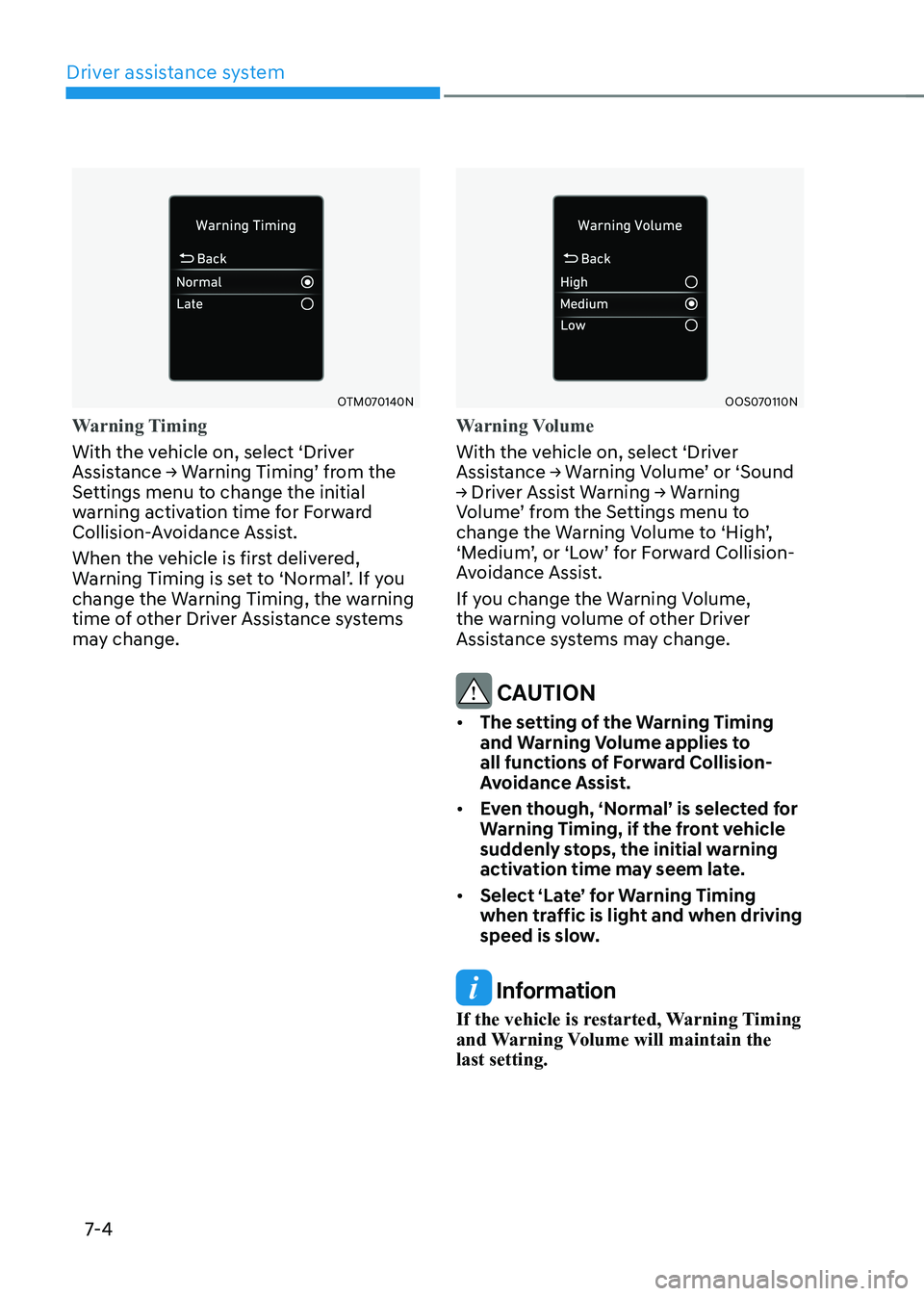
OTM070140N
Warning Timing
With the vehicle on, select ‘Driver
Assistance → Warning Timing’ from the
Settings menu to change the initial
warning activation time for Forward
Collision-Avoidance Assist.
When the vehicle is first delivered,
Warning Timing is set to ‘Normal’. If you
change the Warning Timing, the warning
time of other Driver Assistance systems
may change.
OOS070110N
Warning Volume
With the vehicle on, select ‘Driver
Assistance → Warning Volume’ or ‘Sound
→ Driver Assist Warning → Warning
Volume’ from the Settings menu to
change the Warning Volume to ‘High’,
‘Medium’, or ‘Low’ for Forward Collision-
Avoidance Assist.
If you change the Warning Volume,
the warning volume of other Driver
Assistance systems may change.
CAUTION
• The setting of the Warning Timing
and warning volume applies to
all functions of Forward Collision-
Avoidance Assist.
• even though, ‘normal’ is selected for
Warning Timing, if the front vehicle
suddenly stops, the initial warning
activation time may seem late.
• Select ‘Late’ for Warning Timing
when traffic is light and when driving
speed is slow.
Information
If the vehicle is restarted, Warning Timing
and Warning Volume will maintain the last setting.
Page 349 of 548
Driver assistance system
7-16
warning
When the vehicle is restarted, Forward
Collision-Avoidance Assist will always turn on.
CAUTION
• If ‘Warning Only’ is selected, braking
and steering (if equipped) is not
assisted.
• The settings for Forward Safety
include ‘Basic function’.
Information
Forward Collision-Avoidance Assist will turn off when ESC is turned off by
pressing and holding the ESC OFF button. The
warning light will illuminate on
the cluster.
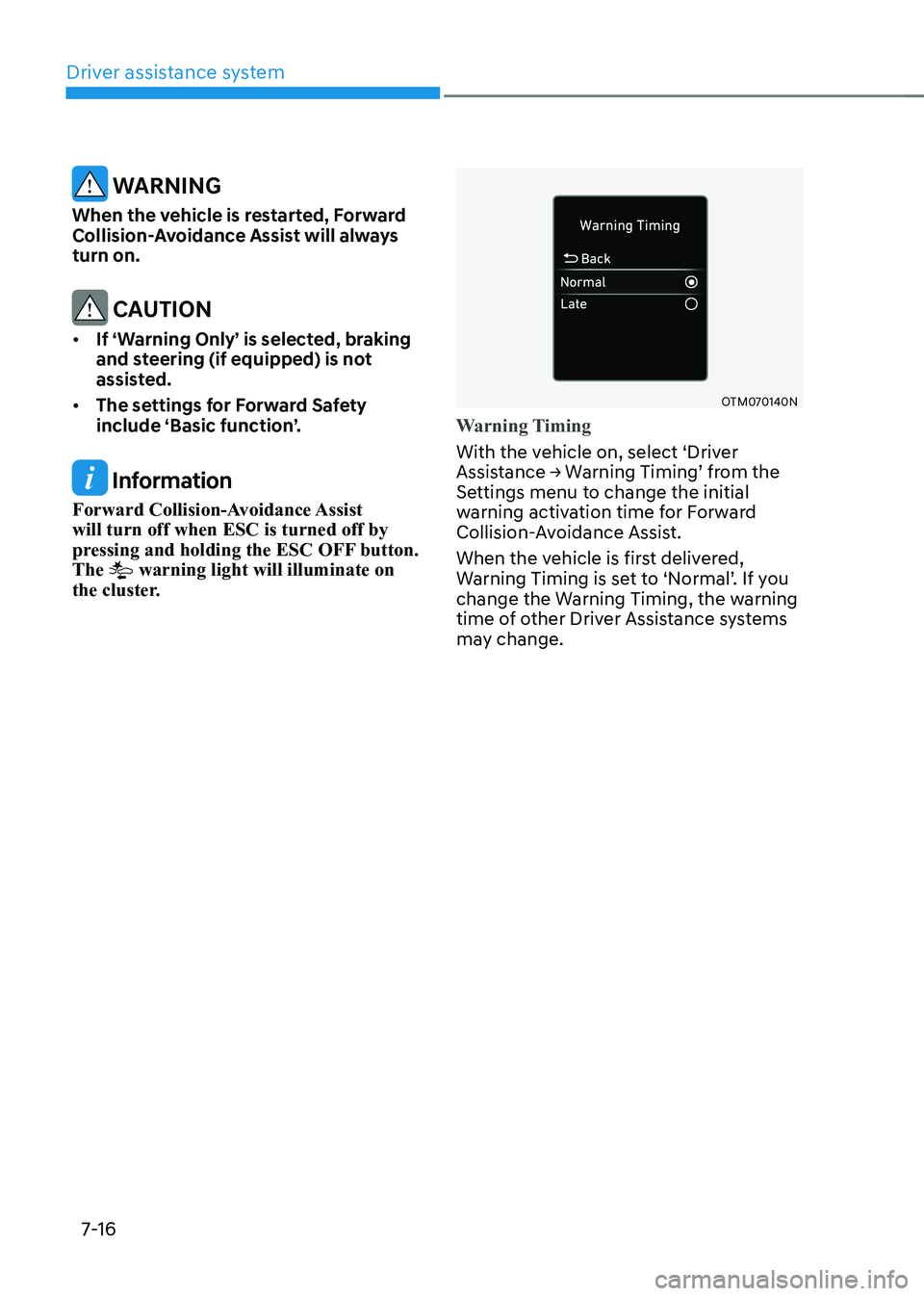
OTM070140N
Warning Timing
With the vehicle on, select ‘Driver
Assistance → Warning Timing’ from the
Settings menu to change the initial
warning activation time for Forward
Collision-Avoidance Assist.
When the vehicle is first delivered,
Warning Timing is set to ‘Normal’. If you
change the Warning Timing, the warning
time of other Driver Assistance systems
may change.
Page 350 of 548
07
7-17
OOS070110N
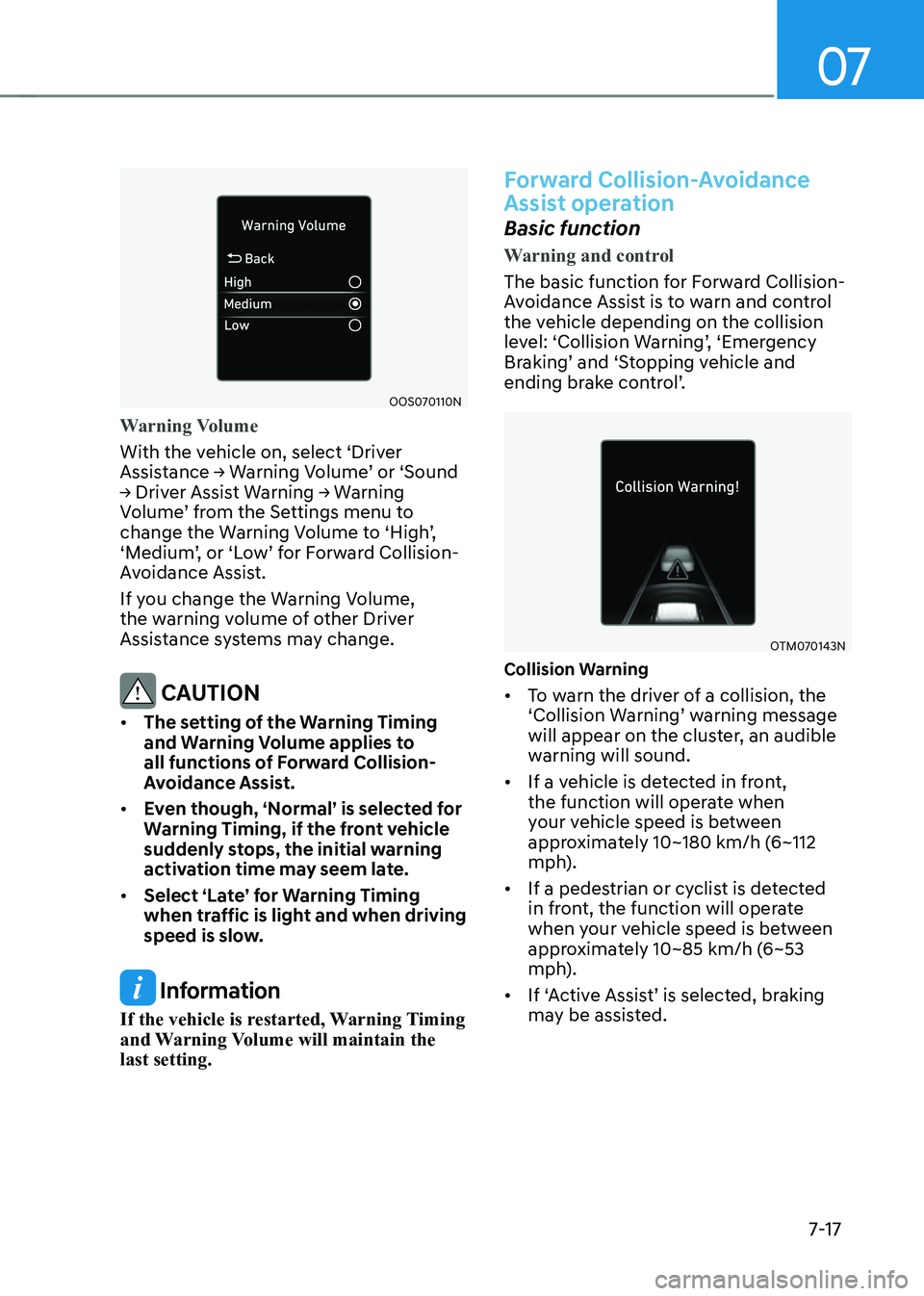
Warning Volume
With the vehicle on, select ‘Driver
Assistance → Warning Volume’ or ‘Sound
→ Driver Assist Warning → Warning
Volume’ from the Settings menu to
change the Warning Volume to ‘High’,
‘Medium’, or ‘Low’ for Forward Collision-
Avoidance Assist.
If you change the Warning Volume,
the warning volume of other Driver
Assistance systems may change.
CAUTION
• The setting of the Warning Timing
and warning volume applies to
all functions of Forward Collision-
Avoidance Assist.
• even though, ‘normal’ is selected for
Warning Timing, if the front vehicle
suddenly stops, the initial warning
activation time may seem late.
• Select ‘Late’ for Warning Timing
when traffic is light and when driving
speed is slow.
Information
If the vehicle is restarted, Warning Timing
and Warning Volume will maintain the last setting.
Forward Collision-Avoidance
Assist operation
Basic function
Warning and control
The basic function for Forward Collision-
Avoidance Assist is to warn and control
the vehicle depending on the collision
level: ‘Collision Warning’, ‘Emergency
Braking’ and ‘Stopping vehicle and
ending brake control’.
OTM070143N
Collision Warning • To warn the driver of a collision, the
‘Collision Warning’ warning message
will appear on the cluster, an audible
warning will sound.
• If a vehicle is detected in front,
the function will operate when
your vehicle speed is between
approximately 10~180 km/h (6~112
mph).
• If a pedestrian or cyclist is detected
in front, the function will operate
when your vehicle speed is between
approximately 10~85 km/h (6~53
mph).
• If ‘Active Assist’ is selected, braking may be assisted.
Page 364 of 548
07
7-31
warning
• The steering wheel may not be
assisted if the steering wheel is held
very tight or the steering wheel is
steered over a certain degree.
• Lane Keeping Assist does not operate
at all times. It is the responsibility of
the driver to safely steer the vehicle
and to maintain the vehicle in its lane.
• The hands–off warning message
may appear late depending on road
conditions. Always have your hands
on the steering wheel while driving.
• If the steering wheel is held very
lightly, the hands–off warning
message may appear because Lane
Keeping Assist may not recognize
that the driver has their hands on the
steering wheel.
• If you attach objects to the steering
wheel, the hands-off warning may
not work properly. Information
• For more details on setting the functions in the infotainment system,
refer to “Vehicle Settings” section in
chapter 4.
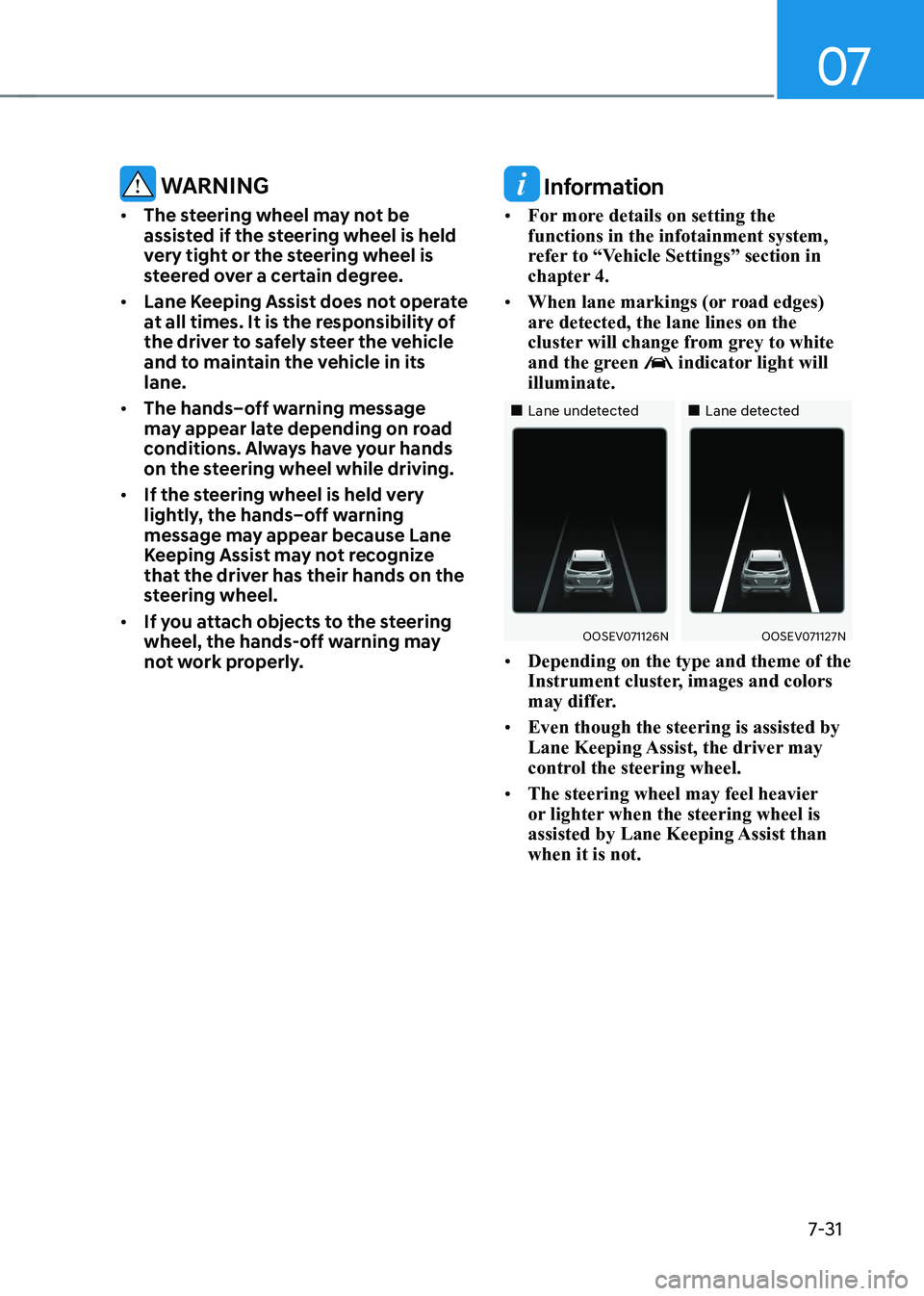
• When lane markings (or road edges)
are detected, the lane lines on the
cluster will change from grey to white
and the green
indicator light will
illuminate.
„„Lane undetected „„Lane detected
OOSEV071126NOOSEV071127N
• Depending on the type and theme of the
Instrument cluster, images and colors
may differ.
• Even though the steering is assisted by
Lane Keeping Assist, the driver may
control the steering wheel.
• The steering wheel may feel heavier
or lighter when the steering wheel is
assisted by Lane Keeping Assist than when it is not.
Page 370 of 548
07
7-37
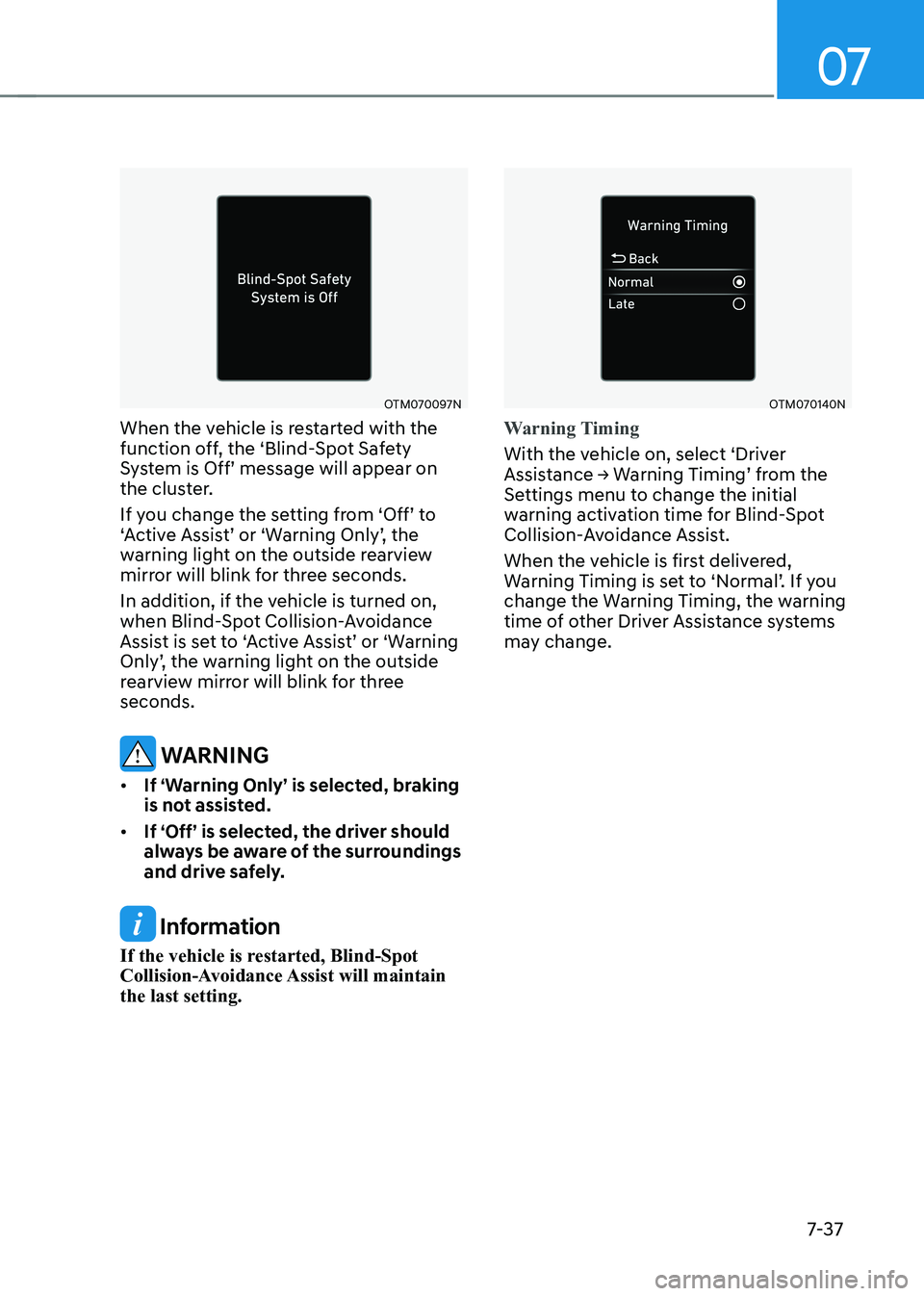
OTM070097N
When the vehicle is restarted with the
function off, the ‘Blind-Spot Safety
System is Off’ message will appear on
the cluster.
If you change the setting from ‘Off’ to
‘Active Assist’ or ‘Warning Only’, the
warning light on the outside rearview
mirror will blink for three seconds.
In addition, if the vehicle is turned on,
when Blind-Spot Collision-Avoidance
Assist is set to ‘Active Assist’ or ‘Warning
Only’, the warning light on the outside
rearview mirror will blink for three seconds.
warning
• If ‘Warning Only’ is selected, braking
is not assisted.
• If ‘Off’ is selected, the driver should
always be aware of the surroundings
and drive safely.
Information
If the vehicle is restarted, Blind-Spot
Collision-Avoidance Assist will maintain the last setting.
OTM070140N
Warning Timing
With the vehicle on, select ‘Driver
Assistance → Warning Timing’ from the
Settings menu to change the initial
warning activation time for Blind-Spot
Collision-Avoidance Assist.
When the vehicle is first delivered,
Warning Timing is set to ‘Normal’. If you
change the Warning Timing, the warning
time of other Driver Assistance systems
may change.
Page 371 of 548
Driver assistance system
7-38
OOS070110N
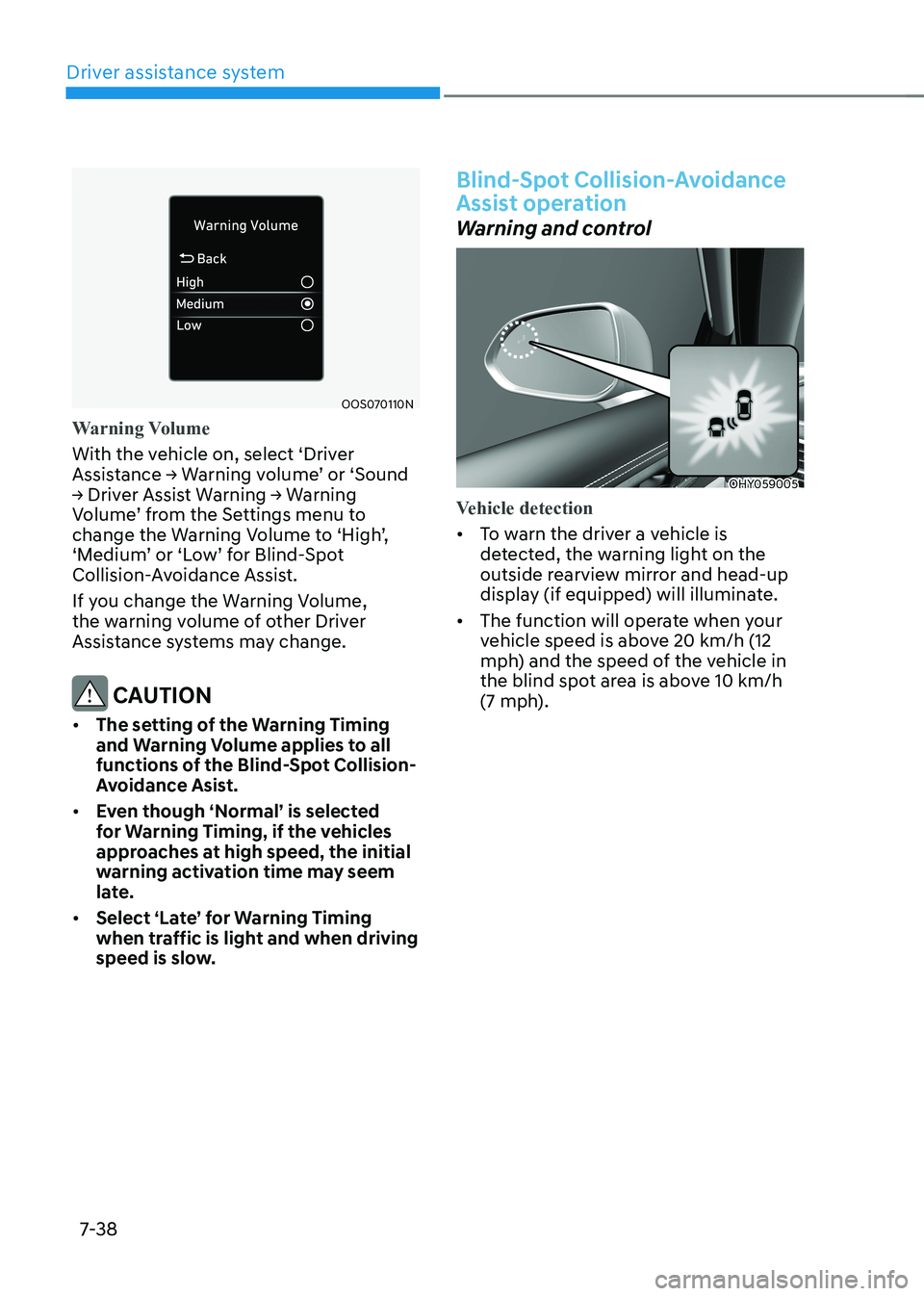
Warning Volume
With the vehicle on, select ‘Driver
Assistance → Warning volume’ or ‘Sound
→ Driver Assist Warning → Warning
Volume’ from the Settings menu to
change the Warning Volume to ‘High’,
‘Medium’ or ‘Low’ for Blind-Spot
Collision-Avoidance Assist.
If you change the Warning Volume,
the warning volume of other Driver
Assistance systems may change.
CAUTION
• The setting of the Warning Timing
and warning volume applies to all
functions of the Blind-spot Collision-
Avoidance Asist.
• even though ‘normal’ is selected
for Warning Timing, if the vehicles
approaches at high speed, the initial
warning activation time may seem
late.
• Select ‘Late’ for Warning Timing
when traffic is light and when driving
speed is slow.
Blind-spot Collision-avoidance
Assist operation
Warning and control
OHY059005
Vehicle detection
• To warn the driver a vehicle is
detected, the warning light on the
outside rearview mirror and head-up
display (if equipped) will illuminate.
• The function will operate when your
vehicle speed is above 20 km/h (12
mph) and the speed of the vehicle in
the blind spot area is above 10 km/h
(7 mph).
Page 375 of 548
Driver assistance system
7-42
warning
Take the following precautions when
using Blind-spot Collision-avoidance
Assist: • For your safety, change the Settings
after parking the vehicle at a safe
location.
• If any other system’s warning
message is displayed or audible
warning is generated, Blind-spot
Collision-Avoidance Assist’s warning
message may not be displayed
and audible warning may not be
generated.
• You may not hear the warning sound
of Blind-spot Collision-avoidance
Assist if the surrounding is noisy.
• Blind-spot Collision-avoidance
Assist may not operate if the driver
applies the brake pedal to avoid
collision.
• when Blind-spot Collision-avoidance
Assist is operating, braking control
by the function will automatically
cancel when the driver excessively
depresses the accelerator pedal or
sharply steers the vehicle.
• during Blind-spot Collision-
Avoidance Assist operation, the
vehicle may stop suddenly injuring
passengers and shifting loose
objects. Always have the seat belt on
and keep loose objects secured.
• even if there is a problem with Blind-
Spot Collision-Avoidance Assist, the
vehicle’s basic braking performance
will operate normally.
• Blind-spot Collision-avoidance assist
does not operate in all situations or
cannot avoid all collisions. •
Blind-spot Collision-avoidance
Assist may warn the driver late or
may not warn the driver depending
on the road and driving conditions.
• Driver should maintain control of the
vehicle at all times. Do not depend
on Blind-spot Collision-avoidance
Assist. Maintain a safe braking
distance, and if necessary, depress
the brake pedal to reduce driving
speed or to stop the vehicle.
• never operate Blind-spot Collision-
Avoidance Assist on people, animal,
objects, etc. It may cause serious
injury or death.
warning
The brake control may not operate
properly depending on the status of
esC (electronic stability Control).
There will only be a warning when: - the esC (electronic stability Control)
warning light is on
- esC (electronic stability Control) is
engaged in a different function
Page 378 of 548
07
7-45
•
There is a fixed object near the
vehicle, such as sound barriers,
guardrails, central dividers, entry
barriers, street lamps, signs,
tunnels, walls, etc. (including double
structures)
• Driving in large areas where there are
few vehicles or structures (i.e. desert,
meadow, suburb, etc.)
• Driving through a narrow road where
trees or grass are overgrown
• Driving on a wet road surface, such as
a puddle on the road
• The other vehicle drives very close
behind your vehicle, or the other
vehicle passes by your vehicle in close
proximity
• The speed of the other vehicle is very
fast that it passes by your vehicle in a short time
• Your vehicle passes by the other
vehicle
• Your vehicle changes lane
• Your vehicle has started at the same
time as the vehicle next to you and
has accelerated
• The vehicle in the next lane moves
two lanes away from you, or when the
vehicle two lanes away moves to the
next lane from you
• A trailer or carrier is installed around
the rear corner radar
• The bumper around the rear corner
radar is covered with objects, such as
a bumper sticker, bumper guard, bike
rack, etc.
• The bumper around the rear corner
radar is impacted, damaged or the
radar is out of position
• Your vehicle height is low or high
due to heavy loads, abnormal tire
pressure, etc. Blind-Spot Collision-Avoidance Assist
may not operate normally, or the
function may operate unexpectedly
when the following objects are detected: •
A motorcycle or bicycle is detected
• A vehicle such as a flat trailer is
detected
• A big vehicle such as a bus or truck is
detected
• A moving obstacle such as a
pedestrian, animal, shopping cart or a
baby stroller is detected
• A vehicle with low height such as a
sports car is detected
Braking control may not work, driver’s
attention is required in the following
circumstances: • The vehicle severely vibrates while
driving over a bumpy road, uneven
road or concrete patch
• Driving on a slippery surface due to
snow, water puddle, ice, etc.
• The tire pressure is low or a tire is damaged
• The brake is reworked
• The vehicle makes abrupt lane changes
Information
For more details on the limitations of the
front view camera, refer to “Forward
Collision-Avoidance Assist (FCA)” and
“Lane Keeping Assist (LKA)” section in
this chapter.