power steering HYUNDAI KONA EV 2022 Owners Manual
[x] Cancel search | Manufacturer: HYUNDAI, Model Year: 2022, Model line: KONA EV, Model: HYUNDAI KONA EV 2022Pages: 548, PDF Size: 49.14 MB
Page 69 of 548
2-4
Vehicle information
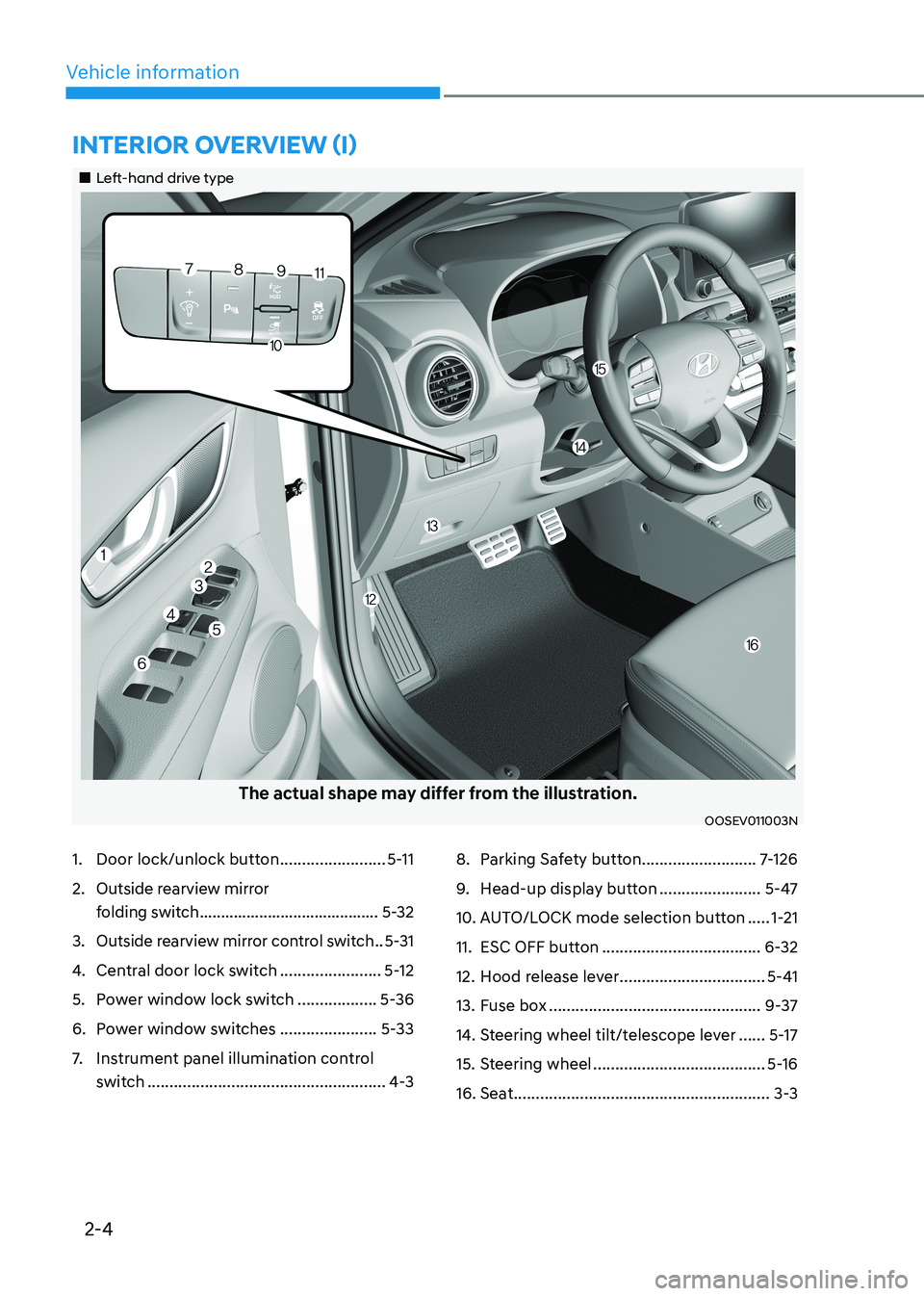
1. Door lock/unlock button ........................5-11
2. Outside rearview mirror
folding switch .......................................... 5-32
3. Outside rearview mirror control switch ..5-31
4. Central door lock switch .......................5-12
5. Power window lock switch ..................5-36
6. Power window switches ......................5-33
7. Instrument panel illumination control
switch ...................................................... 4-38. Parking Safety button
..........................7-126
9. Head-up display button .......................5-47
10. AUTO/LOCK mode selection button .....1-21
11. ESC OFF button .................................... 6-32
12. Hood release lever .................................5-41
13. Fuse box ................................................ 9-37
14. Steering wheel tilt/telescope lever ......5-17
15. Steering wheel ....................................... 5-16
16. Seat .......................................................... 3-3
intErior ovErviEw (i)
„„Left-hand drive type
The actual shape may differ from the illustration.
OOSEV011003N
Page 87 of 548
Safety system
3-8
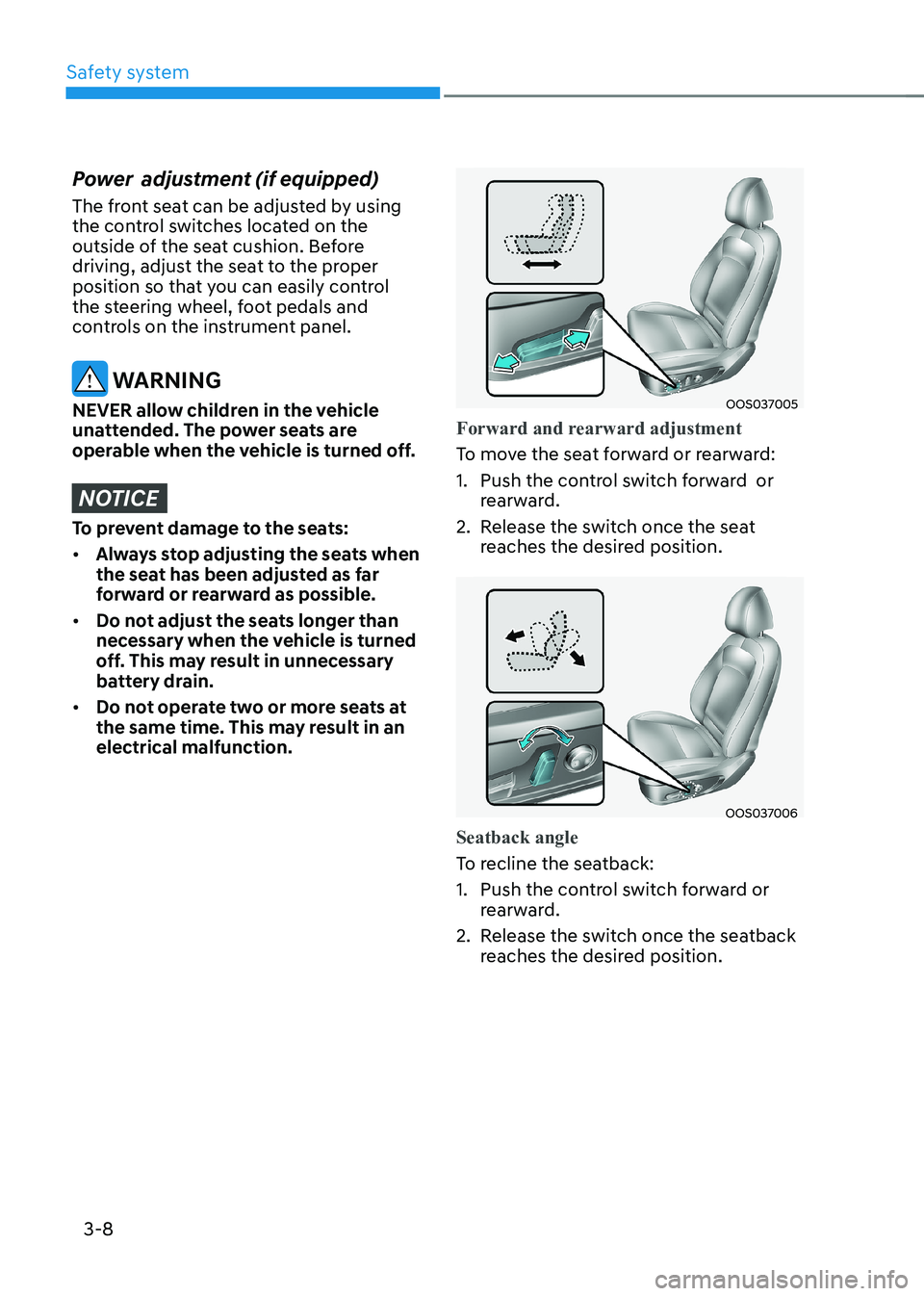
Power adjustment (if equipped)
The front seat can be adjusted by using
the control switches located on the
outside of the seat cushion. Before
driving, adjust the seat to the proper
position so that you can easily control
the steering wheel, foot pedals and
controls on the instrument panel.
WARNING
NEVER allow children in the vehicle
unattended. The power seats are
operable when the vehicle is turned off.
NOTICE
To prevent damage to the seats: • Always stop adjusting the seats when
the seat has been adjusted as far
forward or rearward as possible.
• Do not adjust the seats longer than
necessary when the vehicle is turned
off. This may result in unnecessary
battery drain.
• Do not operate two or more seats at
the same time. This may result in an electrical malfunction.
OOS037005
Forward and rearward adjustment
To move the seat forward or rearward:
1. Push the control switch forward or
rearward.
2. Release the switch once the seat reaches the desired position.
OOS037006
Seatback angle
To recline the seatback:
1. Push the control switch forward or
rearward.
2. Release the switch once the seatback reaches the desired position.
Page 155 of 548
Instrument cluster
4-12
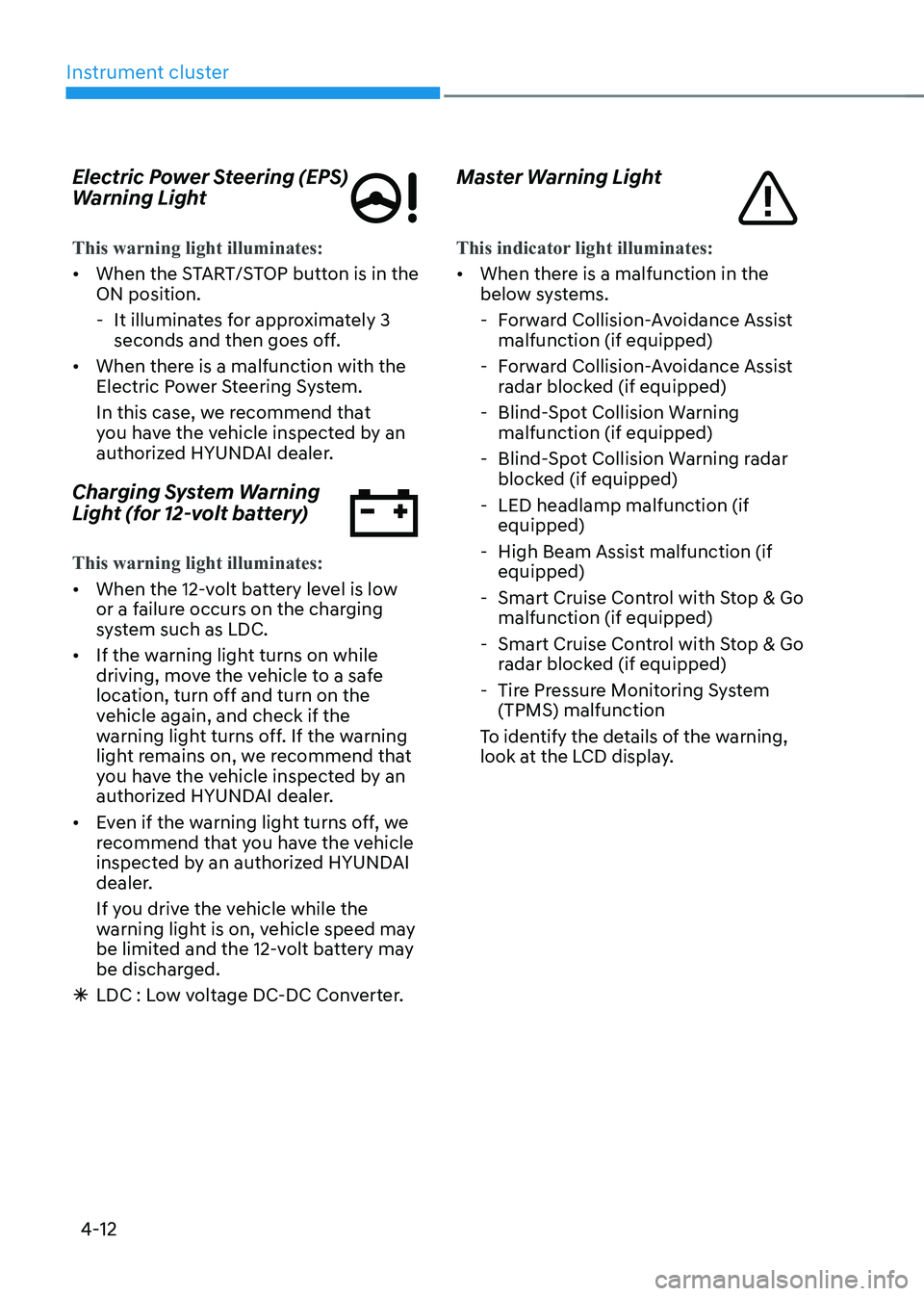
Electric Power Steering (EPS)
Warning Light
This warning light illuminates:
•
When the START/STOP button is in the ON position.
- It illuminates for approximately 3 seconds and then goes off.
• When there is a malfunction with the
Electric Power Steering System.
In this case, we recommend that
you have the vehicle inspected by an
authorized HYUNDAI dealer.
Charging System Warning
Light (for 12-volt battery)
This warning light illuminates:
• When the 12-volt battery level is low
or a failure occurs on the charging
system such as LDC.
• If the warning light turns on while
driving, move the vehicle to a safe
location, turn off and turn on the
vehicle again, and check if the
warning light turns off. If the warning
light remains on, we recommend that
you have the vehicle inspected by an
authorized HYUNDAI dealer.
• Even if the warning light turns off, we
recommend that you have the vehicle
inspected by an authorized HYUNDAI
dealer.
If you drive the vehicle while the
warning light is on, vehicle speed may
be limited and the 12-volt battery may
be discharged.
à LDC : Low voltage DC-DC Converter. Master Warning Light
This indicator light illuminates:
•
When there is a malfunction in the
below systems.
- Forward Collision-Avoidance Assist malfunction (if equipped)
- Forward Collision-Avoidance Assist radar blocked (if equipped)
- Blind-Spot Collision Warning malfunction (if equipped)
- Blind-Spot Collision Warning radar blocked (if equipped)
- LED headlamp malfunction (if equipped)
- High Beam Assist malfunction (if equipped)
- Smart Cruise Control with Stop & Go malfunction (if equipped)
- Smart Cruise Control with Stop & Go radar blocked (if equipped)
- Tire Pressure Monitoring System (TPMS) malfunction
To identify the details of the warning,
look at the LCD display.
Page 185 of 548
5
Accessing your vehicle ..................................................................................... 5-4
Smart key .................................................................................................................... 5-4
Immobilizer system ...................................................................................................... 5-9
Door locks .................................................................................................................. 5-10
Operating door locks from outside the vehicle........................................................ 5-10
Operating door locks from inside the vehicle ...........................................................5-11
Auto door lock/unlock features..................................................................................5-13
Child-protector rear door locks ................................................................................. 5-14
Rear Occupant Alert (ROA) ....................................................................................... 5-14
Theft-alarm system .......................................................................................... 5-15
Steering wheel ................................................................................................. 5-16
Electric power steering (EPS) .................................................................................... 5-16
Tilt steering/Telescopic steering ................................................................................ 5-17
Heated steering wheel ............................................................................................... 5-18
Horn............................................................................................................................. 5-18
Mirrors .............................................................................................................. 5-19
Inside rearview mirror ................................................................................................ 5-19
Outside rearview mirror ............................................................................................. 5-30
Windows .......................................................................................................... 5-33
Power windows .......................................................................................................... 5-33
Sunroof ............................................................................................................. 5-37
Sunroof opening and closing .................................................................................... 5-38
Sliding the sunroof ..................................................................................................... 5-38
Tilting the sunroof ...................................................................................................... 5-39
Sunshade .................................................................................................................... 5-39
Resetting the sunroof ................................................................................................ 5-39
Sunroof open warning .............................................................................................. 5-40
Exterior features ............................................................................................... 5-41
Hood ............................................................................................................................ 5-41
Tailgate ........................................................................................................................ 5-43
Charging door ............................................................................................................. 5-45
Head Up Display (HUD) .................................................................................. 5-46
Precautions while using the head up display ..........................................................5-46
Head Up Display ON/OFF .......................................................................................... 5-47
Head Up Display Information .................................................................................... 5-47
Head Up Display Setting ............................................................................................ 5-47
5. Convenient features
Page 187 of 548
5
Interior features .............................................................................................. 5-84
Cup holder ................................................................................................................. 5-84
Sunvisor ...................................................................................................................... 5-85
Power outlet ............................................................................................................... 5-85
USB charger ............................................................................................................... 5-86
Wireless cellular phone charging system .................................................................5-87
Clock .......................................................................................................................... 5-89
Clothes hanger .......................................................................................................... 5-89
Floor mat anchor(s) ................................................................................................... 5-90
Luggage net (holder) .................................................................................................. 5-91
Cargo area cover ........................................................................................................ 5-91
Exterior features .............................................................................................. 5-92
Roof rack ..................................................................................................................... 5-92
Infotainment system ....................................................................................... 5-93
USB and iPod ® port ....................................................................................................5-93
Antenna ....................................................................................................................... 5-93
Steering wheel audio controls ................................................................................. 5-94
Bluetooth ® Wireless Technology hands-free ........................................................... 5-95
Voice recognition ...................................................................................................... 5-96
Audio / Video / Navigation system (AVN) ................................................................5-96
5. Convenient features
Page 200 of 548
Convenient features
5-16
steering wheel
Electric power steering (EPS)
The system assists you with steering
the vehicle. If the vehicle is off or if
the power steering system becomes
inoperative, the vehicle may still be
steered, but it will require increased
steering effort.
Also, the steering effort becomes heavier
as the vehicle’s speed increases and
becomes lighter as the vehicle’s speed
decreases for better control of the
steering wheel.
Should you notice any change in the
effort required to steer during normal
vehicle operation, we recommend that
the system be checked by an authorized
HYUNDAI dealer.
NOTICE
• If the Electric Power Steering System
does not operate normally, the
warning light (
) will illuminate
or blink on the instrument cluster.
The steering wheel may become
difficult to control or operate. We
recommend to contact an authorized
HYUNDAI dealer to have the system
checked as soon as possible.
• When abnormality is detected in
the electric power steering system,
to prevent a deadly accident, the
steering assist function will stop. At
this time, the warning light turns on
or blinks on the cluster. The steering
wheel may become difficult to
control or operate. Have your vehicle
checked immediately, after moving
the vehicle to a safe zone.
Information
The following symptoms may occur during normal vehicle operation: • The steering effort may be high
immediately after placing the START/
STOP button in the ON position. This happens as the system performs
the EPS system diagnostics. When
the diagnostics are completed, the
steering wheel will return to its normal condition.
• When the battery voltage is low, you
might have to put more steering effort.
However, it is a temporary condition so
that it will return to normal condition
after charging the battery.
• A click noise may be heard from the
EPS relay after the START/STOP
button is placed in the ON or OFF position.
• Motor noise may be heard when the
vehicle is at a stop or at a low driving speed.
• When you operate the steering wheel
in low temperatures, abnormal noise
may occur. If the temperature rises, the
noise will disappear. This is a normal condition.
• When the vehicle is stationary, if you turn the steering wheel all the way
to the left or right continuously, the
steering wheel effort increases. This
is not a system malfunction. As time passes, the steering wheel effort will
return to its normal condition.
Page 284 of 548
Driving your vehicle
6-4
WARNING
To reduce the risk of SERIOUS INJURY or
DEATH, take the following precautions: • NEVER allow children or any person
who is unfamiliar with the vehicle
to touch the START/STOP button
or related parts. Unexpected and
sudden vehicle movement can occur.
• NEVER reach through the steering
wheel for the START/STOP button or
any other control, while the vehicle
is in motion. The presence of your
hand or arm in this area may cause a
loss of vehicle control resulting in an
accident.
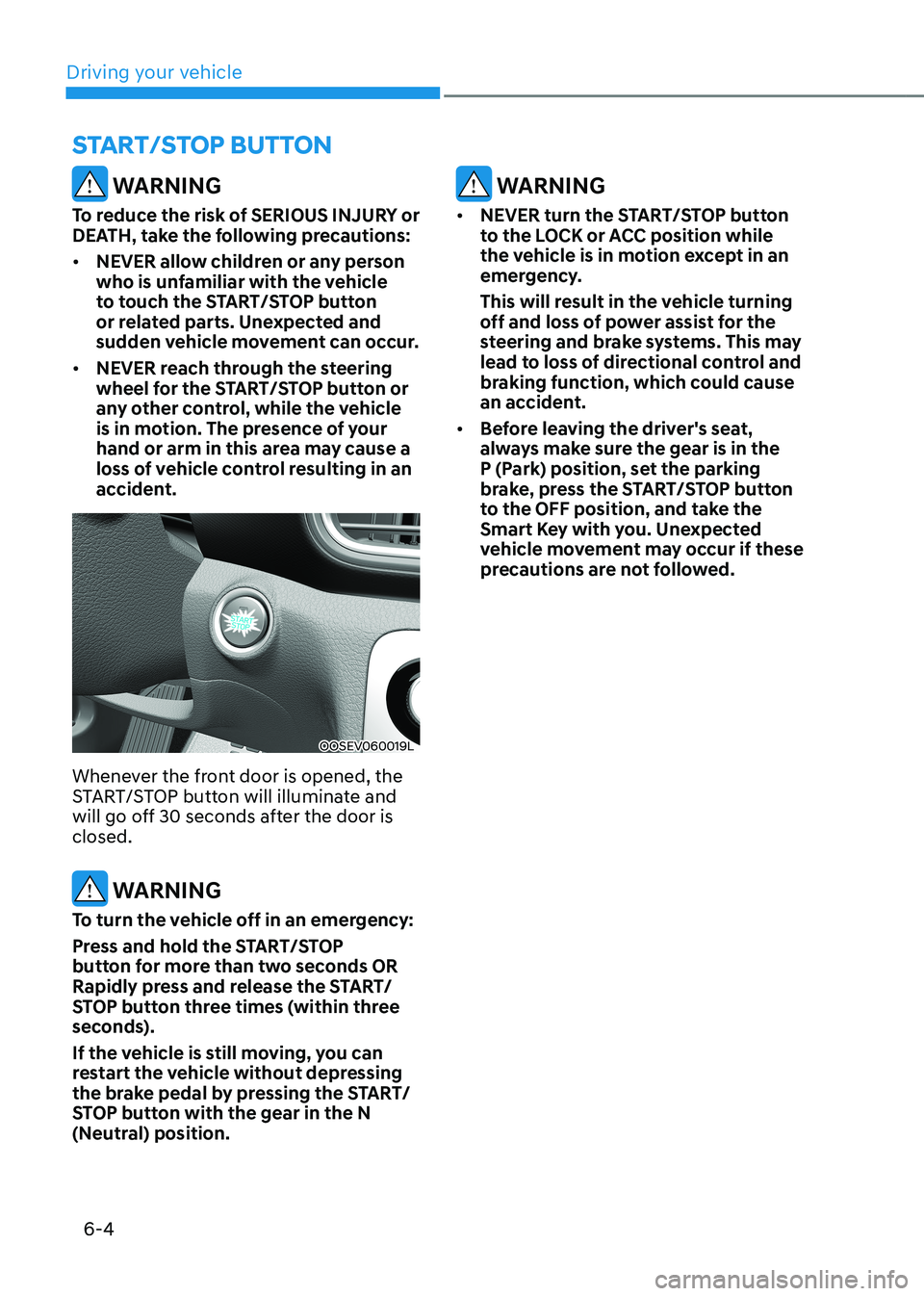
OOSEV060019L
Whenever the front door is opened, the
START/STOP button will illuminate and
will go off 30 seconds after the door is closed.
WARNING
To turn the vehicle off in an emergency:
Press and hold the START/STOP
button for more than two seconds OR
Rapidly press and release the START/
STOP button three times (within three
seconds).
If the vehicle is still moving, you can
restart the vehicle without depressing
the brake pedal by pressing the START/
STOP button with the gear in the N
(Neutral) position.
WARNING
• NEVER turn the START/STOP button
to the LOCK or ACC position while
the vehicle is in motion except in an
emergency.
This will result in the vehicle turning
off and loss of power assist for the
steering and brake systems. This may
lead to loss of directional control and
braking function, which could cause
an accident.
• Before leaving the driver's seat,
always make sure the gear is in the
P (Park) position, set the parking
brake, press the START/STOP button
to the OFF position, and take the
Smart Key with you. Unexpected
vehicle movement may occur if these
precautions are not followed.
START/STOP BuTTON
Page 312 of 548
Driving your vehicle
6-32
WARNING
If the ABS warning light (
) is on and
stays on, you may have a problem with
the ABS. Your power brakes will work
normally. To reduce the risk of serious
injury or death, we recommend that you
contact your HYUNDAI dealer as soon as possible.
NOTICE
When you drive on a road having poor
traction, such as an icy road, and apply
your brakes continuously, ABS will
be active continuously and the ABS
warning light (
) may illuminate.
Pull your vehicle over to a safe place
and turn the vehicle off.
Restart the vehicle. If the ABS warning
light is off, then your ABS system is normal.
Otherwise, you may have a problem
with your ABS system. We recommend
that you contact an authorized
HYUNDAI dealer as soon as possible.
Information
When you jump start your vehicle because
of a drained battery, the ABS warning light (
) may turn on at the same
time. This happens because of the low
battery voltage. It does not mean your ABS is malfunctioning. Have the battery
recharged before driving the vehicle.
Electronic Stability Control (ESC)
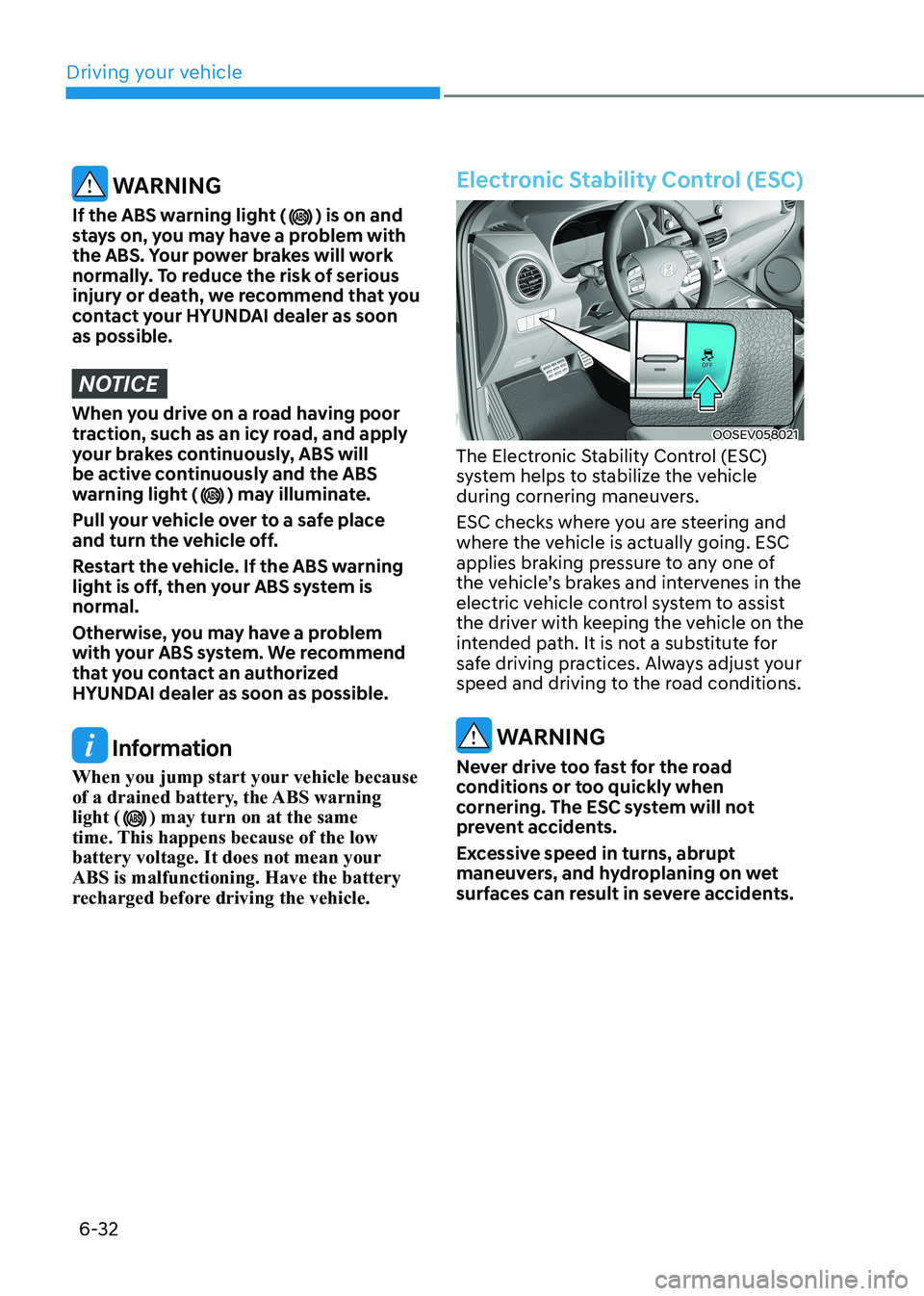
OOSEV058021
The Electronic Stability Control (ESC)
system helps to stabilize the vehicle
during cornering maneuvers.
ESC checks where you are steering and
where the vehicle is actually going. ESC
applies braking pressure to any one of
the vehicle’s brakes and intervenes in the
electric vehicle control system to assist
the driver with keeping the vehicle on the
intended path. It is not a substitute for
safe driving practices. Always adjust your
speed and driving to the road conditions.
WARNING
Never drive too fast for the road
conditions or too quickly when
cornering. The ESC system will not
prevent accidents.
Excessive speed in turns, abrupt
maneuvers, and hydroplaning on wet
surfaces can result in severe accidents.
Page 316 of 548
Driving your vehicle
6-36
Information
VSM does not operate when: • Driving on a banked road such as
gradient or incline.
• Driving in reverse.
• The ESC OFF indicator light is on.
• The EPS (Electric power steering) warning light (
) is on or blinks.
WARNING
If the ESC indicator light (
) or EPS
warning light () stays illuminated
or blinks, your vehicle may have
a malfunction with VSM. When
the warning light illuminates we
recommend that the vehicle be
checked by an authorized HYUNDAI dealer as soon as possible.
NOTICE
Driving with wheels and tires with
different sizes may cause VSM to
malfunction. Before replacing tires,
make sure all four tires and wheels are
the same size. Never drive the vehicle
with different sized tires and wheels
installed.
Hill-Start Assist Control (HAC)
Hill-Start Assist Control (HAC) helps
prevent the vehicle from rolling
backwards when starting a vehicle from
a stop on a hill. The system operates the
brakes automatically for approximately
3 seconds and releases the brake after 3
seconds or when the accelerator pedal is
depressed.
WARNING
Always be ready to depress the
accelerator pedal when starting off on
a incline. The HAC activates only for
approximately 5 seconds.
Information
• HAC does not operate when the shift
lever is in P (Park) or N (Neutral).
• HAC activates even when ESC
(Electronic Stability Control) is off.
However, it does not activate, when
ESC does not operate normally.
Page 338 of 548
07
7-5
Forward Collision-Avoidance
Assist operation
Basic function
Warning and control
The basic function for Forward Collision-
Avoidance Assist is to warn and control
the vehicle depending on the collision
level: ‘Collision Warning’, ‘Emergency
Braking’ and ‘Stopping vehicle and
ending brake control’.
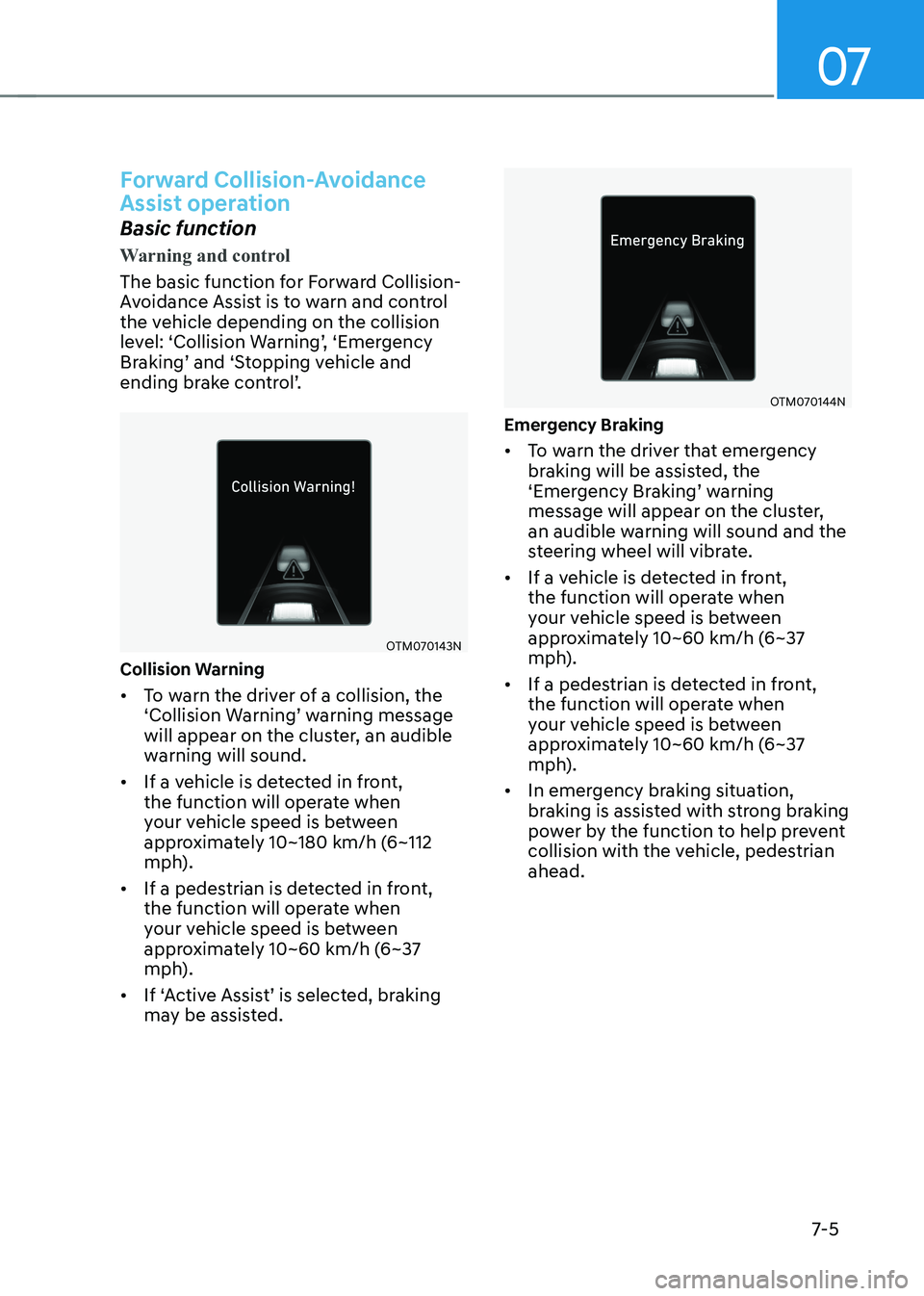
OTM070143N
Collision Warning • To warn the driver of a collision, the
‘Collision Warning’ warning message
will appear on the cluster, an audible
warning will sound.
• If a vehicle is detected in front,
the function will operate when
your vehicle speed is between
approximately 10~180 km/h (6~112
mph).
• If a pedestrian is detected in front,
the function will operate when
your vehicle speed is between
approximately 10~60 km/h (6~37
mph).
• If ‘Active Assist’ is selected, braking may be assisted.
OTM070144N
emergency Braking • To warn the driver that emergency
braking will be assisted, the
‘Emergency Braking’ warning
message will appear on the cluster,
an audible warning will sound and the
steering wheel will vibrate.
• If a vehicle is detected in front,
the function will operate when
your vehicle speed is between
approximately 10~60 km/h (6~37
mph).
• If a pedestrian is detected in front,
the function will operate when
your vehicle speed is between
approximately 10~60 km/h (6~37
mph).
• In emergency braking situation,
braking is assisted with strong braking
power by the function to help prevent
collision with the vehicle, pedestrian ahead.