towing HYUNDAI KONA EV 2023 User Guide
[x] Cancel search | Manufacturer: HYUNDAI, Model Year: 2023, Model line: KONA EV, Model: HYUNDAI KONA EV 2023Pages: 548, PDF Size: 49.14 MB
Page 396 of 548
07
7-63
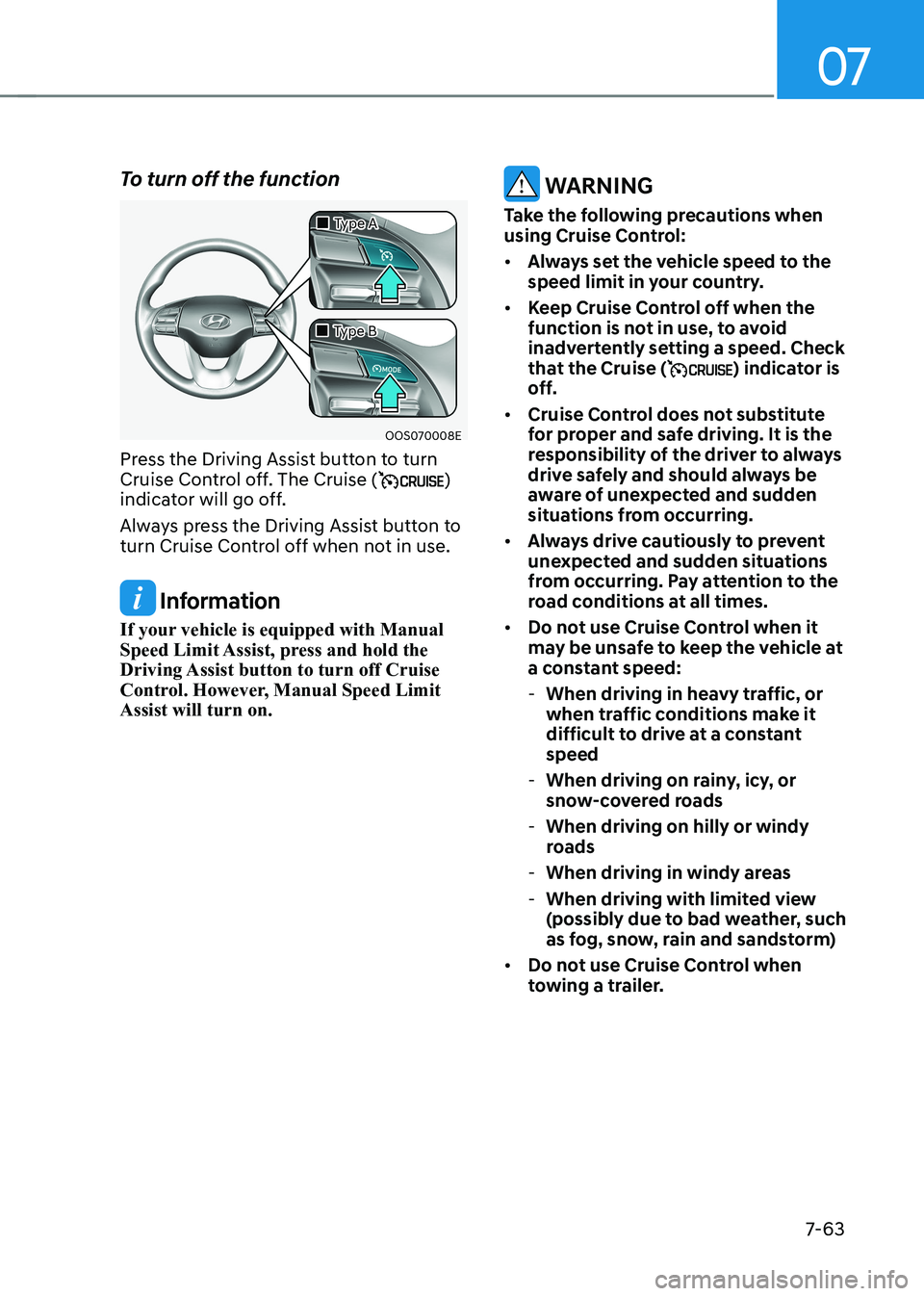
To turn off the function
OOS070008E
„
„Type A
„
„Type B
Press the Driving Assist button to turn
Cruise Control off. The Cruise (
)
indicator will go off.
Always press the Driving Assist button to
turn Cruise Control off when not in use.
Information
If your vehicle is equipped with Manual
Speed Limit Assist, press and hold the
Driving Assist button to turn off Cruise
Control. However, Manual Speed Limit Assist will turn on.
warning
Take the following precautions when
using Cruise Control: • Always set the vehicle speed to the
speed limit in your country.
• Keep Cruise Control off when the
function is not in use, to avoid
inadvertently setting a speed. Check
that the Cruise (
) indicator is
off.
• Cruise Control does not substitute
for proper and safe driving. It is the
responsibility of the driver to always
drive safely and should always be
aware of unexpected and sudden
situations from occurring.
• Always drive cautiously to prevent
unexpected and sudden situations
from occurring. Pay attention to the
road conditions at all times.
• Do not use Cruise Control when it
may be unsafe to keep the vehicle at
a constant speed:
- When driving in heavy traffic, or
when traffic conditions make it
difficult to drive at a constant speed
- When driving on rainy, icy, or
snow-covered roads
- When driving on hilly or windy
roads
- When driving in windy areas
- When driving with limited view
(possibly due to bad weather, such
as fog, snow, rain and sandstorm)
• Do not use Cruise Control when
towing a trailer.
Page 406 of 548
07
7-7 3
•
When you are towing a trailer or
another vehicle, we recommend that
Smart Cruise Control is turned off
due to safety reasons.
• Turn off Smart Cruise Control when
your vehicle is being towed.
• Smart Cruise Control may not
operate normally if interfered by
strong electromagnetic waves.
• Smart Cruise Control may not
detect an obstacle in front and lead
to a collision. Always look ahead
cautiously to prevent unexpected
and sudden situations from
occurring.
• vehicles moving in front of you with
a frequent lane change may cause
a delay in the function reaction or
may cause the function to react to a
vehicle actually in an adjacent lane.
Always drive cautiously to prevent
unexpected and sudden situations
from occurring.
• Always be aware of the surroundings
and drive safely, even though a
warning message does not appear or
an audible warning does not sound.
• If any other system’s warning
message is displayed or warning
sound is generated, Smart Cruise
Control warning message may not
be displayed and warning sound may
not be generated.
• You may not hear the warning sound
of Forward Collision-Avoidance
Assist if the surrounding is noisy.
• The vehicle manufacturer is not
responsible for any traffic violation
or accidents caused by the driver.
• Always set the vehicle speed under
the speed limit in your country.
• vehicle distance, acceleration and
reaction speed may change if the
driver’s driving style changes.
CAUTION
• The vehicle must be driven
sufficiently to reflect the actual
driving style of the driver, such as
inter-vehicle distance, acceleration
and reaction speed.
• Based on driving style does not
reflect whether the driver has
changed when determining the
driver's driving style.
• If you are driving in special
conditions, such as snow, rain, fog
or steep slopes, the vehicle may not
be driven according to the driver’s
driving style.
Information
• Smart Cruise Control may not operate
for 15 seconds after the vehicle is
started or the front view camera or
front radar is initialized.
• You may hear a sound when the brake
is controlled by Smart Cruise Control.
Page 418 of 548
![HYUNDAI KONA EV 2023 User Guide 07
7-85
OJX1070281L
[1] : Set route, [2] : Branch line, [3] : Driving route,
[4] : Main road, [5] : Curved road section • When there is a difference between
the navigation route (main road)
an](/img/35/56170/w960_56170-417.png "HYUNDAI KONA EV 2023 User Guide 07
7-85
OJX1070281L
[1] : Set route, [2] : Branch line, [3] : Driving route,
[4] : Main road, [5] : Curved road section • When there is a difference between
the navigation route (main road)
an")
07
7-85
OJX1070281L
[1] : Set route, [2] : Branch line, [3] : Driving route,
[4] : Main road, [5] : Curved road section • When there is a difference between
the navigation route (main road)
and the driving route (branch line),
Highway Curve Zone Auto Slowdown
function will operate based on the
curve information on the main road.
• When it is judged that you are driving
out of the route by entering the
highway interchange or junction,
Highway Curve Zone Auto Slowdown
function will not operate.
OJX1070282L
[1] : Driving route, [2] : Branch line,
[3] : Curved road section, [4] : Main road • If there is no destination set on the
navigation, Highway Curve Zone Auto
Slowdown function will operate based
on the curve information on the main
road.
• Even if you depart from the main road,
Highway Curve Zone Auto Slowdown
function may temporarily operate
due to navigation information of the
highway curve section.
warning
• Navigation-based Smart Cruise
Control is not a substitute for safe
driving practices, but a convenience
function. Always have your eyes on
the road, and it is the responsibility
of the driver to avoid violating traffic
laws.
• The navigation’s speed limit
information may differ from the
actual speed limit information on the
road. It is the driver's responsibility
to check the speed limit on the
actual driving road or lane.
• Navigation-based Smart Cruise
Control will automatically be
cancelled when you leave the
highway (or motorway) main road.
Always pay attention to road and
driving conditions while driving.
• Navigation-based Smart Cruise
Control may not operate due to the
existence of leading vehicles and
the driving conditions of the vehicle.
Always pay attention to road and
driving conditions while driving.
• When you are towing a trailer or
another vehicle, we recommend
that Navigation-based Smart Cruise
Control is turned off due to safety
reasons.
• After you pass through a tollgate on a
highway (or motorway), Navigation-
based Smart Cruise Control will
operate based on the first lane. If
you enter one of the other lanes, the
function might not operate properly.
Page 429 of 548
Driver assistance system
7-96
•
Always have your eyes on the road,
and it is the responsibility of the
driver to avoid violating traffic laws.
The vehicle manufacturer is not
responsible for any traffic violation
or accidents caused by the driver.
• Highway Driving Assist may not
be able to recognize all traffic
situations. Highway Driving Assist
may not detect possible collisions
due to limitations of the function.
Always be aware of the limitations
of the function. Obstacles such as
vehicles, motorcycles, bicycles,
pedestrians, or unspecified objects
or structures such as guardrails,
tollgate, etc. that may collide with
the vehicle may not be detected.
• Highway Driving Assist will turn off
automatically under the following
situations:
- Driving on roads that Highway
Driving Assist does not operate,
such as a rest area, intersection,
junction, etc.
- The navigation does not operate
properly such as when the
navigation is being updated or
restarted •
Highway Driving Assist may
inadvertently operate or turn off
depending on road conditions
(navigation information) and
surroundings.
• Lane Following Assist function may
be temporarily disabled when the
front view camera cannot detect
lanes properly or the hands-off
warning is on.
• You may not hear the warning sound
of Highway Driving Assist if the
surrounding is noisy.
• If the vehicle is driven at high speed
above a certain speed at a curve,
your vehicle may drive to one side or
may depart from the driving lane.
• When you are towing a trailer or
another vehicle, we recommend that
Highway Driving Assist is turned off
due to safety reasons.
• The hands–off warning message
may appear early or late depending
on how the steering wheel is held or
road conditions. Always have your
hands on the steering wheel while driving.
• For your safety, please read the
owner's manual before using the
Highway Driving Assist.
• Highway Driving Assist will not
operate when the vehicle is started,
or when the detecting sensors or
navigation is being initialized.
Page 444 of 548
![HYUNDAI KONA EV 2023 User Guide 07
7-111
•
Pulling into the parking space where
there is a structure
OJX1079115
[A] : Structure, [B] :Wall
Rear Cross-Traffic Collision-
Avoidance Assist may detect vehicles
passing by in fron](/img/35/56170/w960_56170-443.png "HYUNDAI KONA EV 2023 User Guide 07
7-111
•
Pulling into the parking space where
there is a structure
OJX1079115
[A] : Structure, [B] :Wall
Rear Cross-Traffic Collision-
Avoidance Assist may detect vehicles
passing by in fron")
07
7-111
•
Pulling into the parking space where
there is a structure
OJX1079115
[A] : Structure, [B] :Wall
Rear Cross-Traffic Collision-
Avoidance Assist may detect vehicles
passing by in front of you when
parking in reverse into a parking
space with a wall or structure in the
rear or side area. If this occurs, the
function may unnecessarily warn the
driver and control the brake.
Always check your surroundings while backing up.
• When the vehicle is parked rearward
OJX1079116
Rear Cross-Traffic Collision-
Avoidance Assist may detect vehicles
passing by behind you when parking
in reverse into a parking space.
If this occurs, the function may
unnecessarily warn the driver and
control the brake.
Always check your surroundings while backing up.
warning
• When you are towing a trailer or
another vehicle, we recommend
that Rear Cross-Traffic Collision-
Avoidance Assist is turned off due to
safety reasons.
• Rear Cross-Traffic Collision-
Avoidance Assist may not operate
normally if interfered by strong
electromagnetic waves.
• Rear Cross-Traffic Collision-
Avoidance Assist may not operate
for 15 seconds after the vehicle is
started, or the rear corner radars are
initialized.
Information
This device complies with Industry Canada RSS-210 standard.
Operation is subject to the following three conditions: 1. This device may not cause harmful
interference, and
2. This device must accept any
interference received, including
interference that may cause undesired operation.
3. Changes or modifications not expressly
approved by the party responsible
for compliance could void the user's authority to operate the device.
Information
Radio frequency radiation exposure information: This equipment complies with RSS- 210
radiation exposure limits set forth for an
uncontrolled environment. This equipment should be installed and operated with minimum distance of 20cm
(8 in.) between the radiator (antenna) and
your body.
This transmitter must not be co-located or
operating in conjunction with any other
antenna or transmitter.
Page 456 of 548
8
Hazard warning flasher.....................................................................................8-2
In case of an emergency while driving ............................................................8-2
If the vehicle stalls while driving ................................................................................. 8-2
If the vehicle stalls at a crossroad or crossing ...........................................................8-2
If you have a flat tire while driving ............................................................................. 8-3
If the vehicle will not start ................................................................................ 8-3
Confirm the EV battery is not low on the charge gauge ...........................................8-3
Jump Starting (12V Battery) ............................................................................. 8-4
Tire Pressure Monitoring System (TPMS) ........................................................8-6
Check tire pressure ..................................................................................................... 8-6
Tire pressure monitoring system ................................................................................. 8 -7
Low tire pressure telltale ............................................................................................ 8-8
Low tire pressure position telltale and tire pressure telltale ....................................8-8
TPMS (Tire Pressure Monitoring System) malfunction indicator .............................8-9
Changing a tire with TPMS ......................................................................................... 8-9
If you have a flat tire (with Tire Mobility Kit) ...................................................8-11
Introduction ................................................................................................................. 8-11
Components of the Tire Mobility Kit ......................................................................... 8-12
Using the Tire Mobility Kit When a tire is flat ...........................................................8-13
How to adjust tire pressure ....................................................................................... 8-16
Notes on the safe use of the Tire Mobility Kit ...........................................................8-17
Towing .............................................................................................................. 8-18
Towing service ............................................................................................................ 8-18
Removable towing hook ........................................................................................... 8-19
Emergency towing .................................................................................................... 8-20
8. Emergency situations
Page 459 of 548
Emergency situations
8-4
Jump starting can be dangerous if done
incorrectly. Follow the jump starting
procedure in this section to avoid serious
injury or damage to your vehicle. If in
doubt about how to properly jump start
your vehicle, we strongly recommend
that you have a service technician or
towing service do it for you.
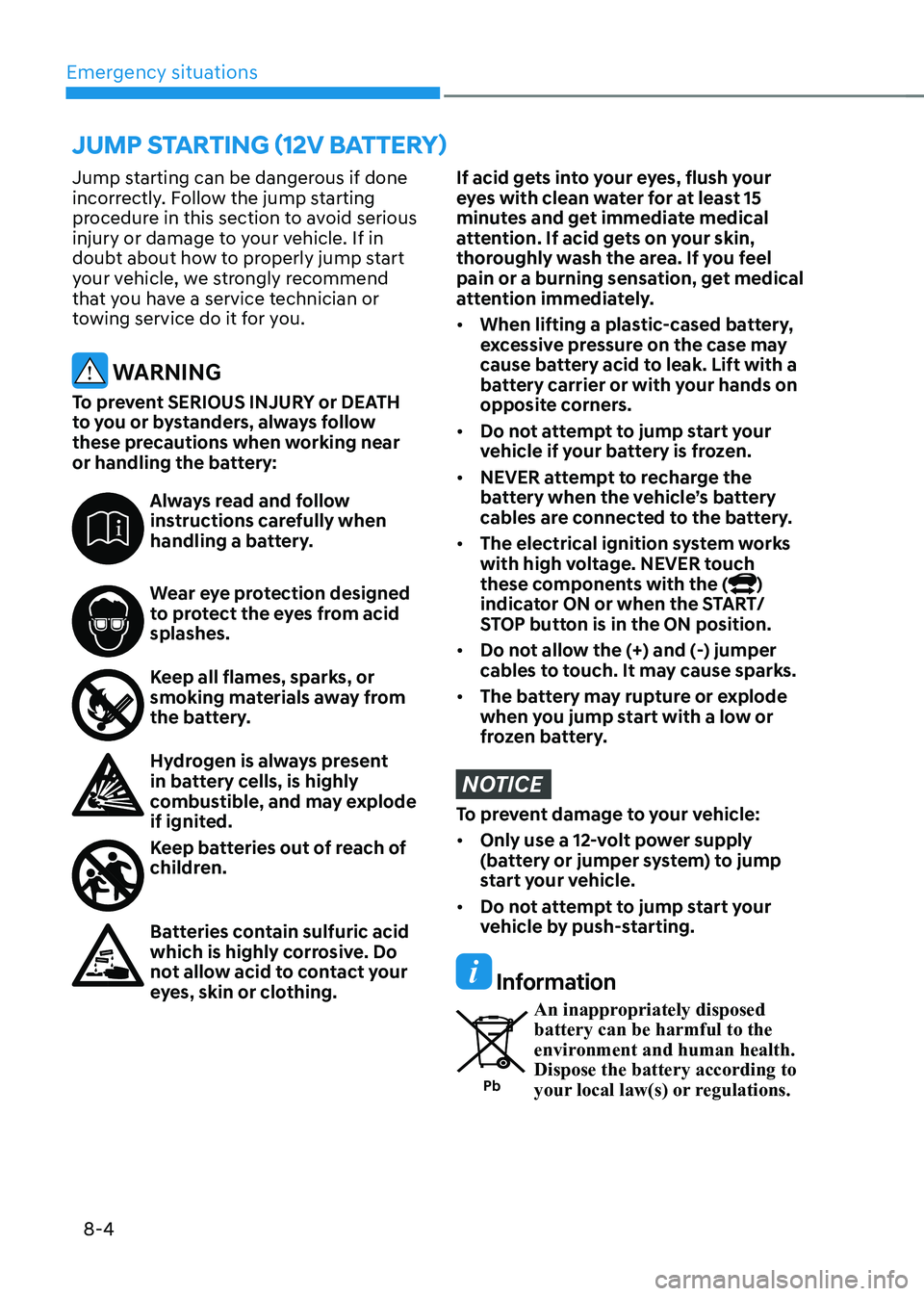
WARNING
To prevent SERIOUS INJURY or DEATH
to you or bystanders, always follow
these precautions when working near
or handling the battery:
Always read and follow
instructions carefully when
handling a battery.
Wear eye protection designed
to protect the eyes from acid splashes.
Keep all flames, sparks, or
smoking materials away from
the battery.
Hydrogen is always present
in battery cells, is highly
combustible, and may explode
if ignited.
Keep batteries out of reach of
children.
Batteries contain sulfuric acid
which is highly corrosive. Do
not allow acid to contact your
eyes, skin or clothing.
If acid gets into your eyes, flush your
eyes with clean water for at least 15
minutes and get immediate medical
attention. If acid gets on your skin,
thoroughly wash the area. If you feel
pain or a burning sensation, get medical
attention immediately. • When lifting a plastic-cased battery,
excessive pressure on the case may
cause battery acid to leak. Lift with a
battery carrier or with your hands on
opposite corners.
• Do not attempt to jump start your
vehicle if your battery is frozen.
• NEVER attempt to recharge the
battery when the vehicle’s battery
cables are connected to the battery.
• The electrical ignition system works
with high voltage. NEVER touch
these components with the (
)
indicator ON or when the START/
STOP button is in the ON position.
• Do not allow the (+) and (-) jumper
cables to touch. It may cause sparks.
• The battery may rupture or explode
when you jump start with a low or
frozen battery.
NOTICE
To prevent damage to your vehicle: • Only use a 12-volt power supply
(battery or jumper system) to jump
start your vehicle.
• Do not attempt to jump start your
vehicle by push-starting.
Information
Pb An inappropriately disposed battery can be harmful to the
environment and human health. Dispose the battery according to
your local law(s) or regulations.
JUMP STARTING (12V BATTERY)
Page 469 of 548
Emergency situations
8-14
OOSEV060008L
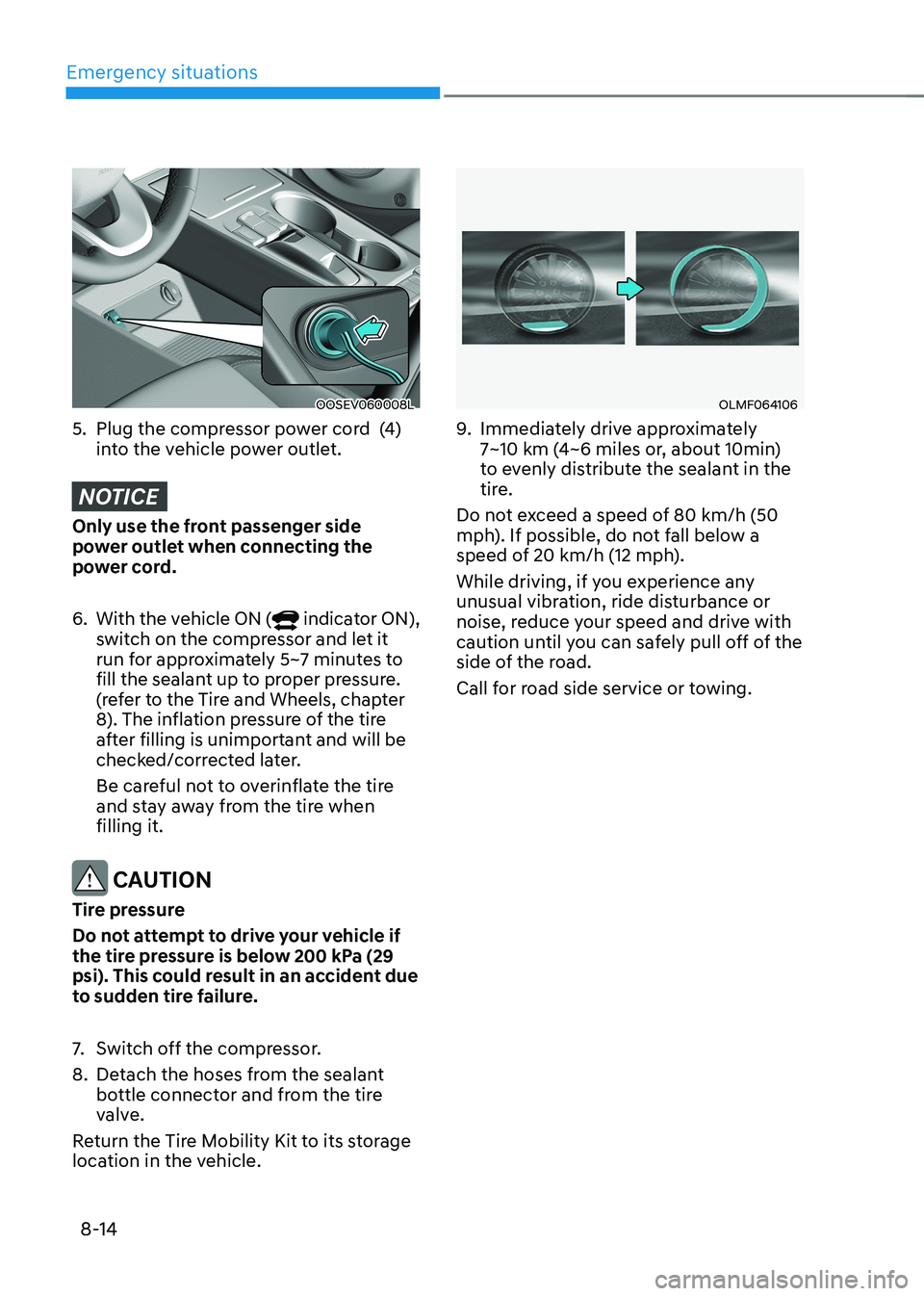
5. Plug the compressor power cord (4) into the vehicle power outlet.
NOTICE
Only use the front passenger side
power outlet when connecting the
power cord. 6. With the vehicle ON (
indicator ON),
switch on the compressor and let it
run for approximately 5~7 minutes to
fill the sealant up to proper pressure.
(refer to the Tire and Wheels, chapter
8). The inflation pressure of the tire
after filling is unimportant and will be
checked/corrected later.
Be careful not to overinflate the tire
and stay away from the tire when filling it.
CAUTION
Tire pressure
Do not attempt to drive your vehicle if
the tire pressure is below 200 kPa (29
psi). This could result in an accident due
to sudden tire failure.
7. Switch off the compressor.
8. Detach the hoses from the sealant bottle connector and from the tire
valve.
Return the Tire Mobility Kit to its storage
location in the vehicle.
OLMF064106
9. Immediately drive approximately
7~10 km (4~6 miles or, about 10min)
to evenly distribute the sealant in the
tire.
Do not exceed a speed of 80 km/h (50
mph). If possible, do not fall below a
speed of 20 km/h (12 mph).
While driving, if you experience any
unusual vibration, ride disturbance or
noise, reduce your speed and drive with
caution until you can safely pull off of the
side of the road.
Call for road side service or towing.
Page 470 of 548
08
8-15
OIGH067043
OOSEV060007L
10. After driving approximately 7~10 km (4~6 miles or about 10 min), stop at a
safety location.
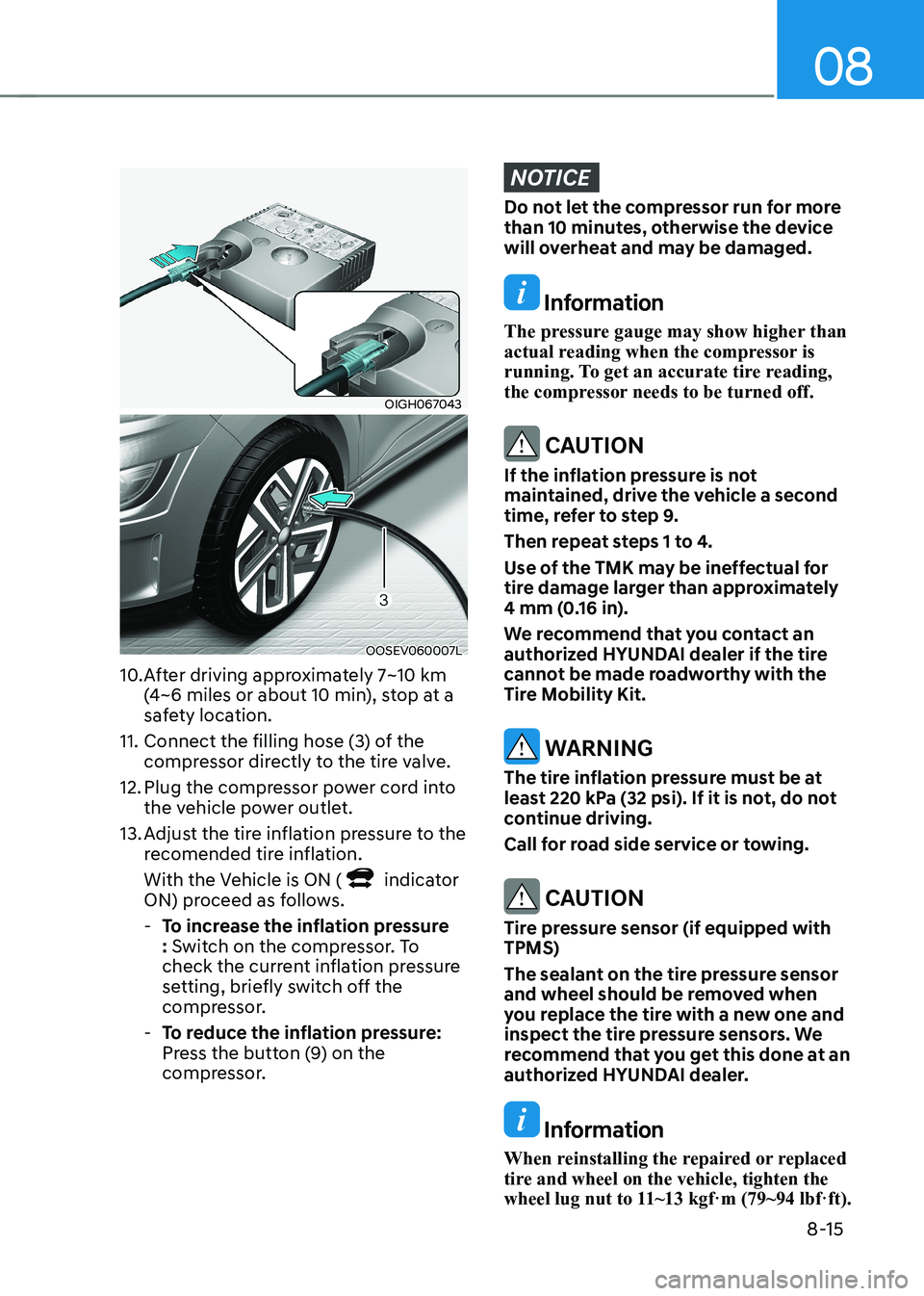
11. Connect the filling hose (3) of the compressor directly to the tire valve.
12. Plug the compressor power cord into the vehicle power outlet.
13. Adjust the tire inflation pressure to the recomended tire inflation.
With the Vehicle is ON (
indicator
ON) proceed as follows.
- To increase the inflation pressure : Switch on the compressor. To
check the current inflation pressure
setting, briefly switch off the
compressor.
- To reduce the inflation pressure:
Press the button (9) on the
compressor.
NOTICE
Do not let the compressor run for more
than 10 minutes, otherwise the device
will overheat and may be damaged.
Information
The pressure gauge may show higher than
actual reading when the compressor is
running. To get an accurate tire reading,
the compressor needs to be turned off.
CAUTION
If the inflation pressure is not
maintained, drive the vehicle a second
time, refer to step 9.
Then repeat steps 1 to 4.
Use of the TMK may be ineffectual for
tire damage larger than approximately
4 mm (0.16 in).
We recommend that you contact an
authorized HYUNDAI dealer if the tire
cannot be made roadworthy with the
Tire Mobility Kit.
WARNING
The tire inflation pressure must be at
least 220 kPa (32 psi). If it is not, do not
continue driving.
Call for road side service or towing.
CAUTION
Tire pressure sensor (if equipped with TPMS)
The sealant on the tire pressure sensor
and wheel should be removed when
you replace the tire with a new one and
inspect the tire pressure sensors. We
recommend that you get this done at an
authorized HYUNDAI dealer.
Information
When reinstalling the repaired or replaced
tire and wheel on the vehicle, tighten the
wheel lug nut to 11~13 kgf·m (79~94 lbf·ft).
Page 471 of 548
Emergency situations
8-16
How to adjust tire pressure
OIGH067043
OOSEV060007L
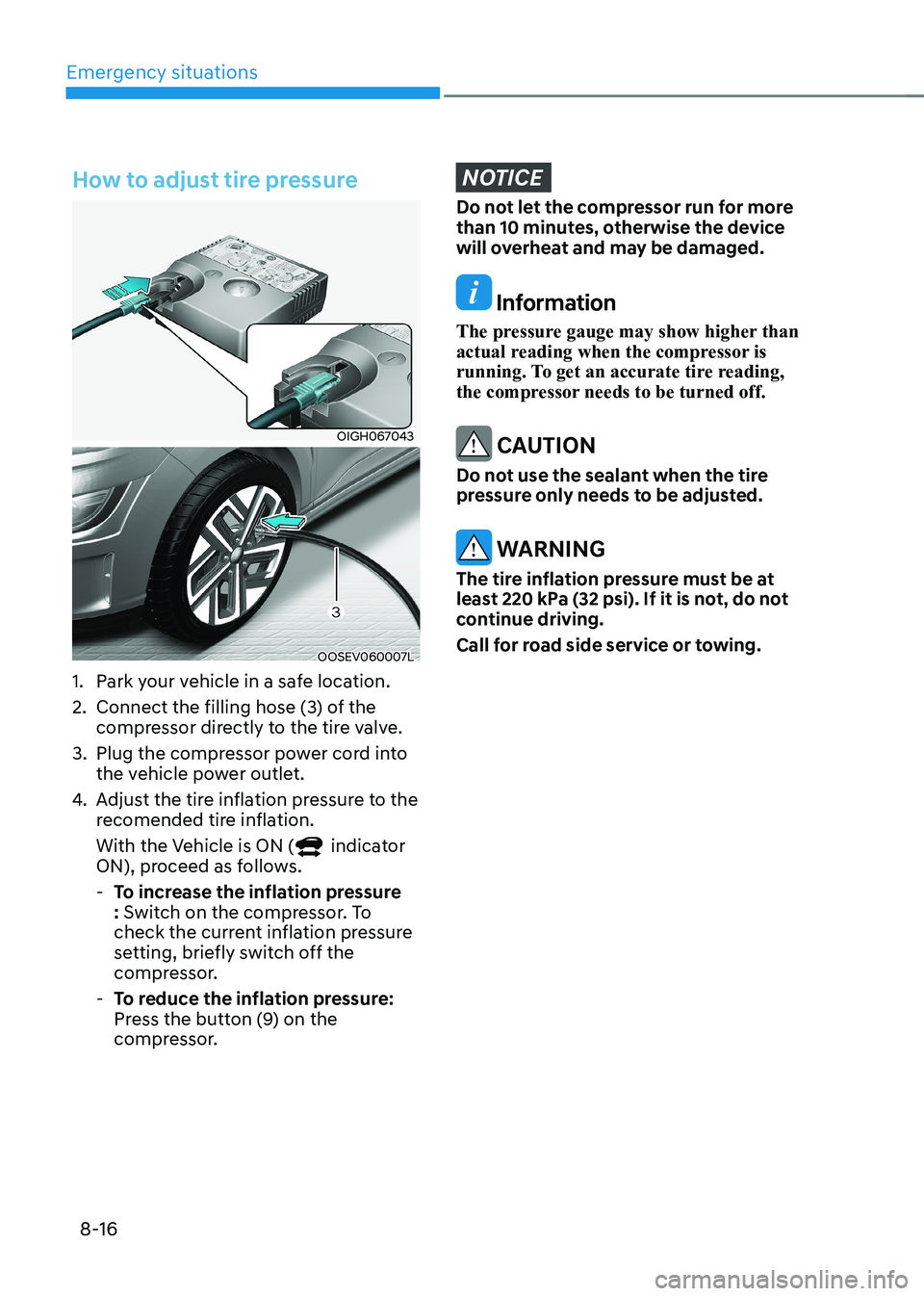
1. Park your vehicle in a safe location.
2. Connect the filling hose (3) of the compressor directly to the tire valve.
3. Plug the compressor power cord into the vehicle power outlet.
4. Adjust the tire inflation pressure to the
recomended tire inflation.
With the Vehicle is ON (
indicator
ON), proceed as follows.
- To increase the inflation pressure : Switch on the compressor. To
check the current inflation pressure
setting, briefly switch off the
compressor.
- To reduce the inflation pressure:
Press the button (9) on the
compressor.
NOTICE
Do not let the compressor run for more
than 10 minutes, otherwise the device
will overheat and may be damaged.
Information
The pressure gauge may show higher than
actual reading when the compressor is
running. To get an accurate tire reading,
the compressor needs to be turned off.
CAUTION
Do not use the sealant when the tire
pressure only needs to be adjusted.
WARNING
The tire inflation pressure must be at
least 220 kPa (32 psi). If it is not, do not
continue driving.
Call for road side service or towing.