lights HYUNDAI KONA EV 2023 Owner's Manual
[x] Cancel search | Manufacturer: HYUNDAI, Model Year: 2023, Model line: KONA EV, Model: HYUNDAI KONA EV 2023Pages: 548, PDF Size: 49.14 MB
Page 232 of 548
Convenient features
5-48
Exterior lights
Lighting control
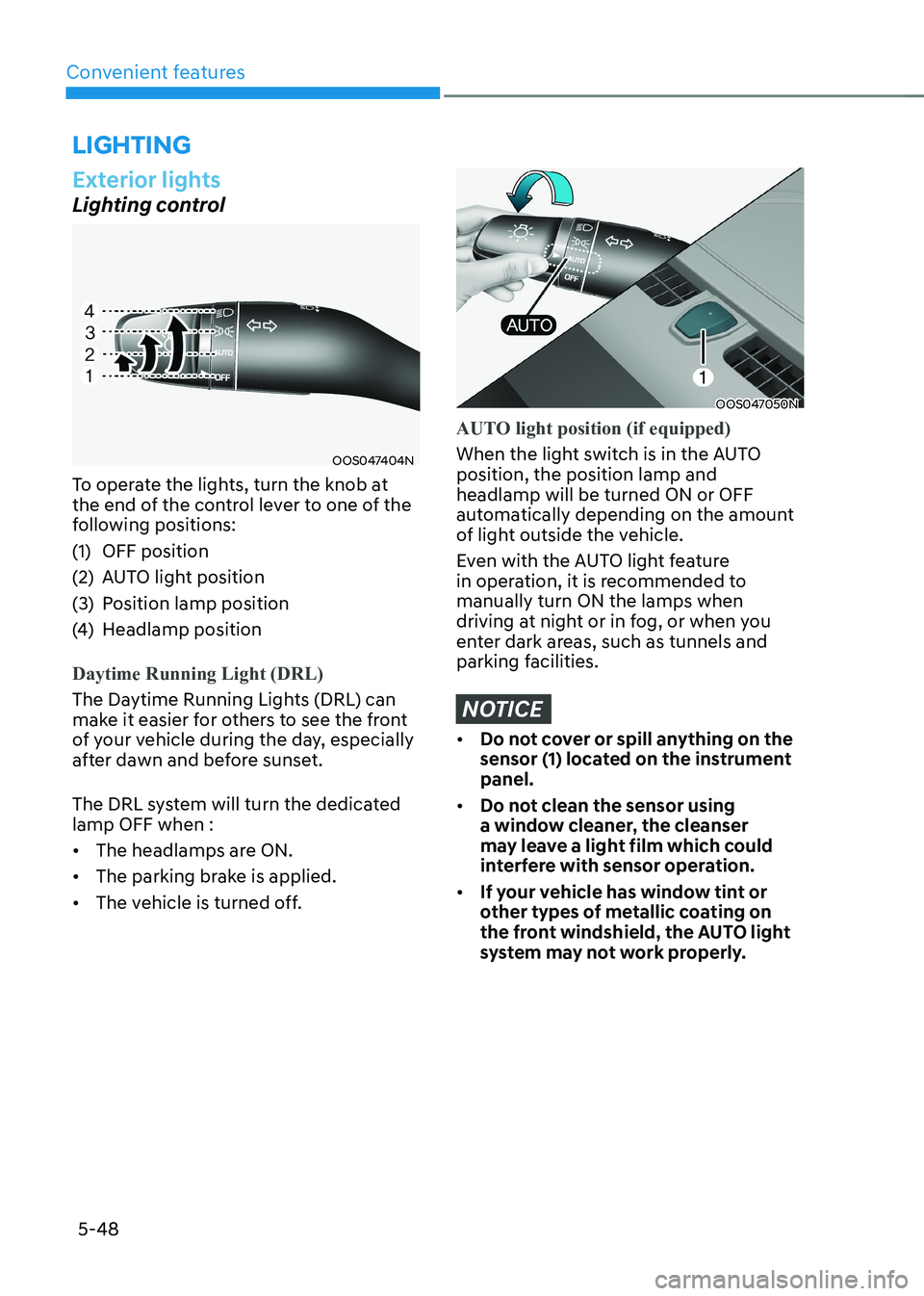
OOS047404N
To operate the lights, turn the knob at
the end of the control lever to one of the
following positions:
(1) OFF position
(2) AUTO light position
(3) Position lamp position
(4) Headlamp position
Daytime Running Light (DRL)
The Daytime Running Lights (DRL) can
make it easier for others to see the front
of your vehicle during the day, especially
after dawn and before sunset.
The DRL system will turn the dedicated lamp OFF when : • The headlamps are ON.
• The parking brake is applied.
• The vehicle is turned off.
OOS047050N
AUTO light position (if equipped)
When the light switch is in the AUTO position, the position lamp and headlamp will be turned ON or OFF
automatically depending on the amount
of light outside the vehicle.
Even with the AUTO light feature
in operation, it is recommended to manually turn ON the lamps when
driving at night or in fog, or when you
enter dark areas, such as tunnels and
parking facilities.
NOTICE
• Do not cover or spill anything on the
sensor (1) located on the instrument panel.
• Do not clean the sensor using
a window cleaner, the cleanser
may leave a light film which could
interfere with sensor operation.
• If your vehicle has window tint or
other types of metallic coating on
the front windshield, the AUTO light
system may not work properly.
lighting
Page 236 of 548
Convenient features
5-52
Interior lights
WARNING
Do not use the interior lights when
driving in the dark. The interior lights
may obscure your view and cause an
accident.
NOTICE
Do not use the interior lights for
extended periods when the vehicle is
turned off or the battery will discharge.
Interior lamp AUTO cut
The interior lamps will automatically go
off approximately 20 minutes after the
vehicle is turned off and the doors are closed. If a door is opened, the lamp
will go off 40 minutes after the vehicle
is turned off. If the doors are locked and
the vehicle enters the armed stage of the
theft alarm system, the lamps will go off
five seconds later. Front lamps
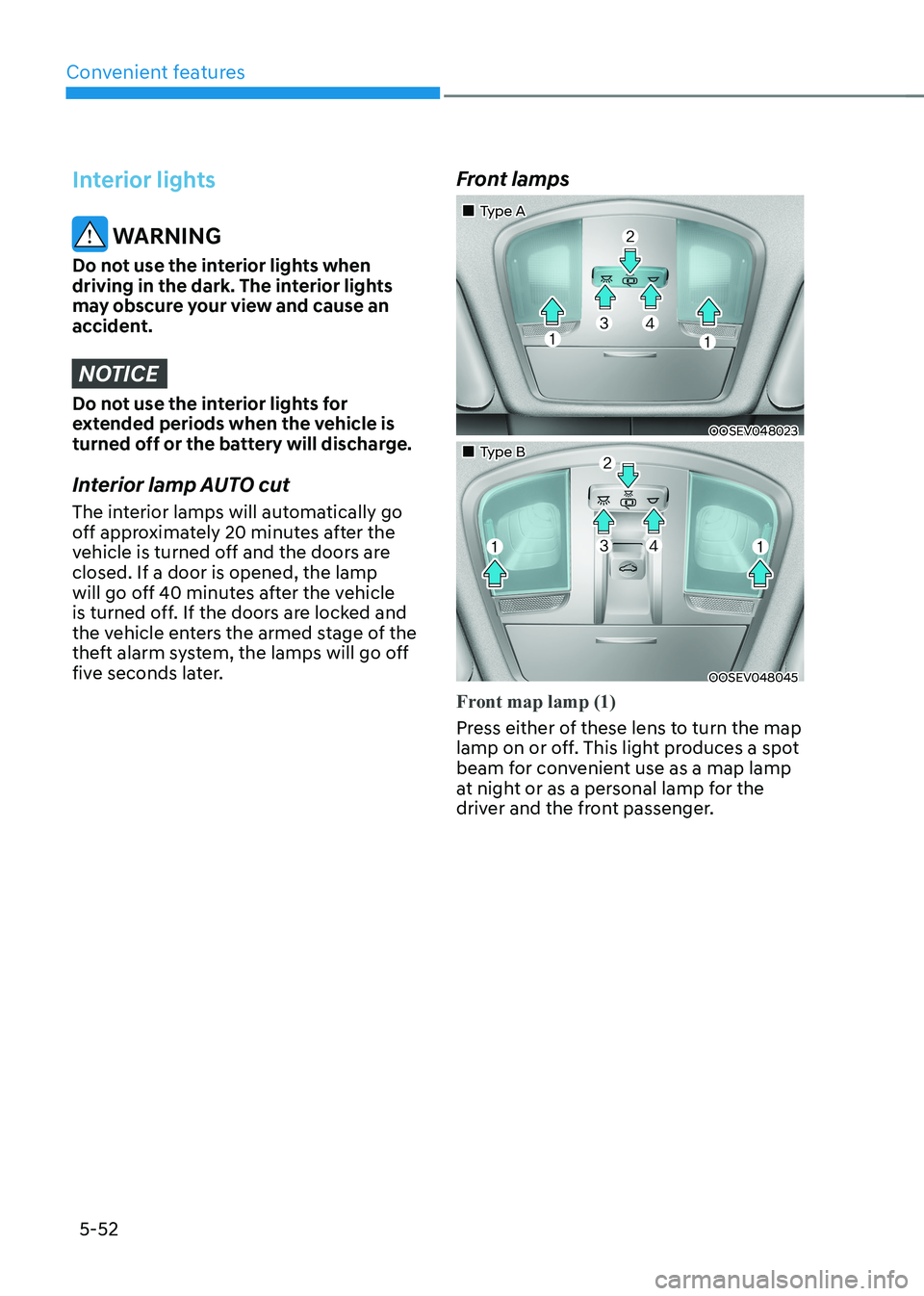
„„Type A
OOSEV048023
„„Type B
OOSEV048045
Front map lamp (1)
Press either of these lens to turn the map
lamp on or off. This light produces a spot
beam for convenient use as a map lamp
at night or as a personal lamp for the
driver and the front passenger.
Page 239 of 548
05
5-55
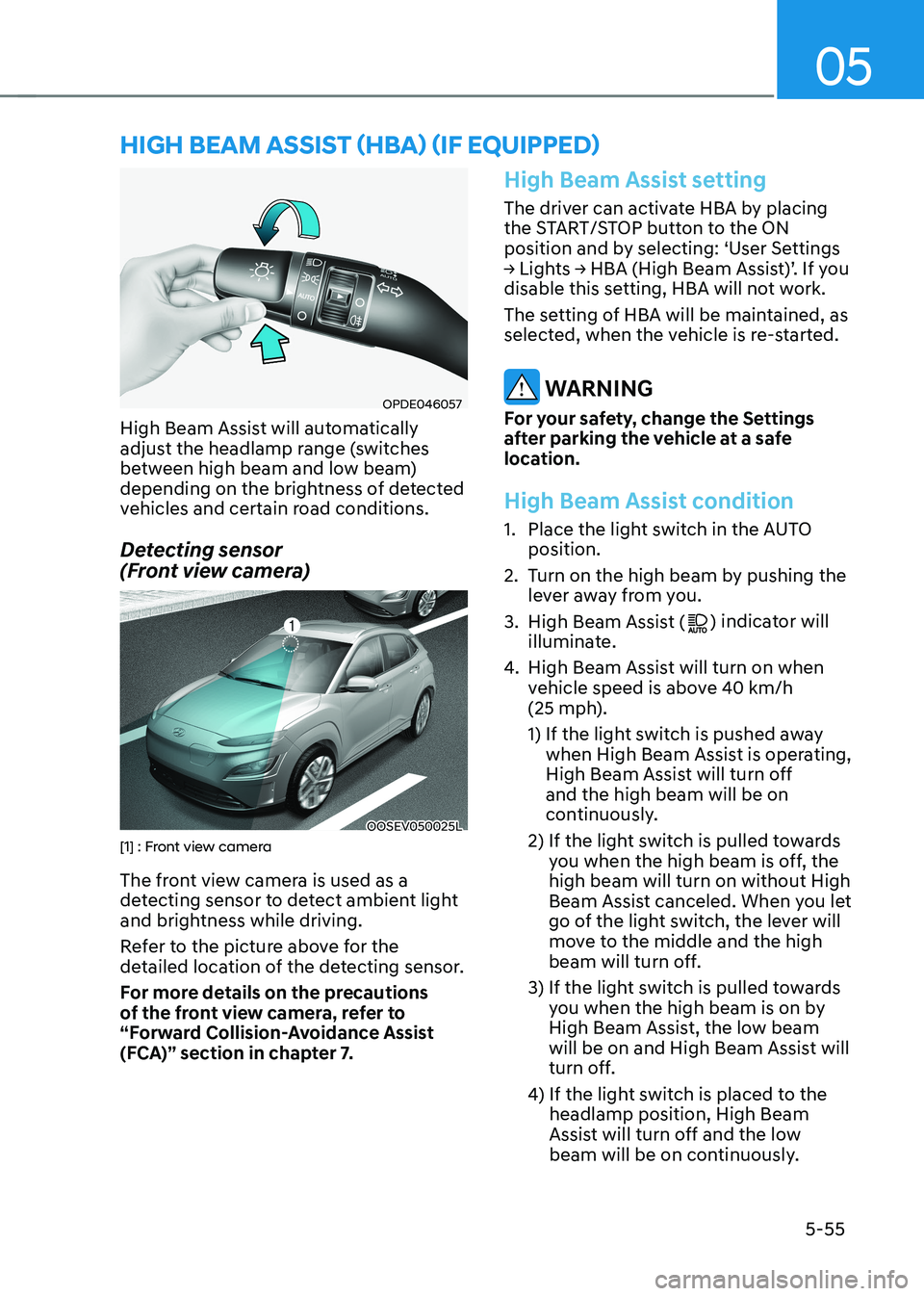
OPDE046057
High Beam Assist will automatically
adjust the headlamp range (switches
between high beam and low beam)
depending on the brightness of detected
vehicles and certain road conditions.
Detecting sensor
(Front view camera)
OOSEV050025L[1] : Front view camera
The front view camera is used as a
detecting sensor to detect ambient light
and brightness while driving.
Refer to the picture above for the
detailed location of the detecting sensor.
For more details on the precautions
of the front view camera, refer to
“Forward Collision-Avoidance Assist
(FCA)” section in chapter 7.
High Beam Assist setting
The driver can activate HBA by placing
the START/STOP button to the ON
position and by selecting: ‘User Settings
→ Lights → HBA (High Beam Assist)’. If you
disable this setting, HBA will not work.
The setting of HBA will be maintained, as
selected, when the vehicle is re-started.
WARNING
For your safety, change the Settings
after parking the vehicle at a safe
location.
High Beam Assist condition
1. Place the light switch in the AUTO position.
2. Turn on the high beam by pushing the lever away from you.
3. High Beam Assist (
) indicator will
illuminate.
4. High Beam Assist will turn on when
vehicle speed is above 40 km/h
(25 mph).
1) If the light switch is pushed away
when High Beam Assist is operating,
High Beam Assist will turn off and the high beam will be on
continuously.
2) If the light switch is pulled towards you when the high beam is off, the high beam will turn on without High
Beam Assist canceled. When you let
go of the light switch, the lever will
move to the middle and the high
beam will turn off.
3) If the light switch is pulled towards you when the high beam is on by
High Beam Assist, the low beam
will be on and High Beam Assist will
turn off.
4) If the light switch is placed to the headlamp position, High Beam
Assist will turn off and the low
beam will be on continuously.
high Beam assisT (hBa) (if equipped)
Page 240 of 548
Convenient features
5-56
When High Beam Assist is operating, the
high beam switches to low beam in the
following conditions.
- When the headlamp of an on-coming vehicle is detected.
- When the tail lamp of a vehicle in front
is detected.
- When headlamp/tail lamp of bicycle/ motorcycle is detected.
- When the surroundings are bright enough high beams are not needed.
- When street lights or other lights are detected.
- When the light switch is not in the AUTO position.
- When High Beam Assist is off.
- When vehicle speed is below 25 km/h (15 mph).
High Beam Assist Malfunction
and Limitations
High Beam Assist malfunction
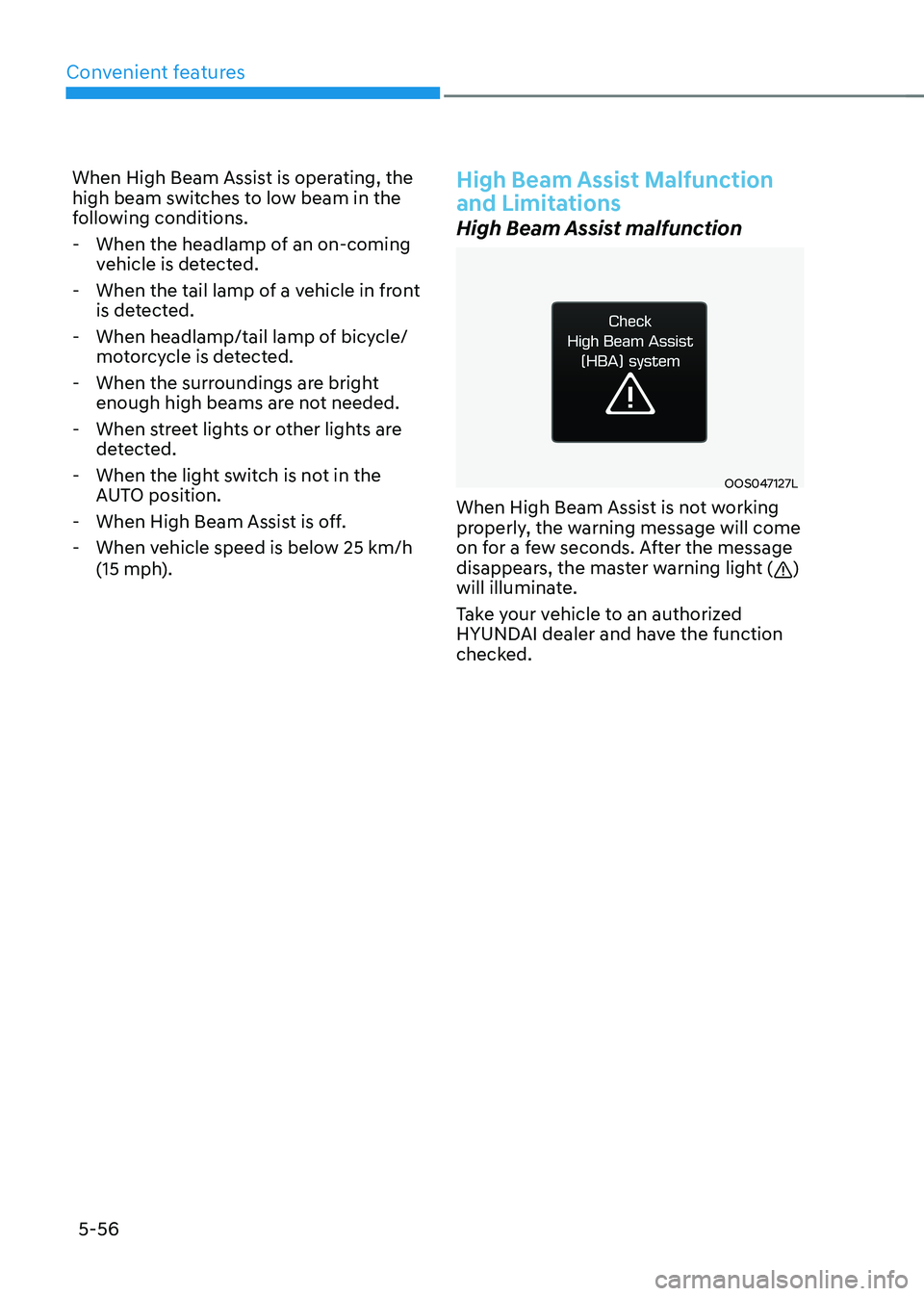
OOS047127L
When High Beam Assist is not working
properly, the warning message will come
on for a few seconds. After the message
disappears, the master warning light (
)
will illuminate.
Take your vehicle to an authorized
HYUNDAI dealer and have the function
checked.
Page 283 of 548
06
6-3
Before entering the vehicle
• Be sure all windows, outside mirror(s),
and outside lights are clean and
unobstructed.
• Remove frost, snow, or ice.
• Visually check the tires for uneven
wear and damage.
• Check under the vehicle for any sign
of leaks.
• Be sure there are no obstacles behind
you if you intend to back up.
Before starting
• Make sure the hood, the tailgate, and
the doors are securely closed and
locked.
• Adjust the position of the seat and
steering wheel.
• Adjust the inside and outside rearview
mirrors.
• Verify all the lights work.
• Fasten your seat belt. Check that all
passengers have fastened their seat belt.
• Check the gauges and indicators
in the instrument panel and the
messages on the instrument display
when the START/STOP button is in the ON position.
• Check that any items you are carrying
are stored properly or fastened down
securely.
WARNING
To reduce the risk of SERIOUS INJURY or
DEATH, take the following precautions: • ALWAYS wear your seat belt. All
passengers must be properly belted
whenever the vehicle is moving.
For more information, refer to “Seat
Belts” in chapter 3.
• Always drive defensively. Assume
other drivers or pedestrians may be
careless and make mistakes.
• Stay focused on the task of driving.
Driver distraction can cause
accidents.
• Leave plenty of space between you
and the vehicle in front of you.
WARNING
NEVER drink or take drugs and drive. Drinking or taking drugs and driving
is dangerous and may result in an
accident and SERIOUS INJURY or
DEATH. Drunk driving is the number one
contributor to the highway death
toll each year. Even a small amount
of alcohol will affect your reflexes,
perceptions and judgment. Just
one drink can reduce your ability to
respond to changing conditions and
emergencies and your reaction time
gets worse with each additional drink.
Driving while under the influence
of drugs is as dangerous or more
dangerous than driving under the
influence of alcohol.
You are much more likely to have a
serious accident if you drink or take
drugs and drive. If you are drinking or
taking drugs, don’t drive. Do not ride
with a driver who has been drinking
or taking drugs. Choose a designated
driver or call a taxi.
BEFORE DRIVING
Page 285 of 548
06
6-5
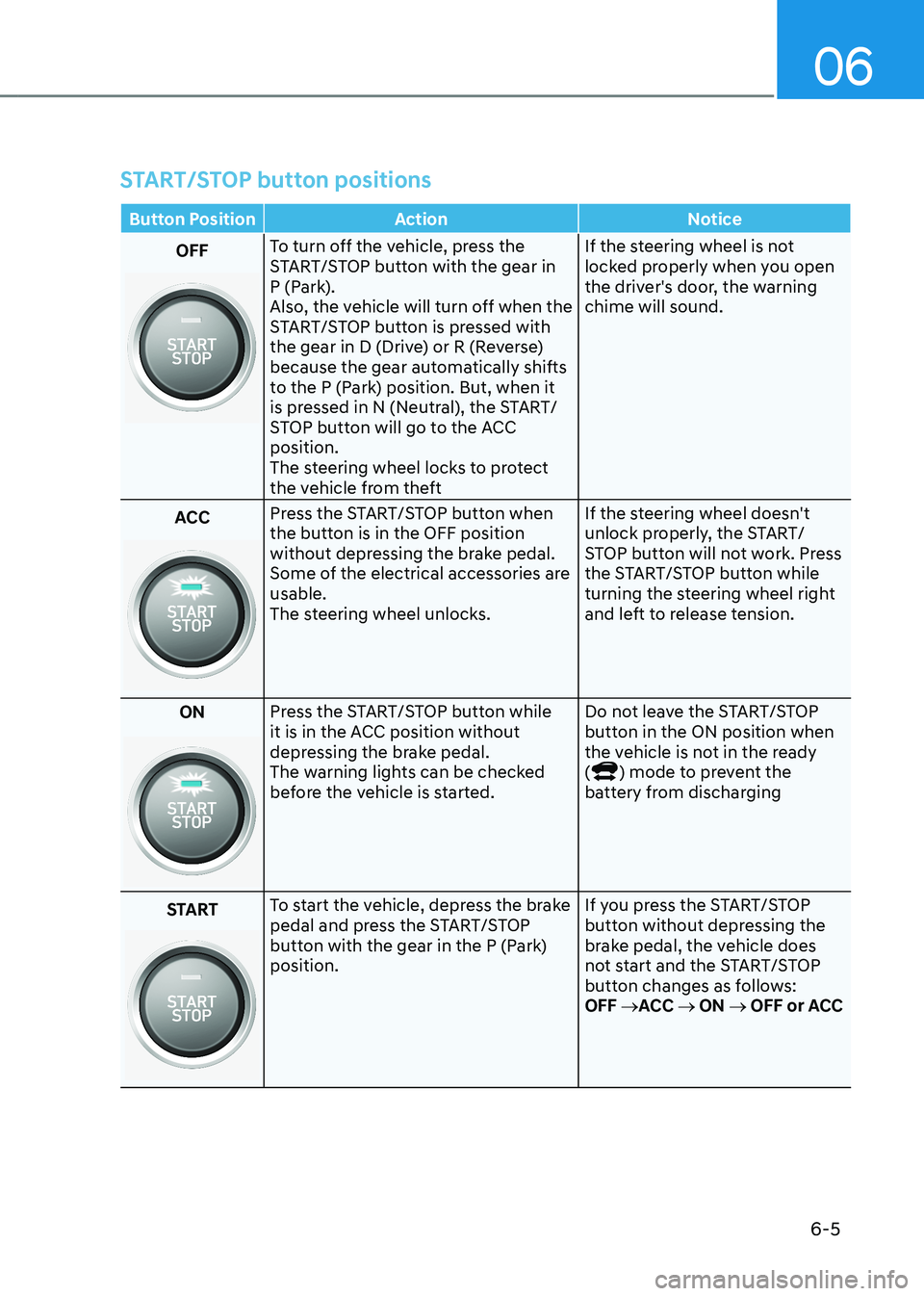
START/STOP button positions
Button Position Action Notice
OFFTo turn off the vehicle, press the
START/STOP button with the gear in
P (Park).
Also, the vehicle will turn off when the
START/STOP button is pressed with
the gear in D (Drive) or R (Reverse)
because the gear automatically shifts
to the P (Park) position. But, when it
is pressed in N (Neutral), the START/
STOP button will go to the ACC position.
The steering wheel locks to protect
the vehicle from theft If the steering wheel is not
locked properly when you open
the driver's door, the warning chime will sound.
ACC Press the START/STOP button when
the button is in the OFF position
without depressing the brake pedal.
Some of the electrical accessories are usable.
The steering wheel unlocks.
If the steering wheel doesn't
unlock properly, the START/
STOP button will not work. Press
the START/STOP button while
turning the steering wheel right
and left to release tension.
ON
Press the START/STOP button while
it is in the ACC position without
depressing the brake pedal.
The warning lights can be checked
before the vehicle is started. Do not leave the START/STOP
button in the ON position when
the vehicle is not in the ready (
) mode to prevent the
battery from discharging
START
To start the vehicle, depress the brake
pedal and press the START/STOP
button with the gear in the P (Park) position. If you press the START/STOP
button without depressing the
brake pedal, the vehicle does
not start and the START/STOP
button changes as follows:OFF
→ACC → ON → OFF or ACC
Page 313 of 548
06
6-33
ESC operation
ESC ON condition
When the START/STOP button is in the ON position, ESC and the ESC
OFF indicator lights illuminate for
approximately three seconds and goes
off, then ESC is turned on.
When operating
When ESC is in operation, the
ESC indicator light blinks:
• When you apply your brakes under
conditions which may lock the wheels,
you may hear sounds from the brakes,
or feel a corresponding sensation in
the brake pedal. This is normal and it
means your ESC is active.
• When ESC activates, the vehicle may
not respond to the accelerator as it
does under routine conditions.
• If Cruise Control was in use when ESC
activates, Cruise Control automatically
disengages. Cruise Control can be
reengaged when the road conditions
allow. See “Cruise Control System”
later in this chapter 7. (if equipped)
ESC OFF condition
To cancel ESC operation:
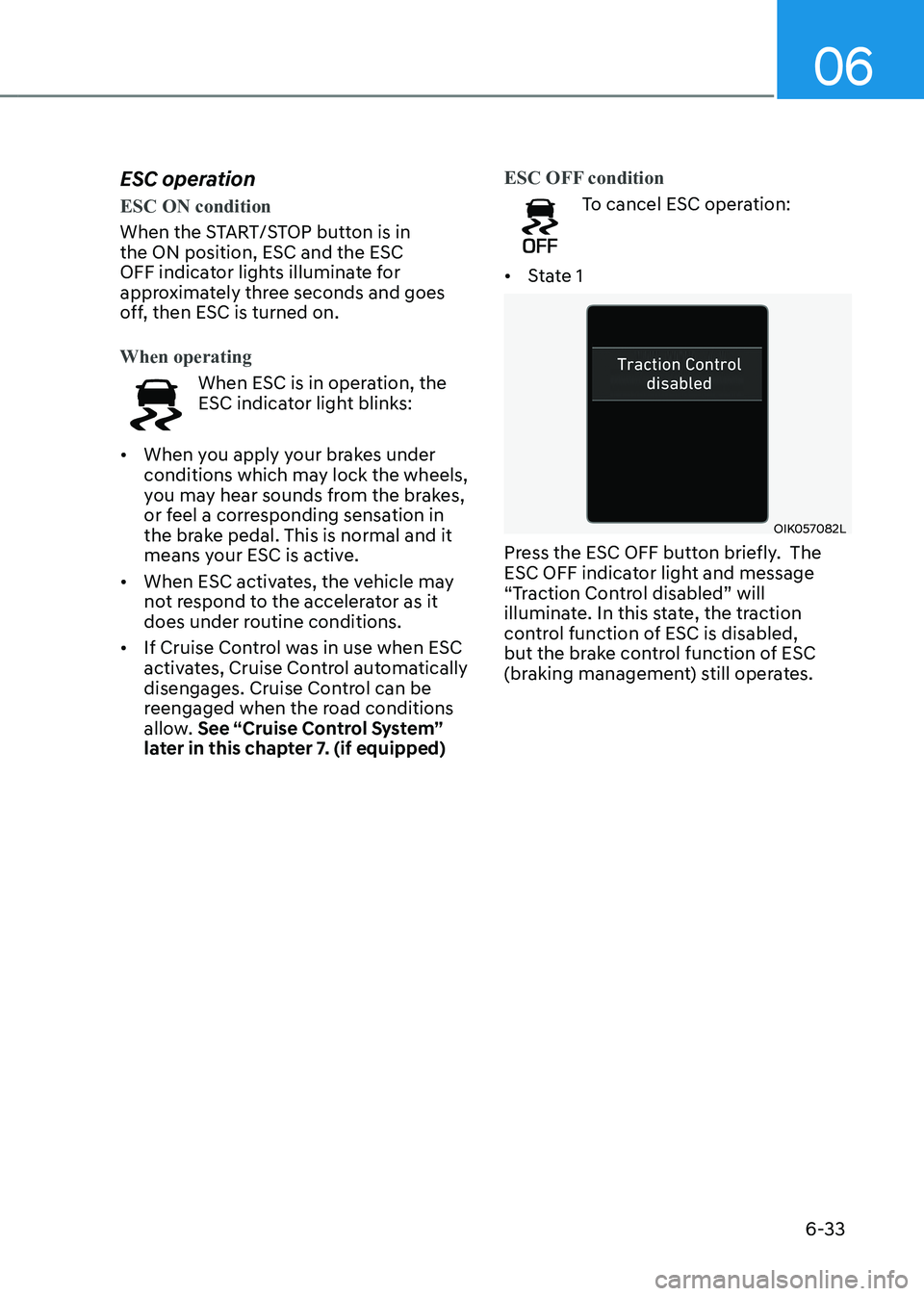
• State 1
OIK057082L
Press the ESC OFF button briefly. The
ESC OFF indicator light and message
“Traction Control disabled” will
illuminate. In this state, the traction
control function of ESC is disabled,
but the brake control function of ESC
(braking management) still operates.
Page 314 of 548
Driving your vehicle
6-34
•
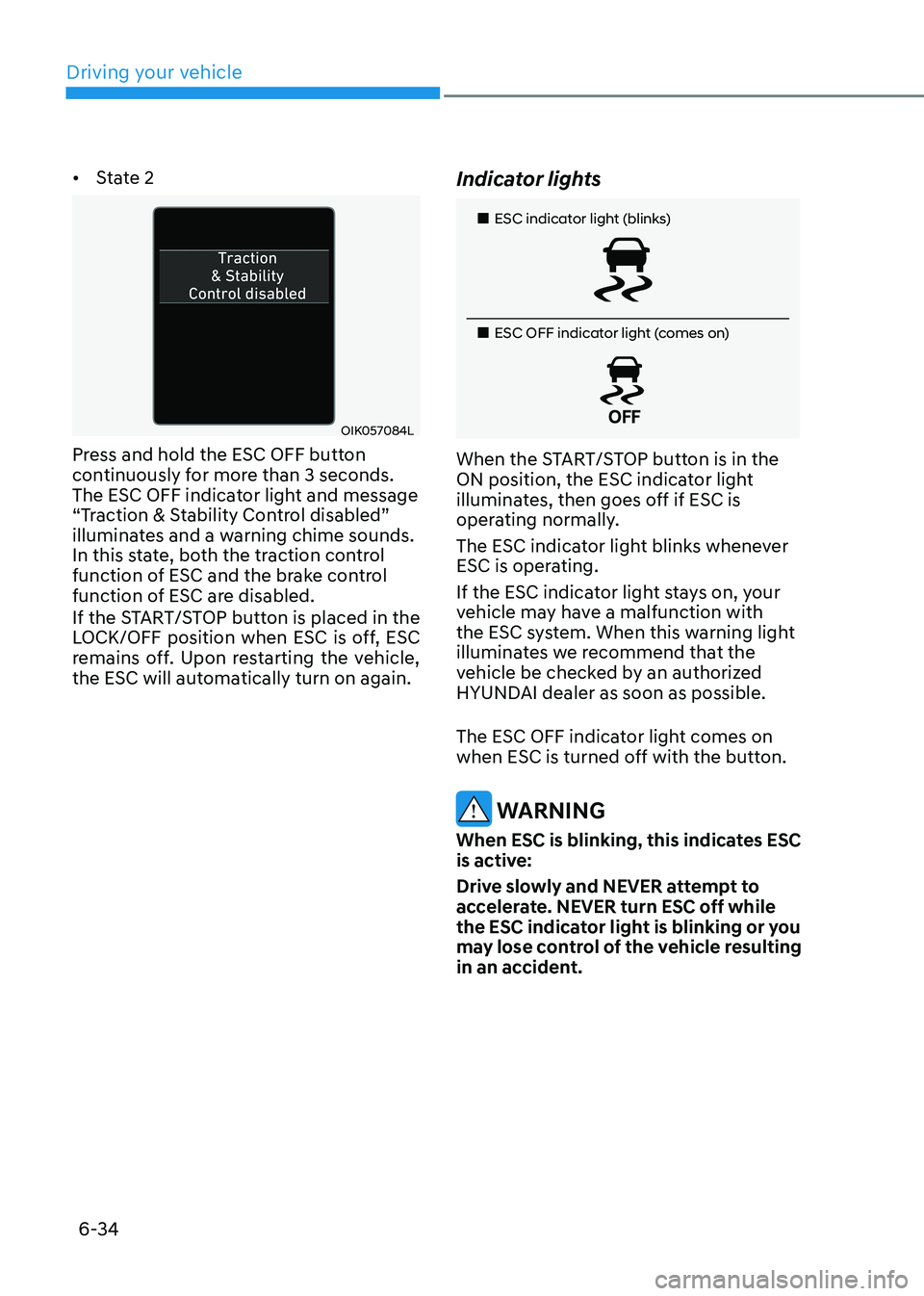
State 2
OIK057084L
Press and hold the ESC OFF button
continuously for more than 3 seconds.
The ESC OFF indicator light and message
“Traction & Stability Control disabled”
illuminates and a warning chime sounds.
In this state, both the traction control
function of ESC and the brake control
function of ESC are disabled.
If the START/STOP button is placed in the
LOCK/OFF position when ESC is off, ESC
remains off. Upon restarting the vehicle,
the ESC will automatically turn on again. Indicator lights
„„ESC indicator light (blinks)
„
„ESC OFF indicator light (comes on)
When the START/STOP button is in the
ON position, the ESC indicator light
illuminates, then goes off if ESC is
operating normally.
The ESC indicator light blinks whenever
ESC is operating.
If the ESC indicator light stays on, your
vehicle may have a malfunction with
the ESC system. When this warning light
illuminates we recommend that the
vehicle be checked by an authorized
HYUNDAI dealer as soon as possible.
The ESC OFF indicator light comes on
when ESC is turned off with the button.
WARNING
When ESC is blinking, this indicates ESC
is active:
Drive slowly and NEVER attempt to
accelerate. NEVER turn ESC off while
the ESC indicator light is blinking or you
may lose control of the vehicle resulting
in an accident.
Page 315 of 548
06
6-35
NOTICE
Driving with wheels and tires with
different sizes may cause ESC to
malfunction. Before replacing tires,
make sure all four tires and wheels are
the same size. Never drive the vehicle
with different sized wheels and tires
installed. ESC OFF usage
When Driving
The ESC OFF mode should only be used
briefly to help free the vehicle if stuck in
snow or mud, by temporarily stopping
operation of ESC, to maintain wheel
torque.
To turn ESC off while driving, press the
ESC OFF button while driving on a flat
road surface.
NOTICE
• Do not allow wheel(s) of one axle to
spin excessively while the ESC, ABS,
and parking brake warning lights
are displayed. The repairs would not
be covered by the vehicle warranty.
Reduce vehicle power and do not
spin the wheel(s) excessively while
these lights are displayed.
• When operating the vehicle
on a dynamometer, make sure
ESC is turned off (ESC OFF light
illuminated).
Information
Turning ESC off does not affect ABS or standard brake system operation.
Vehicle Stability Management
(VSM)
Vehicle Stability Management (VSM)
is a function of the Electronic Stability
Control (ESC). It helps ensure the
vehicle stays stable when accelerating
or braking suddenly on wet, slippery
and rough roads where traction over the
four tires can suddenly become uneven.
WARNING
Take the following precautions when
using Vehicle Stability Management
(VSM): • ALWAYS check the speed and the
distance to the vehicle ahead. VSM
is not a substitute for safe driving
practices.
• Never drive too fast for the road
conditions. VSM will not prevent
accidents. Excessive speed in bad
weather, on slippery and uneven
roads can result in severe accidents.
VSM operation
VSM ON condition
VSM operates when: • Electronic Stability Control (ESC) is on.
• Vehicle speed is approximately under
150 km/h (93 mph) when the vehicle is
braking on rough roads.
When operating
When you apply your brakes under
conditions which may activate ESC, you
may hear sounds from the brakes, or feel
a corresponding sensation in the brake
pedal. This is normal and it means your
VSM is active.
Page 321 of 548
06
6-41
Smooth cornering
Avoid braking or gear changing in
corners, especially when roads are wet.
Ideally, corners should always be taken
under gentle acceleration.
Driving at night
Night driving presents more hazards than
driving in the daylight. Here are some
important tips to remember: • Slow down and keep more distance
between you and other vehicles, as it
may be more difficult to see at night,
especially in areas where there may
not be any street lights.
• Adjust your mirrors to reduce the glare
from other drivers’ headlamps.
• Keep your headlamps clean and
properly aimed. Dirty or improperly
aimed headlamps will make it much
more difficult to see at night.
• Avoid staring directly at the
headlamps of oncoming vehicles. You
could be temporarily blinded, and it
will take several seconds for your eyes
to readjust to the darkness.
Driving in the rain
Rain and wet roads can make driving
dangerous. Here are a few things to
consider when driving in the rain or on
slick pavement: • Slow down and allow extra following
distance. A heavy rainfall makes
it harder to see and increases the
distance needed to stop your vehicle.
• Turn OFF your Cruise Control. (if equipped)
• Replace your windshield wiper blades
when they show signs of streaking or
missing areas on the windshield.
• Be sure your tires have enough tread.
If your tires do not have enough tread,
making a quick stop on wet pavement
can cause a skid and possibly lead to
an accident. See “Tire replacement”
in chapter 9.
• Turn on your headlamps to make it
easier for others to see you.
• Driving too fast through large puddles
can affect your brakes. If you must go
through puddles, try to drive through
them slowly.
• If you believe your brakes may be wet,
apply them lightly while driving until
normal braking operation returns.
Hydroplaning
If the road is wet enough and you are
going fast enough, your vehicle may
have little or no contact with the road
surface and actually ride on the water.
The best advice is SLOW DOWN when
the road is wet.
The risk of hydroplaning increases as
the depth of tire tread decreases, refer
to “Tire replacement” in chapter 9.