speedometer HYUNDAI KONA EV 2023 Owners Manual
[x] Cancel search | Manufacturer: HYUNDAI, Model Year: 2023, Model line: KONA EV, Model: HYUNDAI KONA EV 2023Pages: 548, PDF Size: 49.14 MB
Page 144 of 548
4
Instrument cluster ............................................................................................ 4-2
Instrument cluster control ........................................................................................... 4-3
Instrument panel illumination ................................................................................... 4-3
Gauges and meters ...................................................................................................... 4-3
Speedometer ............................................................................................................. 4-3
Power/Charge gauge................................................................................................. 4-3
State of Charge (SOC) gauge for high voltage battery ..........................................4-4
Outside Temperature Gauge .................................................................................... 4-4
Odometer ................................................................................................................... 4-5
Distance to empty ..................................................................................................... 4-5
Reduction gear shift indicator ................................................................................. 4-6
Regenerative braking level indicator ....................................................................... 4-6
Warning and indicator lights ....................................................................................... 4 -7
LCD display messages ..................................................................................... 4-17
LCD display ....................................................................................................... 4-27
LCD display control .................................................................................................... 4-27
View modes ................................................................................................................ 4-28
Trip computer mode ................................................................................................ 4-29
Turn By Turn (TBT) mode ......................................................................................... 4-29
Driving assist mode ................................................................................................. 4-29
Master warning group ............................................................................................ 4-30
User settings mode .................................................................................................... 4-31
Trip computer .................................................................................................. 4-39
Trip modes ................................................................................................................ 4-39
Drive Info ................................................................................................................. 4-40
After Recharging ..................................................................................................... 4-40
Accumulated info ..................................................................................................... 4-41
Energy flow .............................................................................................................. 4-41
Digital speedometer ................................................................................................ 4-41
4. Instrument cluster
Page 145 of 548
4-2
Instrument cluster
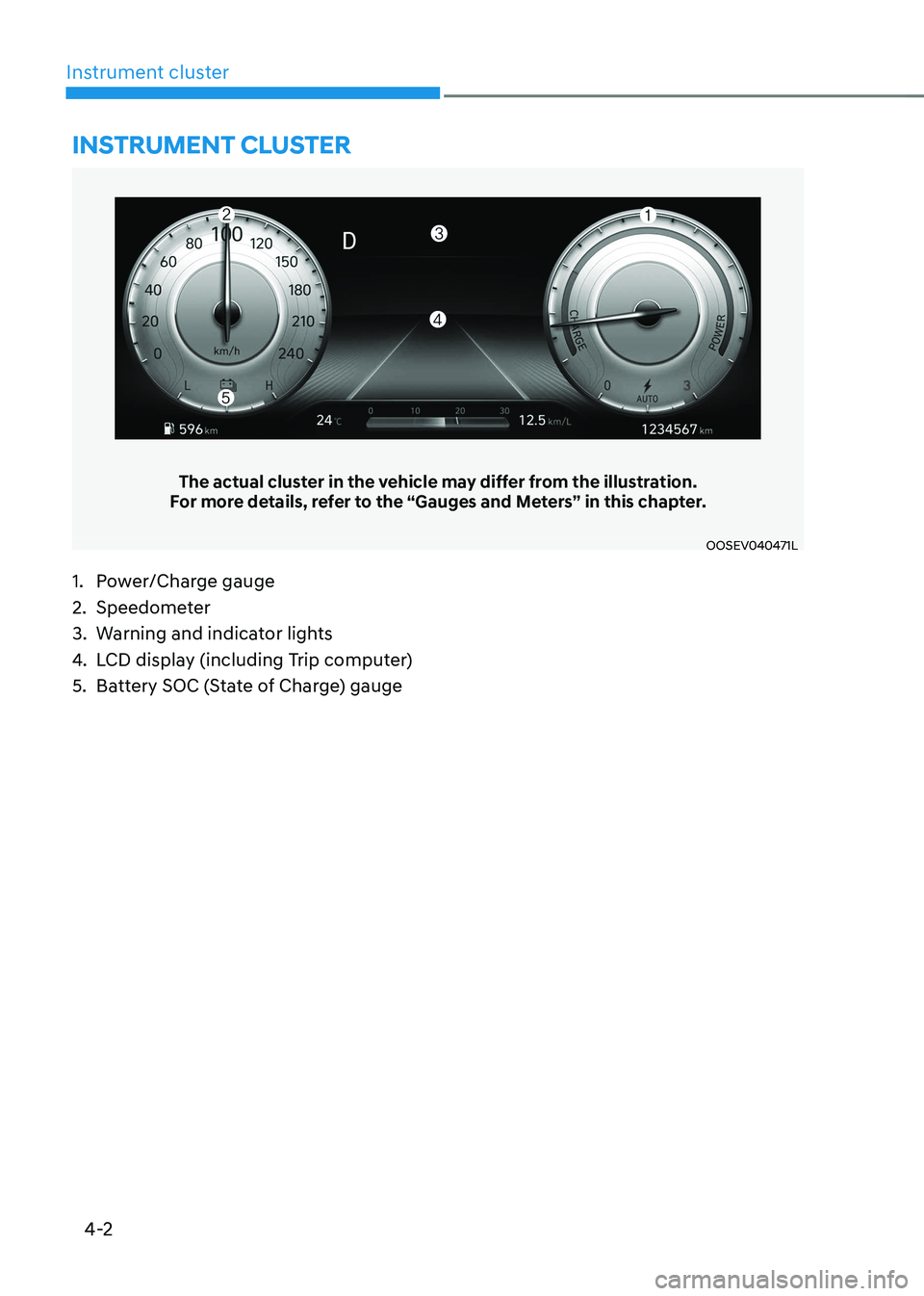
The actual cluster in the vehicle may differ from the illustration.
For more details, refer to the “Gauges and Meters” in this chapter.
OOSEV040471L
Instrument cluster
1. Power/Charge gauge
2. Speedometer
3. Warning and indicator lights
4. LCD display (including Trip computer)
5. Battery SOC (State of Charge) gauge
Page 146 of 548
04
4-3
Instrument cluster control
Instrument panel illumination
OOSEV040056L
When the vehicle’s position lights or
headlamps are on, press the illumination
control button to adjust the brightness of
the instrument panel illumination.
When pressing the illumination control
button, the interior switch illumination
intensity is also adjusted.
WARNING
Never adjust the instrument cluster
while driving. This could result in loss
of control and lead to an accident that
may cause death, serious injury, or
vehicle damage.
OCN7040019L
• The brightness of the instrument
panel illumination is displayed.
• If the brightness reaches the
maximum or minimum level, an alarm will sound.
Gauges and meters
Speedometer
OOSEV040472L
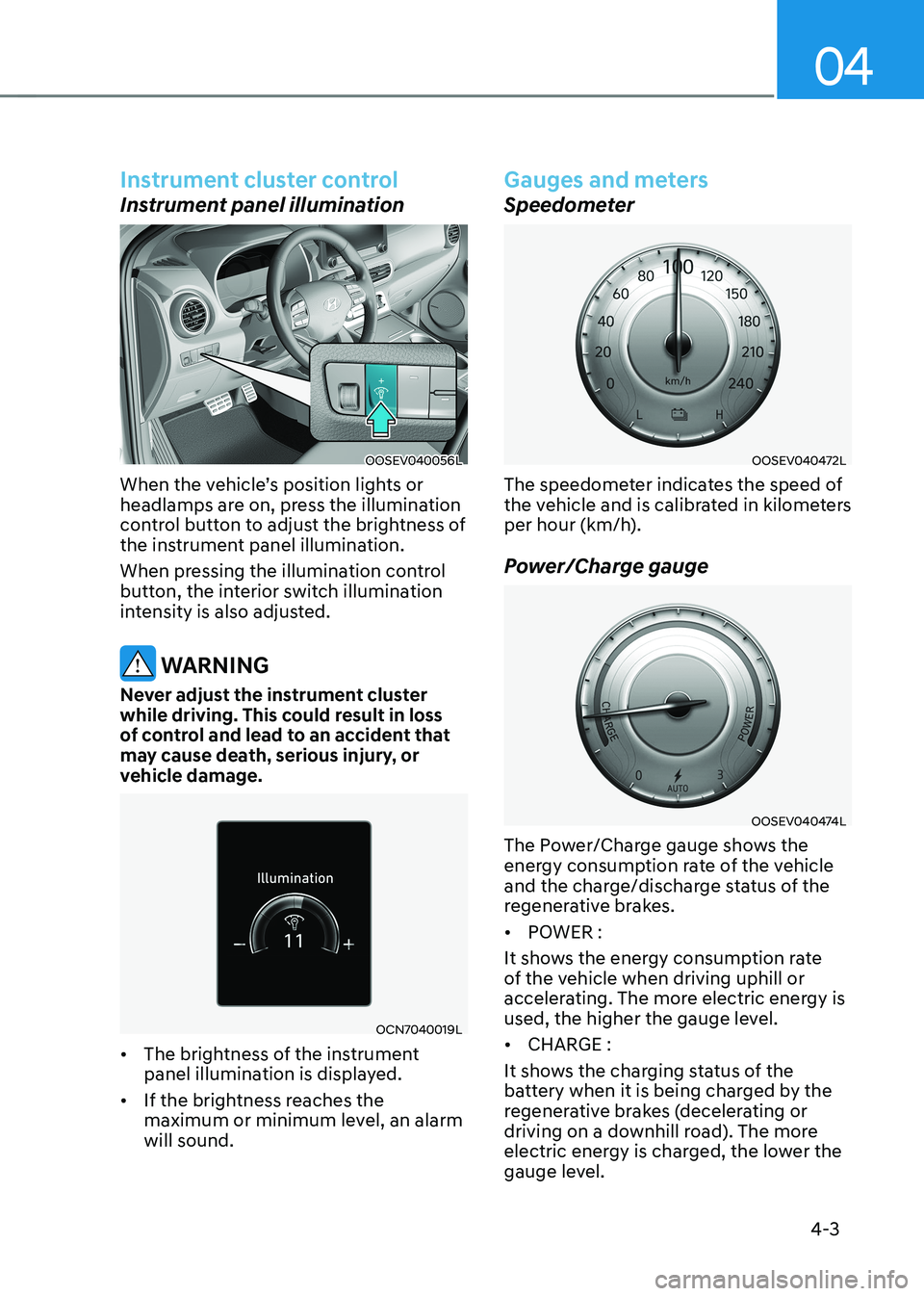
The speedometer indicates the speed of
the vehicle and is calibrated in kilometers
per hour (km/h).
Power/Charge gauge
OOSEV040474L
The Power/Charge gauge shows the
energy consumption rate of the vehicle
and the charge/discharge status of the
regenerative brakes. • POWER :
It shows the energy consumption rate
of the vehicle when driving uphill or
accelerating. The more electric energy is
used, the higher the gauge level. • CHARGE :
It shows the charging status of the
battery when it is being charged by the
regenerative brakes (decelerating or
driving on a downhill road). The more
electric energy is charged, the lower the
gauge level.
Page 153 of 548
Instrument cluster
4-10
Regenerative Brake Warning
Light
(yellow)
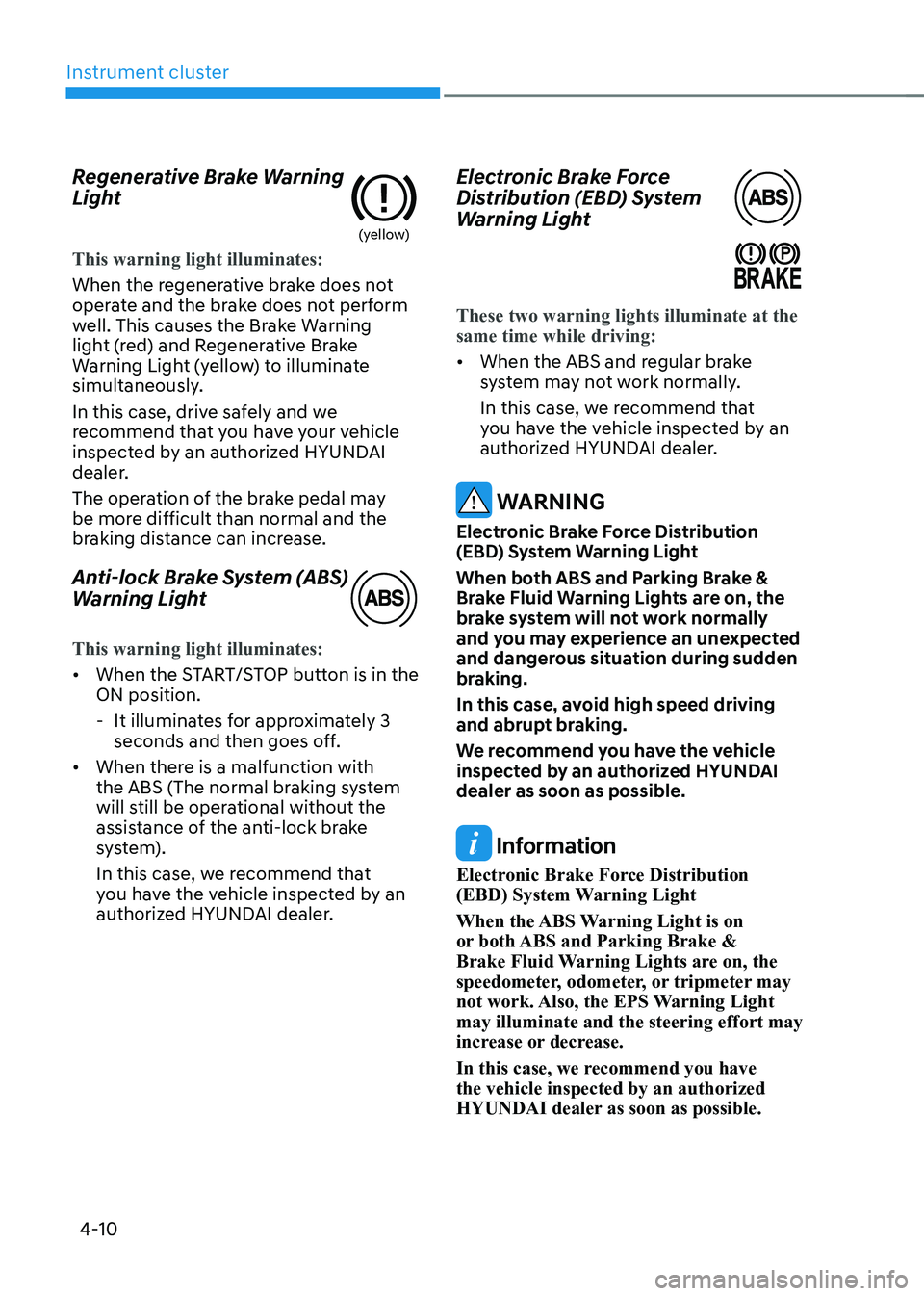
This warning light illuminates:
When the regenerative brake does not
operate and the brake does not perform
well. This causes the Brake Warning
light (red) and Regenerative Brake
Warning Light (yellow) to illuminate
simultaneously.
In this case, drive safely and we
recommend that you have your vehicle
inspected by an authorized HYUNDAI
dealer.
The operation of the brake pedal may
be more difficult than normal and the
braking distance can increase.
Anti-lock Brake System (ABS)
Warning Light
This warning light illuminates:
•
When the START/STOP button is in the ON position.
- It illuminates for approximately 3 seconds and then goes off.
• When there is a malfunction with
the ABS (The normal braking system
will still be operational without the
assistance of the anti-lock brake
system).
In this case, we recommend that
you have the vehicle inspected by an
authorized HYUNDAI dealer. Electronic Brake Force
Distribution (EBD) System
Warning Light
These two warning lights illuminate at the same time while driving:
•
When the ABS and regular brake
system may not work normally.
In this case, we recommend that
you have the vehicle inspected by an
authorized HYUNDAI dealer.
WARNING
Electronic Brake Force Distribution
(EBD) System Warning Light
When both ABS and Parking Brake &
Brake Fluid Warning Lights are on, the
brake system will not work normally
and you may experience an unexpected
and dangerous situation during sudden
braking.
In this case, avoid high speed driving
and abrupt braking.
We recommend you have the vehicle
inspected by an authorized HYUNDAI dealer as soon as possible.
Information
Electronic Brake Force Distribution
(EBD) System Warning Light
When the ABS Warning Light is on
or both ABS and Parking Brake &
Brake Fluid Warning Lights are on, the
speedometer, odometer, or tripmeter may
not work. Also, the EPS Warning Light may illuminate and the steering effort may
increase or decrease.
In this case, we recommend you have the vehicle inspected by an authorized
HYUNDAI dealer as soon as possible.
Page 182 of 548
04
4-39
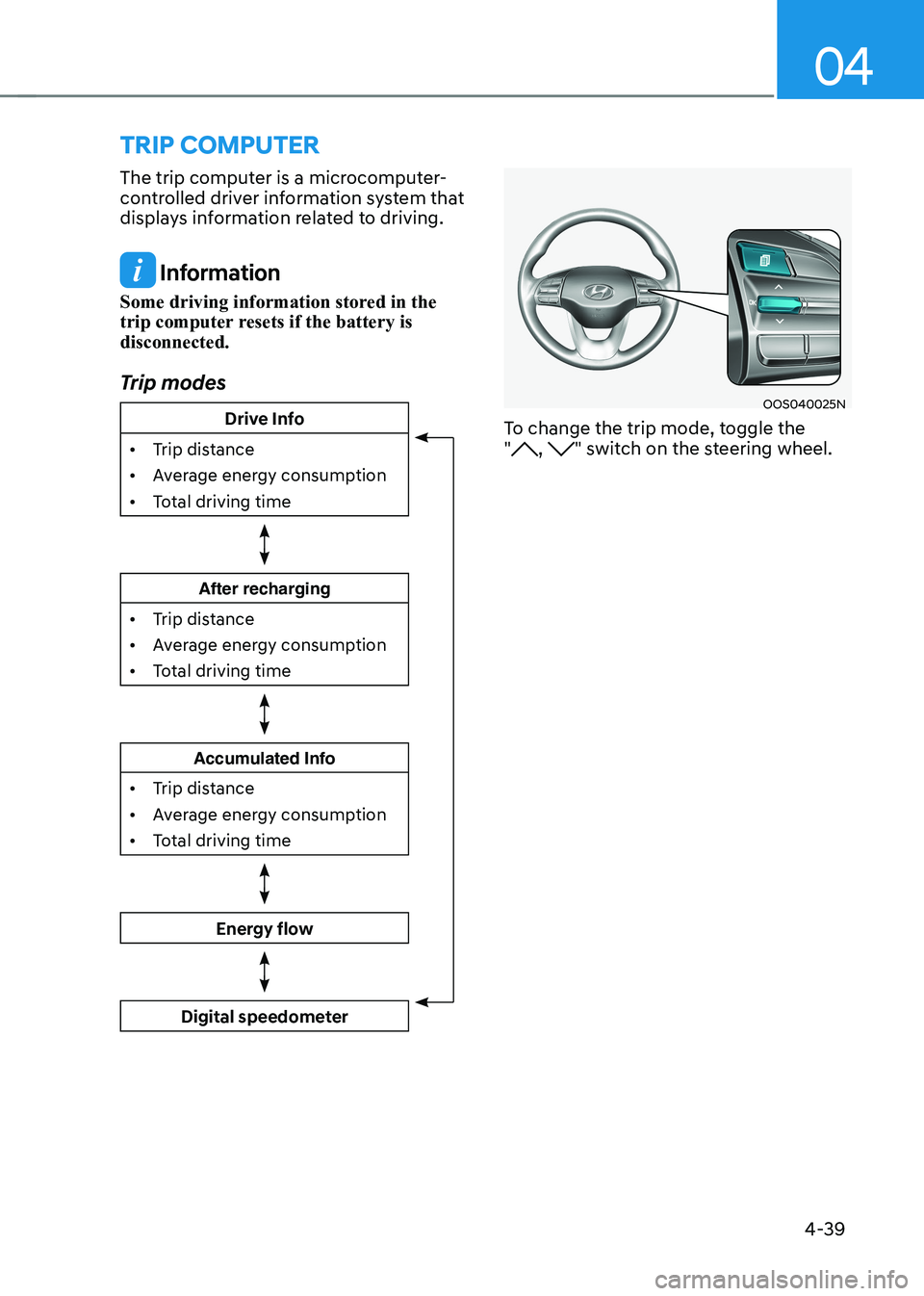
trIp computer
The trip computer is a microcomputer-
controlled driver information system that
displays information related to driving.
Information
Some driving information stored in the
trip computer resets if the battery is disconnected.
Trip modes
Drive Info
• Trip distance
• Average energy consumption
• Total driving time
After recharging
• Trip distance
• Average energy consumption
• Total driving time
Accumulated Info
• Trip distance
• Average energy consumption
• Total driving time
Energy flow
Digital speedometer
OOS040025N
To change the trip mode, toggle the "
, " switch on the steering wheel.
Page 184 of 548
04
4-41
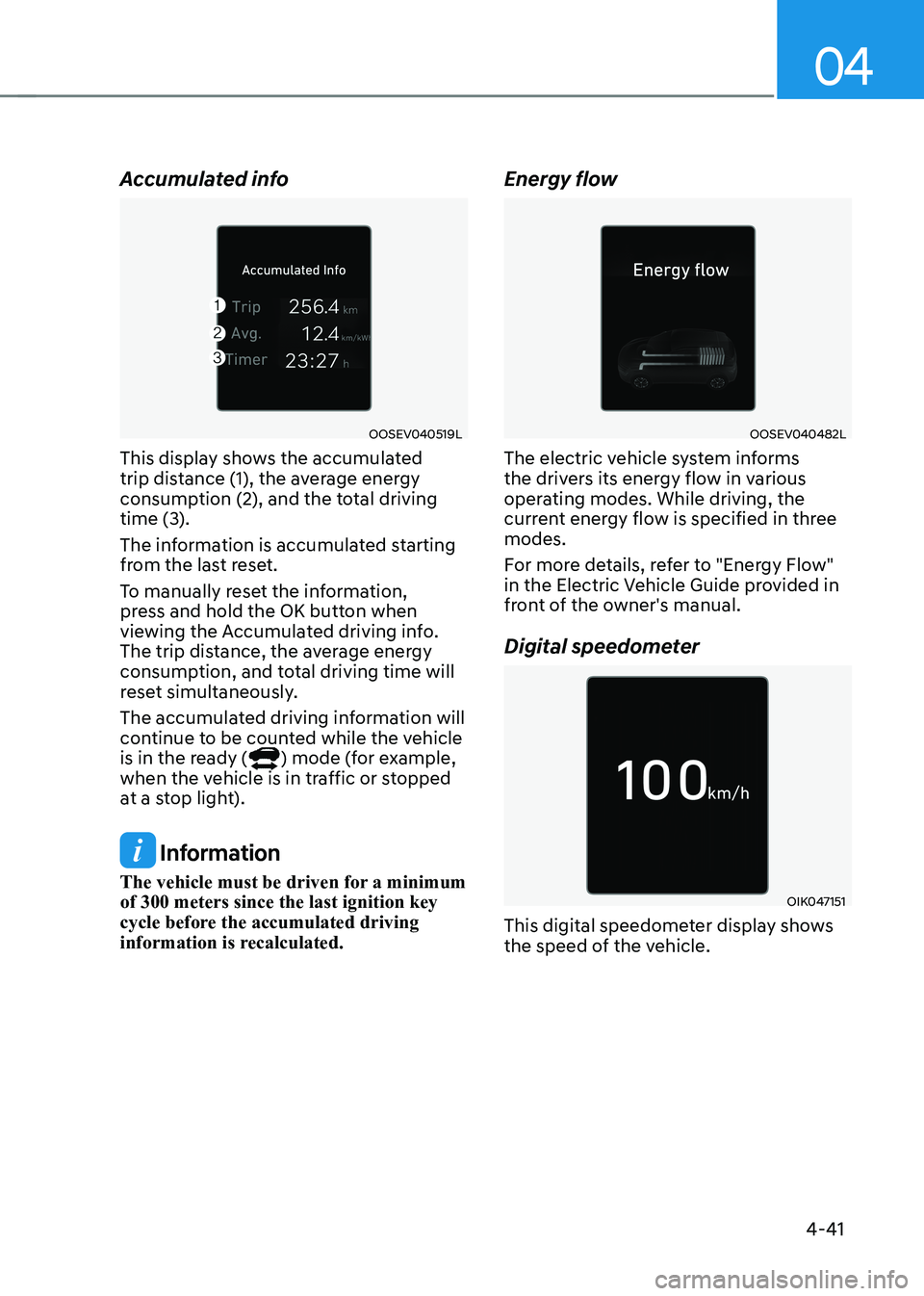
Accumulated info
OOSEV040519L
This display shows the accumulated
trip distance (1), the average energy
consumption (2), and the total driving
time (3).
The information is accumulated starting
from the last reset.
To manually reset the information,
press and hold the OK button when
viewing the Accumulated driving info.
The trip distance, the average energy
consumption, and total driving time will
reset simultaneously.
The accumulated driving information will
continue to be counted while the vehicle
is in the ready (
) mode (for example,
when the vehicle is in traffic or stopped
at a stop light).
Information
The vehicle must be driven for a minimum of 300 meters since the last ignition key
cycle before the accumulated driving
information is recalculated. Energy flow
OOSEV040482L
The electric vehicle system informs
the drivers its energy flow in various
operating modes. While driving, the
current energy flow is specified in three modes.
For more details, refer to "Energy Flow"
in the Electric Vehicle Guide provided in
front of the owner's manual.
Digital speedometer
OIK047151
This digital speedometer display shows
the speed of the vehicle.
Page 231 of 548
05
5-47
Head Up Display ON/OFF
OOSEV040061L
Use the head-up display ON/OFF button
to activate or deactivate the head-up
display when the START/STOP button is
in the ON position or when the vehicle is
in the ready (
) mode.
The head-up display will retract
automatically when the vehicle is turned
OFF and the doors are locked with the
Smart Key or when pressing the button on the outside door handle.
Note that if the vehicle is turned OFF and
the doors are not locked, the head-up
display will automatically retract after
approximately five minutes.
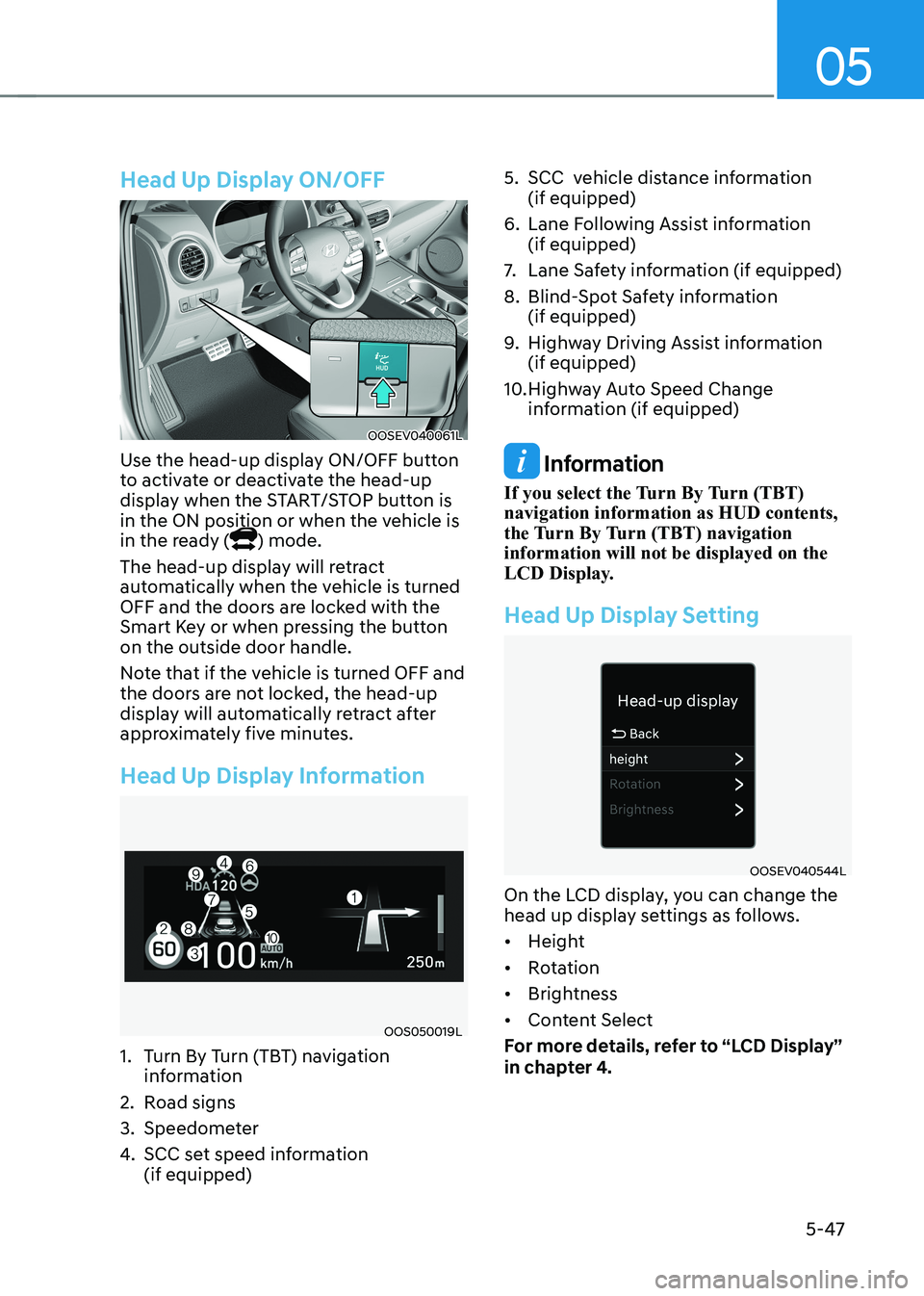
Head Up Display Information
OOS050019L
1. Turn By Turn (TBT) navigation information
2. Road signs
3. Speedometer
4. SCC set speed information (if equipped) 5. SCC vehicle distance information
(if equipped)
6. Lane Following Assist information (if equipped)
7. Lane Safety information (if equipped)
8. Blind-Spot Safety information (if equipped)
9. Highway Driving Assist information (if equipped)
10. Highway Auto Speed Change information (if equipped)
Information
If you select the Turn By Turn (TBT) navigation information as HUD contents,
the Turn By Turn (TBT) navigation information will not be displayed on the
LCD Display.
Head Up Display Setting
OOSEV040544L
On the LCD display, you can change the
head up display settings as follows. • Height
• Rotation
• Brightness
• Content Select
For more details, refer to “LCD Display”
in chapter 4.