light Hyundai Matrix 2004 Owner's Guide
[x] Cancel search | Manufacturer: HYUNDAI, Model Year: 2004, Model line: Matrix, Model: Hyundai Matrix 2004Pages: 317, PDF Size: 5.12 MB
Page 57 of 317
FEATURES OF YOUR HYUNDAI 1- 49
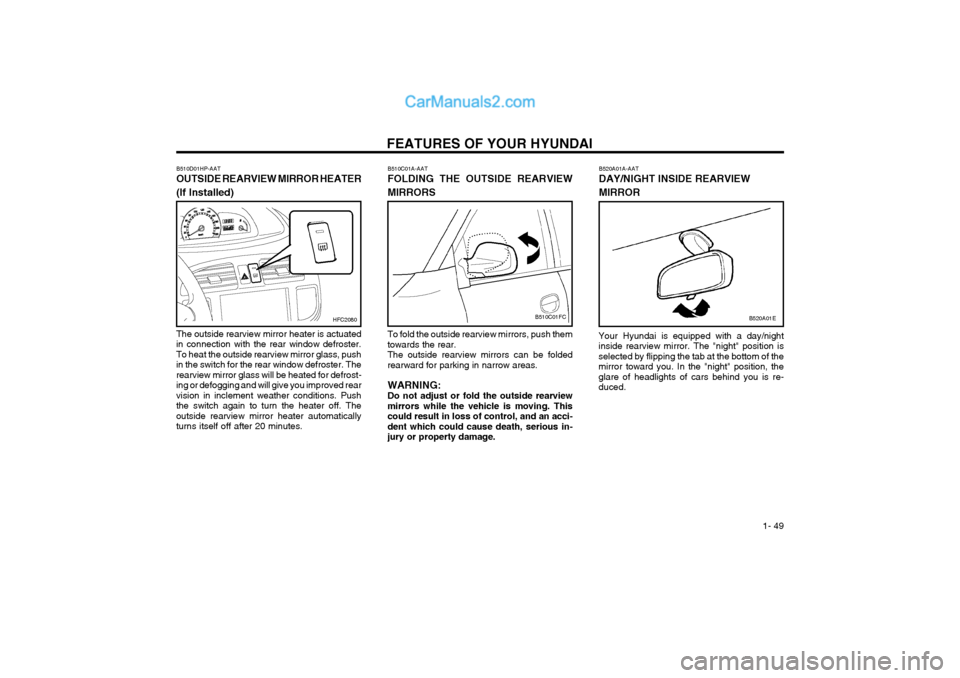
B510C01A-AAT FOLDING THE OUTSIDE REARVIEW MIRRORS
B510C01FC
To fold the outside rearview mirrors, push them towards the rear.The outside rearview mirrors can be foldedrearward for parking in narrow areas. WARNING: Do not adjust or fold the outside rearviewmirrors while the vehicle is moving. Thiscould result in loss of control, and an acci-dent which could cause death, serious in-jury or property damage.
B510D01HP-AAT OUTSIDE REARVIEW MIRROR HEATER (If Installed)
The outside rearview mirror heater is actuated in connection with the rear window defroster.To heat the outside rearview mirror glass, pushin the switch for the rear window defroster. Therearview mirror glass will be heated for defrost-ing or defogging and will give you improved rearvision in inclement weather conditions. Pushthe switch again to turn the heater off. Theoutside rearview mirror heater automaticallyturns itself off after 20 minutes.
HFC2080
B520A01A-AAT DAY/NIGHT INSIDE REARVIEW MIRROR
B520A01E
Your Hyundai is equipped with a day/night inside rearview mirror. The "night" position isselected by flipping the tab at the bottom of themirror toward you. In the "night" position, theglare of headlights of cars behind you is re-duced.
Page 58 of 317
FEATURES OF YOUR HYUNDAI
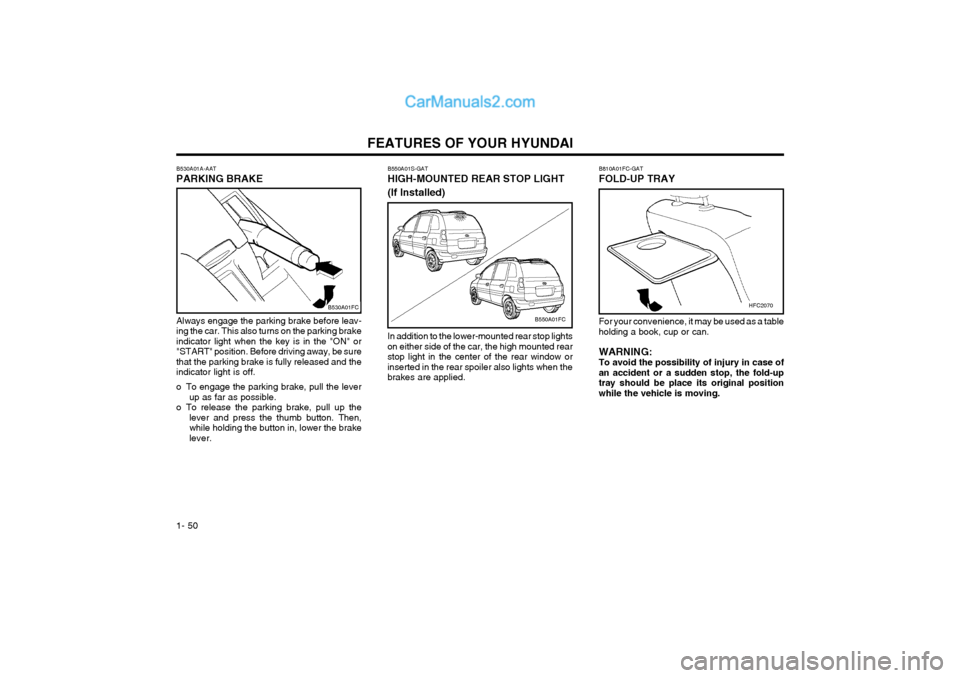
1- 50 B550A01S-GAT HIGH-MOUNTED REAR STOP LIGHT (If Installed)
B550A01FC
In addition to the lower-mounted rear stop lights on either side of the car, the high mounted rearstop light in the center of the rear window orinserted in the rear spoiler also lights when thebrakes are applied.
Always engage the parking brake before leav-ing the car. This also turns on the parking brakeindicator light when the key is in the "ON" or"START" position. Before driving away, be surethat the parking brake is fully released and theindicator light is off.
o To engage the parking brake, pull the lever
up as far as possible.
o To release the parking brake, pull up the lever and press the thumb button. Then, while holding the button in, lower the brakelever.
B530A01A-AAT PARKING BRAKE
B530A01FC
B810A01FC-GAT FOLD-UP TRAY
For your convenience, it may be used as a table holding a book, cup or can. WARNING: To avoid the possibility of injury in case ofan accident or a sudden stop, the fold-uptray should be place its original positionwhile the vehicle is moving.
HFC2070
Page 60 of 317
FEATURES OF YOUR HYUNDAI
1- 52
HFC2016
WARNING: Fuel vapors are dangerous. Before refuel-ing, always stop the engine and never allowsparks or open flames near the filler area. Ifyou need to replace the filler cap, use agenuine Hyundai replacement part.If you open the fuel filler cap during highambient temperatures, a slight "pressuresound" may be heard. This is normal andnot a cause for concern.Whenever you open the fuel filler cap, turn
it slowly.
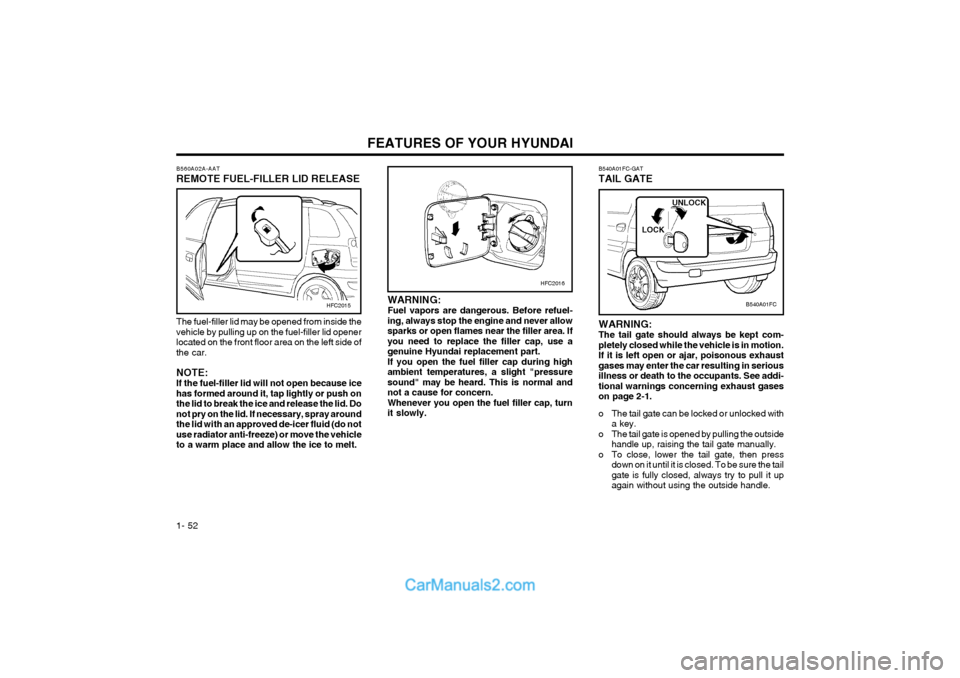
B560A02A-AAT REMOTE FUEL-FILLER LID RELEASE
The fuel-filler lid may be opened from inside the vehicle by pulling up on the fuel-filler lid openerlocated on the front floor area on the left side ofthe car. NOTE: If the fuel-filler lid will not open because icehas formed around it, tap lightly or push onthe lid to break the ice and release the lid. Donot pry on the lid. If necessary, spray aroundthe lid with an approved de-icer fluid (do notuse radiator anti-freeze) or move the vehicleto a warm place and allow the ice to melt.
HFC2015
B540A01FC-GAT TAIL GATE
B540A01FC
WARNING: The tail gate should always be kept com-pletely closed while the vehicle is in motion.If it is left open or ajar, poisonous exhaustgases may enter the car resulting in seriousillness or death to the occupants. See addi-tional warnings concerning exhaust gaseson page 2-1.
o The tail gate can be locked or unlocked with a key.
o The tail gate is opened by pulling the outside handle up, raising the tail gate manually.
o To close, lower the tail gate, then press down on it until it is closed. To be sure the tail gate is fully closed, always try to pull it upagain without using the outside handle. LOCK
UNLOCK
Page 65 of 317
FEATURES OF YOUR HYUNDAI 1- 57
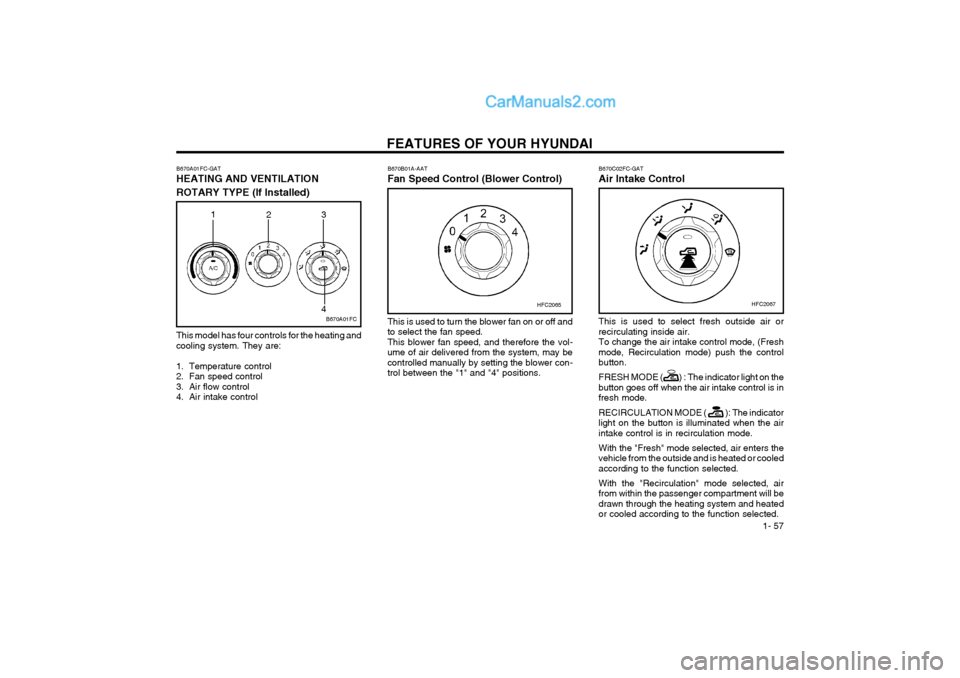
B670A01FC-GAT HEATING AND VENTILATION
ROTARY TYPE (If Installed)
B670A01FC
1
23
4
This model has four controls for the heating and cooling system. They are:
1. Temperature control
2. Fan speed control
3. Air flow control
4. Air intake control B670C02FC-GAT Air Intake Control
HFC2067
This is used to select fresh outside air or recirculating inside air.To change the air intake control mode, (Freshmode, Recirculation mode) push the controlbutton. FRESH MODE (
) : The indicator light on the
button goes off when the air intake control is in fresh mode. RECIRCULATION MODE (
): The indicator
light on the button is illuminated when the air intake control is in recirculation mode. With the "Fresh" mode selected, air enters the
vehicle from the outside and is heated or cooledaccording to the function selected. With the "Recirculation" mode selected, air from within the passenger compartment will bedrawn through the heating system and heatedor cooled according to the function selected.
B670B01A-AAT Fan Speed Control (Blower Control)
HFC2065
This is used to turn the blower fan on or off and to select the fan speed.This blower fan speed, and therefore the vol-ume of air delivered from the system, may becontrolled manually by setting the blower con-trol between the "1" and "4" positions.
Page 69 of 317
FEATURES OF YOUR HYUNDAI 1- 61
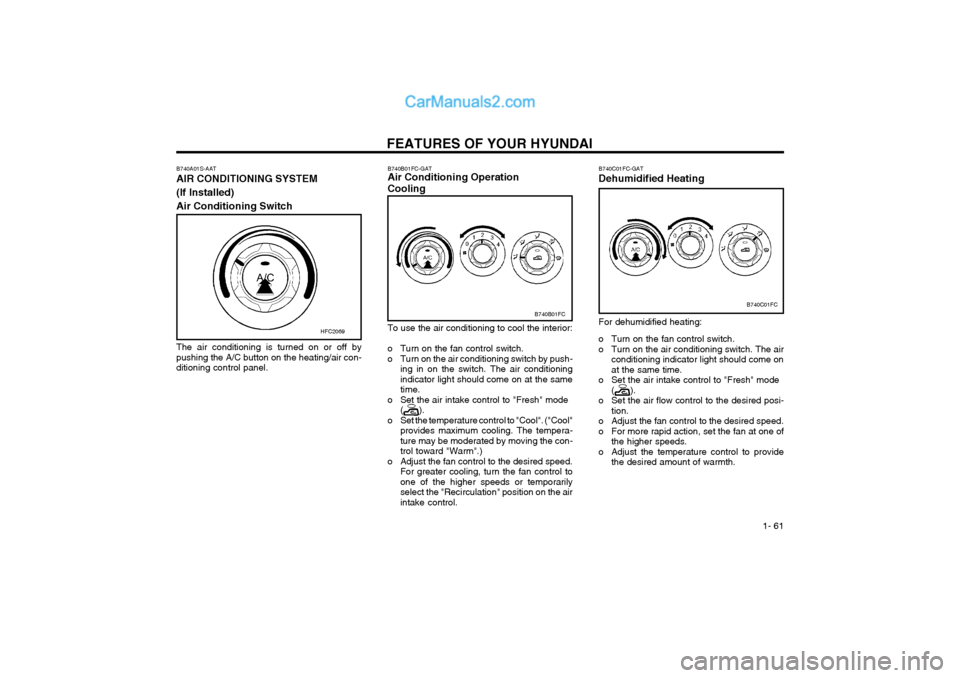
B740C01FC-GAT Dehumidified Heating
B740C01FC
For dehumidified heating:
o Turn on the fan control switch.
o Turn on the air conditioning switch. The air conditioning indicator light should come onat the same time.
o Set the air intake control to "Fresh" mode (
).
o Set the air flow control to the desired posi- tion.
o Adjust the fan control to the desired speed.
o For more rapid action, set the fan at one of the higher speeds.
o Adjust the temperature control to provide the desired amount of warmth.
B740B01FC-GAT Air Conditioning Operation Cooling
B740B01FC
To use the air conditioning to cool the interior:
o Turn on the fan control switch.
o Turn on the air conditioning switch by push- ing in on the switch. The air conditioningindicator light should come on at the sametime.
o Set the air intake control to "Fresh" mode (
).
o Set the temperature control to "Cool". ("Cool" provides maximum cooling. The tempera- ture may be moderated by moving the con-trol toward "Warm".)
o Adjust the fan control to the desired speed. For greater cooling, turn the fan control toone of the higher speeds or temporarilyselect the "Recirculation" position on the airintake control.
B740A01S-AAT AIR CONDITIONING SYSTEM (If Installed)Air Conditioning Switch
The air conditioning is turned on or off by pushing the A/C button on the heating/air con-ditioning control panel. HFC2069
Page 96 of 317
FEATURES OF YOUR HYUNDAI
1- 88
B850A01F-AAT CARE OF DISC Proper Handling
Do not grip or pull out the disc with your hand while the disc is being pulled into the unit by theself loading mechanism.Do not pull the unit from the dash immediatelyafter a disc is inserted or the eject switch hasbeen pressed. If the unit is pulled out before anoperation is completed, the disc will be un-stable in the unit and may be damaged.Do not attempt to insert a disc into the unit whenthe unit is out of the dash or the power is off. Keep Your Discs Clean
YL11240B
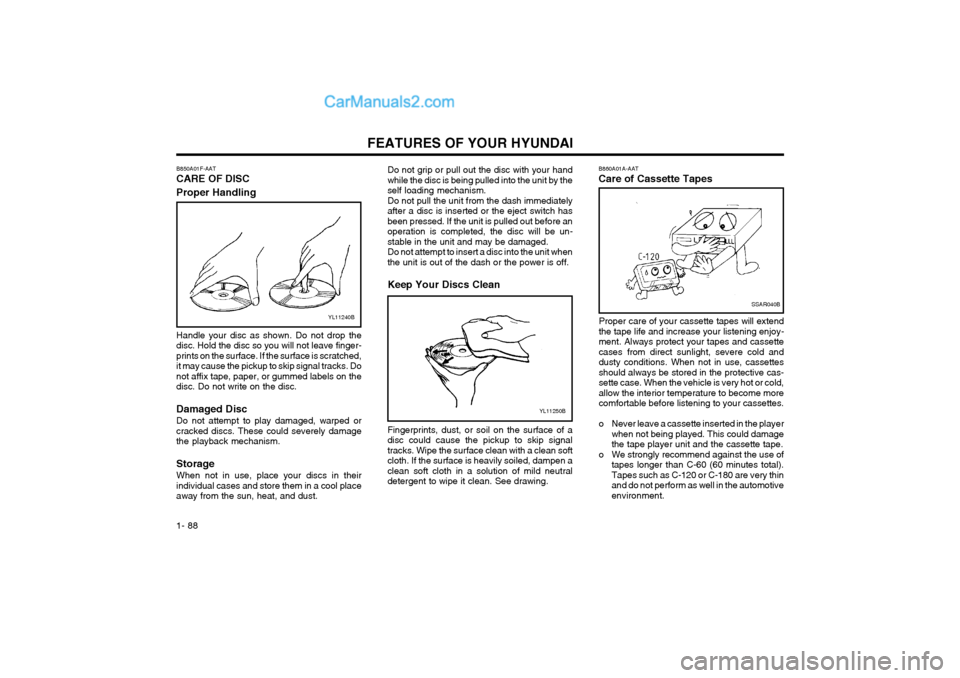
Handle your disc as shown. Do not drop the disc. Hold the disc so you will not leave finger-prints on the surface. If the surface is scratched,it may cause the pickup to skip signal tracks. Donot affix tape, paper, or gummed labels on thedisc. Do not write on the disc. Damaged Disc Do not attempt to play damaged, warped or cracked discs. These could severely damagethe playback mechanism. Storage When not in use, place your discs in their individual cases and store them in a cool placeaway from the sun, heat, and dust.
YL11250B
Fingerprints, dust, or soil on the surface of a disc could cause the pickup to skip signaltracks. Wipe the surface clean with a clean softcloth. If the surface is heavily soiled, dampen aclean soft cloth in a solution of mild neutraldetergent to wipe it clean. See drawing.B860A01A-AAT Care of Cassette Tapes
SSAR040B
Proper care of your cassette tapes will extend the tape life and increase your listening enjoy-ment. Always protect your tapes and cassettecases from direct sunlight, severe cold anddusty conditions. When not in use, cassettesshould always be stored in the protective cas-sette case. When the vehicle is very hot or cold,allow the interior temperature to become morecomfortable before listening to your cassettes.
o Never leave a cassette inserted in the player
when not being played. This could damage the tape player unit and the cassette tape.
o We strongly recommend against the use of tapes longer than C-60 (60 minutes total).Tapes such as C-120 or C-180 are very thinand do not perform as well in the automotiveenvironment.
Page 100 of 317
DRIVING YOUR HYUNDAI
2- 2
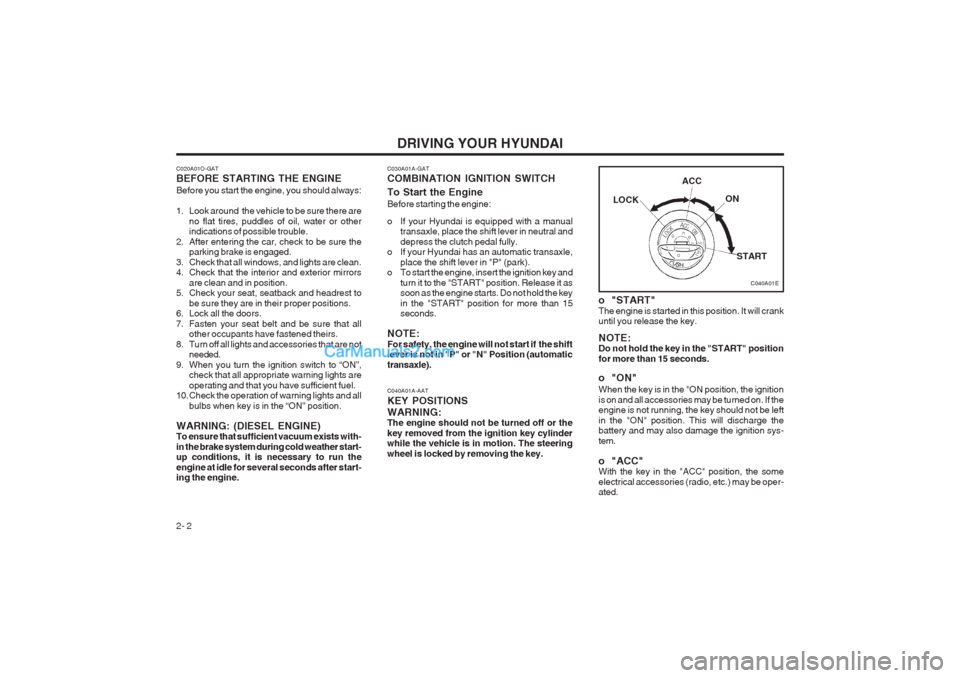
C040A01A-AAT KEY POSITIONSWARNING: The engine should not be turned off or the key removed from the ignition key cylinder while the vehicle is in motion. The steering wheel is locked by removing the key.
C040A01E
LOCK
ACC
ON
START
o "START" The engine is started in this position. It will crank until you release the key. NOTE: Do not hold the key in the "START" position for more than 15 seconds.
o "ON" When the key is in the "ON position, the ignition is on and all accessories may be turned on. If the engine is not running, the key should not be left in the "ON" position. This will discharge the battery and may also damage the ignition sys- tem.
o "ACC" With the key in the "ACC" position, the some electrical accessories (radio, etc.) may be oper- ated.
C020A01O-GAT BEFORE STARTING THE ENGINE Before you start the engine, you should always:
1. Look around the vehicle to be sure there are
no flat tires, puddles of oil, water or other indications of possible trouble.
2. After entering the car, check to be sure the parking brake is engaged.
3. Check that all windows, and lights are clean.
4. Check that the interior and exterior mirrors are clean and in position.
5. Check your seat, seatback and headrest to
be sure they are in their proper positions.
6. Lock all the doors.
7. Fasten your seat belt and be sure that all other occupants have fastened theirs.
8. Turn off all lights and accessories that are not needed.
9. When you turn the ignition switch to “ON”, check that all appropriate warning lights areoperating and that you have sufficient fuel.
10. Check the operation of warning lights and all
bulbs when key is in the “ON” position.
WARNING: (DIESEL ENGINE) To ensure that sufficient vacuum exists with- in the brake system during cold weather start- up conditions, it is necessary to run the engine at idle for several seconds after start- ing the engine.
C030A01A-GAT COMBINATION IGNITION SWITCH To Start the Engine Before starting the engine:
o If your Hyundai is equipped with a manual transaxle, place the shift lever in neutral and depress the clutch pedal fully.
o If your Hyundai has an automatic transaxle,
place the shift lever in "P" (park).
o To start the engine, insert the ignition key and
turn it to the "START" position. Release it as soon as the engine starts. Do not hold the key in the "START" position for more than 15 seconds.
NOTE: For safety, the engine will not start if the shift lever is not in "P" or "N" Position (automatic transaxle).
Page 101 of 317
DRIVING YOUR HYUNDAI 2- 3
C070C01E
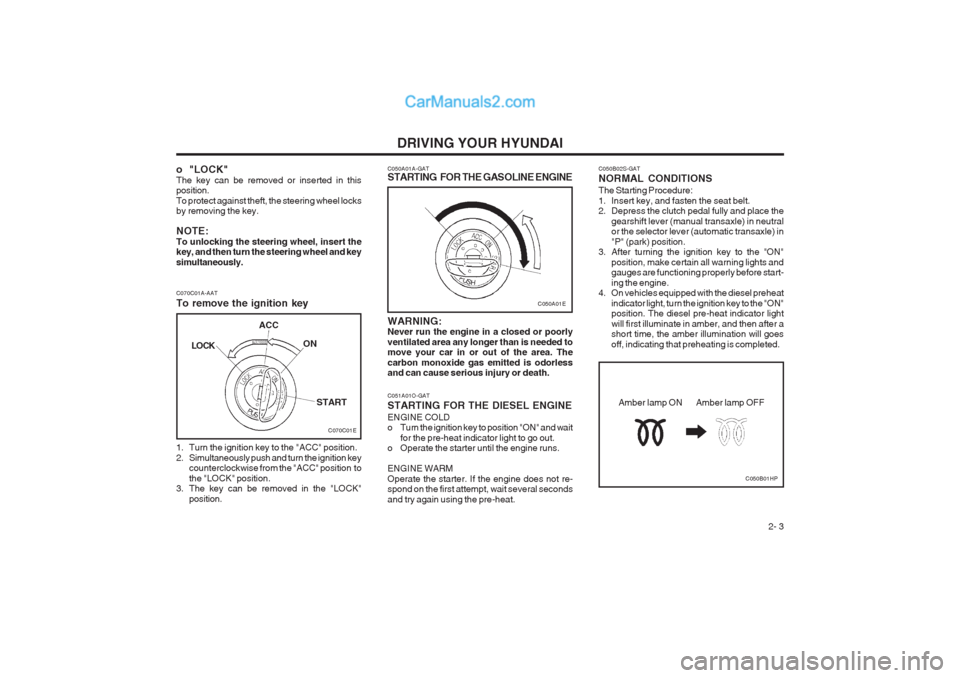
C070C01A-AAT To remove the ignition key
1. Turn the ignition key to the "ACC" position.
2. Simultaneously push and turn the ignition key
counterclockwise from the "ACC" position tothe "LOCK" position.
3. The key can be removed in the "LOCK"
position.LOCK
ACC
ON
START
C050A01E
C050A01A-GAT
STARTING FOR THE GASOLINE ENGINE WARNING: Never run the engine in a closed or poorly ventilated area any longer than is needed to move your car in or out of the area. The carbon monoxide gas emitted is odorless and can cause serious injury or death. C051A01O-GAT STARTING FOR THE DIESEL ENGINE ENGINE COLD
o Turn the ignition key to position "ON" and wait
for the pre-heat indicator light to go out.
o Operate the starter until the engine runs. ENGINE WARM Operate the starter. If the engine does not re- spond on the first attempt, wait several seconds and try again using the pre-heat.
o "LOCK" The key can be removed or inserted in this position. To protect against theft, the steering wheel locks by removing the key. NOTE: To unlocking the steering wheel, insert the key, and then turn the steering wheel and key simultaneously. C050B02S-GAT NORMAL CONDITIONS The Starting Procedure:
1. Insert key, and fasten the seat belt.
2. Depress the clutch pedal fully and place the
gearshift lever (manual transaxle) in neutralor the selector lever (automatic transaxle) in "P" (park) position.
3. After turning the ignition key to the "ON"
position, make certain all warning lights and gauges are functioning properly before start- ing the engine.
4. On vehicles equipped with the diesel preheat
indicator light, turn the ignition key to the "ON" position. The diesel pre-heat indicator light will first illuminate in amber, and then after a short time, the amber illumination will goes off, indicating that preheating is completed.
C050B01HP
Amber lamp ON Amber lamp OFF
Page 106 of 317
DRIVING YOUR HYUNDAI
2- 8 o Do not hold the vehicle on the upgrade with
the accelerator pedal. This can cause the transmission to overheat. Always use the brake pedal or parking brake.
C120A02A-AAT ANTI-LOCK BRAKE SYSTEM (If Installed) The Anti-Lock Brake System (ABS) is designed to prevent wheel lock-up during sudden braking or on hazardous road surfaces. The ABS control module monitors the wheel speed and controls the pressure applied to each brake. Thus, in emergency situations or on slick roads, ABS will increase vehicle control during braking. NOTE: During ABS operation, a slight pulsation may be felt in the brake pedal when the brakes are applied. Also, a noise may be heard in the engine compartment while braking. These conditions are normal and indicate that the anti-lock brake system is functioning proper- ly. WARNING: ABS will not prevent accidents due to im- proper or dangerous driving maneuvers. Even though vehicle control is improved during emergency braking, always maintain a safe distance between you and objects ahead. Vehicle speeds should always be reduced during extreme road conditions. The braking distance for cars equipped with
also increases the wear of the brake compo-nents.
o If a tire goes flat while you are driving, apply
the brakes gently and keep the car pointed straight ahead while you slow down. When
you are moving slowly enough for it to be safe to do so, pull off the road and stop in a safe place.
o If your car is equipped with an automatic
transaxle, don't let your car creep forward. To avoid creeping forward, keep your foot on the brake pedal when the car is stopped.
o Use caution when parking on a hill. Engage
the parking brake and place the gear selector lever in "P" (automatic transaxle) or in first or
reverse gear (manual transaxle). If your car is
facing downhill, turn the front wheels into the curb to help keep the car from rolling. If your car is facing uphill, turn the front wheels away from the curb to help keep the car from rolling. If there is no curb or if it is required by other conditions to keep the car from rolling, block the wheels.
o Under some conditions your parking brake can freeze in the engaged position. This is most likely to happen when there is an accu- mulation of snow or ice around or near the rear brakes or if the brakes are wet. If there is a risk that the parking brake may freeze, apply it only temporarily while you put the gear selector lever in "P" (automatic) or in first or reverse gear (manual transaxle) and block the rear wheels so the car cannot roll. Then release the parking brake.
C130A01A-AAT GOOD BRAKING PRACTICES WARNING: Nothing should be carried on top of the shelf panel behind the rear seat. If there were an accident or a sudden stop, such objects could move forward and cause damage to the ve- hicle or injure the occupants.
o After being parked, check to be sure the
parking brake is not engaged and that the parking brake indicator light is out before driving away.
o Driving through water may get the brakes
wet. They can also get wet when the car is washed. Wet brakes can be dangerous! Your
car will not stop as quickly if the brakes are wet. Wet brakes may cause the car to pull to one side. To dry the brakes, apply the brakes lightly until the braking action returns to nor-
mal, taking care to keep the car under control at all times. If the braking action does not return to normal, stop as soon as it is safe to do so and call your Hyundai dealer for assis- tance.
o Don't coast down hills with the car out of gear.
This is extremely hazardous. Keep the car in gear at all times, use the brakes to slow down, then shift to a lower gear so that engine braking will help you maintain a safe speed.
o Don't "ride" the brake pedal. Resting your foot on the brake pedal while driving can be dan- gerous because it can result in the brakes overheating and losing their effectiveness. It
Page 107 of 317
DRIVING YOUR HYUNDAI 2- 9
an anti-lock braking system may be longer than for those without it in the following road conditions.
o Driving on rough, gravel or snow-covered
roads.
o Driving with tire chains installed.
o Driving on roads where the road surface is pitted or has different surface height.
During these conditions, the vehicle shouldbe driven at reduced speeds. The safety fea- tures of an ABS equipped vehicle should not be tested by high speed driving or cornering. This could endanger the safety of yourself or others. C300A01O-GAT BRAKE TRACTION CONTROL SYSTEM (BTCS) (If Installed) On slippery road surfaces, the traction control system (TCS) limits the drive wheels from spin- ning excessively, thus helping the car to acceler- ate. It also provides sufficient driving force and steering performance as the car turns at acceler- ated speeds. SLIP Control Limits the drive wheels from spinning exces- sively during starting or while making accelerat- ed turns on slippery roads to avoid losing the driving force of the front wheels. C300B01O-GAT TCS ON ModeIn the TCS ON mode, the indicator in the instru- ment cluster will not be illuminated. NOTE:
1) Turn off the engine. Then restart the en-
gine, and the TCS mode will automaticallyturn "ON".
2) When the traction control is operating
properly, you can feel a slight pulsation in the vehicle. This is only the effect of brake control and indicates nothing unusual. C300D02O-GAT Indicator and Warning The indicator should illuminate when the ignition key is turned to "ON" or "START", but should go out after three seconds. If the indicator does not illuminate, have it checked by an authorized Hyundai dealer. Should there be any unusual conditions in the device, TCS illuminates as a warning. If TCS illuminates, pull your car to a safe place and stop the engine. Then, start the engine again to check if the TCS indicator goes out. If the indicator remains lit even after the engine has been started, have your car checked by an authorized Hyundai dealer. NOTE: When TCS illuminates, traction control is automatically deactivated for safety.
Driving hints TCS does not actively apply brakes. Be sure to decelerate the car sufficiently before entering curves. CAUTION: When the TCS indicator blinks, SLIP control has been activated. It also means that the road is slippery or your car is accelerating excessively. In this situation, release foot pressure from the accelerator pedal and main- tain moderate speed. WARNING: Traction control is only a driving aid; all normal precautions for driving in inclement weather and on slippery driving surfaces should be observed.
3) When the engine starts, a click is heard
from the engine compartment; however, this is only the sound of traction control being checked.
4) When moving out of the mud or fresh
snow, pressing the accelerator pedal may not cause the engine speed to increase.