lane assist Hyundai Nexo 2019 User Guide
[x] Cancel search | Manufacturer: HYUNDAI, Model Year: 2019, Model line: Nexo, Model: Hyundai Nexo 2019Pages: 560, PDF Size: 24.2 MB
Page 324 of 560
5-58
Driving your vehicle
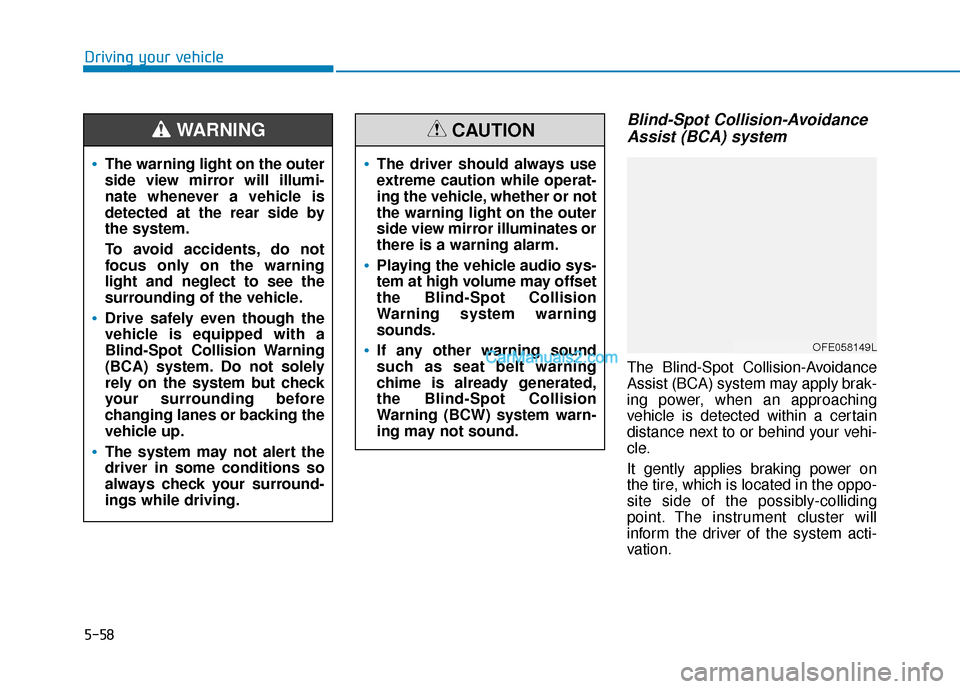
Blind-Spot Collision-AvoidanceAssist (BCA) system
The Blind-Spot Collision-Avoidance
Assist (BCA) system may apply brak-
ing power, when an approaching
vehicle is detected within a certain
distance next to or behind your vehi-
cle.
It gently applies braking power on
the tire, which is located in the oppo-
site side of the possibly-colliding
point. The instrument cluster will
inform the driver of the system acti-
vation.
The warning light on the outer
side view mirror will illumi-
nate whenever a vehicle is
detected at the rear side by
the system.
To avoid accidents, do not
focus only on the warning
light and neglect to see the
surrounding of the vehicle.
Drive safely even though the
vehicle is equipped with a
Blind-Spot Collision Warning
(BCA) system. Do not solely
rely on the system but check
your surrounding before
changing lanes or backing the
vehicle up.
The system may not alert the
driver in some conditions so
always check your surround-
ings while driving.
WARNING
The driver should always use
extreme caution while operat-
ing the vehicle, whether or not
the warning light on the outer
side view mirror illuminates or
there is a warning alarm.
Playing the vehicle audio sys-
tem at high volume may offset
the Blind-Spot Collision
Warning system warning
sounds.
If any other warning sound
such as seat belt warning
chime is already generated,
the Blind-Spot Collision
Warning (BCW) system warn-
ing may not sound.
CAUTION
OFE058149L
Page 325 of 560
5-59
Driving your vehicle
5
Blind-Spot Collision-Avoidance Assist
(BCA) system is automatically deacti-
vated when:
- The vehicle drives a certain dis-tance away
- The vehicle direction is changed against the possible-colliding point
- The steering wheel is abruptly moved
- The brake pedal is depressed
- After a certain period of time
The driver should drive the vehicle in
the middle of the vehicle lanes to
keep the system in the ready status.
When the vehicle drives too close to
one side of the vehicle lanes, the
system may not properly operate.
In addition, the system may not prop-
erly control your vehicle in accor-
dance with driving situations. Thus,
always pay close attention to road
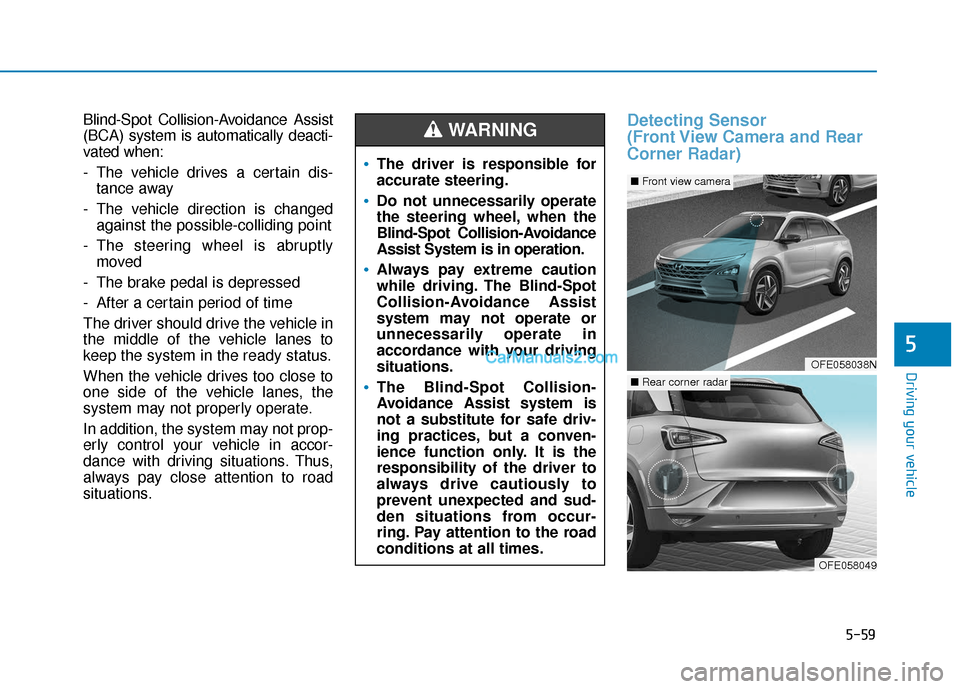
situations.Detecting Sensor
(Front View Camera and Rear
Corner Radar)
The driver is responsible for
accurate steering.
Do not unnecessarily operate
the steering wheel, when the
Blind-Spot Collision-Avoidance
Assist System is in operation.
Always pay extreme caution
while driving. The Blind-Spot
Collision-Avoidance Assist
system may not operate or
unnecessarily operate in
accordance with your driving
situations.
The Blind-Spot Collision-
Avoidance Assist system is
not a substitute for safe driv-
ing practices, but a conven-
ience function only. It is the
responsibility of the driver to
always drive cautiously to
prevent unexpected and sud-
den situations from occur-
ring. Pay attention to the road
conditions at all times.
WARNING
OFE058038N
■ Front view camera
OFE058049
■Rear corner radar
Page 326 of 560
5-60
Driving your vehicle
Front view camera
The front camera is a sensor detect-
ing the lane. If the sensor is covered
with snow, rain or foreign substance,
the system may temporarily be can-
celed. The system is canceled due to
the degradation of the sensor's
detection performance. Always keep
the sensor clean.
* Refer to Lane Keeping Assist(LKA) System for cautions for the
front camera sensor.
Rear corner radar
The rear radars are the sensors
inside the rear bumper for detecting
the side and rear areas. Always keep
the rear bumper clean for proper
operation of the system.
The system may not work
properly when the bumper
has been damaged, or if the
rear bumper has been
replaced or repaired.
The sensing range differs
somewhat according to the
width of the road. When the
road is narrow, the system
may detect other vehicles in
the next lane.
The system may turn off due
to strong electromagnetic
waves.
Always keep the sensors
clean.
NEVER arbitrarily disassem-
ble the sensor component nor
apply any impact on the sen-
sor component.
Be careful not to apply unnec-
essary force on the radar sen-
sor or sensor cover. If the sen-
sor is forcibly moved out of
proper alignment, the system
may not operate correctly. In
this case, a warning message
may not be displayed. Have
the vehicle inspected by an
authorized HYUNDAI dealer.
Do not apply foreign objects
such as a bumper sticker or a
bumper guard near the radar
sensor or apply paint to the
sensor area. Doing so may
adversely affect the perform-
ance of the sensor.
NEVER install any acces-
sories or stickers on the front
windshield, nor tint the front
windshield.
Pay extreme caution to keep
the camera sensor out of
water.
NEVER locate any reflective
objects (i.e. white paper, mir-
ror) over the crash pad. Any
light reflection may cause a
malfunction of the system.
CAUTION
Page 329 of 560
5-63
Driving your vehicle
5
The vehicle driven on a curvedroad.
The vehicle driven through a toll- gate.
The road pavement (or the periph- eral ground) abnormally contains
metallic components (i.e. possibly
due to subway construction).
There is a fixed object near the vehicle, such as a guardrail.
While going down or up a steep road where the height of the lane is
different.
Driving on a narrow road where trees or grass or overgrown.
Driving in rural areas where the sensor does not detect another
vehicle or structure for an extended
period of time.
Driving on a wet road.
Driving on a road where the guardrail or wall is in double struc-
ture.
A big vehicle is near such as a bus or truck.
When the other vehicle approach- es very close. When the other vehicle passes at a
very fast speed.
While changing lanes.
If the vehicle has started at the same time as the vehicle next to
you and has accelerated.
When the vehicle in the next lane moves two lanes away from you
OR when the vehicle two lanes
away moves to the next lane from
you.
A motorcycle or bicycle is near.
A flat trailer is near.
If there are small objects in the detecting area such as a shopping
cart or a baby stroller.
If there is a low height vehicle such as a sports car.
The brake pedal is depressed.
ESC (Electronic Stability Control) is activated.
ESC (Electronic Stability Control) malfunctions.
The tire pressure is low or a tire is damaged.
The brake is reworked. The vehicle abruptly changes driv-
ing direction.
The vehicle makes sharp lane changes.
The vehicle sharply stops.
Temperature is extremely low around the vehicle.
The vehicle severely vibrates while driving over a bumpy road,
uneven/bumpy road, or concrete
patch.
The vehicle drives on a slippery surface due to snow, water puddle,
or ice.
The Lane Keeping Assist (LKA) or Lane Departure Warning (LDW) do
not operate normally. (if equipped)
For more information refer to "Lane
Keeping Assist (LKA) system" in
this chapter.
Page 343 of 560
5-77
Driving your vehicle
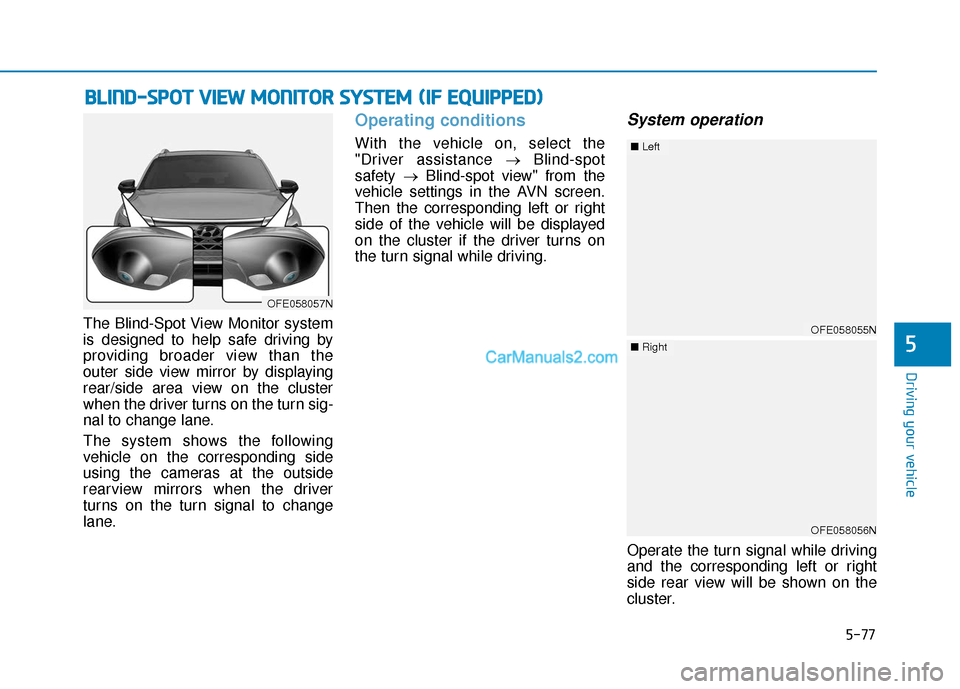
The Blind-Spot View Monitor system
is designed to help safe driving by
providing broader view than the
outer side view mirror by displaying
rear/side area view on the cluster
when the driver turns on the turn sig-
nal to change lane.
The system shows the following
vehicle on the corresponding side
using the cameras at the outside
rearview mirrors when the driver
turns on the turn signal to change
lane.
Operating conditions
With the vehicle on, select the
"Driver assistance →Blind-spot
safety →Blind-spot view" from the
vehicle settings in the AVN screen.
Then the corresponding left or right
side of the vehicle will be displayed
on the cluster if the driver turns on
the turn signal while driving.
System operation
Operate the turn signal while driving
and the corresponding left or right
side rear view will be shown on the
cluster.
B B L
LI
IN
N D
D-
-S
S P
P O
O T
T
V
V I
IE
E W
W
M
M O
ON
NI
IT
T O
O R
R
S
S Y
Y S
ST
T E
EM
M
(
( I
IF
F
E
E Q
Q U
UI
IP
P P
PE
ED
D )
)
5
OFE058057N
OFE058055N
■ Left
OFE058056N
■Right
Page 345 of 560
5-79
Driving your vehicle
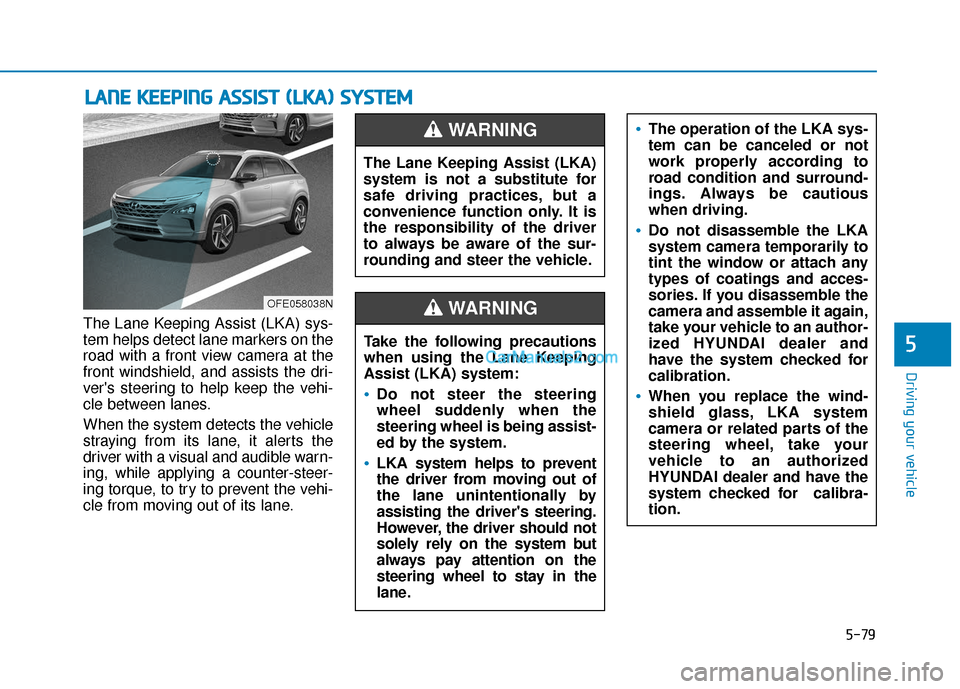
The Lane Keeping Assist (LKA) sys-
tem helps detect lane markers on the
road with a front view camera at the
front windshield, and assists the dri-
ver's steering to help keep the vehi-
cle between lanes.
When the system detects the vehicle
straying from its lane, it alerts the
driver with a visual and audible warn-
ing, while applying a counter-steer-
ing torque, to try to prevent the vehi-
cle from moving out of its lane.
L LA
A N
N E
E
K
K E
EE
EP
P I
IN
N G
G
A
A S
SS
SI
IS
S T
T
(
( L
L K
K A
A )
)
S
S Y
Y S
ST
T E
EM
M
5
OFE058038N
The Lane Keeping Assist (LKA)
system is not a substitute for
safe driving practices, but a
convenience function only. It is
the responsibility of the driver
to always be aware of the sur-
rounding and steer the vehicle.
WARNING
Take the following precautions
when using the Lane Keeping
Assist (LKA) system:
Do not steer the steering
wheel suddenly when the
steering wheel is being assist-
ed by the system.
LKA system helps to prevent
the driver from moving out of
the lane unintentionally by
assisting the driver's steering.
However, the driver should not
solely rely on the system but
always pay attention on the
steering wheel to stay in the
lane.
WARNING
The operation of the LKA sys-
tem can be canceled or not
work properly according to
road condition and surround-
ings. Always be cautious
when driving.
Do not disassemble the LKA
system camera temporarily to
tint the window or attach any
types of coatings and acces-
sories. If you disassemble the
camera and assemble it again,
take your vehicle to an author-
ized HYUNDAI dealer and
have the system checked for
calibration.
When you replace the wind-
shield glass, LKA system
camera or related parts of the
steering wheel, take your
vehicle to an authorized
HYUNDAI dealer and have the
system checked for calibra-
tion.
Page 346 of 560
5-80
Driving your vehicle
LKA System Operation
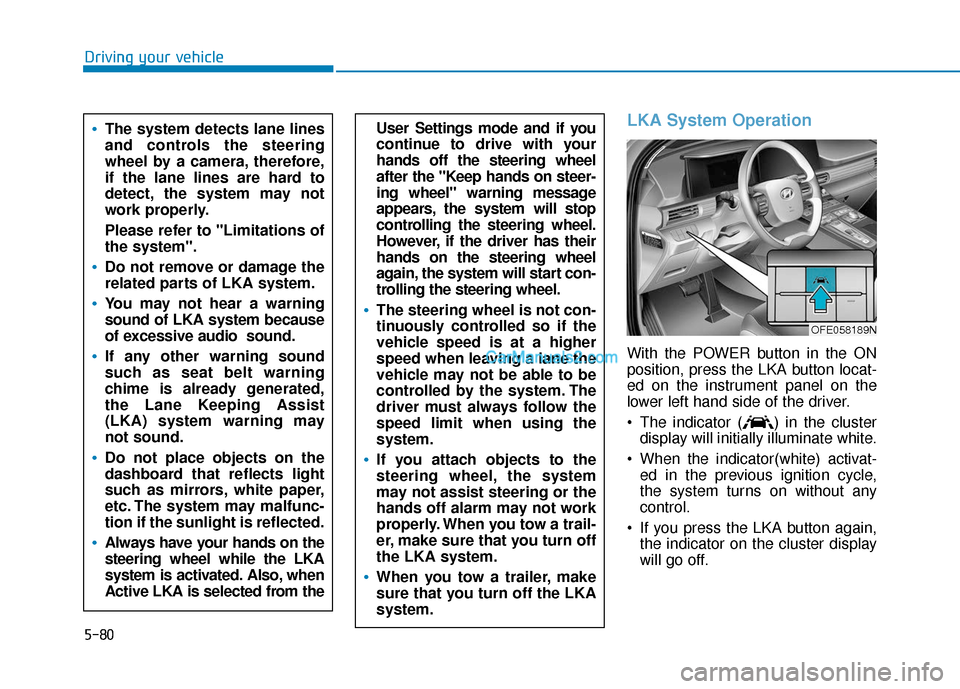
With the POWER button in the ON
position, press the LKA button locat-
ed on the instrument panel on the
lower left hand side of the driver.
The indicator ( ) in the clusterdisplay will initially illuminate white.
When the indicator(white) activat- ed in the previous ignition cycle,
the system turns on without any
control.
If you press the LKA button again, the indicator on the cluster display
will go off.
User Settings mode and if you
continue to drive with your
hands off the steering wheel
after the "Keep hands on steer-
ing wheel" warning message
appears, the system will stop
controlling the steering wheel.
However, if the driver has their
hands on the steering wheel
again, the system will start con-
trolling the steering wheel.
The steering wheel is not con-
tinuously controlled so if the
vehicle speed is at a higher
speed when leaving a lane the
vehicle may not be able to be
controlled by the system. The
driver must always follow the
speed limit when using the
system.
If you attach objects to the
steering wheel, the system
may not assist steering or the
hands off alarm may not work
properly. When you tow a trail-
er, make sure that you turn off
the LKA system.
When you tow a trailer, make
sure that you turn off the LKA
system.
The system detects lane lines
and controls the steering
wheel by a camera, therefore,
if the lane lines are hard to
detect, the system may not
work properly.
Please refer to "Limitations of
the system".
Do not remove or damage the
related parts of LKA system.
You may not hear a warning
sound of LKA system because
of excessive audio sound.
If any other warning sound
such as seat belt warning
chime is already generated,
the Lane Keeping Assist
(LKA) system warning may
not sound.
Do not place objects on the
dashboard that reflects light
such as mirrors, white paper,
etc. The system may malfunc-
tion if the sunlight is reflected.
Always have your hands on the
steering wheel while the LKA
system is activated. Also, when
Active LKA is selected from the
OFE058189N
Page 347 of 560
5-81
Driving your vehicle
5
The color of indicator will
change depending on the
condition of LKA system.
- White : Sensor does not detect
lane markers or vehicle
speed is under 40 mph (64
km/h).
- Green : Sensor detects lane mark- ers and the system is able
to control vehicle steering.
Information
If the indicator (white) is activated
from the previous ignition cycle, the
system will turn ON without any addi-
tional control. If you press the LKA
switch again, the indicator on the clus-
ter goes off.
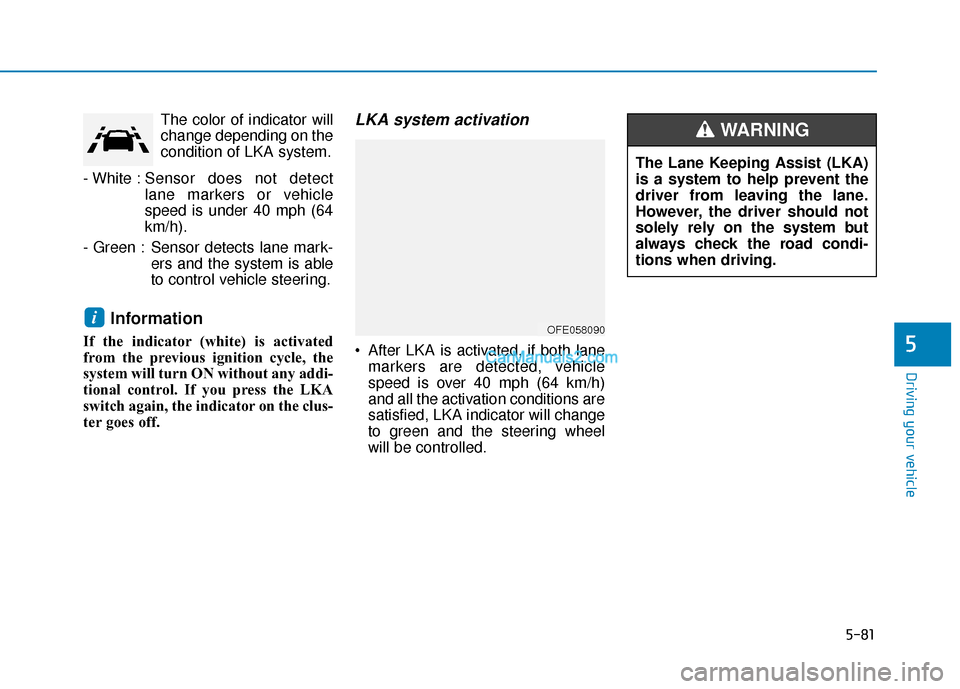
LKA system activation
After LKA is activated, if both lanemarkers are detected, vehicle
speed is over 40 mph (64 km/h)
and all the activation conditions are
satisfied, LKA indicator will change
to green and the steering wheel
will be controlled.
iOFE058090
The Lane Keeping Assist (LKA)
is a system to help prevent the
driver from leaving the lane.
However, the driver should not
solely rely on the system but
always check the road condi-
tions when driving.
WARNING
Page 349 of 560
5-83
Driving your vehicle
5
Warning Light and Message
Keep hands on steering wheel
If the driver takes their hands off the
steering wheel for several seconds
while the LKA system is activated,
the system will warn the driver.
Information
If the steering wheel is held very light-
ly, the message may still appear
because the LKA system may not rec-
ognize that the driver has their hands
on the wheel.
Information
• Even though the steering is assistedby the system, the driver can still
steer to control the steering wheel.
• The steering wheel may feel heavier when the steering wheel is assisted
by the system than when it is not.
Check Lane Keeping Assist (LKA)
system
If there is a problem with the system
a message will appear for a few sec-
onds. If the problem continues the
LKA system failure indicator will illu-
minate.
i
i
OFE058155L
The warning message may
appear late according to road
conditions. Therefore, always
have your hands on the steering
wheel while driving.
WARNING
The driver is responsible for
accurate steering.
Turn off the system in below
situations.
- In bad weather
- In bad road condition
- When the steering wheelneeds to be controlled by the
driver frequently.
WARNING
Page 350 of 560
5-84
Driving your vehicle
LKA system failure indicator
The LKA system failureindicator (y ellow) will illu-
minate if the LKA system
is not working properly.
Have your vehicle checked
by an authorized HYUNDAI
dealer.
When there is a problem with the
system do one of the following:
Turn the system on after turning the vehicle off and on again.
Check if the POWER button is in the ON position.
Check if the system is affected by the weather. (ex: fog, heavy rain,
etc.)
Check if there is foreign matter on the camera lens.
If the problem is not solved, have
your vehicle checked by an author-
ized HYUNDAI dealer.
The LKA system will not be in the
ENABLED state and/or the steering
wheel will not be assisted when:
The turn signal is turned on before changing a lane. If you change
lanes without the turn signal on, the
steering wheel might be controlled.
The vehicle is not driven in the mid- dle of the lane when the system is
turned on or right after changing a
lane.
ESC (Electronic Stability Control) or VSM (Vehicle Stability Management)
is activated.
The vehicle is driven on a sharp curve.
Vehicle speed is below 35 mph (56 km/h) and over 110 mph (177
km/h).
The vehicle makes sharp lane changes.
The vehicle brakes suddenly.
The lane is very wide or narrow.
There are more than two lane lines on the road. (e.g. construction area)
Only one side of the lane marker is detected. Radius of a curve is too small.
The vehicle is driven on a steep
incline.
The steering wheel is turned sud- denly.