park assist Hyundai Nexo 2019 Owner's Guide
[x] Cancel search | Manufacturer: HYUNDAI, Model Year: 2019, Model line: Nexo, Model: Hyundai Nexo 2019Pages: 560, PDF Size: 24.2 MB
Page 228 of 560
3-141
Convenient features of your vehicle
3
The Remote Moving Forward/
Backward assist will stop tem-
porarily when:
(1) An obstacle at the direction thevehicle is heading is detected.
(2) The door or liftgate is open.
(3) The moving forward/backward but- ton on the smart key is released.
(4) Multiple buttons on the smart key are pressed at the same time.
(5) The distance between the smart key and vehicle is over 13 ft. (4 m).
(6) A button on the other smart key is pressed.
(7) R ear Cross-Traffic Collision-
Avoidance Assist (RCCA) system
is activated while reversing.
(8) The vehicle moves 23 ft. (7m) (maximum travel distance per
move) with the Remote Moving
Forward/Backward while the
smart key is pressed.
❈ The vehicle stops when the Remote
Smart Parking assist will stop tem-
porarily and the Remote Smart
Parking assist will resume when the
above condition is cleared.
The Remote Moving Forward/
Backward assist is cancelled while
in operation when:
(1) The driver holds the steering
wheel while the steering wheel is
controlled
(2) The gear is shifted or the
Electronic Parking Brake (EPB) is
activated
(3) The hood opens
(4) The vehicle speed exceeds 3 mph (5 km/h)
(5) The vehicle accelerates suddenly
(6) The vehicle slips back while con- trolling the vehicle speed
(7) The wheel is stuck and the vehi- cle is unable to move
(8) Obstacles are at the front and back of the vehicle at the same
time
(9) About 3 minutes and 50 seconds have passed after the Remote
Moving Forward/Backward assist
(10) The gradient of the road exceeds
the range supported by Remote
Moving Forward/ Backward assist (11) The steering, shifting gear and
drive assist are impossible
(12) The suspended status lasts for over 1 minute
(13) The driver continuously presses and releases the smart key's
moving forward/backward but-
ton over 10 times
(14) The Traction Control System
(TCS) is activated while control-
ling the vehicle speed
(15) The smart key has failure
(16) The accelerator/brake pedal is depressed while all the doors
are closed
(17) The brake pedal is depressed while the driver's door is open
and the smart key is outside the
vehicle
(18) The vehicle travels more than 46 ft. (14 m) after the Remote
Moving Forward/Backward assist
is activated
(19) The smart key's remote start button is pressed
Page 229 of 560
3-142
Convenient features of your vehicle
(20) The theft alarm system is acti- vated
❈ When Remote Moving Forward/
Backward is complete, the gear P
(Park) and Electronic Parking
Brake (EPB) are engaged auto-
matically and the vehicle turns off.
❈ The frequent beep sounds are
generated to show the deactiva-
tion status.
Additional Instructions
(Messages)
When the Remote Smart Parking
Assist system is in operation, the
system may be cancelled regardless
of the instruction order.
The messages will appear according
to the circumstances. Follow the
instructions provided while driving
your vehicle with the Remote Smart
Parking Assist system in activation.
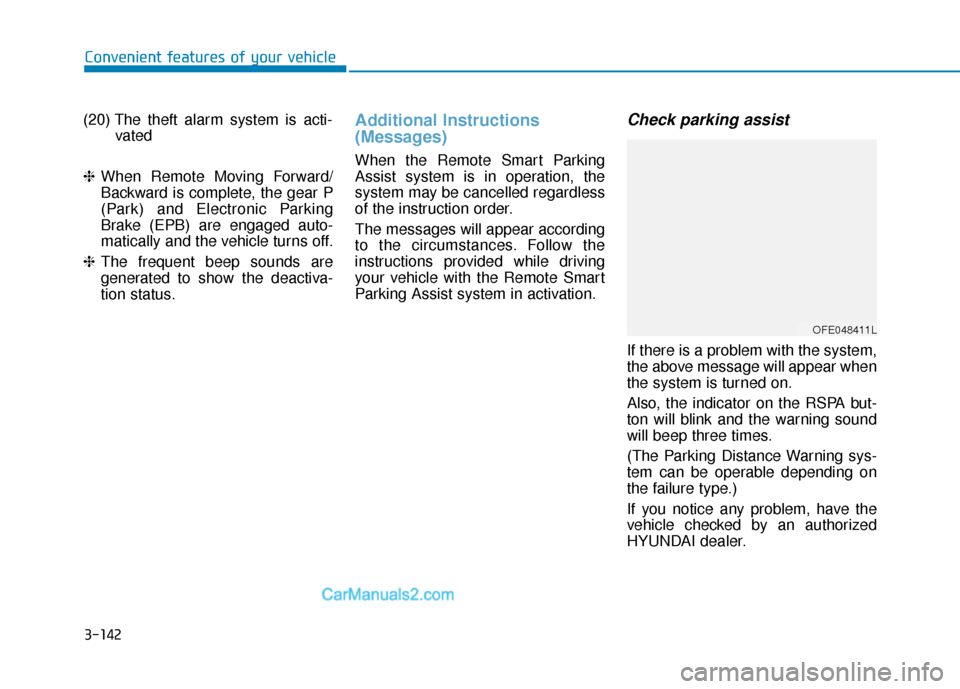
Check parking assist
If there is a problem with the system,
the above message will appear when
the system is turned on.
Also, the indicator on the RSPA but-
ton will blink and the warning sound
will beep three times.
(The Parking Distance Warning sys-
tem can be operable depending on
the failure type.)
If you notice any problem, have the
vehicle checked by an authorized
HYUNDAI dealer.
OFE048411L
Page 230 of 560
3-143
Convenient features of your vehicle
3
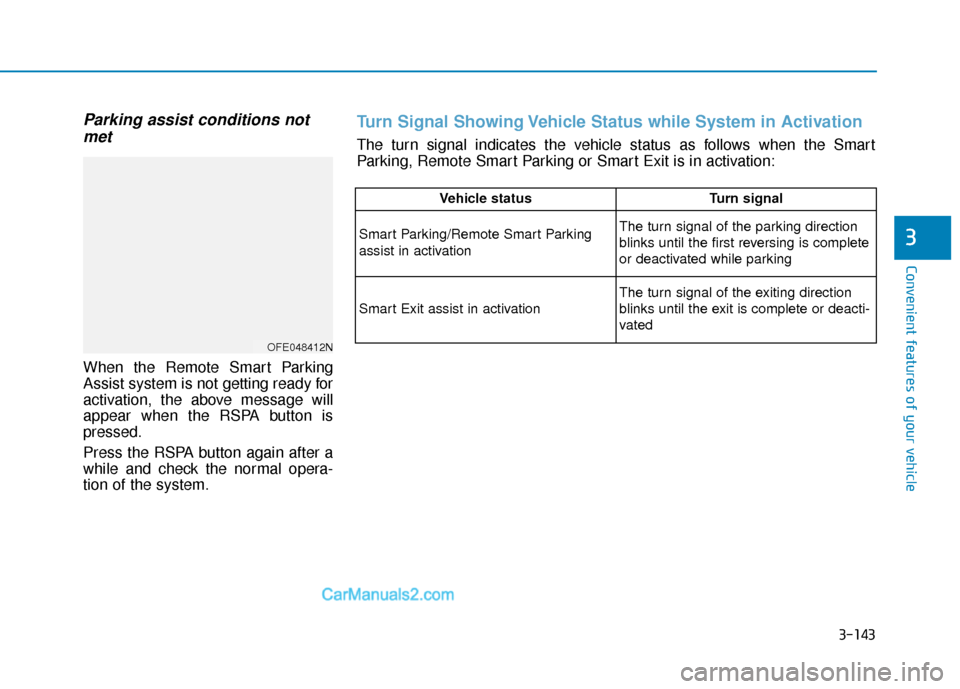
Parking assist conditions notmet
When the Remote Smart Parking
Assist system is not getting ready for
activation, the above message will
appear when the RSPA button is
pressed.
Press the RSPA button again after a
while and check the normal opera-
tion of the system.
OFE048412N
Vehicle status Turn signal
Smart Parking/Remote Smart Parking
assist in activationThe turn signal of the parking direction
blinks until the first reversing is complete
or deactivated while parking
Smart Exit assist in activation
The turn signal of the exiting direction
blinks until the exit is complete or deacti-
vated
Turn Signal Showing Vehicle Status while System in Activation
The turn signal indicates the vehicle status as follows when the Smart
Parking, Remote Smart Parking or Smart Exit is in activation:
Page 231 of 560
3-144
Convenient features of your vehicle
Vehicle status Hazard lampSmart key LED
Remote Smart Parking
assist in activation-Green LED blinks continu-
ously
Remote Smart Parking
assist temporarily
stopped/in stand by
FlashingRed LED blinks continu-
ously
Remote Smart Parking
deactivatedOff after 3 flashes
Red LED illuminates for
about 4 seconds and then
extinguishes
Remote Smart Parking
completeOff after one flashes
Green LED illuminates for
about 4 seconds and then
extinguishes
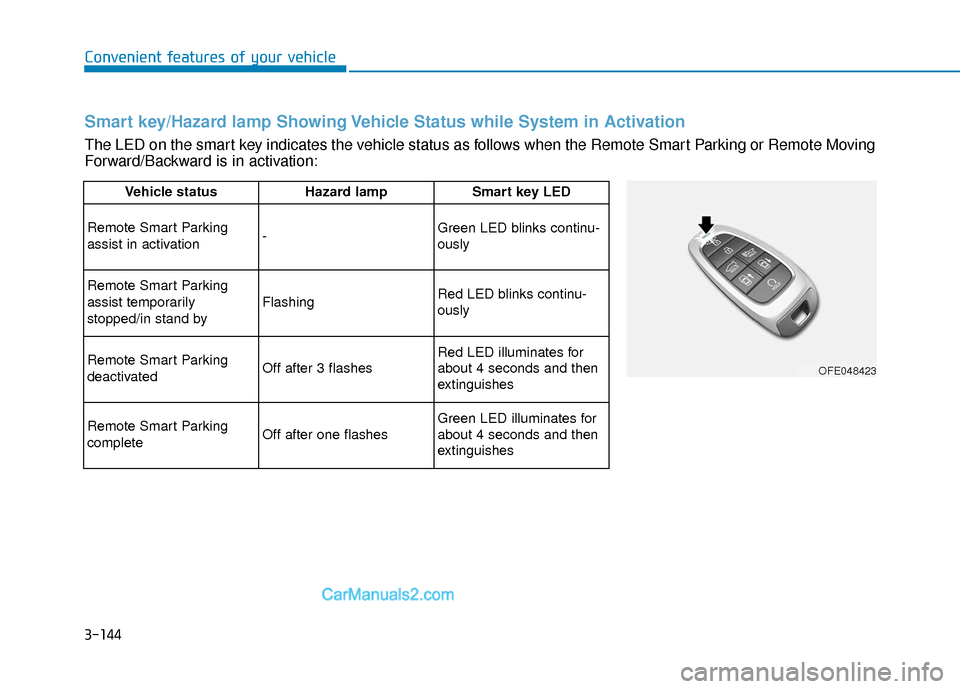
Smart key/Hazard lamp Showing Vehicle Status while System in Activation
The LED on the smart key indicates the vehicle status as follows when the Remote Smart Parking or Remote Moving
Forward/Backward is in activation:
OFE048423
Page 232 of 560
3-145
Convenient features of your vehicle
3
Link with other Systems
Activation of other systems may be
restricted according to the circum-
stances while the RSPA system is in
activation. The systems linked to the
RSPA system are as follows:
1. Smart Cruise Control (SCC) sys-tem
(1) SCC system can be operated at the same time with the RSPA
system until the "Searching for
parking space" stage.
(2) The SCC system is deactivated when the RSPA system enters
the "Remote Smart Parking
assist" stage.
(3) After the RSPA system is com- plete or deactivated, the SCC
system maintains the deactiva-
tion status. 2. Auto Hold
(1)
The activated Auto Hold is
switched to deactivation status
when the RSPA system is activat-
ed.
(2) The Auto Hold button will not respond while the RSPA system
is in activation.
(3) After the RSPA system is com- plete or deactivated, the Auto
Hold will return to the state before
the RSPA system was activated. 3. Electronic Stability Control (ESC)
(1) Electronic Stability Control (ESC)
system switches from OFF to
activation status (ESC OFF but-
ton turns off) when the RSPA sys-
tem is activated.
(2) The ESC OFF button will not respond while the RSPA system
is in activation.
(3) The ABS/TCS/ESC system acti- vates while the RSPA is in activa-
tion.
(4) After the RSPA system is com- plete or deactivated, ESC main-
tains the ON status.
Page 267 of 560
Driving your vehicle
5
Before Driving ........................................................5-4
Before Entering the Vehicle ...........................................5-4
Before Starting ..................................................................5-4
Power Button..........................................................5-6
POWER Button Positions.................................................5-7
Starting the Vehicle ..........................................................5-9
Turning Off the Vehicle .................................................5-10
Reduction Gear.....................................................5-11
Reduction Gear Operation ............................................5-11
Parking ........................................................................\
.......5-13
LCD Display Messages ...................................................5-13
Good Driving Practices ..................................................5-16
Paddle Shifter (Regenerative Braking
Control)..................................................................5-17
Braking System ....................................................5-18
Power Brakes ...................................................................5-18
Disc Brake Wear Indicator ............................................5-19
Electronic Parking Brake (EPB)...................................5-19
Auto Hold ........................................................................\
..5-25
Anti-lock Brake System (ABS) ....................................5-29
Electronic Stability Control (ESC)................................5-31
Vehicle Stability Management (VSM).........................5-34
Hill-Start Assist Control (HAC) ....................................5-36
Good Braking Practices .................................................5-36
Drive Mode Integrated Control System ............5-37
Drive mode change alert ...............................................5-38
ECO mode climate control ............................................5-38
Forward Collision-avoidance Assist (FCA)
System ...................................................................5-39
System Setting and Activation.....................................5-39
FCA Warning Message and System Control ............5-41
FCA Sensor (Front Radar/Front View Camera).......5-44
System Malfunction .......................................................5-46
Limitations of the System .............................................5-47
Blind-Spot Collision Warning/
Blind-Spot Collision-avoidance Assist..............5-53
System Description .........................................................5-53
System Setting and Activation.....................................5-54
Warning and System Control .......................................5-57
Detecting Sensor (Front View Camera and
Rear Corner Radar) ........................................................5-59
Limitations of the System .............................................5-62
Rear Cross-traffic Collision Warning (RCCW)/
Rear Cross-traffic Collision-avoidance Assist
(RCCA) ...................................................................5-67
System Description .........................................................5-67
System Setting and Activation.....................................5-68
Warning and System Control .......................................5-69
Limitations of the System .............................................5-73
Page 272 of 560
5-6
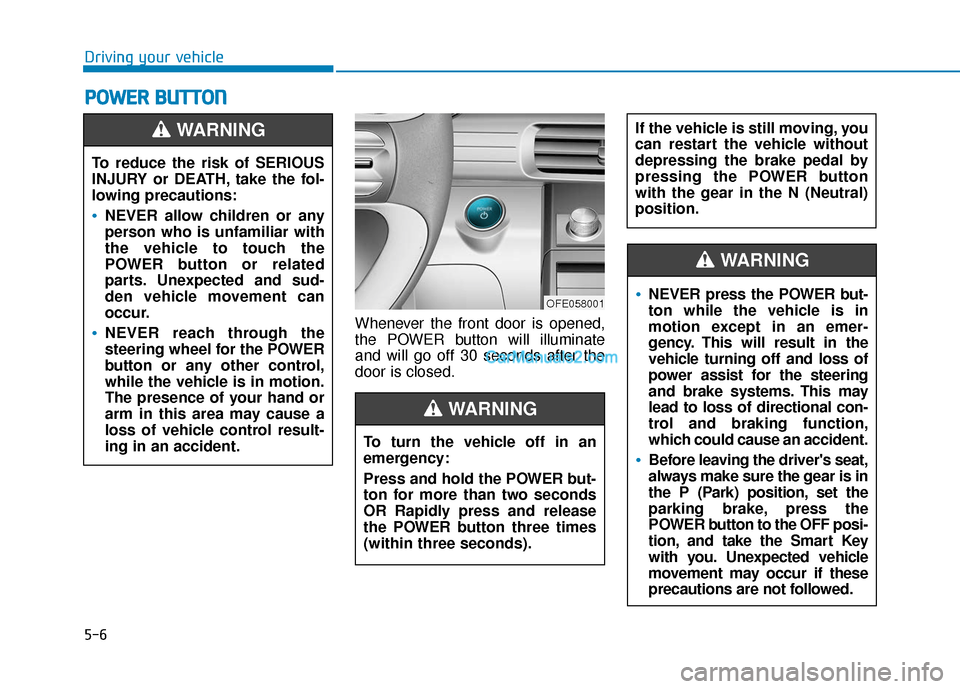
Whenever the front door is opened,
the POWER button will illuminate
and will go off 30 seconds after the
door is closed.
P PO
O W
W E
ER
R
B
B U
U T
TT
TO
O N
N
Driving your vehicle
To reduce the risk of SERIOUS
INJURY or DEATH, take the fol-
lowing precautions:
NEVER allow children or any
person who is unfamiliar with
the vehicle to touch the
POWER button or related
parts. Unexpected and sud-
den vehicle movement can
occur.
NEVER reach through the
steering wheel for the POWER
button or any other control,
while the vehicle is in motion.
The presence of your hand or
arm in this area may cause a
loss of vehicle control result-
ing in an accident.
WARNING
OFE058001
To turn the vehicle off in an
emergency:
Press and hold the POWER but-
ton for more than two seconds
OR Rapidly press and release
the POWER button three times
(within three seconds).
If the vehicle is still moving, you
can restart the vehicle without
depressing the brake pedal by
pressing the POWER button
with the gear in the N (Neutral)
position.
WARNING
NEVER press the POWER but-
ton while the vehicle is in
motion except in an emer-
gency. This will result in the
vehicle turning off and loss of
power assist for the steering
and brake systems. This may
lead to loss of directional con-
trol and braking function,
which could cause an accident.
Before leaving the driver's seat,
always make sure the gear is in
the P (Park) position, set the
parking brake, press the
POWER button to the OFF posi-
tion, and take the Smart Key
with you. Unexpected vehicle
movement may occur if these
precautions are not followed.
WARNING
Page 302 of 560
5-36
Driving your vehicle
Hill-Start Assist Control (HAC)
The Hill-Start Assist Control (HAC)
helps prevent the vehicle from rolling
backwards when starting a vehicle
from a stop on a hill. The system
operates the brakes automatically for
approximately 5 seconds and releas-
es the brake after 5 seconds or when
the accelerator pedal is depressed.
Information
• The HAC does not operate when thegear is in P (Park) or N (Neutral).
• The HAC activates even when the ESC (Electronic Stability Control) is
off. However, it does not activate,
when the ESC does not operate nor-
mally.
Good Braking Practices
Wet brakes can be dangerous! The
brakes may get wet if the vehicle is
driven through standing water or if it
is washed. Your vehicle will not stop
as quickly if the brakes are wet. Wet
brakes may cause the vehicle to pull
to one side. To dry the brakes, apply the brakes
lightly until the braking action returns
to normal. If the braking action does
not return to normal, stop as soon as
it is safe to do so and call an author-
ized HYUNDAI dealer for assistance.
DO NOT drive with your foot resting
on the brake pedal. Even light, but
constant pedal pressure can result in
the brakes overheating, brake wear,
and possibly even brake failure.
If a tire goes flat while you are driv-
ing, apply the brakes gently and
keep the vehicle pointed straight
ahead while you slow down. When
you are moving slowly enough for it
to be safe to do so, pull off the road
and stop in a safe location.
Keep your foot firmly on the brake
pedal when the vehicle is stopped to
prevent the vehicle from rolling for-
ward.
i
Whenever leaving the vehicle or
parking, always come to a com-
plete stop and continue to
depress the brake pedal. Shift
to the P (Park) position, then
apply the parking brake, and
place the POWER button in the
OFF position.
Vehicles parked with the park-
ing brake not applied or not
fully engaged may roll inadver-
tently and may cause injury to
the driver and others. ALWAYS
apply the parking brake before
exiting the vehicle.
WARNING
Always be ready to depress the
accelerator pedal when starting
off on a incline. The HAC acti-
vates only for approximately 5
seconds.
WARNING
Page 313 of 560
5-47
Driving your vehicle
5
Limitations of the System
The Forward Collision Avoidance
Assist (FCA) system is designed to
monitor the vehicle ahead or a
pedestrian or cyclists on the roadway
through radar signals and camera
recognition to warn the driver that a
collision is imminent, and if neces-
sary, apply emergency braking.
In certain situations, the radar sen-
sor or the camera may not be able to
detect the vehicle, a pedestrian or
cyclists ahead. In these cases, the
FCA system may not operate nor-
mally. The driver must pay careful
attention in the following situations
where the FCA operation may be
limited.
Detecting vehicles
The sensor may be limited when:
The radar sensor or camera isblocked with a foreign object or
debris
Inclement weather such as heavy rain or snow obscures the field of
view of the radar sensor or camera
There is interference by electro- magnetic waves
The FCA system does not
detect cross traffic vehicles
that are approaching.
The FCA system cannot
detect the driver approaching
the side view of a parked vehi-
cle (for example on a dead
end street).
The FCA system cannot
detect the cross traffic cyclist
that are approaching.
In these cases, you must main-
tain a safe braking distance,
and if necessary, depress the
brake pedal to reduce the driv-
ing speed in order to maintain a
safe distance.
Occupants may get injured, if
the vehicle abruptly stops by
the activated FCA system. Pay
extreme caution.
The FCA system operates
only to detect vehicles, pedes-
trian or cyclist in front of the
vehicle.
The FCA system operates
only to detect vehicles or
pedestrians in front of the
vehicle.
The FCA system does not
operate when the vehicle is in
reverse.
The FCA system is not
designed to detect other
objects on the road such as
animals.
The FCA system does not
detect vehicles in the oppo-
site lane.
WARNING
Page 328 of 560
5-62
Driving your vehicle
Check Blind-Spot Collision
Warning (BCW) system
If there is a problem with the BCW
system, a warning message will
appear and the light on the switch
will turn off. The system will turn off
automatically. BCA will not operate
also if the BCW system turns off due
to malfunction. Have your vehicle
inspected by an authorized HYUNDAI
dealer.
Check Blind-Spot Collision-
Avoidance Assist (BCA) system
If there is a problem with the BCA
system, a warning message will
appear. The system will turn off auto-
matically. BCW will still operate even
if the BCA system turns off due to
malfunction. Have y our vehicle
inspected by an authorized HYUNDAI
dealer to use BCA system.
Limitations of the System
The driver must be cautious in the
below situations, because the sys-
tem may not detect other vehicles or
objects in certain circumstances.
When a trailer or carrier is installed.
The vehicle driven in inclement weather such as heavy rain or
snow.
The sensor is polluted with rain, snow, mud, etc.
The rear bumper where the sensor is located is covered with a foreign
object such as a bumper sticker, a
bumper guard, a bike rack, etc.
The rear bumper is damaged, or the sensor is out of the original
default position.
The vehicle height gets lower or higher due to heavy loading in a
trunk, abnormal tire pressure, etc.
When the temperature of the rear bumper is high.
When the sensors are blocked by other vehicles, walls or parking-lot
pillars.
OFE058152LOFE058151L