change time HYUNDAI NEXO 2019 Owner's Manual
[x] Cancel search | Manufacturer: HYUNDAI, Model Year: 2019, Model line: Nexo, Model: Hyundai Nexo 2019Pages: 561, PDF Size: 48.42 MB
Page 330 of 561
5-63
Driving your vehicle
5
The vehicle driven on a curved
road.
The vehicle driven through a toll-
gate.
The road pavement (or the periph-
eral ground) abnormally contains
metallic components (i.e. possibly
due to subway construction).
There is a fixed object near the
vehicle, such as a guardrail.
While going down or up a steep
road where the height of the lane is
different.
Driving on a narrow road where
trees or grass or overgrown.
Driving in rural areas where the
sensor does not detect another
vehicle or structure for an extended
period of time.
Driving on a wet road.
Driving on a road where the
guardrail or wall is in double struc-
ture.
A big vehicle is near such as a bus
or truck.
When the other vehicle approach-
es very close. When the other vehicle passes at a
very fast speed.
While changing lanes.
If the vehicle has started at the
same time as the vehicle next to
you and has accelerated.
When the vehicle in the next lane
moves two lanes away from you
OR when the vehicle two lanes
away moves to the next lane from
you.
A motorcycle or bicycle is near.
A flat trailer is near.
If there are small objects in the
detecting area such as a shopping
cart or a baby stroller.
If there is a low height vehicle such
as a sports car.
The brake pedal is depressed.
ESC (Electronic Stability Control)
is activated.
ESC (Electronic Stability Control)
malfunctions.
The tire pressure is low or a tire is
damaged.
The brake is reworked. The vehicle abruptly changes driv-
ing direction.
The vehicle makes sharp lane
changes.
The vehicle sharply stops.
Temperature is extremely low
around the vehicle.
The vehicle severely vibrates while
driving over a bumpy road,
uneven/bumpy road, or concrete
patch.
The vehicle drives on a slippery
surface due to snow, water puddle,
or ice.
The Lane Keeping Assist (LKA) or
Lane Departure Warning (LDW) do
not operate normally. (if equipped)
For more information refer to "Lane
Keeping Assist (LKA) system" in
this chapter.
Page 335 of 561
5-68
Driving your vehicle
System Setting and Activation
System setting
The driver can activate the sys-
tems by placing the power button
to the ON position and by selecting
"Vehicle settings →Driver assis-
tance →Blind-spot safety →Rear
Cross-Traffic Safety" on AVN
screen. The RCCA and RCCW
turn on and get ready to be activat-
ed when 'Rear Cross-Traffic Safety'
is selected.
When the vehicle is turned off then
on again, the systems are always
ready to be activated.
When the system is initially turned
on and when the vehicle is turned
off then on again, the warning light
will illuminate for 3 seconds on the
outer side view mirror.The driver can select the initial warn-
ing activation time in the User
Settings in the AVN screen by select-
ing 'Vehicle settings →Driver
Assistance →Warning Timing'. The
options for the initial Rear Cross-
Traffic Collision Warning includes the
following:
- Normal:
When this condition is selected, the
initial Rear Cross-Traffic Collision
Warning is activated normally. If this
setting feels sensitive, change the
option to 'Later'.
The warning activation time may feel
late if the a vehicle at the side or rear
abruptly accelerates.
- Later:
Select this warning activation time
when the traffic is light and you are
driving in a low speed.
Information
If you change the warning timing, the
warning time of other systems may
change. Always be aware before
changing the warning timing.The driver can select the warning
volume of the Rear Cross-Traffic
Collision Warning in the Vehicle
Settings in the AVN screen by select-
ing 'Vehicle settings →Driver
Assistance →Warning Volume →
High/Medium/ Low'.
For more information refer to the
separately supplied Navigation
manual.
Information
If you change the warning volume, the
warning volume of other systems may
change. Always be aware before
changing the warning volume.
i
i
Page 370 of 561
5-103
Driving your vehicle
5
To temporarily accelerate with
the Smart Cruise Control on
If you want to speed up temporarily
when the Smart Cruise Control is on,
depress the accelerator pedal.
Increased speed will not interfere
with Smart Cruise Control operation
or change the set speed.
To return to the set speed, take your
foot off the accelerator pedal.
If you push the toggle switch down
(SET-) at increased speed, the cruis-
ing speed will be set again pedal.
Smart Cruise Control set speed
will be temporarily canceled
when:
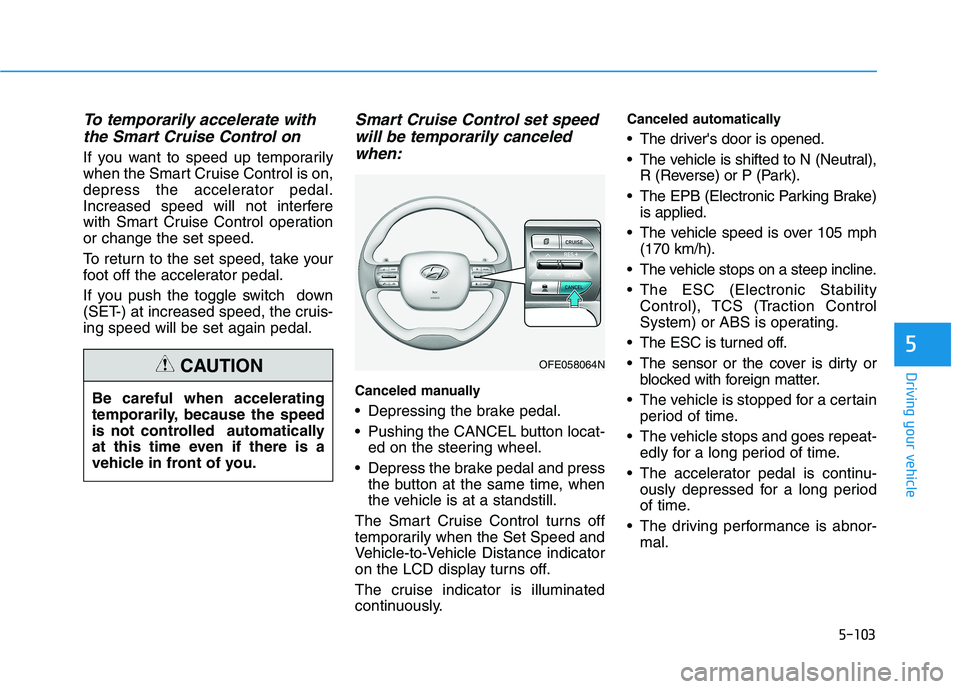
Canceled manually
Depressing the brake pedal.
Pushing the CANCEL button locat-
ed on the steering wheel.
Depress the brake pedal and press
the button at the same time, when
the vehicle is at a standstill.
The Smart Cruise Control turns off
temporarily when the Set Speed and
Vehicle-to-Vehicle Distance indicator
on the LCD display turns off.
The cruise indicator is illuminated
continuously.
Canceled automatically
The driver's door is opened.
The vehicle is shifted to N (Neutral),
R (Reverse) or P (Park).
The EPB (Electronic Parking Brake)
is applied.
The vehicle speed is over 105 mph
(170 km/h).
The vehicle stops on a steep incline.
The ESC (Electronic Stability
Control), TCS (Traction Control
System) or ABS is operating.
The ESC is turned off.
The sensor or the cover is dirty or
blocked with foreign matter.
The vehicle is stopped for a certain
period of time.
The vehicle stops and goes repeat-
edly for a long period of time.
The accelerator pedal is continu-
ously depressed for a long period
of time.
The driving performance is abnor-
mal. Be careful when accelerating
temporarily, because the speed
is not controlled automatically
at this time even if there is a
vehicle in front of you.
CAUTIONOFE058064N
Page 373 of 561
5-106
Driving your vehicle
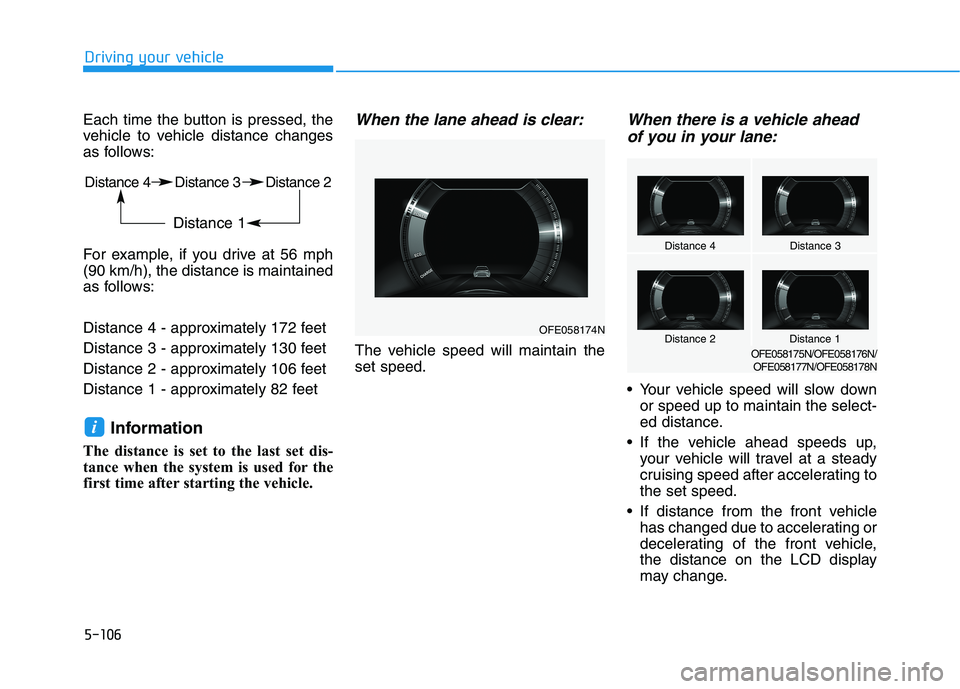
Each time the button is pressed, the
vehicle to vehicle distance changes
as follows:
For example, if you drive at 56 mph
(90 km/h), the distance is maintained
as follows:
Distance 4 - approximately 172 feet
Distance 3 - approximately 130 feet
Distance 2 - approximately 106 feet
Distance 1 - approximately 82 feet
Information
The distance is set to the last set dis-
tance when the system is used for the
first time after starting the vehicle.
When the lane ahead is clear:
The vehicle speed will maintain the
set speed.
When there is a vehicle ahead
of you in your lane:
Your vehicle speed will slow down
or speed up to maintain the select-
ed distance.
If the vehicle ahead speeds up,
your vehicle will travel at a steady
cruising speed after accelerating to
the set speed.
If distance from the front vehicle
has changed due to accelerating or
decelerating of the front vehicle,
the distance on the LCD display
may change.
i
Distance 4Distance 3
Distance 1Distance 2OFE058175N/OFE058176N/
OFE058177N/OFE058178N
OFE058174N
Distance 4 Distance 3 Distance 2
Distance 1
Page 518 of 561
H13
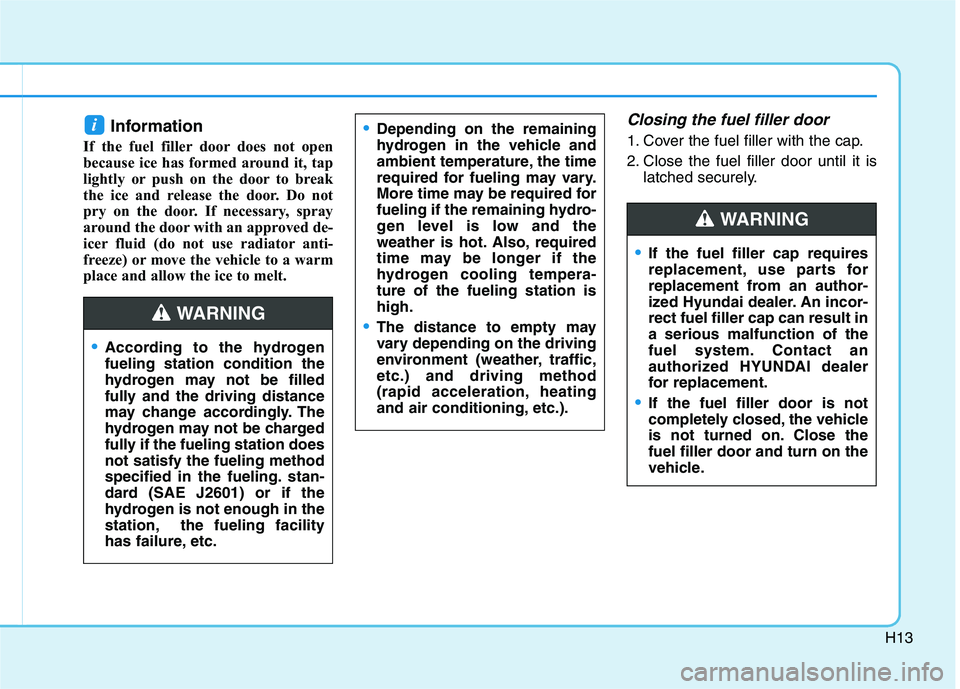
Information
If the fuel filler door does not open
because ice has formed around it, tap
lightly or push on the door to break
the ice and release the door. Do not
pry on the door. If necessary, spray
around the door with an approved de-
icer fluid (do not use radiator anti-
freeze) or move the vehicle to a warm
place and allow the ice to melt.
Closing the fuel filler door
1. Cover the fuel filler with the cap.
2. Close the fuel filler door until it is
latched securely.i
If the fuel filler cap requires
replacement, use parts for
replacement from an author-
ized Hyundai dealer. An incor-
rect fuel filler cap can result in
a serious malfunction of the
fuel system. Contact an
authorized HYUNDAI dealer
for replacement.
If the fuel filler door is not
completely closed, the vehicle
is not turned on. Close the
fuel filler door and turn on the
vehicle.
WARNING
According to the hydrogen
fueling station condition the
hydrogen may not be filled
fully and the driving distance
may change accordingly. The
hydrogen may not be charged
fully if the fueling station does
not satisfy the fueling method
specified in the fueling. stan-
dard (SAE J2601) or if the
hydrogen is not enough in the
station, the fueling facility
has failure, etc.
Depending on the remaining
hydrogen in the vehicle and
ambient temperature, the time
required for fueling may vary.
More time may be required for
fueling if the remaining hydro-
gen level is low and the
weather is hot. Also, required
time may be longer if the
hydrogen cooling tempera-
ture of the fueling station is
high.
The distance to empty may
vary depending on the driving
environment (weather, traffic,
etc.) and driving method
(rapid acceleration, heating
and air conditioning, etc.).WARNING
Page 534 of 561
H29
Hydrogen station
You can search the hydrogen fueling
station and set the station as the
destination in the AVN screen. Select
'Menu-Nearby POI' in the map
screen and select 'Fuel stations' to
see the list of stations. Set the near-
est station as the destination. Check
the station operation status and
opening hours before visiting the sta-
tion.
Fully refueling the vehicle may be
impossible depending on the station
condition and the reachable range
may change accordingly.
Also, the refueling time may vary
depending on the hydrogen fueling
pressure and ambient temperature.
The reachable range may change
according to the driving environment
(weather, traffic, etc.) and driving
method (sudden acceleration, heat-
ing and air conditioning, etc.).
* Refueling the hydrogen gas must
be done by the person who has
completed the certification course
and training related to the high-
pressure gas. Self-refueling is pro-
hibited.
Page 556 of 561
I-6
Instrument Cluster...........................................................3-58
Instrument Cluster Control .........................................3-59
Gauges and Meters .....................................................3-59
Warning and Indicator Lights.....................................3-65
LCD Display Messages ..............................................3-76
Instrument Panel Overview ..............................................1-5
Interior Care ....................................................................7-67
Interior Features ............................................................3-164
Cup Holder ...............................................................3-164
Sunvisor ....................................................................3-165
Power Outlet.............................................................3-166
AC Inverter...............................................................3-167
USB Charger ............................................................3-169
Wireless Cellular Phone Charging System ..............3-169
Clock ........................................................................3-171
Coat Hook ................................................................3-172
Floor Mat Anchor(s) .................................................3-172
Luggage Net Holder .................................................3-173
Cargo Security Screen ..............................................3-174
Interior Overview..............................................................1-4
Introduction of FCEV .......................................................H2Lane Following Assist (LFA) System ............................5-87
LFA operation .............................................................5-88
Warning message........................................................5-90
Limitations of the system ...........................................5-92
Lane Keeping Assist (LKA) System ..............................5-79
LKA System Operation ..............................................5-80
Warning Light and Message.......................................5-83
Limitations of the System ..........................................5-85
LKA System Function Change ..................................5-86
LCD Display ...................................................................3-81
LCD Display Control .................................................3-81
LCD Display Modes ..................................................3-82
LCD Display Messages (FCEV) .....................................H16
Leading Vehicle Departure Alert ..................................5-116
System Setting and Activation .................................5-116
Light bulbs ......................................................................7-57
Headlamp, front center lamp, turn signal lamp,
daytime running lamp, parking lamp,
side marker replacement .........................................7-58
Side Repeater Lamp Replacement .............................7-58
Rear Combination Light Bulb Replacement ..............7-59
High mounted stop lamp ............................................7-59
License Plate Light Bulb Replacement ......................7-60
Interior Light Bulb Replacement ...............................7-60
Index
L