warning HYUNDAI NEXO 2020 Owners Manual
[x] Cancel search | Manufacturer: HYUNDAI, Model Year: 2020, Model line: NEXO, Model: HYUNDAI NEXO 2020Pages: 561, PDF Size: 48.42 MB
Page 196 of 561
3-109
Convenient features of your vehicle
3
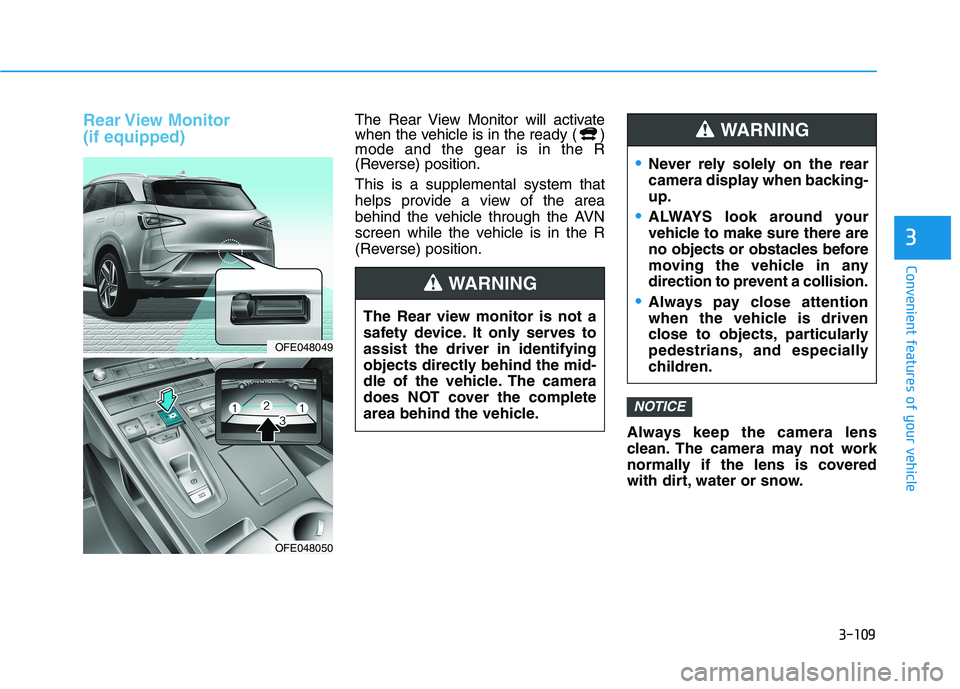
Rear View Monitor
(if equipped)The Rear View Monitor will activate
when the vehicle is in the ready ( )
mode and the gear is in the R
(Reverse) position.
This is a supplemental system that
helps provide a view of the area
behind the vehicle through the AVN
screen while the vehicle is in the R
(Reverse) position.
Always keep the camera lens
clean. The camera may not work
normally if the lens is covered
with dirt, water or snow.
NOTICE
OFE048049
OFE048050
The Rear view monitor is not a
safety device. It only serves to
assist the driver in identifying
objects directly behind the mid-
dle of the vehicle. The camera
does NOT cover the complete
area behind the vehicle.
WARNING
Never rely solely on the rear
camera display when backing-
up.
ALWAYS look around your
vehicle to make sure there are
no objects or obstacles before
moving the vehicle in any
direction to prevent a collision.
Always pay close attention
when the vehicle is driven
close to objects, particularly
pedestrians, and especially
children.
WARNING
Page 197 of 561
3-110
Convenient features of your vehicle
Surround View Monitoring
(if equipped)
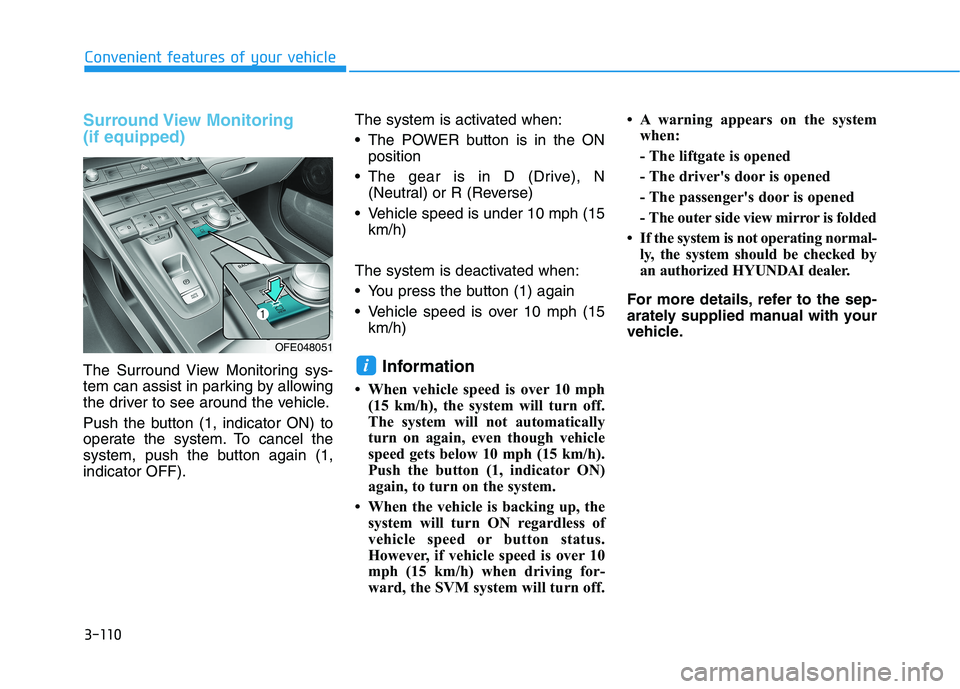
The Surround View Monitoring sys-
tem can assist in parking by allowing
the driver to see around the vehicle.
Push the button (1, indicator ON) to
operate the system. To cancel the
system, push the button again (1,
indicator OFF).The system is activated when:
The POWER button is in the ON
position
The gear is in D (Drive), N
(Neutral) or R (Reverse)
Vehicle speed is under 10 mph (15
km/h)
The system is deactivated when:
You press the button (1) again
Vehicle speed is over 10 mph (15
km/h)Information
• When vehicle speed is over 10 mph
(15 km/h), the system will turn off.
The system will not automatically
turn on again, even though vehicle
speed gets below 10 mph (15 km/h).
Push the button (1, indicator ON)
again, to turn on the system.
• When the vehicle is backing up, the
system will turn ON regardless of
vehicle speed or button status.
However, if vehicle speed is over 10
mph (15 km/h) when driving for-
ward, the SVM system will turn off. • A warning appears on the system
when:
- The liftgate is opened
- The driver's door is opened
- The passenger's door is opened
- The outer side view mirror is folded
• If the system is not operating normal-
ly, the system should be checked by
an authorized HYUNDAI dealer.
For more details, refer to the sep-
arately supplied manual with your
vehicle.
i
OFE048051
Page 199 of 561
3-112
Convenient features of your vehicle
Information
• If vehicle speed is over 10 mph (15
km/h)
- the DRM image stays ON when the
rear view was on the screen
- screen (top, front wide, front right
and front left) of other modes of
SVM system turns OFF and
switches to the original AVN
screen when other modes were on
the screen
• If the SVM system is ON and the
vehicle speed is under 10 mph (15
km/h)
- the rear image stays ON when the
rear view was on the screen
- a pop-up for selecting the SVM
mode (top, front wide, front right
and front left) appears when press-
ing any other view mode buttons
(3) than (2) on the screen.• When the vehicle is backing up, the
rear image will appear on the screen
automatically regardless of vehicle
speed or SVM button (1) status.
- If the rear image was ON, the
screen switches to the parking
assist screen.
- If the screen (top, front wide, front
right and front left) of other modes
of SVM system was ON, the screen
for setting the initial rear view
mode appears.
- When the shift gear is moved from
R (Reverse) to D (Drive), the
screen of the previous mode is dis-
played.
• A warning appears on the system
when:
- The liftgate is opened
- The driver's door is opened
- The passenger's door is opened
- The outer side view mirror is folded• If the system is not operating nor-
mally, the system should be checked
by an authorized HYUNDAI dealer.
For more details, refer to the sep-
arately supplied manual with your
vehicle.
i
Page 200 of 561
3-113
Convenient features of your vehicle
3
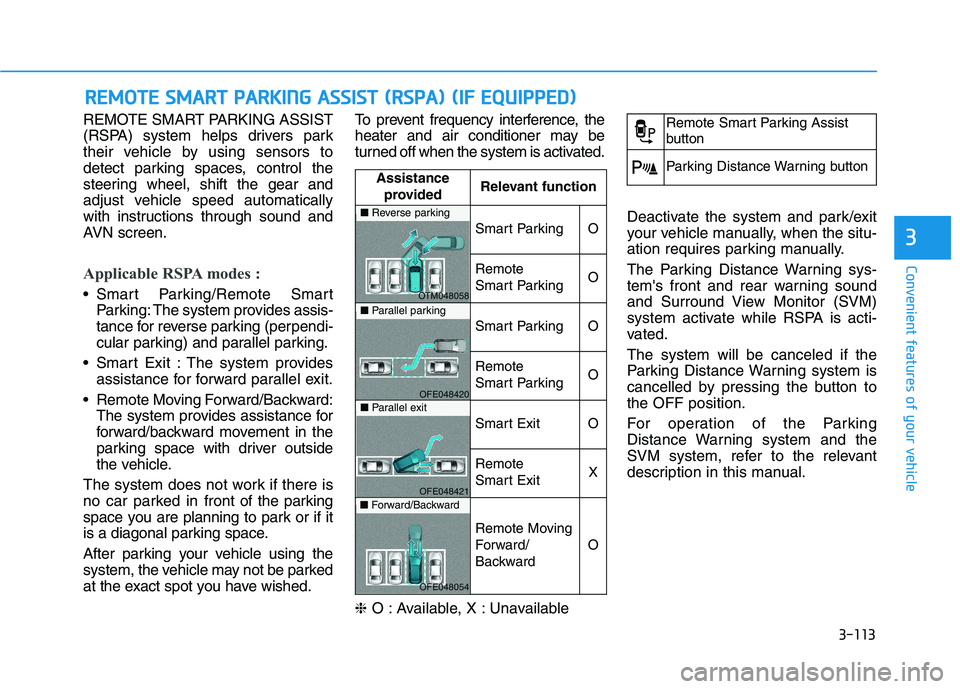
REMOTE SMART PARKING ASSIST
(RSPA) system helps drivers park
their vehicle by using sensors to
detect parking spaces, control the
steering wheel, shift the gear and
adjust vehicle speed automatically
with instructions through sound and
AVN screen.
Applicable RSPA modes :
Smart Parking/Remote Smart
Parking: The system provides assis-
tance for reverse parking (perpendi-
cular parking) and parallel parking.
Smart Exit : The system provides
assistance for forward parallel exit.
Remote Moving Forward/Backward:
The system provides assistance for
forward/backward movement in the
parking space with driver outside
the vehicle.
The system does not work if there is
no car parked in front of the parking
space you are planning to park or if it
is a diagonal parking space.
After parking your vehicle using the
system, the vehicle may not be parked
at the exact spot you have wished.To prevent frequency interference, the
heater and air conditioner may be
turned off when the system is activated.
❈O : Available, X : Unavailable Deactivate the system and park/exit
your vehicle manually, when the situ-
ation requires parking manually.
The Parking Distance Warning sys-
tem's front and rear warning sound
and Surround View Monitor (SVM)
system activate while RSPA is acti-
vated.
The system will be canceled if the
Parking Distance Warning system is
cancelled by pressing the button to
the OFF position.
For operation of the Parking
Distance Warning system and the
SVM system, refer to the relevant
description in this manual.
R RE
EM
MO
OT
TE
E
S
SM
MA
AR
RT
T
P
PA
AR
RK
KI
IN
NG
G
A
AS
SS
SI
IS
ST
T
(
(R
RS
SP
PA
A)
)
(
(I
IF
F
E
EQ
QU
UI
IP
PP
PE
ED
D)
)
Assistance
providedRelevant function
Smart ParkingO
Remote
Smart ParkingO
Smart ParkingO
Remote
Smart ParkingO
Smart ExitO
Remote
Smart ExitX
Remote Moving
Forward/
Backward
O
■Reverse parking
OTM048058■Parallel parking
OFE048420■Parallel exit
OFE048421■Forward/Backward
OFE048054
Remote Smart Parking Assist
button
Parking Distance Warning button
Page 201 of 561
3-114
Convenient features of your vehicle
Operating Condition
Use the system when all the below
conditions are met.
When the parking space is a
straight line
When there is a parked vehicle
next to the space where you want
to park
When there is enough space to
move the vehicle
When you choose "Confirm" on
AVN booting.
The RSPA system should only
be considered as a supple-
mentary function. The driver
must check the front and rear
view for objects. The opera-
tional function of the system
can be affected by many fac-
tors and conditions of the sur-
roundings, so the responsibili-
ty rests always with the driver.
The system may not operate
normally if the vehicle needs
wheel alignment adjustment.
Have the vehicle checked by
an authorized HYUNDAI deal-
er.
If you use a different tire or
wheel size rather than the size
recommended by the HYUNDAI
dealer, the system may not
work properly. Always use the
same size tire and wheel.
WARNING
Do not use the system when
in drunken state.
The system may not operate
properly depending on the
surrounding environment and
other conditions.
The system may not recog-
nize the object too close to
the vehicle.
When operating the system,
be careful of the objects locat-
ed above or below the sensor
position. Such object may
damage the vehicle or other
objects.
Do not let children or other
person to use the smart key.
WARNING
Page 203 of 561
3-116
Convenient features of your vehicle
Big vehicles such as buses or
trucks parked
Sensor covered with foreign mat-
ter, such as snow or water
An obstacle such as a trash can,
bicycle, shopping cart, etc. is near
Heavy wind
Wheel changed to an unauthorized
size
A problem with the wheel alignment
Vehicle leaned severely to one side
Front or rear distance sensors are
malfunction or not working properly.
(Refer to the Parking Distance
Warning system in chapter 3.)
requires battery replacement
Limitations of the System
When the vehicle has been
parked/stopped for a long time in a
cold environment, the Remote
Moving Forward/Backward may be
delayed depending on the vehicle
condition when the vehicle is
turned on remotely.
The RSPA system may suddenly
apply brake to avoid collision
against stationary or moving
object.
The system may be cancelled
unexpectedly when a person or
animal passes by near the vehicle.
The performance of the system
may be degraded and frequently
stop when driving in strong electric
field area.
Right after the parking place
search complete and beep sound
is generated, the search complete
may be cancelled according to the
surrounding environment Even while the system is in activa-
tion, the vehicle may collide with
the object existing within the blind-
spot area of the sensor.
When there is any obstacle within
the blind-spot area, drive out of the
parking space manually.
The system may not recognize the
object that appears suddenly.
The system does not work if there
is no car parked in front of the
parking space you are planning to
park.
Page 204 of 561
3-117
Convenient features of your vehicle
3
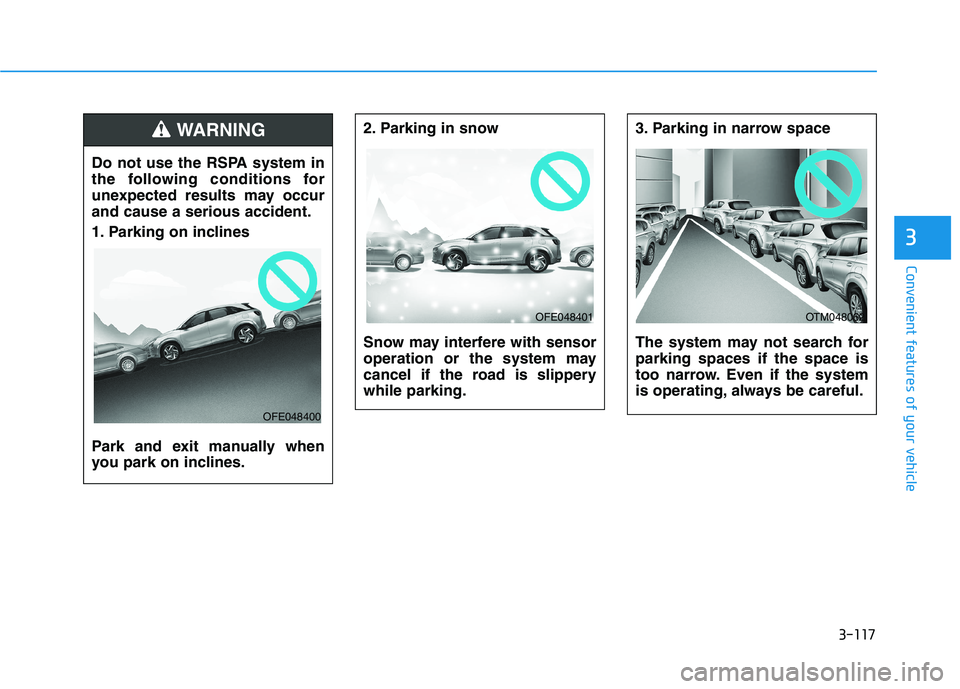
2. Parking in snow
Snow may interfere with sensor
operation or the system may
cancel if the road is slippery
while parking.3. Parking in narrow space
The system may not search for
parking spaces if the space is
too narrow. Even if the system
is operating, always be careful.
OFE048401OTM048062
Do not use the RSPA system in
the following conditions for
unexpected results may occur
and cause a serious accident.
1. Parking on inclines
Park and exit manually when
you park on inclines.
WARNING
OFE048400
Page 207 of 561
3-120
Convenient features of your vehicle
How the System Works
(Smart Parking)
Smart Parking is available with the
driver on board. Make sure the con-
ditions available before activating the
Smart parking function.
1. Select Smart Parking:
Press the RSPA button with the
shift lever placed in D (Drive) or N
(Neutral) position.
❈However, the Smart Exit is
selected if you press the RSPA
button when the gear is in N
(Neutral) position after the initial
startup.
2. Search for parking space: Slowly
move forward below 12 mph (20
km/h)
3. Search complete: Automatic
search by sensor.
However, check the actual parking
environment before parking the
vehicle.
4. Select parking type: Reverse
(left/right), parallel (left/right)
5. Operating instructions: Smart
Parking/Remote Smart Parking6. Smart Parking assist: Steering
wheel, gear shift and vehicle
speed control (reverse parking).
7. Parking complete: Smart Parking
complete after reaching the park-
ing position
❈ After the parking is complete,
arrange the vehicle position manu-
ally, if necessary.
❈ You can use Smart Parking after
navigation or home screen display
on AVN (You cannot use Smart
Parking if you don't choose
"Confirm" on AVN booting)
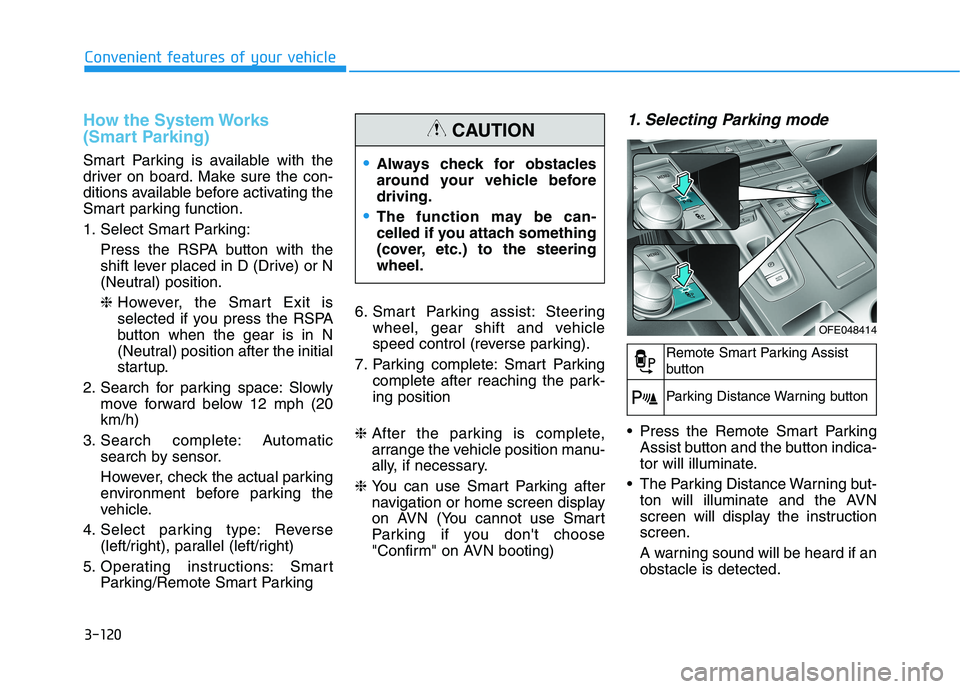
1. Selecting Parking mode
Press the Remote Smart Parking
Assist button and the button indica-
tor will illuminate.
The Parking Distance Warning but-
ton will illuminate and the AVN
screen will display the instruction
screen.
A warning sound will be heard if an
obstacle is detected.
Always check for obstacles
around your vehicle before
driving.
The function may be can-
celled if you attach something
(cover, etc.) to the steering
wheel.
CAUTION
OFE048414
Remote Smart Parking Assist
button
Parking Distance Warning button
Page 208 of 561
3-121
Convenient features of your vehicle
3
To deactivate the system:
1. Press the RSPA button again (until
the "Selecting parking mode"
stage).
2. Shift the gear to R (Reverse) posi-
tion before the operation of the
Smart Parking assist.
3. Press the 'Cancel' button on the
AVN screen while the Smart
Parking is in activation.
4. Press the Parking Distance
Warning button while the Smart
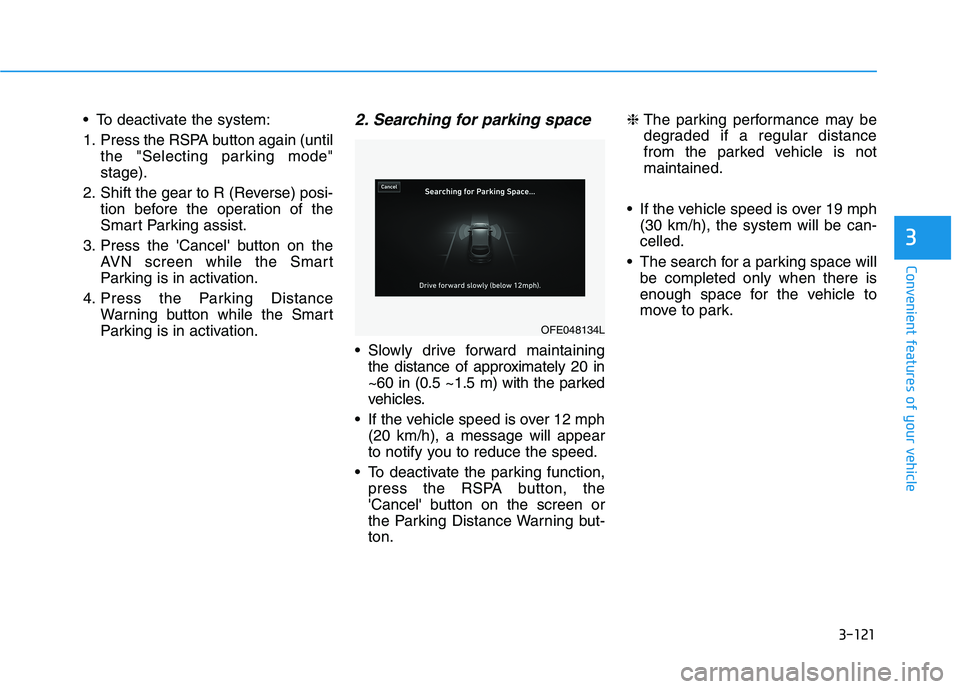
Parking is in activation.2. Searching for parking space
Slowly drive forward maintaining
the distance of approximately 20 in
~60 in (0.5 ~1.5 m) with the parked
vehicles.
If the vehicle speed is over 12 mph
(20 km/h), a message will appear
to notify you to reduce the speed.
To deactivate the parking function,
press the RSPA button, the
'Cancel' button on the screen or
the Parking Distance Warning but-
ton.❈ The parking performance may be
degraded if a regular distance
from the parked vehicle is not
maintained.
If the vehicle speed is over 19 mph
(30 km/h), the system will be can-
celled.
The search for a parking space will
be completed only when there is
enough space for the vehicle to
move to park.
OFE048134L
Page 210 of 561
3-123
Convenient features of your vehicle
3
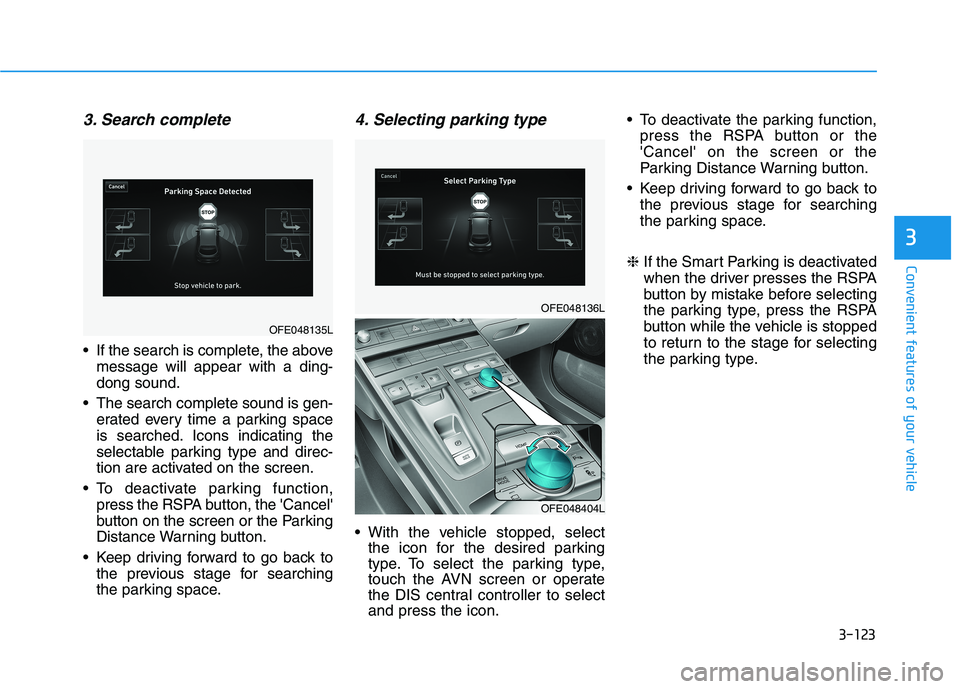
3. Search complete
If the search is complete, the above
message will appear with a ding-
dong sound.
The search complete sound is gen-
erated every time a parking space
is searched. Icons indicating the
selectable parking type and direc-
tion are activated on the screen.
To deactivate parking function,
press the RSPA button, the 'Cancel'
button on the screen or the Parking
Distance Warning button.
Keep driving forward to go back to
the previous stage for searching
the parking space.
4. Selecting parking type
With the vehicle stopped, select
the icon for the desired parking
type. To select the parking type,
touch the AVN screen or operate
the DIS central controller to select
and press the icon. To deactivate the parking function,
press the RSPA button or the
'Cancel' on the screen or the
Parking Distance Warning button.
Keep driving forward to go back to
the previous stage for searching
the parking space.
❈ If the Smart Parking is deactivated
when the driver presses the RSPA
button by mistake before selecting
the parking type, press the RSPA
button while the vehicle is stopped
to return to the stage for selecting
the parking type.
OFE048135L
OFE048136L
OFE048404L