tow HYUNDAI NEXO 2020 User Guide
[x] Cancel search | Manufacturer: HYUNDAI, Model Year: 2020, Model line: NEXO, Model: HYUNDAI NEXO 2020Pages: 561, PDF Size: 48.42 MB
Page 144 of 561
3-57
Convenient features of your vehicle
3
Emergency Fuel Filler Door
Release
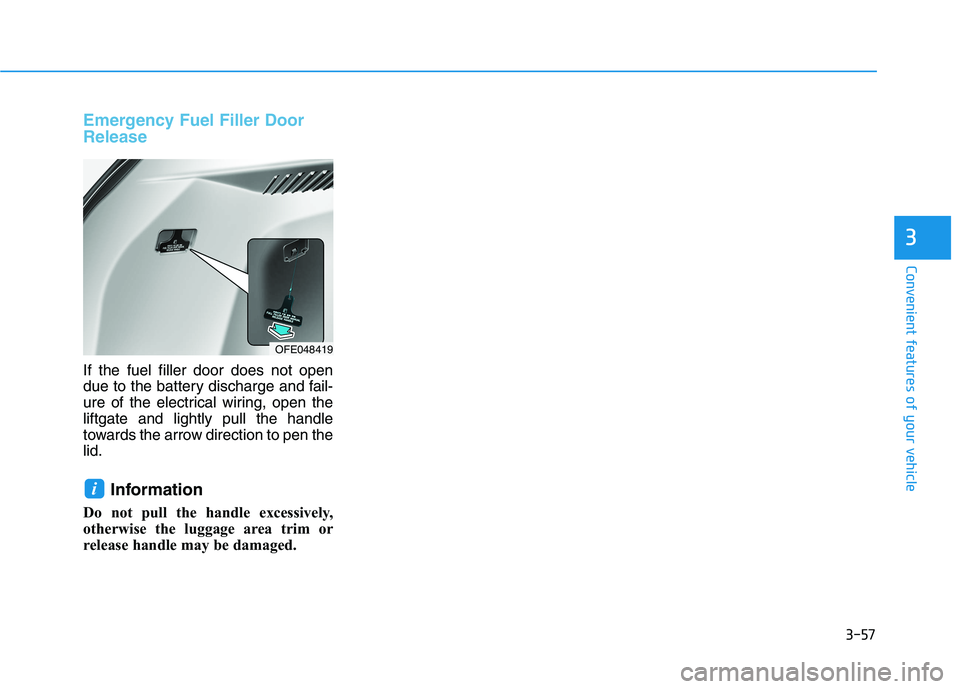
If the fuel filler door does not open
due to the battery discharge and fail-
ure of the electrical wiring, open the
liftgate and lightly pull the handle
towards the arrow direction to pen the
lid.
Information
Do not pull the handle excessively,
otherwise the luggage area trim or
release handle may be damaged.
i
OFE048419
Page 148 of 561
3-61
Convenient features of your vehicle
3
- Fuel Cell Stack
Overheats
If the gauge pointer moves
beyond the normal range area
toward the "H" position, it indi-
cates overheating that may dam-
age the fuel cell stack.Hydrogen fuel gauge
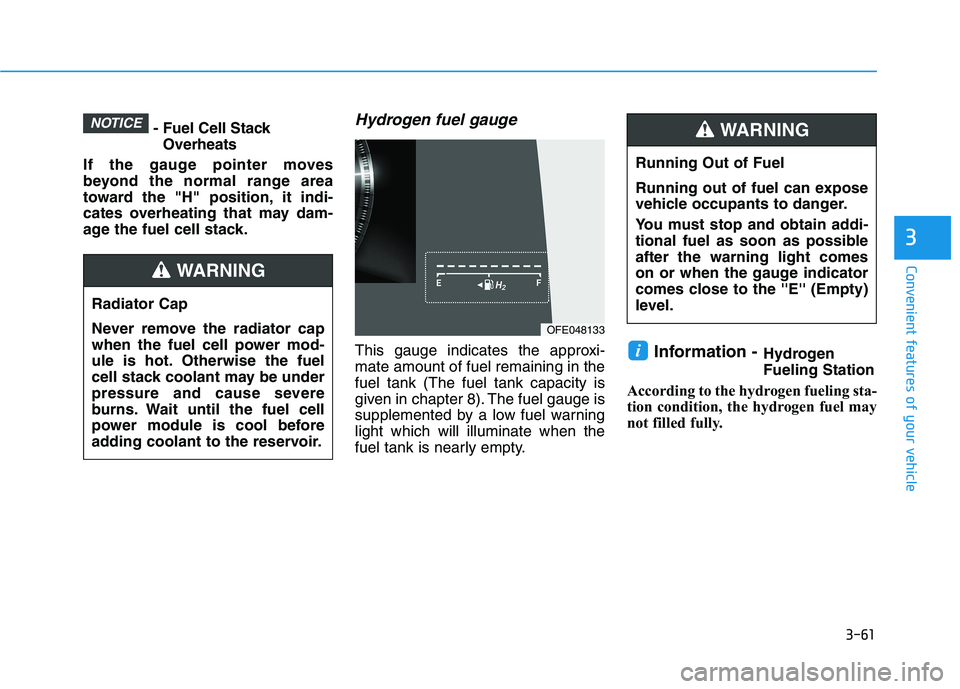
This gauge indicates the approxi-
mate amount of fuel remaining in the
fuel tank (The fuel tank capacity is
given in chapter 8). The fuel gauge is
supplemented by a low fuel warning
light which will illuminate when the
fuel tank is nearly empty.Information -Hydrogen
Fueling Station
According to the hydrogen fueling sta-
tion condition, the hydrogen fuel may
not filled fully.i
NOTICE
Running Out of Fuel
Running out of fuel can expose
vehicle occupants to danger.
You must stop and obtain addi-
tional fuel as soon as possible
after the warning light comes
on or when the gauge indicator
comes close to the ''E'' (Empty)
level.
WARNING
Radiator Cap
Never remove the radiator cap
when the fuel cell power mod-
ule is hot. Otherwise the fuel
cell stack coolant may be under
pressure and cause severe
burns. Wait until the fuel cell
power module is cool before
adding coolant to the reservoir.
WARNING
OFE048133
Page 178 of 561
3-91
Convenient features of your vehicle
3
High beam operation
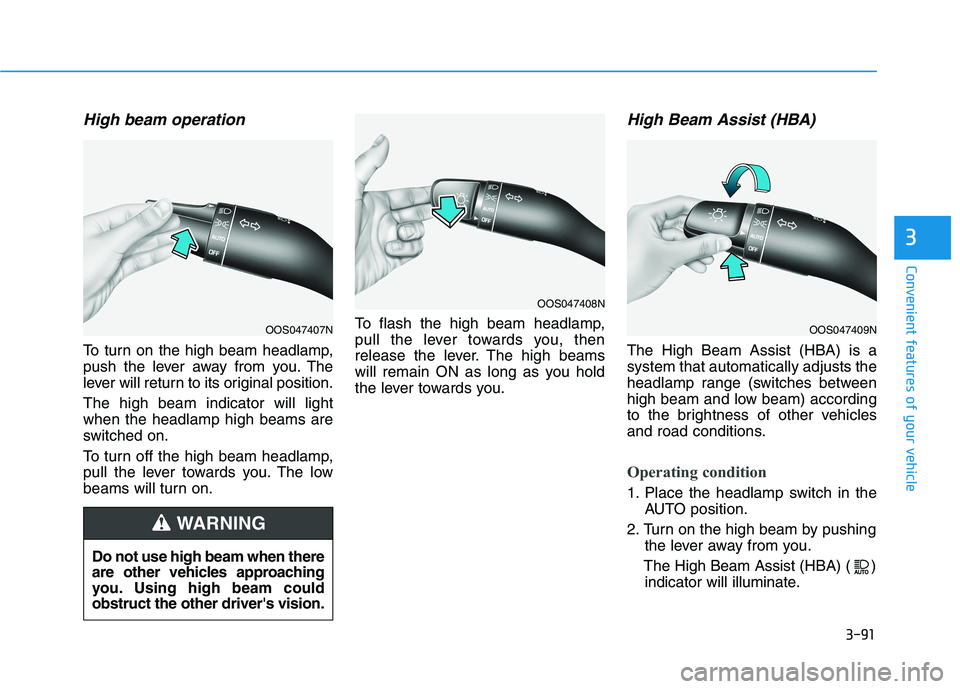
To turn on the high beam headlamp,
push the lever away from you. The
lever will return to its original position.
The high beam indicator will light
when the headlamp high beams are
switched on.
To turn off the high beam headlamp,
pull the lever towards you. The low
beams will turn on.To flash the high beam headlamp,
pull the lever towards you, then
release the lever. The high beams
will remain ON as long as you hold
the lever towards you.
High Beam Assist (HBA)
The High Beam Assist (HBA) is a
system that automatically adjusts the
headlamp range (switches between
high beam and low beam) according
to the brightness of other vehicles
and road conditions.
Operating condition
1. Place the headlamp switch in the
AUTO position.
2. Turn on the high beam by pushing
the lever away from you.
The High Beam Assist (HBA) ( )
indicator will illuminate.
Do not use high beam when there
are other vehicles approaching
you. Using high beam could
obstruct the other driver's vision.
WARNING
OOS047407N
OOS047408N
OOS047409N
Page 179 of 561
3-92
Convenient features of your vehicle
3. The High Beam Assist (HBA) will
turn on when vehicle speed is
above 25 mph (40 km/h).
away when the High Beam
Assist (HBA) is operating, the
High Beam Assist (HBA) will turn
off and the high beam will be on
continuously.
towards you when the high beam
is off, the high beam will turn on
without the High Beam Assist
(HBA) canceled. When you let
go of the light switch, the lever
will move to the middle and the
high beam will turn off.
towards you when the high beam
is on by the High Beam Assist
(HBA), the low beam will be on
and the High Beam Assist (HBA)
will turn off.
to the headlamp ON position, the
High Beam Assist (HBA) will turn
off and the low beam will be on
continuously.When the High Beam Assist (HBA) is
operating, the high beam switches to
low beam if any of the following con-
ditions occur :
- When the headlamp of an on-com-
ing vehicle is detected.
- When the tail lamp of a vehicle in
front is detected.
- When the headlamp or tail lamp of
a motorcycle or a bicycle is detect-
ed.
- When the surrounding ambient light
is bright enough that high beams
are not required.
- When streetlights or other lights
are detected.
- When the headlamp switch is not in
the AUTO position.
- When the High Beam Assist (HBA)
is off.
- When vehicle speed is below 22
mph (35 km/h).
Warning light and message
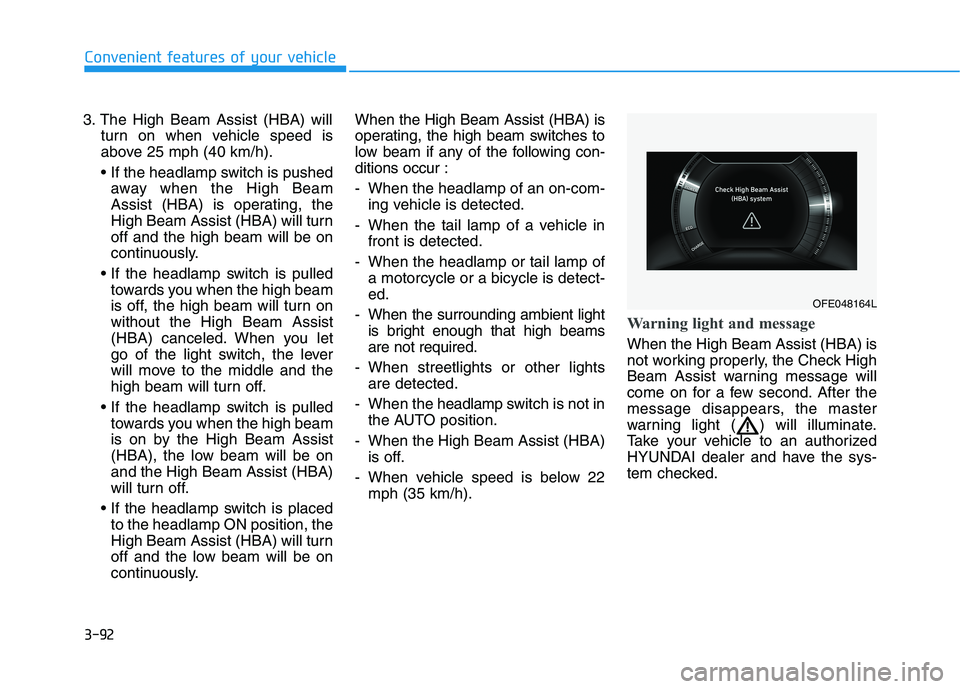
When the High Beam Assist (HBA) is
not working properly, the Check High
Beam Assist warning message will
come on for a few second. After the
message disappears, the master
warning light ( ) will illuminate.
Take your vehicle to an authorized
HYUNDAI dealer and have the sys-
tem checked.
OFE048164L
Page 180 of 561
3-93
Convenient features of your vehicle
3
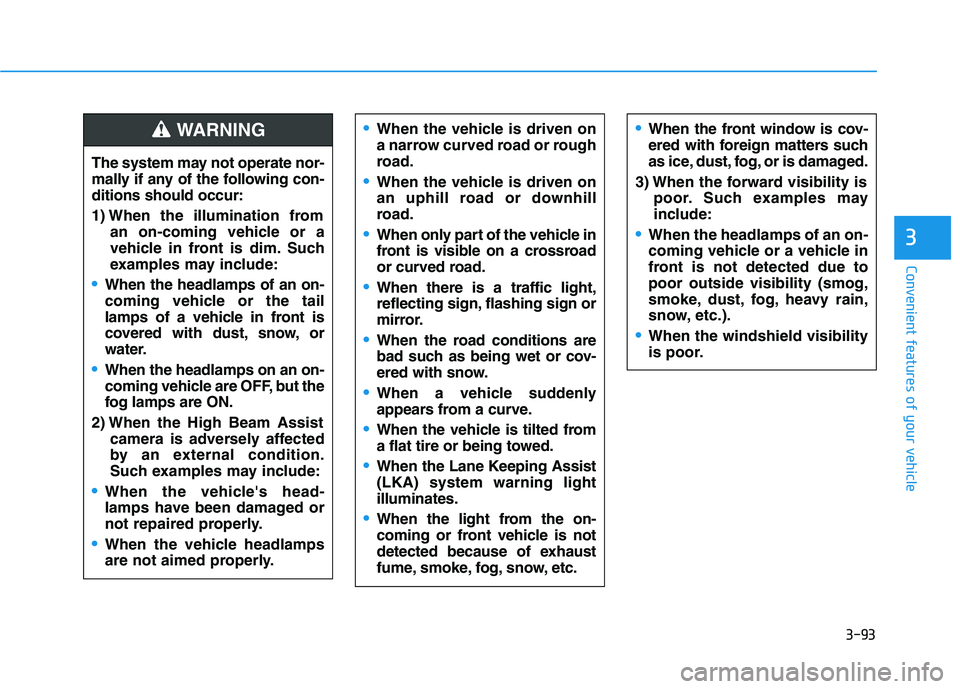
The system may not operate nor-
mally if any of the following con-
ditions should occur:
1) When the illumination from
an on-coming vehicle or a
vehicle in front is dim. Such
examples may include:
When the headlamps of an on-
coming vehicle or the tail
lamps of a vehicle in front is
covered with dust, snow, or
water.
When the headlamps on an on-
coming vehicle are OFF, but the
fog lamps are ON.
2) When the High Beam Assist
camera is adversely affected
by an external condition.
Such examples may include:
When the vehicle's head-
lamps have been damaged or
not repaired properly.
When the vehicle headlamps
are not aimed properly.
When the vehicle is driven on
a narrow curved road or rough
road.
When the vehicle is driven on
an uphill road or downhill
road.
When only part of the vehicle in
front is visible on a crossroad
or curved road.
When there is a traffic light,
reflecting sign, flashing sign or
mirror.
When the road conditions are
bad such as being wet or cov-
ered with snow.
When a vehicle suddenly
appears from a curve.
When the vehicle is tilted from
a flat tire or being towed.
When the Lane Keeping Assist
(LKA) system warning light
illuminates.
When the light from the on-
coming or front vehicle is not
detected because of exhaust
fume, smoke, fog, snow, etc.
When the front window is cov-
ered with foreign matters such
as ice, dust, fog, or is damaged.
3) When the forward visibility is
poor. Such examples may
include:
When the headlamps of an on-
coming vehicle or a vehicle in
front is not detected due to
poor outside visibility (smog,
smoke, dust, fog, heavy rain,
snow, etc.).
When the windshield visibility
is poor.
WARNING
Page 188 of 561
3-101
Convenient features of your vehicle
3
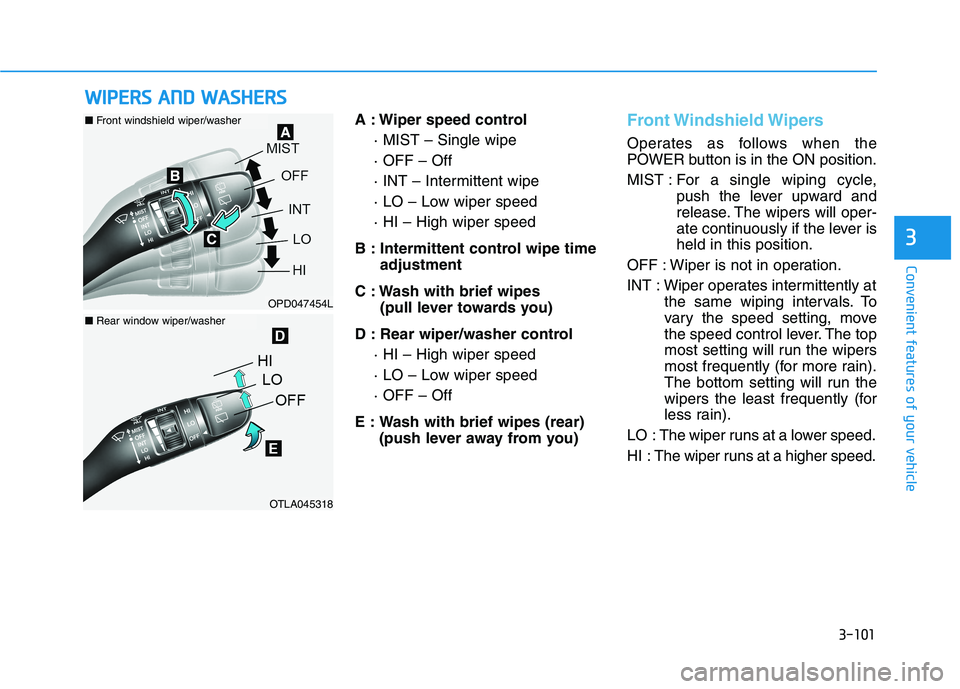
A : Wiper speed control
· MIST – Single wipe
· OFF – Off
· INT – Intermittent wipe
· LO – Low wiper speed
· HI – High wiper speed
B : Intermittent control wipe time
adjustment
C : Wash with brief wipes
(pull lever towards you)
D : Rear wiper/washer control
· HI – High wiper speed
· LO – Low wiper speed
· OFF – Off
E : Wash with brief wipes (rear)
(push lever away from you)Front Windshield Wipers
Operates as follows when the
POWER button is in the ON position.
MIST : For a single wiping cycle,
push the lever upward and
release. The wipers will oper-
ate continuously if the lever is
held in this position.
OFF : Wiper is not in operation.
INT : Wiper operates intermittently at
the same wiping intervals. To
vary the speed setting, move
the speed control lever. The top
most setting will run the wipers
most frequently (for more rain).
The bottom setting will run the
wipers the least frequently (for
less rain).
LO : The wiper runs at a lower speed.
HI : The wiper runs at a higher speed.
W WI
IP
PE
ER
RS
S
A
AN
ND
D
W
WA
AS
SH
HE
ER
RS
S
OPD047454L
OTLA045318
■Front windshield wiper/washer
■Rear window wiper/washer
Page 190 of 561
3-103
Convenient features of your vehicle
When washing the vehicle, set
the wiper switch in the OFF posi-
tion to stop the auto wiper oper-
ation. The wiper may operate
and be damaged if the switch is
set in the AUTO mode while
washing the vehicle.
Do not remove the sensor cover.
Damage to system parts could
occur and may not be covered
by your vehicle warranty.
Because of using a photo sen-
sor, temporary malfunction
could occur according to sud-
den ambient light change while
driving.
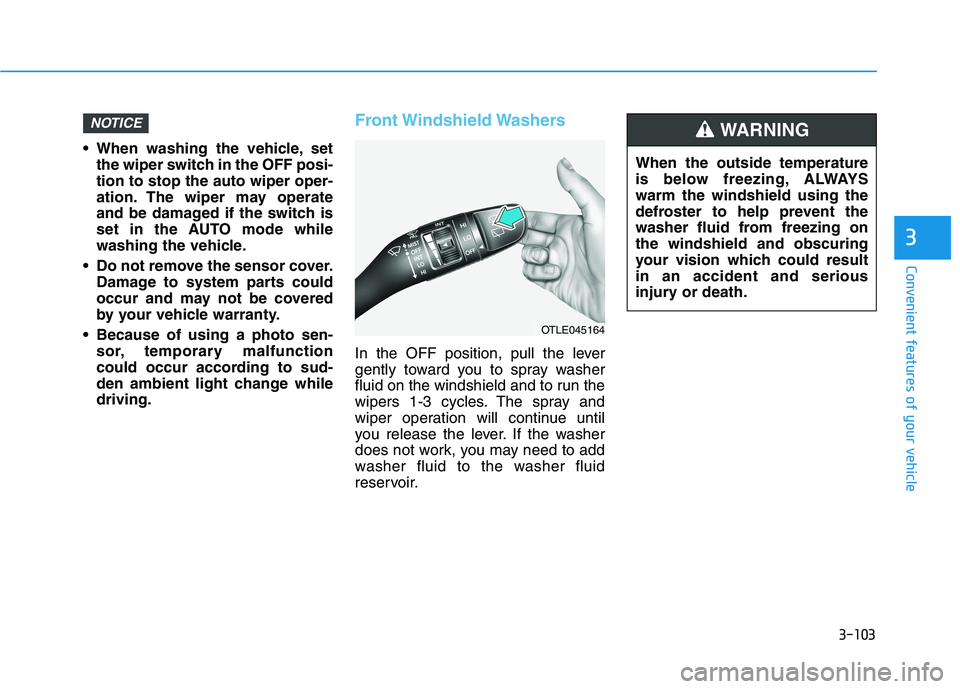
Front Windshield Washers
In the OFF position, pull the lever
gently toward you to spray washer
fluid on the windshield and to run the
wipers 1-3 cycles. The spray and
wiper operation will continue until
you release the lever. If the washer
does not work, you may need to add
washer fluid to the washer fluid
reservoir.
NOTICE
3
OTLE045164
When the outside temperature
is below freezing, ALWAYS
warm the windshield using the
defroster to help prevent the
washer fluid from freezing on
the windshield and obscuring
your vision which could result
in an accident and serious
injury or death.
WARNING
Page 202 of 561
3-115
Convenient features of your vehicle
3
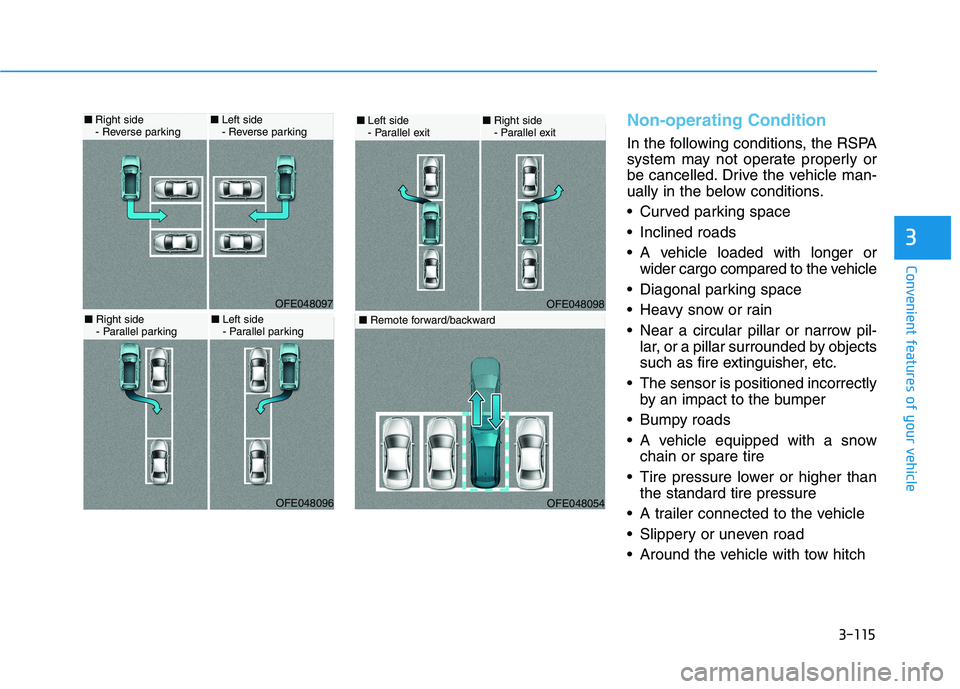
Non-operating Condition
In the following conditions, the RSPA
system may not operate properly or
be cancelled. Drive the vehicle man-
ually in the below conditions.
Curved parking space
Inclined roads
A vehicle loaded with longer or
wider cargo compared to the vehicle
Diagonal parking space
Heavy snow or rain
Near a circular pillar or narrow pil-
lar, or a pillar surrounded by objects
such as fire extinguisher, etc.
The sensor is positioned incorrectly
by an impact to the bumper
Bumpy roads
A vehicle equipped with a snow
chain or spare tire
Tire pressure lower or higher than
the standard tire pressure
A trailer connected to the vehicle
Slippery or uneven road
Around the vehicle with tow hitch
OFE048098
■Left side
- Parallel exit■Right side
- Parallel exit
OFE048054
■Remote forward/backward
OFE048097
■Right side
- Reverse parking■Left side
- Reverse parking
OFE048096
■Right side
- Parallel parking■Left side
- Parallel parking
Page 237 of 561
3-150
Convenient features of your vehicle
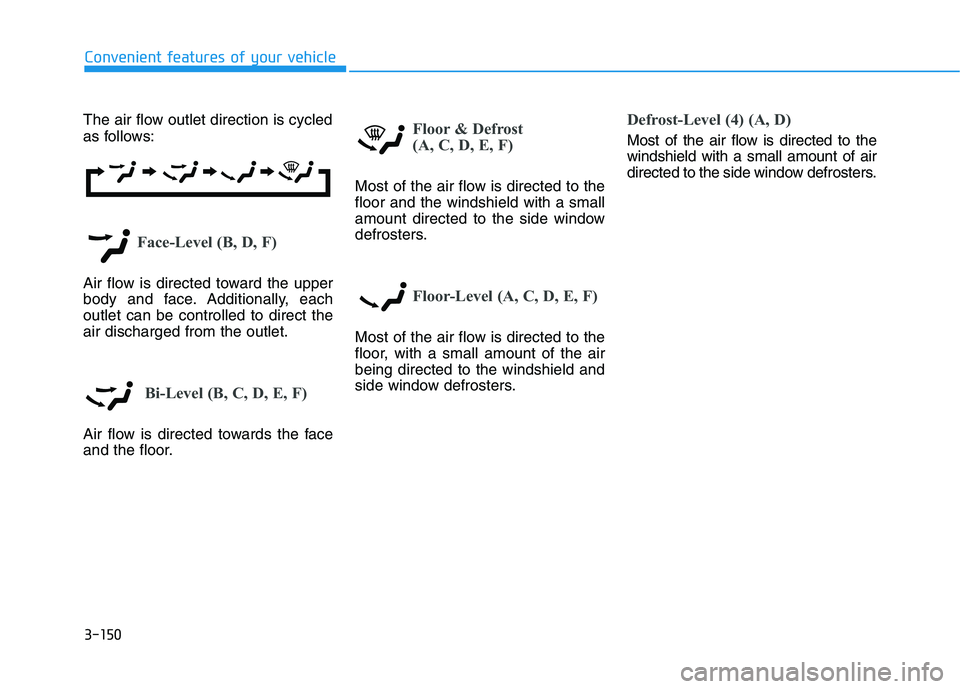
The air flow outlet direction is cycled
as follows:
Face-Level (B, D, F)
Air flow is directed toward the upper
body and face. Additionally, each
outlet can be controlled to direct the
air discharged from the outlet.
Bi-Level (B, C, D, E, F)
Air flow is directed towards the face
and the floor.
Floor & Defrost
(A, C, D, E, F)
Most of the air flow is directed to the
floor and the windshield with a small
amount directed to the side window
defrosters.
Floor-Level (A, C, D, E, F)
Most of the air flow is directed to the
floor, with a small amount of the air
being directed to the windshield and
side window defrosters.
Defrost-Level (4) (A, D)
Most of the air flow is directed to the
windshield with a small amount of air
directed to the side window defrosters.
Page 252 of 561
3-165
Convenient features of your vehicle
3
Keep your drinks sealed while
driving to prevent spilling your
drink. If liquid spills, it may get
into the vehicle's electrical/elec-
tronic system and damage elec-
trical/electronic parts.
When cleaning spilled liquids do
not use hot air to blow out or dry
the cup holder. This may dam-
age the interior.
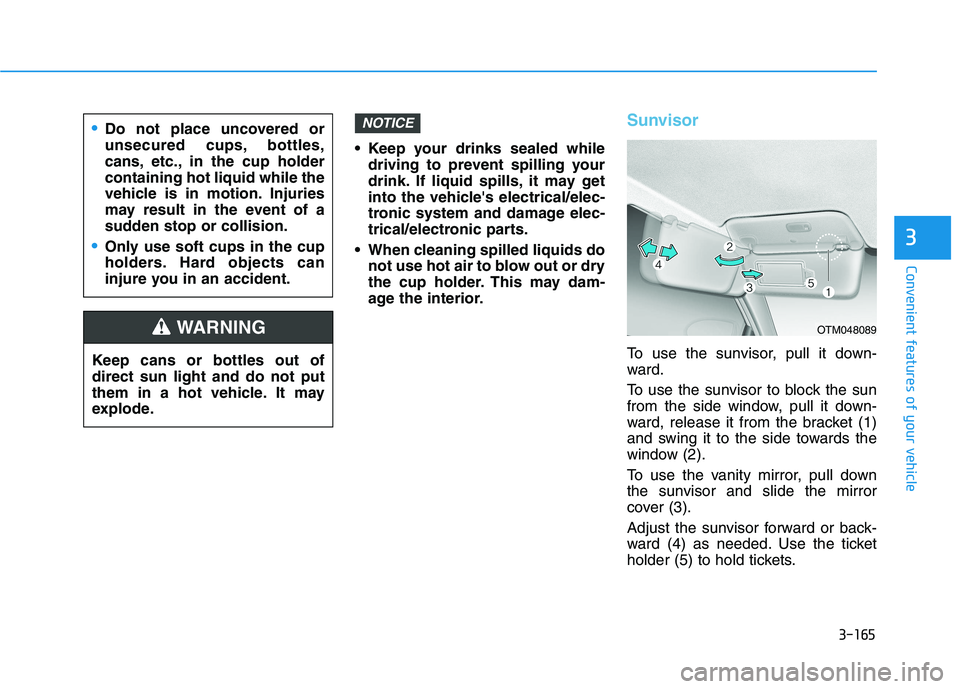
Sunvisor
To use the sunvisor, pull it down-
ward.
To use the sunvisor to block the sun
from the side window, pull it down-
ward, release it from the bracket (1)
and swing it to the side towards the
window (2).
To use the vanity mirror, pull down
the sunvisor and slide the mirror
cover (3).
Adjust the sunvisor forward or back-
ward (4) as needed. Use the ticket
holder (5) to hold tickets.
NOTICE
Keep cans or bottles out of
direct sun light and do not put
them in a hot vehicle. It may
explode.
WARNING
Do not place uncovered or
unsecured cups, bottles,
cans, etc., in the cup holder
containing hot liquid while the
vehicle is in motion. Injuries
may result in the event of a
sudden stop or collision.
Only use soft cups in the cup
holders. Hard objects can
injure you in an accident.
OTM048089