key HYUNDAI NEXO 2020 Owner's Guide
[x] Cancel search | Manufacturer: HYUNDAI, Model Year: 2020, Model line: NEXO, Model: HYUNDAI NEXO 2020Pages: 561, PDF Size: 48.42 MB
Page 173 of 561
3-86
Convenient features of your vehicle
Average fuel economy/
Instant fuel economy
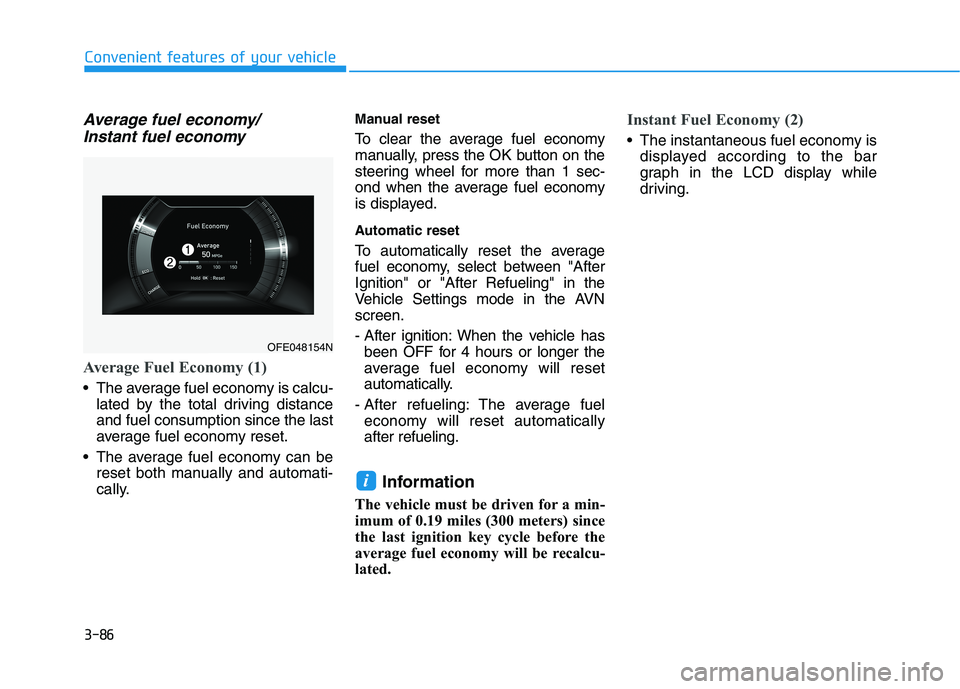
Average Fuel Economy (1)
The average fuel economy is calcu-
lated by the total driving distance
and fuel consumption since the last
average fuel economy reset.
The average fuel economy can be
reset both manually and automati-
cally.
Manual reset
To clear the average fuel economy
manually, press the OK button on the
steering wheel for more than 1 sec-
ond when the average fuel economy
is displayed.
Automatic reset
To automatically reset the average
fuel economy, select between "After
Ignition" or "After Refueling" in the
Vehicle Settings mode in the AVN
screen.
- After ignition: When the vehicle has
been OFF for 4 hours or longer the
average fuel economy will reset
automatically.
- After refueling: The average fuel
economy will reset automatically
after refueling.
Information
The vehicle must be driven for a min-
imum of 0.19 miles (300 meters) since
the last ignition key cycle before the
average fuel economy will be recalcu-
lated.
Instant Fuel Economy (2)
The instantaneous fuel economy is
displayed according to the bar
graph in the LCD display while
driving.
i
OFE048154N
Page 174 of 561
3-87
Convenient features of your vehicle
3
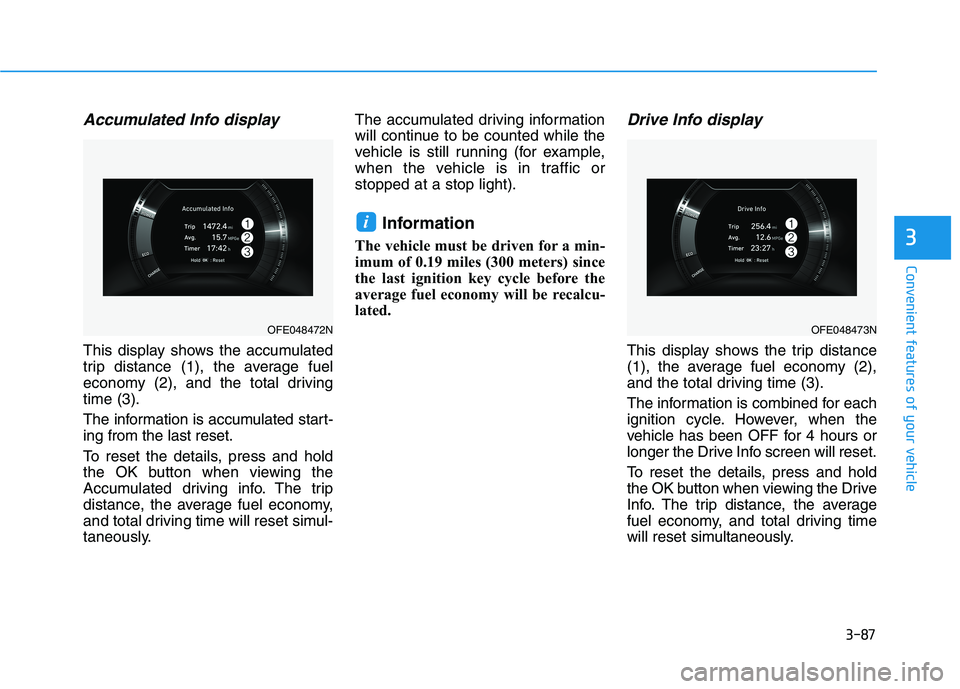
Accumulated Info display
This display shows the accumulated
trip distance (1), the average fuel
economy (2), and the total driving
time (3).
The information is accumulated start-
ing from the last reset.
To reset the details, press and hold
the OK button when viewing the
Accumulated driving info. The trip
distance, the average fuel economy,
and total driving time will reset simul-
taneously.The accumulated driving information
will continue to be counted while the
vehicle is still running (for example,
when the vehicle is in traffic or
stopped at a stop light).
Information
The vehicle must be driven for a min-
imum of 0.19 miles (300 meters) since
the last ignition key cycle before the
average fuel economy will be recalcu-
lated.
Drive Info display
This display shows the trip distance
(1), the average fuel economy (2),
and the total driving time (3).
The information is combined for each
ignition cycle. However, when the
vehicle has been OFF for 4 hours or
longer the Drive Info screen will reset.
To reset the details, press and hold
the OK button when viewing the Drive
Info. The trip distance, the average
fuel economy, and total driving time
will reset simultaneously.
i
OFE048472NOFE048473N
Page 175 of 561
3-88
Convenient features of your vehicle
The driving information will continue to
be counted while the vehicle is in the
ready ( ) mode. (for example, when
the vehicle is in traffic or stopped at a
stop light).
Information
The vehicle must be driven for a mini-
mum of 0.19 miles (300 meters) since the
last ignition key cycle before the average
fuel economy will be recalculated.
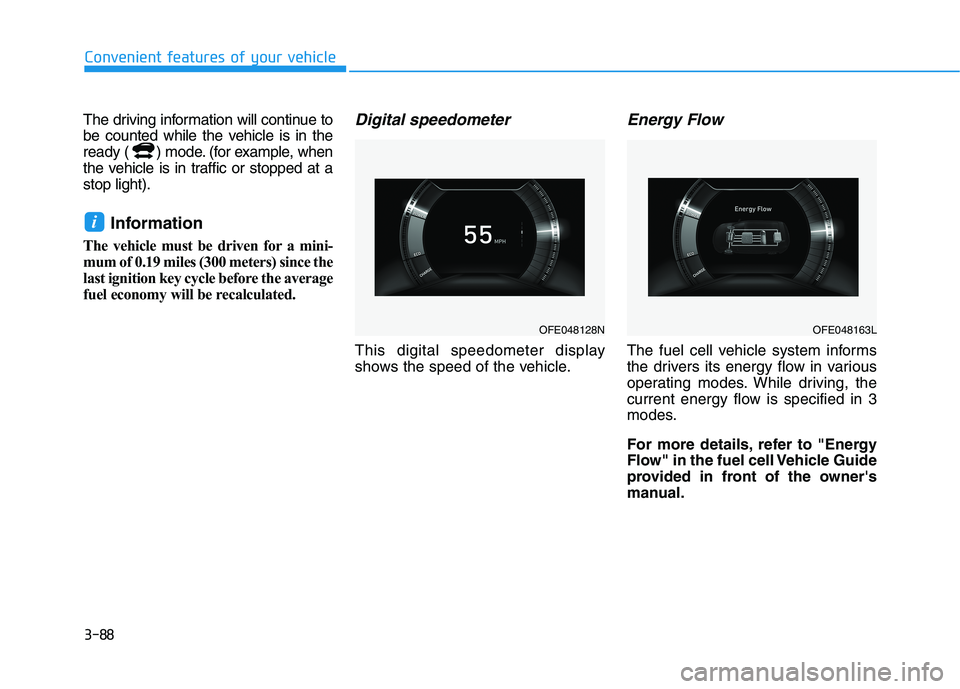
Digital speedometer
This digital speedometer display
shows the speed of the vehicle.
Energy Flow
The fuel cell vehicle system informs
the drivers its energy flow in various
operating modes. While driving, the
current energy flow is specified in 3
modes.
For more details, refer to "Energy
Flow" in the fuel cell Vehicle Guide
provided in front of the owner's
manual.
i
OFE048128NOFE048163L
Page 182 of 561
3-95
Convenient features of your vehicle
3
One-touch turn signal function
To activate the One Touch Turn
Signal function, push the turn signal
lever up or down to position (B) and
then release it.
The lane change signals will blink 3,
5 or 7 times.
You can activate or deactivate the
One Touch Turn Signal function or
choose the number of blinks (3, 5, or
7) from the Vehicle Settings mode in
the AVN screen.
For more details, refer to the sepa-
rately supplied Navigation manual.
Battery saver function
The purpose of this feature is to pre-
vent the battery from being dis-
charged. The system automatically
turns off the parking lamp when the
driver turns the vehicle off and opens
the driver-side door.
With this feature, the parking lamps
will turn off automatically if the driver
parks on the side of road at night.
If necessary, to keep the lamps on
when the vehicle is turned off, perform
the following:
1) Open the driver-side door.
2) Turn the parking lamps OFF and
ON again using the headlamp
switch on the steering column.
Headlight time-out function
(if equipped)
If the POWER button is placed in the
ACC position or the OFF position
with the headlamps ON, the head-
lamps (and/or parking lamps) remain
on for about 5 minutes. However, if
the driver's door is opened and
closed, the headlights are turned off
after 15 seconds. Also, with the vehi-
cle off if the driver's door is opened
and closed, the headlamps (and/or
parking lamps) are turned off after 15
seconds.
The headlamps (and/or parking
lamps) can be turned off by pressing
the lock button on the smart key
twice or turning the light switch to the
OFF or AUTO position.
You can activate or deactivate the
Headlamp Delay function from the
Vehicle Settings mode (Light) on the
AVN screen.
For more details, refer to the sepa-
rately supplied Navigation manual.
Page 183 of 561
3-96
Convenient features of your vehicle
If the driver gets out of the vehicle
through other doors (except dri-
ver’s door), the battery saver func-
tion does not operate and the
headlamp delay function does not
turn off automatically. Therefore, It
causes the battery to be dis-
charged. In this case, make sure
to turn off the lamp before getting
out of the vehicle.
Interior Lights
Do not use the interior lights for
extended periods when the vehi-
cle is turned off or the battery will
discharge.
Interior lamp AUTO cut
The interior lamps will automatically
go off approximately 20 minutes after
the vehicle is turned off and the
doors are closed. If a door is opened,
the lamp will go off 40 minutes after
the vehicle is turned off. If the doors
are locked by the remote key or
smart key and the vehicle enters the
armed stage of the theft alarm sys-
tem, the lamps will go off five sec-
onds later.
Front lamps
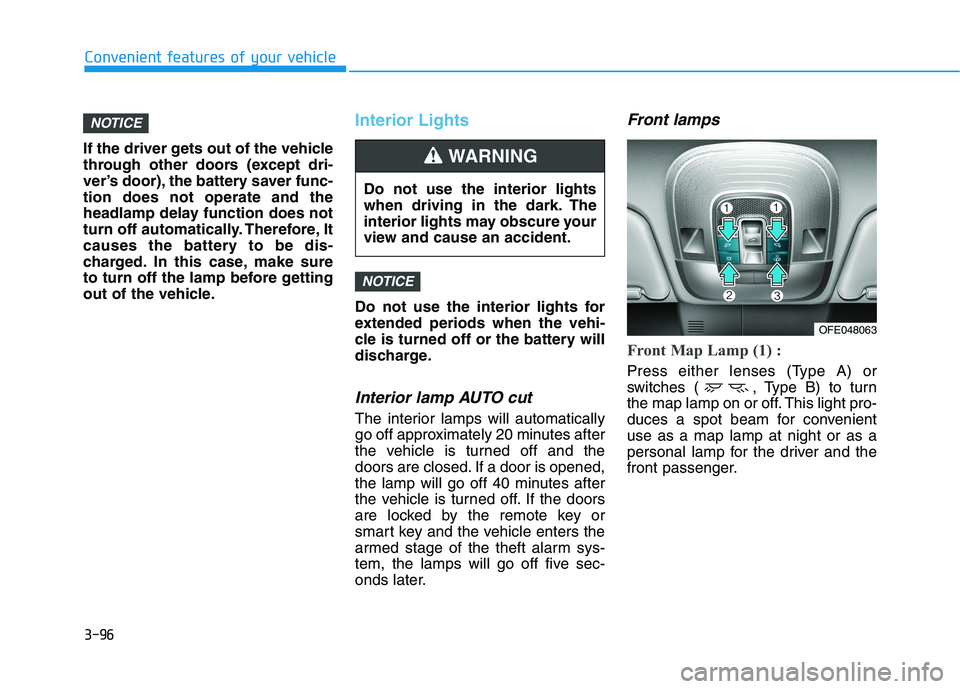
Front Map Lamp (1) :
Press either lenses (Type A) or
switches ( , Type B) to turn
the map lamp on or off. This light pro-
duces a spot beam for convenient
use as a map lamp at night or as a
personal lamp for the driver and the
front passenger.
NOTICE
NOTICE
Do not use the interior lights
when driving in the dark. The
interior lights may obscure your
view and cause an accident.
WARNING
OFE048063
Page 184 of 561
3-97
Convenient features of your vehicle
3
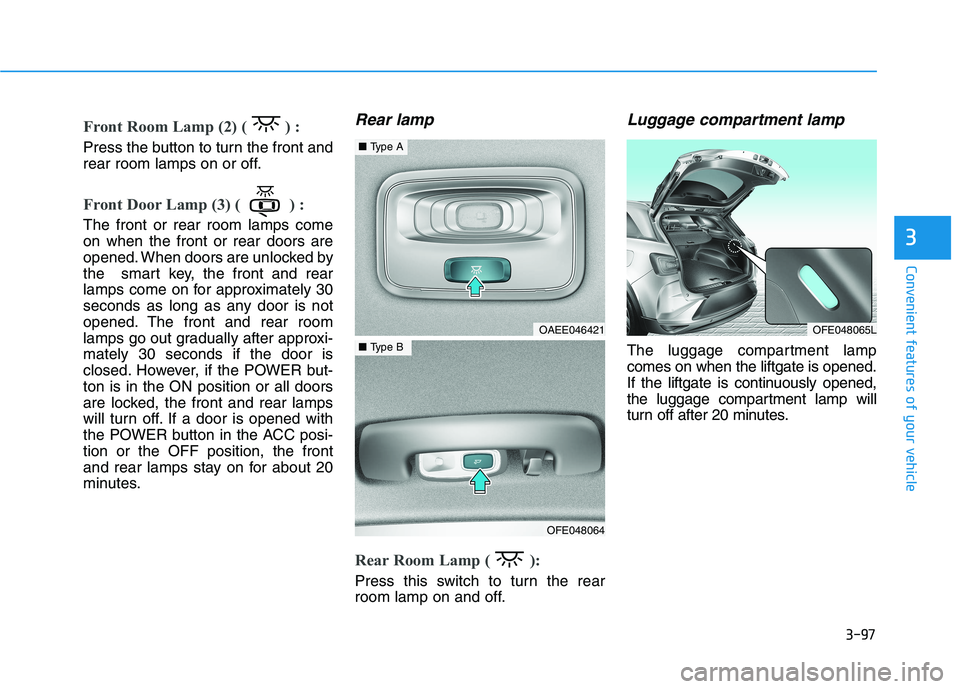
Front Room Lamp (2) ( ) :
Press the button to turn the front and
rear room lamps on or off.
Front Door Lamp (3) ( ) :
The front or rear room lamps come
on when the front or rear doors are
opened. When doors are unlocked by
the smart key, the front and rear
lamps come on for approximately 30
seconds as long as any door is not
opened. The front and rear room
lamps go out gradually after approxi-
mately 30 seconds if the door is
closed. However, if the POWER but-
ton is in the ON position or all doors
are locked, the front and rear lamps
will turn off. If a door is opened with
the POWER button in the ACC posi-
tion or the OFF position, the front
and rear lamps stay on for about 20
minutes.
Rear lamp
Rear Room Lamp ( ):
Press this switch to turn the rear
room lamp on and off.
Luggage compartment lamp
The luggage compartment lamp
comes on when the liftgate is opened.
If the liftgate is continuously opened,
the luggage compartment lamp will
turn off after 20 minutes.
OFE048065LOAEE046421
OFE048064
■Type A
■Type B
Page 185 of 561
3-98
Convenient features of your vehicle
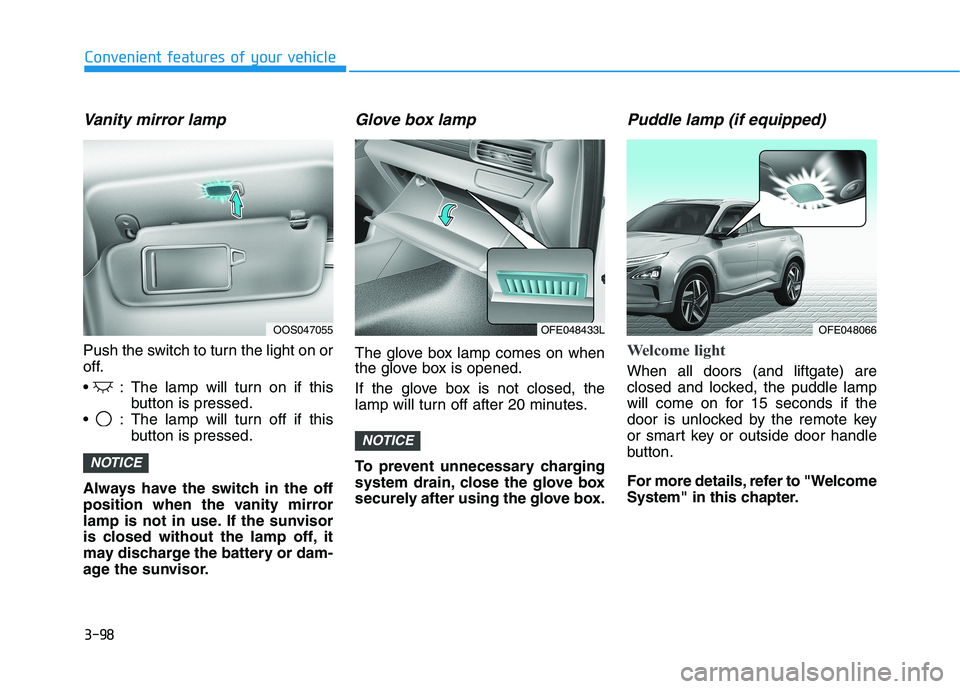
Vanity mirror lamp
Push the switch to turn the light on or
off.
: The lamp will turn on if this
button is pressed.
: The lamp will turn off if this
button is pressed.
Always have the switch in the off
position when the vanity mirror
lamp is not in use. If the sunvisor
is closed without the lamp off, it
may discharge the battery or dam-
age the sunvisor.
Glove box lamp
The glove box lamp comes on when
the glove box is opened.
If the glove box is not closed, the
lamp will turn off after 20 minutes.
To prevent unnecessary charging
system drain, close the glove box
securely after using the glove box.
Puddle lamp (if equipped)
Welcome light
When all doors (and liftgate) are
closed and locked, the puddle lamp
will come on for 15 seconds if the
door is unlocked by the remote key
or smart key or outside door handle
button.
For more details, refer to "Welcome
System" in this chapter.
NOTICE
NOTICE
OOS047055OFE048433LOFE048066
Page 186 of 561
3-99
Convenient features of your vehicle
3
Escort light
When the vehicle is turned OFF and
the driver's door is opened, the pud-
dle lamp will come on for 30 sec-
onds. If the driver's door is closed
within the 30 seconds, the puddle
lamp will turn off after 15 seconds. If
the driver's door is closed and
locked, the puddle lamp will turn off
immediately.
The Puddle Lamp Escort Light will
turn on only the first time the driver's
door is opened after the vehicle is
turned off.
Welcome System (if equipped)
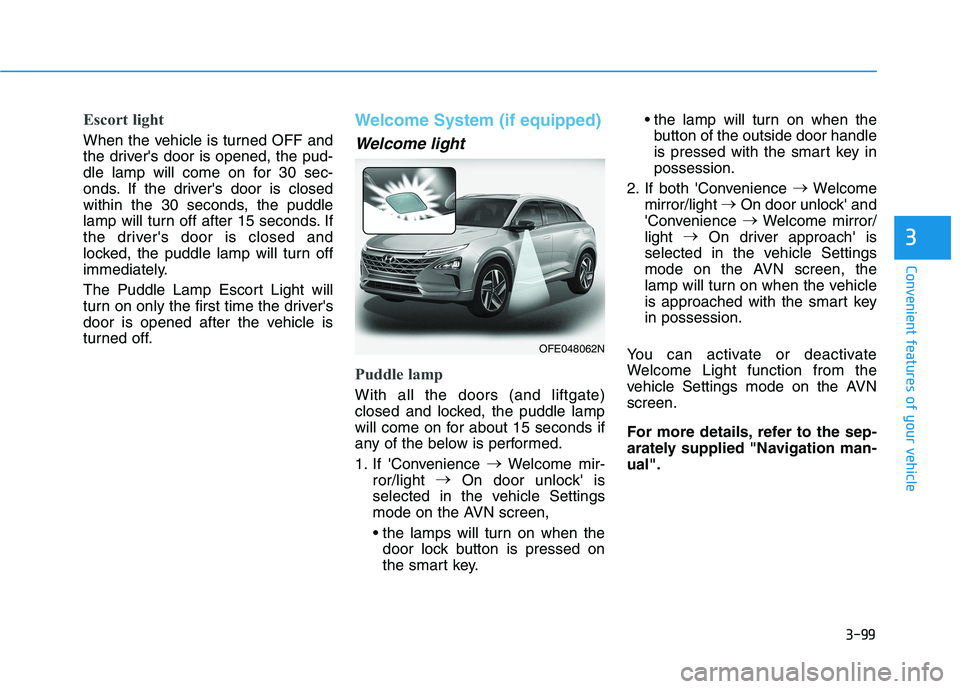
Welcome light
Puddle lamp
With all the doors (and liftgate)
closed and locked, the puddle lamp
will come on for about 15 seconds if
any of the below is performed.
1. If 'Convenience →
Welcome mir-
ror/light →
On door unlock' is
selected in the vehicle Settings
mode on the AVN screen,
door lock button is pressed on
the smart key. the lamp will turn on when the
button of the outside door handle
is pressed with the smart key in
possession.
2. If both 'Convenience →
Welcome
mirror/light →
On door unlock' and
'Convenience →
Welcome mirror/
light →
On driver approach' is
selected in the vehicle Settings
mode on the AVN screen, the
lamp will turn on when the vehicle
is approached with the smart key
in possession.
You can activate or deactivate
Welcome Light function from the
vehicle Settings mode on the AVN
screen.
For more details, refer to the sep-
arately supplied "Navigation man-
ual".
OFE048062N
Page 187 of 561
3-100
Convenient features of your vehicle
Headlamp and parking lamp
When the headlamp (lamp switch in
the headlamp or AUTO position) is on
and all doors (and liftgate) are locked
and closed, the parking lamp and
headlamp will come on for 15 seconds
when the door unlock button is
pressed on the remote key or smart
key.
At this time, if you press the door lock
or unlock button, the parking lamp and
headlamp will turn off immediately.
Interior lamp
When the interior lamp switch is in
the DOOR position and all doors (and
liftgate) are closed and locked, the
room lamp will come on for 30 sec-
onds if any of the below is performed.
When the door unlock button is
pressed on the remote key or
smart key.
When the button of the outside
door handle is pressed with the
smart key in possession.
At this time, if you press the door lock
or unlock button on the smart key the
room lamp will turn off immediately.
Page 201 of 561
3-114
Convenient features of your vehicle
Operating Condition
Use the system when all the below
conditions are met.
When the parking space is a
straight line
When there is a parked vehicle
next to the space where you want
to park
When there is enough space to
move the vehicle
When you choose "Confirm" on
AVN booting.
The RSPA system should only
be considered as a supple-
mentary function. The driver
must check the front and rear
view for objects. The opera-
tional function of the system
can be affected by many fac-
tors and conditions of the sur-
roundings, so the responsibili-
ty rests always with the driver.
The system may not operate
normally if the vehicle needs
wheel alignment adjustment.
Have the vehicle checked by
an authorized HYUNDAI deal-
er.
If you use a different tire or
wheel size rather than the size
recommended by the HYUNDAI
dealer, the system may not
work properly. Always use the
same size tire and wheel.
WARNING
Do not use the system when
in drunken state.
The system may not operate
properly depending on the
surrounding environment and
other conditions.
The system may not recog-
nize the object too close to
the vehicle.
When operating the system,
be careful of the objects locat-
ed above or below the sensor
position. Such object may
damage the vehicle or other
objects.
Do not let children or other
person to use the smart key.
WARNING