warning HYUNDAI NEXO 2023 Owners Manual
[x] Cancel search | Manufacturer: HYUNDAI, Model Year: 2023, Model line: NEXO, Model: HYUNDAI NEXO 2023Pages: 558, PDF Size: 35.01 MB
Page 213 of 558
3-126
Convenient features of your vehicle
To cancel the Smart Parking while
in operation
(1) Press the RSPA button beforeselecting the operation mode.
(2) Shift the gear to to R (Reverse) position before the operation of
the "Smart Parking assist" stage.
(3) Press the Parking Distance
Warning button or the
'Cancel'button on the AVNscreen.
(4) Driver controls the vehicle during the system assist
When the driver shifts the gear after
depressing the brake pedal to stop
the vehicle, the gear shifts and the
Smart Parking is deactivated. In this
case, the Electronic Parking Brake(EPB) is not engaged.
The Smart Parking assist will stop
temporarily when:
(1) An obstacle at the direction the vehicle is heading is detected.
(2) The door or tailgate is open.
(3) The driver’s seatbelt is unfas- tened.
(4) The Rear Cross-Traffic Collision- Avoidance Assist (RCCA) system
is activated while reversing.
(5) The driver releases the RSPA button.
(6) The drivers stops the vehicle by depressing the brake pedal.
❈ The vehicle stops when the Smart
Parking assist will stop temporari-
ly and the Smart Parking assist
will resume when the above condi-tion is cleared.
If the Parking Distance Warningsystem warning sound (distance
from object is within 30 cm (12
in.): continuous beep) occurs,
check the surrounding.
CAUTION
Page 215 of 558
3-128
Convenient features of your vehicle
❈ You can use Smart Parking after
navigation or home screen display
on AVN(You cannot use Smart
Parking if you don't choose
"Confirm" on AVN booting)
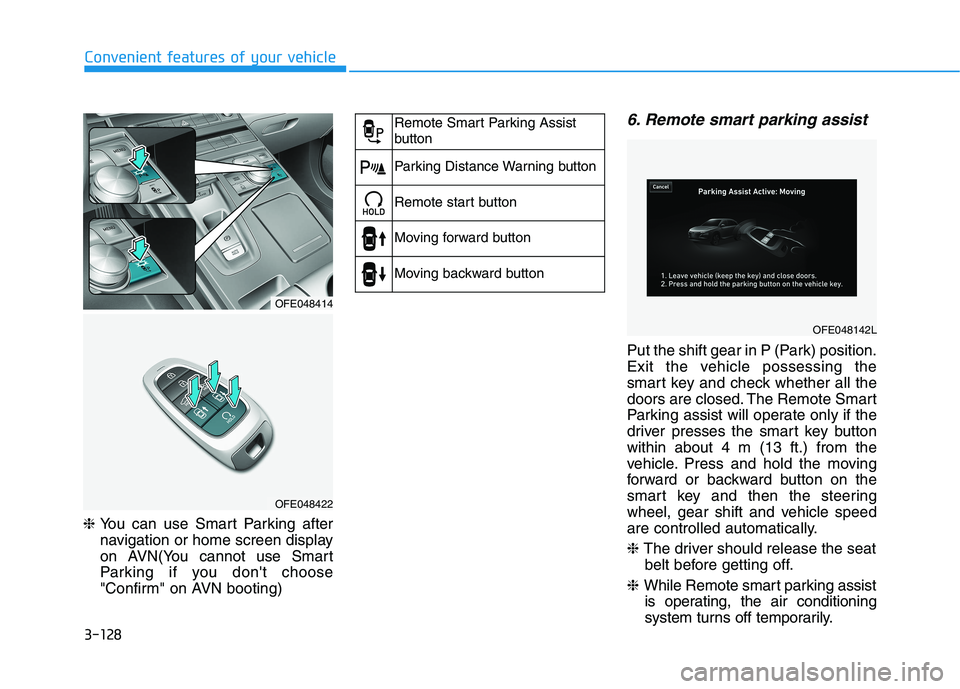
6. Remote smart parking assist
Put the shift gear in P (Park) position.
Exit the vehicle possessing the
smart key and check whether all the
doors are closed. The Remote Smart
Parking assist will operate only if the
driver presses the smart key buttonwithin about 4 m (13 ft.) from the
vehicle. Press and hold the moving
forward or backward button on the
smart key and then the steering
wheel, gear shift and vehicle speed
are controlled automatically. ❈ The driver should release the seat
belt before getting off.
❈ While Remote smart parking assist
is operating, the air conditioning
system turns off temporarily.
OFE048414
OFE048422
Remote Smart Parking Assist
button
Parking Distance Warning button
Remote start button
Moving forward button
Moving backward button
OFE048142L
Page 217 of 558
3-130
Convenient features of your vehicle
To cancel the Remote Smart
Parking while in operation
(1) Press the RSPA button at the"Searching for parking space"
stage or the "Selecting parking
type" stage.
(2) Shift the gear to R (Reverse) position before the operation of
the Remote Smart Parkingassist.
(3) Press the Parking Distance
Warning button or the 'Cancel'
button on the AVN screen.
(4) Driver controls the vehicle during the system assist.
The Remote Smart Parking is immediately cancelled and the
vehicle turns off when the remote
start button on the smart key ispressed.
The function is cancelled but the vehicle stays on when the driver
enters the vehicle with the smart
key and all the doors are closed or
the driver depresses the brakepedal.
The Remote Smart Parking assist
will stop temporarily when:
(1) An obstacle at the direction the vehicle is heading is detected.
(2) The door or tailgate is open. (3) The moving forward/backward
button on the smart key is released.
(4) Multiple buttons on the smart key are pressed at the same time.
(5) The distance between the smart key and vehicle is over 4 m (13 ft).
(6) A button on the other smart key is pressed.
(7) Rear Cross-Traffic Collision-
Avoidance Assist system is acti-
vated while reversing.
❈ The vehicle stops when the
Remote Smart Parking assist will
stop temporarily and the Remote
Smart Parking assist will resume
when the above condition iscleared.
The Remote Smart Parking assist is
cancelled while in operation when:
(1) The driver holds the steering wheel while the steering wheel is controlled
(2) The gear is shifted or the
Electronic Parking Brake (EPB) is
activated
(3) The hood opens (4) The vehicle speed exceeds 5
km/h (3 mph)
(5) The vehicle accelerates suddenly
(6) The vehicle slips back while con- trolling the vehicle speed
(7) The wheel is stuck and the vehicle is unable to move
(8) Obstacles are at the front and back of the vehicle at the same time
(9) About 3 minutes and 50 seconds have passed after the Remote
Smart Parking assist
(10) The gradient of the road
exceeds the range supported by
the Remote Smart Parkingassist
(11) The steering, shifting gear and drive assist are impossible
Page 218 of 558
3-131
Convenient features of your vehicle
3
(12) The suspended status lasts forover 1 minute
(13) The driver continuously presses and releases the smart key's
moving forward/backward but-
ton over 10 times
(14) The vehicle is unable to enter the parking space
(15) The Traction Control System
(TCS) is activated while control-
ling the vehicle speed
(16) The smart key has failure
(17) The accelerator/brake pedal is depressed while all the doors are closed
(18) The brake pedal is depressed while the driver's door is open
and the smart key is outside the
vehicle
(19) The theft alarm system is acti- vated
When the Remote Smart Parking assist is cancelled, gear P (Park)
and Electronic Parking Brake
(EPB) are engaged automatically.
After engaged, the vehicle is auto-
matically turned off. Frequent beep sounds will gener-
ate to alert the deactivation of the
Remote Smart Parking Assist.
How the System Works
(Smart Exit)
Smart exit is available with the driver
on board. Make sure the conditions
available before activation the Smart
parking function.
1. Select Smart Exit:
Press the RSPA button with the
shift lever placed in P (Park) or N
(Neutral) position without driving
the vehicle after the initial startup.
*N (Neutral): Press RSPA button
after starting the vehicle and with-
out driving the vehicle. The Smart
Exit is selected. Then the Parkingmode is automatically selected
after driving.
*P (Park): After driving the vehicle
press RSPA button and Remote
Moving Forward/Backward isautomatically selected.
2. Search for smart exit space: Automatic searching by sensor atstop However, check the actual envi-
ronment before using Smart exitfunction.
3. Select smart exit direction: Parallel (left/right)
4. Smart Exit assist: Steering wheel, gear shift and vehicle speed con-
trol (parallel exit)
5. Smart Exit complete
After the Smart Exit is complete,
make sure to check the surrounding
road conditions.
However, the Exit mode is activated
when below conditions are met:
The vehicle speed is kept under 5 km/h (3 mph) after the vehicle is
turned on.
The parallel parking by the Remote Smart Parking assist is complete.
Always be careful while exiting
for other vehicles or pedestrians.
WARNING
Page 219 of 558
3-132
Convenient features of your vehicle
❈ You can use Smart Parking after
navigation or home screen display
on AVN(You cannot use Smart
Parking if you don't choose
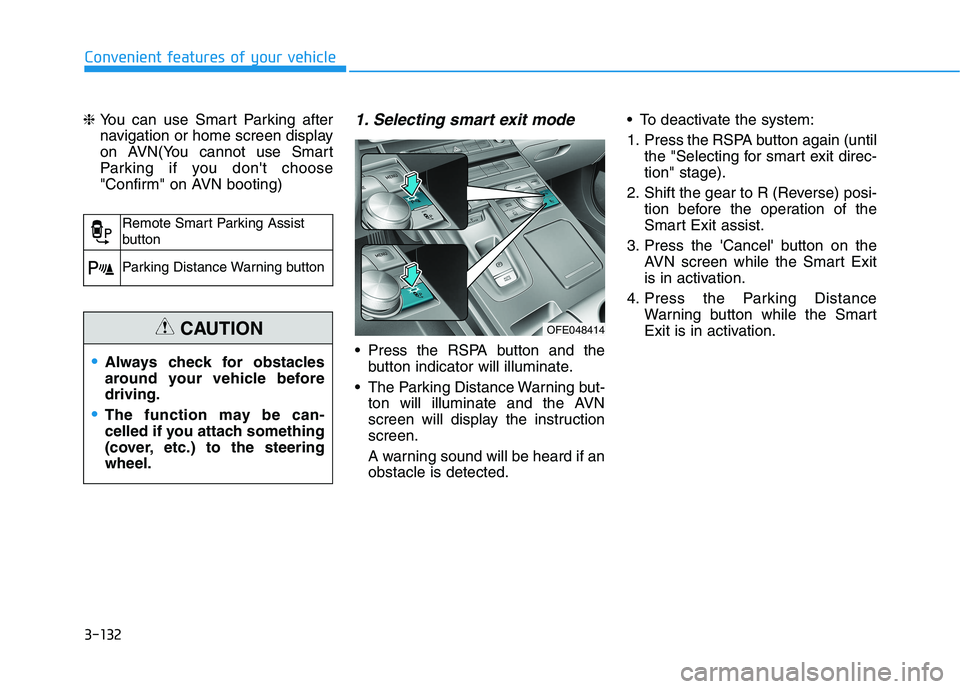
"Confirm" on AVN booting)1. Selecting smart exit mode
Press the RSPA button and the
button indicator will illuminate.
The Parking Distance Warning but- ton will illuminate and the AVN
screen will display the instructionscreen.
A warning sound will be heard if an obstacle is detected. To deactivate the system:
1. Press the RSPA button again (until
the "Selecting for smart exit direc- tion" stage).
2. Shift the gear to R (Reverse) posi- tion before the operation of the
Smart Exit assist.
3. Press the 'Cancel' button on the AVN screen while the Smart Exit
is in activation.
4. Press the Parking Distance Warning button while the Smart
Exit is in activation.
Remote Smart Parking Assist
button
Parking Distance Warning button
Always check for obstacles
around your vehicle beforedriving.
The function may be can-
celled if you attach something
(cover, etc.) to the steeringwheel.
CAUTIONOFE048414
Page 220 of 558
3-133
Convenient features of your vehicle
3
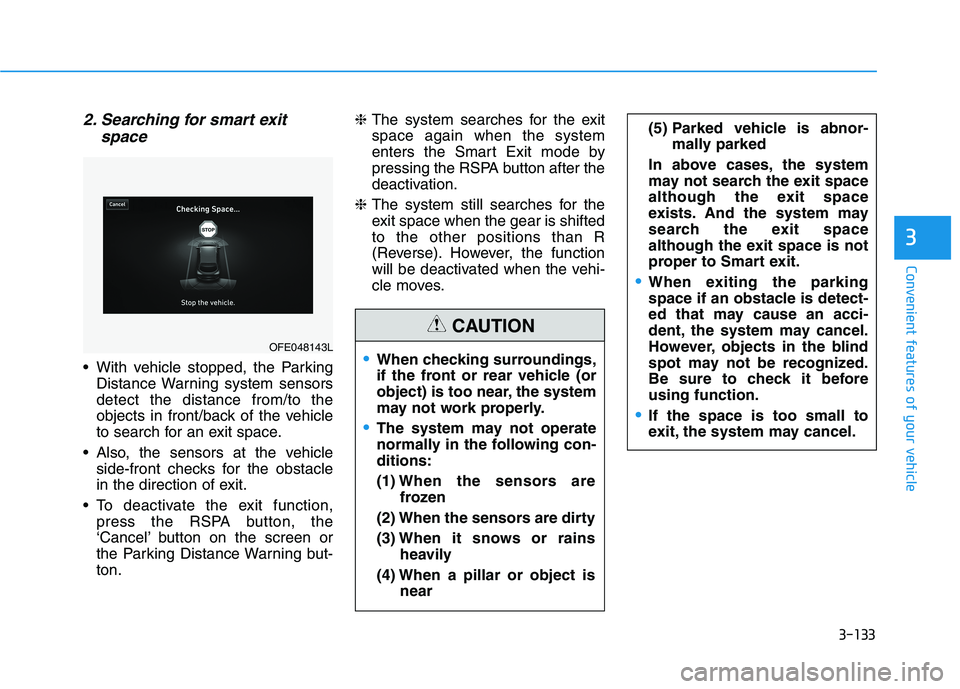
2. Searching for smart exitspace
With vehicle stopped, the ParkingDistance Warning system sensors detect the distance from/to the
objects in front/back of the vehicle
to search for an exit space.
Also, the sensors at the vehicle side-front checks for the obstacle
in the direction of exit.
To deactivate the exit function, press the RSPA button, the
‘Cancel’ button on the screen or
the Parking Distance Warning but-ton. ❈
The system searches for the exitspace again when the system
enters the Smart Exit mode by
pressing the RSPA button after the
deactivation.
❈ The system still searches for the
exit space when the gear is shiftedto the other positions than R
(Reverse). However, the function
will be deactivated when the vehi-
cle moves.
OFE048143LWhen checking surroundings,
if the front or rear vehicle (or
object) is too near, the system
may not work properly.
The system may not operate
normally in the following con-ditions: (1) When the sensors are
frozen
(2) When the sensors are dirty(3) When it snows or rains
heavily
(4) When a pillar or object is near
(5) Parked vehicle is abnor-mally parked
In above cases, the system
may not search the exit space
although the exit space
exists. And the system may
search the exit space
although the exit space is not
proper to Smart exit.
When exiting the parking
space if an obstacle is detect-
ed that may cause an acci-
dent, the system may cancel.
However, objects in the blind
spot may not be recognized.
Be sure to check it beforeusing function.
If the space is too small to
exit, the system may cancel.
CAUTION
Page 221 of 558
3-134
Convenient features of your vehicle
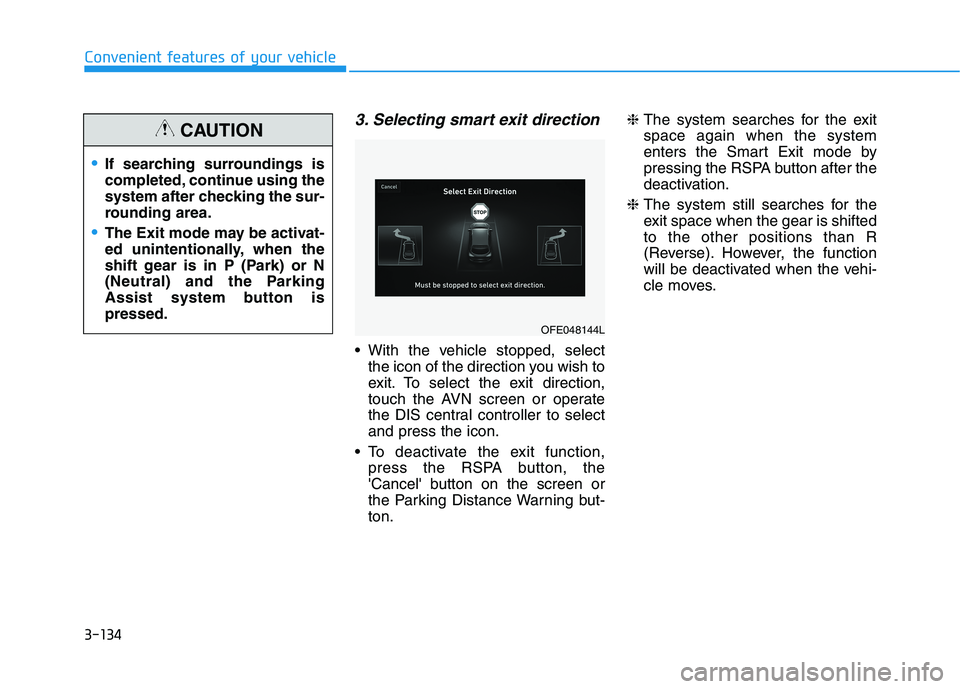
3. Selecting smart exit direction
With the vehicle stopped, selectthe icon of the direction you wish to
exit. To select the exit direction,
touch the AVN screen or operate
the DIS central controller to selectand press the icon.
To deactivate the exit function, press the RSPA button, the
'Cancel' button on the screen or
the Parking Distance Warning but-ton. ❈
The system searches for the exitspace again when the system
enters the Smart Exit mode by
pressing the RSPA button after the
deactivation.
❈ The system still searches for the
exit space when the gear is shiftedto the other positions than R
(Reverse). However, the function
will be deactivated when the vehi-
cle moves.
OFE048144L
If searching surroundings is
completed, continue using the
system after checking the sur-
rounding area.
The Exit mode may be activat-
ed unintentionally, when the
shift gear is in P (Park) or N
(Neutral) and the Parking
Assist system button ispressed.
CAUTION
Page 222 of 558
3-135
Convenient features of your vehicle
3
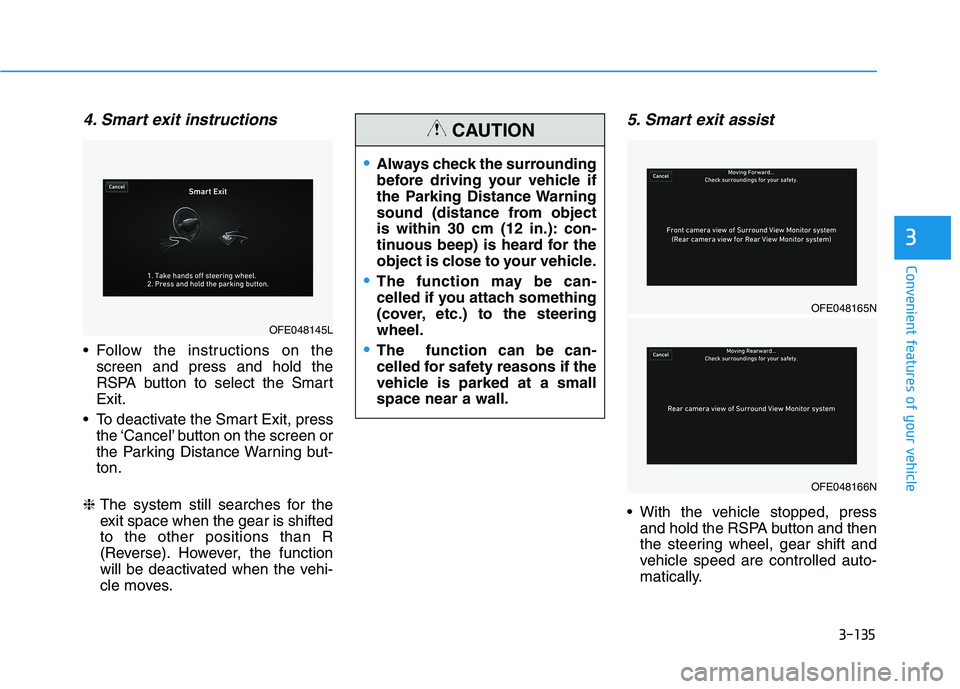
4. Smart exit instructions
Follow the instructions on thescreen and press and hold the
RSPA button to select the SmartExit.
To deactivate the Smart Exit, press the ‘Cancel’ button on the screen or
the Parking Distance Warning but-ton.
❈ The system still searches for the
exit space when the gear is shiftedto the other positions than R
(Reverse). However, the function
will be deactivated when the vehi-
cle moves.
5. Smart exit assist
With the vehicle stopped, press
and hold the RSPA button and then
the steering wheel, gear shift and
vehicle speed are controlled auto-
matically.
OFE048145L
Always check the surrounding
before driving your vehicle if
the Parking Distance Warning
sound (distance from object
is within 30 cm (12 in.): con-
tinuous beep) is heard for the
object is close to your vehicle.
The function may be can-
celled if you attach something
(cover, etc.) to the steeringwheel.
The function can be can-
celled for safety reasons if the
vehicle is parked at a smallspace near a wall.
CAUTION
OFE048165N
OFE048166N
Page 224 of 558
3-137
Convenient features of your vehicle
3
To cancel the Smart Exit while in
operation
(1) Press the RSPA button at the"Searching for smart exit space"
stage or the "Selecting for smart
exit direction" stage.
(2) Shift the gear to R (Reverse) position before the operation of
the Smart Exit assist.
(3) Press the Parking Distance
Warning button or the 'Cancel'
button on the AVN screen.
(4) Driver controls the vehicle during the system assist
The function is deactivated when the
driver stops the vehicle by depress-
ing the brake pedal and shifts the
gear. In this case, the Electronic
Parking Brake (EPB) is not engaged.
The Smart Exit assist will stop tem-
porarily when:
(1) An obstacle at the direction the vehicle is heading is detected.
(2) The door or tailgate is open.
(3) The driver's seatbelt is unfas- tened.
(4) The Rear Cross-Traffic Collision- Avoidance Assist (RCCA) system
is activated while reversing.
(5) The driver releases the RSPA button.
(6) The driver stops the vehicle by depressing the brake pedal.
❈ The vehicle stops when the Smart
Exit assist will stop temporarily
and the Smart Exit assist will
resume when the above conditionis cleared.
The Smart Exit assist is cancelled
while in operation when:
(1) The driver holds the steering wheel while the steering wheel is controlled
(2) The gear is shifted or the Electronic Parking Brake (EPB) is
activated
(3) The hood opens
(4) The vehicle speed exceeds 5 km/h (3 mph)
(5) The vehicle accelerates suddenly
(6) The vehicle slips back while con- trolling the vehicle speed
(7) The wheel is stuck and the vehi- cle is unable to move
(8) Obstacles are at the front and back of the vehicle at the same time
(9) About 3 minutes and 50 seconds have passed after the Smart Exitassist
(10) The door opens while the dri- ver's seatbelt is unfastened
(11) The gradient of the road
exceeds the range supported by
Smart Exit assist
Page 226 of 558
3-139
Convenient features of your vehicle
3
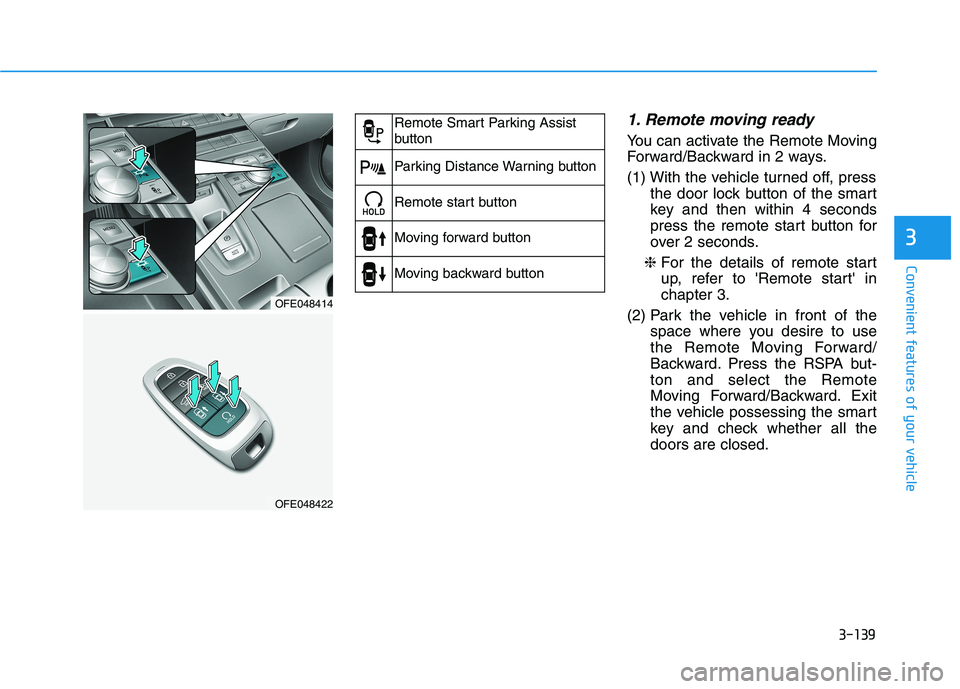
1. Remote moving ready
You can activate the Remote Moving
Forward/Backward in 2 ways.
(1) With the vehicle turned off, pressthe door lock button of the smart
key and then within 4 seconds
press the remote start button for
over 2 seconds.
❈ For the details of remote start
up, refer to 'Remote start' inchapter 3.
(2) Park the vehicle in front of the space where you desire to use
the Remote Moving Forward/
Backward. Press the RSPA but-ton and select the Remote
Moving Forward/Backward. Exit
the vehicle possessing the smart
key and check whether all thedoors are closed.
OFE048414
OFE048422
Remote Smart Parking Assist
button
Parking Distance Warning button
Remote start button
Moving forward button
Moving backward button