warning HYUNDAI NEXO 2023 Owners Manual
[x] Cancel search | Manufacturer: HYUNDAI, Model Year: 2023, Model line: NEXO, Model: HYUNDAI NEXO 2023Pages: 558, PDF Size: 35.01 MB
Page 228 of 558
3-141
Convenient features of your vehicle
3
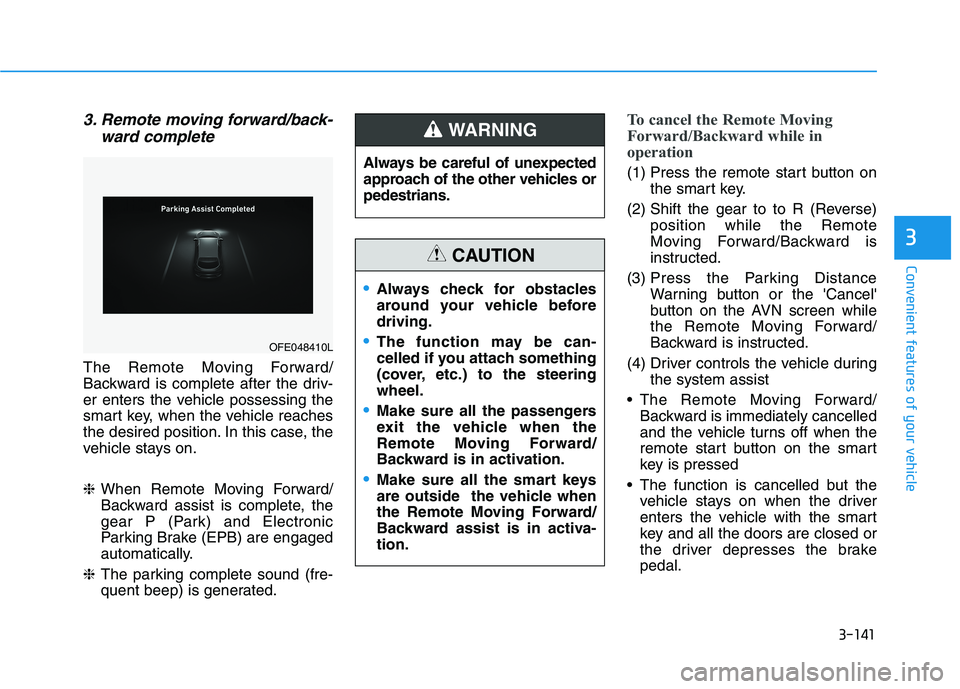
3. Remote moving forward/back-ward complete
The Remote Moving Forward/
Backward is complete after the driv-
er enters the vehicle possessing the
smart key, when the vehicle reaches
the desired position. In this case, the
vehicle stays on. ❈When Remote Moving Forward/
Backward assist is complete, the
gear P (Park) and Electronic
Parking Brake (EPB) are engaged
automatically.
❈ The parking complete sound (fre-
quent beep) is generated.
To cancel the Remote Moving
Forward/Backward while in
operation
(1) Press the remote start button on
the smart key.
(2) Shift the gear to to R (Reverse) position while the Remote
Moving Forward/Backward is
instructed.
(3) Press the Parking Distance Warning button or the 'Cancel'
button on the AVN screen while
the Remote Moving Forward/
Backward is instructed.
(4) Driver controls the vehicle during the system assist
The Remote Moving Forward/ Backward is immediately cancelled
and the vehicle turns off when the
remote start button on the smart
key is pressed
The function is cancelled but the vehicle stays on when the driver
enters the vehicle with the smart
key and all the doors are closed or
the driver depresses the brakepedal.
OFE048410L Always be careful of unexpected
approach of the other vehicles orpedestrians.
WARNING
Always check for obstacles
around your vehicle beforedriving.
The function may be can-
celled if you attach something
(cover, etc.) to the steeringwheel.
Make sure all the passengers
exit the vehicle when the
Remote Moving Forward/
Backward is in activation.
Make sure all the smart keys
are outside the vehicle when
the Remote Moving Forward/
Backward assist is in activa-tion.
CAUTION
Page 230 of 558
3-143
Convenient features of your vehicle
3
(20) The theft alarm system is acti-vated
❈ When Remote Moving Forward/
Backward is complete, the gear P
(Park) and Electronic Parking
Brake (EPB) are engaged auto-
matically and the vehicle turns off.
❈ The frequent beep sounds are
generated to show the deactiva-
tion status.Additional Instructions
(Messages)
When the Remote Smart Parking
Assist system is in operation, the
system may be cancelled regardless
of the instruction order. The messages will appear according
to the circumstances. Follow the
instructions provided while driving
your vehicle with the Remote Smart
Parking Assist system in activation.
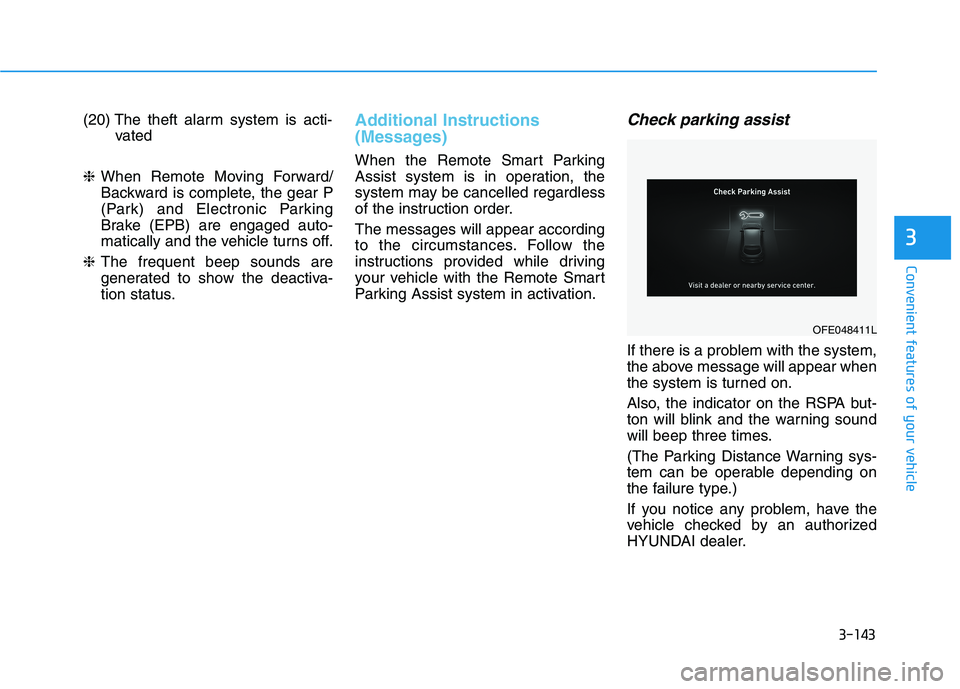
Check parking assist
If there is a problem with the system,
the above message will appear when
the system is turned on.
Also, the indicator on the RSPA but-
ton will blink and the warning sound
will beep three times.
(The Parking Distance Warning sys-
tem can be operable depending on
the failure type.)
If you notice any problem, have the
vehicle checked by an authorized
HYUNDAI dealer.
OFE048411L
Page 240 of 558
3-153
Convenient features of your vehicle
3
Fan speed control (5)
The fan speed can be set as desired
by pushing the fan speed control but-ton.
More air is delivered with higher fan
speeds.
Pressing the OFF button turns off the
fan. Operating the fan when the
POWER button is in the ON posi-
tion could cause the battery to
discharge. Operate the blower
when the vehicle is in the ready
() mode.
Operating the fan when POWER
button is in the ON position could
cause the battery to discharge.
Operate the fan when the vehicle
is in the ready () mode.
Air conditioning (12)
Push the A/C button to manually turnthe system on (indicator light will illu-
minate) and off.
OFF mode (6)
Push the OFF button to turn the cli-
mate control system off. You can still
operate the mode and air intake but-
tons.
NOTICE
NOTICE
Continued use of the climate
control system operation in
Recirculation mode for a pro-
longed period of time may
cause drowsiness to the
occupants in the cabin. This
may lead to loss of vehicle
control which may lead to anaccident.
Continued use of the climate
control system operation in
Recirculation mode with the
A/C OFF may allow humidityto increase inside the cabin.
This may cause condensation
to accumulate on the wind-
shield and obscure visibility.
Do not sleep in your vehicle or
remain parked in your vehicle
with the windows up andeither the heater or the air
conditioning ON for pro-
longed periods of time. Doing
so may increase the levels of
carbon dioxide in the cabin
which may lead to serious
injury or death.
WARNING
Page 244 of 558
3-157
Convenient features of your vehicle
3
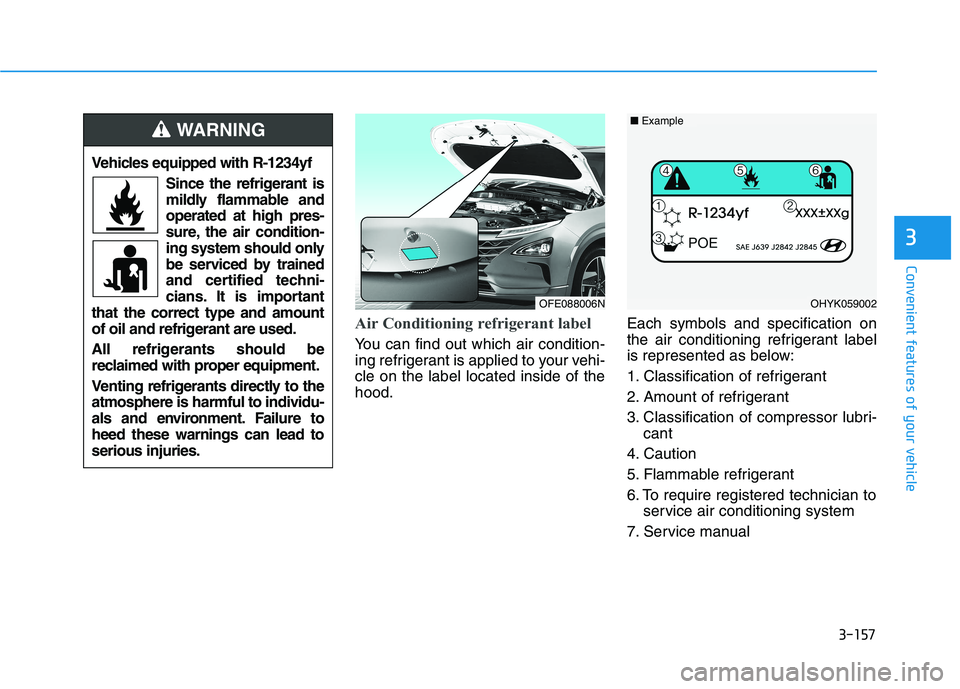
Air Conditioning refrigerant label
You can find out which air condition-
ing refrigerant is applied to your vehi-cle on the label located inside of thehood.Each symbols and specification on
the air conditioning refrigerant label
is represented as below:
1. Classification of refrigerant
2. Amount of refrigerant
3. Classification of compressor lubri-
cant
4. Caution
5. Flammable refrigerant
6. To require registered technician to service air conditioning system
7. Service manual
Vehicles equipped with R-1234yf
Since the refrigerant is
mildly flammable andoperated at high pres-
sure, the air condition-
ing system should only
be serviced by trained
and certified techni-
cians. It is important
that the correct type and amount
of oil and refrigerant are used.
All refrigerants should be
reclaimed with proper equipment.
Venting refrigerants directly to the atmosphere is harmful to individu-
als and environment. Failure toheed these warnings can lead toserious injuries.
WARNING
OFE088006NOHYK059002
■ Example
Page 245 of 558
3-158
Convenient features of your vehicleW
W IINN DDSSHH IIEE LLDD DD EEFFRR OO SSTT IINN GG AA NN DD DD EEFFOO GGGGIINN GG
For maximum defrost perform-
ance, set the temperature control
to the highest temperature setting
and the fan speed control to thehighest setting.
If warm air to the floor is desired while defrosting or defogging, set themode to the floor-defrost position.
Before driving, clear all snow and ice from the windshield, rear win-
dow, side view mirrors, and all side
windows.
Clear all snow and ice from the hood and air inlet in the cowl grill to
improve heater and defroster effi-ciency and to reduce the probability
of fogging up the inside of the wind-shield.Automatic Temperature Control
System
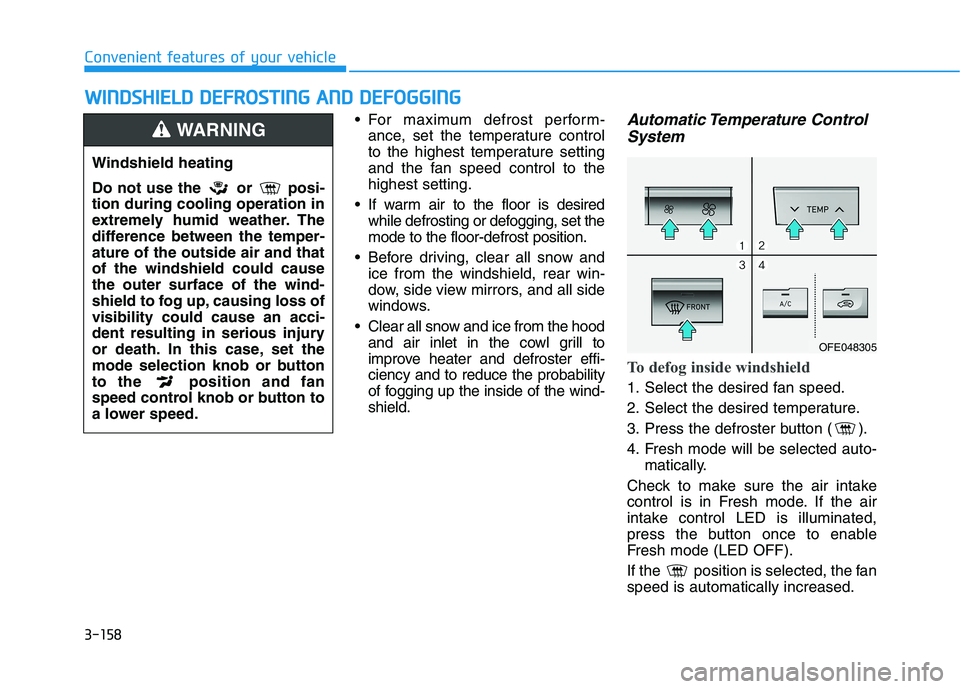
To defog inside windshield
1. Select the desired fan speed.
2. Select the desired temperature.
3. Press the defroster button ( ).
4. Fresh mode will be selected auto- matically.
Check to make sure the air intake
control is in Fresh mode. If the air
intake control LED is illuminated,
press the button once to enable
Fresh mode (LED OFF).
If the position is selected, the fan speed is automatically increased.
Windshield heating
Do not use the or posi- tion during cooling operation in
extremely humid weather. The
difference between the temper-ature of the outside air and thatof the windshield could causethe outer surface of the wind-
shield to fog up, causing loss ofvisibility could cause an acci-
dent resulting in serious injury
or death. In this case, set the
mode selection knob or button
to the position and fan
speed control knob or button to
a lower speed.
WARNING
OFE048305
Page 250 of 558
3-163
Convenient features of your vehicle
3
To avoid possible theft, do not
leave valuables in the storage
compartments.
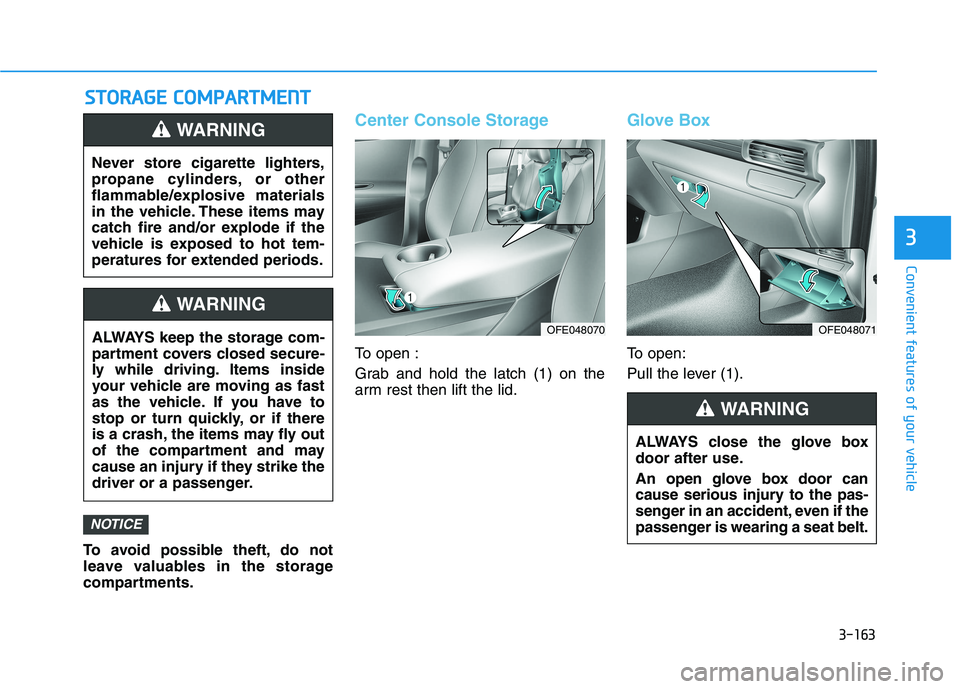
Center Console Storage
To open :
Grab and hold the latch (1) on the
arm rest then lift the lid.
Glove Box
To open:
Pull the lever (1).
NOTICE
SSTT OO RRAA GG EE CC OO MM PPAA RRTTMM EENN TT
Never store cigarette lighters,
propane cylinders, or other
flammable/explosive materials
in the vehicle. These items may
catch fire and/or explode if the
vehicle is exposed to hot tem-
peratures for extended periods.
WARNING
ALWAYS keep the storage com-
partment covers closed secure-
ly while driving. Items inside
your vehicle are moving as fast
as the vehicle. If you have to
stop or turn quickly, or if there
is a crash, the items may fly out
of the compartment and may
cause an injury if they strike the
driver or a passenger.
WARNING
ALWAYS close the glove box
door after use.
An open glove box door can
cause serious injury to the pas-
senger in an accident, even if the
passenger is wearing a seat belt.
WARNING
OFE048070OFE048071
Page 251 of 558
3-164
Convenient features of your vehicle
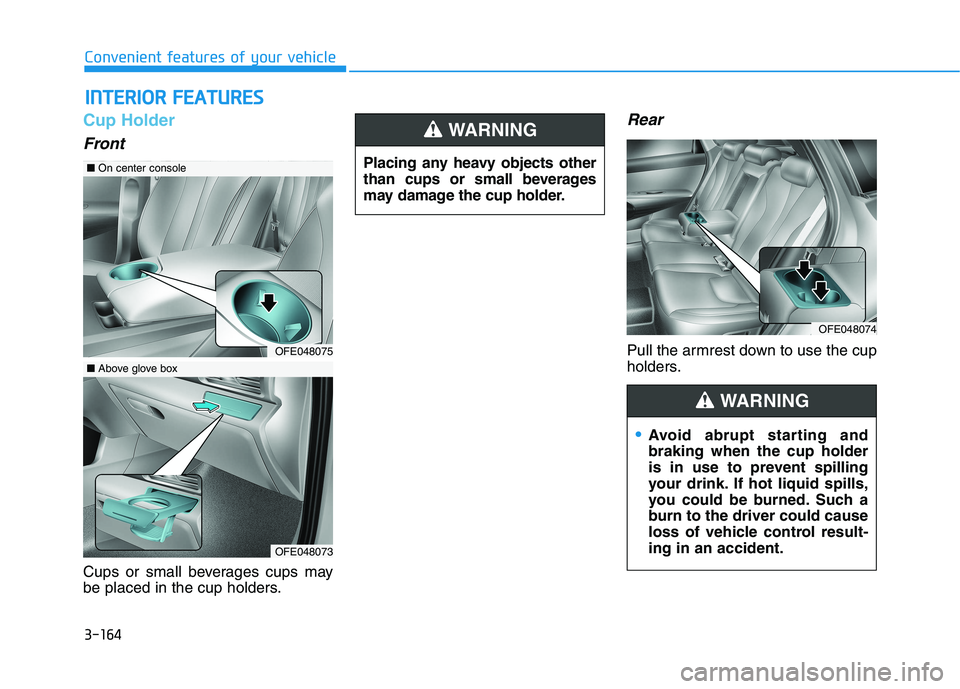
Cup Holder
Front
Cups or small beverages cups may
be placed in the cup holders.
Rear
Pull the armrest down to use the cup
holders.
IINN TTEERR IIOO RR FF EE AA TTUU RREESS
OFE048074
OFE048075
■ On center console
OFE048073
■Above glove box Placing any heavy objects other
than cups or small beverages
may damage the cup holder.
WARNING
Avoid abrupt starting and braking when the cup holder
is in use to prevent spilling
your drink. If hot liquid spills,
you could be burned. Such a
burn to the driver could cause
loss of vehicle control result-ing in an accident.
WARNING
Page 252 of 558
3-165
Convenient features of your vehicle
3
Keep your drinks sealed whiledriving to prevent spilling your
drink. If liquid spills, it may get
into the vehicle's electrical/elec-
tronic system and damage elec-
trical/electronic parts.
When cleaning spilled liquids do not use hot air to blow out or dry
the cup holder. This may dam-
age the interior.
Sunvisor
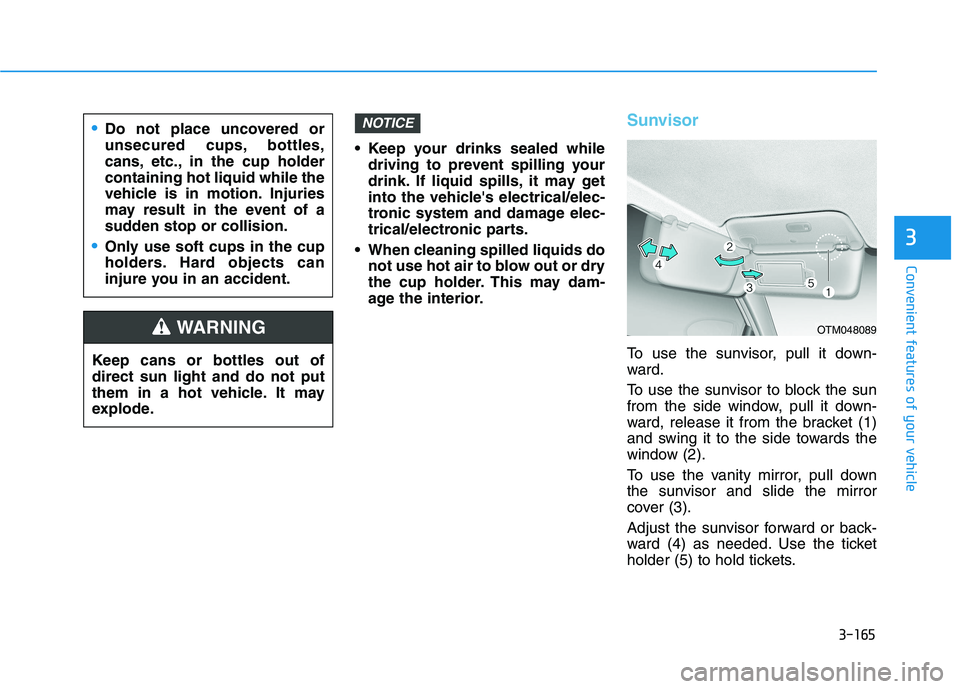
To use the sunvisor, pull it down-
ward.
To use the sunvisor to block the sun
from the side window, pull it down-
ward, release it from the bracket (1)
and swing it to the side towards the
window (2).
To use the vanity mirror, pull down
the sunvisor and slide the mirror
cover (3).
Adjust the sunvisor forward or back-
ward (4) as needed. Use the ticket
holder (5) to hold tickets.
NOTICE
Keep cans or bottles out of direct sun light and do not put
them in a hot vehicle. It may
explode.
WARNING
Do not place uncovered or
unsecured cups, bottles,
cans, etc., in the cup holdercontaining hot liquid while the
vehicle is in motion. Injuries
may result in the event of a
sudden stop or collision.
Only use soft cups in the cup
holders. Hard objects can
injure you in an accident.
OTM048089
Page 253 of 558
3-166
Convenient features of your vehicle
Close the vanity mirror cover secure-
ly and return the sunvisor to its origi-
nal position after use.
Do not put several tickets in the
ticket holder at one time. This
could cause damage to the ticket
holder.Power Outlet
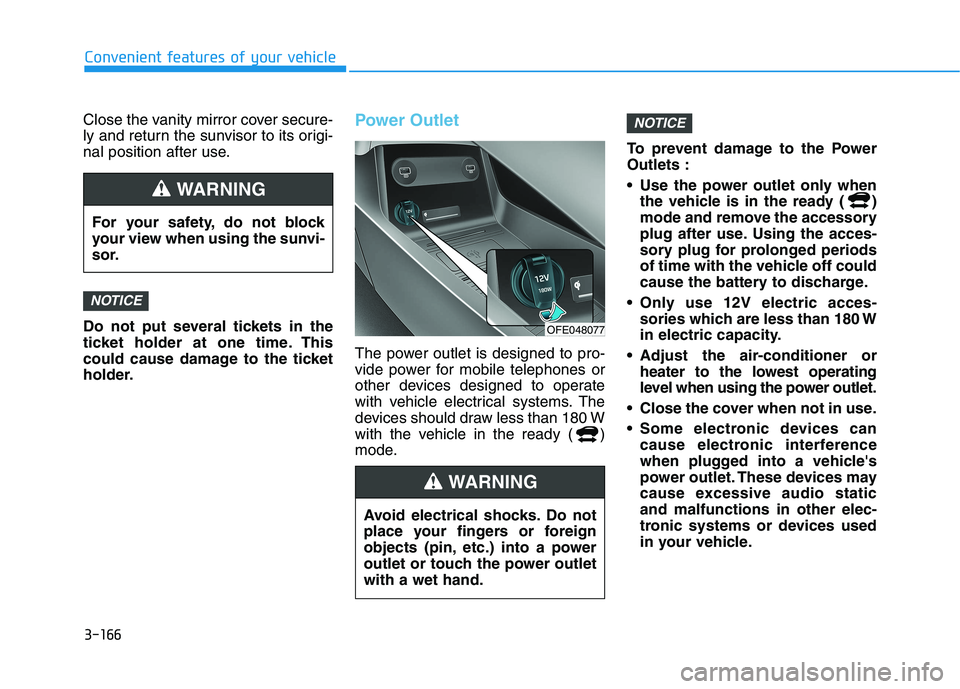
The power outlet is designed to pro-
vide power for mobile telephones or
other devices designed to operate
with vehicle electrical systems. The
devices should draw less than 180 W
with the vehicle in the ready ( )
mode.To prevent damage to the PowerOutlets :
Use the power outlet only when
the vehicle is in the ready ( )
mode and remove the accessory
plug after use. Using the acces-
sory plug for prolonged periods
of time with the vehicle off could
cause the battery to discharge.
Only use 12V electric acces- sories which are less than 180 W
in electric capacity.
Adjust the air-conditioner or heater to the lowest operating
level when using the power outlet.
Close the cover when not in use.
Some electronic devices can cause electronic interference
when plugged into a vehicle's
power outlet. These devices may
cause excessive audio staticand malfunctions in other elec-
tronic systems or devices used
in your vehicle.
NOTICE
NOTICE
For your safety, do not block
your view when using the sunvi-
sor.
WARNING
Avoid electrical shocks. Do not
place your fingers or foreign
objects (pin, etc.) into a power
outlet or touch the power outletwith a wet hand.
WARNING
OFE048077
Page 255 of 558
3-168
Convenient features of your vehicle
To prevent the battery from beingdischarged, do not use the AC
inverter while the vehicle is not in
the ready ( ) mode.
When not using the AC inverter, make sure to close the AC invert-
er cover.
After using an electric accessory or equipment, pull the plug out.
Leaving the accessory or equip-
ment plugged in for a long time
may cause battery discharge.
Do not use an electric accessory or equipment the power con-
sumption of which is greaterthan 150W (115V).
Some electric accessories or equipments can cause electron-
ic interference. It may cause
excessive audio noise and mal-functions in other electric sys-
tems or devices in the vehicle.
Do not use broken electric accessories or equipments,
which may damage the AC
inverter and electrical systems
of the vehicle. Do not use two or more electric
accessories or equipments at
the same time. It may cause
damage to the electrical sys-
tems of the vehicle.
When the input voltage is lower, outlet LED will blink and the AC
inverter will turn off automatical-
ly. If the input voltage goes up to
normal, the AC inverter will turn
on again.
NOTICE
To reduce a risk of serious or fatal injuries:
Do not use a heated electric
device such as a coffeepot,
toaster, heater, iron, etc.
Do not insert foreign objects into the outlet and do not
touch the outlet as you may
get shocked.
Do not let children touch the
AC inverter.
WARNING