air condition HYUNDAI NEXO 2023 User Guide
[x] Cancel search | Manufacturer: HYUNDAI, Model Year: 2023, Model line: NEXO, Model: HYUNDAI NEXO 2023Pages: 558, PDF Size: 35.01 MB
Page 180 of 558
3-93
Convenient features of your vehicle
3
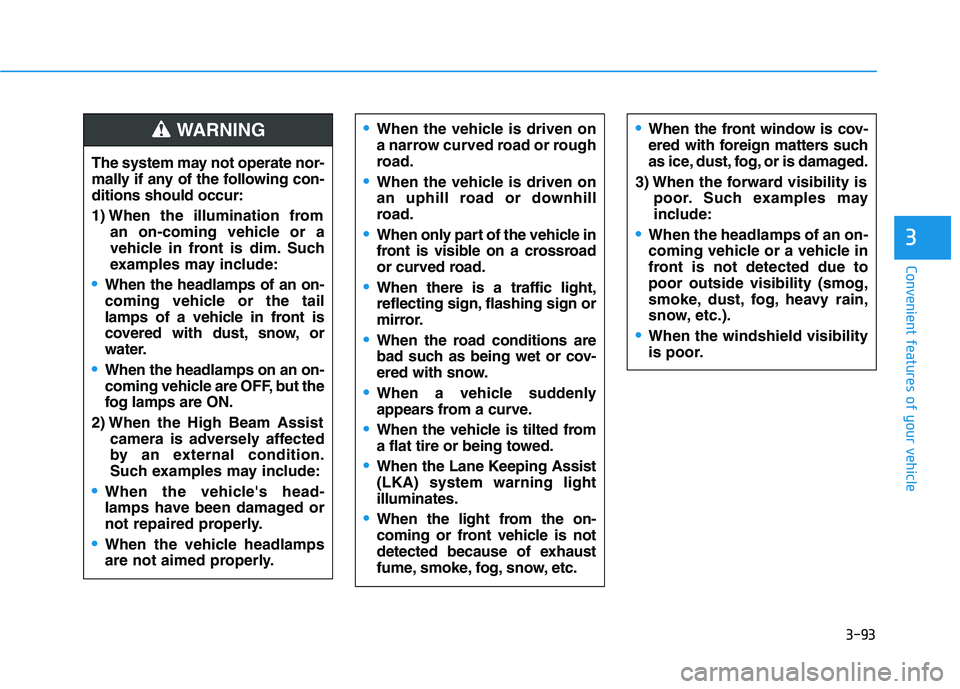
The system may not operate nor-
mally if any of the following con-ditions should occur:
1) When the illumination froman on-coming vehicle or a
vehicle in front is dim. Such
examples may include:
When the headlamps of an on-
coming vehicle or the tail
lamps of a vehicle in front is
covered with dust, snow, or
water.
When the headlamps on an on-
coming vehicle are OFF, but the
fog lamps are ON.
2) When the High Beam Assist camera is adversely affected
by an external condition.
Such examples may include:
When the vehicle's head-
lamps have been damaged or
not repaired properly.
When the vehicle headlamps
are not aimed properly.
When the vehicle is driven on
a narrow curved road or rough
road.
When the vehicle is driven on
an uphill road or downhill
road.
When only part of the vehicle in
front is visible on a crossroad
or curved road.
When there is a traffic light,
reflecting sign, flashing sign or
mirror.
When the road conditions are
bad such as being wet or cov-
ered with snow.
When a vehicle suddenly
appears from a curve.
When the vehicle is tilted from
a flat tire or being towed.
When the Lane Keeping Assist (LKA) system warning lightilluminates.
When the light from the on-
coming or front vehicle is not
detected because of exhaust
fume, smoke, fog, snow, etc.
When the front window is cov-
ered with foreign matters such
as ice, dust, fog, or is damaged.
3) When the forward visibility is poor. Such examples may
include:
When the headlamps of an on-
coming vehicle or a vehicle in
front is not detected due topoor outside visibility (smog,
smoke, dust, fog, heavy rain,
snow, etc.).
When the windshield visibility
is poor.
WARNING
Page 194 of 558
3-107
Convenient features of your vehicle
3
Non-operational conditions ofParking Distance Warning
(Reverse/Forward) system
The Parking Distance Warning
(Reverse/Forward) system may not
operate normally when any of the
following occur:
Moisture is frozen to the sensor.
Sensor is covered with foreign mat- ter, such as snow or water, or the
sensor cover is blocked.
The Parking Distance Warning
(Reverse/Forward) system may
experience a malfunction when the
following occurs:
Driving on uneven road surfacessuch as unpaved roads, gravel,
bumps, or gradient.
Objects generating excessive noise such as vehicle horns, loud motor-
cycle engines, or truck air brakes
can interfere with the sensor.
Heavy rain or water spray is present.
Wireless transmitters or mobile phones are present near the sensor.
The sensor is covered with snow.
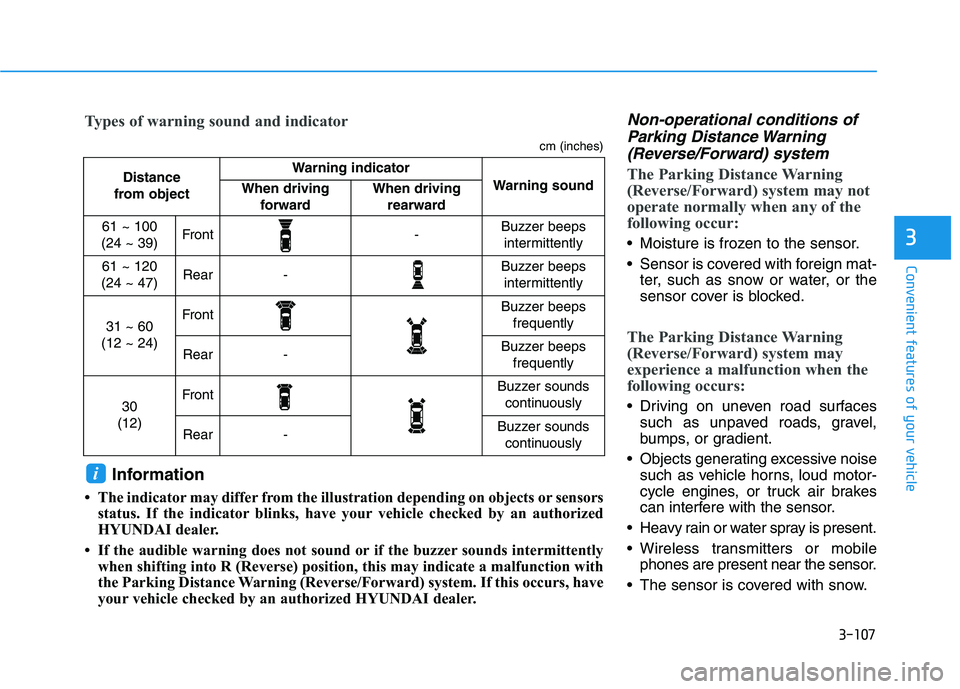
Distance
from object Warning indicator
Warning soundWhen driving forwardWhen driving rearward
61 ~ 100
(24 ~ 39)Front-Buzzer beeps intermittently
61 ~ 120
(24 ~ 47)Rear-Buzzer beeps intermittently
31 ~ 60
(12 ~ 24)FrontBuzzer beeps frequently
Rear-Buzzer beeps frequently
30
(12)FrontBuzzer sounds continuously
Rear-Buzzer sounds continuously
Types of warning sound and indicator
cm (inches)
Information
The indicator may differ from the illustration depending on objects or sensors status. If the indicator blinks, have your vehicle checked by an authorized
HYUNDAI dealer.
If the audible warning does not sound or if the buzzer sounds intermittently when shifting into R (Reverse) position, this may indicate a malfunction with
the Parking Distance Warning (Reverse/Forward) system. If this occurs, have
your vehicle checked by an authorized HYUNDAI dealer.
i
Page 200 of 558
3-113
Convenient features of your vehicle
3
REMOTE SMART PARKING ASSIST
(RSPA) system helps drivers park
their vehicle by using sensors to
detect parking spaces, control the
steering wheel, shift the gear and
adjust vehicle speed automatically
with instructions through sound and
AVN screen.
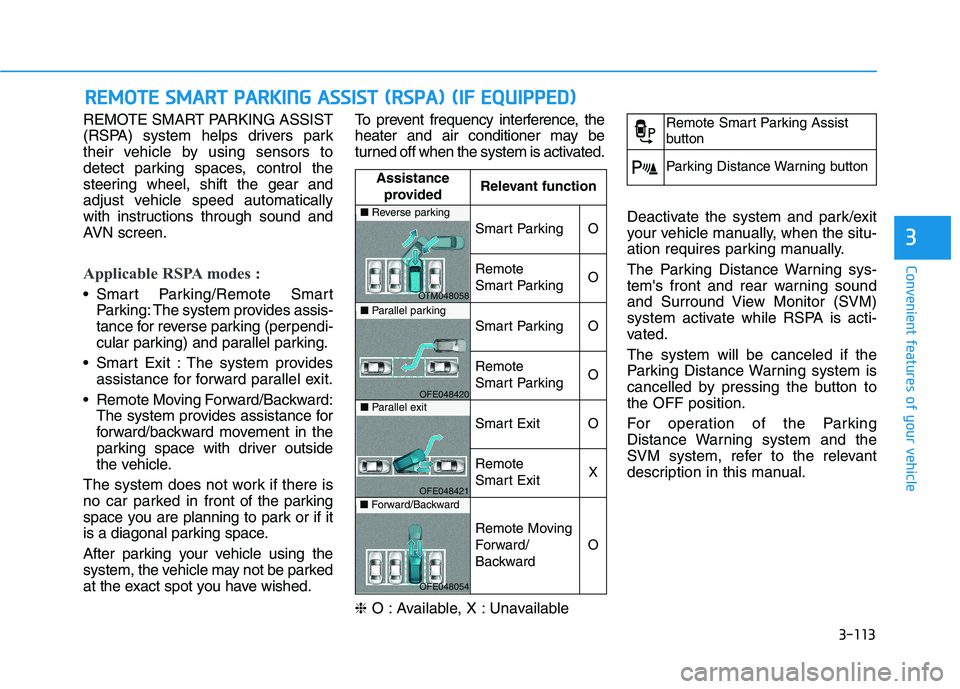
Applicable RSPA modes :
Smart Parking/Remote SmartParking: The system provides assis-
tance for reverse parking (perpendi-
cular parking) and parallel parking.
Smart Exit : The system provides assistance for forward parallel exit.
Remote Moving Forward/Backward: The system provides assistance for
forward/backward movement in the
parking space with driver outside
the vehicle.
The system does not work if there is
no car parked in front of the parking
space you are planning to park or if it
is a diagonal parking space.
After parking your vehicle using the
system, the vehicle may not be parked
at the exact spot you have wished. To prevent frequency interference, the
heater and air conditioner may be
turned off when the system is activated. ❈
O : Available, X : Unavailable Deactivate the system and park/exit
your vehicle manually, when the situ-
ation requires parking manually.
The Parking Distance Warning sys-
tem's front and rear warning sound
and Surround View Monitor (SVM)
system activate while RSPA is acti-
vated. The system will be canceled if the
Parking Distance Warning system is
cancelled by pressing the button tothe OFF position.
For operation of the Parking
Distance Warning system and the
SVM system, refer to the relevant
description in this manual.
RR
EEMM OOTTEE SS MM AARRTT PP AA RRKK IINN GG AA SSSSIISS TT (( RR SSPP AA )) (( IIFF EE QQ UUIIPP PP EEDD ))
Assistance
provided Relevant function
Smart ParkingO
Remote
Smart ParkingO
Smart ParkingO
Remote
Smart ParkingO
Smart ExitO
Remote
Smart ExitX
Remote Moving
Forward/
Backward
O
■
Reverse parking
OTM048058
■Parallel parking
OFE048420
■Parallel exit
OFE048421
■Forward/Backward
OFE048054
Remote Smart Parking Assist
button
Parking Distance Warning button
Page 215 of 558
3-128
Convenient features of your vehicle
❈ You can use Smart Parking after
navigation or home screen display
on AVN(You cannot use Smart
Parking if you don't choose
"Confirm" on AVN booting)
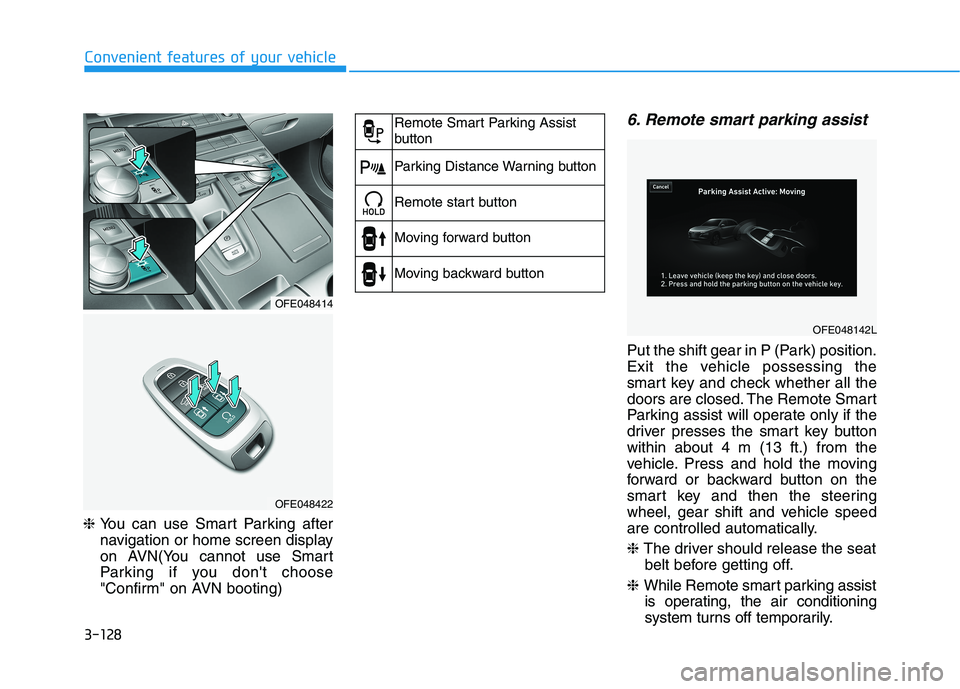
6. Remote smart parking assist
Put the shift gear in P (Park) position.
Exit the vehicle possessing the
smart key and check whether all the
doors are closed. The Remote Smart
Parking assist will operate only if the
driver presses the smart key buttonwithin about 4 m (13 ft.) from the
vehicle. Press and hold the moving
forward or backward button on the
smart key and then the steering
wheel, gear shift and vehicle speed
are controlled automatically. ❈ The driver should release the seat
belt before getting off.
❈ While Remote smart parking assist
is operating, the air conditioning
system turns off temporarily.
OFE048414
OFE048422
Remote Smart Parking Assist
button
Parking Distance Warning button
Remote start button
Moving forward button
Moving backward button
OFE048142L
Page 227 of 558
3-140
Convenient features of your vehicle
❈When the Remote Moving
Forward/Backward is ready by the
above No. (2) method. You can use
Smart Parking after navigation or
home screen display on AVN (You
cannot use Smart Parking if you
don't choose "Confirm" on AVNbooting)
❈ You will hear frequent beep sounds
if the driver gets off the vehicle after
the Remote Moving Forward/
Backward is ready.
❈ The driver should release the seat
belt before getting off.
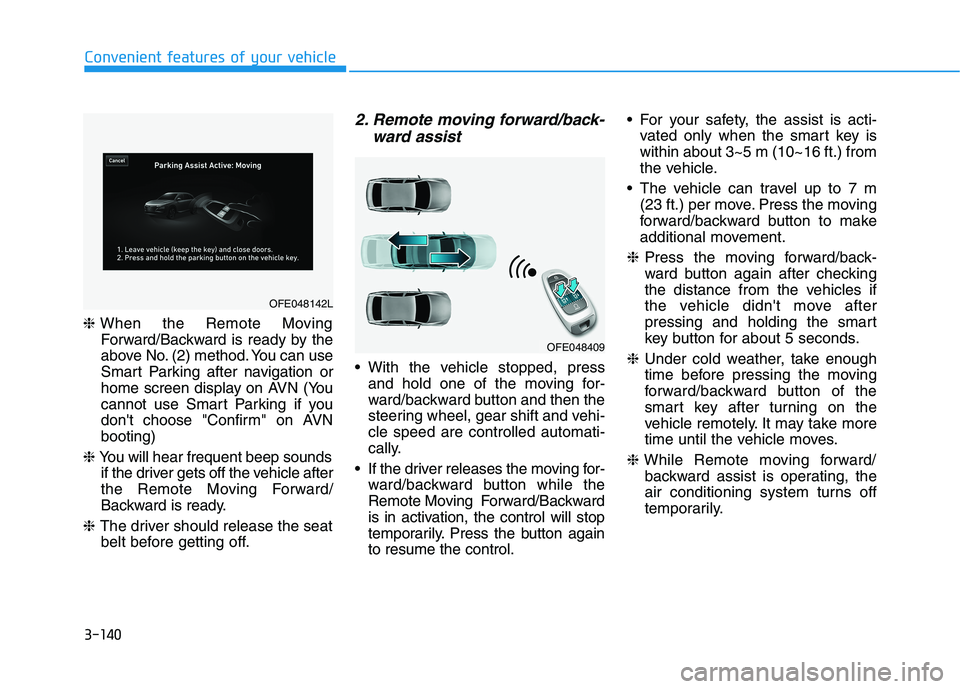
2. Remote moving forward/back-
ward assist
With the vehicle stopped, pressand hold one of the moving for-
ward/backward button and then the
steering wheel, gear shift and vehi-cle speed are controlled automati-
cally.
If the driver releases the moving for- ward/backward button while the
Remote Moving Forward/Backward
is in activation, the control will stop
temporarily. Press the button againto resume the control. For your safety, the assist is acti-
vated only when the smart key iswithin about 3~5 m (10~16 ft.) from
the vehicle.
The vehicle can travel up to 7 m (23 ft.) per move. Press the moving
forward/backward button to make
additional movement.
❈ Press the moving forward/back-
ward button again after checking
the distance from the vehicles if
the vehicle didn't move after
pressing and holding the smart
key button for about 5 seconds.
❈ Under cold weather, take enough
time before pressing the moving
forward/backward button of the
smart key after turning on the
vehicle remotely. It may take more
time until the vehicle moves.
❈ While Remote moving forward/
backward assist is operating, the
air conditioning system turns off
temporarily.
OFE048409
OFE048142L
Page 234 of 558
3-147
Convenient features of your vehicle
3
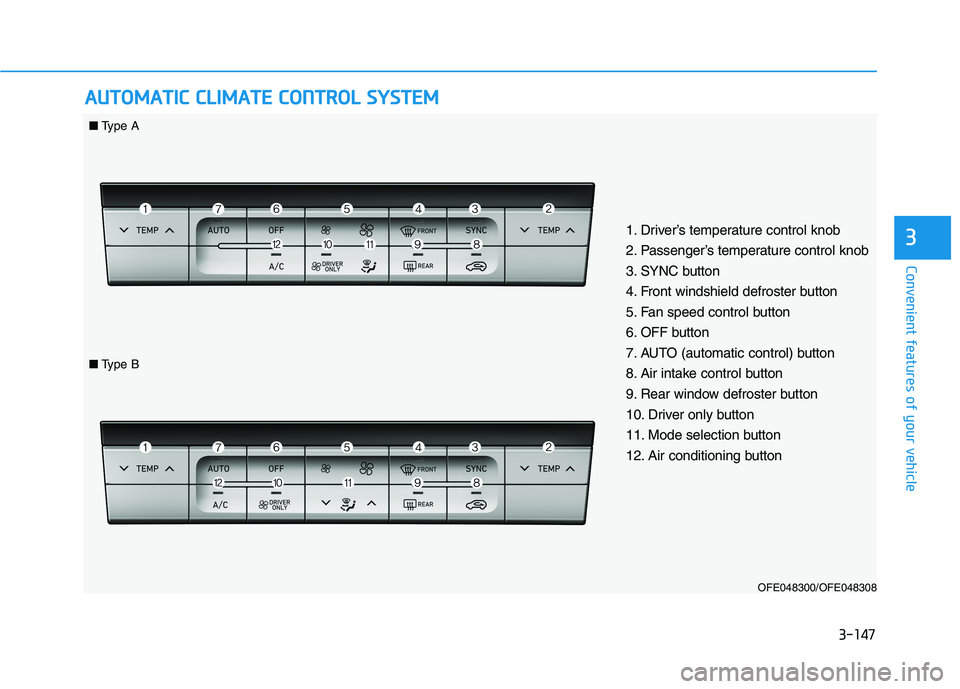
AAUU TTOO MM AATTIICC CC LLIIMM AATTEE CC OO NNTTRR OO LL SS YY SSTT EEMM
OFE048300/OFE048308
1. Driver’s temperature control knob
2. Passenger’s temperature control knob
3. SYNC button
4. Front windshield defroster button
5. Fan speed control button
6. OFF button
7. AUTO (automatic control) button
8. Air intake control button
9. Rear window defroster button
10. Driver only button
11. Mode selection button
12. Air conditioning button
■
Type A
■Type B
Page 235 of 558
3-148
Convenient features of your vehicle
Automatic Temperature
Control Mode
The Automatic Climate Control
System is controlled by setting the
desired temperature.
1. Press the AUTO button (7).The modes, fan speeds, air intake and air-conditioning will be con-
trolled automatically by the tem-
perature setting you select.
2. Press the temperature control but- ton (1,2) to the desired tempera-
ture. If the temperature is set to
the lowest setting (Lo), the air con-
ditioning system will operate con-
tinuously. After the interior has
cooled sufficiently, adjust the but-
ton to a proper temperature set
point whenever possible.
To turn the automatic operation off,
select any button of the following:
- Mode selection button
- Front windshield defroster button (Press the button one more time to deselect the front windshield
defroster function. The 'AUTO' sign
will illuminate on the information
display once again.) - Fan speed control button The selected function will be con-
trolled manually while other functions
operate automatically.
For your convenience and to improve the efficiency of the climate control,
use the AUTO button and set the
temperature to 22°C (72°F).
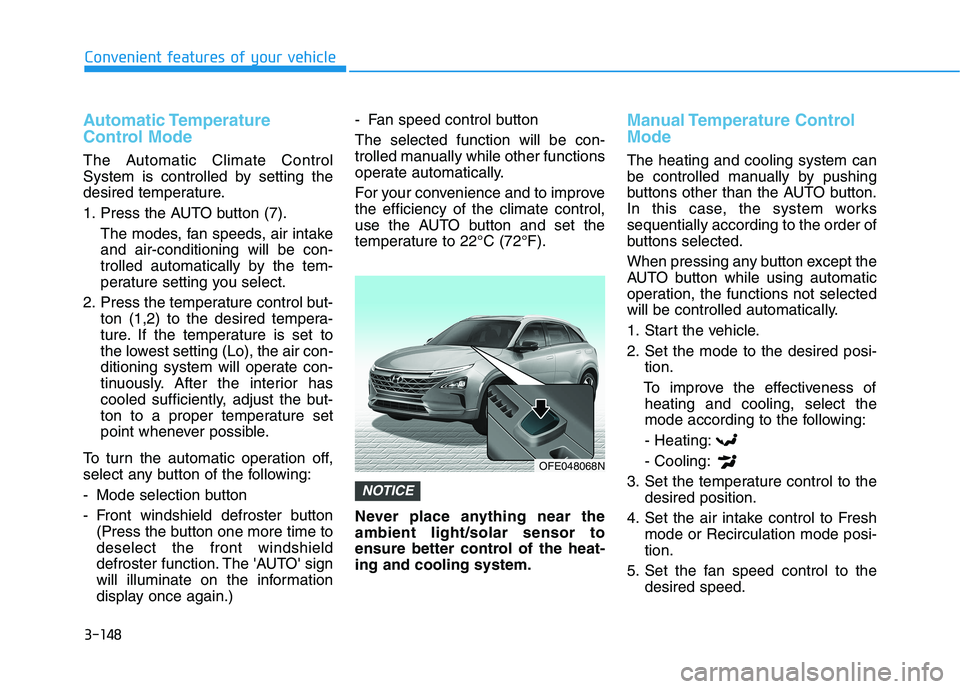
Never place anything near the ambient light/solar sensor to
ensure better control of the heat-ing and cooling system.
Manual Temperature Control Mode
The heating and cooling system can
be controlled manually by pushing
buttons other than the AUTO button.
In this case, the system workssequentially according to the order of
buttons selected.
When pressing any button except the
AUTO button while using automatic
operation, the functions not selected
will be controlled automatically.
1. Start the vehicle.
2. Set the mode to the desired posi-
tion.
To improve the effectiveness of heating and cooling, select the
mode according to the following:
- Heating: - Cooling:
3. Set the temperature control to the desired position.
4. Set the air intake control to Fresh mode or Recirculation mode posi- tion.
5. Set the fan speed control to the desired speed.
NOTICE
OFE048068N
Page 236 of 558
3-149
Convenient features of your vehicle
3
OFE048302
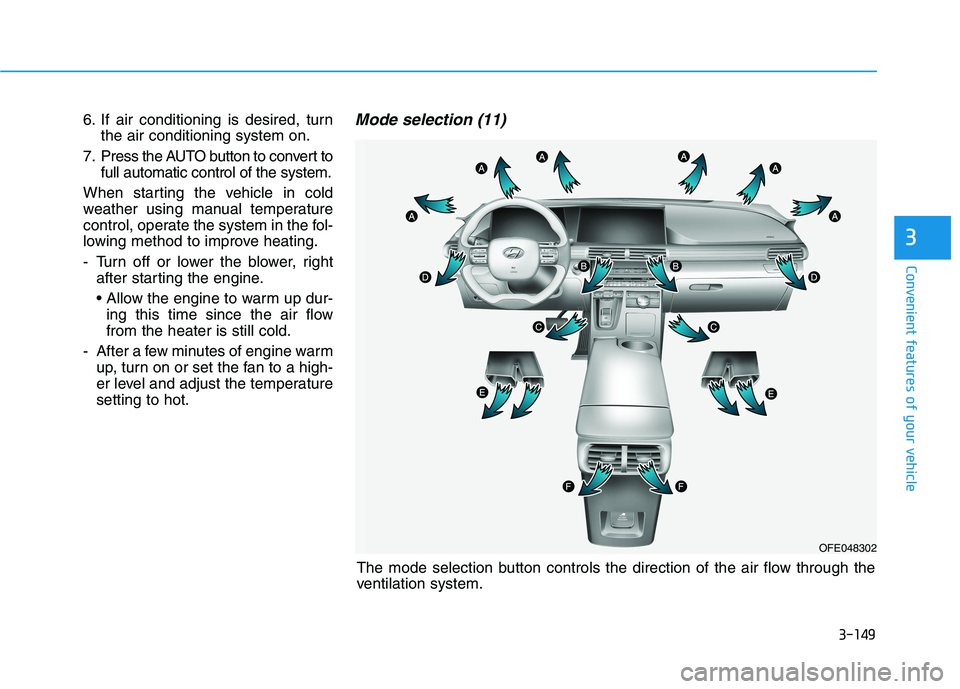
The mode selection button controls the direction of the air flow through the
ventilation system.
6. If air conditioning is desired, turn
the air conditioning system on.
7. Press the AUTO button to convert to full automatic control of the system.
When starting the vehicle in cold
weather using manual temperature
control, operate the system in the fol-
lowing method to improve heating.
- Turn off or lower the blower, right after starting the engine.
• Allow the engine to warm up dur-ing this time since the air flow from the heater is still cold.
- After a few minutes of engine warm up, turn on or set the fan to a high-
er level and adjust the temperaturesetting to hot.
Mode selection (11)
Page 240 of 558
3-153
Convenient features of your vehicle
3
Fan speed control (5)
The fan speed can be set as desired
by pushing the fan speed control but-ton.
More air is delivered with higher fan
speeds.
Pressing the OFF button turns off the
fan. Operating the fan when the
POWER button is in the ON posi-
tion could cause the battery to
discharge. Operate the blower
when the vehicle is in the ready
() mode.
Operating the fan when POWER
button is in the ON position could
cause the battery to discharge.
Operate the fan when the vehicle
is in the ready () mode.
Air conditioning (12)
Push the A/C button to manually turnthe system on (indicator light will illu-
minate) and off.
OFF mode (6)
Push the OFF button to turn the cli-
mate control system off. You can still
operate the mode and air intake but-
tons.
NOTICE
NOTICE
Continued use of the climate
control system operation in
Recirculation mode for a pro-
longed period of time may
cause drowsiness to the
occupants in the cabin. This
may lead to loss of vehicle
control which may lead to anaccident.
Continued use of the climate
control system operation in
Recirculation mode with the
A/C OFF may allow humidityto increase inside the cabin.
This may cause condensation
to accumulate on the wind-
shield and obscure visibility.
Do not sleep in your vehicle or
remain parked in your vehicle
with the windows up andeither the heater or the air
conditioning ON for pro-
longed periods of time. Doing
so may increase the levels of
carbon dioxide in the cabin
which may lead to serious
injury or death.
WARNING
Page 241 of 558
3-154
Convenient features of your vehicle
Driver only
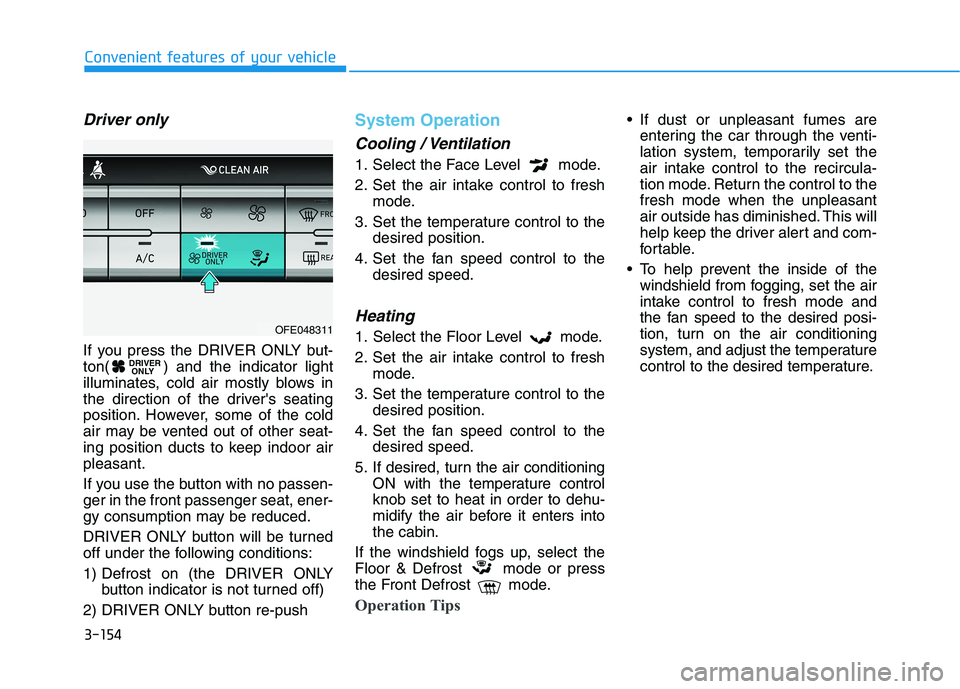
If you press the DRIVER ONLY but-
ton( ) and the indicator light
illuminates, cold air mostly blows in
the direction of the driver's seating
position. However, some of the cold
air may be vented out of other seat-
ing position ducts to keep indoor airpleasant.
If you use the button with no passen- ger in the front passenger seat, ener-
gy consumption may be reduced.
DRIVER ONLY button will be turned
off under the following conditions:
1) Defrost on (the DRIVER ONLYbutton indicator is not turned off)
2) DRIVER ONLY button re-push
System Operation
Cooling / Ventilation
1. Select the Face Level mode.
2. Set the air intake control to fresh mode.
3. Set the temperature control to the desired position.
4. Set the fan speed control to the desired speed.
Heating
1. Select the Floor Level mode.
2. Set the air intake control to freshmode.
3. Set the temperature control to the desired position.
4. Set the fan speed control to the desired speed.
5. If desired, turn the air conditioning ON with the temperature control knob set to heat in order to dehu-
midify the air before it enters intothe cabin.
If the windshield fogs up, select the
Floor & Defrost mode or press
the Front Defrost mode.
Operation Tips
If dust or unpleasant fumes are entering the car through the venti-
lation system, temporarily set the
air intake control to the recircula-
tion mode. Return the control to thefresh mode when the unpleasant
air outside has diminished. This will
help keep the driver alert and com-
fortable.
To help prevent the inside of the windshield from fogging, set the air
intake control to fresh mode and
the fan speed to the desired posi-
tion, turn on the air conditioning
system, and adjust the temperature
control to the desired temperature.
DRIVER ONLY
OFE048311