battery HYUNDAI NEXO 2023 Owner's Manual
[x] Cancel search | Manufacturer: HYUNDAI, Model Year: 2023, Model line: NEXO, Model: HYUNDAI NEXO 2023Pages: 558, PDF Size: 35.01 MB
Page 185 of 558
3-98
Convenient features of your vehicle
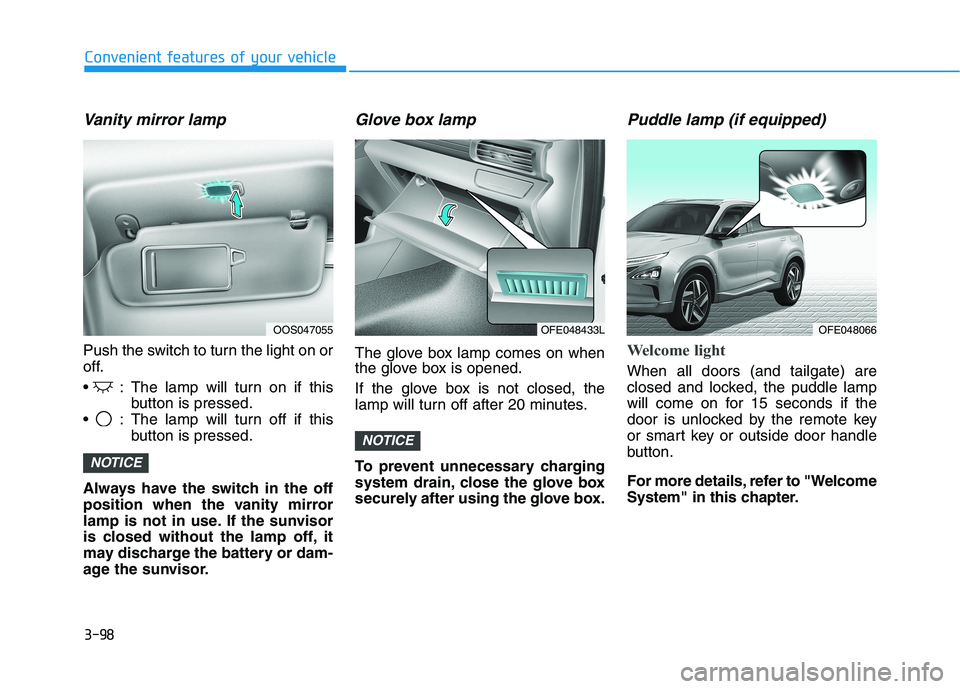
Vanity mirror lamp
Push the switch to turn the light on or
off.
: The lamp will turn on if thisbutton is pressed.
: The lamp will turn off if this button is pressed.
Always have the switch in the off
position when the vanity mirror
lamp is not in use. If the sunvisor
is closed without the lamp off, it
may discharge the battery or dam-
age the sunvisor.
Glove box lamp
The glove box lamp comes on when
the glove box is opened.
If the glove box is not closed, the
lamp will turn off after 20 minutes.
To prevent unnecessary charging
system drain, close the glove box
securely after using the glove box.
Puddle lamp (if equipped)
Welcome light
When all doors (and tailgate) are
closed and locked, the puddle lamp
will come on for 15 seconds if the
door is unlocked by the remote key
or smart key or outside door handle
button.
For more details, refer to "Welcome
System" in this chapter.
NOTICE
NOTICE
OOS047055OFE048433LOFE048066
Page 203 of 558
3-116
Convenient features of your vehicle
Big vehicles such as buses ortrucks parked
Sensor covered with foreign mat- ter, such as snow or water
An obstacle such as a trash can, bicycle, shopping cart, etc. is near
Heavy wind
Wheel changed to an unauthorized size
A problem with the wheel alignment
Vehicle leaned severely to one side
Front or rear distance sensors are malfunction or not working properly.
(Refer to the Parking Distance
Warning system in chapter 3.)
requires battery replacementLimitations of the System
When the vehicle has beenparked/stopped for a long time in a
cold environment, the Remote
Moving Forward/Backward may be
delayed depending on the vehicle
condition when the vehicle is
turned on remotely.
The RSPA system may suddenly apply brake to avoid collision
against stationary or movingobject.
The system may be cancelled unexpectedly when a person or
animal passes by near the vehicle.
The performance of the system may be degraded and frequently
stop when driving in strong electricfield area.
Right after the parking place search complete and beep sound
is generated, the search complete
may be cancelled according to the
surrounding environment Even while the system is in activa-
tion, the vehicle may collide with
the object existing within the blind-
spot area of the sensor.
When there is any obstacle within the blind-spot area, drive out of the
parking space manually.
The system may not recognize the object that appears suddenly.
The system does not work if there is no car parked in front of the
parking space you are planning to
park.
Page 239 of 558
3-152
Convenient features of your vehicle
Adjusting the driver and passenger
side temperature individually
Press the "SYNC" button again to
operate the driver and passenger
side temperature individually. The
button indicator will turn off.
Temperature conversion
If the battery has been discharged or
disconnected, the temperature mode
display will reset to Fahrenheit.
To change the temperature unit from °C to °F or °F to °C:
- Press the AUTO button while press-ing the OFF button on the climate
control unit for 3 seconds.
- Go to General settings mode Unit
Temperature in the AVN display.
The temperature unit on both the
cluster LCD display and climate con-
trol screen will change.
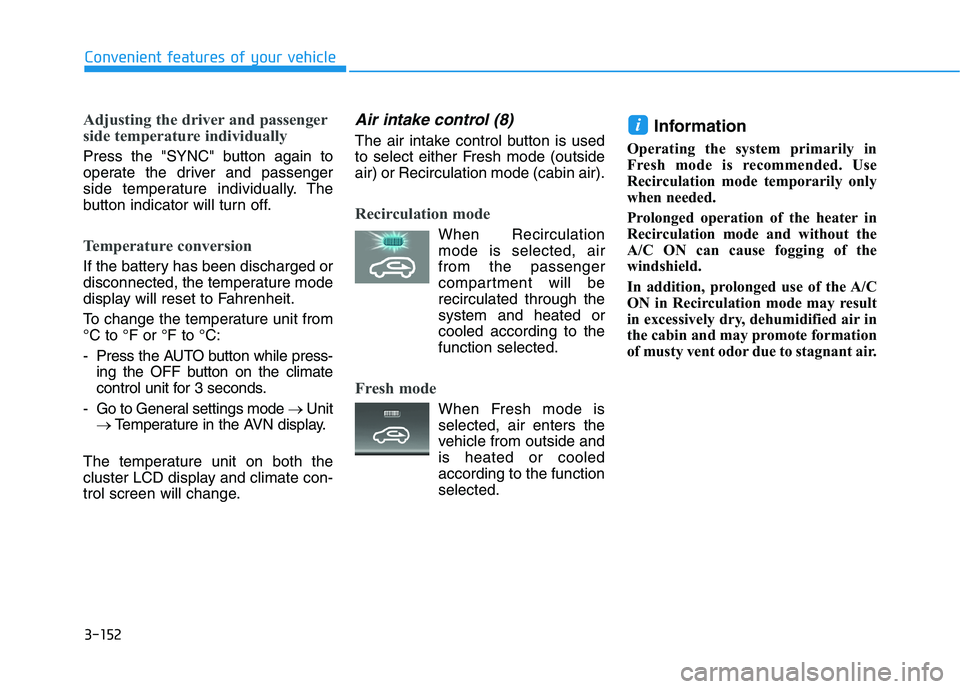
Air intake control (8)
The air intake control button is used
to select either Fresh mode (outsideair) or Recirculation mode (cabin air).
Recirculation mode
When Recirculation mode is selected, air from the passenger
compartment will berecirculated through thesystem and heated or
cooled according to thefunction selected.
Fresh mode
When Fresh mode is selected, air enters the
vehicle from outside andis heated or cooled
according to the functionselected. Information
Operating the system primarily in
Fresh mode is recommended. Use
Recirculation mode temporarily only
when needed.
Prolonged operation of the heater in
Recirculation mode and without the
A/C ON can cause fogging of the
windshield.
In addition, prolonged use of the A/C
ON in Recirculation mode may result
in excessively dry, dehumidified air in
the cabin and may promote formation
of musty vent odor due to stagnant air.
i
Page 240 of 558
3-153
Convenient features of your vehicle
3
Fan speed control (5)
The fan speed can be set as desired
by pushing the fan speed control but-ton.
More air is delivered with higher fan
speeds.
Pressing the OFF button turns off the
fan. Operating the fan when the
POWER button is in the ON posi-
tion could cause the battery to
discharge. Operate the blower
when the vehicle is in the ready
() mode.
Operating the fan when POWER
button is in the ON position could
cause the battery to discharge.
Operate the fan when the vehicle
is in the ready () mode.
Air conditioning (12)
Push the A/C button to manually turnthe system on (indicator light will illu-
minate) and off.
OFF mode (6)
Push the OFF button to turn the cli-
mate control system off. You can still
operate the mode and air intake but-
tons.
NOTICE
NOTICE
Continued use of the climate
control system operation in
Recirculation mode for a pro-
longed period of time may
cause drowsiness to the
occupants in the cabin. This
may lead to loss of vehicle
control which may lead to anaccident.
Continued use of the climate
control system operation in
Recirculation mode with the
A/C OFF may allow humidityto increase inside the cabin.
This may cause condensation
to accumulate on the wind-
shield and obscure visibility.
Do not sleep in your vehicle or
remain parked in your vehicle
with the windows up andeither the heater or the air
conditioning ON for pro-
longed periods of time. Doing
so may increase the levels of
carbon dioxide in the cabin
which may lead to serious
injury or death.
WARNING
Page 246 of 558
3-159
Convenient features of your vehicle
3
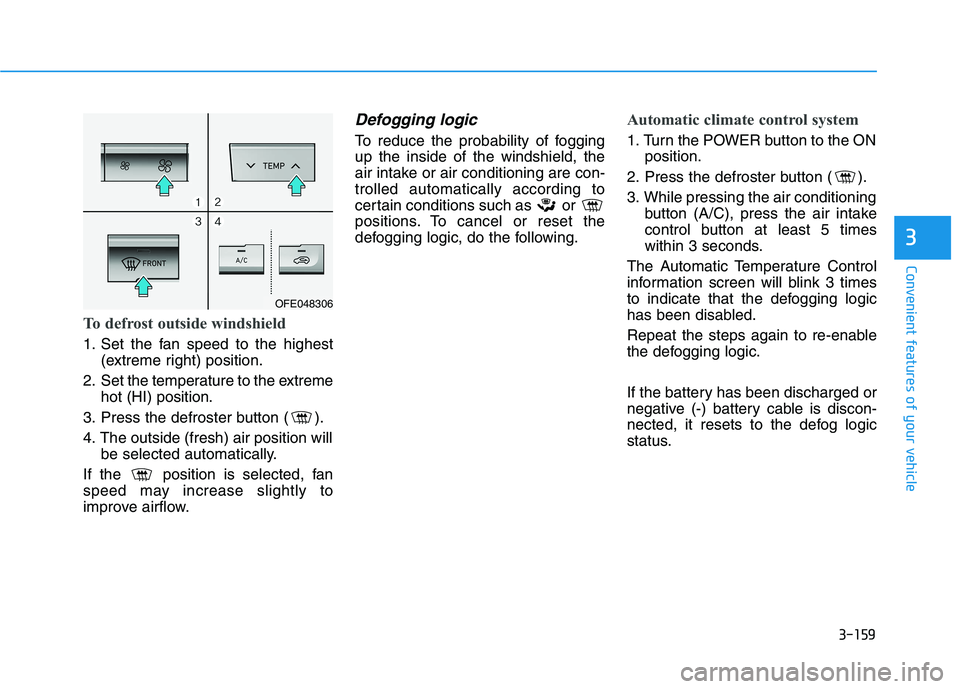
To defrost outside windshield
1. Set the fan speed to the highest(extreme right) position.
2. Set the temperature to the extreme hot (HI) position.
3. Press the defroster button ( ).
4. The outside (fresh) air position will be selected automatically.
If the position is selected, fan
speed may increase slightly to
improve airflow.
Defogging logic
To reduce the probability of foggingup the inside of the windshield, the
air intake or air conditioning are con-trolled automatically according to
certain conditions such as or
positions. To cancel or reset the
defogging logic, do the following.
Automatic climate control system
1. Turn the POWER button to the ON position.
2. Press the defroster button ( ).
3. While pressing the air conditioning button (A/C), press the air intake
control button at least 5 times
within 3 seconds.
The Automatic Temperature Control
information screen will blink 3 times
to indicate that the defogging logic
has been disabled.
Repeat the steps again to re-enable
the defogging logic.
If the battery has been discharged or
negative (-) battery cable is discon-
nected, it resets to the defog logic
status.
OFE048306
Page 253 of 558
3-166
Convenient features of your vehicle
Close the vanity mirror cover secure-
ly and return the sunvisor to its origi-
nal position after use.
Do not put several tickets in the
ticket holder at one time. This
could cause damage to the ticket
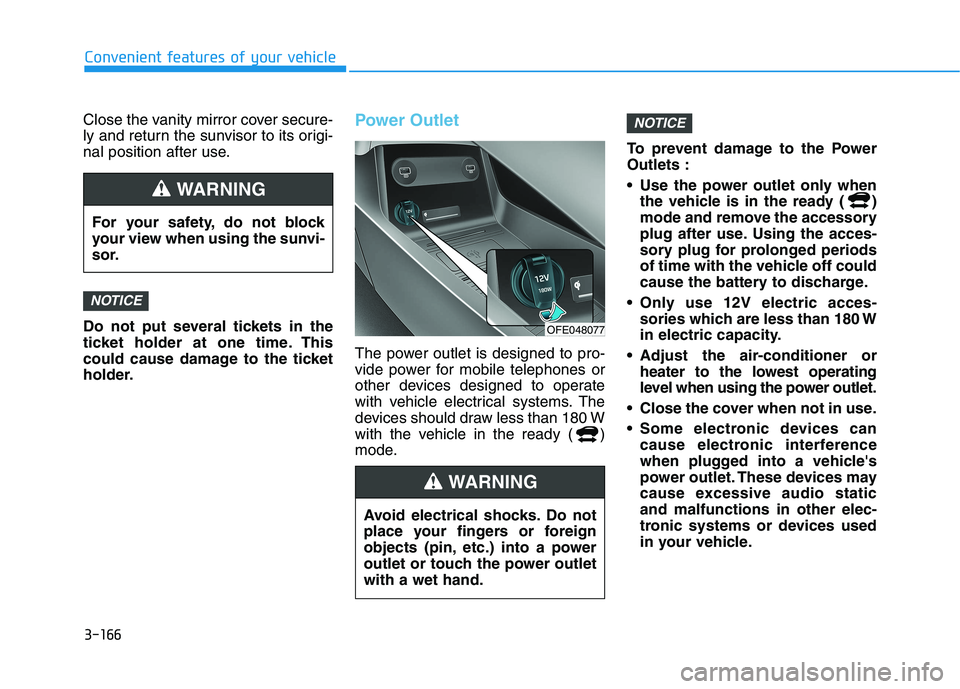
holder.Power Outlet
The power outlet is designed to pro-
vide power for mobile telephones or
other devices designed to operate
with vehicle electrical systems. The
devices should draw less than 180 W
with the vehicle in the ready ( )
mode.To prevent damage to the PowerOutlets :
Use the power outlet only when
the vehicle is in the ready ( )
mode and remove the accessory
plug after use. Using the acces-
sory plug for prolonged periods
of time with the vehicle off could
cause the battery to discharge.
Only use 12V electric acces- sories which are less than 180 W
in electric capacity.
Adjust the air-conditioner or heater to the lowest operating
level when using the power outlet.
Close the cover when not in use.
Some electronic devices can cause electronic interference
when plugged into a vehicle's
power outlet. These devices may
cause excessive audio staticand malfunctions in other elec-
tronic systems or devices used
in your vehicle.
NOTICE
NOTICE
For your safety, do not block
your view when using the sunvi-
sor.
WARNING
Avoid electrical shocks. Do not
place your fingers or foreign
objects (pin, etc.) into a power
outlet or touch the power outletwith a wet hand.
WARNING
OFE048077
Page 254 of 558
3-167
Convenient features of your vehicle
3
Push the plug in as far as it willgo. If good contact is not made,
the plug may overheat and the
fuse may open.
Plug in battery equipped electri- cal/electronic devices with
reverse current protection. The
current from the battery may
flow into the vehicle's electri-
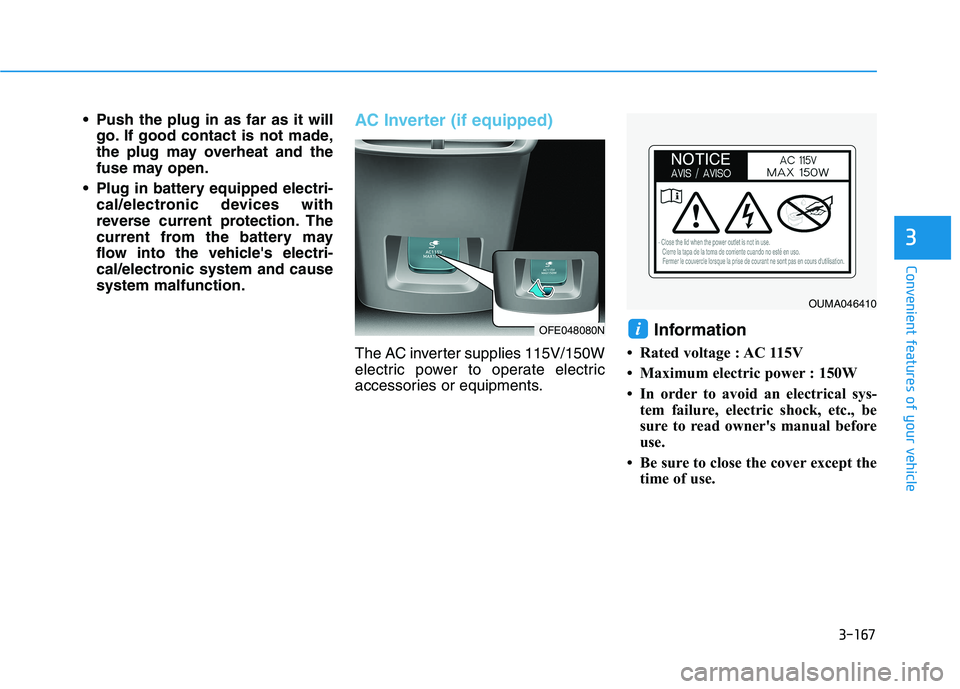
cal/electronic system and causesystem malfunction.AC Inverter (if equipped)
The AC inverter supplies 115V/150W
electric power to operate electric
accessories or equipments. Information
Rated voltage : AC 115V
Maximum electric power : 150W
In order to avoid an electrical sys- tem failure, electric shock, etc., be
sure to read owner's manual before
use.
Be sure to close the cover except the time of use.
iOFE048080N
OUMA046410
Page 255 of 558
3-168
Convenient features of your vehicle
To prevent the battery from beingdischarged, do not use the AC
inverter while the vehicle is not in
the ready ( ) mode.
When not using the AC inverter, make sure to close the AC invert-
er cover.
After using an electric accessory or equipment, pull the plug out.
Leaving the accessory or equip-
ment plugged in for a long time
may cause battery discharge.
Do not use an electric accessory or equipment the power con-
sumption of which is greaterthan 150W (115V).
Some electric accessories or equipments can cause electron-
ic interference. It may cause
excessive audio noise and mal-functions in other electric sys-
tems or devices in the vehicle.
Do not use broken electric accessories or equipments,
which may damage the AC
inverter and electrical systems
of the vehicle. Do not use two or more electric
accessories or equipments at
the same time. It may cause
damage to the electrical sys-
tems of the vehicle.
When the input voltage is lower, outlet LED will blink and the AC
inverter will turn off automatical-
ly. If the input voltage goes up to
normal, the AC inverter will turn
on again.
NOTICE
To reduce a risk of serious or fatal injuries:
Do not use a heated electric
device such as a coffeepot,
toaster, heater, iron, etc.
Do not insert foreign objects into the outlet and do not
touch the outlet as you may
get shocked.
Do not let children touch the
AC inverter.
WARNING
Page 256 of 558
3-169
Convenient features of your vehicle
3
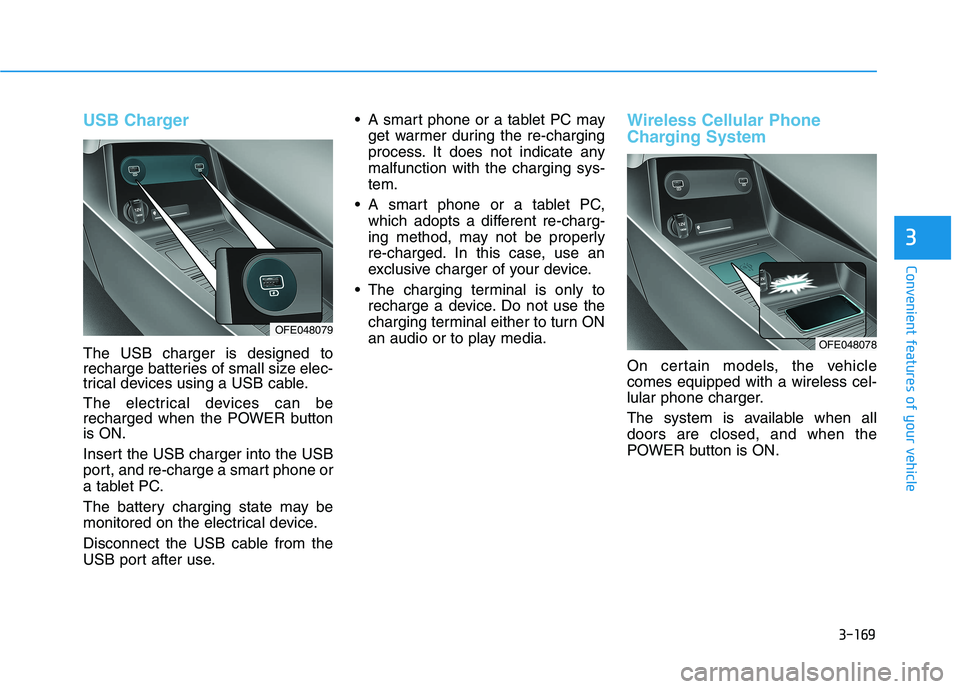
USB Charger
The USB charger is designed to
recharge batteries of small size elec-
trical devices using a USB cable.
The electrical devices can be
recharged when the POWER buttonis ON.
Insert the USB charger into the USB
port, and re-charge a smart phone or
a tablet PC.
The battery charging state may be
monitored on the electrical device.
Disconnect the USB cable from the
USB port after use. A smart phone or a tablet PC may
get warmer during the re-charging
process. It does not indicate anymalfunction with the charging sys-tem.
A smart phone or a tablet PC, which adopts a different re-charg-
ing method, may not be properly
re-charged. In this case, use an
exclusive charger of your device.
The charging terminal is only to recharge a device. Do not use the
charging terminal either to turn ON
an audio or to play media.
Wireless Cellular Phone
Charging System
On certain models, the vehicle comes equipped with a wireless cel-
lular phone charger.
The system is available when all doors are closed, and when the
POWER button is ON.
OFE048078OFE048079
Page 275 of 558
5-8
Driving your vehicle
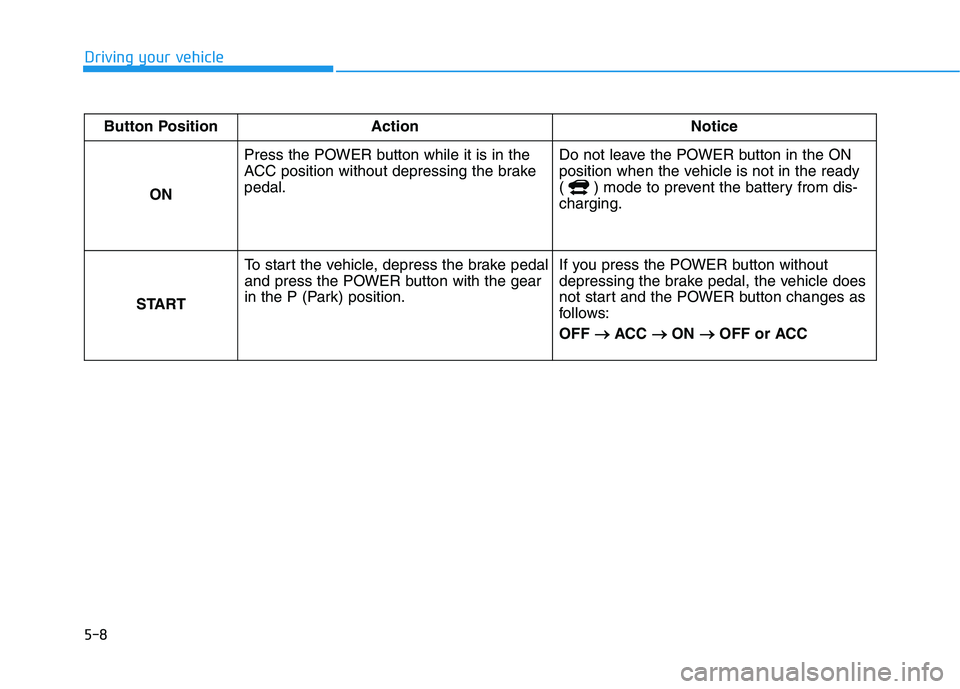
Button Position Action NoticeON Press the POWER button while it is in the
ACC position without depressing the brakepedal.
Do not leave the POWER button in the ON
position when the vehicle is not in the ready
( ) mode to prevent the battery from dis-charging.
STARTTo start the vehicle, depress the brake pedal
and press the POWER button with the gear
in the P (Park) position.
If you press the POWER button without
depressing the brake pedal, the vehicle does
not start and the POWER button changes as
follows: OFF
ACC
ON
OFF or ACC