eco HYUNDAI NEXO 2023 Owner's Manual
[x] Cancel search | Manufacturer: HYUNDAI, Model Year: 2023, Model line: NEXO, Model: HYUNDAI NEXO 2023Pages: 558, PDF Size: 35.01 MB
Page 70 of 558
2-55
Safety system of your vehicle
2
You can take steps to help reduce
the risk of being injured by an inflat-
ing air bag. The greatest risk is sitting
too close to the air bag. An air bag
needs space to inflate. It is recom-
mended that drivers sit as far as pos-
sible between the center of the steer-ing wheel and the chest while still
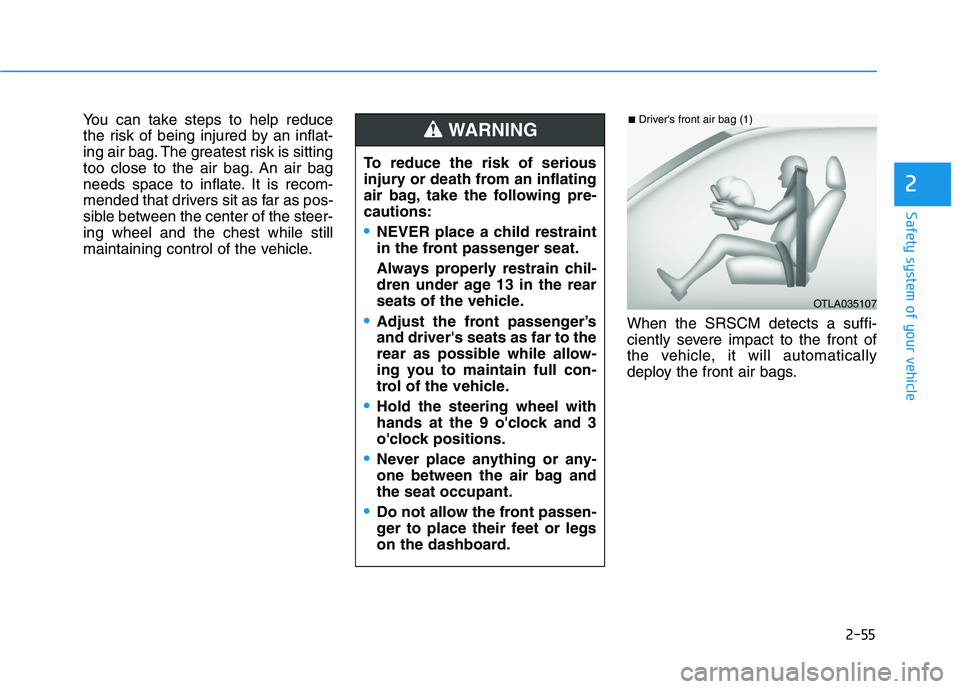
maintaining control of the vehicle.When the SRSCM detects a suffi-
ciently severe impact to the front of
the vehicle, it will automatically
deploy the front air bags.
OTLA035107
■Driver's front air bag (1)
To reduce the risk of serious
injury or death from an inflating
air bag, take the following pre-cautions:
NEVER place a child restraint
in the front passenger seat.
Always properly restrain chil-
dren under age 13 in the rear
seats of the vehicle.
Adjust the front passenger’s and driver's seats as far to the
rear as possible while allow-
ing you to maintain full con-
trol of the vehicle.
Hold the steering wheel with
hands at the 9 o'clock and 3
o'clock positions.
Never place anything or any-
one between the air bag andthe seat occupant.
Do not allow the front passen-
ger to place their feet or legs
on the dashboard.
WARNING
Page 71 of 558
2-56
Safety system of your vehicle
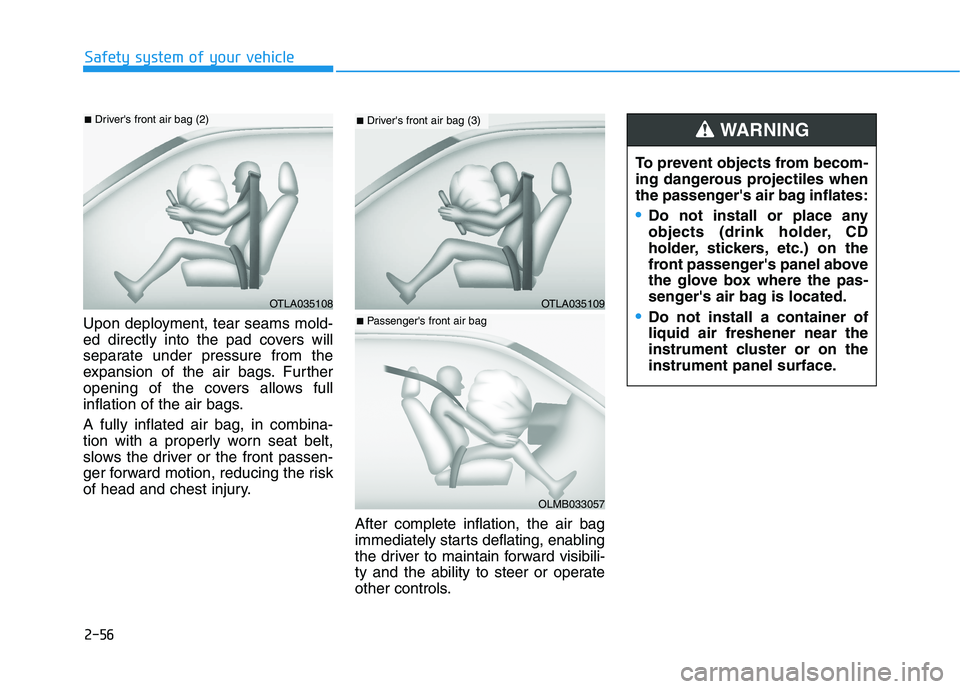
Upon deployment, tear seams mold-
ed directly into the pad covers will
separate under pressure from the
expansion of the air bags. Further
opening of the covers allows full
inflation of the air bags. A fully inflated air bag, in combina-
tion with a properly worn seat belt,
slows the driver or the front passen-
ger forward motion, reducing the risk
of head and chest injury.After complete inflation, the air bag
immediately starts deflating, enabling
the driver to maintain forward visibili-
ty and the ability to steer or operate
other controls.
OTLA035108
■Driver's front air bag (2)
To prevent objects from becom-
ing dangerous projectiles when
the passenger's air bag inflates:
Do not install or place any
objects (drink holder, CD
holder, stickers, etc.) on the
front passenger's panel above
the glove box where the pas-
senger's air bag is located.
Do not install a container of liquid air freshener near the
instrument cluster or on the
instrument panel surface.
WARNING
OTLA035109
■Driver's front air bag (3)
OLMB033057
■Passenger's front air bag
Page 74 of 558
2-59
Safety system of your vehicle
2
Always be sure that you and all vehi-
cle occupants are seated properly
and wearing the seat belt properly for
the most effective protection by theair bag and the seat belt.
The OCS may not function properly if
the passenger takes actions which
can affect the classification system.These include:
Failing to sit in an upright position.
Leaning against the door or centerconsole.
Sitting towards the sides of the front of the seat.
Putting their legs on the dashboard or resting them on other locations which reduce the passenger
weight on the front seat.
Wearing the seat belt improperly.
Reclining the seatback.
Wearing a thick cloth like ski wear or hip protection wear.
Putting an additional thick cushion on the seat.
Putting electrical devices (e.g. notebook, satellite radio) on the
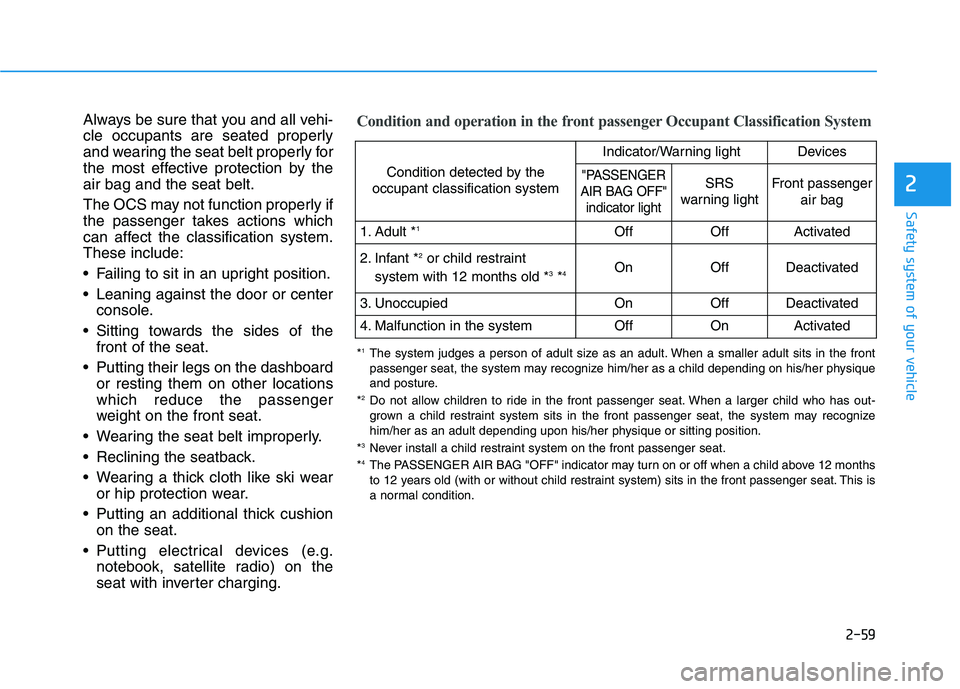
seat with inverter charging.Condition and operation in the front passenger Occupant Classification System
Condition detected by the
occupant classification system
Indicator/Warning lightDevices
"PASSENGER
AIR BAG OFF" indicator lightSRS
warning lightFront passenger
air bag
1. Adult * 1OffOffActivated
2. Infant * 2
or child restraint
system with 12 months old * 3
*4 OnOffDeactivated
3. Unoccupied OnOffDeactivated
4. Malfunction in the systemOffOnActivated
*
1
The system judges a person of adult size as an adult. When a smaller adult sits in the front
passenger seat, the system may recognize him/her as a child depending on his/her physique
and posture.
* 2
Do not allow children to ride in the front passenger seat. When a larger child who has out-
grown a child restraint system sits in the front passenger seat, the system may recognize
him/her as an adult depending upon his/her physique or sitting position.
* 3
Never install a child restraint system on the front passenger seat.
* 4
The PASSENGER AIR BAG "OFF" indicator may turn on or off when a child above 12 months
to 12 years old (with or without child restraint system) sits in the front passenger seat. This is
a normal condition.
Page 77 of 558
2-62
Safety system of your vehicle
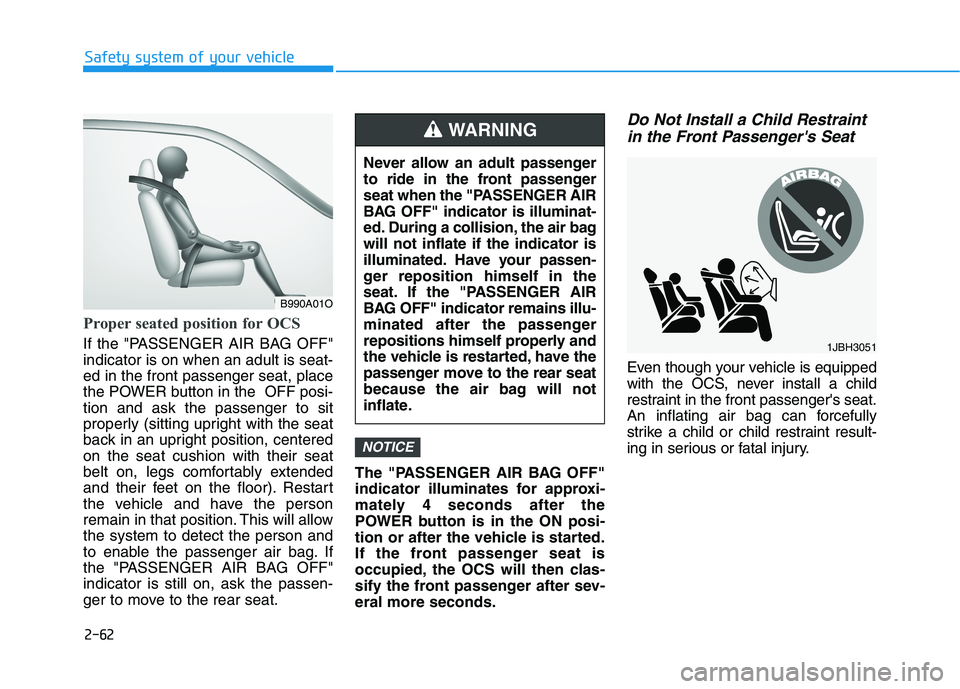
Proper seated position for OCS
If the "PASSENGER AIR BAG OFF" indicator is on when an adult is seat-ed in the front passenger seat, place
the POWER button in the OFF posi-tion and ask the passenger to sit
properly (sitting upright with the seat
back in an upright position, centeredon the seat cushion with their seat
belt on, legs comfortably extended
and their feet on the floor). Restart
the vehicle and have the person
remain in that position. This will allowthe system to detect the person and
to enable the passenger air bag. If
the "PASSENGER AIR BAG OFF"indicator is still on, ask the passen-
ger to move to the rear seat.The "PASSENGER AIR BAG OFF"
indicator illuminates for approxi-
mately 4 seconds after the
POWER button is in the ON posi-
tion or after the vehicle is started.
If the front passenger seat is
occupied, the OCS will then clas-
sify the front passenger after sev-eral more seconds.
Do Not Install a Child Restraint
in the Front Passenger's Seat
Even though your vehicle is equipped
with the OCS, never install a child
restraint in the front passenger's seat.
An inflating air bag can forcefully
strike a child or child restraint result-
ing in serious or fatal injury.
NOTICE
B990A01O Never allow an adult passenger
to ride in the front passenger
seat when the "PASSENGER AIR
BAG OFF" indicator is illuminat-
ed. During a collision, the air bagwill not inflate if the indicator is
illuminated. Have your passen-
ger reposition himself in the
seat. If the "PASSENGER AIR
BAG OFF" indicator remains illu-
minated after the passenger
repositions himself properly and
the vehicle is restarted, have the
passenger move to the rear seat
because the air bag will not
inflate.
WARNING
1JBH3051
Page 78 of 558
2-63
Safety system of your vehicle
2
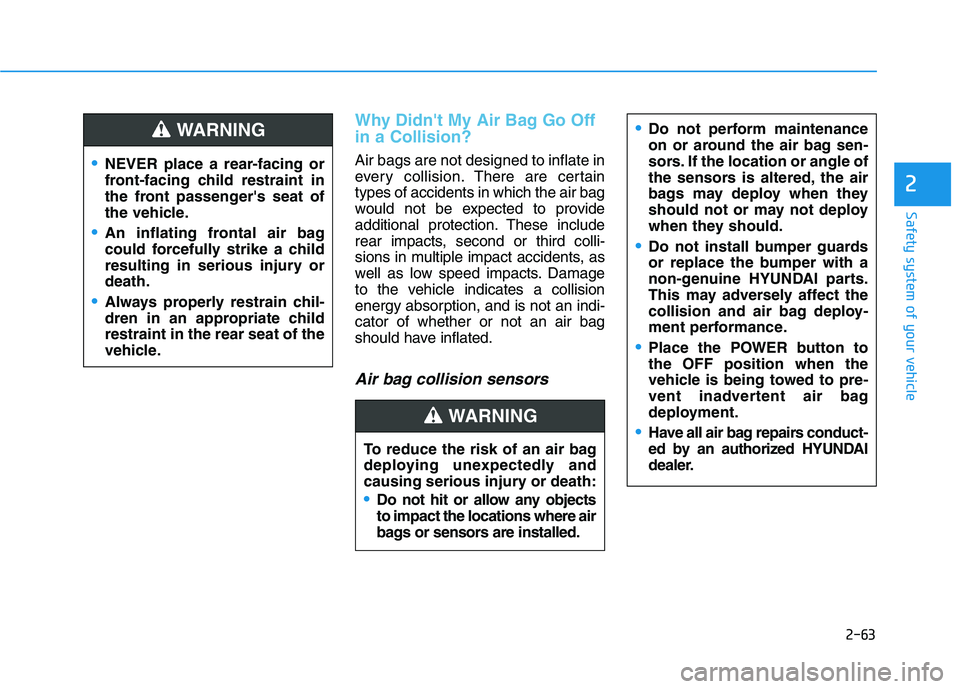
Why Didn't My Air Bag Go Off in a Collision?
Air bags are not designed to inflate in
every collision.There are certain
types of accidents in which the air bag
would not be expected to provide
additional protection. These include
rear impacts, second or third colli-
sions in multiple impact accidents, as
well as low speed impacts. Damage
to the vehicle indicates a collision
energy absorption, and is not an indi-cator of whether or not an air bag
should have inflated.
Air bag collision sensors
NEVER place a rear-facing or
front-facing child restraint in
the front passenger's seat of
the vehicle.
An inflating frontal air bag
could forcefully strike a child
resulting in serious injury ordeath.
Always properly restrain chil-
dren in an appropriate childrestraint in the rear seat of the
vehicle.
WARNING
To reduce the risk of an air bag
deploying unexpectedly and
causing serious injury or death:
Do not hit or allow any objects to impact the locations where air
bags or sensors are installed.
WARNING
Do not perform maintenance
on or around the air bag sen-
sors. If the location or angle of
the sensors is altered, the air
bags may deploy when they
should not or may not deploy
when they should.
Do not install bumper guards
or replace the bumper with a
non-genuine HYUNDAI parts.
This may adversely affect the
collision and air bag deploy-
ment performance.
Place the POWER button to the OFF position when the
vehicle is being towed to pre-
vent inadvertent air bag
deployment.
Have all air bag repairs conduct-
ed by an authorized HYUNDAI
dealer.
Page 91 of 558
3-4
Convenient features of your vehicle
Information
The door handle button will only
operate when the smart key is within
0.7~1 m (28~40 inches) from the out-
side door handle.
Note that you cannot lock your vehi-
cle using the door handle button if
any of the following occur:
• The Smart Key is in the vehicle.
The POWER button is in ACC or ON position.
Any of the doors are open except for the tailgate.Unlocking your vehicle
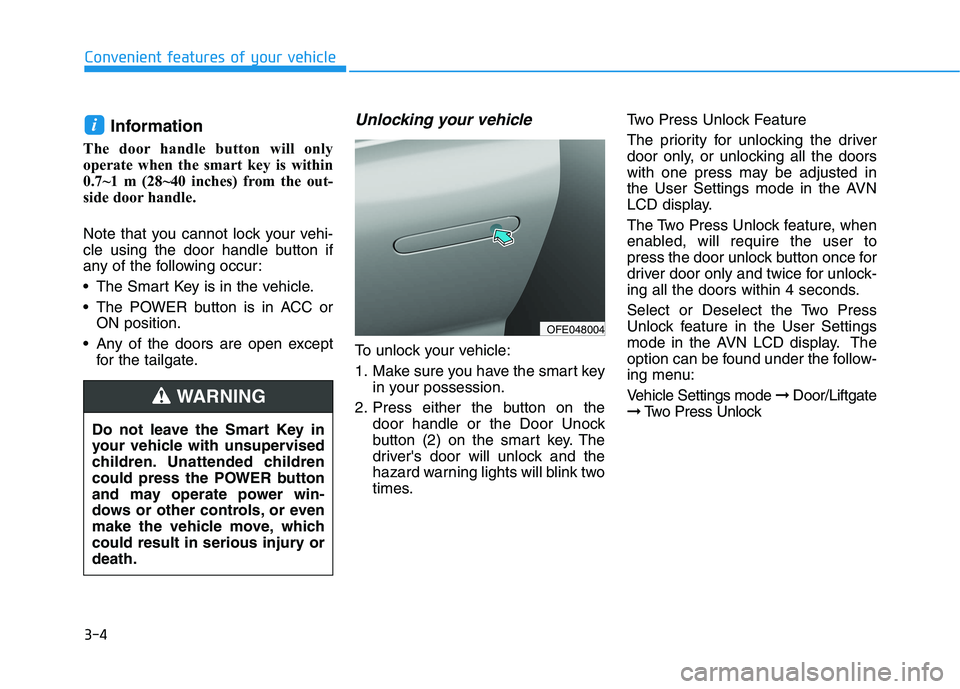
To unlock your vehicle:
1. Make sure you have the smart key in your possession.
2. Press either the button on the door handle or the Door Unock
button (2) on the smart key. The
driver's door will unlock and the
hazard warning lights will blink two
times. Two Press Unlock Feature
The priority for unlocking the driver
door only, or unlocking all the doors
with one press may be adjusted in
the User Settings mode in the AVN
LCD display.
The Two Press Unlock feature, when
enabled, will require the user to
press the door unlock button once for
driver door only and twice for unlock-
ing all the doors within 4 seconds.
Select or Deselect the Two Press
Unlock feature in the User Settings
mode in the AVN LCD display. The
option can be found under the follow-
ing menu:
Vehicle Settings mode
➞Door/Liftgate
➞ Two Press Unlock
i
Do not leave the Smart Key in
your vehicle with unsupervised
children. Unattended children
could press the POWER button
and may operate power win-
dows or other controls, or even
make the vehicle move, which
could result in serious injury ordeath.
WARNING
OFE048004
Page 92 of 558
3-5
Convenient features of your vehicle
3
The Two Press Unlock feature can
also be enabled or disabled by
pressing the door lock and unlock
buttons simultaneously on the KeyFOB:
Press and hold both the Door Lock
button and the Door Unlock button
simultaneously until the hazard
warning lights blink.
This will enable or disable the Two
Press Unlock feature. Repeat this
procedure to enable/disable themode again.Information
The door handle buttons will only operate when the smart key is with-
in 0.7~1 m (28-40 inches) from the
outside door handle
Either the driver or front passenger door can be opened with the door
handle button when the smart key is
within this range
If you press the front passenger out- side door handle with the smart key
in your possession, all the doors will
unlockOpening the tailgate
Non-power tailgate
To unlock and open the tailgate:
1. Make sure you have the smart key in your possession.
2. Press either the tailgate handle release switch on the vehicle or
press and hold the Tailgate Unlock
button on the smart key for more
than one second. The hazard
warning lights will blink two times
and the tailgate latch will unlock.
3. Once the tailgate is opened and then closed, the tailgate will auto-
matically re-lock after 30 seconds.
Information
The tailgate handle switch will only operate when the smart key is with-
in 0.7 m (28 inches) from the tailgate
handle.
The Tailgate Unlock button (3) will only unlock the tailgate. It will not
release the latch and open the tail-
gate automatically. If the Tailgate
Unlock button is used, someone
must still press the tailgate handle
switch to open the tailgate.
Power tailgate
To unlock and open the tailgate:
1. Make sure you have the smart key in your possession.
2. Press either the tailgate handle release switch on the vehicle or
press and hold the Tailgate Unlock
button on the smart key for more
than one second. The hazard
warning lights will blink two timesand the tailgate latch will open.
3. Once the tailgate is opened and then closed, the tailgate will auto-
matically re-lock after 30 seconds.
Information
The tailgate handle switch will only
operate when the smart key is within
0.7 m (28 inches) from the tailgate
handle.
i
i
i
Page 93 of 558
3-6
Convenient features of your vehicle
Panic button
Press and hold the Panic button (4)
for more than one second. The horn
sounds and hazard warning lights
blink for about 30 seconds. To cancel
the panic mode, press any button on
the Smart Key.
Start-up
You can start the vehicle without
inserting the key.
For information, refer to the
"POWER button" section in chap-ter 5.
To prevent damaging the smart key:
• Keep the smart key in a cool, dryplace to avoid damage or mal-
function. Exposure to moisture
or high temperature may cause
the internal circuit of the smart
key to malfunction which may
not be covered under warranty.
Avoid dropping or throwing the smart key.
Protect the smart key from extreme temperatures.
Remote start (if equipped)
You can start the vehicle using the
remote start button (6) of the smart
key.
To start the vehicle remotely :
- Lock the doors by pressing thedoor lock button (1) within 10 m (32
ft) distance from the vehicle.
- Press the remote start button for over 2 seconds within 4 seconds
after locking the doors.
Press the remote start button once to
turn off the vehicle. Air conditioner/heater system main-
tains the status before turning off the
vehicle.
If no further action for operating/driv-
ing the vehicle is taken, the vehicle
will be turned off 10 minutes after
starting the vehicle remotely.
NOTICE
Laws in your country may
restrict the use of remote start.
You should check country reg-
ulations before using this
remote starting system.
It is only possible to start the
vehicle remotely when shifted
to P (Park).
If the hood or the tailgate is
opened, you cannot start the
vehicle remotely.
The Remote start function
works the same as Blue Link
remote start. For further cau-
tion information, refer to the
separately supplied "Blue
Link (AVN) manual".
CAUTION
Page 97 of 558
3-10
Immobilizer System
The immobilizer system protects
your vehicle from theft. If an improp-
erly coded key (or other device) is
used, the power system is disabled.
When the POWER button is placed
in the ON position, the immobilizersystem indicator should come on
briefly, then go off. If the indicator
starts to blink, the system does not
recognize the coding of the key.
Place the POWER button to the OFF
position, then place the POWER but-ton to the ON position again.
In some circumstances, the vehicle
may not recognize your smart key if
another smart key device is nearby
or a metal object such as a key chain
is causing interference with the
smart key.
If this occurs, your vehicle may not
start. Remove any metal objects or
additional keys near the smart key
before attempting to start the vehicleagain.If the system repeatedly does not
recognize the coding of the key, it is
recommended that you contact your
HYUNDAI dealer. Do not attempt to alter this system or
add other devices to it. Electrical
problems could result that may make
your vehicle inoperable.
The transponder in your key is an
important part of the immobilizer
system. It is designed to give
years of trouble-free service, how-
ever you should avoid exposure to
moisture, static electricity and
rough handling. Immobilizer sys-
tem malfunction could occur. Information
This device complies with Industry
Canada RSS-210 standard.
Operation is subject to the following
three conditions:
1. This device may not cause harmful interference.
2. This device must accept any inter- ference received, including interfer-
ence that may cause undesired
operation.
3. Changes or modifications not expressly approved by the party
responsible for compliance could
void the user's authority to operate
the device.
i
NOTICE
Convenient features of your vehicle
In order to prevent theft of your
vehicle, do not leave spare keys
anywhere in your vehicle. Your
immobilizer password is a cus-
tomer unique password andshould be kept confidential.
WARNING
Page 98 of 558
3-11
Convenient features of your vehicle
DDOO OORR LL OO CCKK SS
3
Door Unlocking from Outside
the Vehicle
Smart key
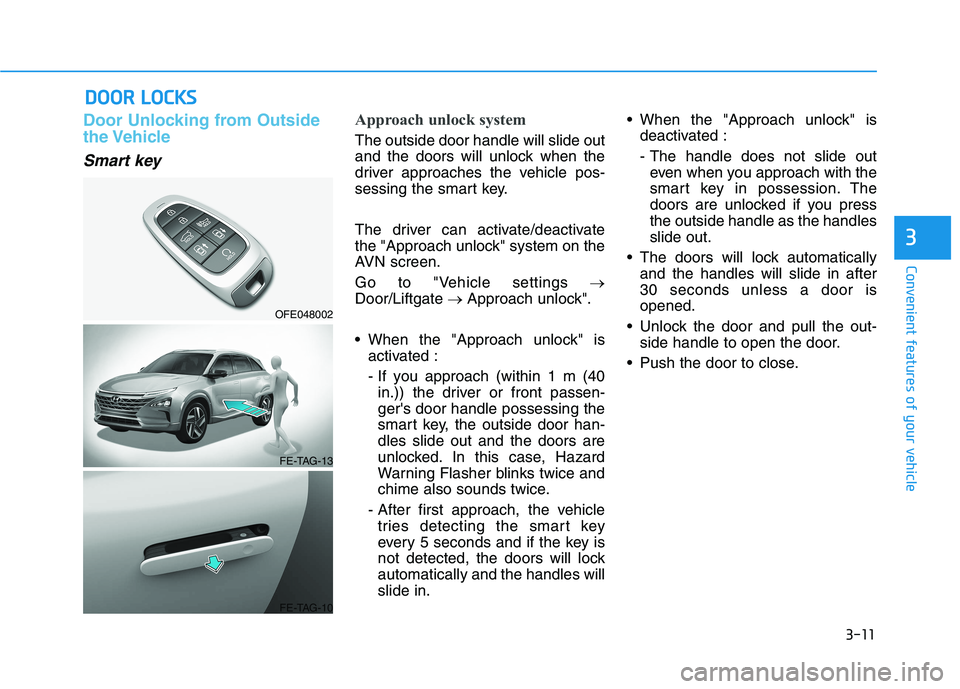
Approach unlock system
The outside door handle will slide out
and the doors will unlock when the
driver approaches the vehicle pos-
sessing the smart key.
The driver can activate/deactivate
the "Approach unlock" system on the
AVN screen.
Go to "Vehicle settings
Door/Liftgate Approach unlock".
When the "Approach unlock" is activated :
- If you approach (within 1 m (40in.)) the driver or front passen- ger's door handle possessing the
smart key, the outside door han-dles slide out and the doors are
unlocked. In this case, Hazard
Warning Flasher blinks twice and
chime also sounds twice.
- After first approach, the vehicle tries detecting the smart key
every 5 seconds and if the key is
not detected, the doors will lockautomatically and the handles willslide in. When the "Approach unlock" is
deactivated :
- The handle does not slide outeven when you approach with the
smart key in possession. The
doors are unlocked if you pressthe outside handle as the handlesslide out.
The doors will lock automatically and the handles will slide in after30 seconds unless a door isopened.
Unlock the door and pull the out- side handle to open the door.
Push the door to close.
OFE048002
FE-TAG-13
FE-TAG-10