key HYUNDAI NEXO 2023 Owner's Manual
[x] Cancel search | Manufacturer: HYUNDAI, Model Year: 2023, Model line: NEXO, Model: HYUNDAI NEXO 2023Pages: 558, PDF Size: 35.01 MB
Page 130 of 558
3-43
Convenient features of your vehicle
3
Non-Powered Tailgate (if equipped)
Opening the tailgate
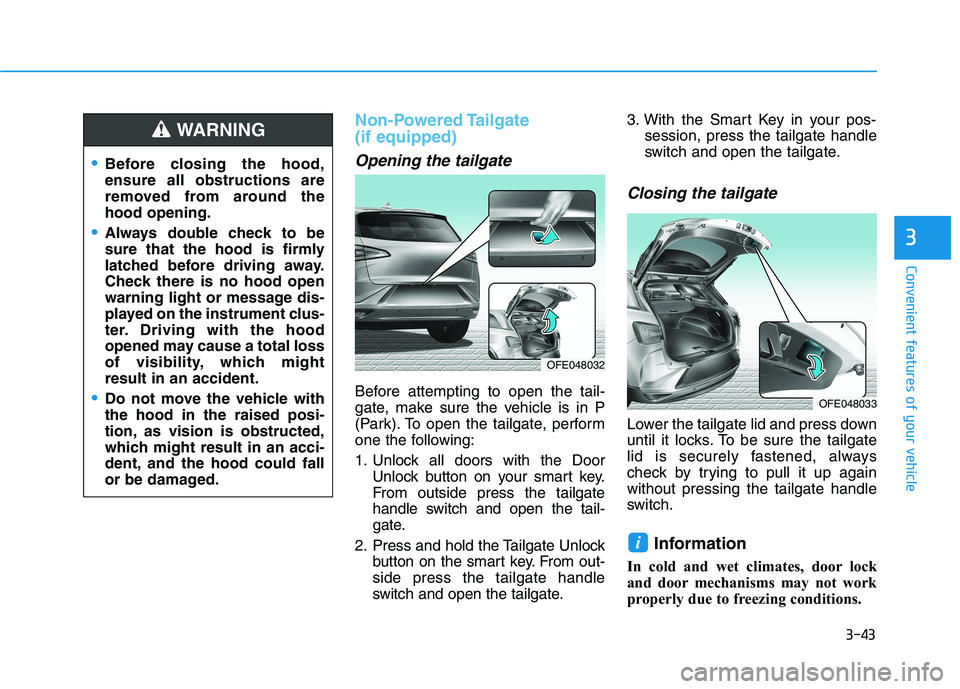
Before attempting to open the tail-
gate, make sure the vehicle is in P
(Park). To open the tailgate, perform
one the following:
1. Unlock all doors with the DoorUnlock button on your smart key.
From outside press the tailgate
handle switch and open the tail-
gate.
2. Press and hold the Tailgate Unlock button on the smart key. From out-side press the tailgate handle
switch and open the tailgate. 3. With the Smart Key in your pos-
session, press the tailgate handle
switch and open the tailgate.
Closing the tailgate
Lower the tailgate lid and press down
until it locks. To be sure the tailgate
lid is securely fastened, always
check by trying to pull it up againwithout pressing the tailgate handle
switch.
Information
In cold and wet climates, door lock
and door mechanisms may not work
properly due to freezing conditions.
i
Before closing the hood, ensure all obstructions are
removed from around thehood opening.
Always double check to be
sure that the hood is firmly
latched before driving away.
Check there is no hood open
warning light or message dis-
played on the instrument clus-
ter. Driving with the hood
opened may cause a total loss
of visibility, which mightresult in an accident.
Do not move the vehicle with the hood in the raised posi-
tion, as vision is obstructed,
which might result in an acci-
dent, and the hood could fall
or be damaged.
WARNING
OFE048032
OFE048033
Page 133 of 558
3-46
Convenient features of your vehicle
Do not close or open the power
tailgate manually. This may cause
damage to the power tailgate. If it
is necessary to close or open the
power tailgate manually when the
battery is discharged or discon-
nected, do not apply excessive
force.
Opening the tailgate
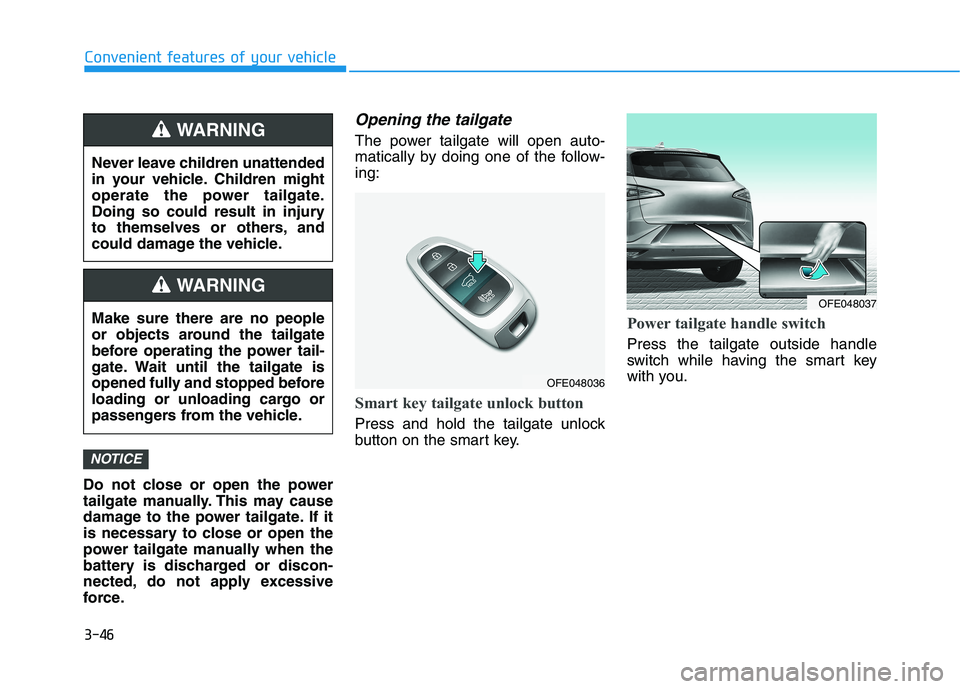
The power tailgate will open auto-
matically by doing one of the follow-ing:
Smart key tailgate unlock button
Press and hold the tailgate unlock
button on the smart key.
Power tailgate handle switch
Press the tailgate outside handle
switch while having the smart key
with you.
NOTICE
Never leave children unattended
in your vehicle. Children might
operate the power tailgate.
Doing so could result in injury
to themselves or others, and
could damage the vehicle.
WARNING
Make sure there are no people
or objects around the tailgate
before operating the power tail-
gate. Wait until the tailgate is
opened fully and stopped before
loading or unloading cargo or
passengers from the vehicle.
WARNING
OFE048036
OFE048037
Page 134 of 558
3-47
Convenient features of your vehicle
3
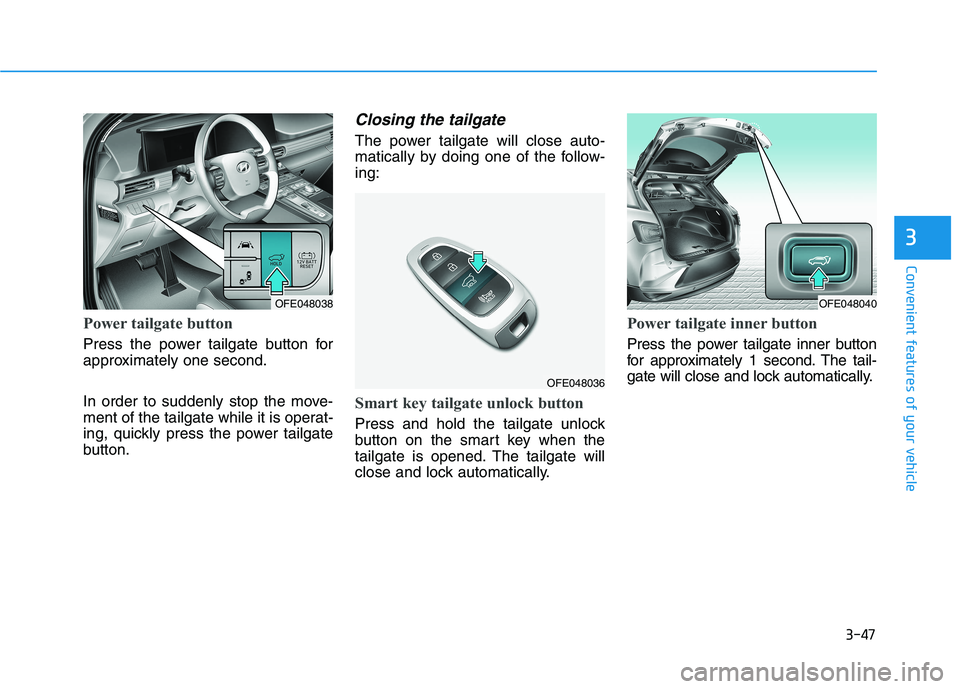
Power tailgate button
Press the power tailgate button for
approximately one second.
In order to suddenly stop the move-
ment of the tailgate while it is operat-
ing, quickly press the power tailgate
button.
Closing the tailgate
The power tailgate will close auto-
matically by doing one of the follow-ing:
Smart key tailgate unlock button
Press and hold the tailgate unlock
button on the smart key when the
tailgate is opened. The tailgate will
close and lock automatically.
Power tailgate inner button
Press the power tailgate inner button
for approximately 1 second. The tail-
gate will close and lock automatically.
OFE048038
OFE048036
OFE048040
Page 138 of 558
3-51
Convenient features of your vehicle
3
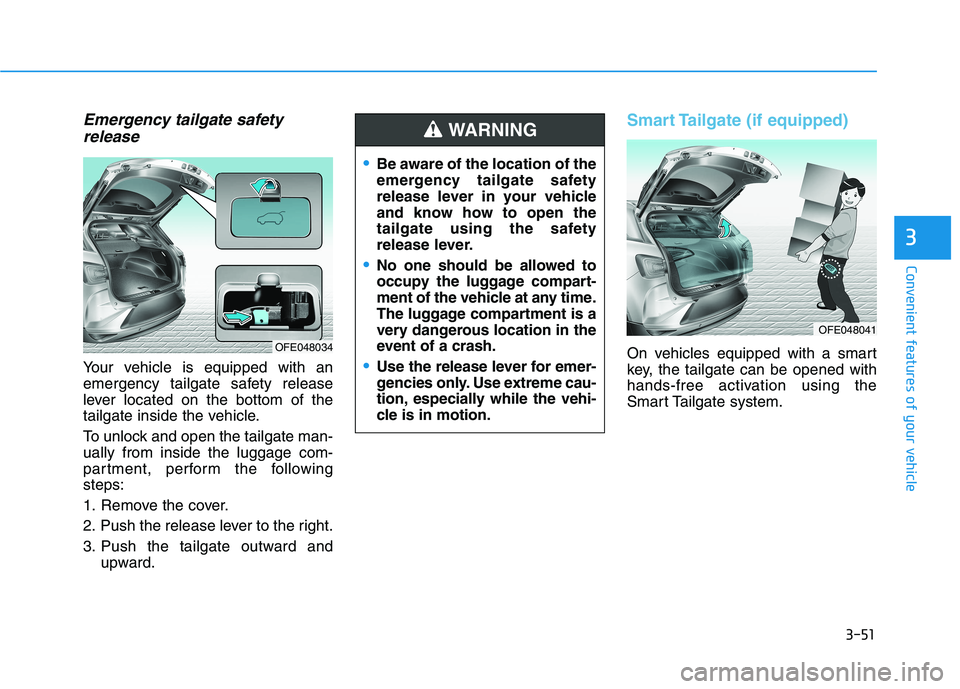
Emergency tailgate safetyrelease
Your vehicle is equipped with an
emergency tailgate safety release
lever located on the bottom of the
tailgate inside the vehicle.
To unlock and open the tailgate man- ually from inside the luggage com-
partment, perform the followingsteps:
1. Remove the cover.
2. Push the release lever to the right.
3. Push the tailgate outward and upward.
Smart Tailgate (if equipped)
On vehicles equipped with a smart
key, the tailgate can be opened with
hands-free activation using the
Smart Tailgate system.
Be aware of the location of the
emergency tailgate safety
release lever in your vehicle
and know how to open the
tailgate using the safety
release lever.
No one should be allowed to
occupy the luggage compart-
ment of the vehicle at any time.
The luggage compartment is a
very dangerous location in the
event of a crash.
Use the release lever for emer-
gencies only. Use extreme cau-
tion, especially while the vehi-
cle is in motion.
WARNING
OFE048034
OFE048041
Page 139 of 558
3-52
Convenient features of your vehicle
How to use the Smart Tailgate
The hands-free smart tailgate sys- tem can be opened automatically
when the following conditions aremet:
The Smart Tailgate option isenabled in the User Settings in the
AVN screen.
The Smart Tailgate is activated and ready 15 seconds after all the
doors are closed and locked
The Smart Tailgate will open when the smart key is detected in the
area behind the vehicle for 3 sec-onds Information
The Smart Tailgate will NOT operate
when:
Any door is open, or all doors are closed but not locked
The smart key is detected within 15 seconds from when the doors were
closed and locked
For vehicles equipped with illumi- nated exterior front door handles, if
the smart key is detected within 15
seconds from when the doors were
closed and locked or if the smart key
is within 1.5 m (60 inches) from the
front door handles
The smart key is in the vehicle. 1. Setting
To activate the Smart Tailgate, go to
"Vehicle settings
Door/Liftgate"
and select Smart Liftgate on the AVNscreen.
For more details refer to the sepa-
rately supplied Navigation manu-al.
2.Detect and Alert
The Smart Tailgate detecting area
extends approximately 50-100 cm
(20-40 in) behind the vehicle. If youare positioned in the detecting area
and are carrying the smart key, the
hazard warning lights will blink and
the chime will sound to alert you that
the smart tailgate will open.
Information
Do not approach the detecting area if
you do not want the tailgate to open. If
you have unintentionally entered the
detecting area and the hazard warn-
ing lights and chime starts to operate,
move away from the area behind the
vehicle with the smart key. The tail-
gate will remain closed.
i
i
Page 140 of 558
3-53
Convenient features of your vehicle
3
3. Automatic opening
After the hazard warning lights blink
and the chime sounds 6 times, the
power tailgate will open.How to deactivate the SmartTailgate function using the
smart key
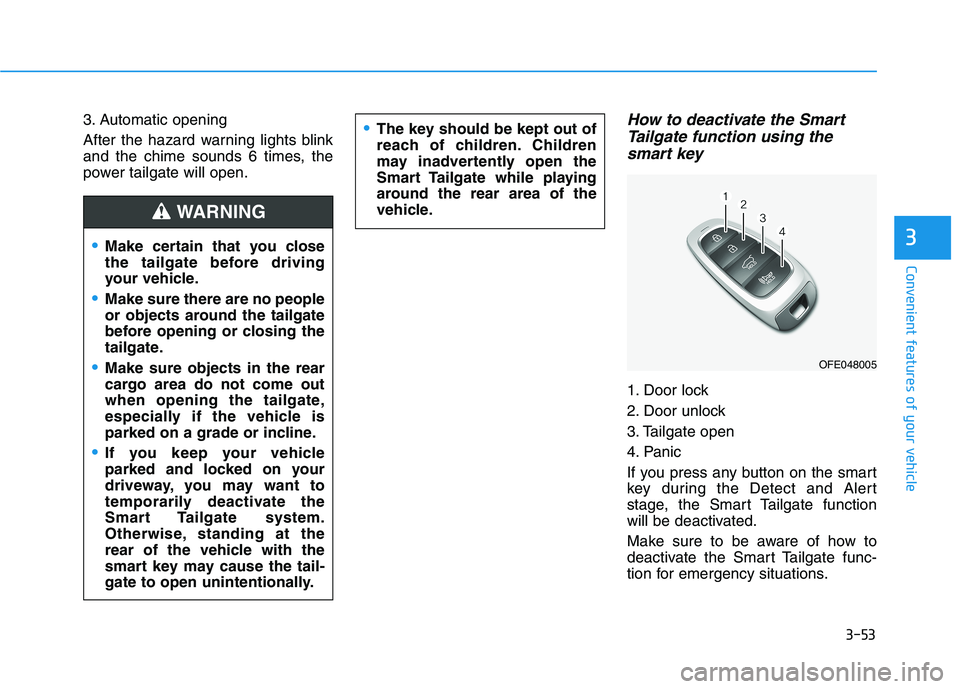
1. Door lock
2. Door unlock
3. Tailgate open
4. Panic
If you press any button on the smart
key during the Detect and Alert
stage, the Smart Tailgate function
will be deactivated.
Make sure to be aware of how to
deactivate the Smart Tailgate func-
tion for emergency situations.
Make certain that you close
the tailgate before driving
your vehicle.
Make sure there are no people
or objects around the tailgate
before opening or closing the
tailgate.
Make sure objects in the rear
cargo area do not come out
when opening the tailgate,
especially if the vehicle is
parked on a grade or incline.
If you keep your vehicle
parked and locked on your
driveway, you may want to
temporarily deactivate the
Smart Tailgate system.
Otherwise, standing at the
rear of the vehicle with the
smart key may cause the tail-
gate to open unintentionally.
WARNING
The key should be kept out of
reach of children. Children
may inadvertently open the
Smart Tailgate while playing
around the rear area of the
vehicle.
OFE048005
Page 141 of 558
3-54
Convenient features of your vehicle
Information
If you press the door unlock button (2), the Smart Tailgate function will
be deactivated temporarily. But, if
you do not open any door for 30 sec-
onds, the Smart Tailgate function
will be activated again.
If you press the tailgate open button (3) for more than 1 second, the tail-
gate opens.
The Smart Tailgate function will still be activated if you press the
door lock button (1) or tailgate open
button (3) on the smart key as long
as the Smart Tailgate is not already
in the Detect and Alert stage.
In case you have deactivated the Smart Tailgate function by pressing
the smart key button and opened a
door, the Smart Tailgate function
can be activated again by closing
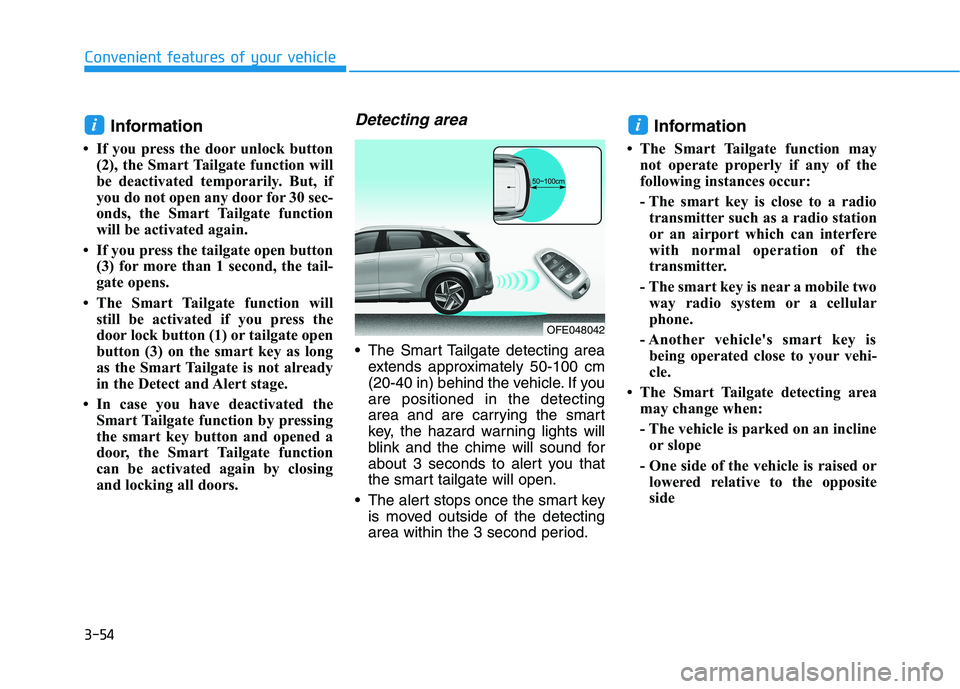
and locking all doors.Detecting area
The Smart Tailgate detecting areaextends approximately 50-100 cm
(20-40 in) behind the vehicle. If youare positioned in the detecting
area and are carrying the smart
key, the hazard warning lights will
blink and the chime will sound for
about 3 seconds to alert you that
the smart tailgate will open.
The alert stops once the smart key is moved outside of the detecting
area within the 3 second period. Information
The Smart Tailgate function may not operate properly if any of the
following instances occur:
- The smart key is close to a radiotransmitter such as a radio station
or an airport which can interfere
with normal operation of the
transmitter.
- The smart key is near a mobile two way radio system or a cellular
phone.
- Another vehicle's smart key is being operated close to your vehi-
cle.
The Smart Tailgate detecting area may change when:
- The vehicle is parked on an inclineor slope
- One side of the vehicle is raised or lowered relative to the opposite
side
ii
OFE048042
Page 161 of 558
3-74
Convenient features of your vehicle
Immobilizer IndicatorLight
This indicator light illuminates for
up to 30 seconds:
When the vehicle detects the smart
key in the vehicle with the POWER
button in the ACC or ON position.
- At this time, you can start the vehi- cle.
- The indicator light goes off after starting the vehicle.
This indicator light blinks for a few
seconds:
When the smart key is not in the
vehicle.
- At this time, you cannot start thevehicle.
This indicator light illuminates for
2 seconds and goes off:
If the smart key is in the vehicle and
the POWER button is ON, but the
vehicle cannot detect the smart key.
In this case, have your vehicle inspect-
ed by an authorized HYUNDAI dealer.
This indicator light blinks:
When the battery voltage of thesmart key is low.
- At this time, you can not start thevehicle. However, you can start the
if you press the POWER button
with the smart key. (For more
details, refer to "Starting the
vehicle" in chapter 5) .
When there is a malfunction with the immobilizer system.
In this case, have your vehicle
inspected by an authorized HYUNDAI
dealer.
Turn Signal Indicator
Light
This indicator light blinks:
When you operate the turn signal
indicator.
If any of the following occurs, there
may be a malfunction with the turnsignal system.
- The turn signal indicator light illu-minates but does not blink
- The turn signal indicator light blinks rapidly
- The turn signal indicator light does not illuminate at all
If either of these conditions occur,
have your vehicle inspected by an
authorized HYUNDAI dealer.
Page 163 of 558
3-76
LCD Display Messages
Shift to P
This warning message is displayed if
you try to turn off the vehicle with the
gear in the N (Neutral) position.
At this time, the POWER button
changes to the ACC position (If you
press the POWER button once more,
it will turn to the ON position).
Low Key Battery
This warning message is displayed if
the battery of the smart key is dis-
charged while changing the POWER
button to the OFF position.
Press POWER button whileturning wheel
This warning message is displayed if
the steering wheel does not unlock
normally when the POWER button ispressed.
You should press the POWER button
while turning the steering wheel rightand left.
Check Steering Wheel LockSystem
This warning message is displayed if
the steering wheel does not lock nor-
mally while the POWER buttonchanges to the OFF position.
Press brake pedal to start vehicle
This warning message is displayed if
the POWER button changes to the
ACC position twice by pressing the
button repeatedly without depressing
the brake pedal.
You can start the vehicle by depress-
ing the brake pedal.
Key not in vehicle
This warning message is displayed if
the smart key is not in the vehicle
when you press the POWER button.
When attempting to start the vehicle,
always have the smart key with you.
Convenient features of your vehicle
Page 164 of 558
3-77
Convenient features of your vehicle
Key not detected
This warning message is displayed if
the smart key is not detected when
you press the POWER button.
Press POWER button again
This message is displayed if you
were unable to start the vehicle when
the POWER button was pressed.
If this occurs, attempt to start the
vehicle by pressing the POWER but-ton again.
If the warning message appears
each time you press the POWER
button, have your vehicle inspected
by an authorized HYUNDAI dealer.
Press POWER button with key
This warning message is displayed if
you press the POWER button while
the warning message "Key not
detected" is displayed.
At this time, the immobilizer indicator
light blinks.
Check BRAKE SWITCH fuse
This warning message is displayed if
the brake switch fuse is disconnected.
You need to replace the fuse with a
new one before starting the vehicle.
If that is not possible, you can start the
vehicle by pressing the POWER but-
ton for 10 seconds in the ACC posi-tion.
Shift to P to start vehicle
This warning message is displayed if
you try to start the vehicle without
shifting to the P (Park) position.
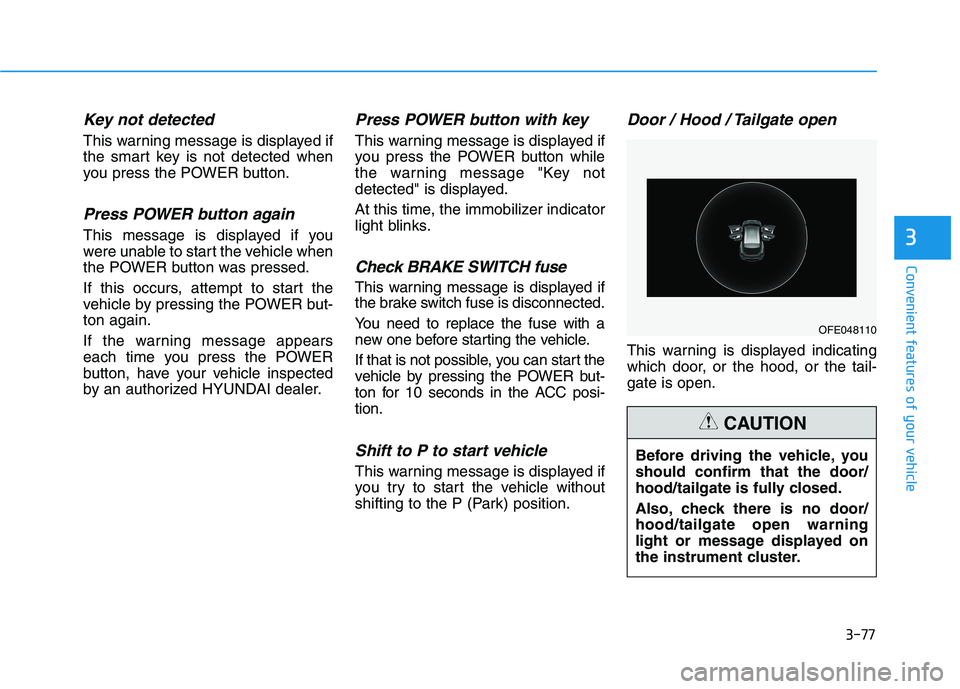
Door / Hood / Tailgate open
This warning is displayed indicating
which door, or the hood, or the tail-gate is open.
3
OFE048110
Before driving the vehicle, you should confirm that the door/
hood/tailgate is fully closed.
Also, check there is no door/ hood/tailgate open warning
light or message displayed on
the instrument cluster.
CAUTION