tailgate HYUNDAI NEXO 2023 Owner's Manual
[x] Cancel search | Manufacturer: HYUNDAI, Model Year: 2023, Model line: NEXO, Model: HYUNDAI NEXO 2023Pages: 558, PDF Size: 35.01 MB
Page 144 of 558
3-57
Convenient features of your vehicle
3
Emergency Fuel Filler Door Release
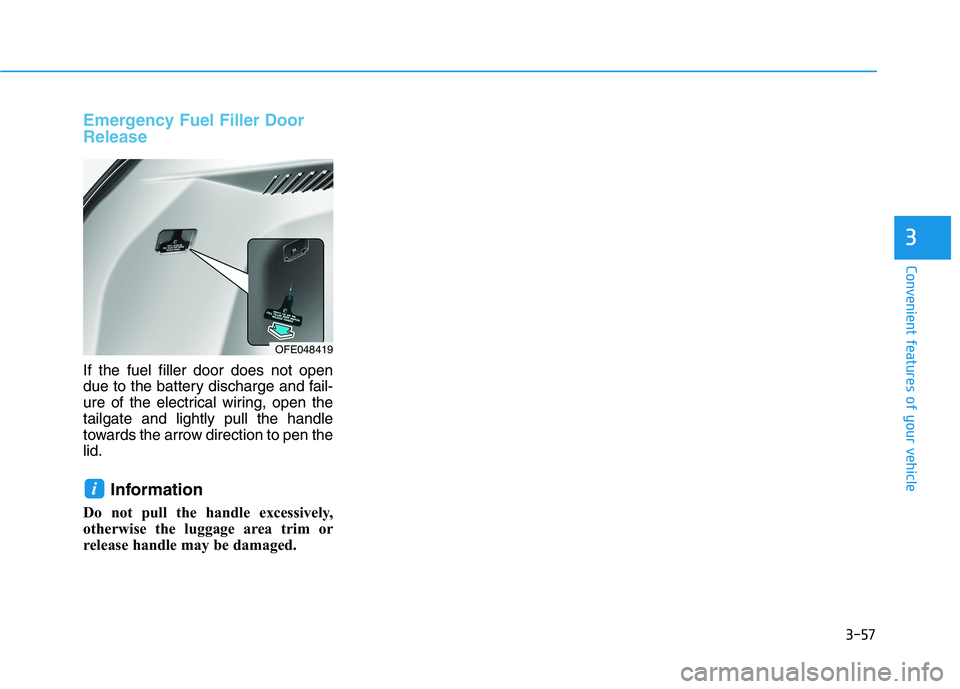
If the fuel filler door does not open
due to the battery discharge and fail-
ure of the electrical wiring, open thetailgate and lightly pull the handle
towards the arrow direction to pen thelid.Information
Do not pull the handle excessively,
otherwise the luggage area trim or
release handle may be damaged.
i
OFE048419
Page 164 of 558
3-77
Convenient features of your vehicle
Key not detected
This warning message is displayed if
the smart key is not detected when
you press the POWER button.
Press POWER button again
This message is displayed if you
were unable to start the vehicle when
the POWER button was pressed.
If this occurs, attempt to start the
vehicle by pressing the POWER but-ton again.
If the warning message appears
each time you press the POWER
button, have your vehicle inspected
by an authorized HYUNDAI dealer.
Press POWER button with key
This warning message is displayed if
you press the POWER button while
the warning message "Key not
detected" is displayed.
At this time, the immobilizer indicator
light blinks.
Check BRAKE SWITCH fuse
This warning message is displayed if
the brake switch fuse is disconnected.
You need to replace the fuse with a
new one before starting the vehicle.
If that is not possible, you can start the
vehicle by pressing the POWER but-
ton for 10 seconds in the ACC posi-tion.
Shift to P to start vehicle
This warning message is displayed if
you try to start the vehicle without
shifting to the P (Park) position.
Door / Hood / Tailgate open
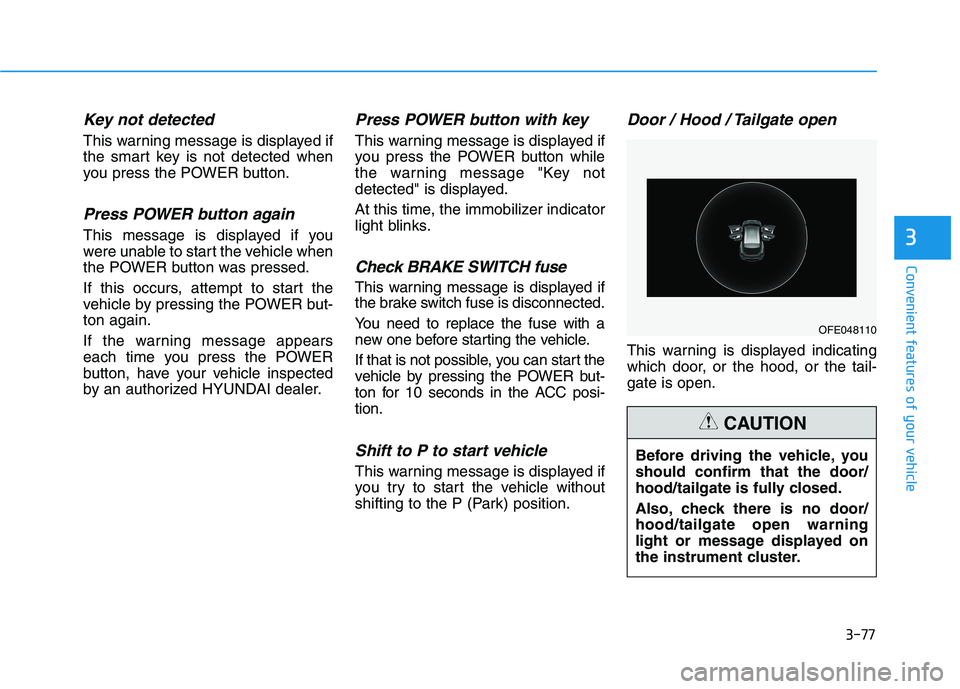
This warning is displayed indicating
which door, or the hood, or the tail-gate is open.
3
OFE048110
Before driving the vehicle, you should confirm that the door/
hood/tailgate is fully closed.
Also, check there is no door/ hood/tailgate open warning
light or message displayed on
the instrument cluster.
CAUTION
Page 184 of 558
3-97
Convenient features of your vehicle
3
Front Room Lamp (2) ( ) :
Press the button to turn the front and
rear room lamps on or off.
Front Door Lamp (3) ( ) :
The front or rear room lamps come on when the front or rear doors are
opened. When doors are unlocked by
the smart key, the front and rear
lamps come on for approximately 30
seconds as long as any door is not
opened. The front and rear room
lamps go out gradually after approxi-mately 30 seconds if the door is
closed. However, if the POWER but-ton is in the ON position or all doors
are locked, the front and rear lamps
will turn off. If a door is opened with
the POWER button in the ACC posi-tion or the OFF position, the front
and rear lamps stay on for about 20
minutes.
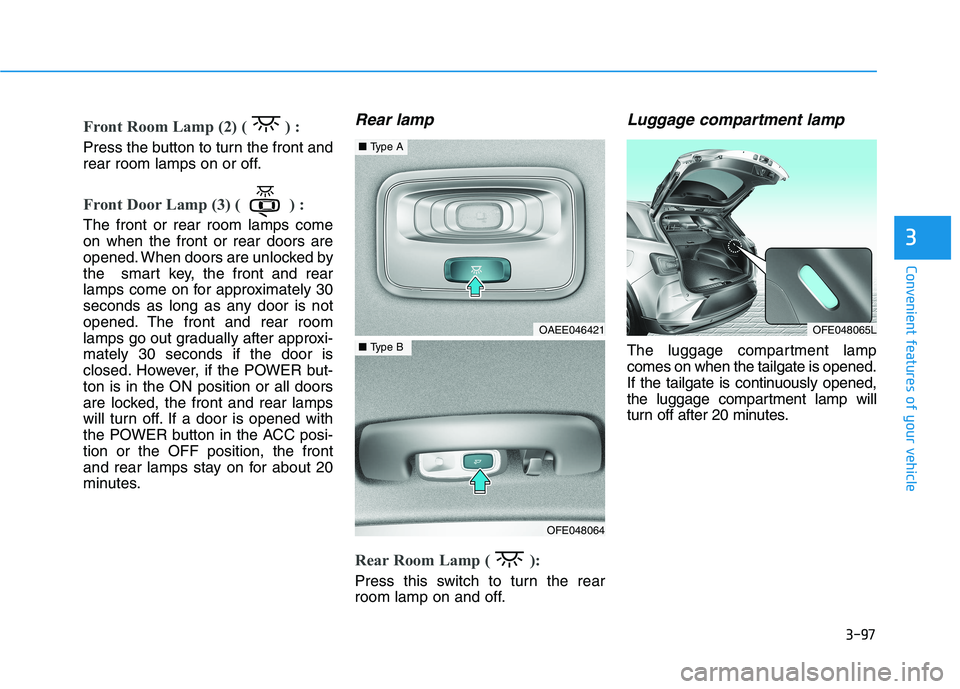
Rear lamp
Rear Room Lamp ( ):
Press this switch to turn the rear
room lamp on and off.
Luggage compartment lamp
The luggage compartment lampcomes on when the tailgate is opened.
If the tailgate is continuously opened,
the luggage compartment lamp will
turn off after 20 minutes.
OFE048065LOAEE046421
OFE048064
■Type A
■Type B
Page 185 of 558
3-98
Convenient features of your vehicle
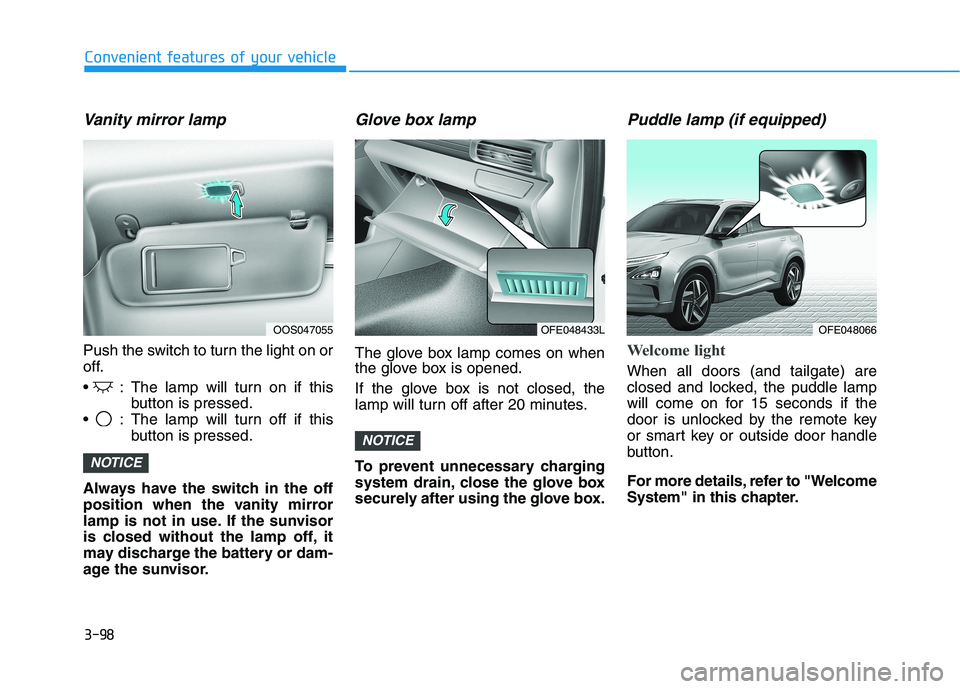
Vanity mirror lamp
Push the switch to turn the light on or
off.
: The lamp will turn on if thisbutton is pressed.
: The lamp will turn off if this button is pressed.
Always have the switch in the off
position when the vanity mirror
lamp is not in use. If the sunvisor
is closed without the lamp off, it
may discharge the battery or dam-
age the sunvisor.
Glove box lamp
The glove box lamp comes on when
the glove box is opened.
If the glove box is not closed, the
lamp will turn off after 20 minutes.
To prevent unnecessary charging
system drain, close the glove box
securely after using the glove box.
Puddle lamp (if equipped)
Welcome light
When all doors (and tailgate) are
closed and locked, the puddle lamp
will come on for 15 seconds if the
door is unlocked by the remote key
or smart key or outside door handle
button.
For more details, refer to "Welcome
System" in this chapter.
NOTICE
NOTICE
OOS047055OFE048433LOFE048066
Page 186 of 558
3-99
Convenient features of your vehicle
3
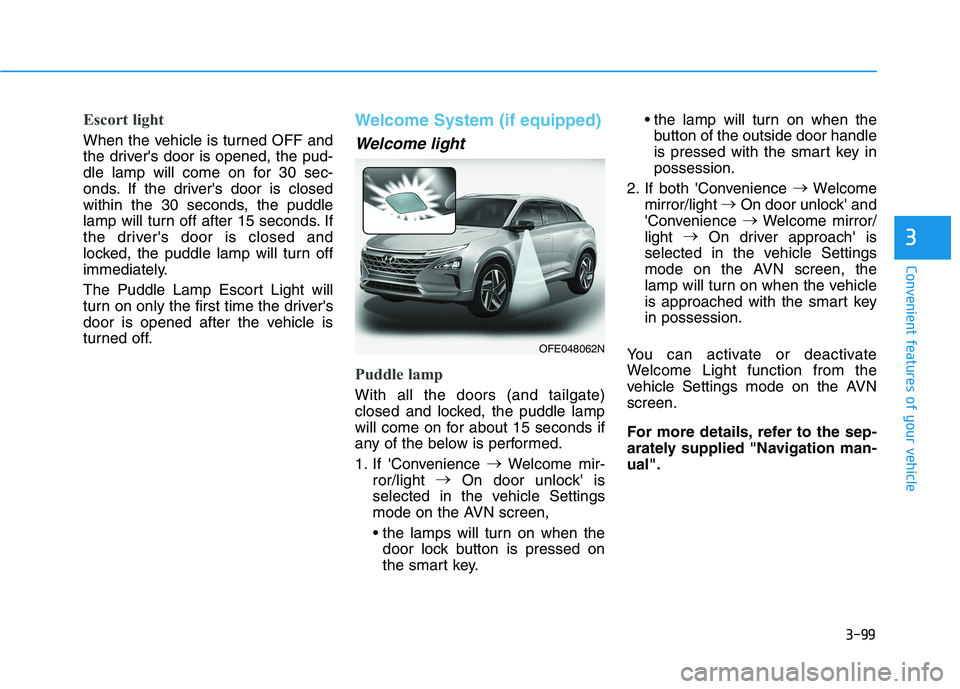
Escort light
When the vehicle is turned OFF and
the driver's door is opened, the pud-
dle lamp will come on for 30 sec-
onds. If the driver's door is closed
within the 30 seconds, the puddle
lamp will turn off after 15 seconds. If
the driver's door is closed and
locked, the puddle lamp will turn off
immediately.
The Puddle Lamp Escort Light will
turn on only the first time the driver's
door is opened after the vehicle is
turned off.
Welcome System (if equipped)
Welcome light
Puddle lamp
With all the doors (and tailgate)
closed and locked, the puddle lamp
will come on for about 15 seconds if
any of the below is performed.
1. If 'Convenience
Welcome mir-
ror/light
On door unlock' is
selected in the vehicle Settings
mode on the AVN screen,
door lock button is pressed on
the smart key. the lamp will turn on when the
button of the outside door handle
is pressed with the smart key inpossession.
2. If both 'Convenience
Welcome
mirror/light
On door unlock' and
'Convenience
Welcome mirror/
light
On driver approach' is
selected in the vehicle Settings
mode on the AVN screen, the
lamp will turn on when the vehicle
is approached with the smart keyin possession.
You can activate or deactivate
Welcome Light function from the
vehicle Settings mode on the AVNscreen.
For more details, refer to the sep-
arately supplied "Navigation man-ual".
OFE048062N
Page 187 of 558
3-100
Convenient features of your vehicle
Headlamp and parking lamp
When the headlamp (lamp switch in
the headlamp or AUTO position) is on
and all doors (and tailgate) are locked
and closed, the parking lamp and
headlamp will come on for 15 seconds
when the door unlock button is
pressed on the remote key or smart
key.
At this time, if you press the door lock
or unlock button, the parking lamp and
headlamp will turn off immediately.
Interior lamp
When the interior lamp switch is inthe DOOR position and all doors (and
tailgate) are closed and locked, the
room lamp will come on for 30 sec-
onds if any of the below is performed.
When the door unlock button ispressed on the remote key or
smart key.
When the button of the outside door handle is pressed with the
smart key in possession.
At this time, if you press the door lock
or unlock button on the smart key the
room lamp will turn off immediately.
Page 197 of 558
3-110
Convenient features of your vehicle
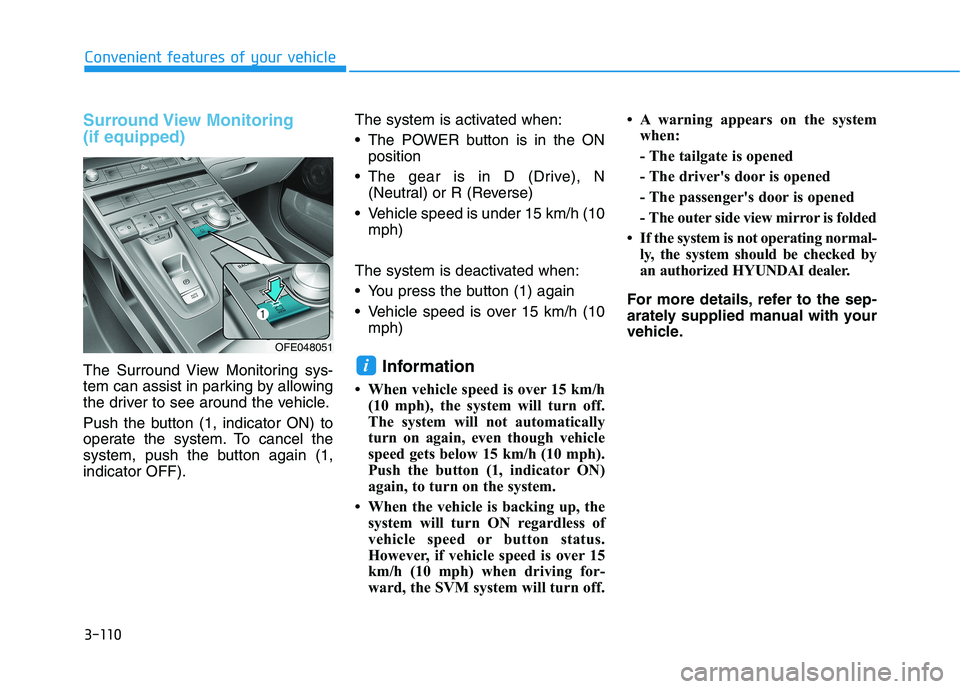
Surround View Monitoring (if equipped)
The Surround View Monitoring sys-
tem can assist in parking by allowing
the driver to see around the vehicle.
Push the button (1, indicator ON) to
operate the system. To cancel the
system, push the button again (1,indicator OFF).The system is activated when:
The POWER button is in the ON
position
The gear is in D (Drive), N (Neutral) or R (Reverse)
Vehicle speed is under 15 km/h (10 mph)
The system is deactivated when:
You press the button (1) again
Vehicle speed is over 15 km/h (10 mph)
Information
When vehicle speed is over 15 km/h (10 mph), the system will turn off.
The system will not automatically
turn on again, even though vehicle
speed gets below 15 km/h (10 mph).
Push the button (1, indicator ON)
again, to turn on the system.
When the vehicle is backing up, the system will turn ON regardless of
vehicle speed or button status.
However, if vehicle speed is over 15
km/h (10 mph) when driving for-
ward, the SVM system will turn off. A warning appears on the system
when:
- The tailgate is opened
- The driver's door is opened
- The passenger's door is opened
- The outer side view mirror is folded
If the system is not operating normal- ly, the system should be checked by
an authorized HYUNDAI dealer.
For more details, refer to the sep-
arately supplied manual with your
vehicle.i
OFE048051
Page 199 of 558
3-112
Convenient features of your vehicle
Information
If vehicle speed is over 15 km/h (10 mph)
- the DRM image stays ON when therear view was on the screen
- screen (top, front wide, front right and front left) of other modes of
SVM system turns OFF and
switches to the original AVN
screen when other modes were on
the screen
If the SVM system is ON and the vehicle speed is under 15 km/h (10
mph)
- the rear image stays ON when therear view was on the screen
- a pop-up for selecting the SVM mode (top, front wide, front right
and front left) appears when press-
ing any other view mode buttons
(3) than (2) on the screen. When the vehicle is backing up, the
rear image will appear on the screen
automatically regardless of vehicle
speed or SVM button (1) status.
- If the rear image was ON, thescreen switches to the parking
assist screen.
- If the screen (top, front wide, front right and front left) of other modes
of SVM system was ON, the screen
for setting the initial rear view
mode appears.
- When the shift gear is moved from R (Reverse) to D (Drive), the
screen of the previous mode is dis-
played.
A warning appears on the system when:
- The tailgate is opened
- The driver's door is opened
- The passenger's door is opened
- The outer side view mirror is folded If the system is not operating nor-
mally, the system should be checked
by an authorized HYUNDAI dealer.
For more details, refer to the sep-
arately supplied manual with your
vehicle.i
Page 213 of 558
3-126
Convenient features of your vehicle
To cancel the Smart Parking while
in operation
(1) Press the RSPA button beforeselecting the operation mode.
(2) Shift the gear to to R (Reverse) position before the operation of
the "Smart Parking assist" stage.
(3) Press the Parking Distance
Warning button or the
'Cancel'button on the AVNscreen.
(4) Driver controls the vehicle during the system assist
When the driver shifts the gear after
depressing the brake pedal to stop
the vehicle, the gear shifts and the
Smart Parking is deactivated. In this
case, the Electronic Parking Brake(EPB) is not engaged.
The Smart Parking assist will stop
temporarily when:
(1) An obstacle at the direction the vehicle is heading is detected.
(2) The door or tailgate is open.
(3) The driver’s seatbelt is unfas- tened.
(4) The Rear Cross-Traffic Collision- Avoidance Assist (RCCA) system
is activated while reversing.
(5) The driver releases the RSPA button.
(6) The drivers stops the vehicle by depressing the brake pedal.
❈ The vehicle stops when the Smart
Parking assist will stop temporari-
ly and the Smart Parking assist
will resume when the above condi-tion is cleared.
If the Parking Distance Warningsystem warning sound (distance
from object is within 30 cm (12
in.): continuous beep) occurs,
check the surrounding.
CAUTION
Page 217 of 558
3-130
Convenient features of your vehicle
To cancel the Remote Smart
Parking while in operation
(1) Press the RSPA button at the"Searching for parking space"
stage or the "Selecting parking
type" stage.
(2) Shift the gear to R (Reverse) position before the operation of
the Remote Smart Parkingassist.
(3) Press the Parking Distance
Warning button or the 'Cancel'
button on the AVN screen.
(4) Driver controls the vehicle during the system assist.
The Remote Smart Parking is immediately cancelled and the
vehicle turns off when the remote
start button on the smart key ispressed.
The function is cancelled but the vehicle stays on when the driver
enters the vehicle with the smart
key and all the doors are closed or
the driver depresses the brakepedal.
The Remote Smart Parking assist
will stop temporarily when:
(1) An obstacle at the direction the vehicle is heading is detected.
(2) The door or tailgate is open. (3) The moving forward/backward
button on the smart key is released.
(4) Multiple buttons on the smart key are pressed at the same time.
(5) The distance between the smart key and vehicle is over 4 m (13 ft).
(6) A button on the other smart key is pressed.
(7) Rear Cross-Traffic Collision-
Avoidance Assist system is acti-
vated while reversing.
❈ The vehicle stops when the
Remote Smart Parking assist will
stop temporarily and the Remote
Smart Parking assist will resume
when the above condition iscleared.
The Remote Smart Parking assist is
cancelled while in operation when:
(1) The driver holds the steering wheel while the steering wheel is controlled
(2) The gear is shifted or the
Electronic Parking Brake (EPB) is
activated
(3) The hood opens (4) The vehicle speed exceeds 5
km/h (3 mph)
(5) The vehicle accelerates suddenly
(6) The vehicle slips back while con- trolling the vehicle speed
(7) The wheel is stuck and the vehicle is unable to move
(8) Obstacles are at the front and back of the vehicle at the same time
(9) About 3 minutes and 50 seconds have passed after the Remote
Smart Parking assist
(10) The gradient of the road
exceeds the range supported by
the Remote Smart Parkingassist
(11) The steering, shifting gear and drive assist are impossible