tailgate HYUNDAI NEXO 2023 Owner's Guide
[x] Cancel search | Manufacturer: HYUNDAI, Model Year: 2023, Model line: NEXO, Model: HYUNDAI NEXO 2023Pages: 558, PDF Size: 35.01 MB
Page 224 of 558
3-137
Convenient features of your vehicle
3
To cancel the Smart Exit while in
operation
(1) Press the RSPA button at the"Searching for smart exit space"
stage or the "Selecting for smart
exit direction" stage.
(2) Shift the gear to R (Reverse) position before the operation of
the Smart Exit assist.
(3) Press the Parking Distance
Warning button or the 'Cancel'
button on the AVN screen.
(4) Driver controls the vehicle during the system assist
The function is deactivated when the
driver stops the vehicle by depress-
ing the brake pedal and shifts the
gear. In this case, the Electronic
Parking Brake (EPB) is not engaged.
The Smart Exit assist will stop tem-
porarily when:
(1) An obstacle at the direction the vehicle is heading is detected.
(2) The door or tailgate is open.
(3) The driver's seatbelt is unfas- tened.
(4) The Rear Cross-Traffic Collision- Avoidance Assist (RCCA) system
is activated while reversing.
(5) The driver releases the RSPA button.
(6) The driver stops the vehicle by depressing the brake pedal.
❈ The vehicle stops when the Smart
Exit assist will stop temporarily
and the Smart Exit assist will
resume when the above conditionis cleared.
The Smart Exit assist is cancelled
while in operation when:
(1) The driver holds the steering wheel while the steering wheel is controlled
(2) The gear is shifted or the Electronic Parking Brake (EPB) is
activated
(3) The hood opens
(4) The vehicle speed exceeds 5 km/h (3 mph)
(5) The vehicle accelerates suddenly
(6) The vehicle slips back while con- trolling the vehicle speed
(7) The wheel is stuck and the vehi- cle is unable to move
(8) Obstacles are at the front and back of the vehicle at the same time
(9) About 3 minutes and 50 seconds have passed after the Smart Exitassist
(10) The door opens while the dri- ver's seatbelt is unfastened
(11) The gradient of the road
exceeds the range supported by
Smart Exit assist
Page 229 of 558
3-142
Convenient features of your vehicle
The Remote Moving Forward/
Backward assist will stop tem-
porarily when:
(1) An obstacle at the direction thevehicle is heading is detected.
(2) The door or tailgate is open.
(3) The moving forward/backward but- ton on the smart key is released.
(4) Multiple buttons on the smart key are pressed at the same time.
(5) The distance between the smart key and vehicle is over 4 m (13 ft.).
(6) A button on the other smart key is pressed.
(7) R ear Cross-Traffic Collision-
Avoidance Assist (RCCA) system
is activated while reversing.
(8) The vehicle moves 7 m (23 ft.) (maximum travel distance per
move) with the Remote Moving
Forward/Backward while the
smart key is pressed.
❈ The vehicle stops when the Remote
Smart Parking assist will stop tem-
porarily and the Remote Smart
Parking assist will resume when the
above condition is cleared.
The Remote Moving Forward/
Backward assist is cancelled while
in operation when:
(1) The driver holds the steering
wheel while the steering wheel is controlled
(2) The gear is shifted or the
Electronic Parking Brake (EPB) is
activated
(3) The hood opens (4) The vehicle speed exceeds 5
km/h (3 mph)
(5) The vehicle accelerates suddenly
(6) The vehicle slips back while con- trolling the vehicle speed
(7) The wheel is stuck and the vehi- cle is unable to move
(8) Obstacles are at the front and back of the vehicle at the same time
(9) About 3 minutes and 50 seconds have passed after the Remote
Moving Forward/Backward assist
(10) The gradient of the road exceeds
the range supported by Remote
Moving Forward/ Backward assist (11) The steering, shifting gear and
drive assist are impossible
(12) The suspended status lasts for over 1 minute
(13) The driver continuously presses and releases the smart key's
moving forward/backward but-
ton over 10 times
(14) The Traction Control System
(TCS) is activated while control-
ling the vehicle speed
(15) The smart key has failure
(16) The accelerator/brake pedal is depressed while all the doors are closed
(17) The brake pedal is depressed while the driver's door is open
and the smart key is outside the
vehicle
(18) The vehicle travels more than 14 m (46 ft.) after the Remote
Moving Forward/Backward assist
is activated
(19) The smart key's remote start button is pressed
Page 270 of 558
5-3
Driving your vehicle
5
Keep the air intakes clear.
To assure proper operation of the ventilation system, keep the ventilation air intakes located in front of the wind-
shield clear of snow, ice, leaves, or other obstructions.
If you must drive with the tailgate open:
Close all windows.
Open instrument panel air vents.
Set the air intake control at "Fresh", the air flow control at "Floor" or "Face", and the fan control set to high.
WARNING
Page 271 of 558
5-4
Driving your vehicle
Before Entering the Vehicle
• Be sure all windows, outside mir-ror(s), and outside lights are clean
and unobstructed.
Remove frost, snow, or ice.
Visually check the tires for uneven wear and damage.
Check under the vehicle for any sign of leaks.
Be sure there are no obstacles behind you if you intend to back up.
Before Starting
Make sure the hood, the tailgate,and the doors are securely closed
and locked.
Adjust the position of the seat and steering wheel.
Adjust the inside and outside rearview mirrors.
Verify all the lights work.
Fasten your seatbelt. Check that all passengers have fastened their
seatbelts.
Check the gauges and indicators in the instrument panel and the mes-
sages on the instrument display
when the POWER button is in theON position.
Check that any items you are car- rying are stored properly or fas-
tened down securely.
BBEEFFOO RREE DD RRIIVV IINN GG
To reduce the risk of SERIOUS
INJURY or DEATH, take the fol-
lowing precautions:
•ALWAYS wear your seat belt.
All passengers must be prop-
erly belted whenever the vehi-
cle is moving. For more
details, refer to "Seat Belts" in
chapter 2.
Always drive defensively.
Assume other drivers or pedes-
trians may be careless andmake mistakes.
Stay focused on the task of
driving. Driver distraction cancause accidents.
Leave plenty of space between
you and the vehicle in front of
you.
WARNING
Page 287 of 558
5-20
Driving your vehicle
However, if the Auto Hold function is
not activated, the EPB is not auto-
matically applied even though the
vehicle stops and turned off.Releasing the parking brake
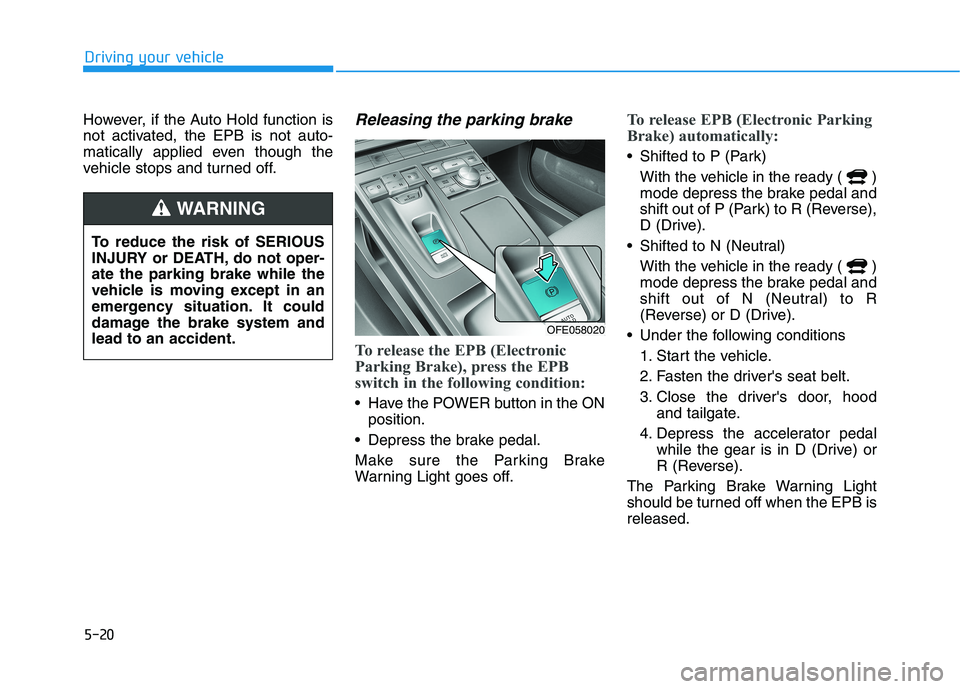
To release the EPB (Electronic
Parking Brake), press the EPB
switch in the following condition:
Have the POWER button in the ONposition.
Depress the brake pedal.
Make sure the Parking Brake
Warning Light goes off.
To release EPB (Electronic Parking
Brake) automatically:
Shifted to P (Park) With the vehicle in the ready ( )
mode depress the brake pedal and
shift out of P (Park) to R (Reverse),
D (Drive).
Shifted to N (Neutral) With the vehicle in the ready ( )
mode depress the brake pedal and
shift out of N (Neutral) to R
(Reverse) or D (Drive).
Under the following conditions 1. Start the vehicle.
2. Fasten the driver's seat belt.
3. Close the driver's door, hood and tailgate.
4. Depress the accelerator pedal while the gear is in D (Drive) or
R (Reverse).
The Parking Brake Warning Light
should be turned off when the EPB isreleased.
To reduce the risk of SERIOUS
INJURY or DEATH, do not oper-ate the parking brake while the
vehicle is moving except in an
emergency situation. It could
damage the brake system andlead to an accident.
WARNING
OFE058020
Page 288 of 558
5-21
Driving your vehicle
5
Information
For your safety, you can engage the EPB even though the POWER but-
ton is in the OFF position, but you
cannot release it.
For your safety, depress the brake pedal and release the parking brake
manually with the EPB switch when
you drive downhill or when backing
up the vehicle.
If the parking brake warning light is still on even though the EPB
has been released, have the sys-
tem checked an authorized
HYUNDAI dealer.
Do not drive your vehicle with the EPB applied. It may cause
excessive brake pad and brake
rotor wear.EPB (Electronic Parking Brake)
may be automatically applied
when:
Requested by other systems
If the driver turns the vehicle offwhile Auto Hold is operating, EPB will be automatically applied.
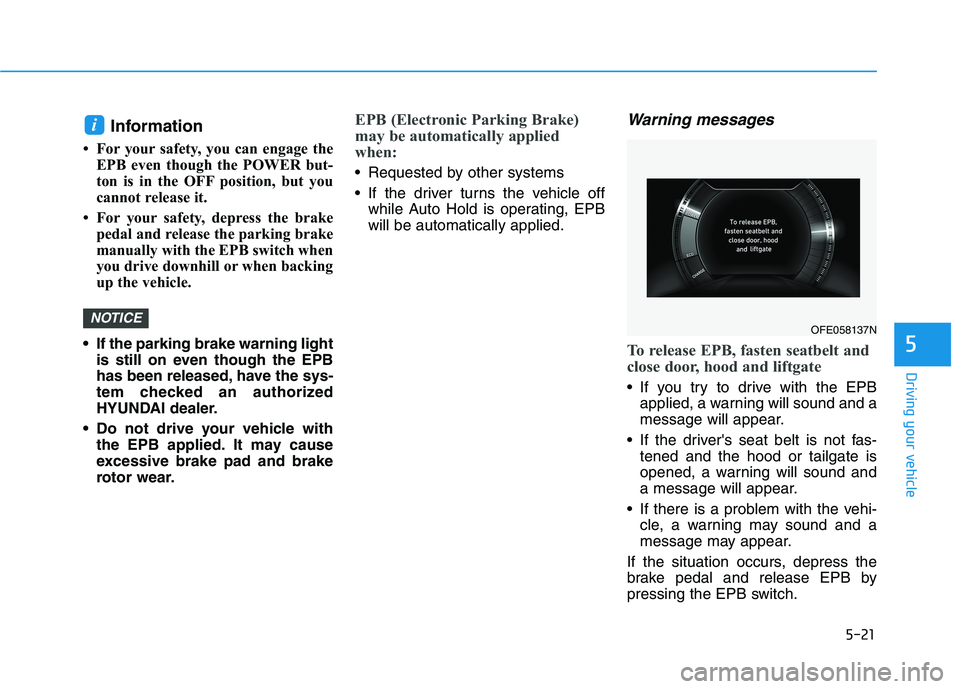
Warning messages
To release EPB, fasten seatbelt and
close door, hood and liftgate
If you try to drive with the EPBapplied, a warning will sound and a
message will appear.
If the driver's seat belt is not fas- tened and the hood or tailgate is
opened, a warning will sound and
a message will appear.
If there is a problem with the vehi- cle, a warning may sound and a
message may appear.
If the situation occurs, depress the
brake pedal and release EPB by
pressing the EPB switch.
NOTICE
i
OFE058137N
Page 292 of 558
5-25
Driving your vehicle
Auto Hold
The Auto Hold maintains the vehicle
in a standstill even though the brake
pedal is not depressed after the driv-
er brings the vehicle to a complete
stop by depressing the brake pedal.
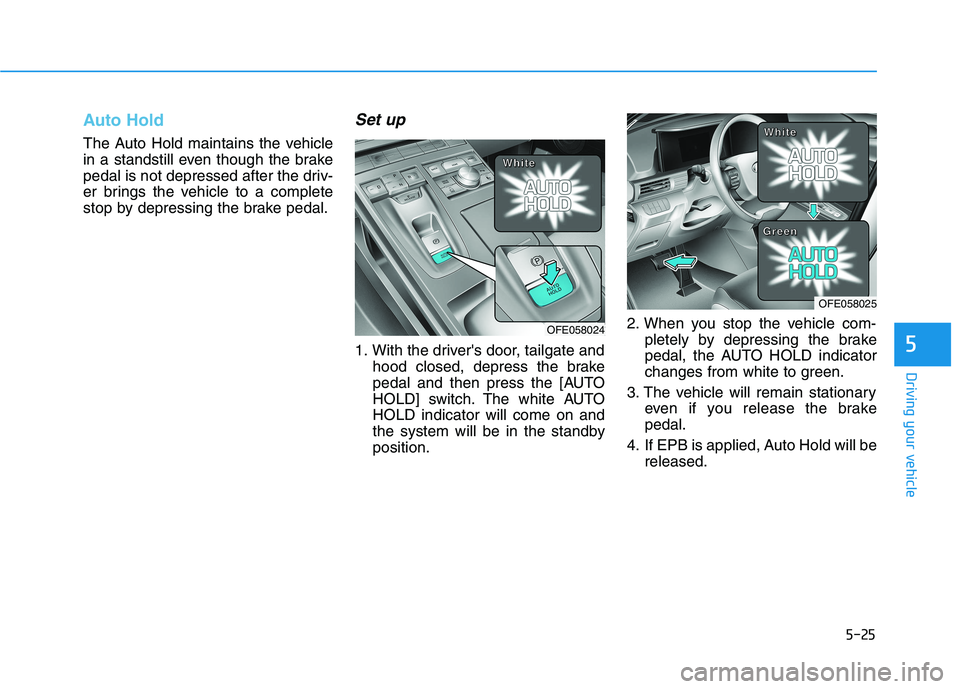
Set up
1. With the driver's door, tailgate andhood closed, depress the brake
pedal and then press the [AUTO
HOLD] switch. The white AUTOHOLD indicator will come on and
the system will be in the standbyposition. 2. When you stop the vehicle com-
pletely by depressing the brake
pedal, the AUTO HOLD indicator
changes from white to green.
3. The vehicle will remain stationary even if you release the brakepedal.
4. If EPB is applied, Auto Hold will be released.5
OFE058024
OFE058025
WWWWhhhhiiiitttteeee
WWWWhhhhiiiitttteeee
GGGGrrrreeeeeeeennnn
Page 293 of 558
5-26
Leaving
If you press the accelerator pedalwith the gear in D (Drive) or R
(Reverse), the Auto Hold will bereleased automatically and the
vehicle will start to move. The
AUTO HOLD indicator changes
from green to white.
If the vehicle is restarted using the cruise control toggle switch (RES+
or SET-) while Auto Hold and cruise
control is operating, the Auto Holdwill be released regardless of
accelerator pedal operation. The
AUTO HOLD indicator changes
from green to white. (if equipped
with Smart Cruise Control system)
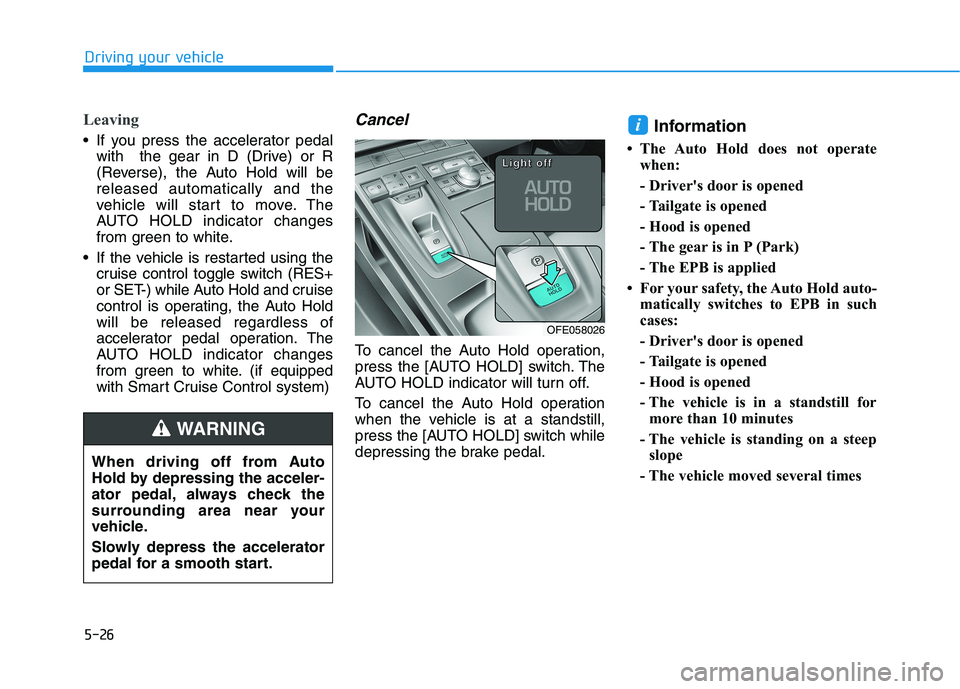
Cancel
To cancel the Auto Hold operation,
press the [AUTO HOLD] switch. The
AUTO HOLD indicator will turn off.
To cancel the Auto Hold operation
when the vehicle is at a standstill,
press the [AUTO HOLD] switch while
depressing the brake pedal. Information
The Auto Hold does not operate when:
- Driver's door is opened
- Tailgate is opened
- Hood is opened
- The gear is in P (Park)
- The EPB is applied
For your safety, the Auto Hold auto- matically switches to EPB in such
cases:
- Driver's door is opened
- Tailgate is opened
- Hood is opened
- The vehicle is in a standstill formore than 10 minutes
- The vehicle is standing on a steep slope
- The vehicle moved several times
i
Driving your vehicle
OFE058026
LLLLiiiigggghhhhtttt ooooffffffff
When driving off from Auto
Hold by depressing the acceler-
ator pedal, always check the
surrounding area near your
vehicle.
Slowly depress the accelerator
pedal for a smooth start.
WARNING
Page 294 of 558
5-27
Driving your vehicle
In these cases, the parking brake
warning light comes on, the AUTO
HOLD indicator changes from green
to white, and a warning sounds and
a message will appear to inform you
that EPB has been automatically
engaged. Before driving again,
depress the brake pedal, check the
surrounding area near your vehicle
and release the parking brake man-
ually with the EPB switch.
If the AUTO HOLD indicator lights up yellow, the Auto Hold is not
working properly. Contact an
authorized HYUNDAI dealer.
While operating Auto Hold, you may hear mechanical noise. However, it is
normal operating noise. If there is a malfunction with the
driver's door, tailgate or hood
open detection system, the Auto
Hold may not work properly.
Contact an authorized HYUNDAI
dealer.Warning messages
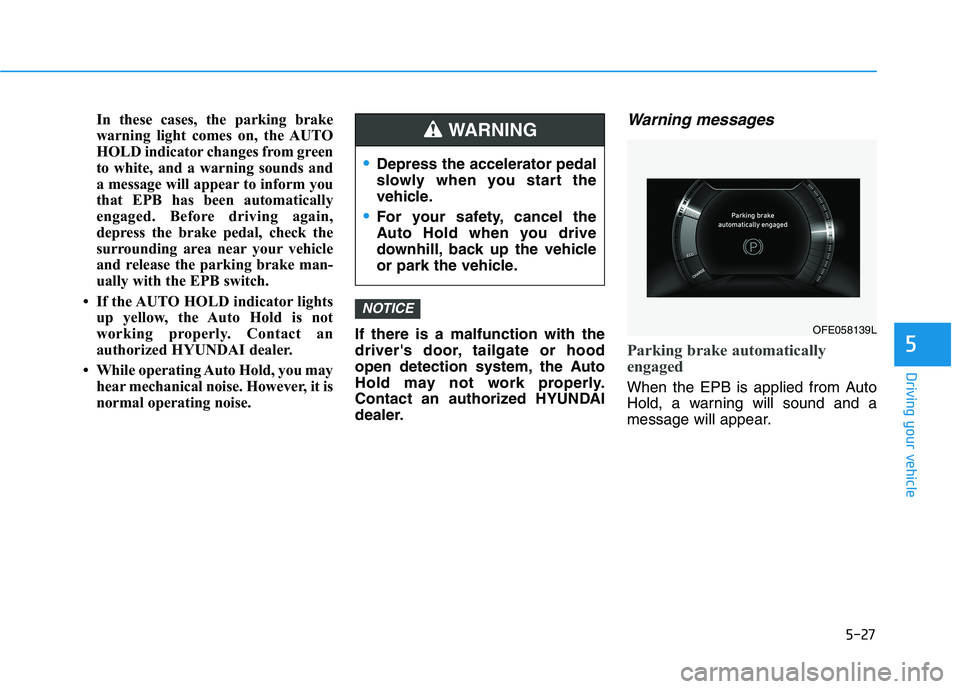
Parking brake automatically
engaged
When the EPB is applied from Auto
Hold, a warning will sound and a
message will appear.
NOTICE
5
Depress the accelerator pedal
slowly when you start the
vehicle.
For your safety, cancel the
Auto Hold when you drive
downhill, back up the vehicle
or park the vehicle.
WARNING
OFE058139L
Page 295 of 558
5-28
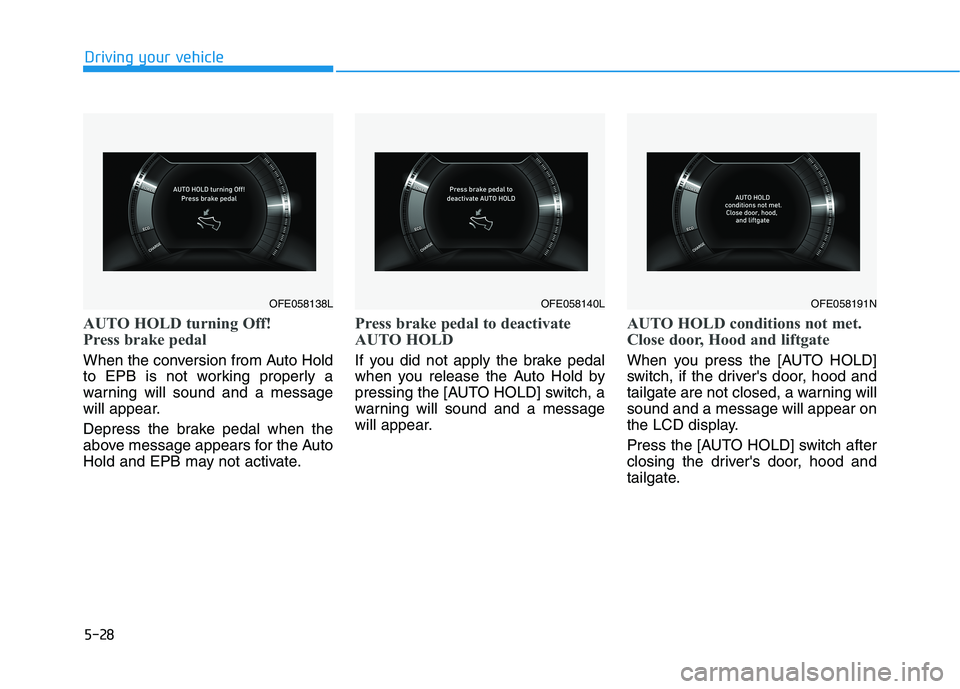
AUTO HOLD turning Off!
Press brake pedal
When the conversion from Auto Hold
to EPB is not working properly a
warning will sound and a message
will appear.
Depress the brake pedal when the
above message appears for the Auto
Hold and EPB may not activate.
Press brake pedal to deactivate
AUTO HOLD
If you did not apply the brake pedal
when you release the Auto Hold by
pressing the [AUTO HOLD] switch, a
warning will sound and a message
will appear.
AUTO HOLD conditions not met.
Close door, Hood and liftgate
When you press the [AUTO HOLD]
switch, if the driver's door, hood and
tailgate are not closed, a warning willsound and a message will appear on
the LCD display.
Press the [AUTO HOLD] switch after
closing the driver's door, hood and
tailgate.
Driving your vehicle
OFE058140LOFE058191NOFE058138L